Viewer Analytics for Documents: Track Client Activity
Table of Contents
- Viewer Analytics for Documents, Without the Guesswork
- What Document Analytics and PDF Analytics Can Tell You
- How Document Viewer Tracking Works
- Verified Email Access and Per-Viewer Document Analytics
- Set Up Viewer Analytics for Documents
- Document Analytics in Real Client Work
- Turn Document Analytics Into Better Follow-Up
- Document Viewer Tracking Compared With Other Options
- Document Analytics Limits and Privacy
- Final Thoughts on Viewer Analytics for Documents
- Viewer Analytics for Documents, Without the Guesswork
- What Document Analytics and PDF Analytics Can Tell You
- How Document Viewer Tracking Works
- Verified Email Access and Per-Viewer Document Analytics
- Set Up Viewer Analytics for Documents
- Document Analytics in Real Client Work
- Turn Document Analytics Into Better Follow-Up
- Document Viewer Tracking Compared With Other Options
- Document Analytics Limits and Privacy
- Final Thoughts on Viewer Analytics for Documents
Viewer Analytics for Documents, Without the Guesswork
Five minutes after sending client work, viewer analytics for documents answers: did anyone open it, and what happened next? Email attachments reveal little. Email-open pixels are unreliable because privacy features can load remote content without anyone reading the message. Apple explains that Mail Privacy Protection can prevent senders from seeing whether an email was opened.
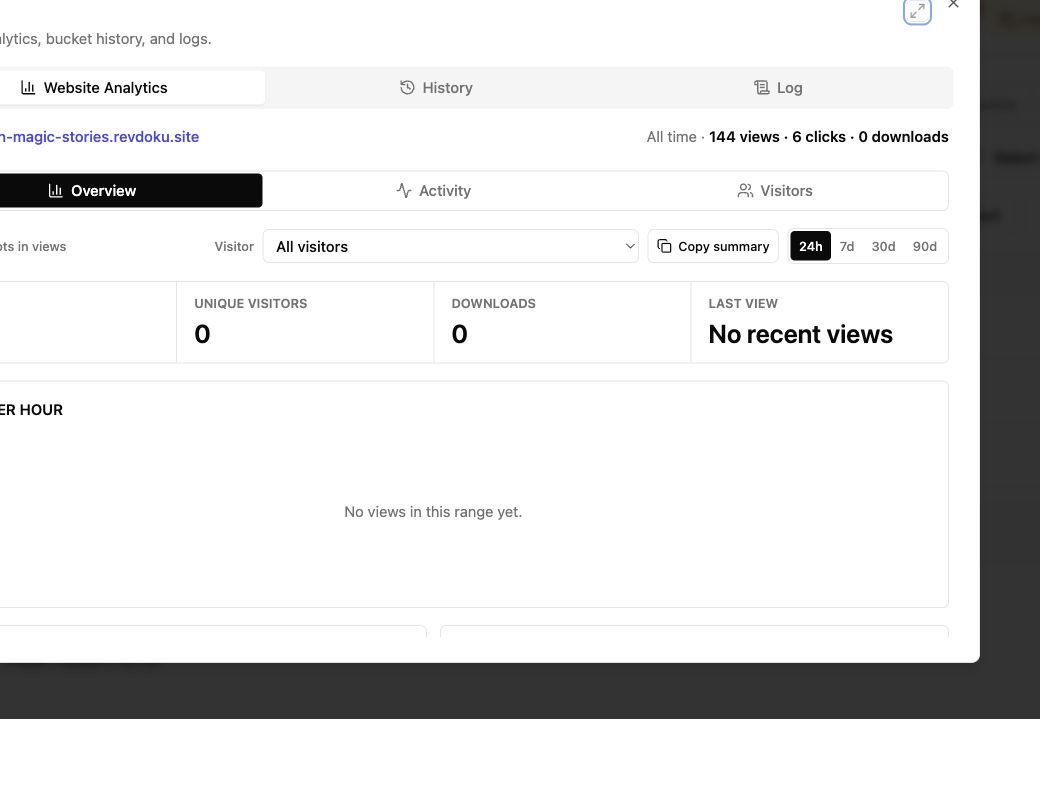
Revdoku turns a PDF, presentation, report, demo, or folder into one client-facing website link. Document analytics can show:
- Overall visits and popular pages
- Clicks and file downloads
- Verified visitor activity when you require email access
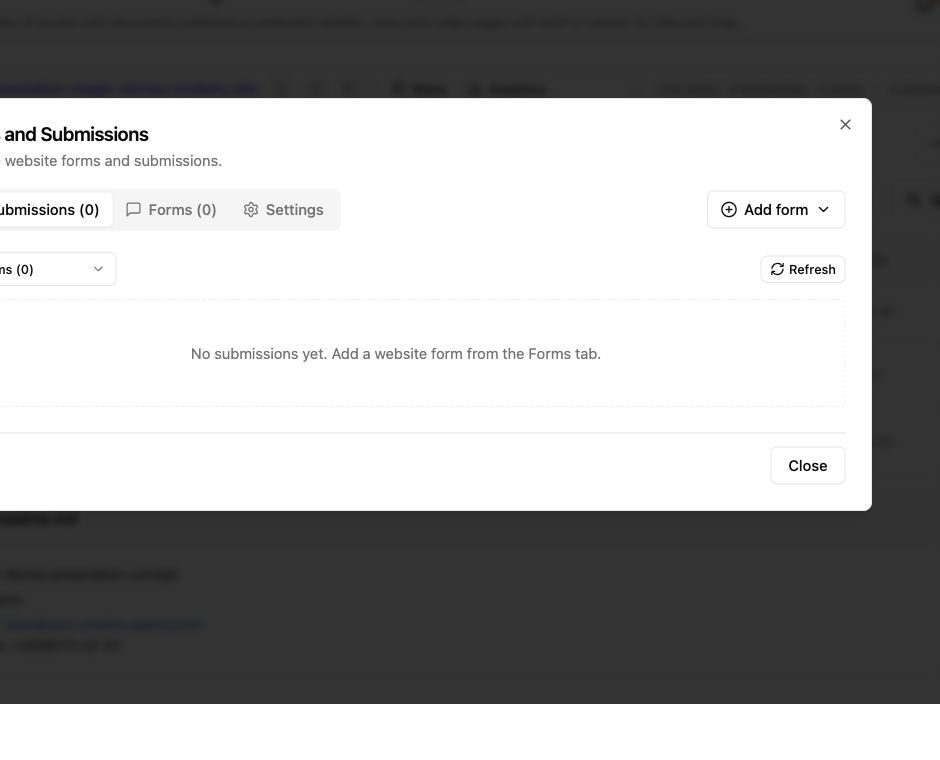
- New feedback or contact-form submissions
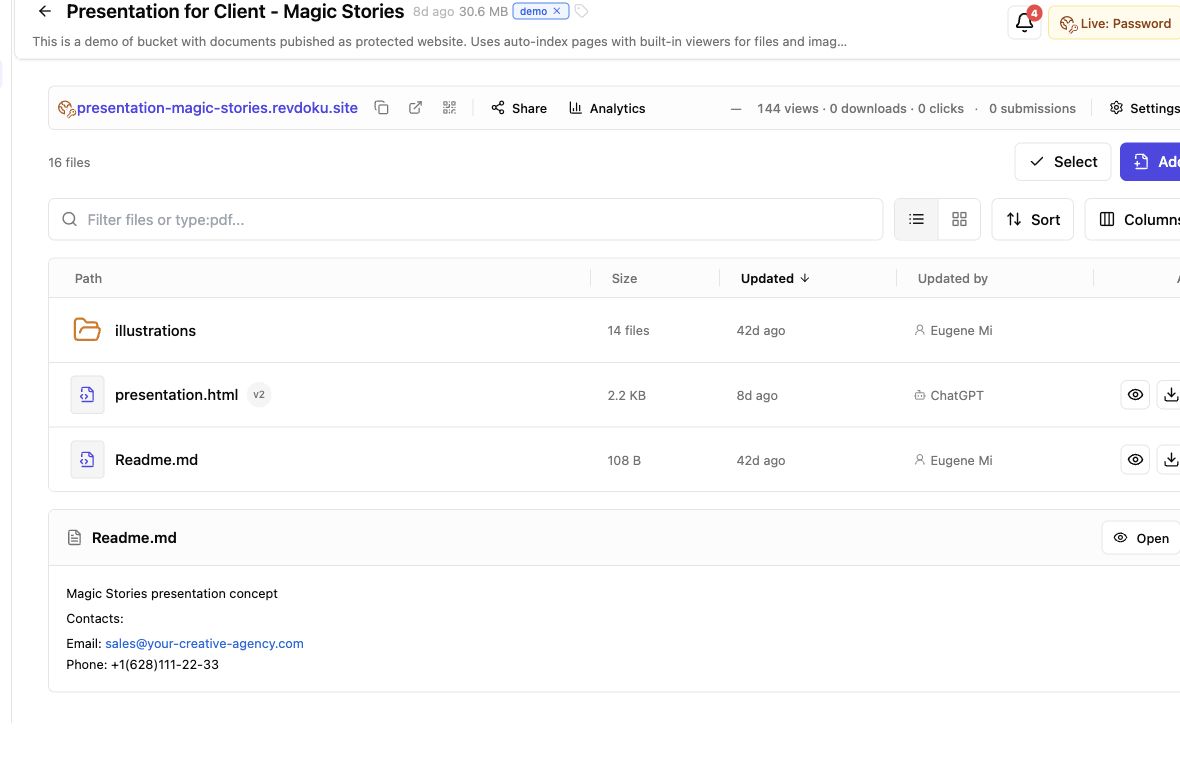
Screenshot of Revdoku website analytics for the Magic Stories demo bucket in app.revdoku.com, made on July 31, 2026.
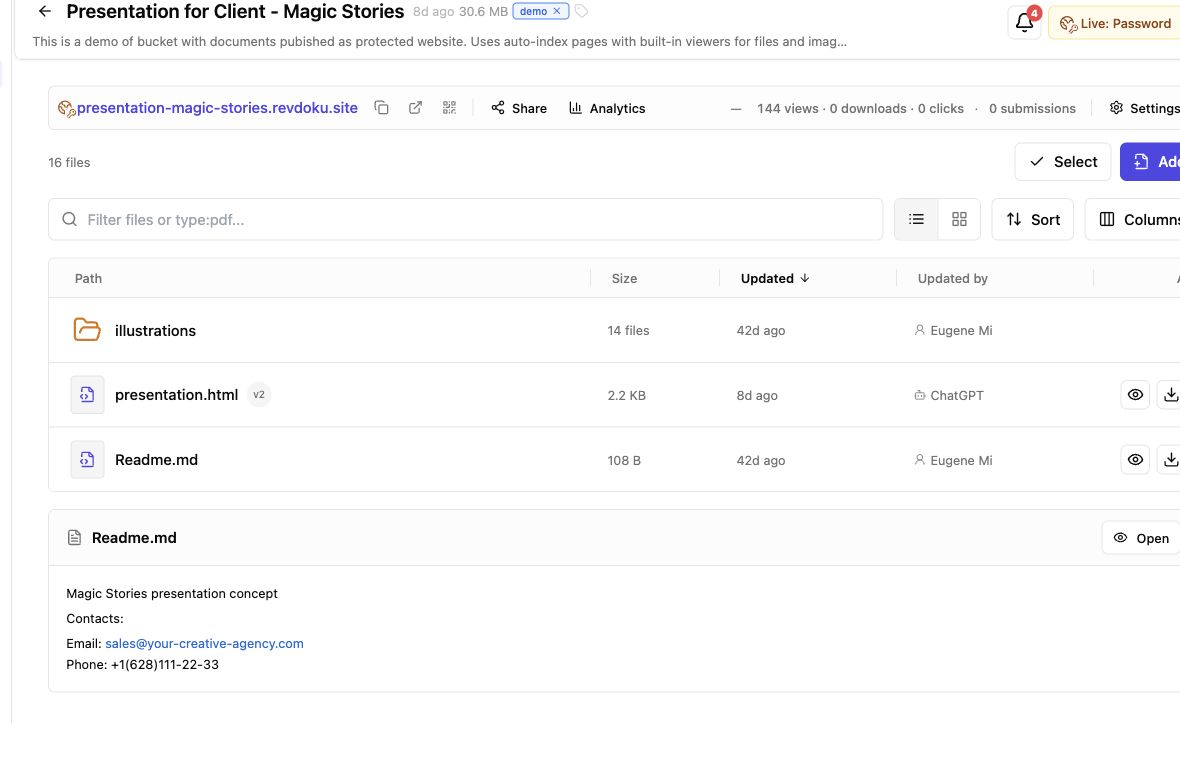
Screenshot of the Revdoku Magic Stories demo bucket in app.revdoku.com, made on July 31, 2026.
What Document Analytics and PDF Analytics Can Tell You
How often was the website opened? Which page or file drew attention? Did someone click pricing or download the scope? These signals describe actions on the shared website, not in the recipient’s inbox.
By default, Revdoku tracks published sites with website analytics and browser events. Its product materials list page views, paths, visitors, referrers, clicks, and downloads. The Revdoku documentation also explains that tracking can be disabled when a project does not need it.
| Signal | What it helps answer | What it does not prove |
|---|---|---|
| Visits and views | Did the link receive traffic? | That every visit came from a new person |
| Pages or paths viewed | Which parts of the document website were opened? | That every word was read |
| Link clicks | Which next step drew action? | Why the visitor clicked |
| Downloads | Was a file requested from the site? | That the file was later reviewed |
| Referrers | Where did some visits come from? | The identity of an unnamed visitor |
| Verified activity | Which verified email opened pages, clicked, or downloaded? | The person’s legal identity or intent |
Document analytics gives evidence, not mind reading.
How Document Viewer Tracking Works
A hosted website, unlike an attachment, enables document viewer tracking. Revdoku stores files in a private bucket, publishes selected work as a website, and keeps its URL stable through bucket updates.
-
Upload the work. In the dashboard, drag in a PDF or folder containing presentations, images, spreadsheets, HTML, Markdown, and supporting files.
-
Publish a website. Without a custom home page, Revdoku can create an Auto-Index Page with navigation and file viewers.
-
Choose access. Make the link public, password-protected, or restricted by Verified Email to a named recipient.
-
Share one URL. The client opens a browser link without installing a viewer app.
-
Read the activity. Review aggregate traffic or, with Verified Email, per-visitor timelines of pages viewed, links clicked, and files downloaded.
Server-side website analytics and browser-side events cover different parts of the flow. Ad blockers, disabled scripts, connection failures, shared devices, and forwarded links can affect the record, so treat document viewer tracking as a strong operating signal, not a perfect account of attention.
Verified Email Access and Per-Viewer Document Analytics
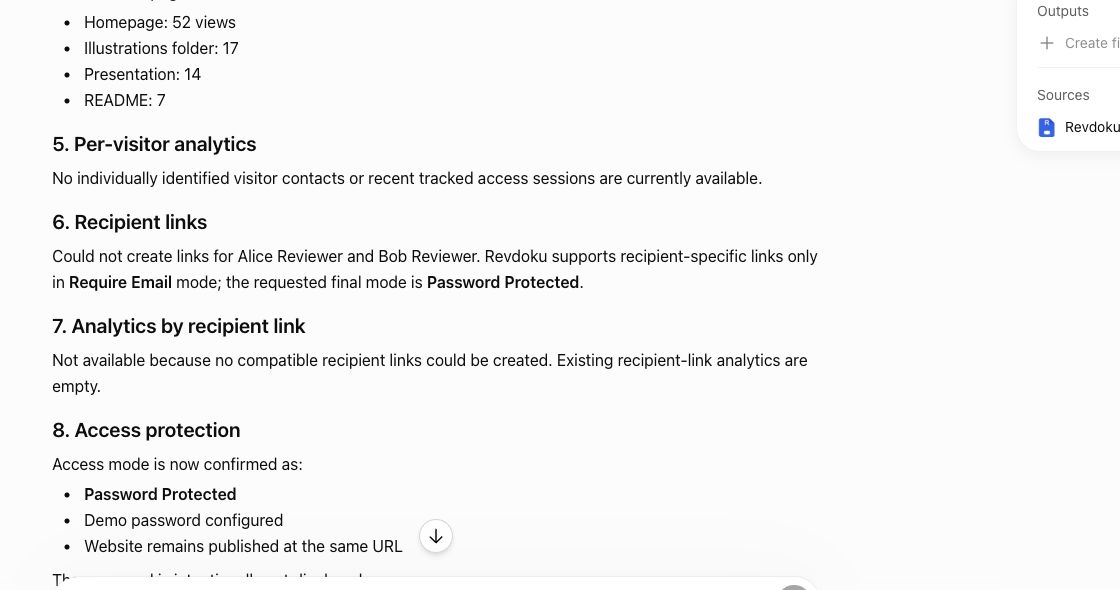
Traffic and identity differ. A public link can collect aggregate analytics without automatically identifying visitors; a password gate confirms only that someone had the shared password, not who used it.
Verified Email access adds a permission gate. Visitors verify an email address with a one-time code sent to that inbox. Revdoku can limit entry to selected addresses or a company domain.
On paid plans, Revdoku can connect verified access to the visitor’s later page views, clicks, and downloads. The Revdoku product page describes this as verified visitor identity and per-visitor activity.
| Access mode | Visitor experience | Analytics you can rely on | Best fit |
|---|---|---|---|
| Public | Open the link directly | Aggregate views, paths, clicks, and downloads | Public handouts and broad campaigns |
| Password | Enter a shared password | Aggregate activity plus successful protected access | Private client previews with low friction |
| Verified Email | Enter email and one-time code | Activity attributed to the verified inbox | Proposals, decks, data rooms, and named client review |
Verified Email proves control of an inbox at access time, not KYC, a signature, proof that the named employee stayed at the keyboard, or an enterprise audit trail. This narrow promise clarifies exactly what the data means.
Set Up Viewer Analytics for Documents
Setting up viewer analytics for documents requires neither an AI agent nor code; the dashboard takes a few deliberate choices.
-
Create a bucket for one client or project. A clear title like Acme Q3 Proposal makes later proposal analytics easier to interpret.
-
Upload the final PDF or the whole delivery folder. Keeping related files together clarifies client document tracking and gives the client one tidy website instead of disconnected links.
-
Choose the lightest access mode that fits. Use public access for open material, a password for simple privacy, or Verified Email when named activity matters. Add an address or domain allowlist when only invited people should enter.
-
Turn on useful notifications. A protected-open alert is most useful when someone on the team is ready to respond. Too many alerts become wallpaper.
-
Test the visitor path. In a private browser window, test the gate, navigation, PDF viewer, links, downloads, and mobile layout.
-
Share, then update the same bucket. Replace the proposal, add an appendix, or correct a chart without asking the client to find a new URL.
Add a built-in feedback or contact form. Submissions stay with the bucket, recording leads or client responses without a separate backend.
Document Analytics in Real Client Work
A view should guide your next step, even if that means waiting.
| Example | Sharing setup | Activity pattern | Sensible response |
|---|---|---|---|
| Agency proposal | 12-page proposal behind Verified Email | Pricing opened twice; scope PDF downloaded at 10:14 a.m. | Send a short same-day note offering to clarify price or scope |
| Consulting report | Password-protected report website | Executive summary and 90-day roadmap opened; technical appendix skipped | Lead the review call with decisions, then ask whether the team wants the appendix |
| Founder data room | Verified Email plus company-domain access | Two verified visitors open the deck; one downloads the financial model | Prepare role-specific answers and ask who else is involved in the decision |
| AI-built demo | Protected static demo with a stable URL | Client visits the onboarding and pricing paths after a revision | Update the same bucket, keep the link, and compare the new path pattern |
These examples do not promise buyer intent: two pricing views could reflect interest, confusion, or an accidental refresh. Document viewer tracking gives you a grounded question to ask.
AI tools, the API, and CLI can republish recurring reports or demos to the same bucket, but are optional. For a proposal due today, drag and drop remains straightforward.
Turn Document Analytics Into Better Follow-Up
Speed matters, but speed without tact feels like surveillance. A widely cited Harvard Business Review study of 2,241 US companies found that 37% responded to a web lead within an hour and 23% never responded. The 2011 research offers a durable lesson about response delay, not a modern benchmark for every business.
- One open, no deeper action: give the recipient room; follow up in one or two business days rather than instantly.
- Several relevant pages plus a download: for active projects, respond the same business day and offer help with the exact topic without reciting the activity log.
- Repeat visits across several days: ask if another stakeholder needs access or a shorter summary.
- No recorded visit: after 24 to 48 hours, confirm the link arrived and the gate worked.
Write “Happy to walk through the pricing options or adjust the scope,” not “I watched you open page eight twice.” The first uses analytics as context; the second makes the client regret clicking.
Document Viewer Tracking Compared With Other Options
No method fits every job. Document viewer tracking works best when client work must remain easy to open, sender-controlled, and measurable beyond the outbox.
| Approach | Best for | Activity detail | Update behavior |
|---|---|---|---|
| Email attachment | Fast, informal exchange | Usually none beyond weak email signals | New version means another attachment |
| Standard cloud-drive link | Shared storage and collaborative editing | Varies by account and permission model | File can update at the same drive location |
| E-signature platform | Consent and signed agreements | Signature workflow and completion events | Built around signing, not a general client website |
| Enterprise sales room or DRM tool | Large buying teams or strict control needs | Often deeper, with more setup and cost | Managed inside a broader enterprise system |
| Revdoku document website | Proposals, reports, decks, demos, and mixed file folders | Aggregate analytics or paid per-viewer activity with Verified Email | Republish to the same stable link |
Revdoku does not claim to stop screenshots, prevent every copy, add PDF heatmaps, or replace a digital-signature product. It focuses on client delivery: publish files as a clean website, control entry, see useful activity, collect feedback, and keep the deliverable current.
That often suffices for freelancers, consultants, agencies, founders, or small teams. For binding signature evidence, regulated records management, or strict digital rights management, use a purpose-built product.
Document Analytics Limits and Privacy
Viewer analytics for documents should clearly state what is measured. The gate tells visitors their email will be shared with the site owner for access tracking. Revdoku’s privacy policy explains that the service processes website analytics and technical data to operate and secure the product.
Privacy rules vary by location. If your site or embedded content uses nonessential cookies or similar storage, the UK’s ICO guidance says users must receive a clear explanation and actively consent. Keep collection proportionate, restrict dashboard access, set sensible retention, and disable unnecessary tracking.
Final Thoughts on Viewer Analytics for Documents
Viewer analytics for documents replaces guesswork with facts: whether a client-facing website received traffic, which pages or files drew action, and whether someone clicked or downloaded. When named activity matters, paid Verified Email connects those events to a verified inbox without claiming automatic identification.
- Upload a document or folder
- Choose public, password, or Verified Email access
- Share one stable link
- Read the document analytics and follow up with tact
- Update the same link as the work changes
That is client-friendly controlled sharing. Start with Revdoku, send the work through a normal browser link, and let the next conversation begin with evidence instead of guesswork.
Frequently asked questions
Can analytics prove the document was read?
No. A page view records an open, not comprehension.
Does a public link identify viewers?
No. Identity is not automatic.
Is Verified Email the same as legal identity?
No. It verifies access to an inbox.
Can Revdoku prevent copying or screenshots?
No DRM claim is made.
Are analytics an enterprise audit log?
No. They are client-sharing and engagement signals.
Can document analytics confirm that someone fully read my document?
No. Analytics can show visits, page views, clicks, and downloads, but they cannot confirm comprehension or attention. When confirmation matters, ask the recipient for feedback, approval, or a direct response.
Which access option should I choose for client documents?
Use public access for openly shareable materials, password protection for simple privacy, and Verified Email when activity must be associated with a specific inbox. Choose the least restrictive option that still meets the document’s privacy and attribution needs.
Will a public or password-protected link identify individual viewers?
Not reliably. Public and shared-password links primarily provide aggregate activity, while Verified Email attributes later activity to the inbox used for verification. Even then, it confirms inbox access rather than legal identity or who remained at the device.
Why might recorded activity be incomplete or misleading?
Ad blockers, disabled scripts, connection failures, shared devices, forwarded links, and accidental refreshes can affect the record. Treat analytics as useful evidence for follow-up, not a perfect account of a recipient’s actions or intentions.
When should I follow up after someone views or downloads a document?
For several relevant views or a meaningful download, a helpful same-business-day response may be appropriate. After a single open, allow some time before following up, and if no visit appears within 24 to 48 hours, confirm that the link arrived and worked.
Can I update the document without sending a new link?
Yes. You can replace files, correct content, or add supporting material within the same bucket while keeping the published URL stable. Test the updated site afterward to make sure its navigation, viewers, links, and downloads still work correctly.
Does document viewer tracking replace e-signatures, DRM, or compliance systems?
No. It is designed for controlled client delivery and practical engagement signals, not binding signatures, screenshot prevention, formal identity verification, or regulated audit records. Use a purpose-built platform when those higher-assurance capabilities are required.
Related Articles
Proposal Feedback Software for Clear Client Follow-Up
Share protected proposals, collect client feedback, track engagement, and update files through one stable link with Revdoku.
Website Link Tracking for Client Engagement
Track proposal and document engagement using visits, downloads, Verified Email, privacy safeguards, and well-timed client follow-up.
Secure File Sharing for Clients: A Practical Guide
Learn how to securely share client files, control access, manage versions, collect feedback, and track engagement with one link.