Client deliverables usually travel as email attachments: no access control, no idea if anyone opened them, and a new copy for every revision. A Revdoku bucket turns the same files into a private data room with a password gate and a visitor log.
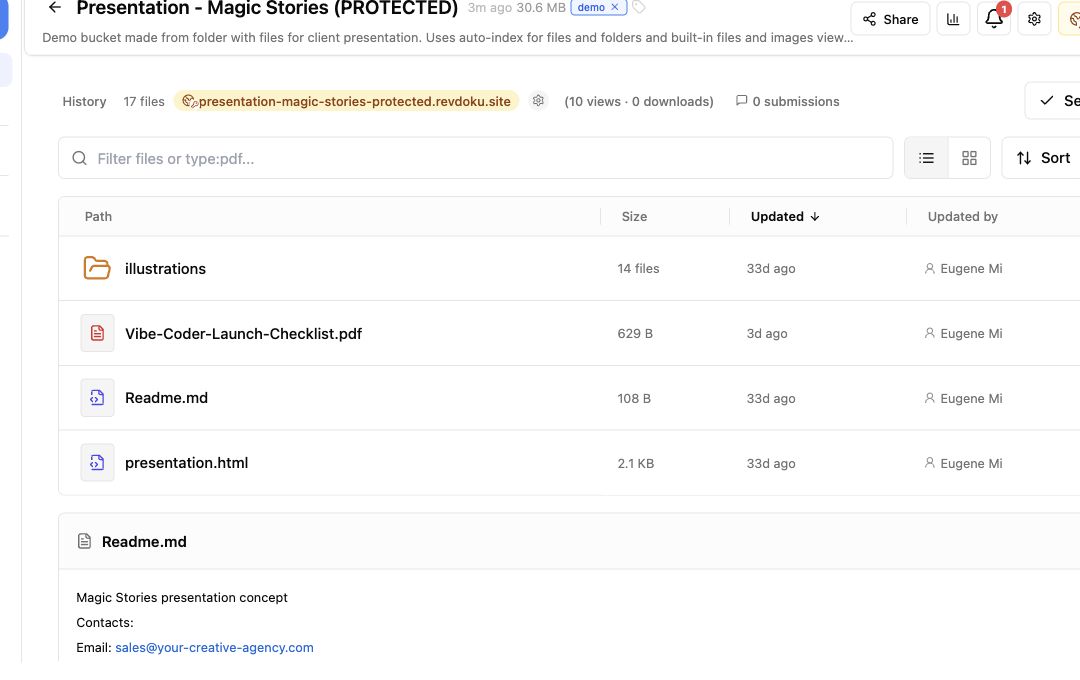
1. Collect the deliverables in one bucket
Gather the finished work — report, appendix, slides exported to HTML, supporting PDFs — into a single bucket folder. Drag it in from the dashboard, or let an AI agent assemble it for you.
2. Publish with a password and an email requirement
Publish the folder with password access, and turn on the option that asks visitors to enter an email before viewing.
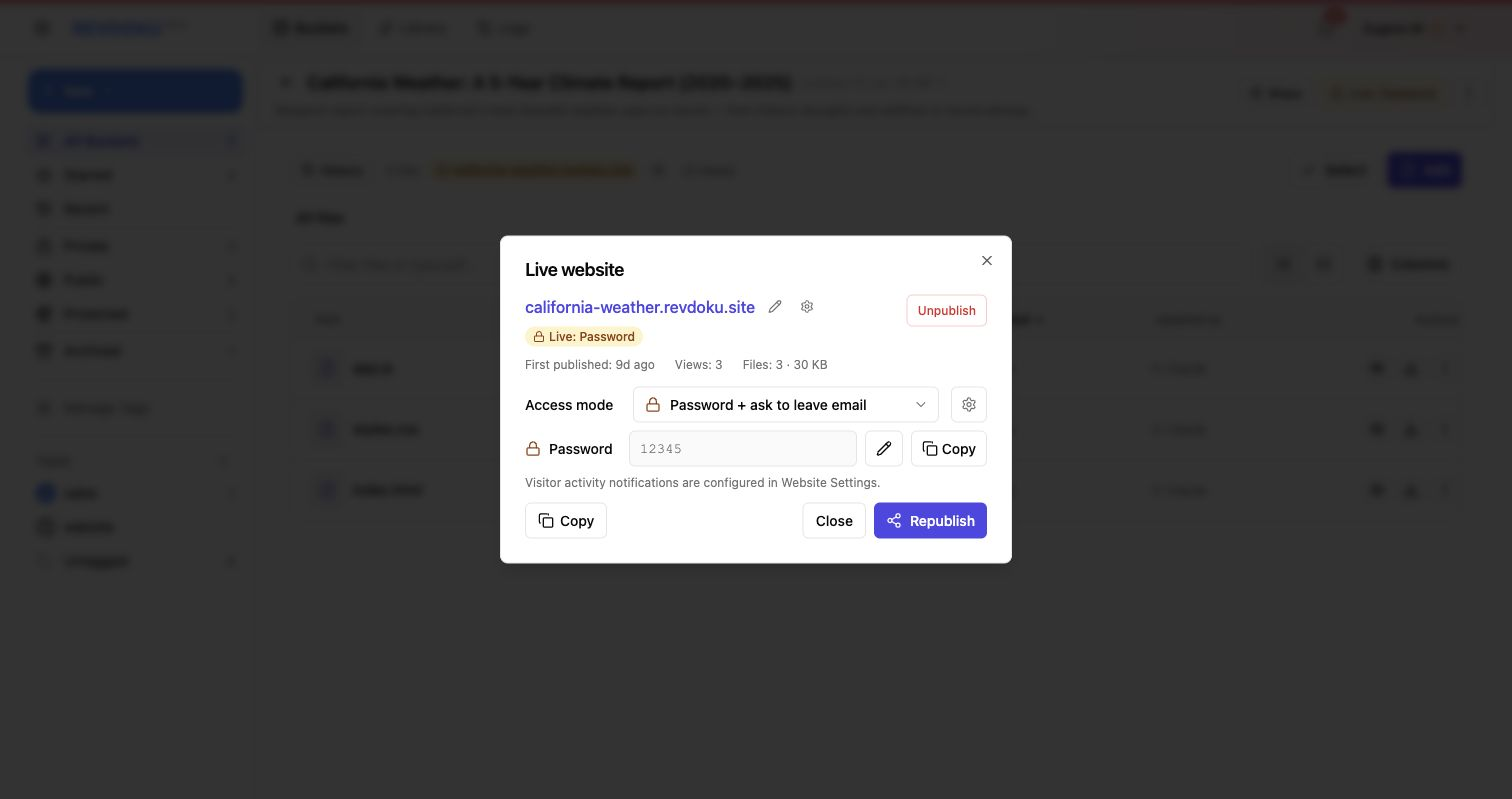
Note: the gate is enforced by the bucket access layer, not by editable page HTML.
3. Send the client one link and one password
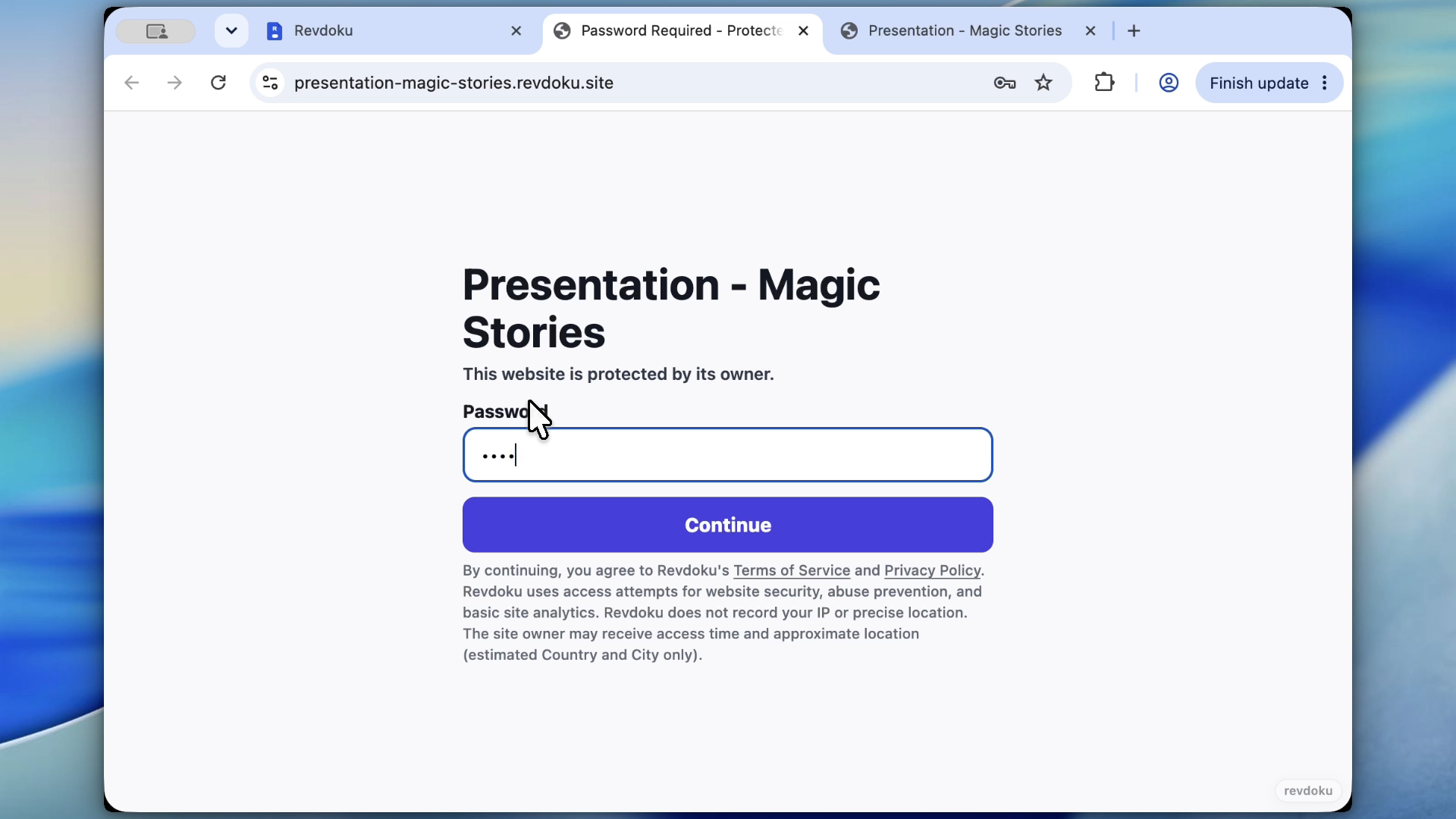
The client opens the URL, enters the password and their email, and sees the deliverables as a navigable site — no attachments, no zip files.
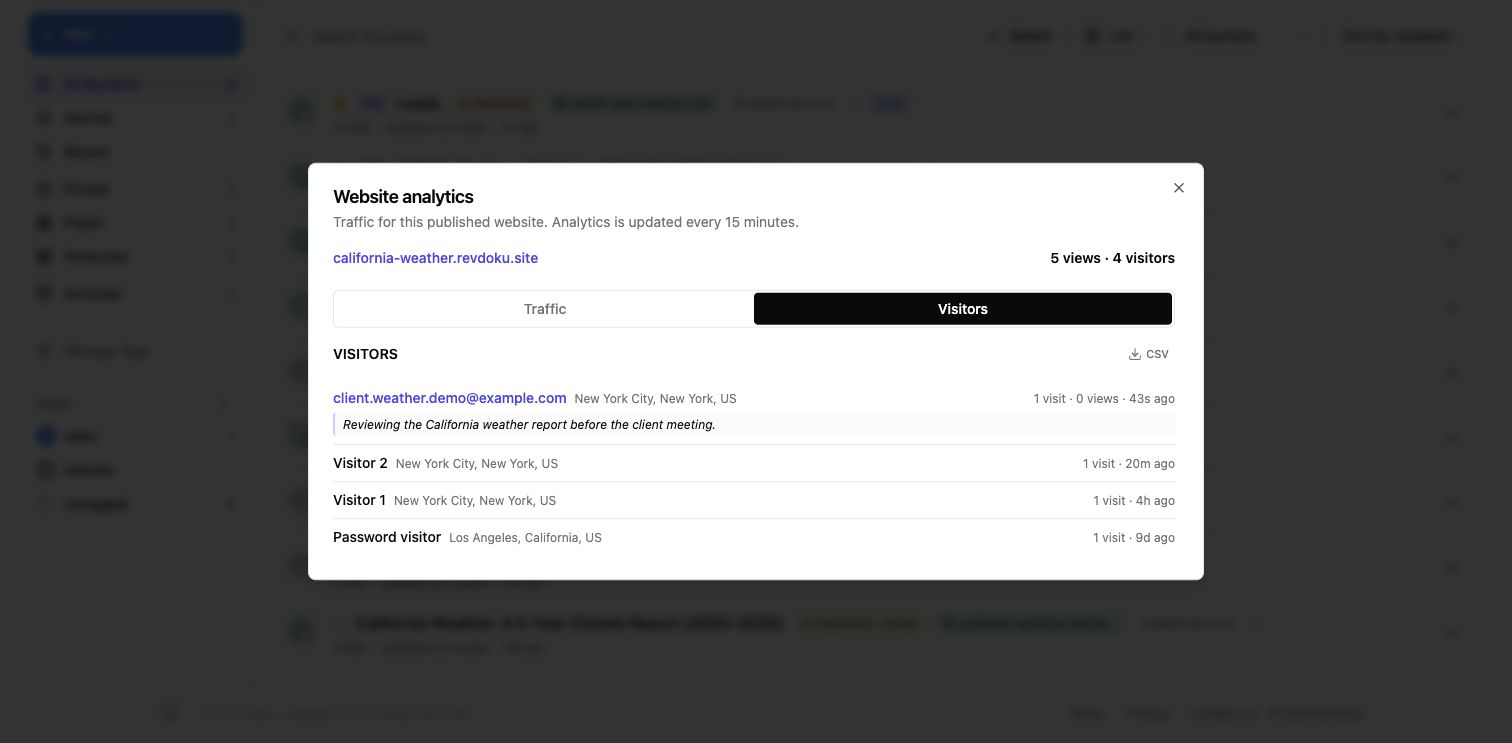
4. See who viewed what
Analytics show views, pages, and clicks; captured emails tell you who from the client team actually opened the work, and notifications fire on new views.
5. Update the same room for the next revision
When the deliverable changes, the agent updates the files in the bucket and republishes. The client keeps the same link and password.
Takeaway
Use a protected Revdoku data room for client deliverables, due-diligence packets, and final hand-offs: one stable link, a real access gate, and a record of who viewed what.