Website Link Tracking for Client Engagement
Table of Contents
- Website link tracking begins with a better question
- What website link tracking can and cannot measure
- Choose an access mode before you track client link activity
- Set up website link tracking in Revdoku
- Read aggregate client link analytics without guessing
- Use Verified Email access for identified client engagement tracking
- Keep website link tracking useful and private
- Turn client link analytics into well-timed follow-up
- Four website link tracking examples
- Final thoughts on website link tracking
- Review recipient and visitor activity from ChatGPT
- Ask ChatGPT to summarize link activity
- Website link tracking begins with a better question
- What website link tracking can and cannot measure
- Choose an access mode before you track client link activity
- Set up website link tracking in Revdoku
- Read aggregate client link analytics without guessing
- Use Verified Email access for identified client engagement tracking
- Keep website link tracking useful and private
- Turn client link analytics into well-timed follow-up
- Four website link tracking examples
- Final thoughts on website link tracking
- Review recipient and visitor activity from ChatGPT
- Ask ChatGPT to summarize link activity
Website link tracking begins with a better question
Website link tracking should show whether clients engaged with deliberately shared work. Unlike email attachments, it supports proposal tracking and document analytics through visits, page views, clicks, downloads, and submitted contact details. Identified access can connect activity to a verified email address.
This guide shows how to use those signals without overstating what they prove. You will learn to:
- Separate aggregate traffic from identified visitor activity
- Choose public, shared-password, or Verified Email access
- Time a useful follow-up while respecting the client’s privacy
TL;DR: Use client link analytics to confirm engagement and reduce guessing, not to manufacture certainty.
What website link tracking can and cannot measure
Website link tracking records events after a link loads. For client engagement, focus on one deliberately shared proposal, deck, report, demo, presentation, or file folder. This boundary matters. Marketing analytics ask how strangers found a site; client link analytics ask whether a known group reached specific work.
A sensible dashboard may report:
- Visitors: browser- or access-level estimates of distinct viewers
- Visits: separate viewing sessions, including return visits
- Page views and paths: the pages or files opened
- Clicks: selected links, buttons, or navigation actions
- Downloads: files requested from the shared site
- Leads and feedback: email addresses or form submissions the visitor provides
These are events, not mind reading. Opens do not prove careful reading; downloads do not prove approval. A short visit may mean a quick answer; a long one may reflect an open tab.
Attention is scarce. Dropbox’s DocSend research found that investors spent an average of 2 minutes 42 seconds on a pitch deck in one dataset. That result does not predict every client, but shows why page-level engagement beats a vague “sent” status. Read signals together.
Choose an access mode before you track client link activity
The access setting determines what website link tracking can tell you. Revdoku supports Public, Password, and Verified Email sharing for files and websites. Its overview covers stable links, open alerts, and post-share analytics. Choose the lightest gate for your decision.
| Access mode | Friction | Identity confidence | Best fit | Main limit |
|---|---|---|---|---|
| Public link | Lowest | None | Public samples, broad previews, low-risk material | Anyone, a bot, or a forwarded recipient may open it |
| Shared password | Low | Low | A client team that needs one common gate | The password proves access, not which teammate used it |
| Verified Email | Moderate | Higher | Proposals, decks, reports, and demos needing named follow-up | It verifies control of an inbox, not a person’s legal identity |
Public links provide useful aggregate analytics, especially page views and downloads. Shared passwords add a boundary, but every visitor uses the same secret. NIST warns that authenticators can be shared, which is why a common password should never be treated as individual identification.
Use Verified Email when identity outweighs friction and a password when team-level access is enough. Use public access only when forwarding and anonymous visits are acceptable.
Set up website link tracking in Revdoku
Start manually; you need no AI agent or code to track a client link. Put the deliverable in one Revdoku bucket, publish it, choose access, and share the URL.
-
Define one purpose. Use one bucket per client deliverable or review round. Mixed projects obscure later analytics.
-
Upload the work. Upload a PDF, presentation, document, demo, or complete folder. Test internal links, images, viewers, and downloads.
-
Choose access deliberately. Select public, password, or Verified Email based on sensitivity and needed identity confidence.
-
Add a response path. Add a built-in feedback or contact form for comments, approval, or lead details without building a backend.
-
Test as a visitor. Test the live link privately and on a phone. Confirm the gate, navigation, forms, and downloads.
-
Send context with the URL. Name the deliverable, expected action, deadline, and access method. The client should know why to open it.
-
Record the share time. This provides a baseline for visits and open notifications.
Update the same bucket when work changes to keep the URL stable. For repeated publishing, an AI agent, API, or CLI can optionally automate updates to the same bucket.
Read aggregate client link analytics without guessing
Aggregate client link analytics describe the whole audience. They answer “Was the link used?” and “Which material drew activity?” more reliably than “Which person cared?” unless access identifies the visitor.
| Metric | Simple calculation | Useful interpretation |
|---|---|---|
| Reach | Unique visitors ÷ intended recipients | A rough delivery measure only when visitors are identified |
| Return rate | Returning visitors ÷ unique visitors | Whether people came back after the first session |
| Depth | Pages viewed per visitor | How widely the deliverable was looked at |
| Download rate | Visitors who downloaded ÷ unique visitors | Whether viewers took a file away |
| Response rate | Form submissions ÷ unique visitors | Whether viewing turned into an explicit action |
For a proposal sent to 12 named recipients through Verified Email, 8 verified opens yield estimated reach of 8 ÷ 12, or 67%. If 6 viewers download the pricing appendix, the viewer download rate is 6 ÷ 8, or 75%. Those numbers support a delivery and engagement discussion, not whether the client agrees with the price.
Do not calculate recipient reach for public or shared-password links as if every visitor were known.
One person may use multiple devices, several may share one, security scanners may request URLs, and privacy tools may hide referrers. Compare patterns over time and pair analytics with an email reply, form response, meeting, or signed decision.
Use Verified Email access for identified client engagement tracking
Verified Email changes the analysis: visitors complete an email check before entry, letting Revdoku associate the verified address with per-visitor page views, clicks, downloads, and visit times. Revdoku can also notify the owner of protected opens.
This strengthens client link tracking decisions:
- Known mailbox: the viewer demonstrated access to the submitted inbox
- Visitor timeline: later events can be grouped under that verified visitor
- Direct follow-up: activity can be matched to the right business contact
- Lead record: a new interested viewer can provide a usable contact address
Verified Email does not prove a legal name, job title, approval authority or exclusive mailbox use.
A team alias may reach several people, a colleague may forward a verification message, and a shared computer may blur later actions. Say “activity associated with this verified email,” not “this exact person read every page.”
Good website link tracking preserves evidence-based uncertainty. Use identity to route a relevant follow-up, then let the client’s reply establish intent.
Keep website link tracking useful and private
Client link analytics may include personal data when an email address is linked to timestamps and behavior. Treat it as a business record, not gossip. Revdoku’s privacy policy says the service may process publication analytics and technical data such as IP address, browser, device, cookies, referrers, and usage events.
| Decision | Practical action | Reason |
|---|---|---|
| Notice | Tell recipients the link records access and engagement | The client should not be surprised |
| Purpose | Use data for delivery, review, support, or agreed sales follow-up | A narrow purpose limits misuse |
| Collection | Ask only for the email or feedback you need | Less stored data means less exposure |
| Retention | Set an internal deletion or review date | Old visitor history rarely remains useful |
| Access | Limit analytics to people working on the account | Behavioral data should not become office entertainment |
| Sensitivity | Use stricter workflows for regulated or highly confidential files | A tracked share link is not automatically a full compliance program |
The FTC’s business security guidance recommends collecting only the personal information you need. For UK visitors, the ICO’s storage-and-access guidance covers cookies, tracking pixels, device fingerprinting, and similar technologies; notice or consent duties depend on the technology and purpose. Rules vary elsewhere.
Describe the practice plainly, review vendor terms and retention, and seek legal advice for sensitive work. A short note such as “This protected link records access and file activity so we can manage review” prevents surprises and shows good manners.
Turn client link analytics into well-timed follow-up
An open alert helps with timing, but speed is not judgment. Saying you watched a client open page seven feels invasive. I would rather send a calm, useful note than win a race the client never entered.
| Signal | What it may mean | Sensible follow-up |
|---|---|---|
| First protected open, one page | Delivery confirmed; review may have just started | Wait for the agreed review window or at least 2–4 business hours |
| Several relevant pages or clicks | Active evaluation | Follow up later that business day with one useful question |
| Download or submitted form | Explicit action | Respond within the normal service window, often 30–120 minutes during business hours |
| Return visit on another day | The work may be under discussion | Send a concise check-in that day |
| No verified open | Delivery, priority, or access may be the problem | Check delivery after one business day for urgent work, two for routine work |
Focus on the work, not surveillance. Try: “I wanted to make sure the proposal opened correctly. I’m available to walk through the pricing options.” Avoid: “I saw you spent four minutes on pricing and downloaded it twice.”
Mind time zones: queue after-hours alerts for the recipient’s next business day. With multiple viewers, let the agreed decision owner coordinate unless someone asks a direct question.
Four website link tracking examples
These hypothetical cases show what the data supports.
| Case | Observed client link analytics | Fair conclusion | Next move |
|---|---|---|---|
| Freelancer proposal | One verified viewer opens 9 of 12 pages and downloads pricing; the second has not opened it | One inbox engaged deeply; the other has not verified access | Follow up with the active viewer, then check delivery separately |
| Agency prototype | A shared password produces 18 visits and 43 page views across a six-person client team | The team used the demo; individual identity is unknown | Ask for feedback through the built-in form |
| Consultant report | A public link sent in one email gets 32 visitors and 6 downloads | The link was probably forwarded; recipient reach cannot be calculated | Use aggregate interest, or gate the next report |
| AI-built demo | A verified visitor returns after version two and reports a mobile issue | The same verified inbox revisited and gave explicit feedback | Fix the issue and update the stable link |
Common mistakes include:
- Counting every visit as a separate person
- Treating a shared password as a named login
- Calling a page view proof of approval
- Mixing internal test traffic with client activity
- Replacing the URL for every revision and splitting the history
The last mistake is especially wasteful. A stable Revdoku link lets you replace or revise the deliverable without making the client hunt for a newer email. Add a visible version date or change note to preserve context for analytics and feedback.
Final thoughts on website link tracking
Website link tracking provides evidence of delivery and interaction. Aggregate analytics show reach, paths, return visits, clicks, and downloads. Verified Email strengthens visitor-level records; public and shared-password links mainly show group patterns.
A sound approach:
- Match access friction to the sensitivity of the work
- Read several signals together
- State the privacy practice in ordinary language
- Follow up on the client’s timetable
- Keep the deliverable current at one stable URL
To track a client link, manually add files to a Revdoku bucket, test the gate, send the link, and watch for meaningful activity.
Add forms for explicit feedback and AI, API, or CLI automation only when repetitive publishing makes it worthwhile. Analytics should improve client conversations, not replace them.
Review recipient and visitor activity from ChatGPT
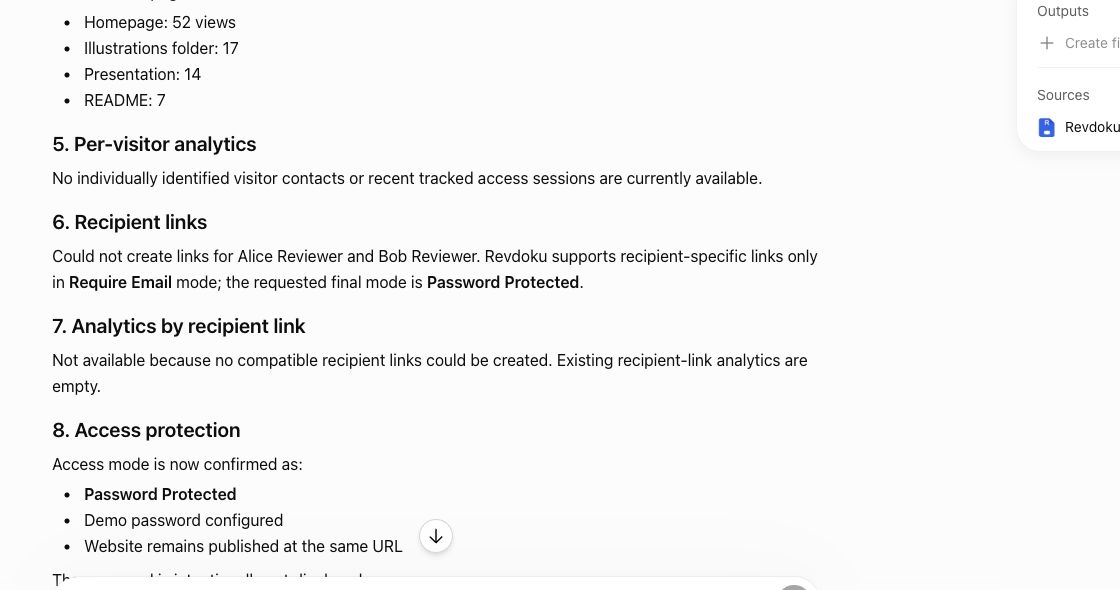
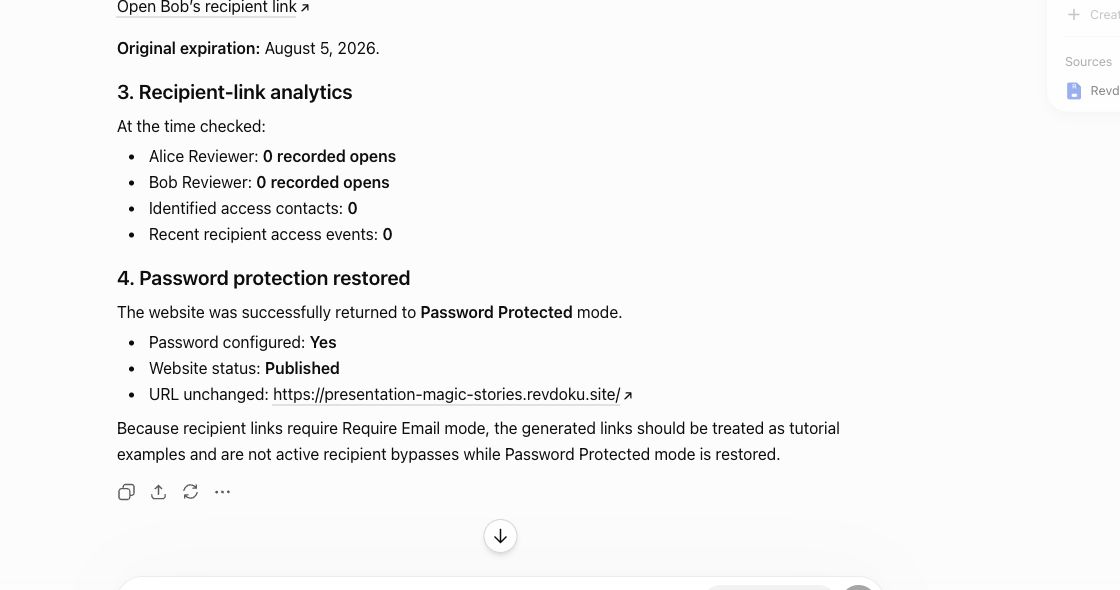
For client work, recipient links help separate general page traffic from named follow-up activity. ChatGPT can ask Revdoku for per-visitor analytics and summarize which links were opened.
You can also ask ChatGPT to create recipient links and then read back analytics for those links after they are used.
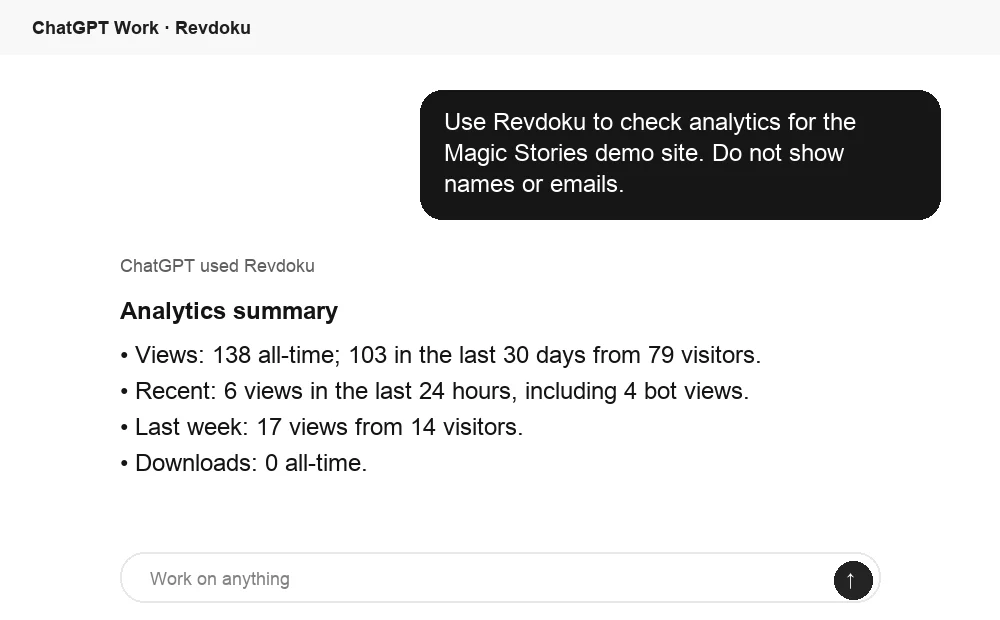
Ask ChatGPT to summarize link activity
After the link is opened, ChatGPT can summarize Revdoku analytics for the published site. That turns raw viewing activity into a clear follow-up signal.
Frequently asked questions
Which access mode should I use for a client deliverable?
Use a public link for low-risk material where anonymous viewing and forwarding are acceptable. Choose a shared password for team-level access, or Verified Email when you need activity associated with a specific inbox.
Can link analytics confirm that a client read or approved my proposal?
No. Page views, visit duration, and downloads show interaction, but they do not prove careful reading, agreement, or approval. Confirm intent through a reply, form submission, meeting, or signed decision.
How accurately does Verified Email identify a visitor?
It confirms that someone could access the submitted email inbox and associates subsequent activity with that address. It does not verify legal identity, job title, decision-making authority, or whether the inbox is shared.
When should I follow up after receiving an open alert?
For an initial open, allow at least a few business hours or wait until the agreed review window. A download, form submission, return visit, or activity across several relevant pages may justify a more timely response, but keep the message focused on helping with the work.
What should I do if the client has not opened the link?
Check delivery and access after one business day for urgent work or two business days for routine material. Ask whether the link arrived and opened correctly instead of assuming the client is uninterested.
How should I handle privacy when tracking client activity?
Tell recipients plainly that the link records access and file activity, collect only the information you need, and restrict analytics to relevant team members. Set a retention or review date, and obtain legal guidance when sharing regulated or highly sensitive material.
Should I create a new link whenever the deliverable changes?
Usually, keep one stable link for the same deliverable or review cycle so clients can find the latest version and engagement history remains consistent. Add a visible version date or change note, and use a separate bucket when the project or purpose materially changes.
Related Articles

GitHub Pages Password Protection and Privacy
Learn why private repositories do not protect Pages sites and compare secure access options for internal teams and external clients.

How to Password Protect a Vercel Deployment
Learn how to secure Vercel deployments with password protection, authentication, trusted access, or protected Revdoku hosting.

How to Password Protect a Website Made with Claude
Learn how to export, secure, publish, and test a Claude-made website using password protection or verified-email access.