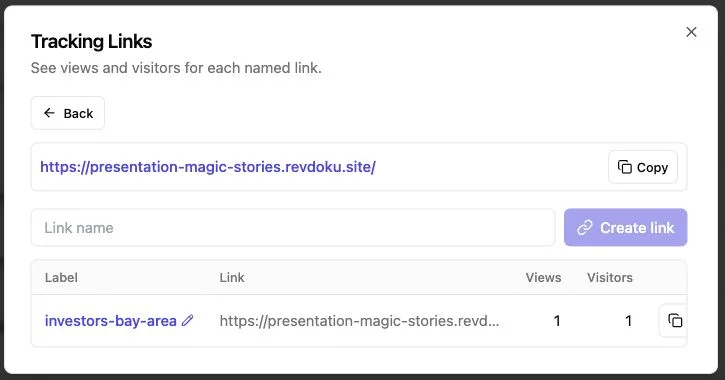
Proposal Tracking: Know When Clients Open It
Table of Contents
- Send a Proposal and Know When It Was Opened
- Why a Proposal Tracking Link Beats an Attachment
- Choose Access to Know When the Client Opens a Proposal
- How to Send a Proposal, Know When It Was Opened, and Track Engagement
- What a Proposal Viewed Notification Actually Tells You
- Use Client Engagement Analytics for Follow-Up Timing
- Four Examples: Know When the Client Opens the Proposal
- Common Pitfalls, Privacy, and Identity Limits
- Keep One Protected Proposal Link Current and Make Replying Easy
- Final Thoughts
- Ask ChatGPT to summarize proposal activity
- Send a Proposal and Know When It Was Opened
- Why a Proposal Tracking Link Beats an Attachment
- Choose Access to Know When the Client Opens a Proposal
- How to Send a Proposal, Know When It Was Opened, and Track Engagement
- What a Proposal Viewed Notification Actually Tells You
- Use Client Engagement Analytics for Follow-Up Timing
- Four Examples: Know When the Client Opens the Proposal
- Common Pitfalls, Privacy, and Identity Limits
- Keep One Protected Proposal Link Current and Make Replying Easy
- Final Thoughts
- Ask ChatGPT to summarize proposal activity
Send a Proposal and Know When It Was Opened
Stop treating a proposal as a file that disappears into an inbox. Send a protected browser link. The client gets a normal page; you get richer access and engagement data than an attachment provides.
Instead of wondering, “Did they see it?”, ask:
- Access: Was the proposal opened?
- Identity: Which verified visitor accessed it?
- Interest: What did that person view, click, or download?
- Timing: Is this a sensible moment to follow up?
This guide covers access modes, measured notification interpretation, and engagement analytics for useful follow-up.
Why a Proposal Tracking Link Beats an Attachment
Attachments provide little evidence after delivery, and email open tracking is unreliable. Apple says Mail Privacy Protection may hide opens by privately downloading remote content in the background. A browser visit means someone reached the proposal page. Apple explains the email limitation here.
| Approach | What You Can Learn | Main Limitation |
|---|---|---|
| PDF attachment | Delivery or bounce status | No dependable proposal activity |
| Public browser link | Visits and aggregate engagement | Visitor identity is unknown |
| Password-protected link | Activity behind a gate | A shared password does not identify a person |
| Verified-email link | Who entered, when, and what they did | Adds a small access step |
A proposal link streamlines the client experience by grouping the PDF, pricing sheet, demo, and supporting files. Revdoku turns files or folders into a browsable experience for proposals with evidence, examples, or demos.
Choose Access to Know When the Client Opens a Proposal
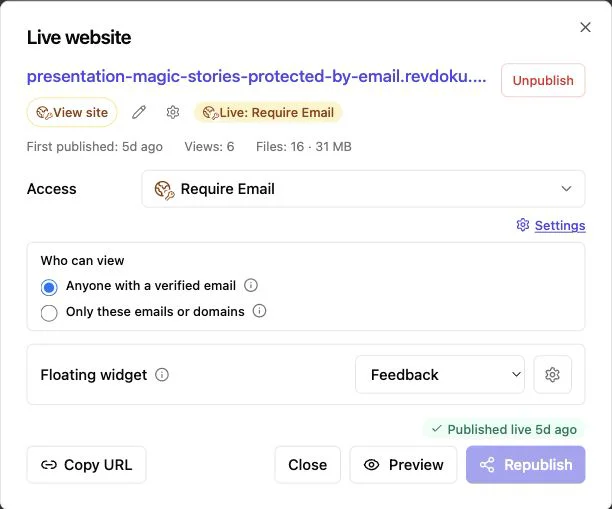
Identity depends on the gate: “someone opened it” and “Morgan at Acme opened it” are different claims. Revdoku currently supports public, password, and verified-email access, including allowlists for selected email addresses or a company domain.
| Access Mode | Best Use | What You Know | Identity Limit |
|---|---|---|---|
| Public | Low-risk decks and broad sharing | The link received visits | You cannot say who visited |
| Password | Confidential work for a known group | Someone with the password entered | The password may be shared |
| Verified email | Proposals requiring named engagement | The verified email and associated activity | It proves inbox access, not physical identity |
Use verified-email access for named open tracking. When possible, give each stakeholder an allowed address. For four buyers, four identified visitor records beat one shared password.
Choose password-only access when privacy outweighs attribution, and public access when reach outweighs privacy. Be honest in your CRM notes: a public visit is traffic; a password visit is protected traffic; a verified-email visit is identified activity.
How to Send a Proposal, Know When It Was Opened, and Track Engagement
Start with the manual workflow. It requires no API, command line, or AI agent.
-
Prepare the client package. Use a clear filename, removing drafts, comments, hidden pricing tabs, and private notes. Organize supporting files simply.
-
Create a private bucket. In the Revdoku dashboard, drag in the proposal PDF or folder. Revdoku publishes PDFs, presentations, images, Markdown, HTML, and nested folders as browsable sites. The document publishing guide shows the folder workflow.
-
Choose access. Select public, password, or verified-email access. For named activity, allow the recipient’s work email or company domain.
-
Check proposal tracking and notification settings. Enable analytics and the visitor notifications you want. Revdoku’s current product page confirms notifications and per-visitor page, click, and download activity.
-
Test the link. Open it in a private window. Check the gate, title, mobile layout, links, downloads, and feedback form.
-
Send a short email. State what the proposal covers, the needed decision, and the next conversation date. Mention the protected link calmly: “I’ve shared this through a protected link” is enough.
This keeps proposal sending, open tracking, and the client experience simple.
What a Proposal Viewed Notification Actually Tells You
A proposal viewed notification confirms a recorded access event. It does not prove agreement, budget approval, or full readership. I see notifications as a nudge to review the evidence before writing.
Review activity in layers:
- Entry: The visitor opened the protected link at a recorded time.
- Identity: With verified-email access, the visitor record includes the email used for access.
- Depth: Page views show whether activity stopped at the cover or reached scope and pricing.
- Action: Link clicks and downloads suggest a next step.
- Return: A return session may mean review, internal discussion, or rechecking.
- Response: A form submission shows direct intent and outweighs behavioral guesses.
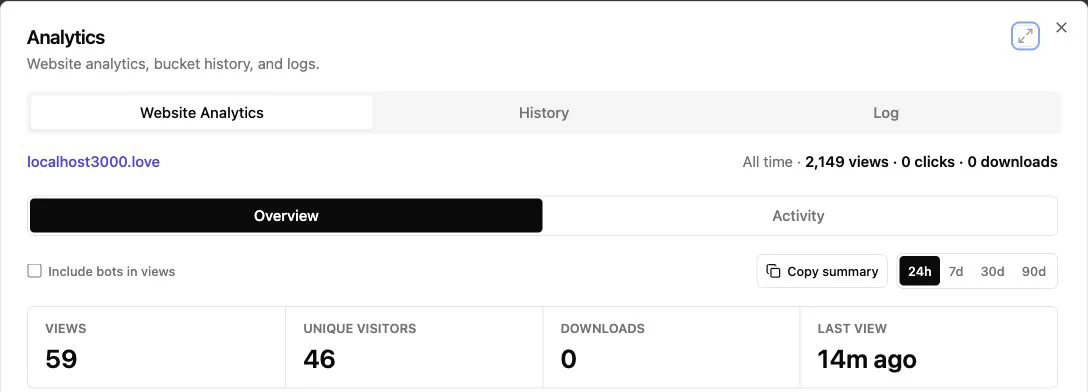
Revdoku reports each visitor’s page views, link clicks, and downloads on its current product page. Its API documentation defines 7-day, 30-day, and 90-day ranges and separates likely bots from human traffic. Bot filtering matters because raw hit counts can mislead.
Combine signals: one open shows awareness; a pricing-page view plus a scope download is stronger. A written question is stronger still.
Use Client Engagement Analytics for Follow-Up Timing
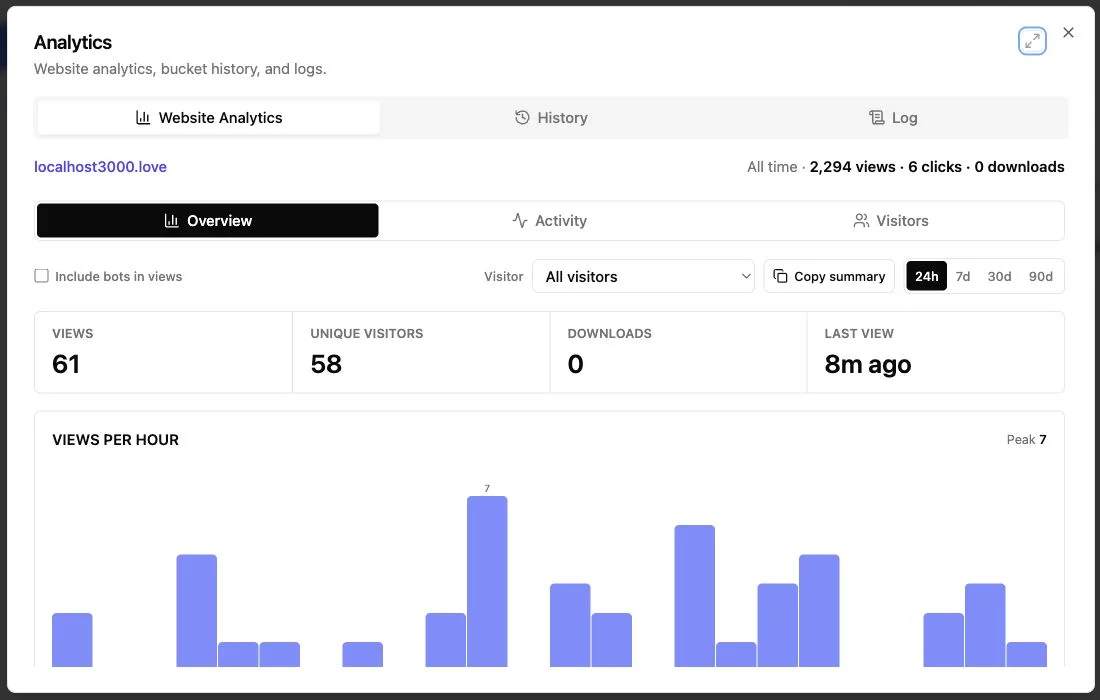
No single response time fits every client. A notification is an opportunity, not a command to call. Match follow-up to the signal strength and relationship.
| Signal | Sensible Timing | Useful Message |
|---|---|---|
| One brief open | Next business day | “Did the link work? What can I clarify?” |
| Scope and pricing viewed | Same business day | “I can walk through the scope options if helpful.” |
| Proposal downloaded | Within a few business hours | “The proposal was accessed; I’m available for timeline or terms questions.” |
| Several verified stakeholders visit | Same day or before the planned decision meeting | “It looks like team review has started. Would a 20-minute group Q&A help?” |
| Feedback form submitted | As soon as practical | Answer the question; skip a generic check-in |
| No activity by the agreed date | On that date | Confirm delivery and any review-schedule change |
Keep the tone human. Use “I wanted to make myself available while the proposal is under review” instead of the invasive “I saw you spent 6 minutes on page 11.”
Before sending any follow-up, make a quick three-part check. First, confirm the activity belongs to an identified visitor rather than anonymous public traffic or a shared password. Second, look for a meaningful action—a return visit, pricing-page view, download, or written question—instead of reacting to the notification alone. Third, compare the event with the review timeline you already agreed with the client. If they said the team would decide Friday, a Tuesday open rarely justifies an urgent call.
Write the message around the proposal, not the tracking. Refer to the decision, assumption, or next step that would help the client move forward. A useful note might clarify an option, offer a short walkthrough, or confirm who should join the next conversation. This approach turns proposal analytics into context for better service. It also preserves trust: the client receives a relevant follow-up without feeling that every click is being watched.
Four Examples: Know When the Client Opens the Proposal
These are composite examples, not claims about named customers. They show small teams using client engagement analytics without inventing intent.
-
Independent consultant. A 16-page strategy proposal is opened through a verified work email. The visitor reaches pricing and downloads the scope, prompting an afternoon follow-up with two meeting times and an offer to compare the two service options.
-
Design agency. Three allowed client addresses enter over two days. One views the portfolio, another revisits the timeline, and the procurement contact downloads the terms, revealing the buying group and prompting a group Q&A instead of three separate nudges.
-
Startup founder. Although a public pitch-deck link sent to one investor records 27 visits, forwarding, previews, bots, or repeats could contribute, so the founder does not claim the investor opened it. The next sensitive deck uses verified-email access.
-
Freelance developer. A client opens a protected proposal, requests a smaller first phase through the built-in form, and returns after the same-link PDF revision. The freelancer avoids version confusion and addresses the objection: project size.
Use identity, depth, action, and direct response together. Never turn a weak signal into a confident story.
Common Pitfalls, Privacy, and Identity Limits
Tracking backfires when it creates false certainty or unease. Keep it transparent, restrained, and tied to a business purpose.
| Pitfall | Why It Fails | Better Practice |
|---|---|---|
| Naming a visitor from a public link | Public traffic is anonymous | Record the visit without assigning identity |
| Treating a password as identity | Shared credentials can travel | Use a separate verified email for each stakeholder |
| Calling after every alert | The client may feel monitored | Check engagement and follow the agreed process |
| Counting every hit as interest | Bots, previews, and repeats inflate totals | Use visitor records, bot filtering, and actions |
| Hiding the tracking context | Surprise damages trust | Say the link is protected and activity is recorded |
| Uploading sensitive internal notes | Published files may expose them | Review the bucket contents before publishing |
Revdoku’s privacy policy says the service may collect publication analytics and technical data such as IP address, browser, device, cookies, referrers, and usage events. Owners are responsible for personal data they collect through published sites and forms.
Collect only necessary data, restrict access, and follow applicable privacy rules. For regulated or highly sensitive proposals, confirm contractual, security, and retention requirements before sharing.
Keep One Protected Proposal Link Current and Make Replying Easy
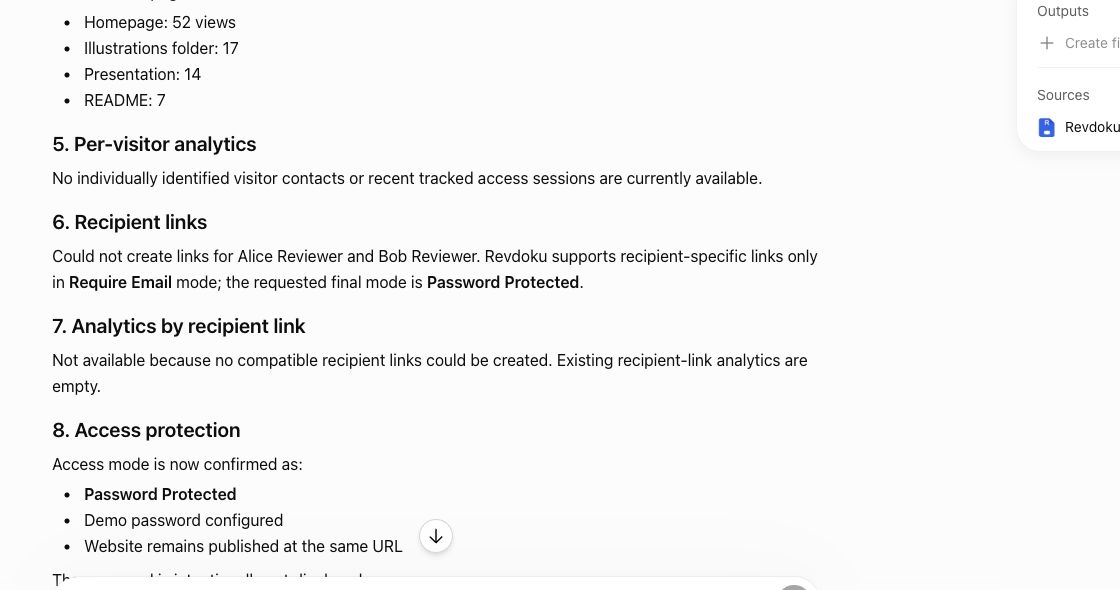
Keep a tracked proposal useful after the first open. Updating the same bucket keeps its publication URL stable, letting you replace a pricing page or revised PDF without another link. Its update guide confirms that analytics continue after republishing.
Use one link throughout the review cycle:
- Revise: Replace the file or edit the content, then republish.
- Respond: Add a built-in feedback or contact form for on-page questions. Revdoku documents forms without a separate backend.
- Verify: After each change, confirm the live link shows the correct version.
- Automate later: Connect an AI agent, API, or CLI only when repetitive publishing becomes burdensome.
Can a protected link be forwarded? Yes; verified-email rules control the next person’s access. Does a password identify the viewer? No. Missed a notification? Check dashboard visitor analytics. Do you need AI? No; drag-and-drop publishing is straightforward.
The best tracking system also reduces client effort. One current link and one place to respond beat a chain of attachments named final, final-2, and final-revised.
Final Thoughts
Use a browser link with access matching the claim you need to make. Public and password-only links can show activity, but they cannot reliably name the person. Verified-email access gives a stronger identity signal.
Remember:
- Treat a proposal viewed notification as a clue, not a verdict.
- Combine identity with page views, clicks, downloads, return visits, and direct feedback.
- Follow up according to signal strength and the client’s expected schedule.
- Keep revisions at the same link so nobody reviews an old file.
Done well, proposal tracking removes guesswork without making the client feel watched. You know when the client opens it and understand enough to follow up usefully, with a reason.
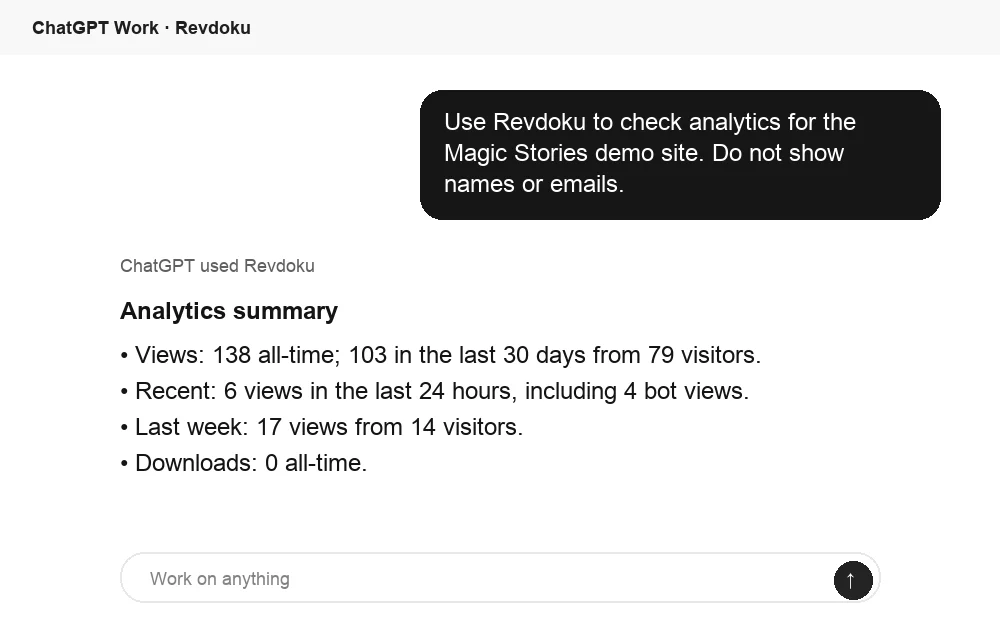
Ask ChatGPT to summarize proposal activity
After the link is opened, ChatGPT can summarize Revdoku analytics for the published site. That turns raw viewing activity into a clear follow-up signal.
Frequently asked questions
Which access mode should I use for a client proposal?
Use verified-email access when you need activity tied to a specific email address. Choose password protection when confidentiality matters more than individual attribution, or a public link when easy sharing and broad reach are the priorities.
Does a proposal-open notification prove that the client read it?
No. It confirms a recorded access event, but not full readership, approval, or buying intent. Review page views, clicks, downloads, return visits, and direct responses before deciding how to follow up.
Can I identify someone who opens a public or password-protected link?
A public link only provides anonymous or aggregate activity. A password confirms that someone had the credential, but shared passwords cannot reliably identify an individual; verified-email access provides a stronger identity signal.
When should I follow up after a client views the proposal?
Match your timing to the strength of the activity and the agreed review schedule. A brief open may justify a next-business-day check-in, while pricing views, downloads, form submissions, or activity from several stakeholders can warrant a helpful same-day response.
Can a protected proposal link be forwarded?
Yes, recipients can forward the URL. Password holders may be able to share access, while verified-email rules can limit entry to approved addresses or a permitted company domain.
Should I create a new link whenever the proposal changes?
Usually, keeping one stable link is easier for everyone. Update and republish the existing proposal, then verify that the live page displays the correct version so clients do not review an outdated attachment.
How can I track proposals without making clients feel monitored?
Explain that the proposal is shared through a protected link and that activity may be recorded. Use analytics to offer timely help, avoid mentioning granular behavior in follow-up messages, and collect only the data needed for the review process.
Related Articles
Website Link Tracking for Client Engagement
Track proposal and document engagement using visits, downloads, Verified Email, privacy safeguards, and well-timed client follow-up.
Link Tracking Software for Client Engagement
Track clicks, verified visitors, page views, downloads, and feedback with stable links for proposals, reports, presentations, and demos.
Website Visitor Identification with Verified Email
Identify verified viewers of shared proposals, reports, and demos while keeping anonymous website traffic private.