Report Sharing Software for Client Work | Revdoku
Table of Contents
- Report Sharing Software Built for Client Work
- Why One Live Link Beats Attachments for Client Document Sharing
- Choose the Right Client Report Portal Mode for Secure Report Sharing
- How to Share Reports With Clients in Five Steps
- Keep PDF Sharing and Dashboard Sharing Links Stable Through Every Update
- Report Analytics in Sharing Software: What They Prove
- Turn a Client Report Portal Into a Conversation
- Four Ways Teams Share Reports With Clients
- Report Sharing Software vs Common Alternatives
- A Better Way to Deliver Client Work
- Report Sharing Software Built for Client Work
- Why One Live Link Beats Attachments for Client Document Sharing
- Choose the Right Client Report Portal Mode for Secure Report Sharing
- How to Share Reports With Clients in Five Steps
- Keep PDF Sharing and Dashboard Sharing Links Stable Through Every Update
- Report Analytics in Sharing Software: What They Prove
- Turn a Client Report Portal Into a Conversation
- Four Ways Teams Share Reports With Clients
- Report Sharing Software vs Common Alternatives
- A Better Way to Deliver Client Work
Report Sharing Software Built for Client Work
TL;DR: Good work can still arrive badly, so report sharing software should provide one stable client link. Otherwise, a report becomes another email attachment, an export may be too large, and two days later clients may comment on corrected numbers in an outdated PDF.
Report sharing software fixes the delivery layer. Revdoku turns reports, exported dashboards, PDFs, presentations, demos, and folders into one client-friendly link. Upload from the dashboard, choose access, and publish without code.
A practical client report portal should give you:
- One place for every deliverable file
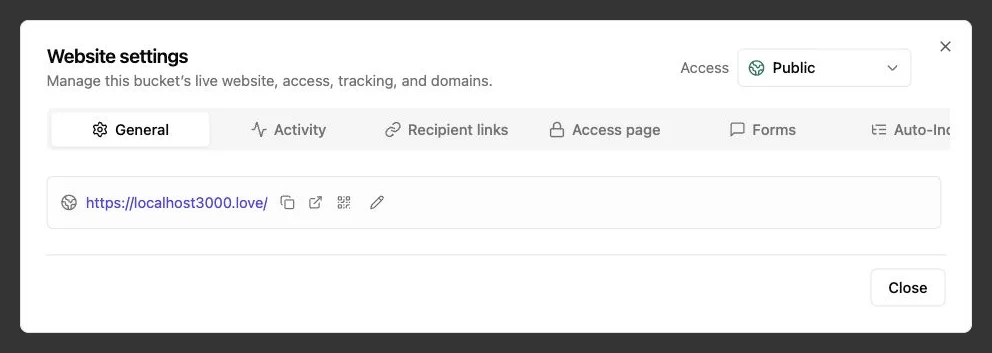
- Public, password-protected, or email-gated access
- Updates without changing the shared URL
- Open notifications, visitor analytics, and feedback forms
Learn to share reports with clients while keeping access simple, revisions under control, and engagement data honest.
Why One Live Link Beats Attachments for Client Document Sharing
Email attachments are familiar but poor at version control. Every resend creates another possible source of truth. Email systems may block large files, forwarded messages lose context, and clients must download documents to judge relevance.
In an Adobe survey of 1,118 employed Americans, 71% said poor digital organization interfered with effective work. Nearly half said their systems contained outdated or irrelevant documents, and more than one in ten spent over four hours a week searching for digital files. The full Adobe study found that 95% felt frustrated looking for a document.
For client document sharing, live links have clear advantages:
| Delivery Problem | Attachment Workflow | Live Client Report Portal |
|---|---|---|
| New report version | Send another email | Update the existing link |
| Several related files | Attach or zip everything | Present one navigable folder |
| Access control | Depends on the inbox | Choose access before publishing |
| Engagement | Delivery receipt at best | Review views, pages, clicks, and downloads |
| Client response | Start another thread | Collect feedback on the shared page |
The change is significant. One reliable destination removes uncertainty about which file the client should read.
Choose the Right Client Report Portal Mode for Secure Report Sharing
Every gate adds friction, so choose based on the report. Keep public case studies easy to open, but give pricing proposals or private performance reports more control. Choose the lightest mode fitting the risk.
| Access Mode | Best For | What It Tells You | Main Limitation |
|---|---|---|---|
| Public link | Portfolios, public reports, menus, and general resources | A browser visited the link | Usually not the person’s identity |
| Password protection | Drafts, proposals, private demos, and routine client files | Someone with the password gained access | Passwords can be shared |
| Verified Email | Sales decks, lead magnets, and reports needing visitor attribution | The OTP-verified address tied to the visit | Inbox access does not prove legal identity |
Revdoku supports protected sharing and can notify owners when protected links open. Its client-sharing workflow keeps access settings with the file bucket.
A gate reduces casual access; it is not digital-rights management.
Authorized visitors may still photograph, download, or forward material when those options are available. Never put secrets, private keys, raw credentials, or regulated data behind only a password. For highly sensitive work, confirm contractual, retention, and compliance requirements before choosing a cloud client report portal.
How to Share Reports With Clients in Five Steps
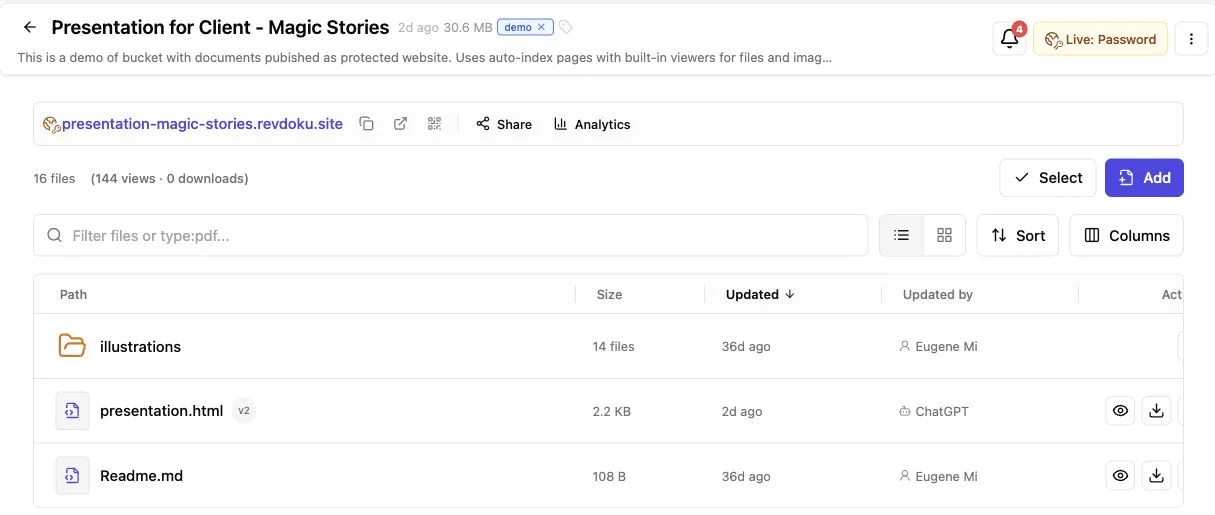
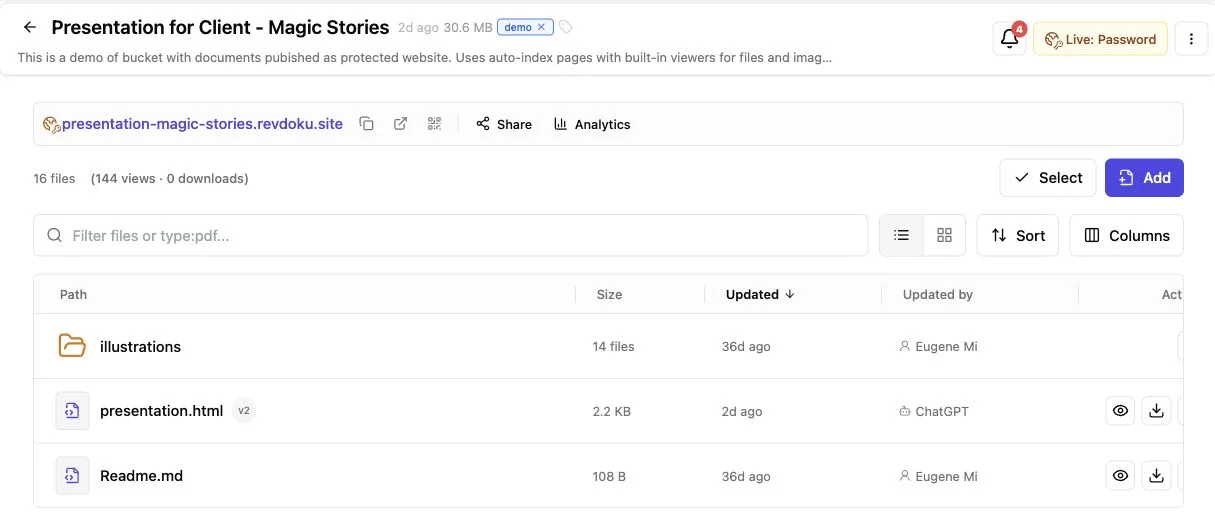
Create a Revdoku bucket in the dashboard and drop in your files. AI agents, the API, and the CLI are optional for publishing a PDF or building a client report portal.
-
Create a bucket for the engagement. Use one plainly named bucket per client, project, or recurring report.
-
Drag in the deliverable. Upload a PDF, presentation, exported dashboard, or complete folder. Keep supporting files together so the client gets one destination, not several links.
-
Choose the access mode. Use public access for open material, a password for control, or an email gate for visitor attribution. Collect only necessary personal information.
-
Publish and test the link. Test it privately and on a phone, checking navigation, charts, page titles, downloads, forms, and the access gate before inviting the client.
-
Send the link with context. State the changes, what needs review, and the response deadline; software cannot fix a vague request.
Without a custom home page, Revdoku presents the folder with file navigation and built-in viewers. The PDF and folder publishing example shows the same manual flow. The result is one easy-to-open, hard-to-misplace website link.
Keep PDF Sharing and Dashboard Sharing Links Stable Through Every Update
A stable URL lets clients bookmark it, place it in a project system, or forward it internally. When numbers change, update and republish the bucket instead of sending a new message.
| Change | Owner Action | Client Experience |
|---|---|---|
| Correct a chart label | Replace the affected file and republish | The same link shows the correction |
| Add an appendix | Upload the new document to the bucket | The appendix appears with the report |
| Refresh a dashboard export | Publish the new export to the existing bucket | Bookmarks continue to work |
| Publish the wrong build | Use version history to restore an earlier state | The live link returns to the selected version |
Version history is an owner safety net, not a formal audit record or automatic client-facing changelog. For meaningful revisions, add a dated report note or briefly explain what changed.
Use clear storage names, such as monthly-performance-2026-07.pdf, but keep version numbers out of the shared URL. Revdoku can republish changed files to that same URL, while earlier file states remain available for rollback.
This pattern helps monthly reporting. Share once, then keep content current without training clients to follow a new monthly link.
Report Analytics in Sharing Software: What They Prove
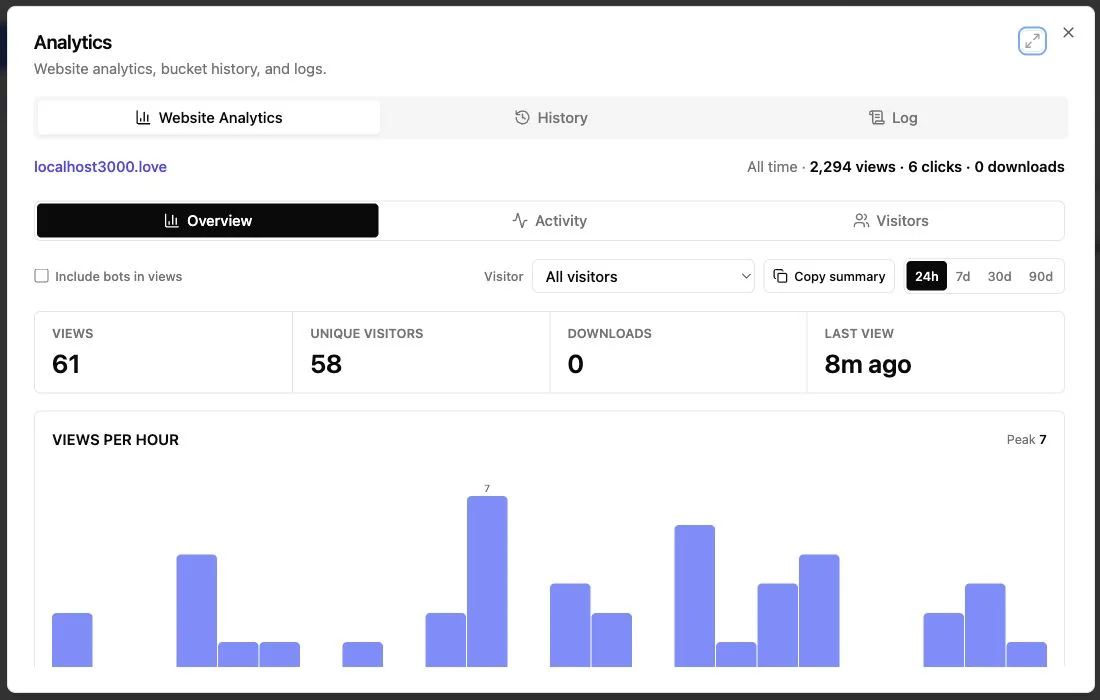
An open notification is useful but easy to overread. Analytics show link or page access, not a client’s thoughts, careful review, or approval.
Good report sharing software separates events from assumptions:
| Signal | Reasonable Interpretation | What You Should Not Claim |
|---|---|---|
| Link opened | A browser reached the shared page | The named decision-maker read the report |
| Page viewed | The page loaded during the session | Every sentence was understood |
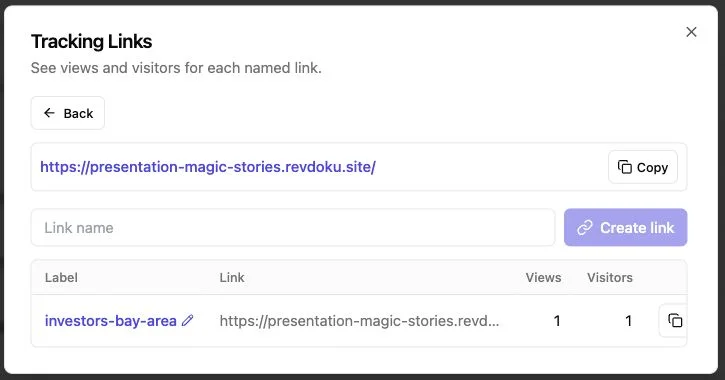
| Link clicked | A visitor selected a tracked link | The visitor intends to buy or approve |
| File downloaded | A download occurred | The file was later opened or shared safely |
| Email verified | The session completed the one-time-code step for that inbox | The address proves the visitor’s legal identity |
Public visits are generally anonymous or session-level. A password proves only that the visitor knew it, not their identity.
Verified Email attributes later portal activity to an address after the visitor completes the one-time-code step. People can still share inboxes or forward access, so describe the visitor as the verified address, not as a legally verified person.
Use alerts for timing. If a proposal opens at 10:00 a.m. follow up naturally later that day, not instantly, which may make the client feel watched. Dropbox reports that investors spend an average of two minutes and 42 seconds on a pitch deck in its DocSend research. Because attention is brief, page-level interest beats raw view counts.
Explain analytics and lead collection in your privacy notice where required. Revdoku’s privacy policy covers technical data, shared-link analytics, and publisher responsibility for personal data collected through forms or integrations.
Turn a Client Report Portal Into a Conversation
A report link should let clients respond clearly. Otherwise, feedback scatters across email, chat, calls, and outdated marked-up copies.
Revdoku lets owners add feedback, contact, question, or waitlist forms to a published bucket without a separate backend. Submissions stay with the bucket, and owners can receive response notifications. The feedback form workflow supports name, email, and message fields, plus custom labels and spam protection.
Keep the form short and specific:
- Ask which page, chart, or file the comment concerns
- Request one decision instead of broad thoughts
- Offer a message field for context beyond fixed choices
- State when the client should expect a reply
- Separate ordinary feedback from formal acceptance or a legal signature
Ask which proposal package to discuss, which dashboard metric needs explanation, or which design direction should move into revision. These prompts produce actionable answers.
Built-in feedback improves client document sharing after delivery. The link becomes a workspace where current files, access history, and client responses stay with the project.
Four Ways Teams Share Reports With Clients
These examples reflect a common delivery problem.
-
A consultant sends a quarterly performance report. She puts the main PDF, spreadsheet appendix, and two source charts in one password-protected bucket. The client opens the report, downloads the appendix, and asks about page eight. Next quarter, she updates the same portal instead of creating another destination.
-
An agency delivers a proposal deck. Using Verified Email access, the agency gets an open notification and sees the verified-address session return twice to pricing. The account lead follows up on scope. He treats inbox verification as an identity signal, not proof that the chief executive personally reviewed the deck.
-
A founder shares an investor deck. The deck and market report sit behind an email gate. Since investor attention may stay under three minutes, the first pages plainly state the problem and traction. Report-sharing analytics show section visits without implying that a completed session means investment interest.
-
A small AI team publishes recurring research. It proves the workflow with an HTML dashboard and PDF summary, then later uses an API or CLI agent to refresh repetitive reports. Automation remains secondary; the same bucket, access rules, analytics, version history, and stable link govern delivery.
Teams share reports through one durable destination, then use engagement and feedback to guide next steps.
Report Sharing Software vs Common Alternatives
No method fits every situation; email works for a quick, low-risk file. Use a broad project suite when clients need tasks, billing, approvals, and team messaging. Decide whether you need a full operating system or simply to publish client work.
| Approach | Strongest Use | Updates | Access and Analytics | Tradeoff |
|---|---|---|---|---|
| Email attachment | One small, final file | Requires resending | Limited delivery data | Version confusion grows quickly |
| Cloud-drive folder | Internal collaboration and storage | Files can be replaced | Permissions vary; engagement may be basic | Clients may face a storage-style interface |
| Project-management portal | Long engagements with many workflows | Usually supported | Depends on the platform | More setup and client training |
| Custom website | Tailored interactive experiences | Fully controllable | Must be built and maintained | Requires hosting and technical work |
| Revdoku bucket | Client-ready reports, folders, demos, and dashboards | Stable link with version history | Public or protected access, visitor analytics, forms | Identity accuracy depends on the gate |
Avoid five common report-sharing mistakes:
- Over-gating harmless material until clients abandon it
- Sending an untested link from an owner session
- Treating an open event as review, consent, or approval
- Publishing hidden credentials or private source files in a folder
- Automating before the manual client report portal works reliably
For freelancers, agencies, consultants, founders, and small teams, Revdoku sits between a raw drive link and a custom portal. Keep the simple drop-files workflow while gaining controlled access, stable updates, feedback, and useful engagement evidence.
A Better Way to Deliver Client Work
The best report sharing software removes delivery doubt with one clear client destination. Choose access, see when protected material opens, collect feedback, and update work without breaking the link.
The practical rules are simple:
- Use the least restrictive access mode that fits the material
- Treat analytics as activity signals, not proof of identity or approval
- Keep revisions in the same bucket and explain meaningful changes
- Add a focused form when you need the client to respond
From the Revdoku dashboard, create a bucket, add a PDF or folder, publish, and share the link. Add API, CLI, or AI automation later if repetitive publishing warrants it.
To share reports without attachment chains or a custom backend, start with one deliverable and one client report portal. Keep the link and improve what sits behind it.
Frequently asked questions
Which access mode should I use for a client report?
Choose the least restrictive option that matches the report’s sensitivity. Public links suit open resources, Password adds basic control, and Verified Email attributes permitted activity to an OTP-verified address. For sensitive or regulated information, confirm your security, contractual, and compliance requirements before publishing.
Can I update a report without sending clients a new link?
Yes. Replace or add files in the existing bucket and republish so bookmarks and previously shared links continue to work. For substantial revisions, include a dated note explaining what changed.
How should I organize recurring client reports?
Use one clearly named bucket for each client, project, or recurring engagement. Keep the main report and supporting files together, and use dated filenames to distinguish reporting periods. Reuse the stable portal link as new reports become available.
Does an open notification prove that the client reviewed the report?
No. It only shows that a browser reached the shared content. Page views, clicks, downloads, and verified email addresses are useful activity signals, but they do not prove legal identity, comprehension, approval, or intent.
What should I test before sending a report link?
Open the link outside your owner session and test it on both desktop and mobile. Check the access gate, file navigation, charts, page titles, downloads, tracked links, and feedback forms. Confirm that no credentials, private source files, or unintended documents are exposed.
Can a client portal replace formal approval or electronic signatures?
Not by itself. Feedback forms are useful for questions, revision requests, and routine decisions, but they should not be treated as legal acceptance unless your process explicitly supports that purpose. Use an appropriate signature or approval system when formal consent is required.
When should I automate report publishing?
Start by making the manual workflow reliable: create the bucket, upload the files, configure access, test, and publish. Add API, CLI, or AI automation when reports follow a repeatable pattern and the time savings justify the added setup and maintenance.
Related Articles
Password Link vs Public Link: Secure Sharing Guide
Compare public, password-protected, and verified email links to choose the right security, visitor tracking, and sharing experience.
Secure Client Portal for Protected File Sharing
Create a secure client portal for proposals, files, and demos with protected access, analytics, forms, and one stable link.
Password-Protected Links for Secure Client Sharing
Learn how to securely share client files with password-protected links, stable URLs, access tracking, and Verified Email.