Password Link vs Public Link: Secure Sharing Guide
Table of Contents
- Introduction
- Password Link vs Public Link: The Core Difference
- When Public File Sharing Is the Right Choice
- What a Password-Protected Link Protects—and What It Does Not
- How Verified Email Access and an Email-Gated Link Change the Evidence
- Choosing Secure Link Sharing for Client Document Sharing
- A Practical Revdoku Workflow for Secure Client Document Sharing
- Using Notifications and Analytics Without Overreading Them
- Secure Link Sharing Pitfalls
- Final Thoughts
- Ask ChatGPT to compare access modes
- Introduction
- Password Link vs Public Link: The Core Difference
- When Public File Sharing Is the Right Choice
- What a Password-Protected Link Protects—and What It Does Not
- How Verified Email Access and an Email-Gated Link Change the Evidence
- Choosing Secure Link Sharing for Client Document Sharing
- A Practical Revdoku Workflow for Secure Client Document Sharing
- Using Notifications and Analytics Without Overreading Them
- Secure Link Sharing Pitfalls
- Final Thoughts
- Ask ChatGPT to compare access modes
Introduction
The password link vs public link question gets harder when the work matters: public links are easy to open and forward, while passwords add a shared-secret barrier. Verified email access adds friction but identifies the inbox that opened the material.
TL;DR: Choose based on what you send and need to learn afterward. Use public sharing for open materials, password protection for basic privacy, and verified email when identity matters.
This guide explains:
- How each access mode handles forwarding and visitor identity
- What analytics you can trust under each mode
- When extra friction improves secure link sharing
- How to share, update, and track client work without requiring recipient accounts
Password Link vs Public Link: The Core Difference
Each mode requires different proof: public access requires the URL; password access also requires a shared secret. Verified email access requires a one-time code sent to an approved address.
| Factor | Public link | Shared-password link | Verified email link |
|---|---|---|---|
| Visitor friction | Very low | Low to medium | Medium |
| What can be forwarded | The URL | The URL and password | The URL, but an approved inbox is still needed |
| Identity evidence | Little or none | Shows knowledge of the password | Shows control of the verified inbox at access time |
| Analytics | Aggregate or session-level | Protected session activity, usually without reliable identity | Per-email opens, pages, clicks, and downloads |
| Suitable uses | Public resources, portfolios, brochures | Drafts and low-risk client previews | Proposals, data rooms, private reports, sensitive demos |
The key distinction: access control and identity are related but different. NIST describes authentication and authorization as separate parts of access control. A gate may exclude casual visitors without identifying entrants.
No secure-sharing setting is always best. Choose the least restrictive setting that protects the work and provides the evidence you need.
When Public File Sharing Is the Right Choice
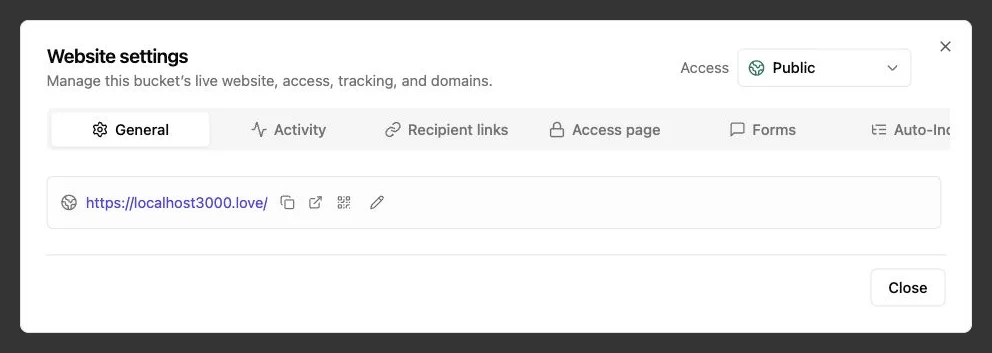
Public sharing works when reach matters more than identity: recipients click once and read, with no code, password, or account required. Use public access for material you are comfortable seeing forwarded beyond the original audience.
Good public-link candidates include:
- Portfolio samples and public case studies
- Product brochures and press materials
- Event decks for broad distribution
- Public guides, media kits, and documentation
- Lead magnets with a separate contact form
A freelance designer can send five prospects a finished case study through a frictionless public link they can pass to colleagues. That forwarding is useful, not a security failure.
The tradeoff is attribution.
You may see visits, views, referrers, clicks, or downloads, but usually cannot say a named client opened the page. Two people behind one corporate network may resemble one visitor, while one person using a phone and laptop may resemble two.
Treat it as public; an obscure URL is not a security control. Revdoku also notes in its privacy policy that publicly shared content may be visible to visitors, search engines, and anyone who obtains the URL. Remove private notes, hidden exports, credentials, and unused source files before publishing.
What a Password-Protected Link Protects—and What It Does Not
A password-protected link adds friction. It can block accidental discovery and crawlers while signaling limited access. That may suffice for an early design concept or routine client report.
An agency sharing a prototype with four people at a client company can send one URL and password, with no accounts required. Yet all four offer the same proof: knowledge of the shared secret.
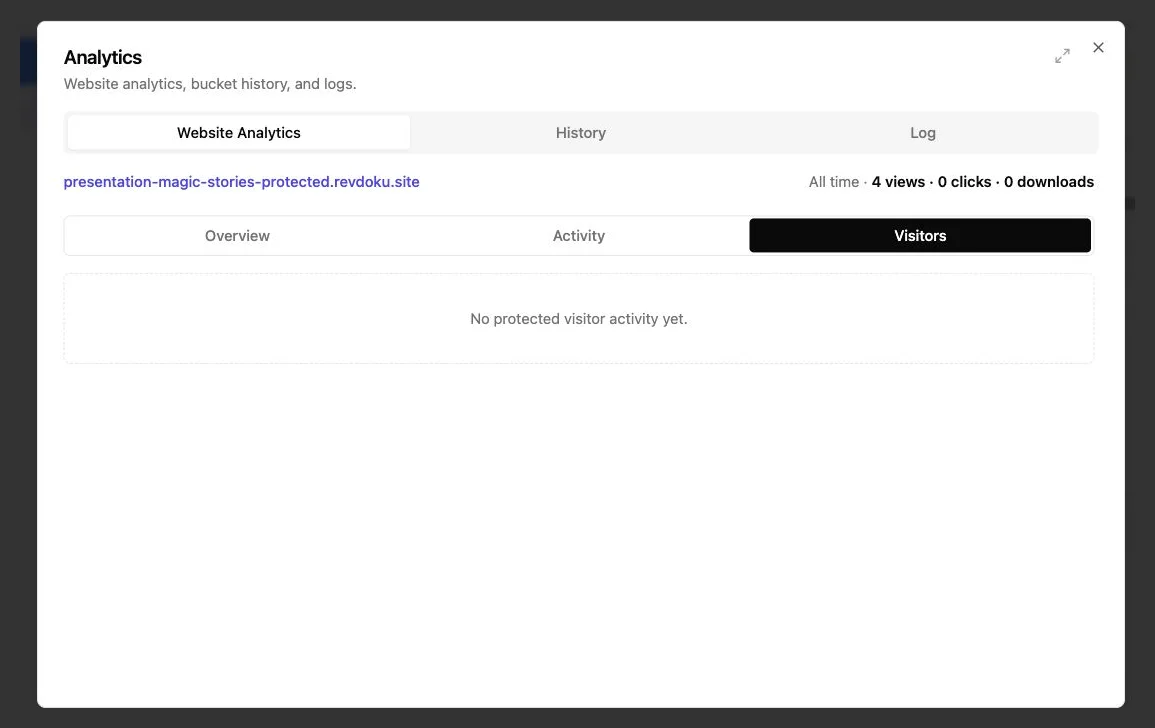
Password access alone does not prove who visited. The intended recipient, an assistant, a forwarded colleague, or someone who found it in an old message could enter the password. Analytics can describe the protected session, but naming its visitor is an assumption.
Use these practices when a shared password fits the job:
- Use a unique password per client or project instead of reusing one across accounts.
- For sensitive content, send the password through another channel. For example, email the link and send the password by text or a password manager.
- Rotate the password after staff changes, accidental forwarding, or when a review period ends.
- Separate clients into buckets so one password cannot expose unrelated work.
A password link controls access but provides weak identity evidence. That distinction should shape your security decisions and visitor-analytics claims.
How Verified Email Access and an Email-Gated Link Change the Evidence
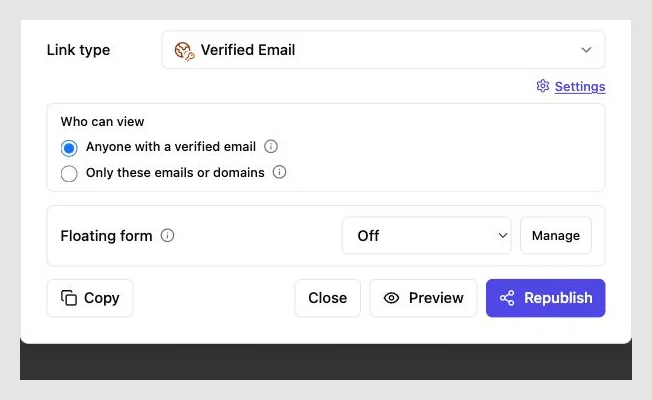
Verified email gating replaces a reusable group secret with proof of inbox control.
- The visitor opens the shared URL.
- They enter an email address.
- The service sends a short-lived, one-time code.
- The visitor enters the code and receives access.
Revdoku supports one-time email codes and can restrict entry by address or company domain. It can then connect activity to the verified visitor, including pages viewed, links clicked, and files downloaded, as described on the Revdoku product page.
A proposal restricted to two addresses remains inaccessible to an unapproved recipient. A company-domain rule may admit another employee while showing their email as a separate visitor. Open email verification permits forwarding, but each new visitor must identify an inbox.
Verified email proves inbox control at that moment, not legal identity, job title, physical presence, or exclusive control of a shared mailbox. An address such as finance@example.com may be read by several people.
Even so, it provides much stronger attribution than a shared password. A consultant can see an intended buyer open a pricing proposal, revisit pricing, and download the scope instead of inferring from anonymous traffic.
Choosing Secure Link Sharing for Client Document Sharing
I prefer a simple rule: add friction only when it buys something useful. A gate without needed protection or evidence creates support messages. A gate that limits forwarding or identifies a decision-maker may justify the extra step.
Use this decision table before publishing:
| Question | Low-risk answer | Higher-risk answer | Better access mode |
|---|---|---|---|
| Could the material be public? | Yes | No | Public if yes; protected if no |
| Would forwarding cause harm? | Little harm | Commercial, privacy, or client harm | Password or verified email |
| Must you know who opened it? | No | Yes | Verified email access |
| Is the audience known? | Broad or unknown | Named people or one company | Public for broad; email allowlist for named people |
| Does the content change often? | Rarely | Often | Use one stable, updatable link under any suitable gate |
Verizon’s 2026 Data Breach Investigations Report examined more than 31,000 incidents and over 22,000 confirmed breaches. It found a human element in 62% of breaches and third-party involvement in 48%. Though not direct measures of document-link leaks, the figures show why forwarding, mistaken recipients, and identity assumptions deserve attention.
A simple gate may be insufficient for regulated records, trade secrets, financial credentials, or health information. Use an approved system and process with appropriate contracts, retention controls, and legal review.
A Practical Revdoku Workflow for Secure Client Document Sharing
Sending client work requires no AI agent, API integration, or deployment pipeline.
- Prepare the deliverable. Remove internal comments, unused drafts, personal data, and secret configuration files. Open the final files once before uploading.
- Create a private bucket. Drag and drop a PDF, presentation, document set, demo, or complete folder into the dashboard.
- Choose access. Use public sharing for open distribution, password protection for shared privacy, or verified email when identity or forwarding control matters.
- Set the audience. For verified email access, allow named recipients or an appropriate company domain. Avoid domain-wide access when only two people need it.
- Test as a visitor. Open the link in a private browser window. Check the gate, navigation, mobile layout, downloads, and any form.
- Share one stable URL. When work changes, replace or add files in that bucket. The client keeps the same link.
That prevents a common mess: proposal-final.pdf, proposal-final-2.pdf, and a third email identifying the current version. Revdoku keeps the URL stable and supports version review and rollback.
Teams can add feedback or contact forms without a backend; optional AI agents, API, and CLI tools can automate repetitive publishing later. For most client work, start by dragging, dropping, protecting, and sharing.
Using Notifications and Analytics Without Overreading Them
An open notification improves timing but does not prove a sale is near. Someone may briefly open a proposal, leave it in a tab, or download it for another reviewer.
The access mode determines how confidently you can interpret each event:
| Signal | What it may mean | Sensible response |
|---|---|---|
| One public page view | Someone or a bot reached the URL | Wait for stronger engagement |
| Password open | A person with the shared secret entered | Treat identity as unknown |
| Verified email open | The named inbox received the code | Attribute access to that mailbox, with normal caveats |
| Several pricing-page views | Terms are receiving attention | Prepare to answer scope or budget questions |
| File download | The visitor may be circulating or reviewing the file offline | Follow up with context, not pressure |
| Feedback submission | The visitor has made an explicit request or comment | Reply promptly and address the exact point |
A founder shares an investor data room through verified email access. One investor reads the overview, returns the next morning, and downloads the financial model. That sequence is more useful than three anonymous views, letting the founder send a model-specific note instead of a generic reminder.
Do not announce every click or make analytics feel like surveillance. Follow up for a legitimate business reason, usually during working hours. Where appropriate, disclose analytics and lead collection, collect only necessary information, and set a retention policy. Revdoku’s privacy policy makes site owners responsible for personal data they choose to collect through their sites, forms, and analytics.
Secure Link Sharing Pitfalls
Most failures come from treating one sharing control as a complete solution. Catch these mistakes before sharing:
| Pitfall | Why it fails | Better approach |
|---|---|---|
| Using public access for a private draft | Anyone with the forwarded URL can enter | Switch to password or verified email access |
| Calling a password visitor a named person | The secret may be shared | Report the event as an unidentified protected visit |
| Allowing a whole domain without need | More employees can open the link | Allow specific addresses |
| Sending a password beside the URL | One forwarded message contains everything | Use a separate channel for sensitive work |
| Uploading a new link for every revision | Clients open stale versions and analytics split | Update the files behind one stable URL |
| Collecting email with no explanation | Visitors may distrust the gate | Explain why access is restricted and how data is used |
Final Thoughts
Choose secure sharing for the job: public access reduces friction and encourages circulation. A password keeps casual visitors out, but password access alone does not prove who visited. Verified email adds a step but improves forwarding control and per-visitor evidence.
Keep the practical rules close:
- Use public links only for material you can safely treat as public.
- Use shared passwords for simple, low-risk client privacy.
- Use verified email links for named audiences, sensitive proposals, data rooms, and reliable follow-up.
- Keep one stable URL and update the deliverable behind it.
- Read analytics as evidence, not certainty.
That balance gives clients an easy-to-open link while giving you the protection and context the work deserves.
Ask ChatGPT to compare access modes
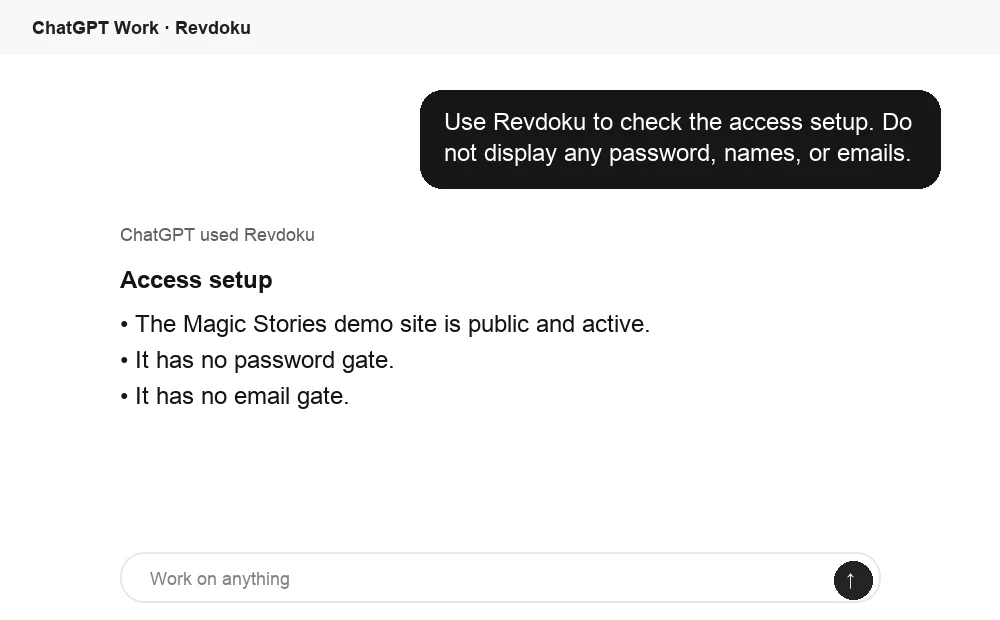
Before sharing, ChatGPT can ask Revdoku what access mode is active for the bucket. Use this to confirm whether the link is public, password protected, or email gated.
Frequently asked questions
Can a verified email link be forwarded?
Yes. An active address allowlist still blocks unapproved recipients. Open email verification lets forwarded recipients enter with another verified address.
Is verified email the same as multifactor authentication?
No. A one-time email code verifies control of one channel. It suits client sharing but differs from an account protected by several independent factors.
Should every proposal require verified email access?
No. Use it when attribution, confidentiality, or forwarding control matters. Public access may better suit a broadly shareable sales deck.
Which side wins in password link vs public link?
Neither by default: public sharing favors reach; password protection favors basic privacy. Email gating wins when you need stronger visitor evidence.
How do I choose between a public link, password protection, and verified email access?
Use a public link when the material can safely circulate beyond the original audience. Choose a password for basic, low-risk privacy, and verified email when you need stronger forwarding control or visitor attribution.
Does a password-protected link identify who opened it?
No. It only shows that someone knew the shared password, which may have been forwarded or reused. Treat activity as an unidentified protected visit unless another verification method establishes the visitor’s identity.
Should I send the password in the same message as the link?
For sensitive material, send the password through a separate channel, such as a text message or a password manager. Also use a unique password for each client or project and rotate it when access should end.
Can someone forward a verified email link?
Yes, but forwarding the URL does not automatically grant access. An address allowlist will block unapproved recipients, while open email verification will require each new visitor to verify an inbox.
Should I allow an entire company domain or specific email addresses?
Allow specific addresses when only a small group needs access. Domain-wide access is more convenient for broader collaboration, but it may permit additional employees to enter and should be used only when that wider audience is appropriate.
Can I update shared files without sending clients a new link?
Yes. Keep one stable URL and replace or add files behind it as the deliverable changes. This reduces version confusion and keeps engagement history associated with the same shared location.
How should I respond to open and download notifications?
Treat analytics as useful signals rather than proof of intent. Follow up when the activity provides a legitimate reason, such as repeated pricing-page views or a model download, but avoid mentioning every click or making the recipient feel monitored.
Related Articles
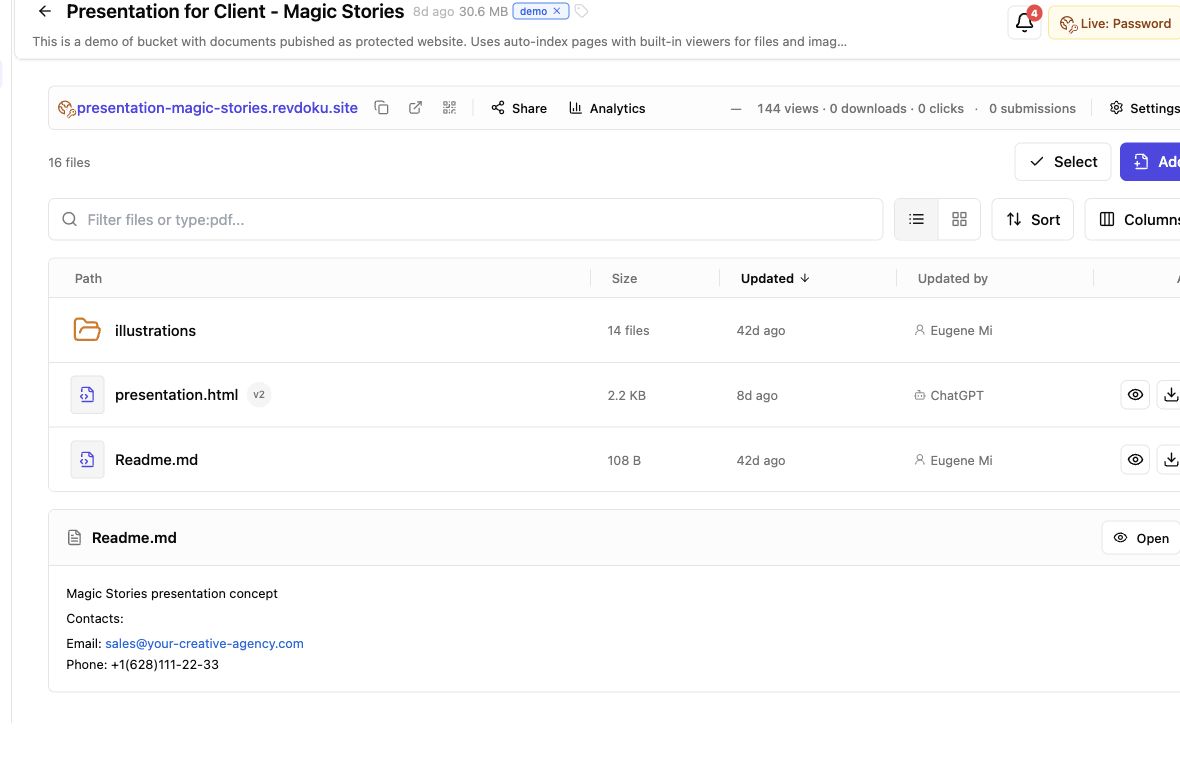
Secure File Sharing for Clients: A Practical Guide
Learn how to securely share client files, control access, manage versions, collect feedback, and track engagement with one link.
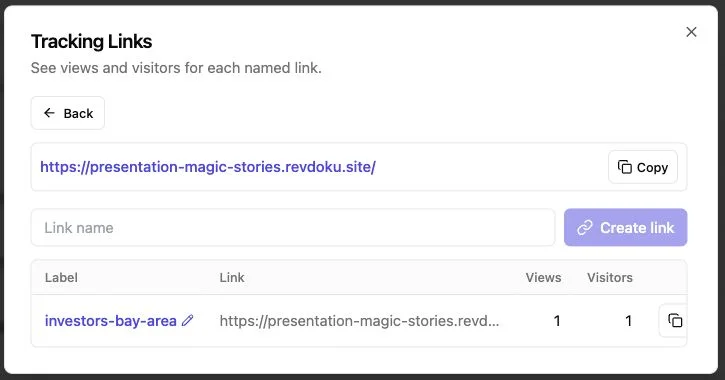
Report Sharing Software for Client Work | Revdoku
Share client reports with one secure, stable link. Control access, track engagement, collect feedback, and update files without changing the URL.
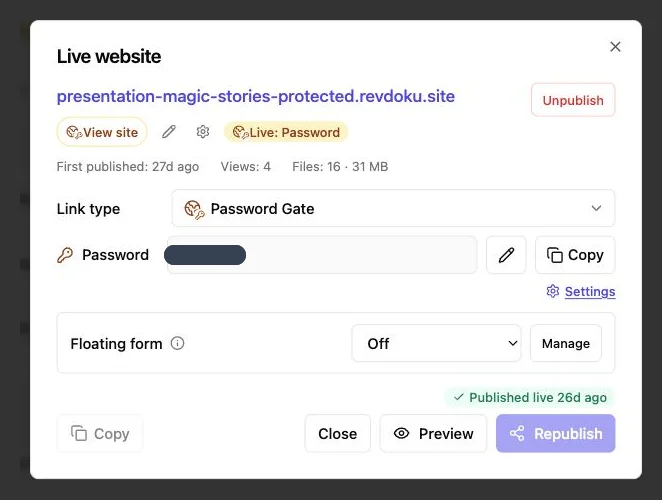
How to Password Protect a Website Securely
Learn how to protect websites, static pages, files, and client work with server-side passwords, verified email, and secure access controls.