Secure Client Portal for Protected File Sharing
Table of Contents
- A secure client portal can be as simple as one good link
- What a secure client portal needs for client document sharing
- Secure client portal access for protected client sharing
- Create a private client portal for protected client sharing
- Use notifications and analytics without guessing
- Keep client document sharing current with a secure portal
- Four practical protected client sharing examples
- Secure client portal limits and mistakes to avoid
- Secure portal for clients or full portal software?
- Start with one protected deliverable
- A secure client portal can be as simple as one good link
- What a secure client portal needs for client document sharing
- Secure client portal access for protected client sharing
- Create a private client portal for protected client sharing
- Use notifications and analytics without guessing
- Keep client document sharing current with a secure portal
- Four practical protected client sharing examples
- Secure client portal limits and mistakes to avoid
- Secure portal for clients or full portal software?
- Start with one protected deliverable
A secure client portal can be as simple as one good link
For many freelancers, consultants, agencies, and small teams, treating a secure client portal as a software project is overkill. They usually need to send a proposal, presentation, document folder, or demo without losing control.
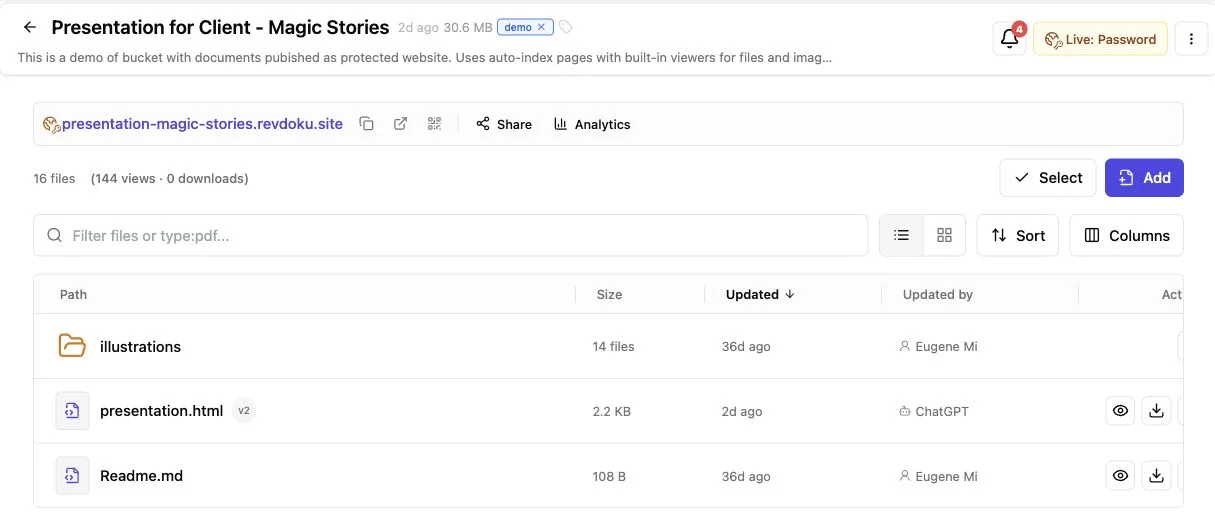
Revdoku turns that work into a live link. Drop a PDF or folder into a bucket, choose an access mode, and get a secure portal for clients without building accounts, navigation, storage, analytics, or forms.
It lets you:
- Share files through one link, not several attachments.
- Choose public, password, or Verified Email access.
- See protected-link opens and visitor activity.
- Replace outdated work without changing URLs.
What a secure client portal needs for client document sharing
Most clients want simple client document sharing: the file, its context, and a clear response method. A lightweight secure client portal should make that exchange easier for both sides.
| Client-sharing job | What the portal should provide | Why it helps |
|---|---|---|
| Send a proposal | A readable link and an open notification | You can follow up after the client has seen it |
| Present a folder | Navigation and built-in file viewing | No downloading or sorting attachments |
| Share a demo | Controlled access and a stable URL | Reviewers can return after each revision |
| Collect a response | A feedback or contact form | Comments arrive without a separate form service |
Verizon’s 2026 Data Breach Investigations Report found that the non-intentional human element contributed to 62% of breaches in its dataset. This does not make every email attachment dangerous. It suggests access choices deserve more thought than dropping a link into a crowded email thread.
Controlled publishing provides a middle ground: a secure portal for clients without a full client-management system.
Secure client portal access for protected client sharing
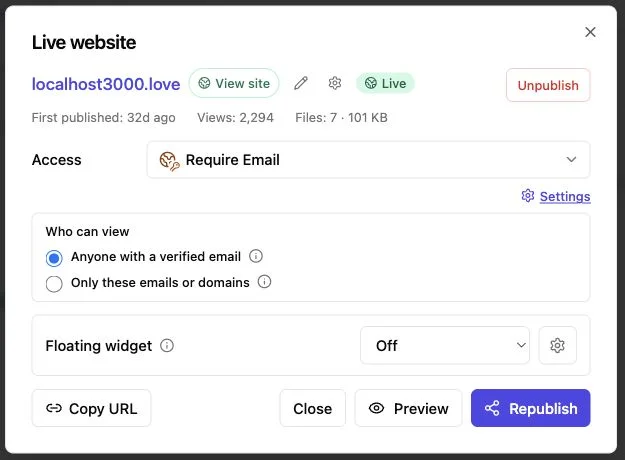
Match access control to the consequences of forwarding. My rule: use the least friction that fits the material. Extra gates can reduce both casual exposure and opens.
| Access mode | Best use | What the visitor does | What it tells you | Main tradeoff |
|---|---|---|---|---|
| Public | Portfolios, public reports, samples, and launch material | Opens the link directly | General traffic and engagement signals | Anyone with the URL may view or forward it |
| Password | Drafts, proposals, client previews, and small review groups | Enters a shared password | A protected visit occurred | The password may be copied or forwarded |
| Verified Email | Proposals, sales decks, investor material, and work where attribution matters | Completes the email gate | Activity tied to the gate address | More friction and responsibility for visitor data |
Public mode is convenient but not a private client portal. Password mode creates a password-protected client portal but does not prove who entered it. Choose a long, unique password and send it separately. NIST recommends at least 15 characters for passwords in general.
Verified Email offers the strongest attribution of the three, but an address is an access signal, not legal proof of identity. Shared inboxes, forwarding, and compromised accounts remain possible. A responsible secure client portal states that limit.
Create a private client portal for protected client sharing
Create a useful private client portal from the Revdoku dashboard without code. Start with one real deliverable, not an entire customer platform.
-
Create a bucket for the client or project. Use a plain name such as Acme Brand Review or Northwind Proposal. Separate buckets reduce the chance of publishing the wrong client’s file.
-
Upload the deliverable. Drag in a PDF, presentation, document set, static demo, or organized folder. Revdoku turns mixed files into a navigable site with built-in viewers, as its document publishing workflow shows.
-
Choose the access mode. Use public for material meant to travel, password for known reviewers, or Verified Email for stronger visitor attribution.
-
Preview the visitor experience. Use a private browser window to test the gate, navigation, downloads, mobile layout, and every form.
-
Send the stable link. State what the page contains and the response you need. Send any password through a separate message or channel.
-
Update the same bucket after feedback. Republish corrections instead of creating final, final-2, and final-really-final links.
That is enough for a focused secure portal for clients. AI agents, the API, and the CLI can automate later updates; the first upload requires none.
Use notifications and analytics without guessing
The client may be busy, have opened only the first page, or passed the work to someone else. A secure client portal makes some of that activity observable.
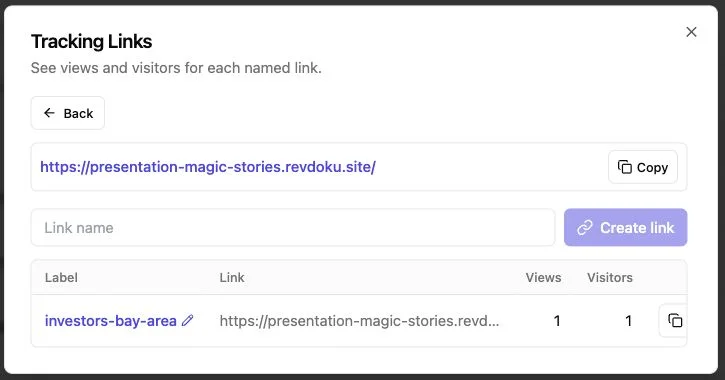
Revdoku can report protected-link opens and per-visitor page views, clicks, and downloads. Verified Email can associate activity with the submitted address. Treat these signals as activity, not intent.
| Signal | Reasonable interpretation | What it does not prove |
|---|---|---|
| Link opened | The protected page loaded | The visitor read every section |
| Several pages viewed | The visitor browsed the material | They agreed with the proposal |
| Pricing link clicked | Pricing drew attention | A purchase decision was made |
| File downloaded | A copy was saved | The copy was later read or kept private |
| Email submitted | That address was used for access | The visitor’s legal identity |
After an expected proposal opens, wait 15 to 30 minutes, review the activity, and send a relevant note rather than calling immediately. If the client viewed only setup pages, offer help. If they reached pricing and downloaded the scope, offer to discuss terms.
A secure portal for clients makes follow-up responsive without pretending analytics can read minds.
Keep client document sharing current with a secure portal
Email attachments freeze a deliverable at send time; once downloaded, an incorrect price or old diagram may keep circulating. Secure client document sharing through a stable secure client portal keeps the live version current.
Revdoku lets owners update or roll back bucket content without changing the shared URL. Clients can bookmark one address while files change behind it during review rounds.
| Change | Recommended action | Client-facing result |
|---|---|---|
| Fix a typo | Replace the file and republish | The same link shows the correction |
| Add a requested option | Update the proposal in its existing bucket | The client returns to a familiar page |
| Revise a demo | Publish the new static build | Review continues without another URL |
| Correct a bad release | Roll back to an earlier version | The link remains usable |
A private client portal should make responses easy. Revdoku provides built-in feedback, contact, question, and waitlist forms without your own backend; submissions stay with the bucket, and owners can receive notifications. The form workflow supports fields such as name, email, message, and custom labels.
Collect only what you will use. A two-field form often produces a cleaner conversation than a long questionnaire.
Four practical protected client sharing examples
A secure portal for clients can support different jobs by matching access to the audience and material.
-
A consultant sends a 22-page proposal. Because several stakeholders may review it, the consultant uses Verified Email. A notification and analytics show visits to scope and pricing. After 20 minutes, the consultant offers to answer questions about those sections.
-
An agency shares a brand review. Its bucket contains a presentation, logo exports, and reference images. A password-protected client portal controls access and keeps them together with built-in navigation. After the review, the agency replaces two assets, which appear at the original link.
-
A founder presents a static product demo. Public access avoids attention-costing gates during a conference. Afterward, the founder switches to protected sharing for private investor discussions. The project can shift between open distribution and controlled review as its purpose changes.
-
An AI agent builder publishes recurring reports. The builder uploads the first manually to confirm its structure and access settings, then uses the Revdoku API or CLI to refresh the bucket. Automation updates the same secure client portal, avoiding a new daily destination.
The principle: automate repeated publishing only after the manual client experience works.
Secure client portal limits and mistakes to avoid
Protected client sharing is useful, but secure can invite lazy assumptions. Password gates are not digital rights management, Verified Email cannot prevent forwarding, and analytics cannot track downloaded copies.
| Mistake | Why it causes trouble | Better approach |
|---|---|---|
| Calling a public link private | Anyone with the URL may open it | Use password or Verified Email access |
| Reusing a familiar password | A leaked or forwarded secret can expose several projects | Create a unique password for each sensitive send |
| Treating an email as perfect identity | Inboxes and messages can be shared | Treat the address as attribution, not proof of identity |
| Uploading secrets with client files | API keys, credentials, and private source data may be exposed | Review every folder before publishing |
| Sending attachments beside the portal | Old copies keep circulating | Make the live link the source of truth |
| Automating every update immediately | An agent mistake can publish unwanted material | Begin manually, limit permissions, and review automated output |
Assume no certifications, regulated-data suitability, enterprise permissions, single sign-on, retention controls, or contractual guarantees unless Revdoku’s current documentation and your agreement expressly confirm them. Its privacy policy says owners are responsible for personal data they publish or collect.
Use a system designed and contractually approved for highly regulated records, confidential legal discovery, health data, payment information, or complex role-based access. A secure client portal must fit the risk, not merely look polished.
Secure portal for clients or full portal software?
Lightweight publishing links and full portals solve different problems. Choose based on what clients must do.
| Approach | Best when | Weak point |
|---|---|---|
| Email attachments | The file is low-risk and stable | No stable source, weak engagement visibility, and version confusion |
| Shared cloud folder | Several people need ongoing file access | Can feel like storage, not a presentation |
| Revdoku bucket | You need protected publishing, analytics, forms, and stable updates | It is not a full account-based business system |
| Full client portal | Clients need invoices, tasks, approvals, records, and granular roles | More setup, administration, cost, and friction |
| Custom application | The workflow is unique and central to the business | You own development and maintenance |
Start with one protected deliverable
A good secure client portal makes one client exchange clearer and safer than an email full of attachments.
Use the access mode that fits the send:
- Choose public for material intended to travel.
- Choose password for straightforward protected review.
- Choose Verified Email when visitor attribution is worth the extra step.
Remember the limits: access data is directional, downloaded copies leave the live environment, and no gate replaces publishing judgment.
Create a secure portal for clients by putting one proposal, deck, folder, or demo in a Revdoku bucket, testing the visitor view, and sharing the live link. Add forms or optional automation once the basic private client portal works.
Frequently asked questions
Does a client need a complicated account?
Revdoku uses a shared link and configured gate, fitting clients who need to view work rather than operate another workspace.
Is public access a private client portal?
No. Use public mode only for content you are comfortable distributing.
Can the deliverable change after sending?
Yes. Revdoku’s core sharing flow keeps the link stable through updates or rollbacks.
A Revdoku bucket is often enough to present work, control ordinary access, collect responses, and understand engagement. Choose full portal software for billing, detailed permissions, regulated records, or multi-stage approvals.
Which access mode should I use for a client proposal?
Use password access for a small, known review group when simple protection is sufficient. Choose Verified Email when associating activity with an email address is valuable, while remembering that it does not confirm the visitor’s legal identity.
How should I share the portal password securely?
Create a long, unique password for each sensitive project and send it through a separate channel from the portal link. Avoid reusing passwords across clients or deliverables.
Will clients receive a new link when I update the files?
No, updates and rollbacks can appear at the existing bucket URL. This keeps one link as the current source of truth and reduces confusion caused by outdated attachments.
What should I test before sending the portal to a client?
Open the link in a private browser window and check the access gate, navigation, file viewers, downloads, forms, and mobile layout. Also confirm that the bucket contains only the files intended for that client.
How should I use portal analytics when following up?
Treat opens, page views, clicks, and downloads as signs of activity rather than proof of interest or agreement. Use them to make follow-up more relevant, such as offering help with a section the client visited, without claiming to know their intent.
Can a secure client portal prevent files from being forwarded?
No access mode can fully prevent a visitor from sharing credentials, forwarding information, or distributing downloaded copies. Use the portal to reduce casual exposure, and avoid publishing material that requires stronger contractual, regulatory, or technical controls.
When is a lightweight portal not enough?
Choose a full client portal or an approved specialized system when clients need billing, tasks, granular permissions, formal approvals, regulated records, or complex retention controls. A lightweight publishing portal is best for presenting deliverables, managing ordinary access, collecting responses, and keeping shared content current.
Related Articles
How to Password Protect a ChatGPT Site
ChatGPT Sites lack shared passwords. Compare native privacy options and learn how to create a secure client password gate with protected hosting.
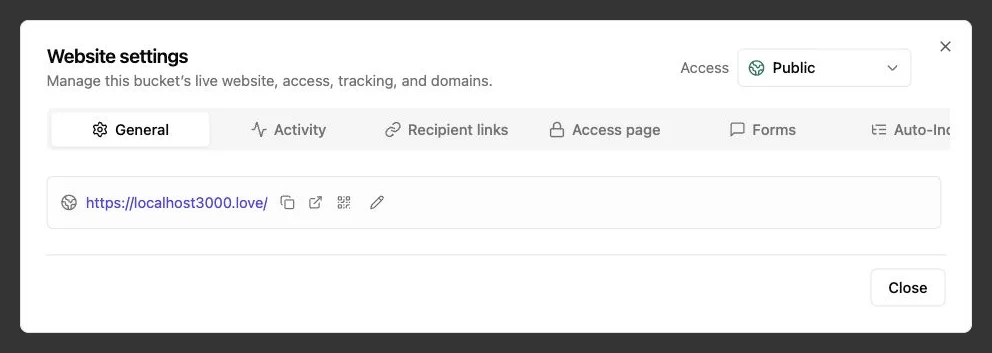
Password Link vs Public Link: Secure Sharing Guide
Compare public, password-protected, and verified email links to choose the right security, visitor tracking, and sharing experience.
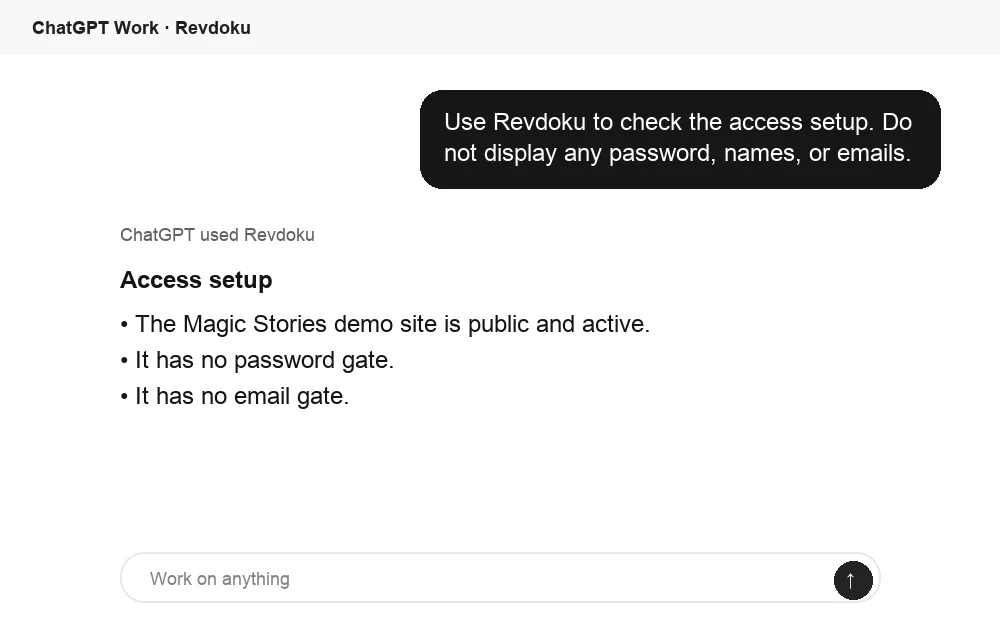
Tiiny Host Alternative for Secure Client Delivery
Compare Tiiny Host and Revdoku for protected client sharing, visitor tracking, feedback, stable links, revisions, and static hosting.