Document Tracking Software for Better Follow-Up
Table of Contents
- Document tracking software closes the follow-up gap
- What document tracking software actually tracks
- Aggregate document link analytics and Verified Email viewer analytics
- Why client document tracking improves follow-up
- How to use client document tracking in Revdoku
- Document tracking software versus a DMS or drive link
- Four practical client document tracking examples
- Best practices for respectful viewer analytics for documents
- Final thoughts: act on the signal, not the guess
- Document tracking software closes the follow-up gap
- What document tracking software actually tracks
- Aggregate document link analytics and Verified Email viewer analytics
- Why client document tracking improves follow-up
- How to use client document tracking in Revdoku
- Document tracking software versus a DMS or drive link
- Four practical client document tracking examples
- Best practices for respectful viewer analytics for documents
- Final thoughts: act on the signal, not the guess
Document tracking software closes the follow-up gap
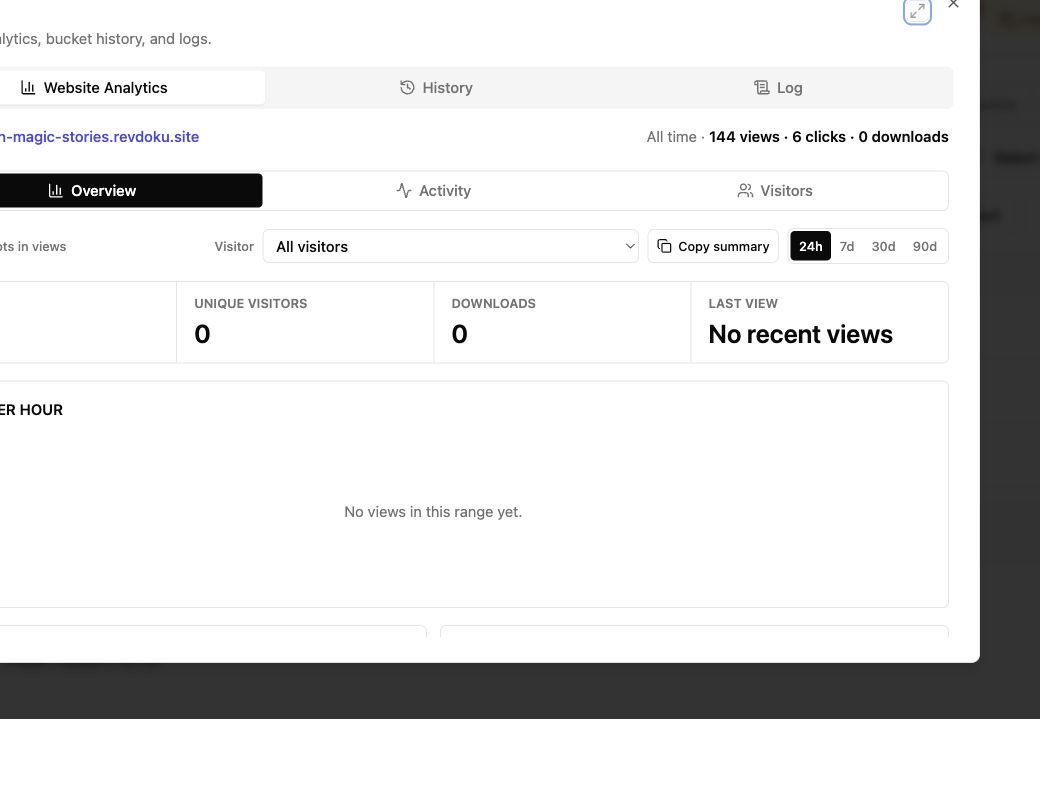
A proposal leaves your inbox. Then the question: did the client open it, skim pricing, share it with a colleague, or forget it? Document tracking software turns a client-facing file into a stable link and replaces silence with post-click document link analytics.
Revdoku handles this focused job. Add a PDF, presentation, demo, or folder; choose access; and share the link. This guide covers:
- what document engagement tracking can and cannot tell you
- how aggregate analytics differ from Verified Email activity
- when a tracked link is simpler than a full document-management system
- how to follow up without making clients feel watched
TL;DR: Send current work, apply appropriate protection, and act on engagement signals.
What document tracking software actually tracks
Document tracking software presents a file or folder through a link instead of an attachment like proposal-final-v7.pdf. The owner sees publication activity through one lasting URL.
Useful viewer analytics for documents answer distinct questions:
| Signal | What it tells you | What it does not prove |
|---|---|---|
| Views | The shared publication was opened | A person read or agreed with every word |
| Pages viewed | Particular pages received attention | The viewer understood the material |
| Clicks | A link or call to action was selected | The next step will happen |
| Downloads | A file was downloaded | What happened after it left the browser |
| Captured email | A verified viewer identified themselves | Their title, authority, or purchase intent |
Good document engagement tracking supplies evidence, not mind reading.
A pricing revisit may justify a timely note, but not “I saw you stare at page 12.” Use the data to time and focus your follow-up, then speak like a person.
With Revdoku, the same live link can hold a file or a navigable folder. When it changes, update the publication instead of sending another attachment.
Aggregate document link analytics and Verified Email viewer analytics
Measurement has two levels: aggregate publication analytics show overall link activity, while per-viewer analytics connect it to an identified person. The access method determines which fits.
| Sharing mode | Visitor experience | Analytics you should expect | Good fit |
|---|---|---|---|
| Public link | Opens without a gate | Aggregate views, pages, clicks, and downloads | Portfolio samples, public reports, broad previews |
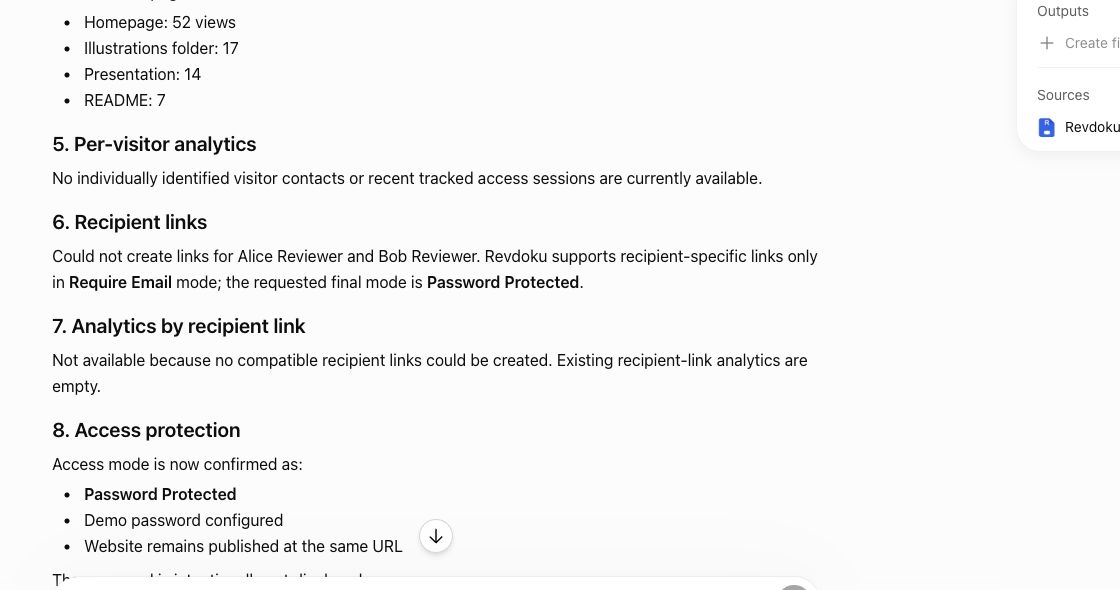
| Password-protected | Requires a shared password | Protected access and publication-level activity; the password alone does not establish identity | Client previews shared with a known group |
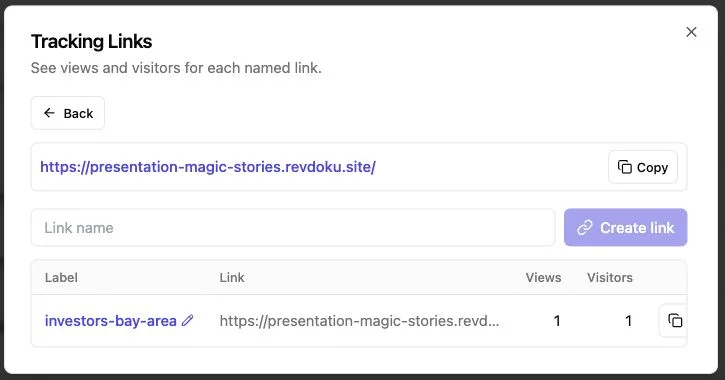
| Verified Email | Requires pre-access email verification | Captured lead plus permission-gated activity for that verified viewer | Proposals, investor decks, sales documents, named client delivery |
Revdoku limits named viewer analytics for documents to Verified Email. A public visit may count, but does not identify a person. A shared password limits entry without identifying who used it.
Verified Email adds friction, so use it when identity matters. It helps high-intent proposal tracking, but may cost attention on a public brochure. The best document tracking software lets senders choose for each link.
Why client document tracking improves follow-up
Clients often review work digitally before another call. McKinsey’s 2024 B2B Pulse, covering 3,942 decision-makers in 13 countries, found buyers split their time roughly evenly among in-person, remote, and digital self-service exchanges. A tracked link fits this mix: clients review independently, and senders respond when interest appears. See the McKinsey B2B Pulse findings.
Benefits of proposal tracking and document engagement tracking include:
- Better timing: open notifications can prompt same-day answers while the work is fresh.
- Better context: page and click activity can point to scope, price, proof, or setup.
- Less version confusion: one stable link serves the current file.
- Cleaner handoff: a folder keeps the deck, estimate, demo, and supporting files together.
- Visible interest: repeat visits are stronger signals than email delivery receipts.
Email-open data is a weak substitute. Apple’s Mail Privacy Protection can download remote email content in the background and prevent senders from learning when a message was actually opened, as Apple explains. A link open records publication activity, but remains directional: someone may open a page and walk away. Follow up with a useful question, not a verdict.
How to use client document tracking in Revdoku
For most client document tracking, start in the dashboard; no agent, API, or command line is required. Publish as you already prepare client work.
-
Create a private bucket. Use one private bucket per client, project, or recurring deliverable. Clear names simplify updates.
-
Drop in the material. Upload a PDF, presentation, demo, or folder. For multiple files, keep navigation short and use client-facing names, not internal production labels.
-
Choose access. Use a public link for open material, a password for shared restricted access, or Verified Email for lead capture and permission-gated per-viewer activity.
-
Publish and send the live link. Add one sentence saying what it contains and the response you want. “Please review the scope and pricing before Thursday” beats “See attached.”
-
Read the signals in context. Check views, pages, clicks, downloads, and verified viewers. Let open notifications time a helpful response.
-
Update in place. Replace or add files as work changes. Revdoku’s bucket model keeps the published URL stable and supports version history and rollback.
Automate later. AI agents, the API, and the CLI can publish recurring reports or refresh demos using the same buckets. If drag and drop works, stop there.
Document tracking software versus a DMS or drive link
Document tracking software covers different jobs: some tools send sales documents; others govern company records for years. Using the latter for the former can leave a five-person team administering software instead of serving clients.
| Approach | Best use | Engagement visibility | Access options | Operational weight |
|---|---|---|---|---|
| Email attachment | Fast, informal delivery | Little reliable visibility | Controlled by the recipient’s inbox | Very low |
| Basic drive link | Collaboration and file access | Often limited to broad activity | Public, invited users, or organization rules | Low |
| Revdoku live link | Controlled client delivery and document engagement tracking | Aggregate publication analytics; Verified Email per-viewer activity | Public, password, or verified email | Low |
| Full DMS | Records, approvals, retention, and internal governance | Varies by system | Detailed roles and policies | High |
It shares documents, presentations, demos, and file bundles; reports engagement; captures leads; collects form feedback; and keeps one current URL. Here, Revdoku is not presented as digital rights management, watermarking, legal-hold software, or an enterprise audit system. A tracked link also cannot stop permitted viewers from photographing a screen or redistributing a download.
Choose a DMS for retention schedules, formal approvals, legal discovery, or broad internal governance. Choose a tracked link with document link analytics to answer, “Did the client engage, and what should I do next?”
Four practical client document tracking examples
Understand viewer analytics for documents by connecting each signal to a decision. These workflows are illustrative, not claims about named customers.
-
A consultant tracks a proposal. She uses Verified Email for client-specific scope and pricing. After the operations lead verifies an address, views the scope twice, and returns the next morning, the consultant offers to clarify delivery dates.
-
An agency shares a creative presentation. The team password-protects a folder with the deck and two prototypes. Aggregate tracking shows repeated visits to one prototype and a feedback-form click. The account lead opens with that concept.
-
A founder sends an investor update. The founder keeps one gated link for the deck, metrics appendix, and product demo. Updating the appendix at the same URL keeps everyone from searching email for the latest version.
-
A small team publishes recurring reports. Staff upload reports manually until the format settles, then an API job or AI agent updates the bucket every Friday. The publication stays stable while aggregate analytics reveal which pages and links attract attention.
A metric should change an action. If it will not affect follow-up, content, access, or delivery, it is probably dashboard decoration.
Best practices for respectful viewer analytics for documents
Tracking works best when recipients understand it and senders avoid over-reading data. Chartbeat examined 100,000 page visits; about 34,000 ended within 15 seconds. The study covered web articles, not proposals, but its lesson applies: a load is not attention. Read the original Chartbeat engagement analysis.
Use this table to keep viewer analytics for documents useful:
| Practice | Action | Reason |
|---|---|---|
| Match the gate to the risk | Use public, password, or Verified Email access deliberately | Extra friction should buy needed control or identity |
| Say what happens | Tell recipients when email verification and activity tracking apply | Clear notice preserves trust |
| Collect less | Ask only for access or follow-up information | Smaller data sets reduce privacy and security exposure |
| Look for patterns | Prefer repeat visits, page interest, clicks, and replies to one open | Several signals carry more context |
| Set a retention habit | Periodically remove stale leads and publications | Old engagement data rarely improves current service |
Privacy rules vary by place and setup. The UK ICO says organizations must provide clear information and, unless an exception applies, obtain consent before using storage or access technologies on a person’s device. Its current tracking guidance is a useful reference, but it is not a substitute for advice about your setup.
Final thoughts: act on the signal, not the guess
Good document tracking software shows whether a publication was opened, where attention went, and when follow-up may be welcome, reducing uncertainty in client delivery. Revdoku pairs these signals with public links for reach, passwords for shared restricted access, and Verified Email for captured leads and permission-gated per-viewer activity.
Keep the limits in view:
- aggregate activity is not a named person
- an open is not proof of reading
- a downloaded file is outside browser tracking
- a tracked link is not DRM or a full records system
That focus often suits proposals, decks, demos, and recurring deliverables. Create a Revdoku account and publish one real client document. Choose the lightest suitable gate, send the link, and follow up from evidence instead of guesswork.
Frequently asked questions
Does document tracking software prove that someone read my proposal?
No. It records opens, pages, clicks, and downloads, not comprehension, agreement, or intent. Combine these signals with the recipient’s reply and sales context.
Can I identify everyone who opens a forwarded link?
Public or shared-password links can provide aggregate analytics without identity. Verified Email requires each new recipient to verify an address before attributing per-viewer activity. Do not infer identity from IP address or timing.
What happens after a download?
A download can be recorded, but viewer analytics for documents cannot follow the file afterward. If policy requires post-download control, a simple client-sharing link may not fit.
Should every document use an email gate?
No. Gate proposals, private demos, or client deliverables for identity or access control; leave low-risk public material open for reach. Friction is a cost.
Can I collect feedback without building an app?
Revdoku adds feedback and contact forms to the shared experience, letting agencies and freelancers collect responses without a separate backend.
Can AI publish the files?
Yes, optionally. Agents, the API, and the CLI can automate repetitive publishing once the workflow is stable, while the dashboard remains simpler for most people.
Which access option should I use for a client document?
Use a public link for low-risk material intended for broad viewing, a password when a known group needs shared restricted access, and Verified Email when individual identity matters. Choose the lightest option that provides the control you need, since additional gates can reduce engagement.
When should I follow up after someone engages with a document?
Follow up when the activity is recent and meaningful, such as repeat visits, attention to key pages, or a click on a call to action. Refer to the document’s subject rather than describing the recipient’s exact behavior, and offer a useful next step or clarification.
How can I tell whether a specific person viewed the document?
Per-viewer attribution requires Verified Email, which connects permitted activity to a verified address. Public and shared-password links generally provide aggregate activity, so you should not guess a visitor’s identity from timing, location, or other indirect clues.
Can I update a proposal without sending a new link?
Yes. Revdoku lets you replace or add material within the existing publication, keeping the same URL for recipients. Version history and rollback also help you recover an earlier version when necessary.
What should I include in a tracked client folder?
Include only the files needed for the recipient’s next decision, such as the proposal, pricing, demo, and relevant supporting material. Use clear client-facing names and short navigation so important content is easy to find.
Is document tracking suitable for confidential or regulated records?
It can support controlled client delivery, but it is not a replacement for digital rights management, legal holds, retention controls, or a full document-management system. Use a dedicated governance solution when formal compliance, discovery, or post-download control is required.
How should I handle privacy when using viewer analytics?
Clearly explain when verification and activity tracking apply, collect only the information needed, and regularly remove stale publications and lead data. Because privacy and consent requirements vary by jurisdiction and setup, confirm the rules that apply to your organization.
Related Articles
Viewer Analytics for Documents: Track Client Activity
Track document views, clicks, downloads, and verified visitor activity with secure client links and practical follow-up guidance.
Website Link Tracking for Client Engagement
Track proposal and document engagement using visits, downloads, Verified Email, privacy safeguards, and well-timed client follow-up.
Proposal Tracking: Know When Clients Open It
Send proposals with protected links, track verified opens and engagement, and use client activity to time thoughtful follow-ups.