Lead Magnet Hosting Without WordPress | Revdoku
Table of Contents
- Lead magnet hosting should do more than serve a file
- What effective lead magnet hosting actually includes
- Verified email access versus an ordinary email-gated download
- How to host lead magnet resources without WordPress
- Designing an email gated download people will complete
- Use visit, click, and download activity intelligently
- Keep the resource current at the same URL
- Four practical ways to host lead magnet resources
- Costs, limits, and common mistakes
- Final thoughts
- Lead magnet hosting should do more than serve a file
- What effective lead magnet hosting actually includes
- Verified email access versus an ordinary email-gated download
- How to host lead magnet resources without WordPress
- Designing an email gated download people will complete
- Use visit, click, and download activity intelligently
- Keep the resource current at the same URL
- Four practical ways to host lead magnet resources
- Costs, limits, and common mistakes
- Final thoughts
Lead magnet hosting should do more than serve a file
A useful guide, report, template, or workbook deserves more than an anonymous cloud-storage link. Good lead magnet hosting gives visitors a clear page, controls access, records meaningful activity, and lets you update the resource without changing its URL.
TL;DR: Effective lead magnet hosting combines reliable delivery, flexible access, visitor insights, and a stable URL. Because links spread across newsletters, social posts, partner sites, and private messages, replacing them after correcting a PDF is nearly impossible.
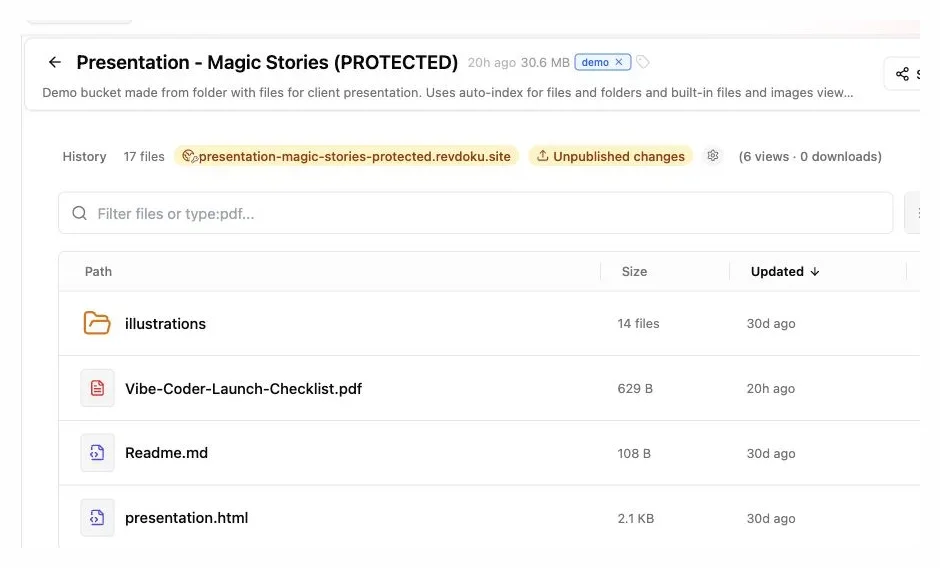
With Revdoku, drag a PDF or folder into a private bucket, publish a browser link, and choose:
- Public access for maximum reach
- Password protection for a shared audience
- Verified email access when visitor identity matters
This guide explains hosting a lead magnet without WordPress, email verification, and using activity data without creating a complicated marketing system.
What effective lead magnet hosting actually includes
When you host lead magnet resources, you give people reliable access to useful content. The resource might be a PDF, spreadsheet, slide deck, ZIP archive, interactive demo, or small website. Hosting includes the page, delivery, access rules, and availability.
A bare file link only delivers the resource. A proper hosting page explains what visitors receive, who it serves, and what follows access, building trust before they share an email address.
| Approach | Access control | Visitor insight | Updating the resource | Setup burden |
|---|---|---|---|---|
| Direct cloud-storage link | Usually link-based | Basic or none | May create a new link | Low |
| WordPress plus plugins | Depends on plugins | Depends on integrations | Usually flexible | Medium to high |
| Email platform landing page | Form-based | Form and campaign metrics | Varies by platform | Medium |
| Revdoku bucket | Public, password, or verified email | Visits, pages, clicks, and downloads | Update the same bucket and URL | Low |
Revdoku suits experiences centered on a hosted lead magnet. Publish by dragging a file or folder into the dashboard; optional API, CLI, and AI-agent tools support automation.
Keep the lead magnet and its supporting files in one bucket, then share the published website URL instead of separate attachments.
Verified email access versus an ordinary email-gated download
An ordinary email gated download records an address before revealing the file but does not prove the visitor controls that inbox. Someone can enter a misspelled address, a disposable address, or another person’s address.
Verified email access adds a proof step. Revdoku sends a one-time code that visitors must receive and enter before the resource opens, connecting the visit to an inbox they could access.
| Question | Unverified email form | Verified email access |
|---|---|---|
| Does it record text entered as an email? | Yes | Yes |
| Does it prove inbox access? | No | Yes, through a one-time code |
| Can a typo become a recorded lead? | Yes | Much less likely |
| Can access be limited by email or company domain? | Usually requires extra tools | Available as an access rule |
| Is there extra visitor friction? | Very little | One additional verification step |
Verification improves identity quality but does not prove job title, buying authority, or intent, or prevent use of a secondary inbox. Treat it as evidence of email control, not a complete identity check.
Use verified email access for commercially valuable reports, cleaner lead data, or activity-guided follow-up. Use public access when reach matters more than identity.
How to host lead magnet resources without WordPress
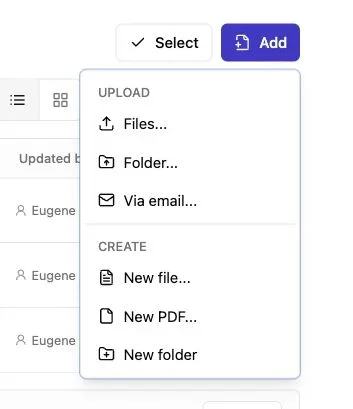
Note: Use the Add menu to upload files or a complete folder.
One resource does not require a content management system, theme, database, and multiple plugins. To publish a lead magnet without WordPress, use the smallest reliable hosting and protection setup.
-
Prepare the resource. Name the file clearly, reduce its size, and check its links. For a folder or demo, test the starting page in a browser.
-
Create a Revdoku bucket. A bucket holds the files, access settings, forms, versions, and activity associated with one stable link.
-
Drop in the content. Upload the PDF or complete folder through the dashboard, which handles guides, templates, presentations, and downloadable bundles.
-
Choose an access mode. Public access minimizes friction; passwords suit known groups; email gates collect visitor information; verification makes that information more dependable.
-
Add only useful fields. Request a name, organization, role, or answer only when you will use it. Optional fields can qualify interest without blocking visitors.
-
Publish and test. In a private browser window, complete the access flow, view the resource, click a link, download a file, and confirm the activity appears.
-
Share one URL. Use it in ads, posts, newsletters, QR codes, or outreach, keeping future updates at that address.
Important: You can replace the PDF or update any other file in the existing Revdoku bucket and republish without changing the lead magnet link. Your newsletters, QR codes, social posts, and partner links will keep pointing to the latest version.
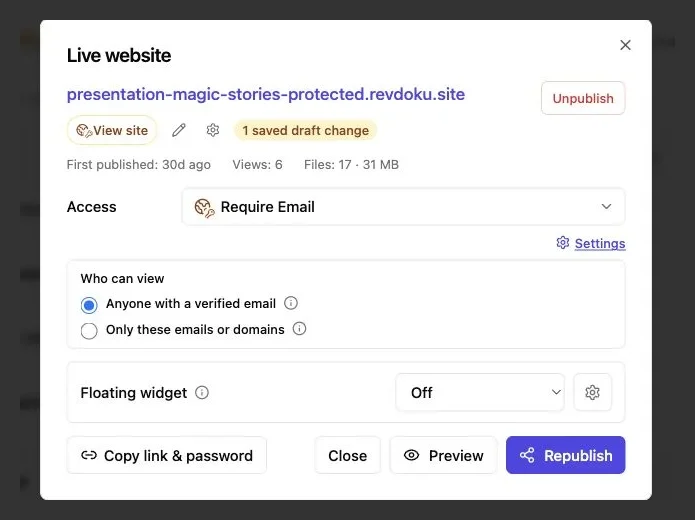
Require Email can identify visitors before access. Public and Password Gate remain available from the same Access menu.
Designing an email gated download people will complete
Every field adds friction, though detailed reports may justify asking for a role and company when one-page templates do not.
Mailchimp reports an average landing-page conversion rate of about 9.7%, while also warning that results vary by industry and offer. Its guidance recommends beginning with the minimum number of required fields because each extra field can affect completion. HubSpot reached a similar conclusion after examining more than 40,000 landing pages: requests for telephone numbers, age, and detailed geographic information were associated with lower conversion rates. See the Mailchimp landing-page guidance and HubSpot form-field analysis.
A practical email-gated download usually needs:
- Email address: required when access or lead recording depends on it
- Name: useful for personal follow-up, but often safe to make optional
- Company or role: useful for segmentation when the resource serves several audiences
- One qualifying question: helpful only when the answer will change your response
- Privacy explanation: a short statement saying what you collect and how you plan to use it
Do not imply that a download subscribes someone to unrelated marketing. Request promotional consent clearly and follow applicable rules. Verification proves inbox access; it does not create consent by itself.
Use visit, click, and download activity intelligently
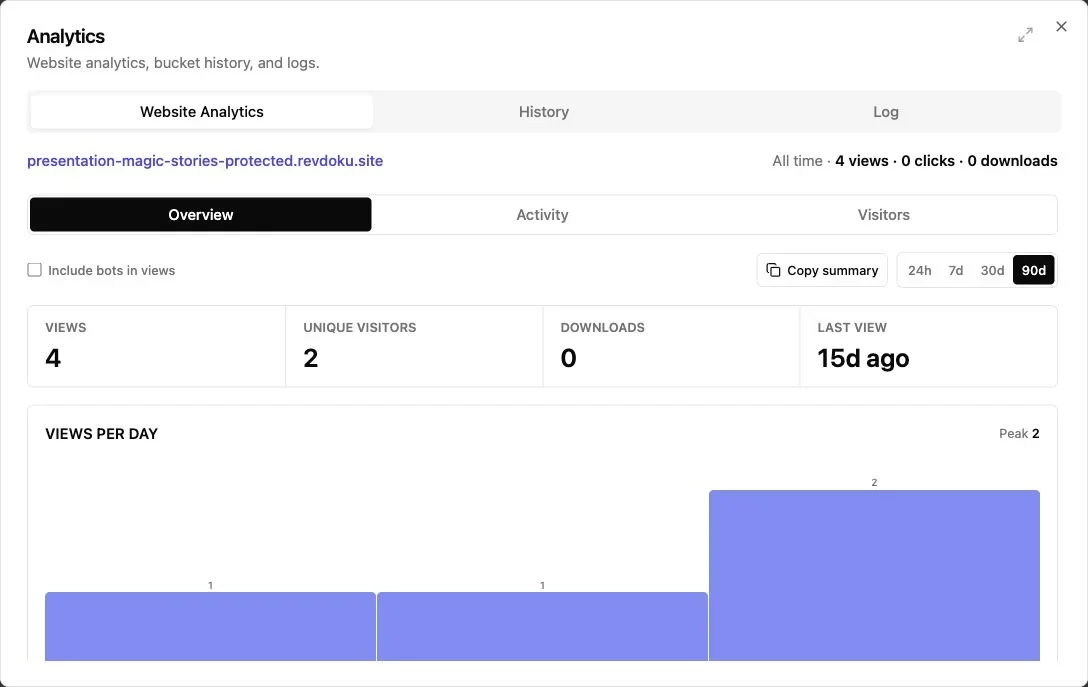
Note: The overview summarizes views, visitors, downloads, and recent activity.
An address identifies who passed the gate; activity shows what happened next. Revdoku can associate a verified visitor with pages viewed, links clicked, and files downloaded. The owner can also receive a notification when someone opens a protected link.
Visitor activity enables behavior-based follow-up instead of the same message to everyone.
| Activity | Reasonable interpretation | Useful response |
|---|---|---|
| Opened once, no download | The visitor may have scanned the page or been interrupted | Wait before following up |
| Viewed several pages | The topic held some attention | Refer to the subject they looked at |
| Downloaded the main file | The visitor wanted an offline copy | Offer help applying the material |
| Returned on another day | Interest may be active again | Consider a timely personal message |
| Submitted feedback | The visitor has stated a need or opinion | Reply to the actual comment |
These signals do not prove intent: repeated visits may reflect device switching. Use activity as context for human conversation.
For example, after a prospect downloads a pricing workbook, a consultant could write: I saw you accessed the model. If you want, I can explain how the assumptions work for a team your size. That is more useful than assuming purchase readiness.
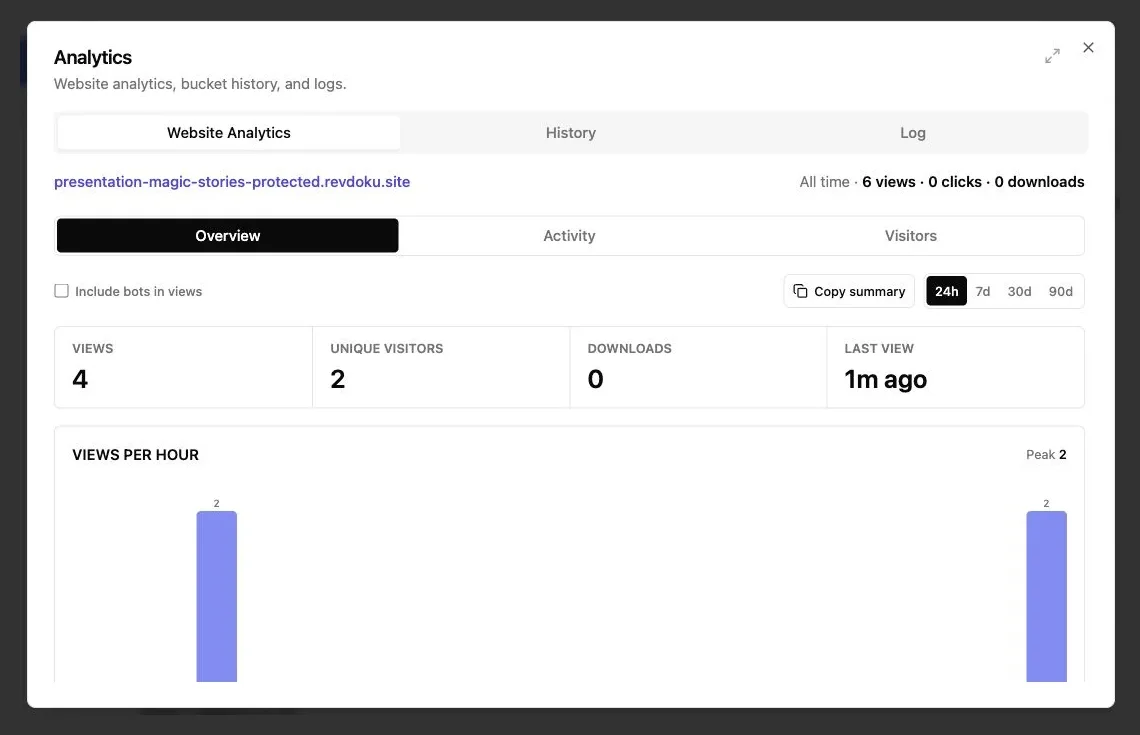
The overview summarizes views, unique visitors, downloads, and recency. With Require Email enabled, use Activity and Visitors for identified access details.
Keep the resource current at the same URL
Lead magnets age as tax figures, instructions, charts, and brand assets change. A stable URL lets you improve the resource without chasing every place where the original link appeared.
In Revdoku, the bucket owns the published URL and settings. Replace or add files and republish at the same address; versions and rollback help correct faulty updates. Revdoku describes this same-link workflow in its guide to updating an existing site.
Update routine:
- Review the live resource on a regular schedule.
- Replace outdated files inside the existing bucket.
- Check the title, description, links, and download names.
- Republish rather than creating a separate project.
- Test the existing URL in a private browser window.
- Compare visitor activity before and after the revision.
You can add a built-in feedback or contact form without a backend. Submissions remain with the bucket, with notifications for responses. The Revdoku form workflow supports custom fields and spam protection.
Keep the form focused: ask whether the resource answered the visitor’s question or what example would improve it.
Four practical ways to host lead magnet resources
Access mode depends on the resource’s value and your use of visitor information.
| Publisher and resource | Suggested access | Activity worth watching | Next improvement |
|---|---|---|---|
| Consultant sharing a pricing calculator | Verified email access | Spreadsheet download and return visits | Add an explanation of assumptions |
| Agency publishing an industry report | Verified email plus optional company field | Pages viewed and report downloads | Expand the most-read topic next quarter |
| Educator offering a lesson pack | Public or simple email gate | Downloads and feedback submissions | Correct unclear instructions at the same URL |
| Creator releasing a design template | Verified email for a limited release | Template download and linked portfolio clicks | Add examples based on visitor questions |
Fifty anonymous downloads show demand but not whom to contact; fifty verified visitors offer clearer prospects. The consultant can contact only those requesting help or showing meaningful engagement.
For the agency, greater attention to benchmarks than methodology can shape the next edition. For the educator, feedback can expose a broken worksheet before another thousand downloads.
A creator may update a template several times during launch week. A stable URL keeps old social posts current and prevents confusion.
Costs, limits, and common mistakes
Revdoku lets you start free, while protected access and advanced capabilities are available through affordable paid plans. Check the current Revdoku pricing before publishing because plan details can change.
Revdoku is not an email marketing platform or CRM. It records leads and activity, accepts feedback, and sends notifications, but does not provide nurture sequences, campaign management, sales pipelines, or full customer records. For those functions, use a dedicated service and transfer data with consent and privacy safeguards.
Avoid these common lead magnet hosting mistakes:
- Gating something too small: Visitors may resent verification for a resource they could recreate in five minutes.
- Asking for unused information: Every field should have a clear purpose.
- Treating verification as marketing consent: Inbox control and permission to send promotions are different things.
- Following up too quickly: An instant sales message can make activity tracking feel intrusive.
- Creating a fresh URL for every revision: This leaves old campaigns pointing to outdated files.
- Ignoring the complete visitor path: Test mobile access, code delivery, file viewing, and downloading before promotion.
- Assuming every download is a lead: Measure conversations and fit, not only raw form completions.
Match the setup to the resource: keep public checklists accessible, while detailed commercial reports may justify verification. Friction works when visitors understand it and the resource earns it.
Final thoughts
Good lead magnet hosting combines delivery, identity, and feedback. Revdoku lets you upload content, choose access, share one browser link, track verified visitors, and update material without breaking the URL.
The decisions are straightforward:
- Use public access when reach is the main goal.
- Use an ordinary email gate when a basic record is enough.
- Use verified email access when cleaner identity and per-visitor activity justify one extra step.
- Ask only for information you will use.
- Treat opens and downloads as context, not proof of intent.
To host a lead magnet without WordPress, start with one valuable resource and clear promise. Publish, test the visitor experience, and improve it using real activity and feedback.
Frequently asked questions
Which access mode should I choose for my lead magnet?
Use public access when maximum reach matters most, password protection for a known group, and verified email access when dependable visitor identity is important. The resource should provide enough value to justify any added friction.
Does verified email access also provide marketing consent?
No. Verification confirms that a visitor can access the submitted inbox, but it does not grant permission to send promotional messages. Collect marketing consent separately and explain clearly how visitor information will be used.
How many fields should an email gate include?
Start with email and add only fields that will affect segmentation or follow-up. Name, company, role, or one qualifying question can be useful, but unnecessary requirements may reduce completion rates.
Can I host a lead magnet without WordPress?
Yes. A dedicated hosting service can provide the landing page, file delivery, access controls, and activity tracking without a content management system or plugins. Test the complete experience in a private browser window before sharing the link.
Can I update the resource without changing its link?
Yes. Replace or add files within the existing bucket and republish so newsletters, QR codes, social posts, and partner links continue to work. After updating, verify the live resource and its downloads through the original URL.
How should I use visitor activity when following up?
Treat page views, downloads, return visits, and feedback as context rather than proof of buying intent. Follow up when you can offer relevant help, and avoid immediate sales messages based on a single action.
Do I still need an email marketing platform or CRM?
Possibly. Lead magnet hosting can record visitors, activity, and feedback, but it does not replace nurture campaigns, sales pipelines, or complete customer records. Transfer data to dedicated systems only when needed and with appropriate consent and privacy safeguards.
Related Articles
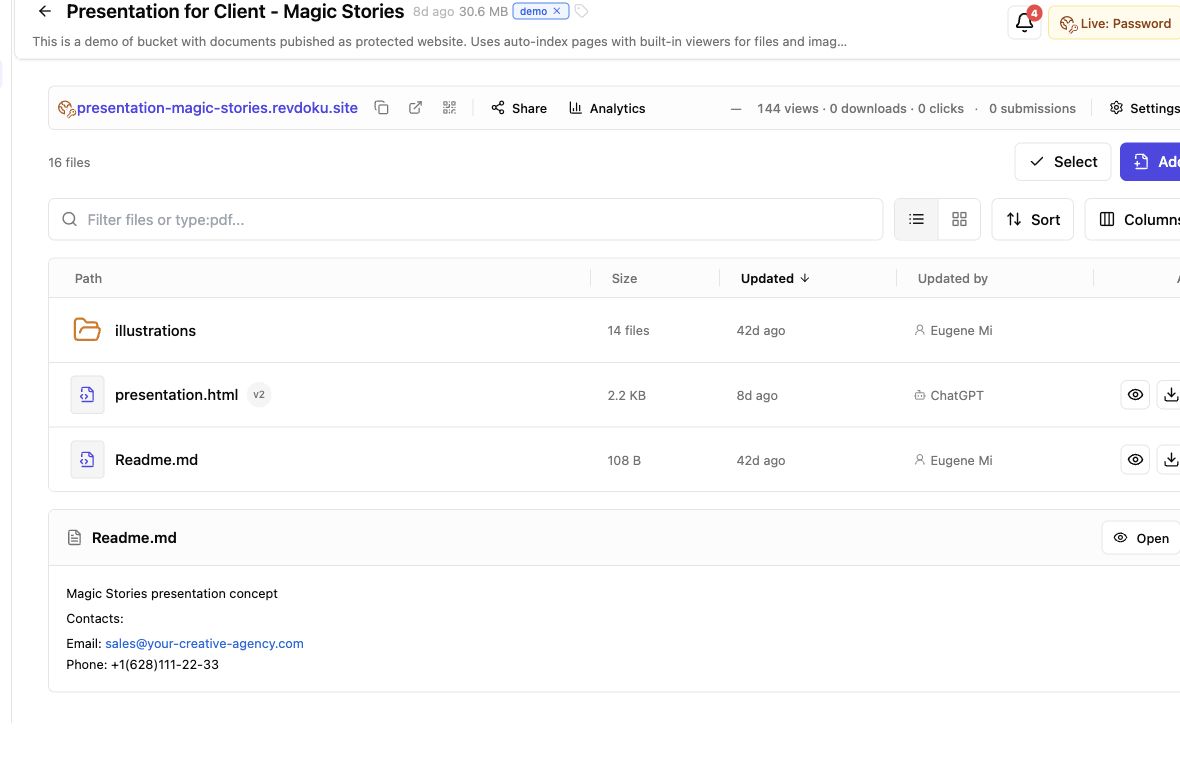
Secure File Sharing for Clients: A Practical Guide
Learn how to securely share client files, control access, manage versions, collect feedback, and track engagement with one link.
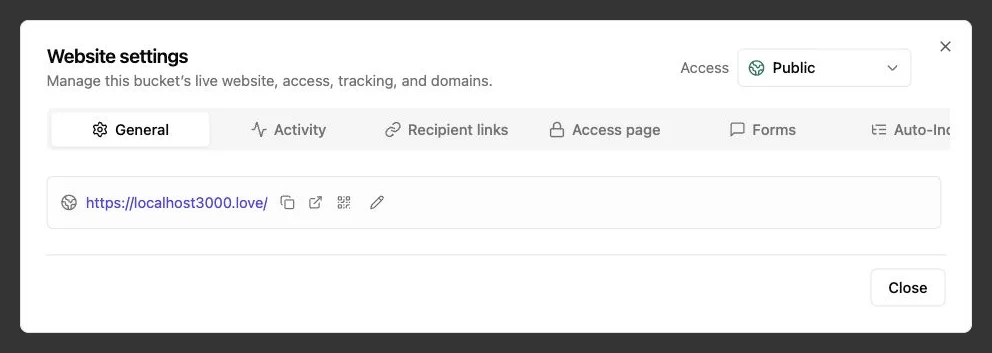
Password Link vs Public Link: Secure Sharing Guide
Compare public, password-protected, and verified email links to choose the right security, visitor tracking, and sharing experience.
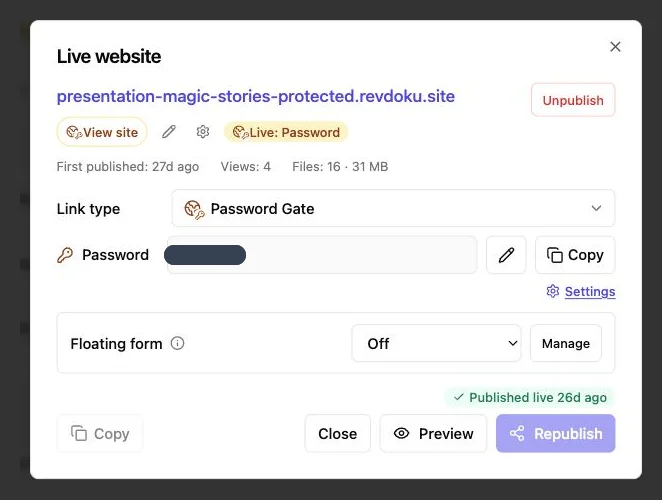
How to Password Protect a Website Securely
Learn how to protect websites, static pages, files, and client work with server-side passwords, verified email, and secure access controls.