Private Ebook Hosting with Access Control | Revdoku
Table of Contents
- Ebook hosting that gives you control
- Why ordinary PDF book hosting often falls short
- Choose public, password-protected ebook, or verified email access
- How to host ebook online with Revdoku
- Share ebook privately without losing reader signals
- Collect ebook feedback without building a backend
- Update your ebook while keeping the same private ebook link
- Four practical ebook hosting examples
- Common mistakes when sharing a password-protected ebook
- Final thoughts
- Ebook hosting that gives you control
- Why ordinary PDF book hosting often falls short
- Choose public, password-protected ebook, or verified email access
- How to host ebook online with Revdoku
- Share ebook privately without losing reader signals
- Collect ebook feedback without building a backend
- Update your ebook while keeping the same private ebook link
- Four practical ebook hosting examples
- Common mistakes when sharing a password-protected ebook
- Final thoughts
Ebook hosting that gives you control
Hosting an ebook for a limited audience requires access control, activity tracking, and a current PDF. A normal cloud link may be forwarded. An email attachment becomes outdated as soon as the PDF changes. A public download page tells you little about who read the book or what they found useful.
Revdoku offers controlled ebook hosting. You can host an ebook online, protect it with a password or verified-email access, and share one stable link. You can then see visitor and download activity, collect feedback, and replace the PDF without asking readers to find a new URL.
This suits:
- Advance review copies for authors and publishers
- Paid course resources delivered after checkout
- Research reports shared with approved readers
- Internal books, manuals, and training material
- Branded guides created for clients
Revdoku provides controlled ebook hosting, private sharing, and review. It is not an ebook marketplace, storefront, DRM platform, royalty service, or payment processor.
Why ordinary PDF book hosting often falls short
A PDF is convenient because its layout stays consistent across devices. The format has also matured into the ISO 32000 standard, with PDF 2.0 defined in ISO 32000-2. Yet the format does not determine how safely or usefully a book is distributed.
Emailing a PDF gives each recipient a separate copy. If the author fixes a chart, replaces a chapter, or corrects a price, the old versions remain in inboxes. A generic file-sharing link helps but may offer only basic counts and broad permissions.
Controlled ebook hosting addresses four practical questions:
- Access: Should anyone with the link enter, or should the reader prove that they were invited?
- Activity: Did the recipient open the book, visit particular pages, or download the PDF?
- Response: Can the reader send feedback without starting a separate email thread?
- Revision: Can the owner update the ebook while keeping the same link?
The last point is underrated. Version confusion matters when a client approves the wrong draft or a student uses an obsolete handbook. A stable link makes the current edition the easiest edition to reach.
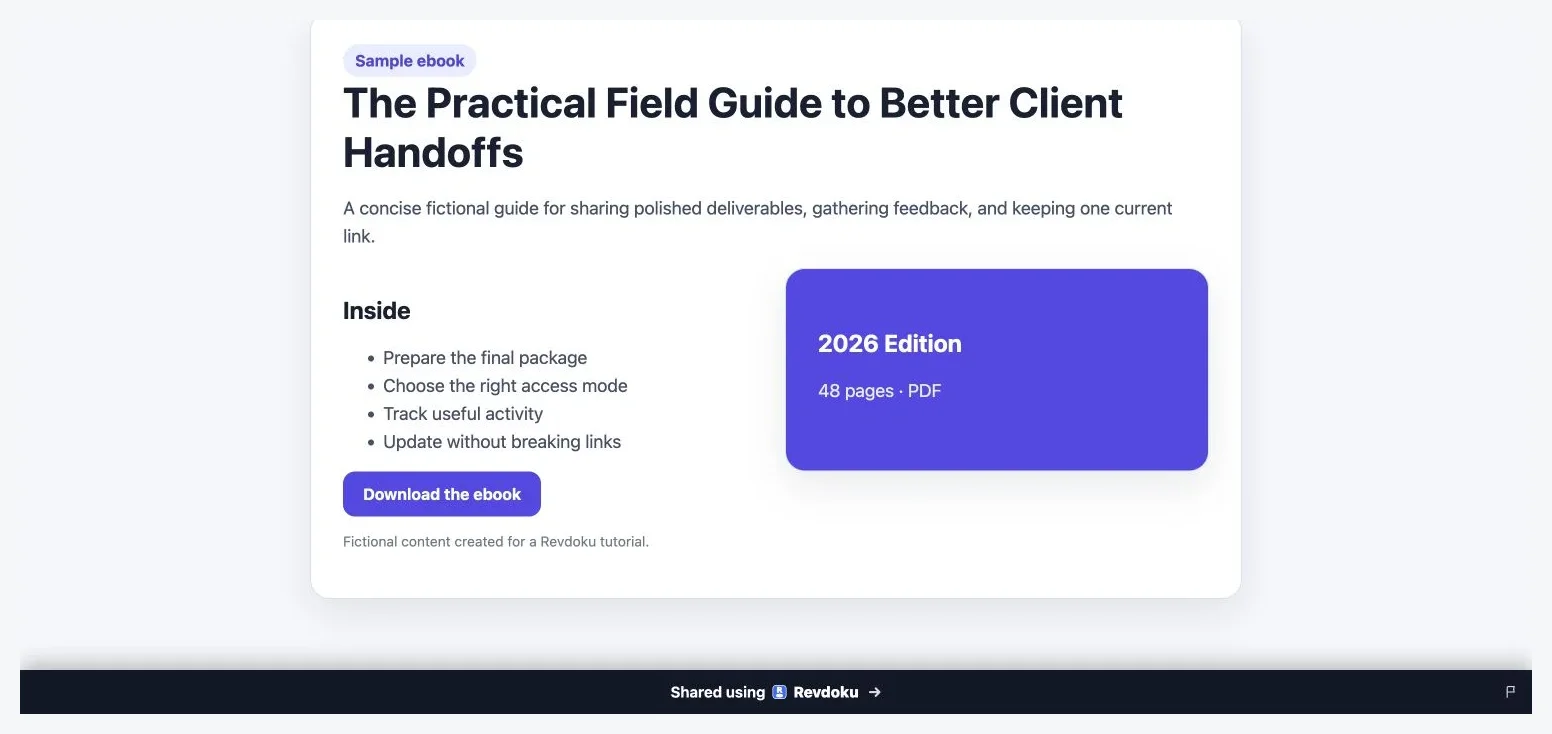
The published ebook page gives readers a clear description and download action while the Revdoku bucket keeps the destination stable.
Choose public, password-protected ebook, or verified email access
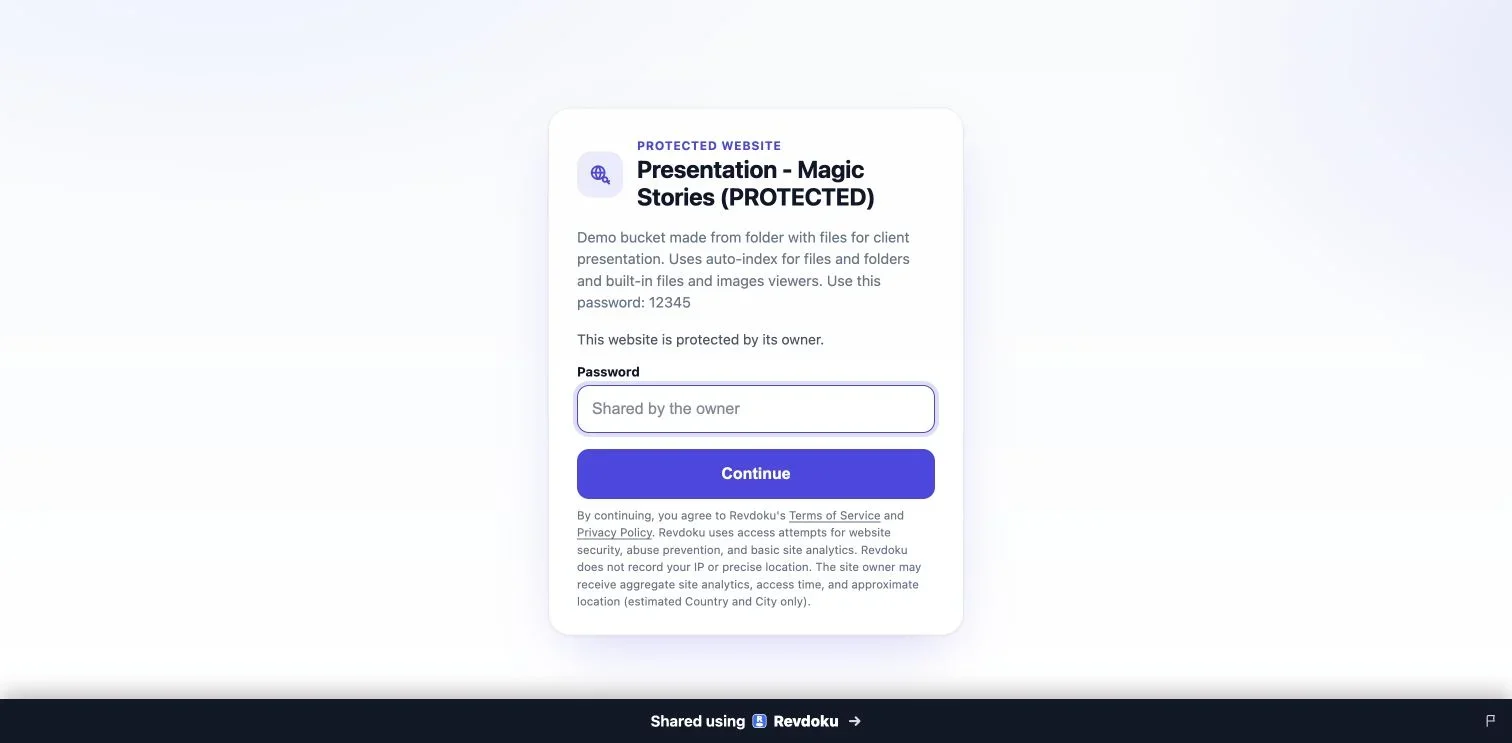
Note: Test protected links in a private browser window before sharing them.
No access setting fits everyone. The right choice depends on how sensitive the ebook is, how many readers need it, and whether you need to identify each visitor.
| Access method | Best suited to | Reader experience | Owner visibility |
|---|---|---|---|
| Public link | Samples, public reports, and promotional guides | Opens immediately | General visitor and engagement activity |
| Password protection | Review groups, client guides, and internal books | Reader enters a shared password | Protected-link open notifications and activity |
| Verified email | Advance copies, licensed resources, and named recipients | Reader verifies an email address | Per-visitor identity, activity, and captured leads |
A password-protected ebook is useful when a small group can safely share one secret. Use a password that is long and unique. Current NIST digital identity guidance calls for at least 15 characters when a password is the only authentication factor and support for passwords of at least 64 characters.
Verified email access is better when each reader’s identity matters. The gate asks each reader to confirm an email address instead of trusting a shared password. This helps an author distinguish one reviewer from another and lets a publisher record permission-based leads.
Neither method is DRM. An authorized reader may still photograph, copy, or redistribute material. The goal is access control, accountability, and useful reader signals, not an impossible guarantee against redistribution.
How to host ebook online with Revdoku
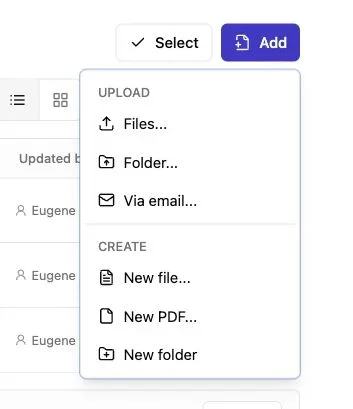
Note: Use the Add menu to upload files or a complete folder.
Most authors and small teams should use the manual path. You need no code, server configuration, or AI agent. Start with the finished PDF and decide who should receive it.
-
Prepare the ebook. Export a readable PDF with searchable text, working links, useful bookmarks, and a sensible file name. Check that images remain clear at ordinary zoom levels.
-
Create a private bucket. In the Revdoku dashboard, create a bucket for the title, edition, campaign, or client.
-
Drop in the PDF. Drag the ebook into the bucket. A folder can also include supplements such as worksheets, source notes, or image files.
-
Choose access. Make the live link public, apply a password, or require verified-email access. Use the least restrictive option that still fits the material.
-
Test as a reader. Open the link in a private browser window. Check the gate, page display, links, download setting, and mobile experience.
-
Send the stable link. Share the private ebook link through email, a course platform, a customer receipt, or a private community.
For teams that publish repeatedly, Revdoku also supports optional API, CLI, and AI-agent workflows. These tools automate the bucket model for recurring reports or generated books, but everyday PDF hosting does not require them.
Share ebook privately without losing reader signals
Privacy controls determine who enters; analytics show what happens afterward. Together, they offer more than placing a file in a folder and hoping someone opens it.
Revdoku can show activity such as:
- Protected-link opens and the time of each visit
- Identified visitors from verified-email gates
- Pages viewed during a reading session
- Links clicked inside the hosted material
- PDF downloads
- Leads captured through an access or contact form
Suppose a consultant sends a 42-page strategy guide to a client. The client opens it on Tuesday, returns on Thursday, reads the pricing appendix, and downloads the PDF. That sequence does not prove buying intent, but it gives the consultant a reason to follow up.
The same restraint should apply to every metric. A page view is evidence of activity, not evidence of comprehension. A download may indicate offline reading, forwarding, or mere curiosity. Treat analytics as context for a conversation.
Open notifications can improve timing. A message after genuine activity often feels more relevant than a fixed sequence. Use these signals to help readers, not to surprise them with a minute-by-minute account of their behavior.
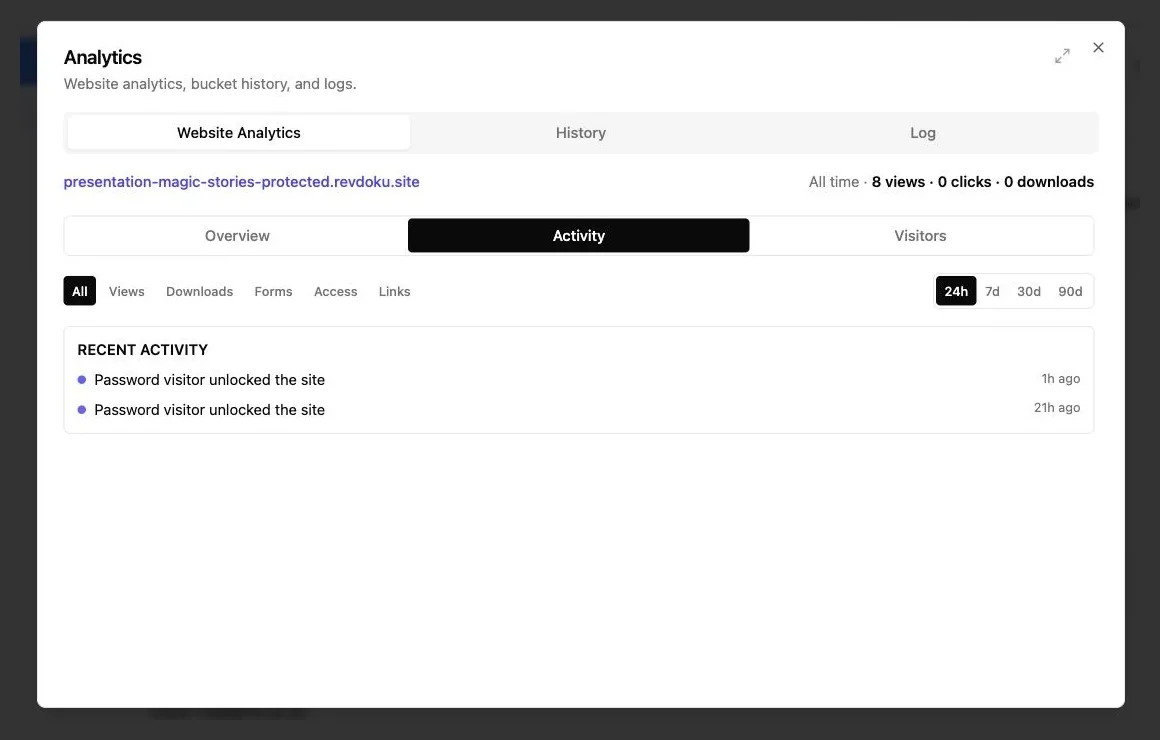
Use Activity to review the events that actually occurred. This demo shows password unlocks only and does not fabricate reader clicks or downloads.
Collect ebook feedback without building a backend
Advance copies and client guides often need responses, not just views. The usual process spreads comments across email, documents, chat messages, and meeting notes. Some feedback disappears because readers do not know where to submit it.
Built-in forms connect readers directly with the owner without a separate backend. Depending on the project, the form can ask for:
- A correction or factual concern
- A note about a confusing passage
- Permission to use a review or testimonial
- A request for classroom or team access
- A question about licensing, services, or the next edition
Keep the form short. For an advance review copy, ask for the reader’s name, email, overall response, and any page-specific notes. For a research report, invite methodological questions and citation corrections. A client guide may need only a comment box and a way to request a call.
Explain what happens after submission. If the author will reply within five business days, say so. If feedback may influence a future edition but will not receive an individual answer, say that instead.
Verified-email access can reduce duplicate identity questions because the visitor has already supplied an address. Still, collect only information that has a clear purpose. More fields rarely improve insight and usually reduce completions.
Update your ebook while keeping the same private ebook link
A stable private link simplifies revisions. Replace book-final-2-revised.pdf at the original link instead of sending it again. New visitors receive the current version, and returning readers know where to find it.
Use a small release routine for each update:
| Item | What to check | Why it matters |
|---|---|---|
| Edition label | Show a date or version inside the PDF | Readers can identify the copy they saved |
| Links | Test the table of contents and external URLs | Re-exporting can break interactive elements |
| Access rules | Confirm the password or email gate | A replacement should not change the audience by accident |
| Download file | Download and open the hosted PDF | This catches upload or export problems |
| Reader notice | Decide whether existing readers need an update | Major changes may deserve a direct message |
This model suits changing internal books and client resources that need a familiar destination. An agency can update a client brand guide after a logo change. An educator can correct a formula before the next class. A researcher can publish a revised appendix without scattering another URL across citations and emails.
One limitation remains. A reader who already downloaded the PDF still owns that older copy. Stable hosting keeps the live version current but cannot recall downloaded files. Put an edition date inside the book so downloaded versions remain easy to distinguish.
Four practical ebook hosting examples
These common workflows use illustrative numbers.
-
An author distributes 80 advance copies. The author uses verified-email access so every reviewer enters through an individual address. Visitor activity shows that 47 recipients opened the book and 19 downloaded it. The author reminds only recipients who have not visited.
-
An educator delivers a paid workbook. Payment happens through the educator’s existing checkout system. The receipt links to a password-protected ebook on Revdoku. The educator updates two incorrect exercises at the same link and adds a feedback form for student questions. Revdoku hosts the resource but does not process the sale.
-
A research team shares an embargoed report. Verified-email access identifies invited journalists and partner organizations. The team watches aggregate page activity, receives correction requests through the hosted form, and replaces the PDF when the embargo ends. It then switches to a public link for wider distribution.
-
An agency publishes a client guide. The agency places a 65-page PDF and supporting assets in one private bucket. Open notifications show when the client begins reviewing it. Page and download activity help the account lead time a follow-up meeting. After approval, the agency updates the guide without changing the bookmarked URL.
These examples show controlled delivery, not digital-rights enforcement. If a publisher needs retail discovery, royalties, payments, library lending controls, or device-level DRM, a specialist publishing platform remains the better fit.
Common mistakes when sharing a password-protected ebook
Most problems arise from sharing, not the PDF. Brief testing can prevent reader confusion.
- Reusing a personal password: Create a unique password for the ebook. Never reuse a password from email, banking, or another account.
- Sending the password beside a sensitive link: For higher-risk material, send the password through a different channel or use verified-email access instead.
- Ignoring mobile readers: Test the access gate, page navigation, form, and download button on a phone as well as a desktop.
- Uploading image-only pages: Scanned pages can be hard to search and inaccessible to screen-reader users. Apply optical character recognition and inspect the result.
- Tracking without explanation: Tell readers what information is collected and link to an appropriate privacy notice.
- Treating analytics as certainty: A long session may mean close reading, an idle browser tab, or both. Follow up with curiosity rather than assumptions.
Accessibility matters. WCAG 2.2 provides a shared standard for accessible digital content. For the PDF itself, use real headings, logical reading order, descriptive link text, document language metadata, and alternative text for meaningful images. Good access control should not create a poor reading experience.
Before a large release, ask two or three people to test the journey. Ask them to enter through the gate, find a chapter, submit feedback, and download the book. Their confusion will reveal more than another hour reviewing your setup.
Final thoughts
Good ebook hosting provides a dependable online home and sensible control. With Revdoku, you can share ebook privately through a public link, a password-protected ebook, or verified email access. You can receive open notifications, inspect visitor and download activity, collect feedback, and publish revisions at the same address.
Choose:
- Use public access for material intended to travel widely.
- Use a password-protected ebook for a trusted group with a shared secret.
- Use verified email when individual identity and activity matter.
- Put an edition date inside every downloadable PDF.
- Treat reader analytics as context, not surveillance or proof of intent.
Revdoku does not replace a marketplace, checkout, DRM system, or royalty platform. It provides controlled delivery, review, measurement, feedback, and updates through one stable link.
Frequently asked questions
Can I sell ebooks through Revdoku?
Revdoku can host a resource that you deliver after a sale, but it is not a storefront or payment processor. Take payment through your commerce system, then provide the controlled link.
Does password protection stop copying?
No. A password controls entry to the hosted link. It does not prevent an authorized person from saving, photographing, copying, or sharing what they can see. Use clear license terms and share only with appropriate recipients.
Should I allow PDF downloads?
Allow downloads when readers need offline access, annotation, printing, or archival copies. Keep the experience browser-based when the current live edition matters more. Explain your choice before readers reach the page.
Is verified email better than a password?
It is better when you need individual identity, a lead record, or separate visitor activity. A password is simpler for a trusted group that already communicates through a secure channel.
Can I replace the ebook after sharing it?
Yes. A key benefit is updating the file at the same stable link. Test the replacement and add an edition date inside the PDF.
Can an AI agent publish the ebook?
Yes. An API or CLI can automate repeated publishing, while most people can drag and drop the PDF.
Which access option should I choose for sensitive material?
Use verified-email access when each reader must be identifiable. A shared password may suit a small, trusted group, but it can be forwarded. Neither option replaces DRM or prevents an authorized reader from redistributing the content.
How should I prepare a PDF before hosting it?
Confirm that the text is searchable, links and bookmarks work, and images remain clear at normal zoom. Add headings, alternative text, document language metadata, and a logical reading order for accessibility. Include an edition date or version number so downloaded copies can be identified later.
What should I test before sending the ebook link?
Open the link in a private browser window and complete the entire reader journey. Test the access gate, page navigation, embedded links, feedback form, and download behavior on both desktop and mobile devices. For a large release, ask a few people unfamiliar with the setup to test it as well.
What happens to previously downloaded copies when I update the ebook?
Replacing the hosted PDF updates the file available through the stable link, but it cannot recall copies readers already downloaded. Use a visible edition date or version number inside the PDF to distinguish older files. Consider notifying existing readers when an update contains important corrections or substantial changes.
How should I use reader analytics without overinterpreting them?
Treat opens, page views, clicks, and downloads as signs of activity rather than proof of attention or intent. Use the information to time helpful follow-ups and ask informed questions. Tell readers what data is collected and provide an appropriate privacy notice.
What information should an ebook feedback form request?
Ask only for details that support a clear next step, such as the reader’s name, overall response, and page-specific corrections. Keep the form short and explain whether submissions will receive a reply or inform a future edition. Verified-email access may eliminate the need to request the reader’s email again.
When should I use a specialist publishing platform instead?
Choose a specialist platform when you need retail discovery, checkout, royalties, library lending controls, or device-level DRM. Controlled hosting is better suited to private delivery, reader activity, feedback, and revisions at a stable link. It can complement an existing commerce system but does not replace one.
Related Articles
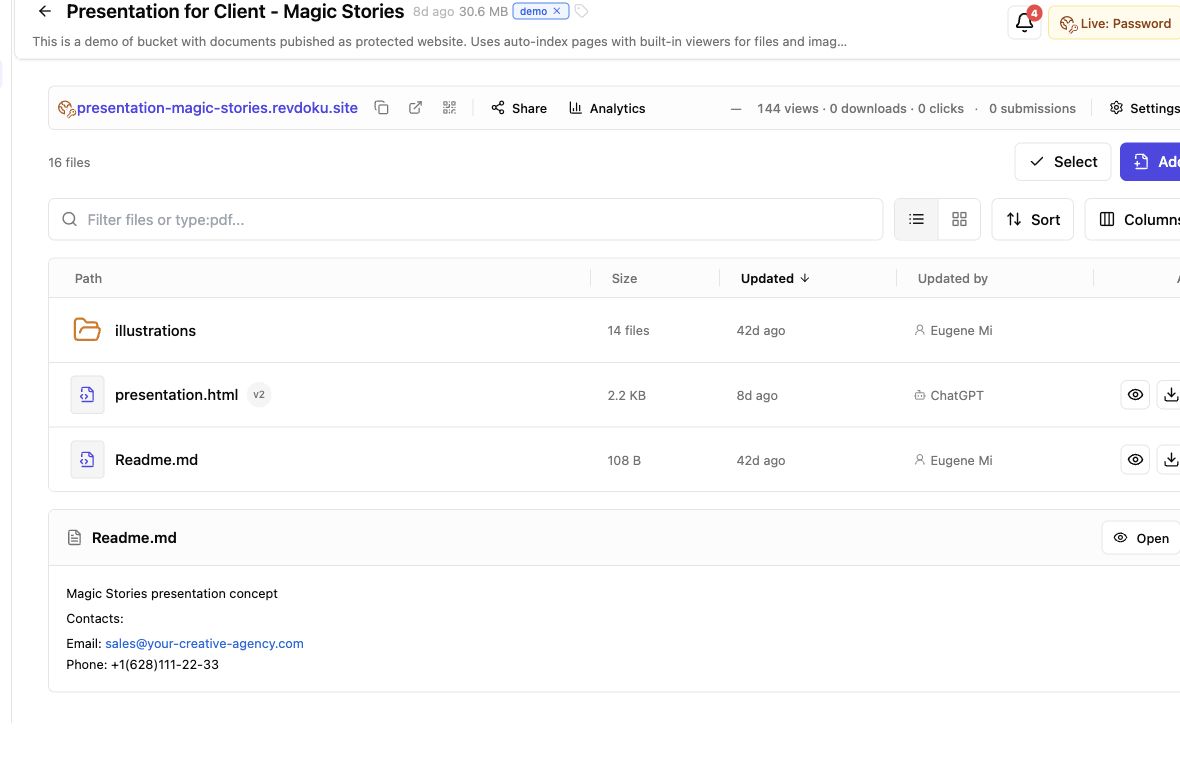
Secure File Sharing for Clients: A Practical Guide
Learn how to securely share client files, control access, manage versions, collect feedback, and track engagement with one link.
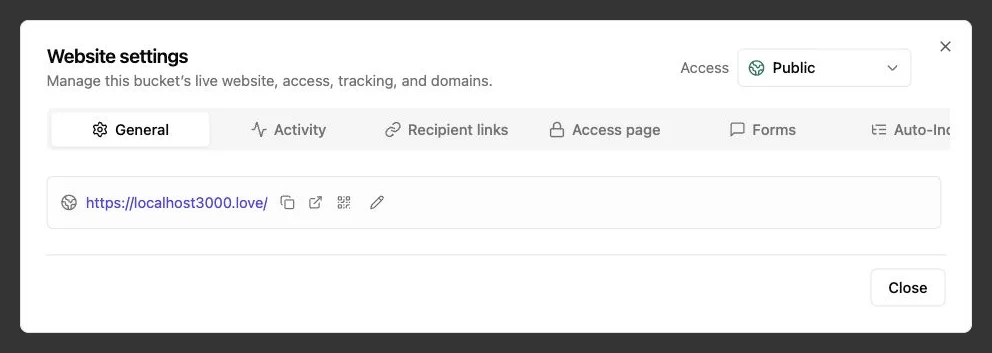
Password Link vs Public Link: Secure Sharing Guide
Compare public, password-protected, and verified email links to choose the right security, visitor tracking, and sharing experience.
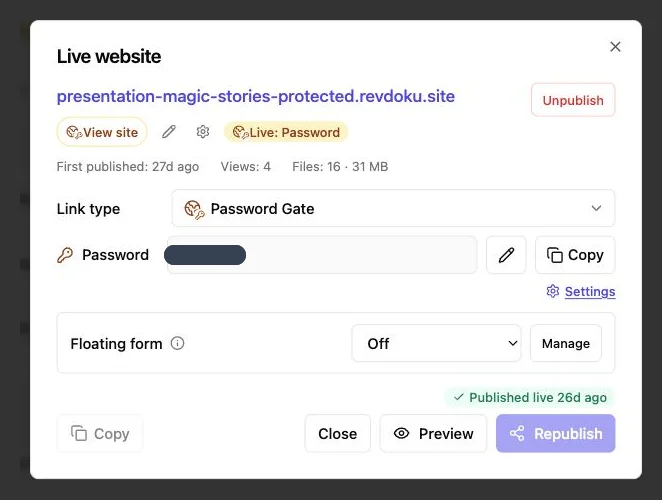
How to Password Protect a Website Securely
Learn how to protect websites, static pages, files, and client work with server-side passwords, verified email, and secure access controls.