Password Protected Portfolio Website Guide
Table of Contents
- Share the Work, Not the Secret
- How a Password Protected Portfolio Website Controls Access
- Get Permission Before Sending a Private Portfolio Link
- Redact Work Before Adding It to a Confidential Portfolio
- Client Portfolio Password or Verified Email Portfolio Access?
- Build a Private Portfolio Link for Secure Client Work Sharing
- Handle Link Forwarding, Expiry, and Updates
- Use Confidential Portfolio Notifications and Analytics with Restraint
- Four Private Portfolio Link Examples
- Final Thoughts
- Ask ChatGPT to check portfolio access
- Share the Work, Not the Secret
- How a Password Protected Portfolio Website Controls Access
- Get Permission Before Sending a Private Portfolio Link
- Redact Work Before Adding It to a Confidential Portfolio
- Client Portfolio Password or Verified Email Portfolio Access?
- Build a Private Portfolio Link for Secure Client Work Sharing
- Handle Link Forwarding, Expiry, and Updates
- Use Confidential Portfolio Notifications and Analytics with Restraint
- Four Private Portfolio Link Examples
- Final Thoughts
- Ask ChatGPT to check portfolio access
Share the Work, Not the Secret
A password protected portfolio website lets you show real work without publishing it to everyone. This matters when examples contain client names, private results, unreleased designs, internal documents, or work covered by a contract.
A password is not permission. Before creating a private portfolio link, decide what to share or remove and who gets access.
This guide covers the practical parts:
- Getting permission to publish client work
- Removing recoverable information from files
- Choosing a client portfolio password or Verified Email access
- Tracking opens without unsettling visitors
- Knowing when not to share
How a Password Protected Portfolio Website Controls Access
A password-protected portfolio website bridges a public portfolio and formal data room. Selected people can conveniently view your work without exposing it to search results or casual browsing.
Your access method determines visitor insights and forwarding risk.
| Access method | Best use | Main limitation |
|---|---|---|
| Public link | Published projects, press material, and approved case studies | Anyone can open or redistribute it |
| Password protection | Small client groups that already know one another | The link and password can be forwarded together |
| Verified Email | Recruiting, proposals, and recipient-level engagement | Adds brief visitor verification |
A private portfolio link can hold multiple formats.
You might share PDFs, presentations, design folders, working demos, videos, or related files. Visitors should not need a full account to inspect the work.
Use the gate for secure client work sharing, not perfect secrecy. A recipient can still take screenshots, download permitted files, or describe what they saw. A client portfolio password reduces accidental exposure but cannot replace an NDA, contractual permission, or sound redaction.
Get Permission Before Sending a Private Portfolio Link
Check the contract for confidentiality clauses, intellectual property terms, publicity rights, portfolio-use language, and approval requirements. Owning the design file does not necessarily permit publishing the client’s information.
If the contract is silent, get written permission; a short email beats a vague conversation six months ago. State what you will show and remove, who will see it, and how you will control access.
| Situation | Recommended decision | Reason |
|---|---|---|
| Written approval covers a redacted case study | Share through a protected link | The permitted material and audience are documented |
| Contract is silent and the project is not public | Ask before sharing | Silence is not reliable consent |
| Work contains personal, medical, financial, or account data | Do not share the original | The harm from exposure is too high |
| Project reveals trade secrets, security controls, source code, or unreleased strategy | Create a fictional substitute or do not share | A password does not remove the confidentiality duty |
| Client refuses portfolio use | Respect the refusal | A private gate does not override the agreement |
This approach follows the idea of data minimization found in Article 5 of the GDPR: expose only the information needed for the stated purpose. This is sensible even when the law does not apply.
Redact Work Before Adding It to a Confidential Portfolio
Redaction removes information; a black rectangle does not. Covering text in a PDF, slide deck, or design file may leave it searchable, selectable, or visible after editing.
Use a separate confidential portfolio copy:
-
Define the point of the example. Identify the skill, decision, or result the piece must prove; consider removing everything else.
-
Remove identifying details. When permission excludes them, replace client names, logos, employee names, email addresses, account numbers, URLs, and recognizable screenshots.
-
Reduce sensitive numbers. When exact revenue, conversion, budget, or user data is confidential, use ranges, percentages, or indexed values. Never invent an unsupported result.
-
Clean hidden material. Check comments, revision history, speaker notes, hidden slides, document properties, filenames, embedded files, hyperlinks, and image metadata.
-
Export a flattened copy. Use the application’s redaction or sanitization feature, then open the export, search for removed terms, and try copying text from redacted areas.
-
Test the private portfolio link. Open it signed out or in a private window, then confirm the gate, preview, download settings, and filenames work as expected.
A 30-page report may need only eight pages to prove your contribution. Sharing the excerpt exposes 73% fewer pages than uploading the full report. That cut often beats elaborate access settings.
Client Portfolio Password or Verified Email Portfolio Access?
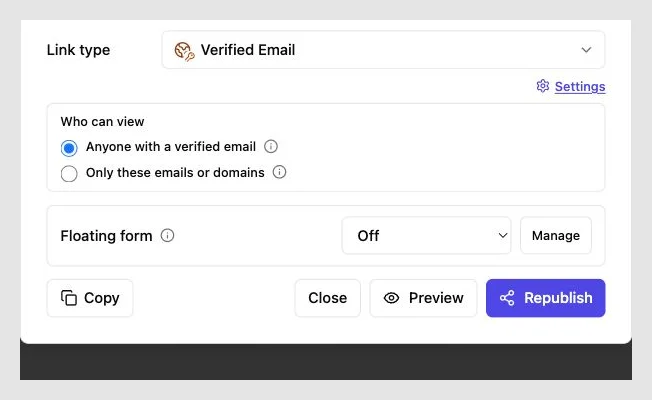
A client portfolio password suits approved groups needing quick access without individual identification. Verified email portfolio access suits cases where each visitor should confirm an email address.
| Question | Password access | Verified Email access |
|---|---|---|
| Is entry fast? | Yes, with the password | Yes, with an extra verification step |
| Can access be attributed to a person? | Sometimes, but identity may be unclear | Usually; each visitor verifies an address |
| What happens if the link is forwarded? | Anyone with both can enter | The new visitor must verify an email |
| Is it suitable for a hiring process? | Acceptable for one trusted contact | Better for several reviewers |
| Is it suitable for a client team? | Good for a known group | Better for recipient-level records |
Use a unique client portfolio password not used for email, banking, or another client, and send it separately from the link. For example, email the link and text or chat the password.
NIST’s current digital identity guidance calls for at least 15 characters for password-only authentication. Although a shared portfolio gate differs from an account login, a long, unique phrase remains a sound baseline.
Build a Private Portfolio Link for Secure Client Work Sharing
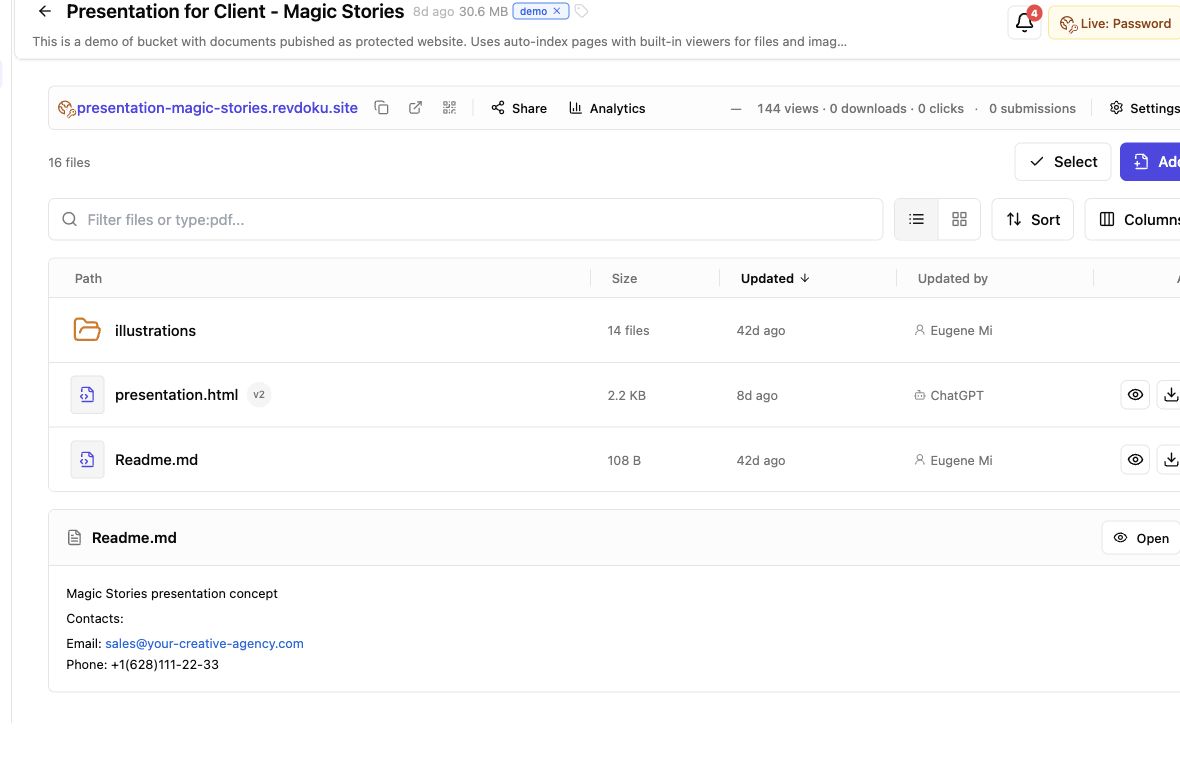
Start the Revdoku workflow in the dashboard. AI agents, an API, and a CLI support repeated publishing but are optional.
-
Prepare the approved copy. Put the redacted PDF, presentation, demo, or folder in a clearly named local folder. Keep original client files elsewhere.
-
Create a private bucket. Use one bucket per application, proposal, client review, or portfolio story to keep approved audiences separate.
-
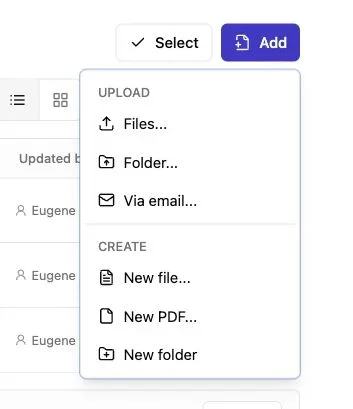
Drop in the files. Drop in a PDF or folder, then check displayed titles because internal filenames may reveal more than the document.
-
Choose access. Use a client portfolio password for a trusted group or Verified Email when you need identity and a lead record. Reserve public access for material approved for open publication.
-
Test before sending. While signed out, test the link on desktop and mobile, including every download, feedback form, and contact form.
-
Send a short note. Explain what recipients will see, why it is protected, and whether they may forward it.
Revdoku can notify the owner of protected-link opens and record per-visitor pages viewed, clicks, and downloads. Recipients get one clean link; you get context for sensible follow-up.
Handle Link Forwarding, Expiry, and Updates
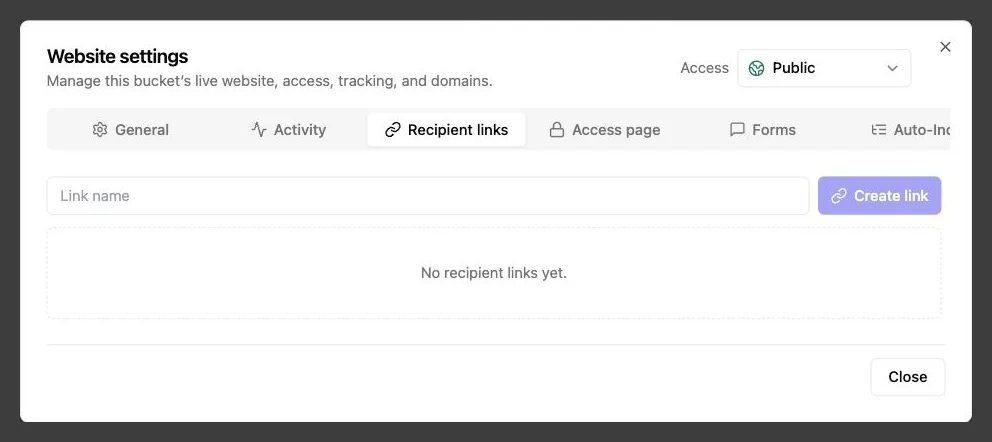
No private portfolio link stops all copying. Aim to limit casual forwarding, make old links less useful, and expose only what each viewer needs.
| Risk | Practical response | What it cannot prevent |
|---|---|---|
| Recipient forwards the URL | Use Verified Email or change the password | Screenshots by permitted viewers |
| Link remains in an old email | Set a review period, then remove access | Copies already downloaded |
| Deliverable changes | Replace the file behind the stable link | Reliance on an earlier download |
| Several audiences need access | Create separate buckets or links | A recipient describing the work elsewhere |
| Identity remains unclear | Use Verified Email instead of a shared password | Someone verifying an address they control |
A stable link helps during hiring or client review. Correct a typo, replace a demo, or add an approved case study without sending another URL. Tell recipients about material changes so they distinguish updates from the version first reviewed.
Give sensitive work a short access period. A 14-day review window is safer than leaving a client portfolio password active for years. Remove the bucket or restrict access when the conversation ends.
Use Confidential Portfolio Notifications and Analytics with Restraint
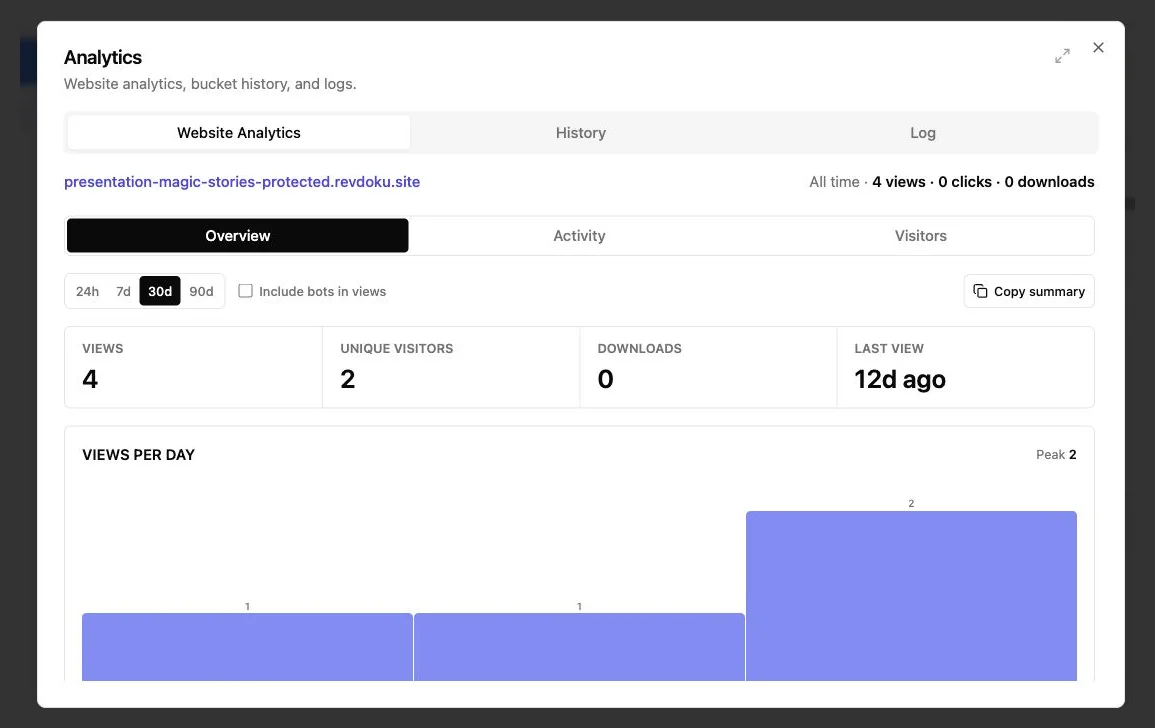
Use engagement data to improve timing. Do not pressure someone five minutes after they open your private portfolio link.
Revdoku shows visitor-level pages viewed, clicks, and downloads. A protected link can also record leads and collect feedback through built-in contact or feedback forms, without a separate backend.
Use simple rules:
- One brief visit: wait. They may be checking the link for later review.
- Several pages viewed: follow up next business day if a reply is due.
- A proposal downloaded: mention it in your scheduled follow-up without reciting the visitor’s activity log.
- A question submitted: answer directly and update the material if others would benefit.
- Visits from multiple verified emails: expect a wider group; offer a call or approved supporting file.
If five hiring managers share one client portfolio password, activity may not reveal who viewed what. With Verified Email, five visits can produce five distinct visitor records. That distinction often matters more than page-view totals.
Tell visitors about protected access and basic engagement analytics. Clear disclosure feels professional. Secretly acting on every click feels unsettling.
Four Private Portfolio Link Examples
Match access to the material and relationship.
-
Agency pitch: A branding agency cuts a 42-slide client deck to 12 approved slides, removes client sales figures, and replaces customer names with roles. It shares the password-protected portfolio website with three decision-makers. It exposes 71% fewer slides while preserving the strategic work.
-
Freelance job application: With former-client approval, a product designer shares six anonymized screens from an unreleased prototype through a Verified Email private portfolio link because several interviewers may review it. After a caption correction, the same link displays the update.
-
Consulting case study: Unable to disclose the company, exact savings, or internal process map, a consultant identifies the sector, uses an approved result range, and recreates the diagram. The consultant sends a client portfolio password separately to one prospective buyer.
-
Founder demonstration: To show software built for a regulated customer, a founder must exclude real records, credentials, and production integrations. The founder shares a fictional-data sandbox through Verified Email and uses the contact form for technical questions.
In each case, access control supports prior permission and redaction decisions. It cannot repair an impermissible disclosure.
Final Thoughts
A password-protected portfolio website simplifies presenting confidential work, but the gate is only one part. Permission determines whether you may share; redaction determines what visitors can learn. A client portfolio password or Verified Email controls entry, while notifications and analytics guide follow-up timing.
Keep the rules simple:
- Share the smallest approved version that proves your contribution.
- Use Verified Email when identity or forwarding matters.
- Use a unique password for a small, trusted audience.
- Update the same private portfolio link when needed.
- Do not share restricted or unapproved material.
Revdoku brings those controls into one manual, drag-and-drop workflow. Automation can come later. The quieter, more important goal is to show good work without betraying the trust that made it possible.
Ask ChatGPT to check portfolio access
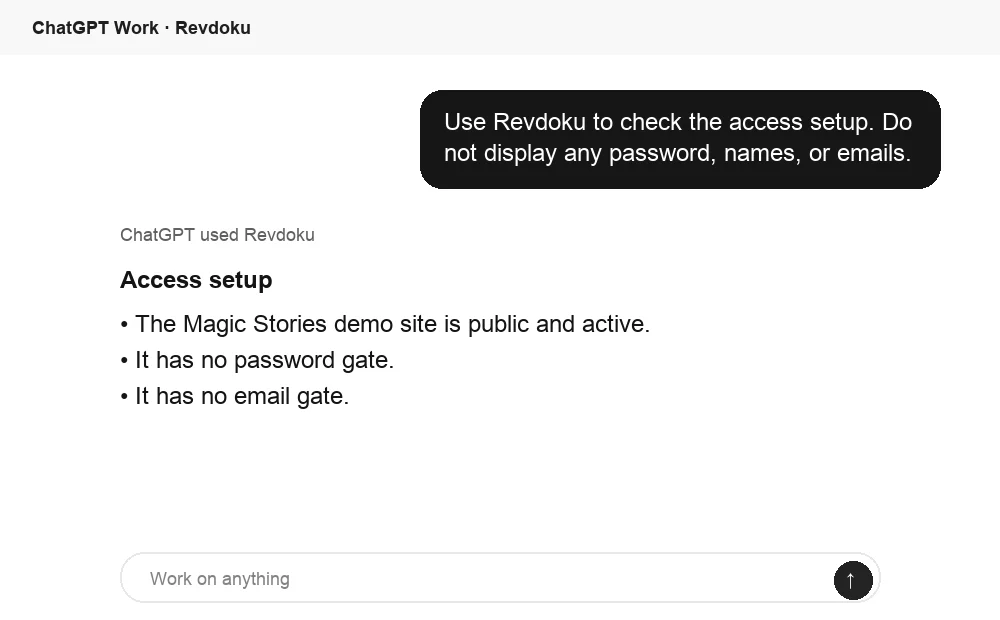
Before sharing, ChatGPT can ask Revdoku what access mode is active for the bucket. Use this to confirm whether the link is public, password protected, or email gated.
Frequently asked questions
Does password protection make confidential portfolio work safe to share?
Password protection reduces accidental exposure, but it does not make sharing automatically permissible or completely secure. Obtain any required approval, redact sensitive information, and assume authorized viewers can still record or redistribute what they see.
When should I use Verified Email instead of a shared password?
Use Verified Email when you need to identify individual visitors, expect several reviewers, or want to reduce casual link forwarding. A shared password is more convenient for a small, trusted group when recipient-level records are unnecessary.
What should I do if my contract does not mention portfolio use?
Ask the client for written permission before sharing nonpublic work, even through a protected link. Describe the exact material, intended audience, redactions, and access controls so the approval is clear and documented.
How can I verify that sensitive information was actually removed?
Use proper redaction or sanitization tools and export a separate, flattened portfolio copy. Search the exported file for removed terms, test whether covered text can be selected or copied, and inspect notes, metadata, hyperlinks, hidden content, and filenames.
How long should a private portfolio link remain accessible?
Keep access available only for the application, proposal, or review period it supports. A short window, such as 14 days, is a practical starting point for sensitive material; afterward, remove access, change the password, or restrict the link.
Can I use confidential results without revealing exact figures?
With appropriate permission, you may present accurate ranges, percentages, indexed values, or other approved summaries. Do not invent results, and remove the metric entirely if even a generalized version could identify the client or expose restricted information.
How should I follow up after someone views or downloads my portfolio?
Use engagement data as a timing signal rather than reciting a visitor’s activity. Follow up through the expected business process, disclose that basic analytics are used, and avoid contacting someone immediately after every open or click.
Related Articles
Vercel Password Protection Alternative for Client Links
Compare Vercel password protection with Revdoku for secure client review links, Verified Email access, analytics, and stable file updates.
Protected Demo Site for Secure Client Review
Share unfinished work securely with one private demo link, password or email access, engagement analytics, feedback, and easy updates.
Portfolio Hosting for Secure, Trackable Sharing
Host a portfolio online with private links, access controls, viewer analytics, feedback forms, custom domains, and one stable URL.