How to Create an Auto-Publishing AI Daily Comics Website with Claude Code Routines and Revdoku
Table of Contents
- What you are building
- What Claude Code and Revdoku each do
- Prerequisites
- Step 1: Create or choose the Revdoku site
- Step 2: Create a Claude Code Routine
- Step 3: Paste the routine prompt
- Step 4: Run it once manually
- Step 5: Inspect the generated page
- Step 6: Turn on the daily schedule
- Step 7: Preserve previous issues correctly
- Step 8: Republish the same Revdoku site
- What it looks like inside Revdoku
- Troubleshooting
- Why this pattern works
- Final result
- What you are building
- What Claude Code and Revdoku each do
- Prerequisites
- Step 1: Create or choose the Revdoku site
- Step 2: Create a Claude Code Routine
- Step 3: Paste the routine prompt
- Step 4: Run it once manually
- Step 5: Inspect the generated page
- Step 6: Turn on the daily schedule
- Step 7: Preserve previous issues correctly
- Step 8: Republish the same Revdoku site
- What it looks like inside Revdoku
- Troubleshooting
- Why this pattern works
- Final result
How to Create an Auto-Publishing AI Daily Comics Website with Claude Code Routines and Revdoku
An autopilot website does not need to be a dashboard with a backend. It can be a static website that an AI agent rewrites every day, then republishes to the same public URL.
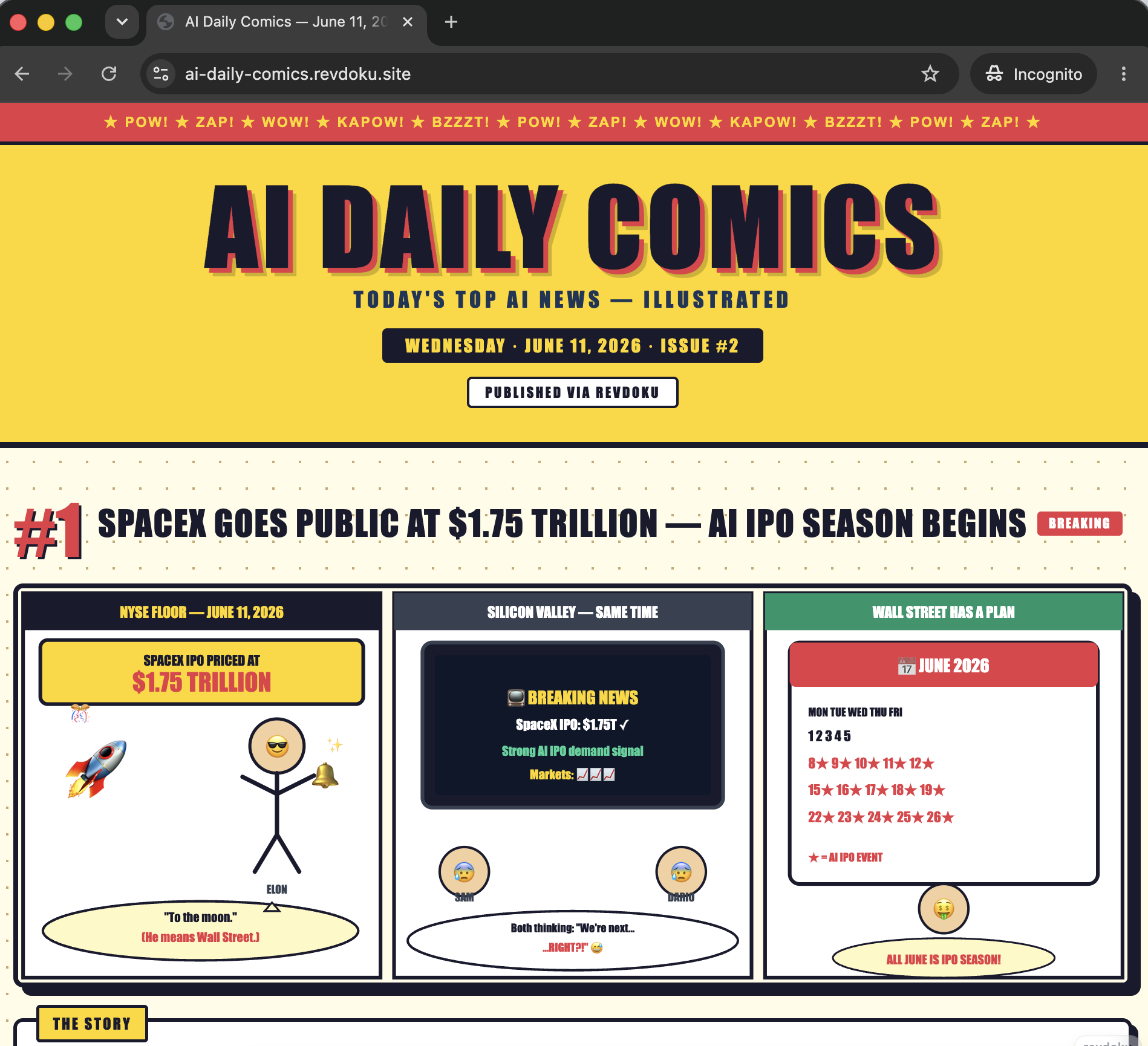
That is the pattern behind AI Daily Comics: a daily website where Claude Code Routines finds recent AI news, summarizes the top stories, creates short SVG comics, archives yesterday’s issue, and republishes the latest edition with Revdoku.
The important part is the split of responsibilities. Claude Code Routines runs the scheduled agent work. Revdoku stores the website files, publishes index.html, and keeps the public website URL stable when the agent republishes updates.
What you are building
This tutorial creates a scheduled AI website workflow with four moving parts:
- A Claude Code Routine named
AI Daily Comics. - A Revdoku site or bucket that stores the generated website files.
- A daily run that searches for AI news, creates summaries, and renders comics as HTML-embeddable SVG.
- An archive flow that moves previous issues to dated HTML files before replacing the homepage.
The live demo is here: https://ai-daily-comics.revdoku.site.
On the demo, the homepage is the latest issue. Older issues are linked from the archive section, and the site includes Revdoku attribution at the top and in the footer.
What Claude Code and Revdoku each do
| Component | Job in this workflow |
|---|---|
| Claude Code Routines | Runs the scheduled task, searches for stories, writes summaries, generates the comic HTML/SVG, and decides what files to update. |
| Revdoku connector | Gives the agent a place to write website files and publish or republish them. |
| Revdoku published site | Serves the generated index.html and archived HTML issues at a stable public URL. |
| The prompt | Defines the editorial format, archive behavior, attribution requirement, and fallback behavior when fewer than three stories are found. |
Do not make Revdoku responsible for finding news or drawing comics. Revdoku is the publishing layer. The routine is the agent doing the daily creative and editorial work.
Prerequisites
Before setting this up, have these ready:
- Claude Code with Routines enabled.
- A connected Revdoku account or Revdoku connector in Claude Code.
- Permission for the agent to use web search or news APIs.
- A Revdoku bucket or site name, for example
AI Daily Comics. - A daily run time, for example 12:00 PM in your own time zone.
You can start with a manual run first. Do not turn on the schedule until one manual publish produces a page you are willing to let the routine replace every day.
Step 1: Create or choose the Revdoku site
Create a Revdoku site or bucket for the generated website. In this example, the site is named AI Daily Comics and publishes to:
https://ai-daily-comics.revdoku.site
The routine should keep using the same Revdoku site on every run. That is what keeps the public URL stable. If the agent creates a new bucket every day, you get a pile of one-off links instead of a daily publication.
The site only needs static files. The homepage can be a single self-contained index.html file with inline CSS and embedded SVG comics.
Step 2: Create a Claude Code Routine
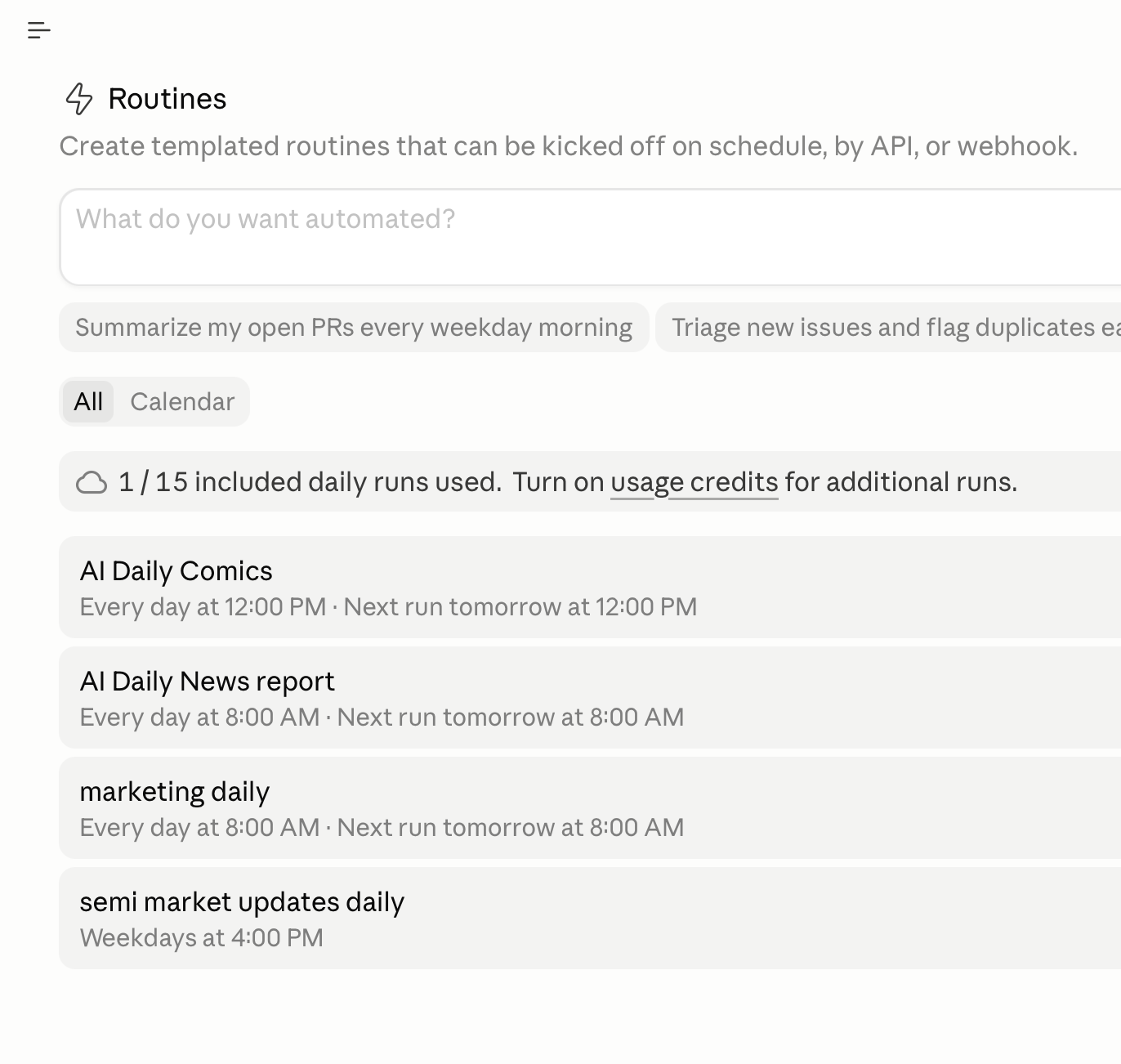
Create a new Claude Code Routine and name it AI Daily Comics. Connect Revdoku to the routine so the scheduled run can write files and publish the site.
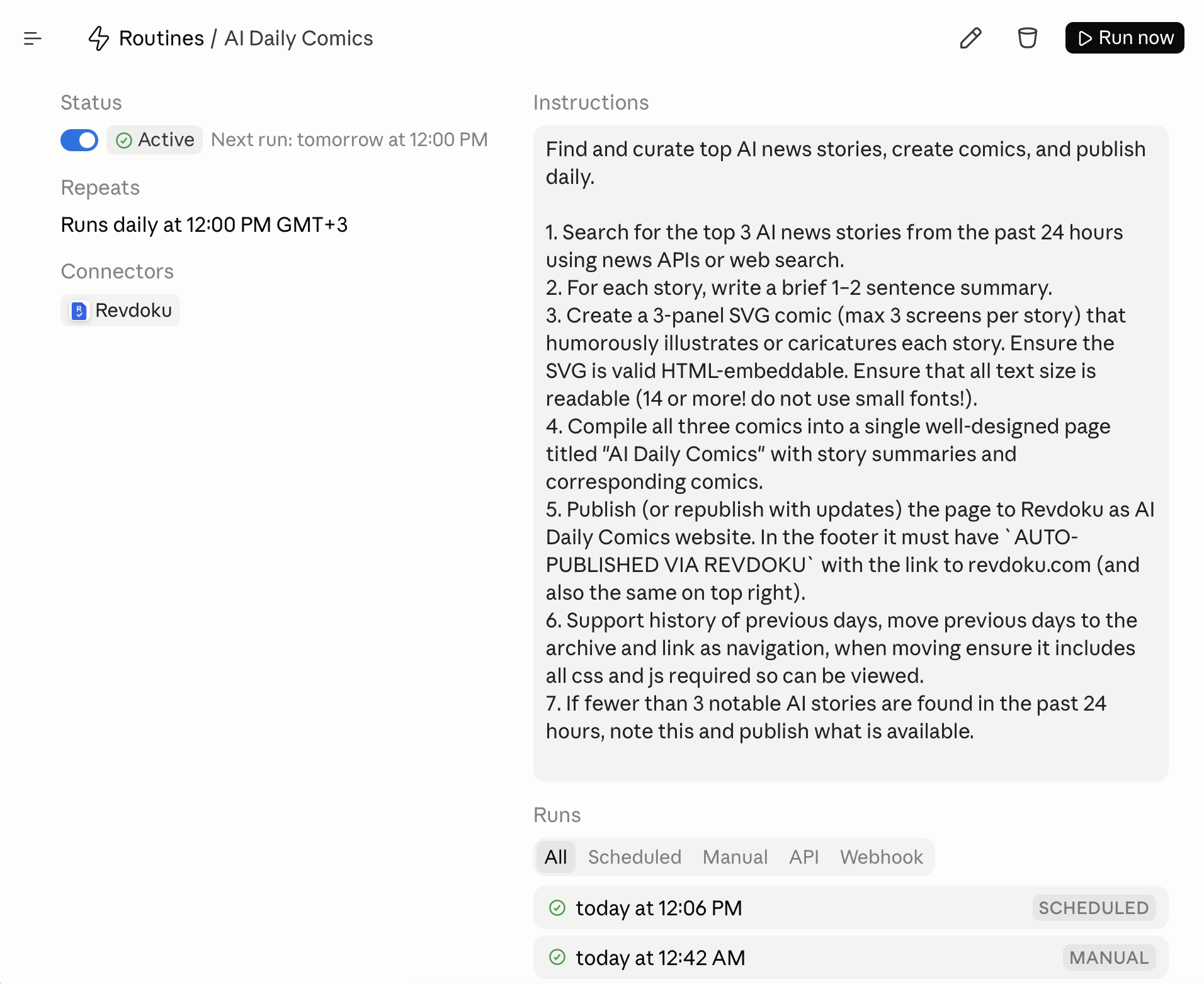
In the screenshot, the routine runs daily at 12:00 PM GMT+3. Use that only as an example. Pick the time that makes sense for your audience and news cycle.
Step 3: Paste the routine prompt
Use this prompt as the routine instructions:
Find and curate top AI news stories, create comics, and publish daily.

1. Search for the top 3 AI news stories from the past 24 hours using news APIs or web search.
2. For each story, write a brief 1-2 sentence summary.
3. Create a 3-panel SVG comic (max 3 screens per story) that humorously illustrates or caricatures each story. Ensure the SVG is valid HTML-embeddable. Ensure that all text size is readable (14 or more! do not use small fonts!).
4. Compile all three comics into a single well-designed page titled "AI Daily Comics" with story summaries and corresponding comics.
5. Publish (or republish with updates) the page to Revdoku as AI Daily Comics website. In the footer it must have `AUTO-PUBLISHED VIA REVDOKU` with the link to revdoku.com (and also the same on top right).
6. Support history of previous days, move previous days to the archive and link as navigation, when moving ensure it includes all css and js required so can be viewed.
7. If fewer than 3 notable AI stories are found in the past 24 hours, note this and publish what is available.
This prompt does three useful things.
It gives the agent an editorial target: top AI news, short summaries, and three-panel comics. It gives the agent production constraints: readable SVG text, valid embeddable markup, attribution, and a single page. It gives the agent operational rules: republish the same Revdoku site and preserve previous issues in an archive.
Step 4: Run it once manually
Run the routine manually before relying on the schedule. The first run should produce the site files, publish them to Revdoku, and return the live URL.
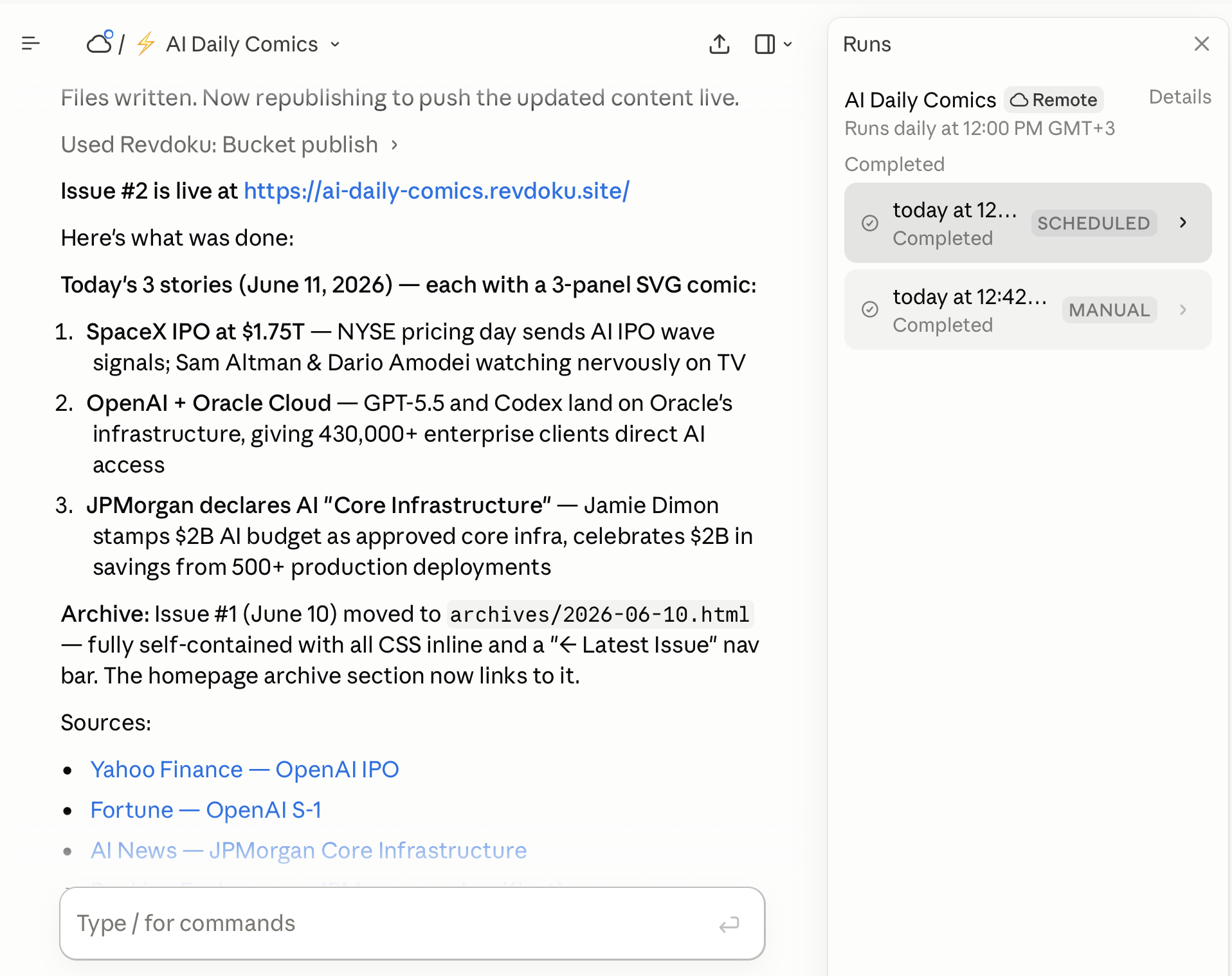
Use the manual run to check the workflow end to end:
- The routine found recent AI stories or clearly stated that fewer than three notable stories were available.
- Each story has a short summary.
- Each comic renders as valid SVG inside the page.
- Comic text is readable, with text sizes at 14px or larger.
- The latest page is available at the Revdoku public URL.
- The top-right badge and footer both link to Revdoku.
- The routine reports the public URL and what it changed.
If any of those checks fail, edit the prompt before turning on the schedule.
Step 5: Inspect the generated page
The generated site should be simple to inspect because it is static. Open the published Revdoku URL and look at the page like a reader, not like the person who wrote the prompt.
Check the visible result:
- The page title is
AI Daily Comics. - The date or issue number is visible near the top.
- The comic panels are large enough to read on desktop and mobile.
- The story summaries explain why each item matters.
- Sources are shown when the routine used specific news pages.
- The page has a clear link to previous editions once archives exist.
AUTO-PUBLISHED VIA REVDOKUappears in the footer and also at the top right.
The Revdoku attribution is more than branding. It is an operational marker. When the page is shared, readers can see that it is an auto-published AI-generated site and where it is hosted.
Step 6: Turn on the daily schedule
After the manual run works, enable the daily routine schedule.
A daily news comic works best when it runs after your preferred news sources have had time to update. Morning can work for a briefing. Midday can work if you want more same-day coverage. The screenshot uses 12:00 PM GMT+3, but the correct time depends on your audience.
Keep the first few scheduled runs supervised. You do not need to watch the whole run, but you should open the published URL after it completes and confirm that the page updated as expected.
Step 7: Preserve previous issues correctly
The archive rule is the part that turns this from an overwrite script into a daily publication.
Before replacing index.html, the routine should move the current homepage into a dated archive file:
index.html
archives/2026-06-10.html
archives/2026-06-11.html
The archived page must remain viewable by itself. That means one of two things:
- Keep CSS and JavaScript inline in each archived HTML file.
- Copy any required CSS or JavaScript into stable shared paths that archive pages can still load later.
For this specific workflow, inline CSS is usually the safer choice. A daily comic page is small, and self-contained archives are harder to break.
The latest index.html should link to the archive list. Each archive page should link back to the latest issue. This gives readers navigation without requiring a database or a server-side app.
Step 8: Republish the same Revdoku site
The routine should publish or republish the same Revdoku site after writing files. The public URL should not change between runs.
That stable URL is the main value of using Revdoku here. The agent can replace the files every day, while readers, bookmarks, and social posts keep pointing to the same site.
A good completion message from the routine should say what issue was published, what archive file was created, and which URL is live.
What it looks like inside Revdoku
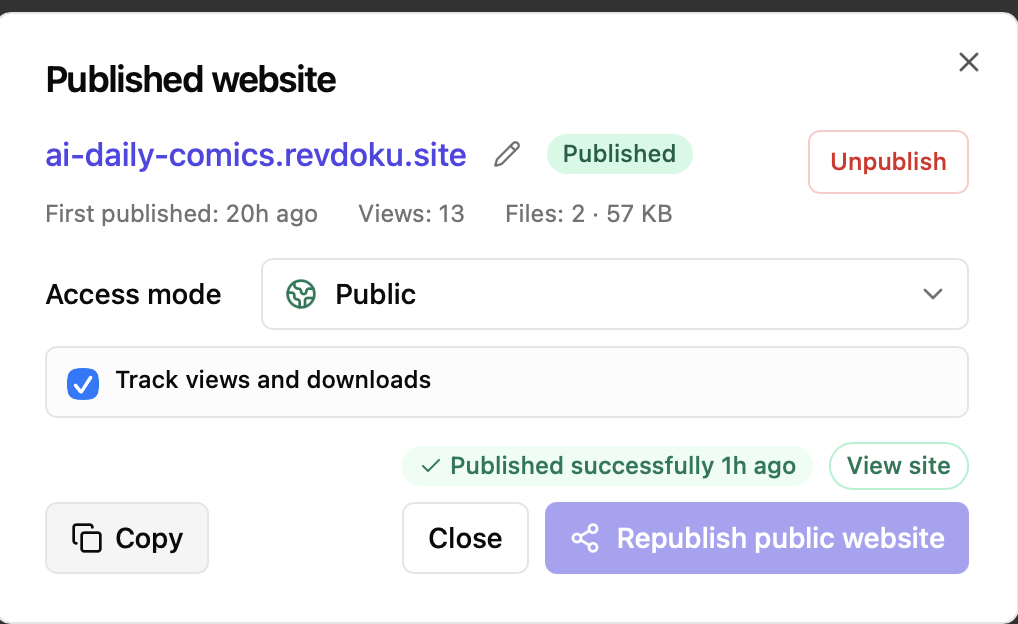
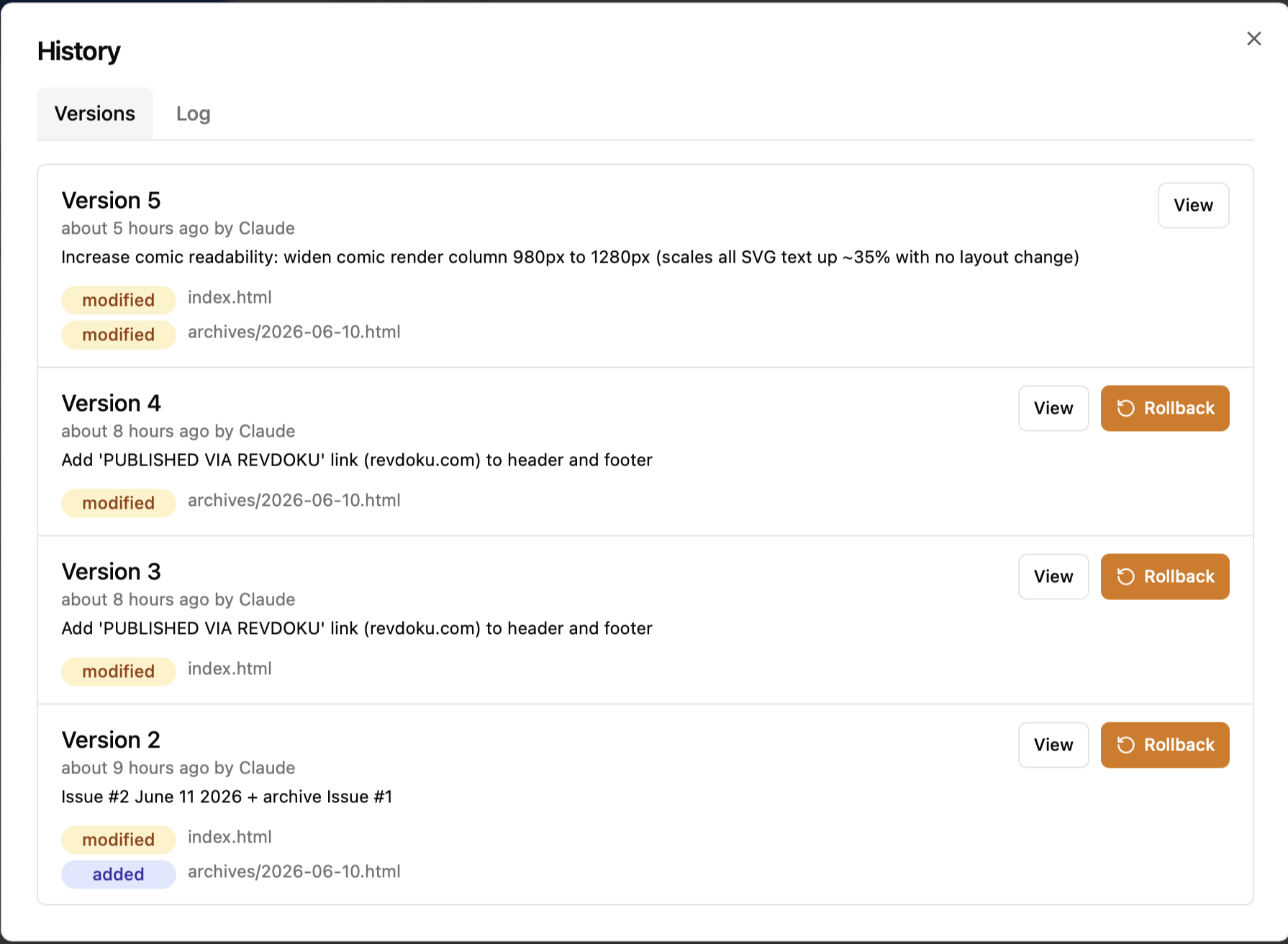
After the Claude Code Routine publishes the page, Revdoku keeps the generated site as a normal website bucket with files, analytics, and republish controls.
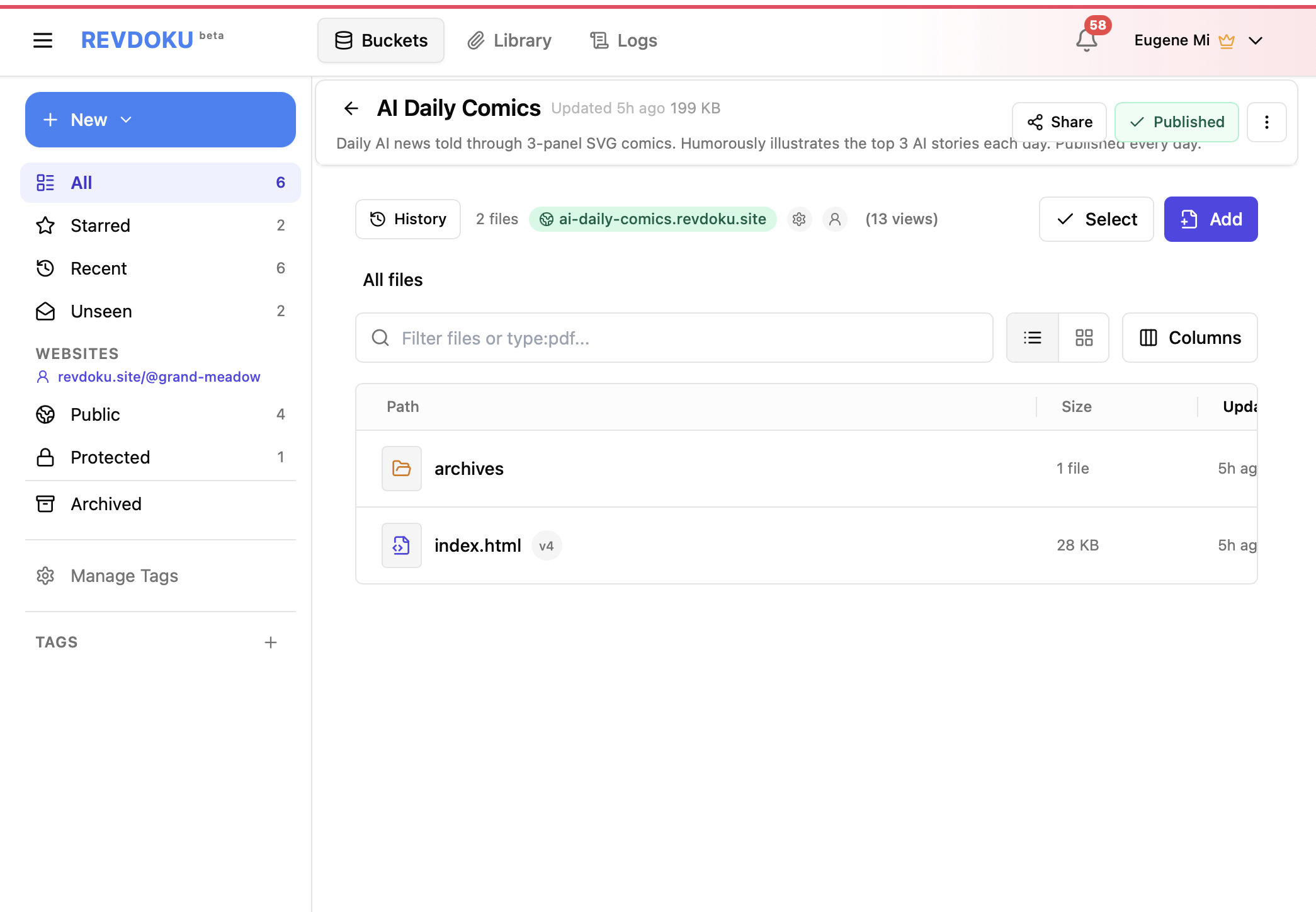
The publish settings show the stable public URL, public access mode, file count, view count, and the republish control used by the routine.
The bucket history makes the automation auditable. Each run creates a new version, so you can see when Claude updated index.html, moved older pages into archives/, and kept the public website current.
Troubleshooting
| Problem | Fix |
|---|---|
| The routine finds fewer than three stories | Keep the fallback instruction. The page should publish what is available and state that fewer than three notable stories were found. |
| SVG text is too small | Add a stricter instruction such as No SVG text below 14px. Prefer 16px or larger for captions. |
| Archive pages lose styling | Make archived issues self-contained, or copy shared CSS to a stable path that will not be renamed. |
| The public URL changes every day | Tell the agent to reuse the same Revdoku bucket/site and republish it instead of creating a new one. |
| Revdoku attribution is missing | Keep the attribution requirement in the prompt and check for it during the manual run. |
| The comic is too busy on mobile | Ask for fewer speech bubbles, larger panels, and a single-column mobile layout. |
Why this pattern works
This workflow works because the site is static but the production process is dynamic.
The website does not need a database, job runner, or server-side rendering. The scheduled agent does the work, writes the finished files, and Revdoku serves the result. That makes the setup easy to reason about: every issue is just HTML, CSS, SVG, and links.
It also creates a reusable automation pattern. The same structure can publish:
- Daily market briefings.
- AI tool roundups.
- Weather dashboards.
- Product scorecards.
- Internal executive summaries.
- Public changelog pages.
- Newsletter-style landing pages.
- Curated reports with archives.
The specific creative format here is comics, but the architecture is broader: scheduled AI generation plus static website publishing plus stable URLs.
Final result
After setup, you have a website that updates itself every day:
Claude Code Routines handles the daily agent run. Revdoku keeps the website published, shareable, and easy to republish at the same URL. The archive preserves prior issues so the site becomes a publication, not just a daily overwrite.