Publish a Protected Startup Report icon

Publish a Protected Startup Report

Tutorial for asking an AI tool to research a startup report, publish it with Revdoku, and protect it with a demo password.

Publishing

Tutorial

Use this when you want an AI-generated startup memo or investor-style report to be shared as a protected Revdoku website.

Video Placeholder

  • YouTube video placeholder: replace with the walkthrough showing the research prompt, generated report, protected publish step, and final protected report.

Prompt Used

Paste this into Claude, ChatGPT, or Codex:

Create and publish a password-protected startup information report website about Revdoku.

Project:
Revdoku Startup Information Report

Bucket title:
Revdoku Startup Information Report

Bucket description:
This is a sample password protected dashboard, password is 12345

Goal:
Create a polished, investor-style web report about Revdoku using the latest publicly available information. This is a demo showing how AI can research, design, publish, and protect a report with Revdoku.

Requirements:
- Do not ask questions. Make reasonable choices.
- Research the latest publicly available information about Revdoku.
- Use only public sources.
- Cite sources inside the report.
- Do not invent private metrics, revenue, funding, users, team members, customers, or partnerships.
- If something is not public, write:
  "Not publicly available from reviewed sources."
- Build a complete static report website using HTML, CSS, and JavaScript.
- Create these files at minimum:
  - index.html
  - styles.css
  - app.js
- Include sections:
  1. Executive summary
  2. What Revdoku does
  3. Core product workflow
  4. Target users
  5. Main use cases
  6. Publishing and hosting capabilities
  7. Protected website demo explanation
  8. Competitive positioning
  9. Risks and open questions
  10. Suggested next milestones
  11. Source list
- Make the design feel like a private startup memo.
- Add a "Last researched" date near the top.
- Inside the website UI, add a visible demo note near the top:
  "Demo access: this report is password protected. Password: 12345"

Access control:
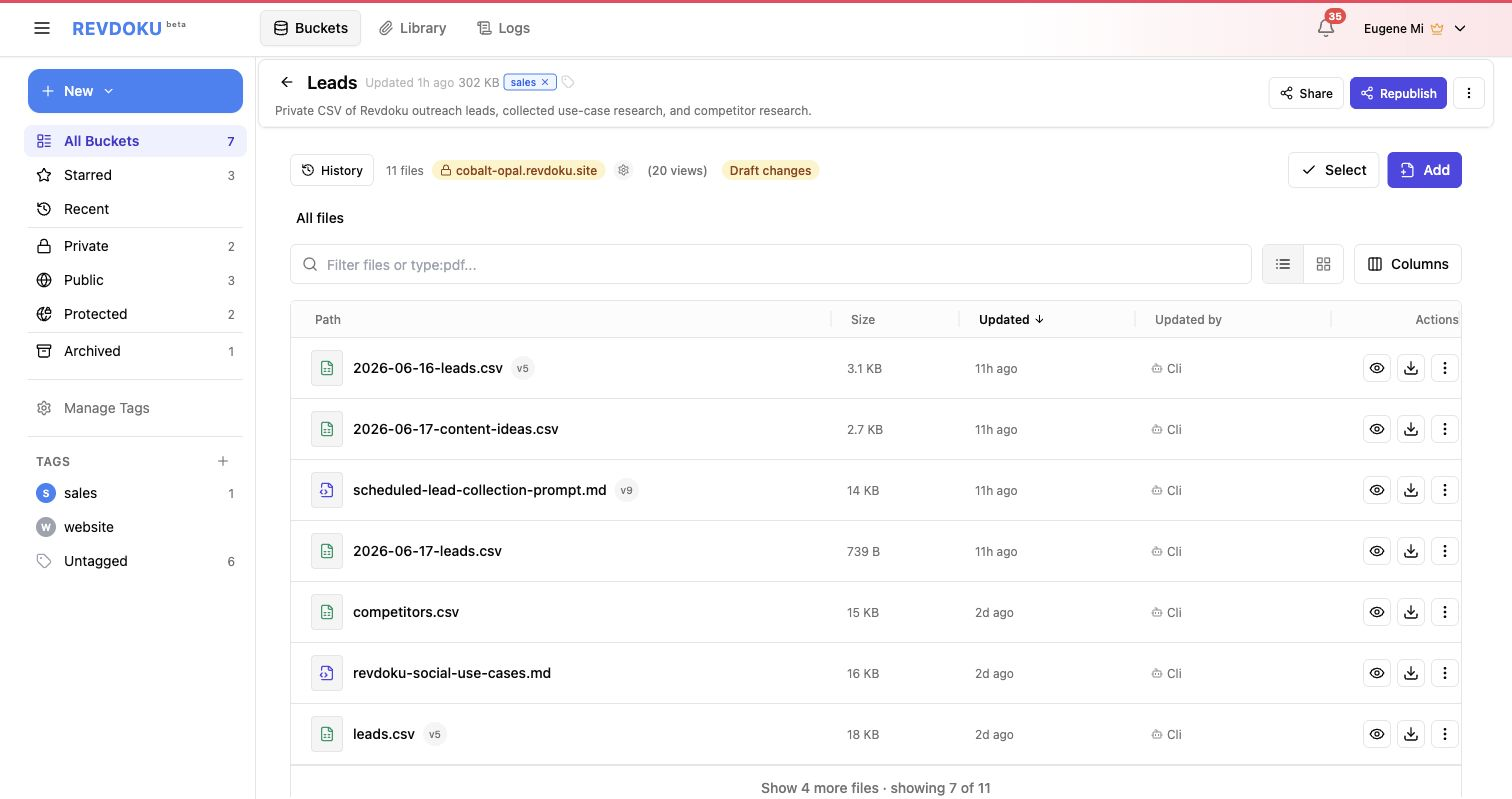
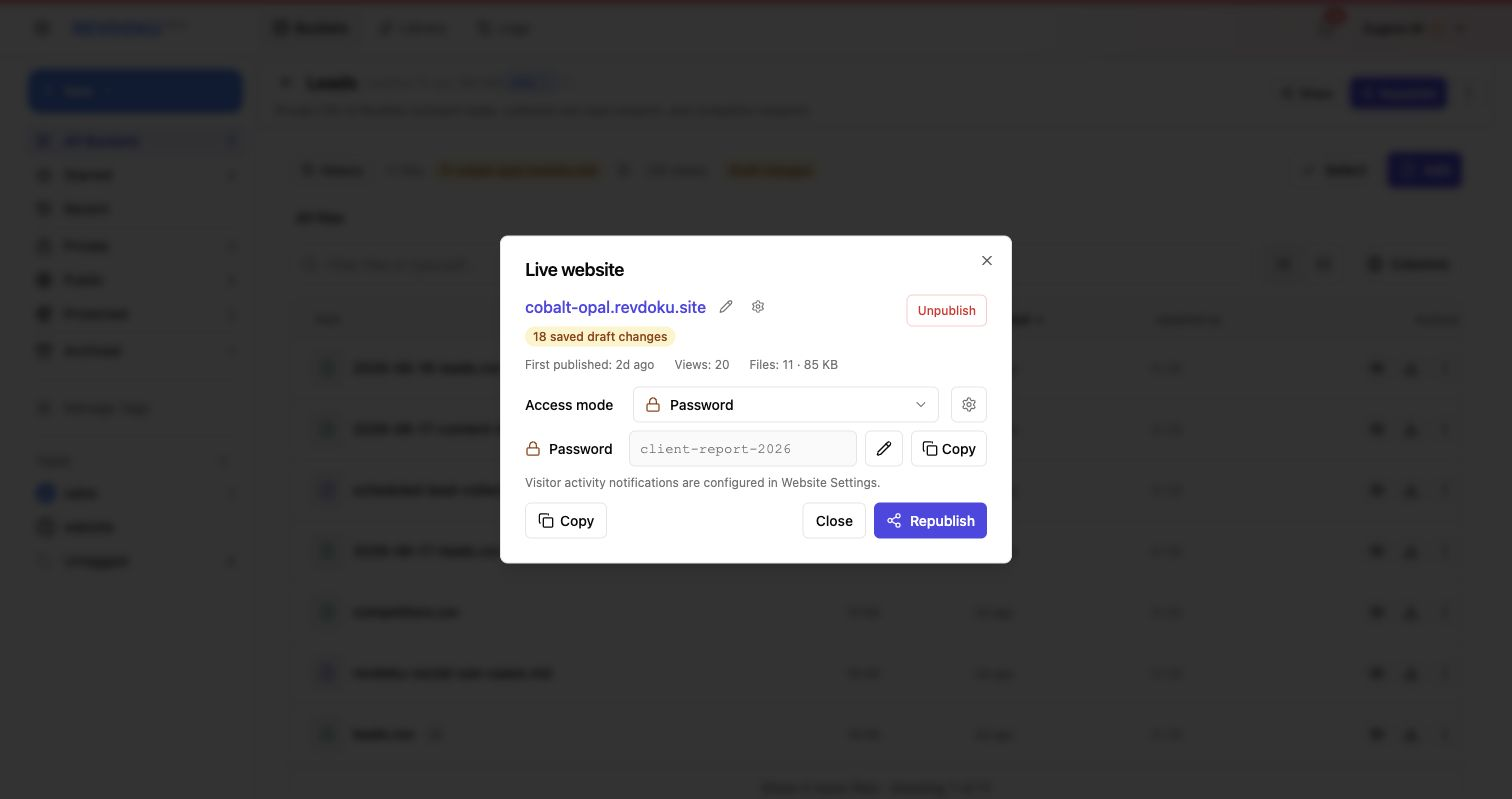
- Use native Revdoku protected publishing.
- Publish with access_mode: password.
- Set the Revdoku publication password exactly to:
  12345
- Do not generate a random password.
- Do not build fake client-side-only password protection.
- Do not put the password in the URL.

Publishing:
- Use the connected Revdoku tool/API/MCP.
- Create a new Revdoku bucket with:
  - title: Revdoku Startup Information Report
  - description: This is a sample password protected dashboard, password is 12345
- Upload every generated file into that bucket, preserving paths.
- Publish the bucket with entrypoint index.html.
- Use site_mode: static unless the report uses client-side routing.
- Use access_mode: password.
- Set password: 12345.
- Return the final Revdoku public URL, bucket id, access mode, and confirm that the password is 12345.
- Do not output a zip. Upload the files directly into Revdoku and publish the bucket.

Sample Website

  • Sample website link placeholder: replace with the published protected startup report URL.
  • Demo password placeholder: 12345.

Steps and Screenshot Placeholders

  1. Paste the startup report prompt.
    • Screenshot placeholder: prompt in Claude, ChatGPT, or Codex.
  2. Review the research output.
    • Screenshot placeholder: report sections and cited sources.
  3. Review the generated website.
    • Screenshot placeholder: private memo layout and report cards.
  4. Publish with password protection.
    • Screenshot placeholder: Revdoku protected publish confirmation.
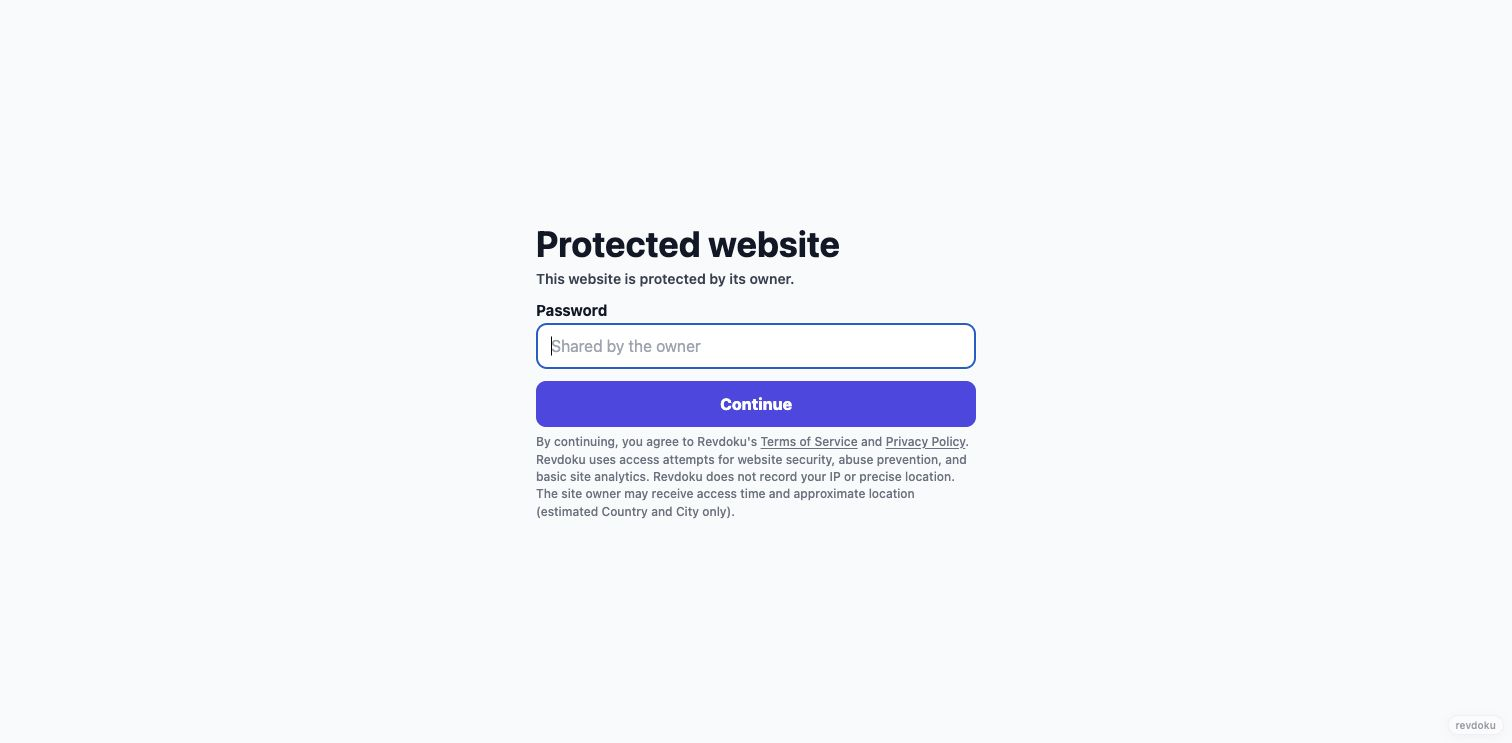
  5. Open the protected URL.
    • Screenshot placeholder: password gate.
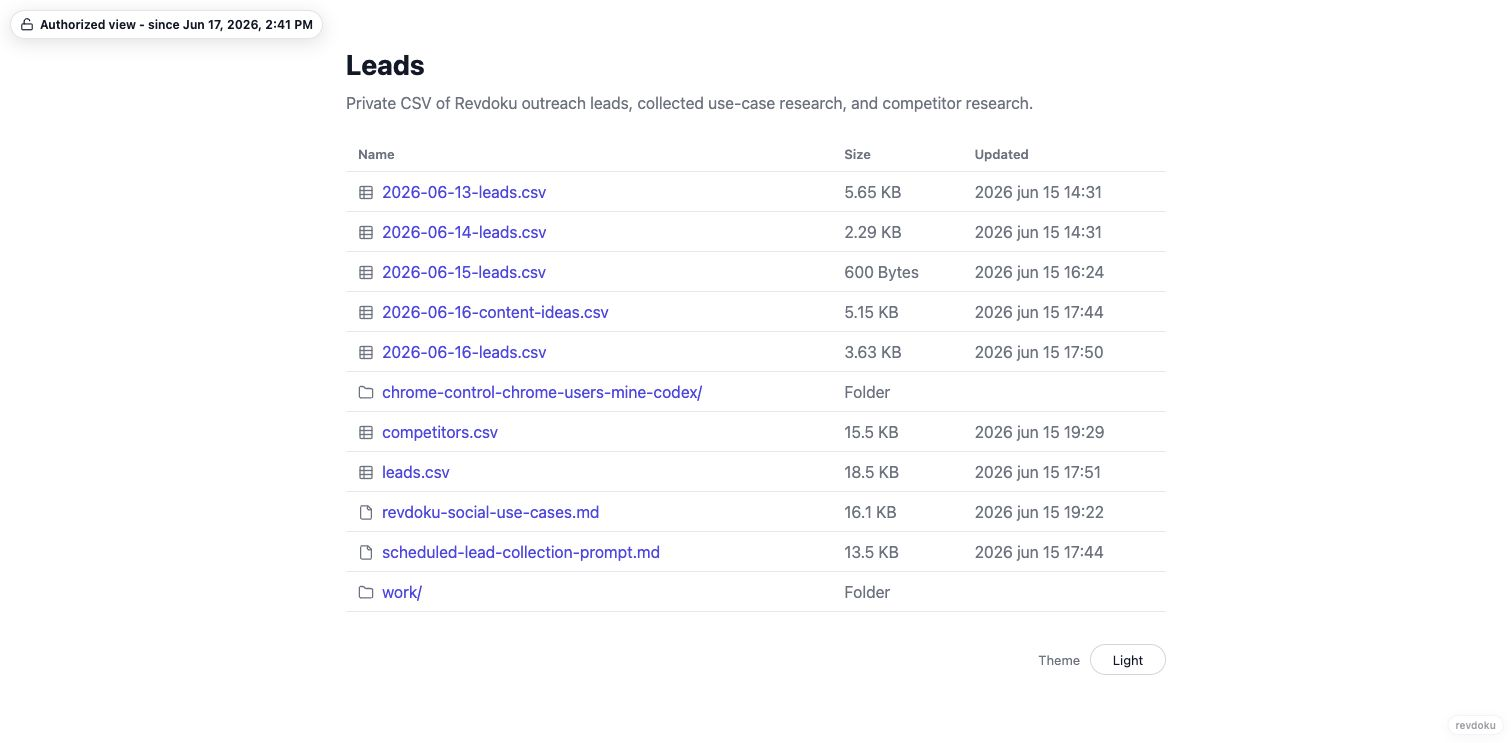
  6. Enter the demo password and view the report.
    • Screenshot placeholder: final protected report website.
  7. Check analytics after sharing.
    • Analytics screenshot placeholder: replace with the general views analytics screenshot.

Good Fit

  • Investor-style demo reports.
  • Private-looking client reports.
  • Research memos that need a protected share link.
  • AI research workflows that need a visible final website.

Tags

Browse all tags

Show 6 more tags