How to Share a Dashboard With a Client Securely
Table of Contents
- Share a Dashboard With a Client Without the Guessing
- What You Can Publish With a Client Dashboard Link
- Prepare the Export Before Secure Dashboard Sharing
- How to Share a Dashboard With a Client
- Choose the Right Protection for Secure Dashboard Sharing
- Update an Exported Dashboard Without Sending Another Link
- Use Analytics for Better Follow-Up, Not Surveillance
- Five Practical Client Dashboard Link Examples
- Secure Dashboard Sharing Mistakes
- Final Thoughts on Secure Dashboard Sharing
- Prepare interactive client follow-up from ChatGPT
- Ask ChatGPT to summarize dashboard activity
- Share a Dashboard With a Client Without the Guessing
- What You Can Publish With a Client Dashboard Link
- Prepare the Export Before Secure Dashboard Sharing
- How to Share a Dashboard With a Client
- Choose the Right Protection for Secure Dashboard Sharing
- Update an Exported Dashboard Without Sending Another Link
- Use Analytics for Better Follow-Up, Not Surveillance
- Five Practical Client Dashboard Link Examples
- Secure Dashboard Sharing Mistakes
- Final Thoughts on Secure Dashboard Sharing
- Prepare interactive client follow-up from ChatGPT
- Ask ChatGPT to summarize dashboard activity
Share a Dashboard With a Client Without the Guessing
Teams often email a PDF, attach a CSV, and hope the client opens the right version. This fails when files change, attachments are forwarded, or someone questions whether the figures are current.
TL;DR: Publish exported work through a stable client dashboard link, creating a simple client reporting portal. Clients open it in a browser while you control access and update files without changing the URL. In Revdoku, drop a PDF or folder into a private bucket, choose access, and share the link.
This guide covers:
- Static HTML reports, exported dashboards, CSVs, and document folders
- Public, Password, and Verified Email browser access
- Safe updates, visitor analytics, feedback, and optional automation
What You Can Publish With a Client Dashboard Link
A static HTML report or exported dashboard is a snapshot of files another tool created at a particular time. Common formats include:
- A folder containing HTML, CSS, JavaScript, images, and local data files
- A dashboard exported as PDF, PowerPoint, PNG, or HTML
- A CSV file with column headings and fixed rows
- A document folder containing a report, appendix, presentation, and supporting files
- A front-end demo that runs entirely in the browser
When shared with a client, a static HTML report may retain filters or charts only if its exported files include them. It does not automatically connect to Salesforce, a warehouse, or a live spreadsheet.
| Capability | Static or Exported Dashboard | Live Authenticated BI Application |
|---|---|---|
| Data | Fixed snapshot from an export | Queries or refreshes a data source |
| Access | Shared browser link with a gate | User account, often with SSO or MFA |
| Interaction | Features included in exported files | Live filters, drill-downs, and saved views |
| Updates | Replace or republish files | Scheduled or on-demand data refresh |
| Permissions | Link-level access | Workspace, role, or row-level policies |
| Best use | Client deliverables and periodic reports | Continuous operational analysis |
Revdoku publishes the first category; it is not a BI data connector or substitute for row-level security. If clients require live queries, personal accounts, or user-specific data, keep the BI application and use its authentication system.
Prepare the Export Before Secure Dashboard Sharing
A report that works on your laptop can break after upload; static HTML exports often contain absolute paths, missing fonts, or local development-server references. Before creating the link, open the exported folder on a second device or in a clean browser profile.
Review:
| Item | What to Check | Why It Matters |
|---|---|---|
| Entry page | The folder has a clear index.html or start document |
Clients need an obvious first page |
| File references | Images, scripts, and styles use portable relative paths | Local paths will fail after publishing |
| Data scope | Remove hidden tabs, test records, API keys, and unrelated client data | A front-end file can be inspected or downloaded |
| CSV structure | Use UTF-8, plain headings, and consistent date formats | The file should open cleanly across spreadsheet tools |
| File names | Prefer short names without confusing duplicates | Names such as final-v7-REAL.pdf create doubt |
| Accessibility | Test keyboard use, labels, contrast, and text size | Clients may use assistive technology or mobile devices |
For readable exports, the WCAG 2.2 contrast guidance specifies a contrast ratio of at least 4.5:1 for normal text and 3:1 for large text. These targets remain useful even when formal compliance is outside scope.
A 25 MB report contains 200 megabits, requiring about 20 seconds of theoretical transfer time on a 10 Mbps connection before network overhead. Compress decorative images and offer a PDF alternative for unusually heavy interactive versions.
How to Share a Dashboard With a Client
When the export is ready, follow a repeatable sequence that gives the client one clear link months later.
-
Freeze the reporting period. Add an as-of date and timezone, such as
Data through July 12, 2026, 5:00 p.m. ETrather thanCurrent results. -
Organize the deliverable. Put the start page at the top level and supporting files in plainly named folders. Make dashboards, CSVs, and methodology notes easy to find.
-
Upload the files. In Revdoku, create a private bucket and drag in the PDF, static site folder, presentation, or supporting documents, no API or programming required.
-
Choose access deliberately. Use a public link for material safe to forward, or a password or email gate for a limited audience.
-
Test the client dashboard link. Open it in a private browser window and on a phone. Test every navigation item and the CSV download, and confirm the access gate appears before the content.
-
Send context with the link. State the reporting period, intended recipient, requested action, and feedback method so the client need not reverse-engineer the package’s purpose.
A few extra minutes prevent questions about missing attachments and the final version.
Choose the Right Protection for Secure Dashboard Sharing
Match access controls to the work’s sensitivity. A gate reduces casual exposure, but do not overstate a shared-link system’s protection.
| Access Method | Good Fit | Main Tradeoff |
|---|---|---|
| Public link | Portfolio samples, public research, and non-sensitive demos | Anyone who receives the URL may open it |
| Password protection | Proposals or reports shared with a known group | The password can be forwarded with the link |
| Email gate | Client work where visitor identification or a lead record is useful | Adds a step before access and collects personal information |
| Authenticated BI account | Live or regulated data requiring individual permissions | More setup and account administration |
Revdoku supports Public, Password, and Verified Email links. Owners can receive protected-link open notifications and view permitted per-visitor activity. Verified Email confirms inbox access, not legal identity or who remained at the device.
Apply these safeguards:
- Remove secrets and unnecessary personal data before export
- Use a unique, long password instead of reusing a client password
- Send the password through a different channel from the client dashboard link
- Check the recipient list before sharing restricted work
- Move highly sensitive or regulated data to a system designed for stronger authentication and audit requirements
Use HTTPS for the browser connection. The OWASP transport security guidance recommends TLS 1.3 by default, with TLS 1.2 supported where necessary. Your files also matter: a published JavaScript bundle must never contain a private API credential.
Update an Exported Dashboard Without Sending Another Link
A stable client dashboard link reduces version confusion: update files in the same bucket, and clients return to the same address.
Use this update routine:
- Save the source material and previous export in your own version history.
- Generate a fresh export with a visible reporting date.
- Upload the new files to the existing bucket while preserving its entry point.
- Open the shared link in a private window and test the changed pages.
- Send a short note if the client needs to know that figures or conclusions changed.
Suppose a consultant publishes a $1.24 million annual revenue forecast. Two days later, corrected churn data from the client raises it to $1.31 million. The consultant can update the same link, explain what changed and why, and avoid a second URL.
After an update, browser caching may show an old asset. For static HTML, use versioned names such as charts-v3.js or content-hashed assets while keeping index.html stable. For documents, show the revision date inside the file, not only in its filename.
A stable link does not eliminate communication: clients may have downloaded the old PDF or CSV, so material corrections still need a clear message and short change note.
Use Analytics for Better Follow-Up, Not Surveillance
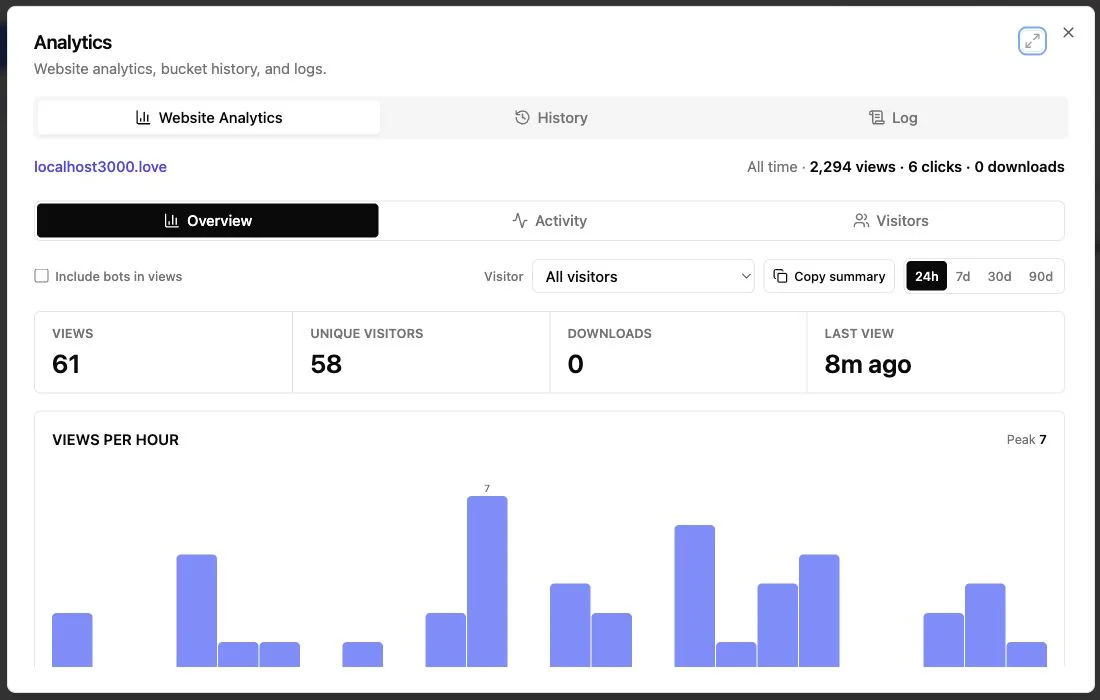
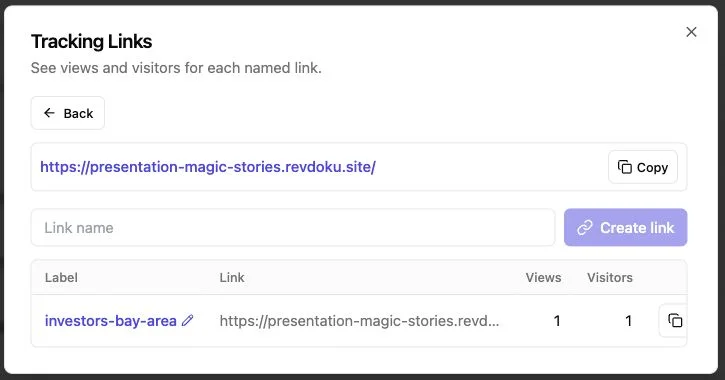
After sharing a dashboard, teams often wonder whether to follow up or wait. Revdoku can notify owners of protected-link opens. Per-visitor analytics show pages viewed, clicks, and downloads, while email gates and contact forms record leads.
Treat these as signals, not proof of intent:
| Activity | Reasonable Interpretation | Useful Response |
|---|---|---|
| One protected open | The link probably reached a recipient | Follow the agreed schedule instead of calling at once |
| Several pages viewed | Part of the report held attention | Refer to the relevant section in your next message |
| Pricing page revisited | Commercial terms may need discussion | Offer to answer scope or pricing questions |
| CSV or PDF downloaded | Someone may be reviewing offline | Do not assume approval or internal circulation |
| Feedback form submitted | The visitor took an explicit action | Reply to the stated question promptly |
An agency might send a proposal at 10:00 a.m. and receive an open notification at 2:15 p.m.
A pricing-page view followed by a download may support a thoughtful message the next morning, not an instant call revealing that you saw the client reading page 12; that feels invasive.
Built-in feedback and contact forms help static reports without a backend. Ask focused questions, such as which forecast to use or who approves the next stage, and collect only necessary information while explaining its purpose and following applicable privacy rules.
Five Practical Client Dashboard Link Examples
These composite examples show where static publishing works well; they do not describe specific customers.
| Situation | Published Material | Access and Follow-Up |
|---|---|---|
| Freelance proposal | An 18-page PDF with scope, schedule, and price | Password protection; follow up the next business day after an open |
| Agency report | Static HTML charts, campaign notes, and a CSV export | Email gate; discuss the pages viewed and any downloaded data |
| Financial consulting snapshot | A forecast PDF plus assumptions workbook | Password protection; update corrected figures at the same link |
| Founder product demo | A browser-based front-end demo and contact form | Email gate; route submitted questions without building a new backend |
| AI-generated status report | Reviewed HTML and PDF output from an internal agent | Publish manually or send approved files through optional API or CLI automation |
The agency example shows an exported dashboard’s limit: campaign charts reflect data available at export. Refresh will not query an advertising platform unless the export already includes a safe, working backend connection. For periodic reporting, create a new export and publish it to the existing client dashboard link.
For AI-generated reports, a person should review client names, numbers, permissions, and confidential content before publication.
Teams with repetitive workflows may optionally use Revdoku’s API or CLI to publish approved output into the same buckets. Freelancers can still share dashboards by dragging folders into Revdoku.
Choose a method the client can open and understand; automation adds little if it publishes the wrong quarter or exposes another customer’s data.
Secure Dashboard Sharing Mistakes
Most publishing failures are ordinary: a missing file, weak gate, or snapshot mistaken for live data.
| Mistake | Better Approach |
|---|---|
| Uploading only a ZIP archive | Publish a clear browser entry page and offer the archive as an optional download |
| Leaving local or absolute paths in HTML | Use relative references and test outside the original project folder |
| Embedding tokens in front-end code | Remove credentials and keep private services behind an authenticated backend |
| Using public access for confidential work | Select password or email-gated access based on the audience |
| Calling an export real-time | Display the reporting period and last export time |
| Creating a new URL for every revision | Update the existing bucket when continuity matters |
| Reading a download as approval | Confirm decisions directly with the client |
Common questions:
Final Thoughts on Secure Dashboard Sharing
Publish the export as a controlled browser experience: prepare the files, state when the data was captured, choose protection for the risk, and test the client dashboard link from the recipient’s perspective.
Remember these boundaries:
- Static reports are snapshots, not automatic data connectors
- Password or Verified Email gates improve control but do not replace every form of authentication
- Stable links reduce version confusion, while open and download activity can guide considerate follow-up
- Manual drag-and-drop publishing is enough for most work; API, CLI, and AI automation can come later
Good secure dashboard sharing is good client communication: a working link, dated numbers, and a clear next step. Everything else supports those jobs.
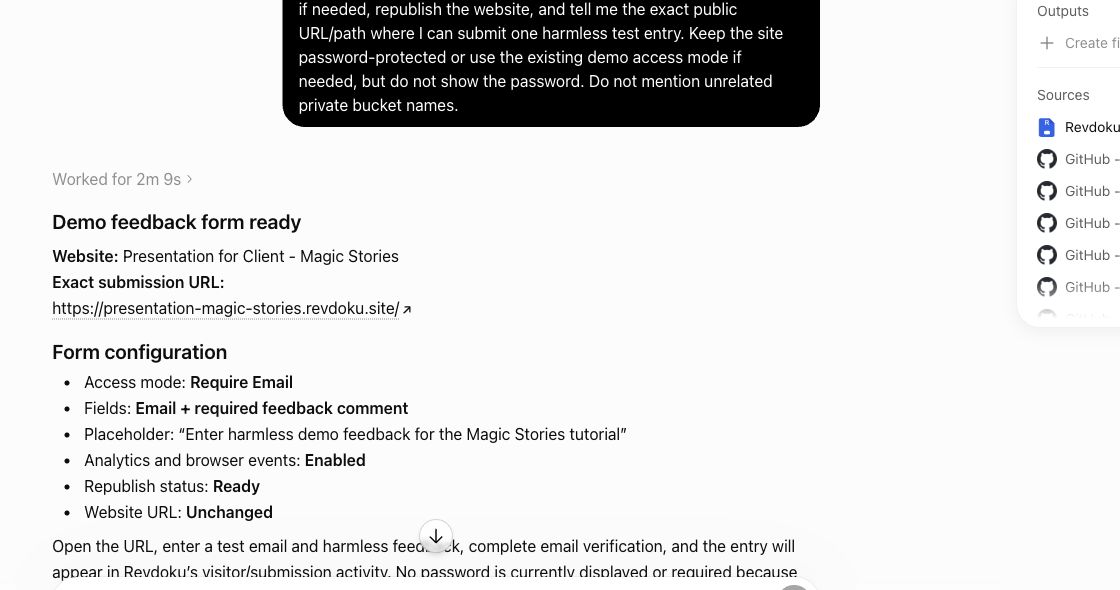
Prepare interactive client follow-up from ChatGPT
If a shared dashboard needs client feedback, ChatGPT can help add or verify a form in the same Revdoku workflow before you send the link.
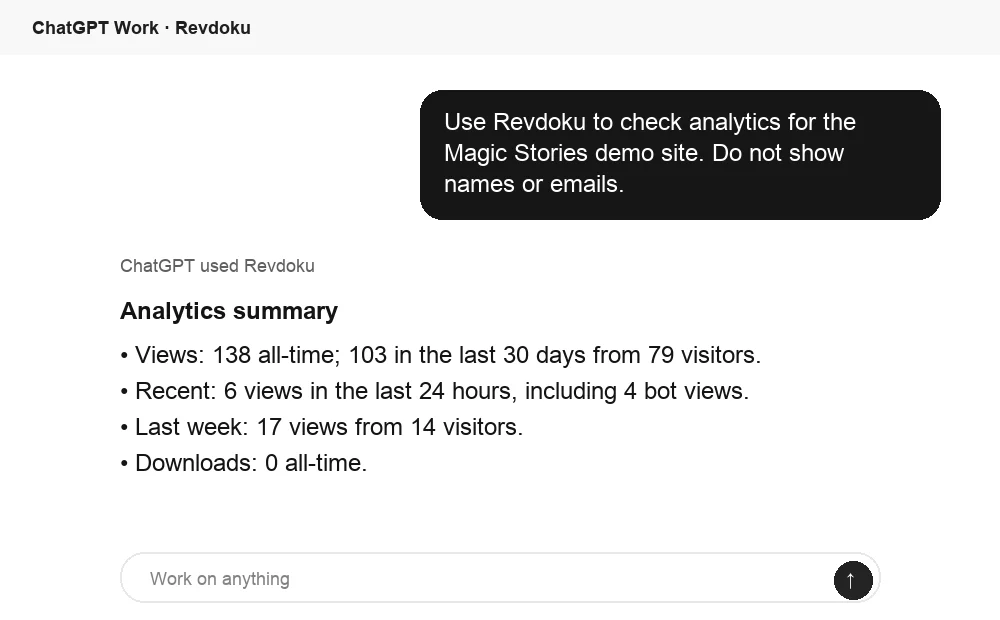
Ask ChatGPT to summarize dashboard activity
After the link is opened, ChatGPT can summarize Revdoku analytics for the published site. That turns raw viewing activity into a clear follow-up signal.
Frequently asked questions
Can a client edit the dashboard?
Static exports are normally read-only. Browser demos may accept local input, but persisting changes requires a separate backend.
Does an email gate replace a client login?
Check the verification method before assuming the email identifies the visitor. Use a live authenticated application when accounts, MFA, or role-based permissions are required.
Can this replace a live BI application?
It can replace emailed exports and ad hoc document folders, but cannot provide live queries, row-level policies, or data-source refreshes absent from the published files.
What if link expiration is required?
Confirm the platform and access mode meet the required expiry policy. For strict retention or regulatory requirements, use a system designed for those controls.
What if the client forwards the link?
Public or shared-password links may travel. For more visitor context, use an email gate and minimize published data; move high-risk material to individual authenticated accounts.
How do I decide between a public link, password protection, and an email gate?
Use a public link only for material that is safe to forward. Password protection suits a known group, while an email gate adds visitor context, but should not be treated as equivalent to an authenticated account. Use a system with individual permissions, MFA, and appropriate audit controls for sensitive or regulated data.
Why does my exported dashboard work locally, but break after publishing?
The export may contain absolute file paths, missing assets, or references to a local development server. Use portable relative paths, include every required file, and place a clear entry page such as index.html at the top level. Test the published version in a private browser window and on another device.
Will a published dashboard update automatically when its data source changes?
Usually not. An exported dashboard is a snapshot of the data and functionality included at export time. To show new figures, create a fresh export and replace the files at the existing link. Keep the reporting date and timezone visible so clients know exactly what period they are viewing.
How can I update a report without confusing clients with another URL?
Publish the revised files to the same bucket while preserving its entry point and shared address. Keep your own version history, test the updated link, and use versioned asset names if browser caching shows older content. Notify clients directly when a correction materially changes figures or conclusions.
What should I remove before sharing a dashboard with a client?
Remove API keys, hidden records, test data, unrelated client information, and unnecessary personal data. Remember that front-end files can often be inspected or downloaded even when access is gated. Review client names, figures, permissions, and supporting files before publication.
Can analytics tell me whether the client approved the report?
No. Opens, page views, and downloads indicate activity, but they do not prove understanding, approval, or internal circulation. Use analytics to time a considerate follow-up, then confirm decisions directly with the client.
When should I use a live BI application instead of a shared dashboard link?
Use a live BI application when clients need current queries, personal accounts, saved views, drill-downs, or user-specific permissions. A shared static dashboard is better suited to periodic deliverables, proposals, and dated reporting snapshots. Choose the live system for row-level security, MFA, or stronger regulatory controls.