Claude Code YOLO Mode: What The Flag Means
Table of Contents
Claude Code YOLO Mode: What The Flag Means
Claude Code doesn’t use the YOLO (You Only Live Once) label in its official CLI flag, but developers use Claude Code YOLO mode as shorthand for it: the agent keeps moving without normal permission prompts. The Claude Code dangerous mode command is:
claude --dangerously-skip-permissionsAnthropic’s Claude Code CLI reference describes --dangerously-skip-permissions as a flag that skips permission prompts and should be used with caution. Permission prompts are a control point between an AI coding agent’s plan and real changes to your files or system. Skipping them speeds up the session but removes a useful interruption point.
Use this only if you understand the repository, shell, tools Claude Code can call, and credentials in the environment.
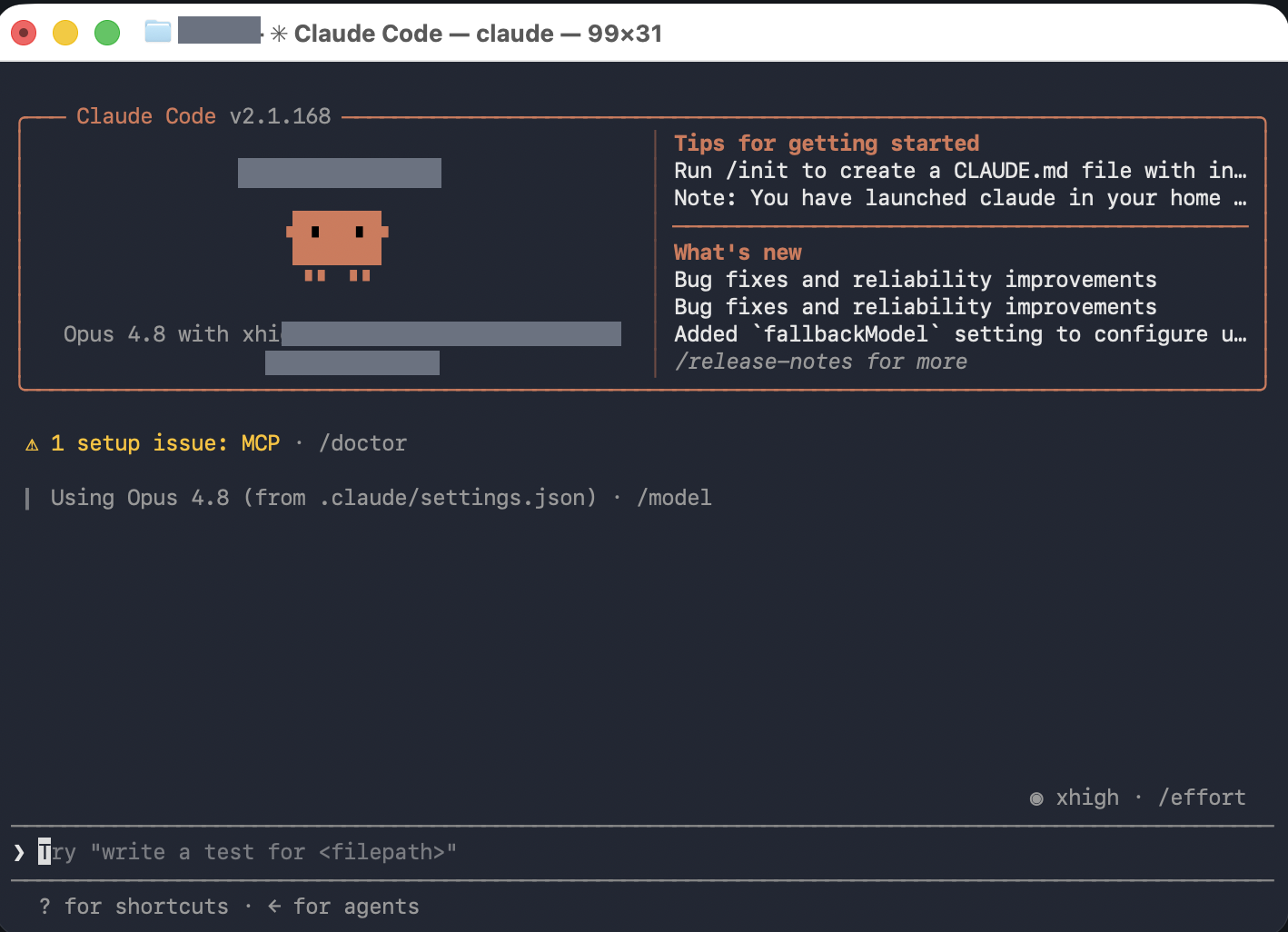
The Visual Cue In The Screenshot: Spotting Claude Code Dangerous Mode
The screenshot below shows Claude Code running with the –dangerously-skip-permissions flag in a true permission-bypass session. The CLI state is the visible review cue, but the launch command is the source of truth: if the session started with claude --dangerously-skip-permissions, treat it as a YOLO-style session.
Compared with Codex, Claude Code may not show a large YOLO mode label, so operator discipline matters more. Confirm how the session was launched before trusting it near sensitive files or production credentials.
Who Should Use Claude Code Dangerous Mode
Claude Code YOLO mode is for experienced users who understand AI coding agent permissions and know what they expose: the repo layout, package scripts, MCP or tool permissions, local config files, and any cloud or deployment tools in the terminal.
Don’t make it your default Claude Code startup command or everyday permission setting. Don’t use it on an unfamiliar codebase or in a directory containing production secrets, customer data, private SSH keys, or deployment credentials unless the environment is deliberately isolated.
The main question: if Claude Code ran a command without asking, would you understand the impact? If not, keep normal Claude Code CLI permissions on.
Dangerous Things Claude Code Can Do In This Mode
The blast radius depends on your machine, repository, tools, and authentication state. In a permissive working directory, skipping prompts in Claude Code dangerous mode can allow fast, broad changes:
- Modify, overwrite, or delete project files.
- Execute shell commands through available tools.
- Run package scripts, test scripts, migration scripts, or project automation.
- Create large diffs before you inspect them.
- Change local configuration files or generated assets.
- Use credentials from environment variables, dotfiles, local CLIs, or mounted directories.
- Run deployment, database, cloud, or infrastructure commands if those tools are installed and authenticated.
- Follow malicious instructions from project files, dependency output, issue text, docs, or webpages.
- Call MCP tools with more authority than you intended if configured broadly.
- Make seemingly irreversible changes that can be undone only with version control or backups.
Permission prompts slow the workflow but force you to notice boundary crossings. Skip them, and you take responsibility for enforcing every boundary outside the agent.
Safer Alternatives To Claude Code YOLO Mode
Start with normal Claude Code permissions for regular work. Use plan mode when you want the agent to reason before editing. Scope the working directory tightly. Avoid launching from your home directory or a folder containing unrelated repositories and secrets.
A safer setup:
- Use a throwaway branch.
- Run inside a dev container, disposable VM, or isolated workspace.
- Keep production credentials out of the session.
- Disable or narrow MCP tools that are not needed for the task.
- Review package scripts before allowing an agent to run them freely.
- Inspect
git diffafter every meaningful chunk of work. - Run tests and deployment steps yourself unless the environment is disposable.
If you need frictionless automation, move the risk boundary outward to make safe AI coding automation practical. The safe version of YOLO is not “trust the agent more.” It is “make the environment disposable enough that fast agent action is acceptable.”
When Claude Code YOLO Mode Can Make Sense
Claude Code YOLO mode has legitimate uses. A hardened container with no secrets, no production network access, and a clean branch is a good place to let Claude Code work without constant prompts. Batch refactors, generated test updates, local formatting, and repetitive migration work benefit from fewer interruptions.
The mistake is running Claude Code dangerous mode on a normal developer laptop where the shell has access to real tokens, cloud accounts, and years of local files.
Related
OpenAI Codex has an explicit YOLO-style setup using codex --sandbox danger-full-access --ask-for-approval never, and its terminal can show permissions: YOLO mode. See the companion article: Codex YOLO Mode: Run Without Approvals Safely.
For official reference, see Anthropic’s Claude Code CLI documentation for --dangerously-skip-permissions and permission modes.
Get Email address for your AI agent
- Create a cloud bucket and copy its
<unique.id>@revdokumail.comemail address. - Emails sent to this email are saved as JSON and Markdown, attachments are extracted.
- Connect AI agents to read and manage saved emails and files via the API, CLI, MCP, or Skill.
Frequently Asked Questions
Is "YOLO mode" an official Claude Code feature?
No. Claude Code does not use the YOLO label in its CLI; it is community shorthand for running claude --dangerously-skip-permissions. Anthropic’s documentation describes that flag as one that skips permission prompts and should be used with caution.
How is Claude Code's dangerous mode different from Codex YOLO mode?
Codex exposes an explicit YOLO-style setup (codex --sandbox danger-full-access --ask-for-approval never) and can display a clear permissions: YOLO mode label in the terminal. Claude Code may show no prominent banner, so the launch command is the real signal. Because the visual cue is weaker, operator discipline matters more.
Can this mode reach my cloud accounts, tokens, or SSH keys?
Yes, if those are reachable from the session. Claude Code acts through the same shell, environment variables, dotfiles, local CLIs, and mounted directories you have access to. If deployment, database, or cloud tools are installed and authenticated, the agent can invoke them without asking.
Can Claude Code be tricked by malicious instructions in a project?
It can. Instructions embedded in project files, dependency output, issue text, documentation, or web pages can influence the agent. Without permission prompts, there is no interruption point to catch a harmful command before it runs, which is why an isolated, secret-free environment matters.
Does plan mode replace permission prompts?
Not exactly; they solve different problems. Plan mode lets the agent reason about an approach before editing, while permission prompts gate the actual file and shell actions. For most work, keep normal permissions on and use plan mode when you want to review the strategy first.
How do I keep fast automation without taking on this much risk?
Move the risk boundary outward instead of trusting the agent more. Run inside a disposable VM, dev container, or hardened sandbox with no production credentials and no production network access, on a throwaway branch. The goal is an environment disposable enough that fast, unprompted action is acceptable.
Are changes made in this mode reversible?
Many are recoverable only through version control or backups, and some can look effectively irreversible. Commit or branch before you start, inspect git diff after each meaningful chunk of work, and run tests or deployment steps yourself unless the environment is fully disposable.
History
- June 11, 2026 — Published by Revdoku Content Team
- June 7, 2026 — Reviewed by Eugene Mi
- September 5, 2026 — Last updated by Revdoku Content Team.