Move a ChatGPT Site to Another Host
Can you export a ChatGPT Site?
ChatGPT Sites has no documented export or download button. How you get the files depends on how you built the site. A site made from a local project in Codex or the ChatGPT desktop app already has its source on your computer. For a site that you built in ChatGPT on the web, ChatGPT must give you the files. Then find out what the site depends on, for example saved data, sign-in and connected apps. Deploy a test copy on the new host. Retire the original site last.
OpenAI’s Sites documentation covers creating, publishing, sharing, analytics, custom domains, environment values and deletion. It does not describe a command that downloads a complete site.
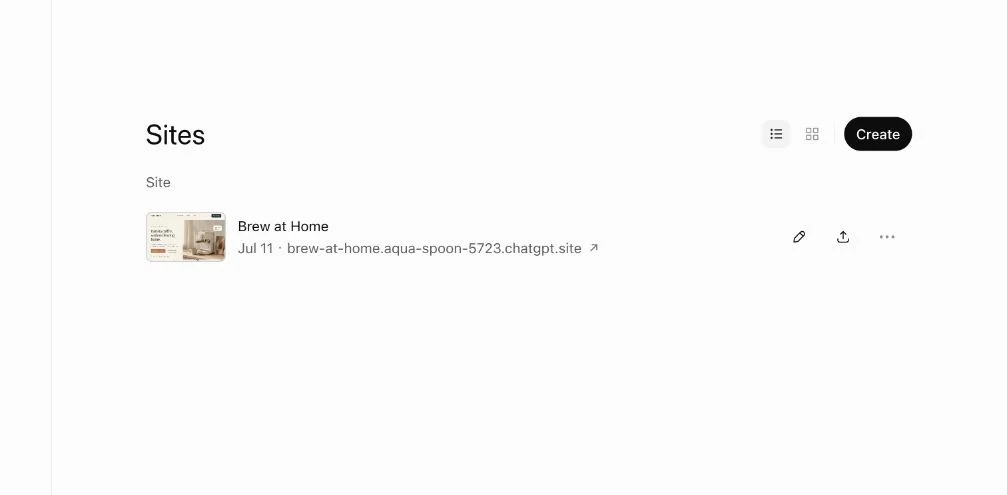
Start from sites in ChatGPT. Find the site that you want to move.
Do not confuse the ChatGPT account data export with a website export. A history archive cannot replace a working site folder.
Step 1: Find out what the site depends on
Sites can be more than static pages. According to OpenAI’s data and connections guide, a site can save records, store uploads, sign visitors in and read data from connected apps. Each of these functions needs a replacement on a new host.
| What the site does | How to recognize it | Moves to a static host? |
|---|---|---|
| Shows content, runs browser-side scripts | Nothing is saved between visits, and there is no sign-in | Yes |
| Saves records, progress or scores | Uses a D1 database | No. You need a database on the new host |
| Accepts file uploads | Uses R2 object storage | No. You need file storage |
| Signs visitors in | Shows Sign in with ChatGPT, or only a workspace can open it | No. You need another sign-in method |
| Shows data from each visitor’s apps | Uses plugins and connected apps | No |
| Uses API keys or other secrets | The values are in the settings of the site | The values are not in the files. Recreate them on the new host |
If you are not sure, ask ChatGPT in the conversation of the site: “List every server feature this site uses: database tables, file storage, sign-in, connected apps, environment variables and background jobs.”
Step 2: Get the source files
If the site came from a local project, your source is already on your computer. Sites links the folder to its hosting through a .openai/hosting.json file. Sites also links each saved version to the Git commit that it used for the build (manage a site). Check out the commit of the live version. Build it. Deploy the build output. Do not put .openai/hosting.json, .env files or other configuration files in the folder that you upload.
If you built the site in ChatGPT on the web, open the original conversation of the site. ChatGPT then has the project context. Paste this prompt:
Prepare a complete portable export of this site.

Requirements:
1. Put index.html at the root.
2. Include every HTML, CSS, JavaScript, image, font, document,
   metadata and data file the website needs.
3. Keep the current folder structure and relative paths.
4. Remove secrets, tokens, environment files, private prompts,
   customer data and local computer paths.
5. Give me a file inventory with each path.
6. Check for absolute or missing local references.
7. Package the complete folder as a downloadable ZIP.
8. List every server function, database, storage, sign-in or
   connected-app feature that the static export does not include.
A file inventory (a list of all files and their paths) lets you make sure that the export is complete. If the list has 27 files, your folder must have 27 files, unless you removed something on purpose. If ChatGPT cannot make a download, ask it to show the contents of each file. Save the files yourself. Then compare your folder with the inventory again.
Save Page As does not replace an export. It saves one rendered page. It does not save the original project, every route or every generated asset.
Step 3: Rebuild what does not move
Static hosting serves files and runs JavaScript in the browser. Four parts of a site need other services:
- Saved data does not move. Ask ChatGPT if it can export the records of the site, for example as CSV. If it cannot, the records stay with the original site. On the new host, use a real database. D1 and R2 are also the names of the Cloudflare database and object storage products. Cloudflare Workers can use them in your own account. This can reduce rework, but you must still move the data and the hosting setup yourself.
- Sign-in does not move. Remove code that depends on Sign in with ChatGPT, such as the
oai-authenticated-user-emailrequest header. For a fixed group of people, put Cloudflare Access or a host password in front of the site. For public accounts, use an authentication service. - Secrets do not move. Recreate API keys as environment variables or secrets on the new host. Never put them in the files that you upload.
- A static host does not run server code. For server code, use an application host such as Railway or a serverless platform.
Step 4: Choose a compatible host
| Project | Options |
|---|---|
| A finished static folder | Netlify or Cloudflare Pages |
| A supported framework project | Vercel |
| A server-backed application | Railway, or Cloudflare Workers if the code fits its runtime |
A copy of the frontend files does not move databases, authentication, platform APIs or background jobs. Before you call the move complete, replace or reconnect those services.
Step 5: Deploy a test copy
- First, build and run the project on your own computer. For a plain folder, it is enough to run
python3 -m http.server 8000inside it. - Deploy to the new host without a custom domain. On Cloudflare Pages, go to Workers & Pages > Create application > Get started > Drag and drop your files (Direct Upload). On Netlify, drag the folder into Netlify Drop.
- Compare the deployed site with the original, page by page.
Test these items while you are signed out:
- Navigation, and a reload of a deep link (a link to an inner page) in the address bar
- Images, fonts, icons and styles
- Forms and interactive controls
- Documents and downloads
- The mobile layout
- Errors in the browser console
- Access behavior, if the site must not be public
Single-page apps (apps that use one page for all paths) often break when you reload a direct link. Cloudflare Pages treats a project without a top-level 404.html as a single-page app. It then serves the root page for unknown paths (serving Pages). On Netlify, add a _redirects file with the line /* /index.html 200 (Netlify rewrites).
Step 6: Switch over and retire the original
Keep the original site running until the replacement passes every test. Then do these steps:
- Move the domain. If you connected a custom domain to the ChatGPT Site, remove the DNS records that Sites gave you. Add the records that the new host asks for. For Cloudflare Pages, see Add a Custom Domain to a Cloudflare Pages Site.
- Update the links that point to the old address in emails, documents and other sites.
- Restrict the old site. Open its sharing settings. Limit access to yourself. Make sure that the previous audience can no longer open it.
- When you are sure, delete the old site. In sites, choose Delete site. Enter the site slug. Select Permanently delete. You cannot restore a deleted site.
The access settings of the old site and of the new host are separate. After you change them, test both addresses in a private window. Public sites can already be in search results. Our site:chatgpt.site test shows an example.
Do the move in this order: inventory, copy, rebuild missing services, test, switch, then retire the original.
A docs portal with Ask AI
and support tickets
Connect a repository, or describe your product to start. Each docs site has search, Ask AI, an API console, an MCP server and support tickets.
- Publishes from GitHub on every push
- Works with Mintlify repositories
- API console from your OpenAPI file
- MCP server and llms.txt for AI agents
- Ask AI and support tickets
- Analytics for people and AI agents
Frequently Asked Questions
Will my ChatGPT Site analytics move to the new host?
No. The visitor and page-view counts that Sites records stay in ChatGPT. Turn on analytics on the new host, for example Cloudflare Web Analytics for a Pages project. Write down the date of the switch. You need this date when you compare periods.
Can I undo deleting the original ChatGPT Site?
No. When you delete a site, you cannot undo it. Before you delete the site, copy the records, uploads and settings that you still need. If you are not sure, restrict access to yourself and do not delete the site.
Related Articles
Add a Custom Domain to a Cloudflare Pages Site
Add a custom domain or www to a Cloudflare Pages site: set it up in Pages first, add the DNS record, fix stuck verification and redirect www.
What Is localhost:3000?
Your browser uses localhost:3000 to reach an app running on your own computer. Sending that address to someone else does not give them access to your app.
Move Exported Grok Website Files to Another Host
Export a Grok Build site to GitHub, deploy it on Cloudflare Pages, Netlify, Vercel or GitHub Pages, test it, then retire the grok.me copy.