Best ways to publish AI-generated websites and file folders
Claude, Codex, ChatGPT, local scripts, and design tools can now create useful web output quickly. The result is often not just text. It is a folder with an index.html file, assets, Markdown notes, CSV data, PDFs, screenshots, or a small static app.
The next question is where that folder should live.
GitHub Pages, Netlify, Vercel, VPS providers, and Revdoku can all publish web content, but they are built around different assumptions. The right choice depends on whether you are managing a software project, running infrastructure, or simply trying to share a generated folder with the right people.
Quick verdict
Use GitHub Pages when the site belongs in a GitHub repository and can be public.
Use Netlify when you want a developer-friendly web deployment platform with Git deploys, build settings, deploy previews, forms, redirects, and serverless options.
Use Vercel when you are building a frontend app, especially a Next.js app, and want production deployments, preview URLs, analytics, and app-platform features.
Use a VPS such as AWS Lightsail, Hetzner, or DigitalOcean when you need full server control: SSH, Docker, databases, background jobs, custom software, and operating-system access.
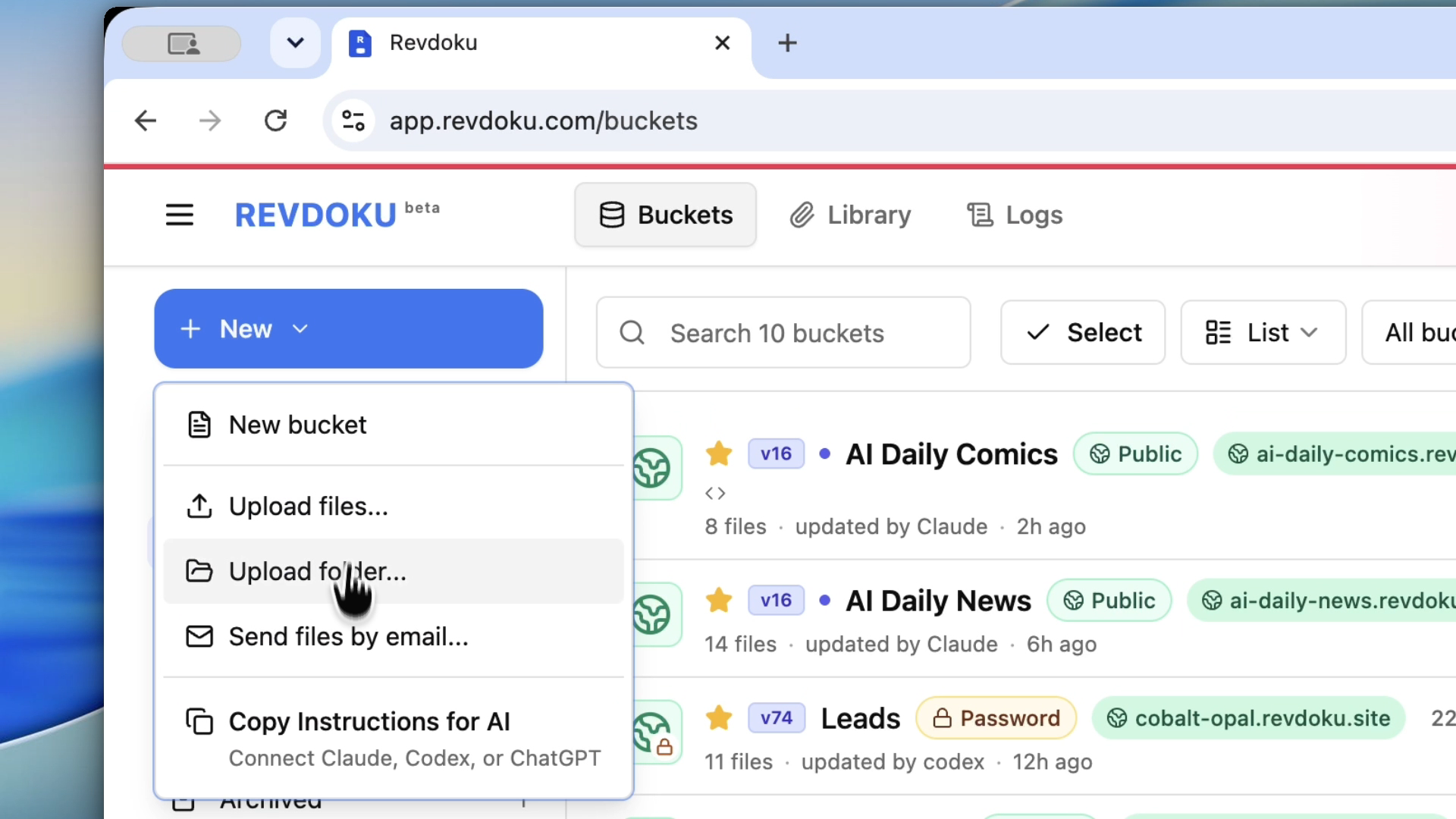
Use Revdoku when the output is already a folder or file bundle and you need a live URL, versioned updates, custom domains, password access, password plus email capture, analytics, and built-in viewers for files such as HTML, Markdown, CSV, and PDF.
The main difference
Most hosting tools start from a developer project.
Revdoku starts from a file workspace.
That distinction matters for AI-generated work. An AI agent may produce a site folder in minutes. The user may not want to create a repository, configure a build pipeline, choose a framework preset, install a server, or write navigation pages for every file. They may only need a stable link that can be shared, protected, updated, and tracked.
Revdoku fits that handoff:
- AI creates the folder.
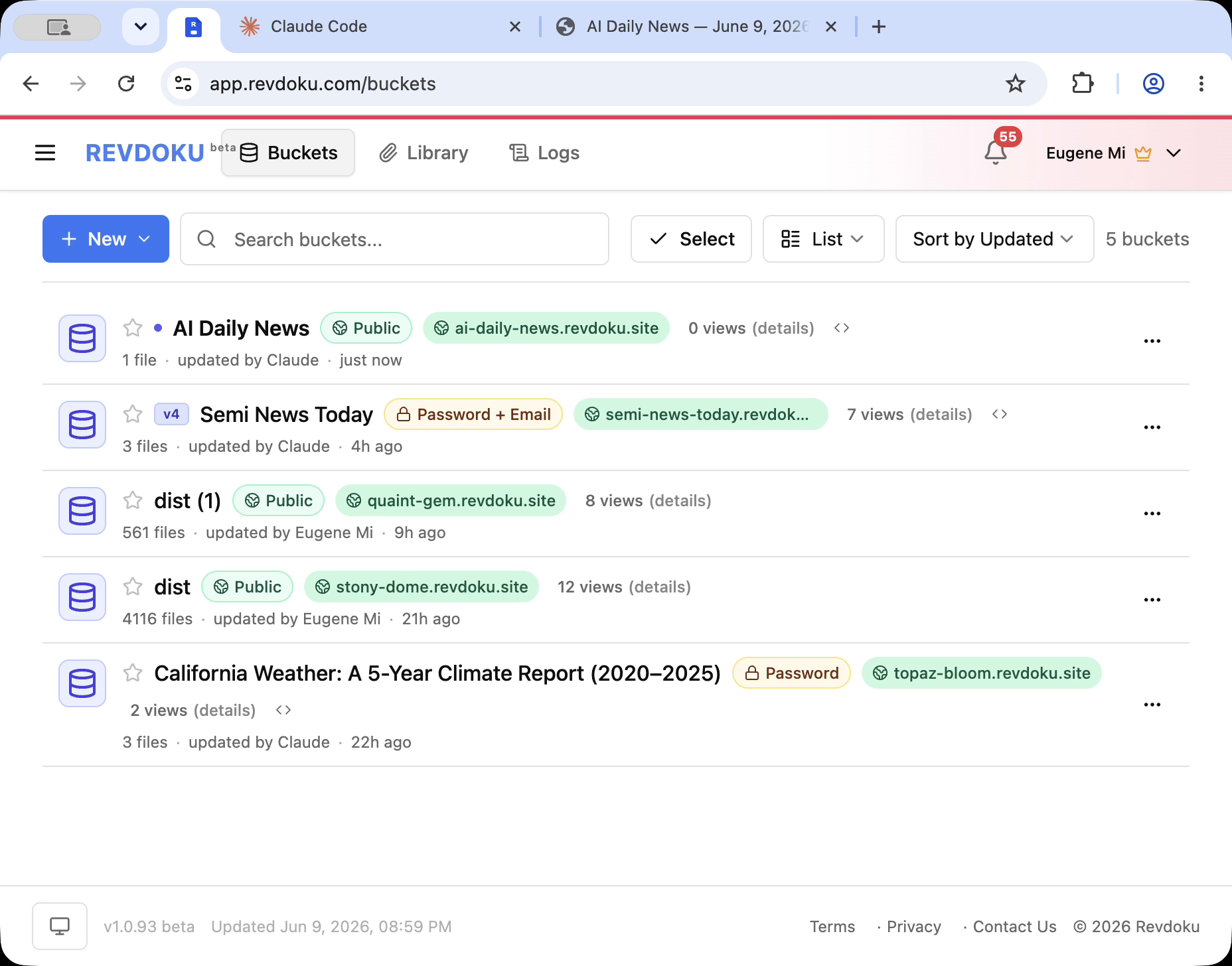
- Revdoku stores the folder in a bucket.
- Revdoku publishes the bucket as a website.
- The owner chooses public, password, or password plus email access.
- Visitors open the same URL.
- The owner can update the files and republish.
- Revdoku shows analytics and file/path activity after sharing.
GitHub Pages vs Revdoku
GitHub Pages is excellent for public static sites that belong in a repository: open-source docs, project pages, small portfolios, examples, and technical pages where Git is the natural source of truth.
Revdoku is better when the site starts as a folder instead of a repo. A client report, generated dashboard, research packet, PDF/CSV/Markdown bundle, or AI prototype may not need a GitHub project. It may need password access, file viewers, analytics, and a quick republish flow.
GitHub Pages is the clean repo-to-public-site path. Revdoku is the clean file-to-site path, and GitHub Sync can keep the Revdoku bucket connected to a repository automatically in both directions.
Netlify vs Revdoku
Netlify is a mature web deployment platform. It is strong when a team wants Git deploys, build commands, deploy previews, serverless functions, forms, redirects, and framework support.
Revdoku is simpler when the artifact is already done: a built static folder, an exported report, a document bundle, or an AI-generated prototype. Instead of creating a deployment project, the owner can publish the folder from a Revdoku bucket and manage access and analytics from the same workspace.
Netlify is for building and operating web projects. Revdoku is for publishing and sharing file-based outputs.
Vercel vs Revdoku
Vercel is a strong choice for production frontend apps, especially Next.js apps. It is built around Git previews, production deployments, framework integrations, serverless or edge compute, and app performance workflows.
Revdoku is a better fit when there is no app platform to operate. If an AI tool produced a static folder, a client portal, a mini dashboard, or a document package, Revdoku can turn it into a shareable website without asking the owner to manage a Vercel project.
Vercel is for app deployment. Revdoku is for agent-neutral file publishing.
VPS hosting vs Revdoku
VPS providers such as AWS Lightsail, Hetzner, and DigitalOcean give you a server. That can be exactly right when you need full control: custom services, long-running processes, databases, Docker, cron jobs, backend APIs, or private networking.
But a server also means owning the server work. You need to think about SSH, operating-system updates, web server configuration, TLS certificates, firewall rules, backups, monitoring, logs, deployments, and security patches.
Revdoku is useful when that work is beside the point. If the job is “make this folder live and shareable,” a file workspace with publishing controls is often the shorter path.
Decision table
| Need | Best fit |
|---|---|
| Public docs for an open-source repo | GitHub Pages |
| Marketing site with Git deploys and branch previews | Netlify or Vercel |
| Next.js or frontend app deployment | Vercel |
| Full server control, Docker, databases, backend services | VPS hosting |
| AI-generated folder that needs a live URL | Revdoku |
| Password-protected client review link | Revdoku |
| Folder with HTML, Markdown, CSV, and PDF files | Revdoku |
| Quick public static site from a repository | GitHub Pages, Netlify, Vercel |
| Shareable file workspace with analytics | Revdoku |
Example workflow
Suppose Codex or ChatGPT creates a folder like this:
launch-report/
  index.html
  Readme.md
  data/report.csv
  docs/brief.pdf
  assets/chart.webp
  notes/client-followup.md
Use GitHub Pages if this should become a public repo-backed site.
Use Netlify or Vercel if this is becoming a web project with Git deploys, previews, builds, or app-platform features.
Use a VPS if the folder is only one part of a larger server you need to control.
Use Revdoku if you want to publish the folder, keep the files together, add password or email-gated access, and see who opened which page or file.
Takeaway
AI tools make it easier to create useful web folders. The publishing layer should match the job.
For developer projects, GitHub Pages, Netlify, Vercel, and VPS providers are good choices. For AI-generated folders, document bundles, reports, and prototypes that need a stable shareable URL with access controls and analytics, Revdoku is often the simpler path.
AI makes the folder. Revdoku makes it shareable.
Compare Revdoku with each option
Step-by-step publishing tutorials
- How to set up GitHub Sync in Revdoku
- How to migrate a GitHub Pages website to Revdoku
- How to publish an AI-generated site on GitHub Pages
- How to publish an AI-generated site on Netlify
- How to publish an AI-generated site on Vercel
- How to publish a static folder on a VPS with Caddy
Keep reading
- Best ways to publish AI-generated websites and file folders, the full decision guide.
Sources checked
- GitHub Pages documentation: https://docs.github.com/en/pages/getting-started-with-github-pages/what-is-github-pages
- GitHub Pages limits: https://docs.github.com/en/pages/getting-started-with-github-pages/github-pages-limits
- Netlify start guide: https://docs.netlify.com/start/choose-your-path/
- Vercel Git deployments: https://vercel.com/docs/git
- Vercel CDN usage: https://vercel.com/docs/manage-cdn-usage
- Amazon Lightsail pricing: https://aws.amazon.com/lightsail/pricing/
- Hetzner Cloud: https://www.hetzner.com/cloud/
- DigitalOcean Droplets: https://www.digitalocean.com/pricing/droplets
Related Articles

GitHub Pages Password Protection and Privacy
Learn why private repositories do not protect Pages sites and compare secure access options for internal teams and external clients.

How to Password Protect a Vercel Deployment
Learn how to secure Vercel deployments with password protection, authentication, trusted access, or protected Revdoku hosting.

How to Password Protect a Website Made with Claude
Learn how to export, secure, publish, and test a Claude-made website using password protection or verified-email access.