
Essential Vehicle Inspection Photo Checklist
Table of Contents
Vehicle inspection photo checklist
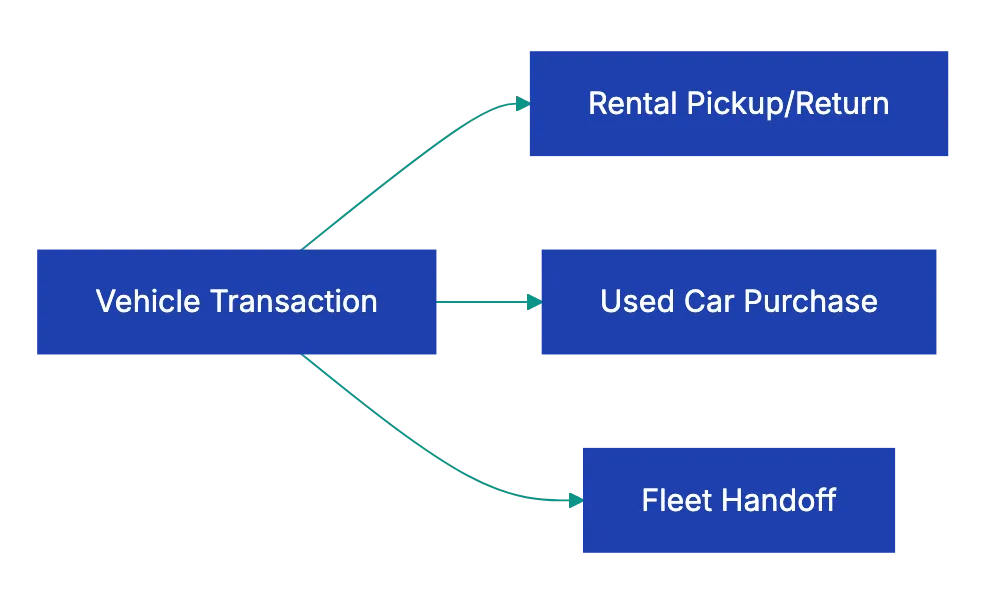
Use this shot list for rental cars, used car purchases and fleet handoffs. Take the same full set each time, also on panels that look perfect. A photo of an area without damage is your record that the area had no damage.
Before you start
- Daylight or bright, even light
- Date, time and location recording turned on in the camera
- A clean camera lens
- The paperwork at hand, for example the damage sheet of the rental company
Identity shots
- The whole vehicle with the license plate visible
- The vehicle identification number (VIN) on the dashboard or the door frame label
- The odometer reading
- The fuel or charge level
- The dashboard with the engine on, to show any warning lights
Exterior
- Each corner of the vehicle, at an angle of about 45 degrees
- Each side, straight on: front, rear, left and right
- The hood, the trunk lid and, if you can see it, the roof
- Each wheel and tire, with the tread
- The windshield and the windows, for chips and cracks
- The lights and the mirrors
- The bumpers and the lower edges, from a low angle
- Each scratch, dent or chip, in a wide shot and in a close-up with a coin for scale
Interior
- The front and rear seats, for stains, tears and burns
- The floor mats and the carpet
- The headliner (the fabric on the inside of the roof)
- The dashboard and the center console
- The trunk or cargo area, with the spare tire and the tools if the vehicle has them
- The keys and the key fobs that you received
Extra shots for a used car purchase
- The engine bay
- The underside, where you can see it, for rust and leaks
- A short video of a cold start, to record engine sounds
- The Buyers Guide on the window, if you buy from a dealer
- The title and the service records, if the seller shows them to you
How to take photos that hold up
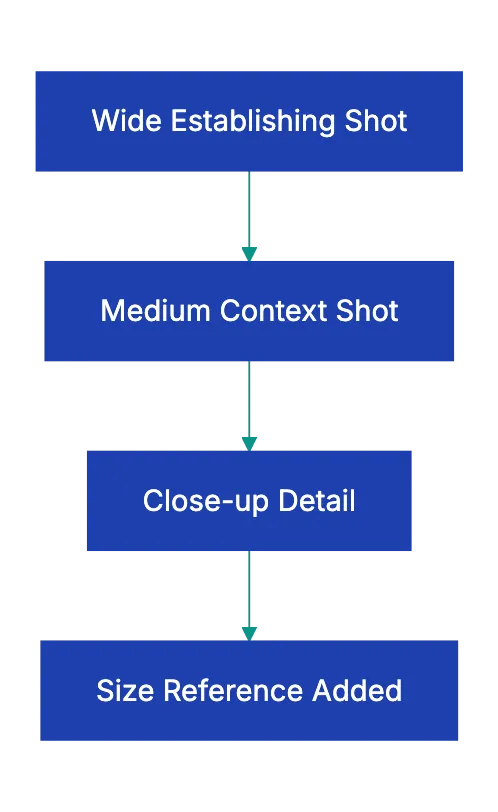
For each damaged area, take a sequence of shots. Start with a wide shot that shows the whole side of the vehicle. Then take a medium shot of the panel, with a door handle, a badge or a wheel in the frame. Finish with a close-up of the damage and a size reference next to it.
Overcast daylight shows damage well. Strong direct sun makes hard shadows and reflections. If you must shoot in sun, stand with the sun behind you. Do not shoot into the sun.
A walk-around video adds a continuous record. Film slowly around the vehicle and say what you show, for example “passenger door, small dent near the handle”.
Before you leave, zoom in on the photos on your phone. If a photo is blurry or dark, take it again.
Rental car pickup and return
- Before you leave the lot, compare the car with the damage sheet of the rental company.
- Photograph each damage that the sheet does not show.
- Ask an employee to add the missing damage to the sheet.
- At the return, take the full photo set again in the return area.
- If an employee is available, ask the employee to inspect the car with you.
- Keep the return receipt together with the photos.
If a damage charge appears later, you can compare it with your pickup and return photos. If you dispute a charge on a US credit card, the FTC explains the process. Your letter must reach the card issuer within 60 days after the issuer sent the first bill with the error.
Used car purchase
Photograph the car before the test drive, and again before you take possession. In the US, dealers must display a Buyers Guide in each used car that they offer for sale. The guide shows if the car is sold “as is” or with a warranty. According to the FTC guide to buying a used car from a dealer, the Buyers Guide overrides the sales contract. Take a photo of it.
Photos do not replace a mechanical inspection. The FTC recommends an inspection by an independent mechanic. It also says that a vehicle history report does not replace that inspection.
Fleet handoffs
At each handoff, each driver takes the same photo set at the start and at the end of the assignment. A complete set shows the condition of the vehicle when one driver gave it to the next driver. Store all sets in one shared folder, with one subfolder for each vehicle.
Store and keep the photos
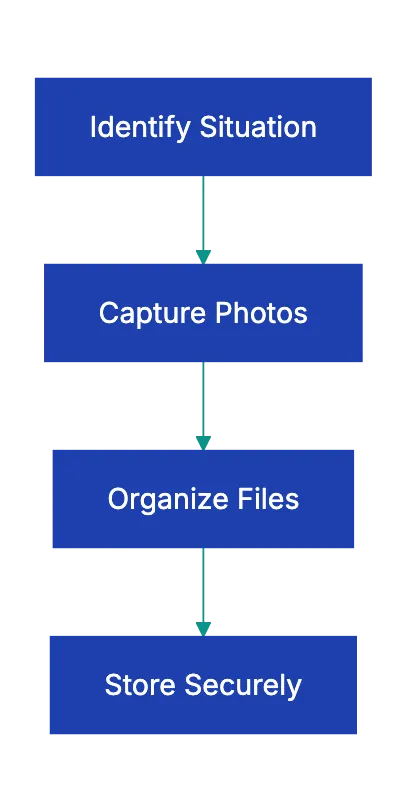
- Put each set in a folder with a clear name, for example
2026-01-15_Civic_rental_pickup. - Turn on automatic cloud backup, so that a second copy exists outside the phone.
- Keep the original files. Do not crop, filter or edit them.
- Turn off the automatic photo improvements of your phone for these photos.
- Keep rental photos until the final charges are on your statement and no dispute is open.
- Keep the photos of a used car purchase for as long as you own the car.
- For fleet photos, follow the retention rules of your insurance and your company.
Common mistakes
- You photograph only the damage that you already know about.
- The photos are blurry, dark or too far away.
- A close-up has no wide shot, so nobody can tell which panel it shows.
- You take the photos after you leave the lot, not before.
- You edit or filter the photos.
Use this checklist with Claude or ChatGPT
Claude or ChatGPT can review your photo set against this checklist. Paste the checklist into a new chat and attach the photos. For a rental, you can attach the pickup set and the return set. Then ask for a list of missing shots and visible differences. For example:
Below is my vehicle photo checklist, then 24 pickup photos and 24
return photos of the same rental car. 1) List each checklist shot
that is missing from either set. 2) For each panel that appears in
both sets, describe any visible difference, with the file names.
Say "not sure" when light or reflections make a spot unclear.
Before you use the answer, read these cautions:
- Make sure that each finding is correct. Look at the original photos at full size. The AI can miss damage, or report a reflection or a shadow as damage.
- Keep the original photos as your evidence. The answer of the AI is not evidence.
- If you do not want to share your location, remove the location data before you upload. Your photos also show the license plate and the VIN. Read the data settings of your workspace.
- Do not let the AI decide a claim. The rental company, your insurer, your card issuer or a lawyer will handle a dispute.
A docs portal with Ask AI
and support tickets
Connect a repository, or describe your product to start. Each docs site has search, Ask AI, an API console, an MCP server and support tickets.
- Publishes from GitHub on every push
- Works with Mintlify repositories
- API console from your OpenAPI file
- MCP server and llms.txt for AI agents
- Ask AI and support tickets
- Analytics for people and AI agents
Frequently Asked Questions
What if the rental company charges me for damage weeks later?
Ask the company in writing for its photos, the damage report and the repair invoice. Compare them with your pickup and return photos. Send your photos with your reply. If you paid by credit card and you think that the charge is wrong, you can dispute it with the card issuer.
Related Articles

Maximize Bookings with Great Airbnb Photos
An Airbnb listing photo checklist: the photo rules from Airbnb, a shot list for each room, and the items to look at before you upload.

Real Estate Listing Photo Requirements Checklist
Real estate listing photo checklist: MLS file rules, branding, people, photo rights, virtual staging disclosure, room coverage and photo order.

Essential Rental Inspection Photo Checklist
A room-by-room rental inspection photo checklist for move-in and move-out, how to take the photos, and two examples of deposit rules.