What Should Be in a Client Portal? Essential Guide
Table of Contents
- What Should Be in a Client Portal?
- Essential Client Portal Contents vs. Full-Suite Features
- A Reusable Client Portal Template for Essential Contents
- Folder Structure for Client File Sharing and Portal Contents
- Client Portal Template: Welcome Copy That Tells the Client What to Do
- Client Deliverables, Timelines, Decisions, and Contacts
- Client File Sharing: Access, Feedback, and Analytics Without Extra Friction
- Four Practical Client Portal Examples
- Publishing and Updating Client Deliverables
- A Better Client Portal Handoff
- What Should Be in a Client Portal?
- Essential Client Portal Contents vs. Full-Suite Features
- A Reusable Client Portal Template for Essential Contents
- Folder Structure for Client File Sharing and Portal Contents
- Client Portal Template: Welcome Copy That Tells the Client What to Do
- Client Deliverables, Timelines, Decisions, and Contacts
- Client File Sharing: Access, Feedback, and Analytics Without Extra Friction
- Four Practical Client Portal Examples
- Publishing and Updating Client Deliverables
- A Better Client Portal Handoff
What Should Be in a Client Portal?
Start with what clients need to understand the work, find the latest files, make decisions, and contact the right person. Everything else is optional.
A good portal should answer four questions in a minute:
- Where am I? The client sees their name, project, and a short welcome.
- What is current? Approved and in-progress deliverables are clearly labeled.
- What happens next? Dates, responsibilities, and pending decisions are visible.
- How do I respond? Feedback and contact routes are easy to find.
This guide distinguishes essential contents from full-suite features and provides a reusable template, with examples for freelancers, consultants, agencies, founders, and AI agent builders.
Essential Client Portal Contents vs. Full-Suite Features
The portal’s first job: reduce uncertainty. Microsoft’s 2023 Work Trend Index, surveying 31,000 people in 31 countries, found that 62% spent too much time searching for information. Workers spent 57% of their Microsoft 365 time communicating and 43% creating.
A clear portal can cut both.
| Essential content | What the client gets | Why it belongs in every portal |
|---|---|---|
| Welcome and orientation | Project name, purpose, and navigation | Removes the need for an explanatory email |
| Current deliverables | Files, demos, decks, and presentations | Creates one reliable source for the work |
| Timeline and next action | Dates, status, owner, and decisions due | Prevents quiet delays |
| Feedback route | Form, comment instructions, or contact link | Keeps responses attached to the work |
| Access guidance | Password, email gate, or public-link context | Sets a clear privacy expectation |
Full-suite features may include invoices, contracts, e-signatures, task boards, support tickets, calendars, CRM records, and chat. Add one only if the client will use it. Linking to your existing billing or scheduling system often beats rebuilding it in the portal.
My rule is blunt: a feature that makes clients wonder where to click has not earned its place.
A Reusable Client Portal Template for Essential Contents
Start with this template. A small project may fit on one page; a longer engagement can turn each row into a page or folder. Keep the order so the most useful content appears first.
| Section | Reusable content | Update trigger |
|---|---|---|
| Start Here | Welcome, project purpose, last updated date, and next action | Scope or main contact changes |
| Current Work | Latest proposal, deck, report, demo, or design | A client-ready version is published |
| Timeline | Milestones, delivery dates, review windows, and status | A date or dependency changes |
| Decisions Needed | Question, decision owner, due date, and effect of delay | A decision is requested or resolved |
| Feedback | Form link, response format, and review deadline | A review round opens or closes |
| Contacts | Delivery, billing, technical, and escalation contacts | A role changes |
| Approved | Final files and approval date | Work is accepted |
| Archive | Replaced versions and closed rounds | A newer version becomes current |
Put a visible Last updated line near the top to show the information is maintained. Remove empty sections instead of displaying blank states.
This template focuses on content. The portal is the engagement’s front door, not another project management system for clients to learn.
Folder Structure for Client File Sharing and Portal Contents
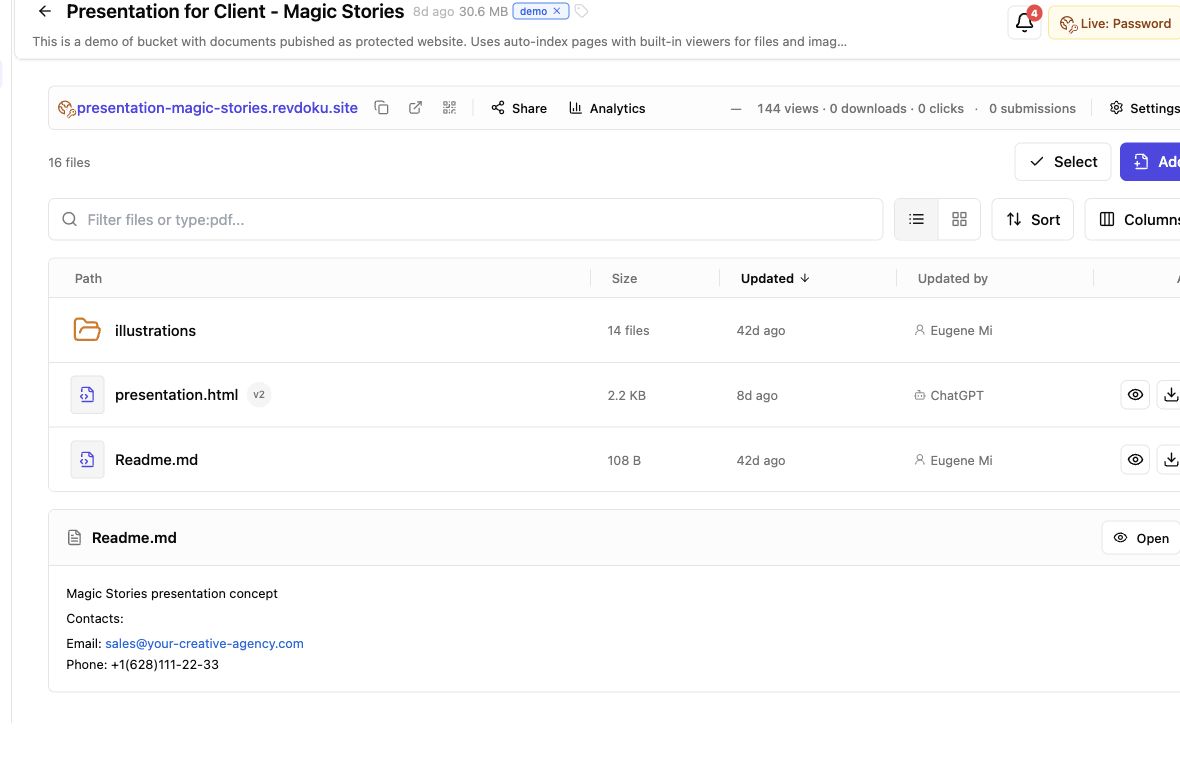
Organize folders around the client’s mental model, not internal departments: what is current, needs review, or is approved.
Client-Project/
├── 01-Start-Here/
├── 02-Current-Deliverables/
├── 03-Timeline-and-Decisions/
├── 04-Feedback/
├── 05-Approved-Files/
└── 99-Archive/
Use consistent naming rules:
- Number major folders so their order stays consistent across devices.
- Name files by subject and status, such as
Brand-Strategy_For-Review.pdf. - Use
YYYY-MM-DDdates when relevant, such as2026-07-14_Research-Summary.pdf. - Avoid
final-final-v3; use a visible version number or archive replaced files. - Keep internal notes, raw exports, and unfinished work outside the client-facing folder.
For a small assignment, six folders may be too many: combine Timeline and Feedback with Start Here, then keep Current Deliverables, Approved Files, and Archive. The content remains clear as the project grows.
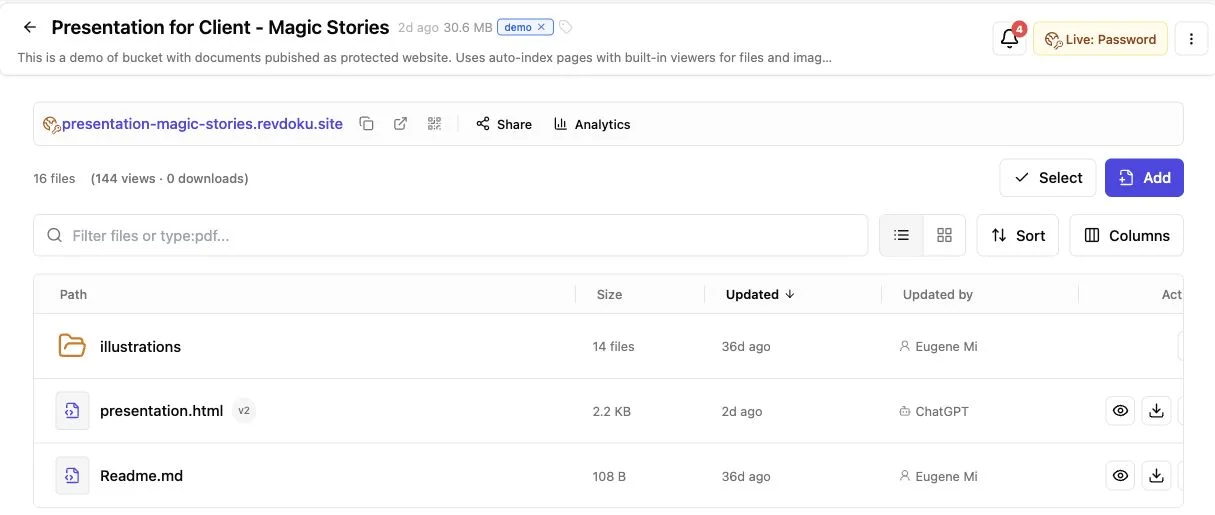
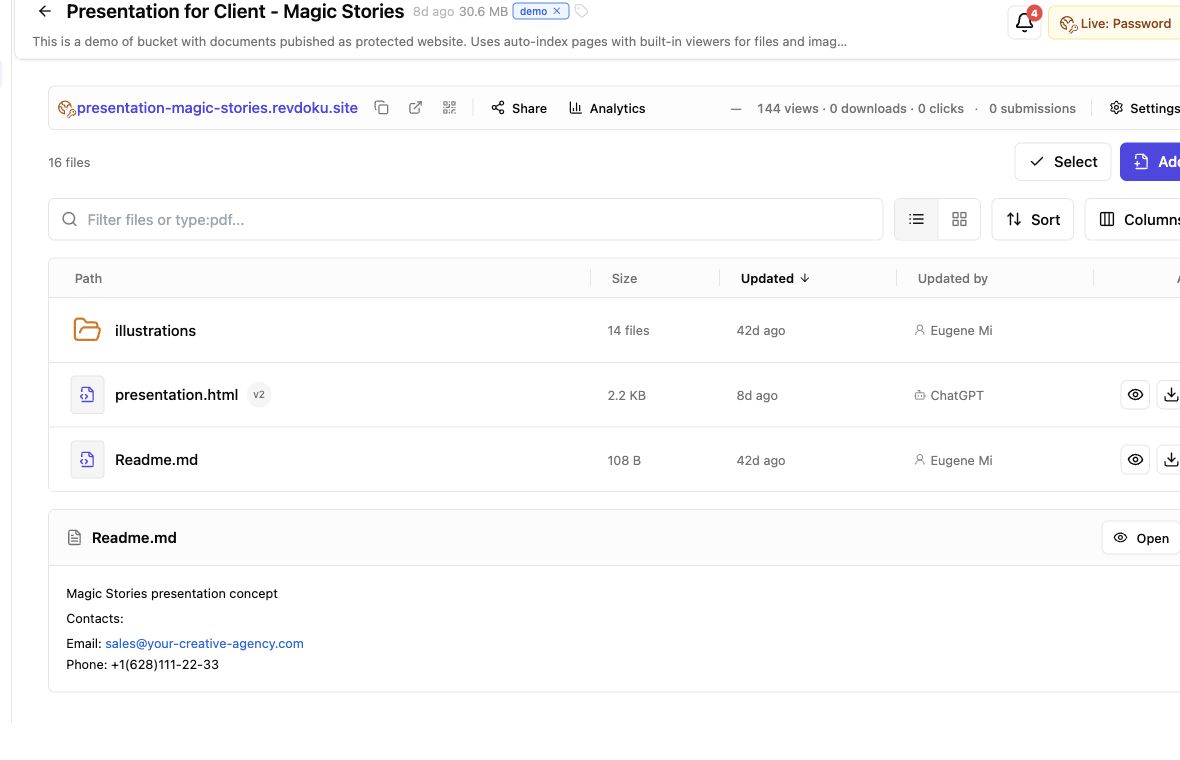
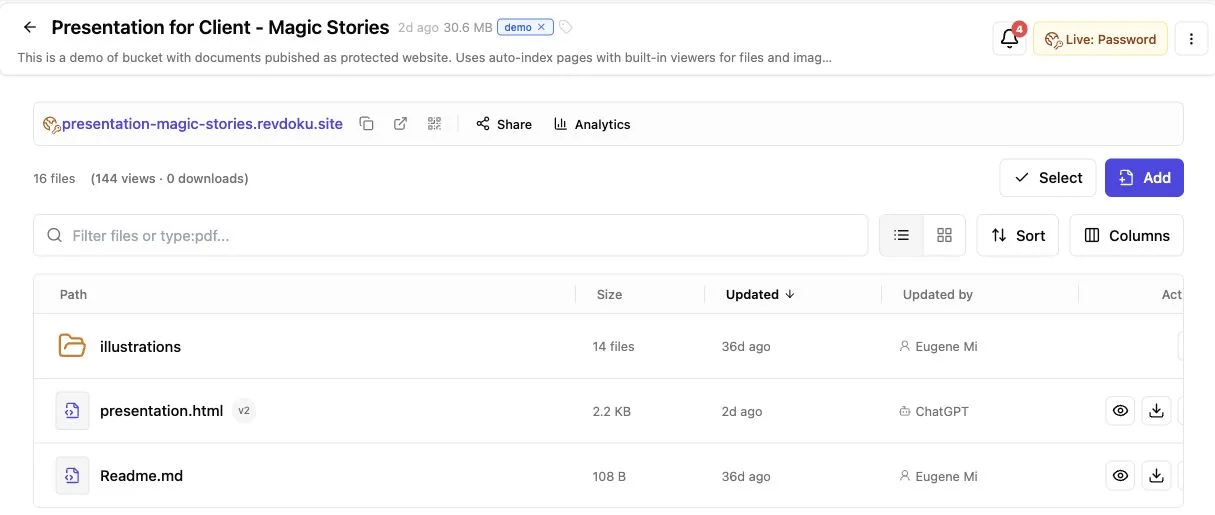
With Revdoku, publish a prepared folder in a private bucket with generated navigation and built-in viewers. Nested folders remain browsable; see the document publishing guide.
Client Portal Template: Welcome Copy That Tells the Client What to Do
Keep welcome copy short enough to read before clicking. State the purpose and current item, then ask for one action. Skip your company history.
Welcome, Acme team.
This portal contains the current files for the website redesign. The homepage concepts are ready for review in Current Deliverables. Please send consolidated feedback through the Feedback form by July 18. Your main contact is Maya Chen at maya@example.com.
Last updated: July 14, 2026
Change five details:
- Client and project: Name the engagement.
- Current state: Note what was added, approved, or replaced.
- Requested action: Request one specific response.
- Deadline: Include date and time zone when timing matters.
- Contact: Name a person, not a generic department.
Be especially brief with proposals and presentations. DocSend reported that investors averaged only 2 minutes and 18 seconds viewing fundraising decks in one 2023 data set. Though specific to startup decks, the lesson applies: clients skim before studying. Put the main decision first.
When no action is required, say so. No response is needed; this copy is for your records prevents unnecessary email.
Client Deliverables, Timelines, Decisions, and Contacts
Files need context. A portal with Proposal.pdf and Report.pdf still leaves clients guessing which version matters and what to do. Give each active deliverable a compact status record.
| Deliverable | Status | Owner | Client action | Due date |
|---|---|---|---|---|
| Discovery summary | Approved | Jordan | None | July 8 |
| Homepage concepts | For review | Priya | Select one direction | July 18 |
| Working demo | In progress | Luis | Test on mobile | July 22 |
| Launch package | Not started | Priya | Depends on concept approval | July 29 |
Use a fixed status vocabulary:
- In progress: Your team is working on it.
- For review: The client can respond now.
- Changes requested: Feedback received.
- Approved: Agreed review round complete.
- Replaced: Newer version available.
For every decision, record the question, owner, due date, and consequence of delay. Choose a homepage by Friday to keep the July 29 launch date explains the tradeoff; the deadline alone sounds arbitrary.
List contacts by role and name: delivery, billing, technical access, and urgent escalation. One person may fill every role; the goal is to remove doubt.
Client File Sharing: Access, Feedback, and Analytics Without Extra Friction
Match access to the material. A public brochure and an unreleased acquisition plan carry different risks.
| Access approach | Good fit | Main tradeoff |
|---|---|---|
| Public link | Published samples or low-risk resources | Anyone with the URL may open it |
| Password protection | Proposals, private previews, and draft deliverables | The password must be shared safely |
| Email gate | Lead capture or visitor-level activity tracking | Adds a step before access |
| Dedicated authenticated system | Regulated or highly sensitive records | More setup and account management |
Verizon’s 2024 Data Breach Investigations Report found 68% of breaches involved a non-malicious human element. Reduce risk by granting only necessary access, reviewing files before publication, and removing access when engagements end. For account passwords, follow NIST guidance: support long passwords, password managers, and distinct credentials.
For feedback, ask for the page or file, requested change, reason, priority, and approver. A built-in form avoids a separate backend.
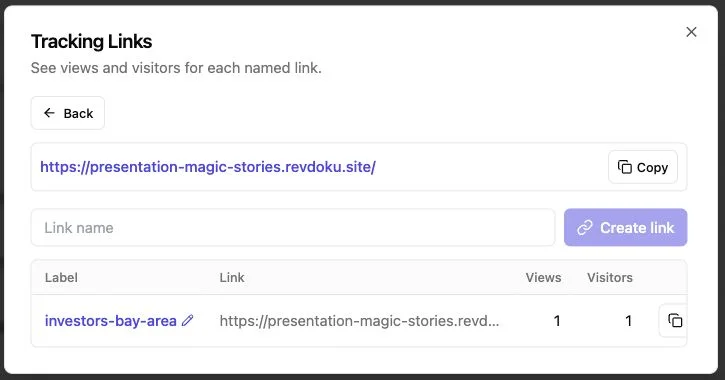
Revdoku offers Public, Password, and Verified Email links, with owner notifications for protected-link opens and permitted visitor page views, clicks, and downloads. Treat analytics as signals, not proof of intent: a long visit may show interest or confusion. Follow up with a useful question, not a claim that you watched the client read.
Four Practical Client Portal Examples
The best client portal examples vary by engagement but share a clear current version and next action.
-
Freelance designer: The portal shows three named homepage concepts, a two-minute walkthrough, and a feedback form. The welcome asks the client to choose one by Friday; older sketches stay in Archive.
-
Consultant: A private portal holds a 28-page assessment, executive summary, source tables, and decision log. Page-level viewing shows the client returned to the budget section, so the consultant prepares cost scenarios for the next call instead of a generic reminder.
-
Agency proposal: The agency shares a presentation behind an email gate. An open notification shows two stakeholders visited, so the owner follows up later that day with a short answer to the main setup question. A revised pricing page replaces the old one at the same link.
-
AI agent builder: A static demo, screenshots, README, and test notes sit in one client bucket. The builder uploads the folder manually for the first review; once the structure is stable, an agent or CLI publishes later builds there, with human review.
These examples work because technology stays in the background: clients see the work, status, and response path.
Publishing and Updating Client Deliverables
Regular maintenance keeps a client portal useful. Give one person publishing ownership and a repeatable release routine.
- Check the client-facing folder for internal notes, secrets, broken links, and stale files.
- Upload the current document, presentation, demo, or full folder.
- Choose public, password, or email-gated access based on sensitivity.
- Test the link in a signed-out browser and on a phone.
- Send the link with the requested action and date.
- When work changes, update the existing location, record the new date, and move replaced files to Archive.
Protect stable links. Revdoku lets owners update or roll back bucket contents without changing the shared URL, preventing clients from opening old email attachments. Start with manual drag-and-drop; use the API, CLI, or connected AI agents only to automate a proven publishing process.
Common questions:
A Better Client Portal Handoff
Begin with orientation, current deliverables, dates, decisions, contacts, and feedback. These show clients what exists and what happens next.
Remember the practical rules:
- Keep current work above operational extras.
- Use predictable folders and file names.
- Pair every active deliverable with a status and action.
- Match access controls to sensitivity.
- Update work at the same link when possible.
- Add automation only after the manual publishing flow works well.
The strongest portals feel almost boring: no treasure hunt or clever navigation. Clients open one link, find the latest work, and know how to respond. That simplicity is the product.
Frequently asked questions
Should pricing and invoices be included?
Include agreed pricing when it clarifies scope; link to your billing system for payments and invoice history.
Should clients see internal tasks?
Usually not. Show client-facing milestones and dependencies, not every production task.
How often should client portal contents change?
Update whenever the current version, deadline, decision, or access status changes.
Can one portal serve every client?
Reuse the structure, with separate files and appropriate access for each client.
What is the minimum content a client portal should include?
Include a short welcome, current deliverables, key dates, pending decisions, feedback instructions, and named contacts. Add billing, scheduling, or task-management features only when they solve a clear client need.
How should I choose the right access level?
Base access on the sensitivity of the material. Public links suit low-risk resources, while private drafts may need a password or email gate; regulated or highly confidential records generally belong in a dedicated authenticated system.
How often should a client portal be updated?
Update it whenever a deliverable, deadline, decision, contact, or access setting changes. Display a visible last-updated date so clients can quickly confirm that the information is current.
How can I prevent clients from opening outdated files?
Keep the latest version in a clearly labeled current-work area and move replaced files to an archive. When possible, update files at the same shared link and use consistent version numbers instead of ambiguous names such as “final-final.”
What is the best way to collect client feedback?
Provide one obvious feedback route and ask clients to identify the file or page, requested change, reason, priority, and approver. Set a review deadline and request consolidated feedback when several stakeholders are involved.
Should clients have access to internal tasks and working files?
Usually, clients only need milestones, dependencies, current deliverables, and decisions that affect them. Keep internal notes, unfinished work, raw exports, and detailed production tasks outside the client-facing portal.
When should portal publishing be automated?
Start with a manual process until the folder structure, review steps, access rules, and update routine are reliable. Automation becomes useful for repeatable releases, but client-facing changes should still be reviewed for secrets, stale files, and broken links.
Related Articles
Client Deliverables Portal: Share Work in One Link
Share client files through one secure, stable link with browser viewing, access controls, feedback, analytics, and simple updates.
One Link Client Portal for Deliverables | Revdoku
Create a secure one-link client portal for reports, files, demos, feedback, analytics, and updates without sending a new URL.
Secure File Sharing for Clients: A Practical Guide
Learn how to securely share client files, control access, manage versions, collect feedback, and track engagement with one link.