How to Track PDF Opens and Identify Viewers
Table of Contents
- Why it is hard to track PDF opens
- Define an open before you track PDF opens
- Can you track who opens a PDF attachment?
- Track PDF views with public and password-protected links
- Can you track who opens a PDF with Verified Email access?
- How to track PDF opens with Revdoku
- Compare ways to track PDF opens
- Four practical PDF analytics scenarios
- PDF Analytics Best Practices
- Final thoughts on how to track PDF opens
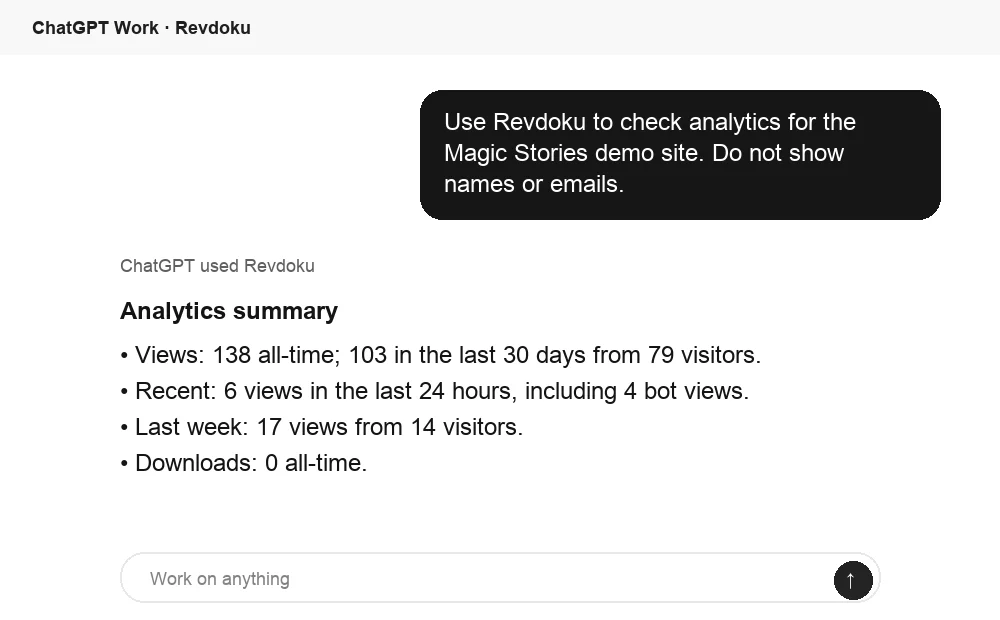
- Ask ChatGPT to summarize PDF activity
- Why it is hard to track PDF opens
- Define an open before you track PDF opens
- Can you track who opens a PDF attachment?
- Track PDF views with public and password-protected links
- Can you track who opens a PDF with Verified Email access?
- How to track PDF opens with Revdoku
- Compare ways to track PDF opens
- Four practical PDF analytics scenarios
- PDF Analytics Best Practices
- Final thoughts on how to track PDF opens
- Ask ChatGPT to summarize PDF activity
Why it is hard to track PDF opens
You send a proposal, deck, or report, and hear nothing. Did the client open it, reach the pricing page, or did the attachment disappear into an inbox?
Whether you can track PDF opens depends on delivery. Email attachments provide almost no dependable analytics; browser links can track PDF views, clicks, and downloads, while Verified Email ties that activity to a submitted, verified address.
TL;DR:
- Anonymous traffic tells you that someone visited the link.
- Identified access tells you which verified email address entered before the activity occurred.
This guide explains each method’s limits, Revdoku’s browser-link workflow, and how to distinguish opens from genuine interest.
Define an open before you track PDF opens
Before tracking PDF opens, decide which event matters. Open can describe different actions that produce different evidence.
| Event | What It Actually Shows | What It Does Not Prove |
|---|---|---|
| Email opened | The email client requested remote content | The PDF was opened or read |
| Link visited | A browser requested the shared page | The visitor studied the PDF |
| PDF viewer loaded | The hosted viewer displayed the document | Every page was read carefully |
| Page viewed | A page appeared in the viewer | The visitor understood it |
| Link clicked | The visitor selected a tracked link | The resulting action was completed |
| PDF downloaded | The server delivered the file | The downloaded copy was later opened |
So can you track who opens a PDF? needs qualification. You can record hosted-PDF events. You usually cannot observe a standalone copy after it leaves the service.
Start with one business question. Use an identified browser open to time sales follow-up and page-level analytics to improve a deck. For proof of accepted terms, use electronic signatures or acknowledgments, not PDF views.
Can you track who opens a PDF attachment?
In most cases, no. Once downloaded, an email attachment becomes a local file. Gmail, Outlook, Apple Mail, and email marketing tools then cannot monitor the recipient’s PDF reader.
Three techniques are often mistaken for attachment tracking:
-
An email tracking pixel may report remote content loaded in the message, not activity in the attachment. Apple explains that Mail Privacy Protection prevents senders from learning dependable information about Mail activity, which can make pixel-based opens misleading (Apple).
-
A read receipt requests confirmation, which the recipient or organization may refuse. Even a receipt does not show whether the PDF was examined.
-
An embedded image, script, or remote request may contact a server, but this is fragile. Readers vary, offline viewing sends no request, and security controls may block communication. Adobe’s improved security restricts external content and cross-domain access unless the source is trusted (Adobe).
Can you confidently track who opens a PDF attachment? Usually not. If tracking matters, email a browser link instead of attaching the file.
Track PDF views with public and password-protected links
A hosted link enables browser measurement. Because the browser requests server content, the service can record activity while the PDF remains online.
| Access Mode | What You Can Track | Identity Quality | Visitor Friction |
|---|---|---|---|
| Public link | Visits, pages, clicks, and downloads | Anonymous or estimated | Very low |
| Shared password | The same activity after password entry | Usually anonymous | Low |
| Verified Email | Activity tied to a verified address | Identified by email | Moderate |
Use a public link to track PDF views of brochures, press kits, public reports, and other broad-distribution materials. It shows aggregate demand without requiring identification.
However, a public visit cannot identify who opens a PDF. An IP address, browser type, or cookie does not identify a person. Colleagues may share a network, and one person may use multiple devices. Scanners, security tools, and browser prefetching can also mimic opens.
A shared password controls access without identifying visitors; if five clients share it, analytics may show several sessions but cannot prove who used it. Use passwords to limit access and Verified Email when attribution matters.
Can you track who opens a PDF with Verified Email access?
Verified Email provides a clearer answer. Visitors verify control of an email address before accessing protected content. The service can then attribute browser activity to that verified address.
This model can track:
- When the verified visitor entered the protected link
- Which PDF pages or hosted files they viewed
- Which links or calls to action they clicked
- Whether they downloaded the PDF
- Whether they submitted feedback or contact forms
This is identified access, not proof of human identity. A shared mailbox may have multiple users, and verification messages can be forwarded. Recipients can download and share the PDF; the service cannot track opens of that offline copy unless a reader returns to the hosted link.
Nor does Verified Email prove attention. A page event cannot show whether someone understood the text, compared prices, or left the tab open. Treat the data as a signal alongside replies, form submissions, meeting requests, and other direct actions.
Use the extra step for proposals, private decks, client deliverables, and investor material. For public guides, the same gate may suppress readership. Match the access mode to the value of identification.
How to track PDF opens with Revdoku
Revdoku turns a PDF or folder of client files into a browser-based link. Start manually in the dashboard; AI agents, the API, and the CLI can automate the process later.
-
Create a private bucket. Start in a private workspace to keep the deliverable unexposed during review.
-
Upload the PDF or folder. Drag and drop a proposal, presentation, report, demo, or folder. Revdoku adds browser navigation and file viewers.
-
Choose an access mode. Choose a public link for anonymous reach, a password for shared control, or Verified Email for identified visitor analytics.
-
Share the live URL. Send the link by email, chat, or client portal. For dependable document activity, make the link the main action instead of attaching a copy.
-
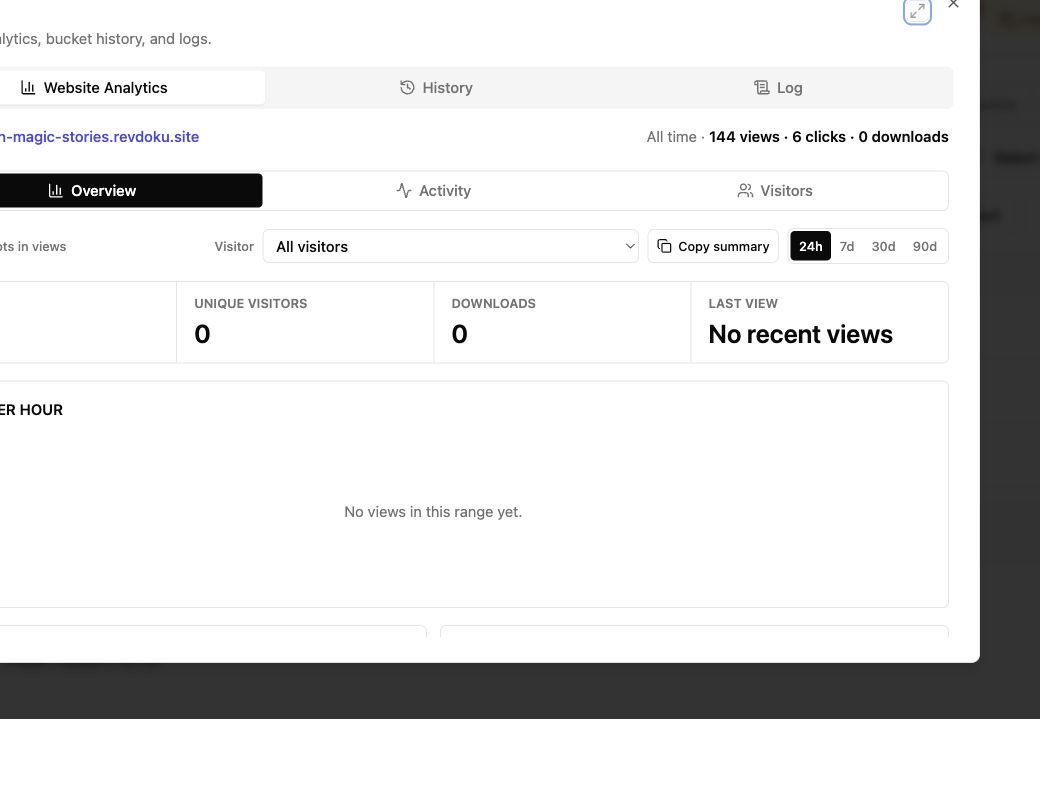
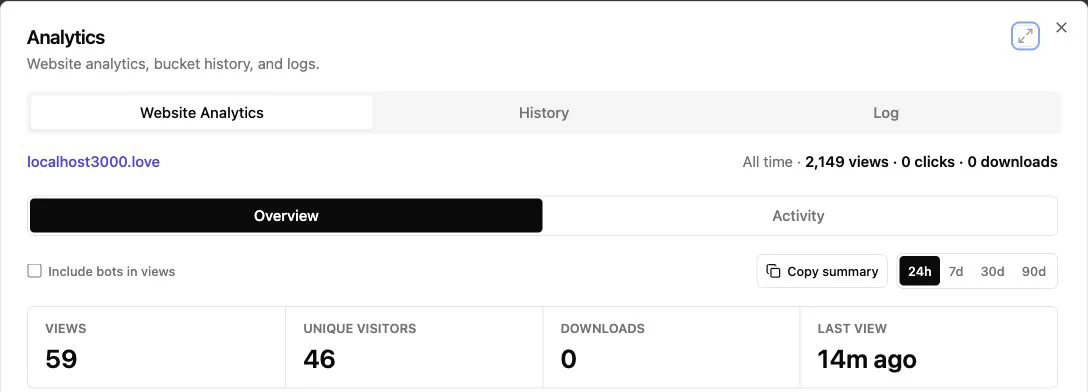
Review notifications and analytics. Protected-link opens can notify owners. The dashboard shows captured leads and per-visitor page views, clicks, and downloads.
-
Update the deliverable in place. Replace or add files without changing the URL. The stable link preserves bookmarks, earlier emails, and traffic history.
You can add feedback and contact forms without a separate backend. This turns passive tracking into a route for questions, approvals, and comments.
Compare ways to track PDF opens
No delivery method is always best. Choose based on convenience, access control, collaboration, or identified activity.
| Method | Track PDF Views? | Identify Visitors? | Control Updates? | Best Fit |
|---|---|---|---|---|
| Email attachment | No dependable document tracking | Recipient is known, actual opener is not | No | Files that must work offline |
| Public cloud link | Often basic traffic or activity | Usually no | Yes | Broad, low-friction sharing |
| Shared password link | Yes, depending on service | Password alone does not identify a person | Yes | Private material for a known group |
| Verified Email link | Yes, including visitor-level events | Yes, by verified address | Yes | Proposals and client deliverables |
| Review or signature system | Review, comment, or signing events | Usually account- or invitation-based | Yes | Formal approval workflows |
| Custom client portal | Whatever you build | Account-based | Yes | Complex, recurring client programs |
Adobe’s cloud sharing can report views and file activity, while its review tools focus on comments and collaboration (Adobe). Google Workspace activity visibility depends on the edition, administrator settings, permissions, and viewer privacy choices (Google). Check limits before promising named PDF tracking.
Revdoku supports PDF tracking through a clean browser link. It also supports folders, demos, presentations, and forms. A custom portal offers more flexibility but requires authentication, hosting, analytics, maintenance, and privacy work many small teams do not need.
Four practical PDF analytics scenarios
These examples show how access choices change what you learn. They illustrate workflows, not performance claims.
| Scenario | Sharing Choice | Useful Signal | Sensible Response |
|---|---|---|---|
| Freelancer sends a 12-page proposal | Verified Email | Client opens it twice and reaches the pricing page | Follow up with a short pricing clarification while the project is current |
| Agency sends a public capabilities deck | Public link | Traffic rises after a conference and portfolio links receive clicks | Keep access open and improve the most visited service pages |
| Consultant delivers a confidential audit | Password plus Verified Email | Two verified client addresses view findings and one downloads the report | Ask whether the wider team needs a briefing instead of assuming silence |
| Founder shares an investor folder | Verified Email | One visitor opens the deck, financial model, and contact form | Offer a call, but do not claim that every document was read fully |
Open counts matter less than timing and context.
Pricing-page activity after an open may justify a specific question. Ten anonymous visits to a public report may justify broader promotion, not ten sales emails. A download may mean the recipient wants offline access, plans to forward it, or prefers another reader.
I would rather have one identified open plus a thoughtful form response than twenty unexplained page loads. PDF analytics help when they shape a restrained next action.
PDF Analytics Best Practices
Tracking works best when recipients understand the exchange. Pew Research found that 81% of Americans were concerned about how companies use collected data, 73% felt they had little or no control, and 67% said they had little or no understanding of that use (Pew Research Center). Quiet surveillance undermines client trust.
When tracking PDF opens:
- Explain that the link records access and interaction, especially when collecting emails.
- Collect only data needed for the stated purpose, with a reasonable retention period.
- Use public access for public material and Verified Email only when identification helps.
- Distinguish human engagement from bots, previews, refreshes, and accidental clicks.
- Treat page views as interest signals, not proof of reading, approval, or contractual acceptance.
- Test the link on desktop and mobile before sending it to a client.
Final thoughts on how to track PDF opens
To track PDF opens reliably, keep the document behind a browser link. Email attachments reveal little beyond delivery, and privacy controls weaken email-open data. Public links track PDF views in aggregate. Passwords limit access without identifying users. Verified Email ties activity to a verified address but does not prove attention or intent.
- Use attachments when offline possession matters more than analytics.
- Use public links when reach matters more than identity.
- Use Verified Email when visitor-level follow-up has a clear purpose.
Revdoku supports browser-link sharing for PDFs, folders, demos, and presentations. Start with dashboard drag and drop; review opens and visitor activity, collect feedback, and update the live link as work changes.
Ask ChatGPT to summarize PDF activity
After the link is opened, ChatGPT can summarize Revdoku analytics for the published site. That turns raw viewing activity into a clear follow-up signal.
Frequently asked questions
Can you track who opens a PDF after download?
No. You can record the download, but not activity in the local copy.
Can a password identify a reader?
No. It controls entry but may be shared.
Can you track PDF views without collecting email?
Yes. Public browser links provide anonymous aggregate traffic.
Should every PDF use Verified Email?
No. Gates create friction, so reserve identified access for work where attribution, privacy, or follow-up timing matters.
Privacy and consent rules vary by location and use. Seek qualified advice before tracking regulated or sensitive material.
Should I send a PDF attachment or a browser link?
Use an attachment when recipients need reliable offline access and analytics are unimportant. Choose a browser link when you need measurable activity, access controls, or the ability to update the document after sharing.
Which access mode should I choose for a client proposal?
Verified Email is usually the best fit when knowing which client email address was used to access the proposal will improve follow-up. A shared password can protect the document, but it cannot reliably distinguish between people using the same password.
How can I tell whether a PDF view came from a person or an automated tool?
Look for patterns such as multiple page views, meaningful link clicks, downloads, form submissions, or repeat visits over time. A single rapid request may come from a security scanner, link preview, or browser prefetch rather than an engaged reader.
What happens to tracking after someone downloads the PDF?
The service can record that the download occurred, but it generally cannot observe the recipient opening or reading the local file. Any later activity becomes measurable again only if the recipient returns to the hosted link.
When should I follow up after someone views a proposal?
Use the timing and context of the activity rather than reacting to every open. For example, a return visit to pricing or a contact-form submission may justify a focused message, while one isolated page load is usually too weak a signal.
Can I replace an outdated PDF without sending a new link?
A hosted-document service can let you replace or add files while preserving the original URL. This helps make sure recipients see the current version and keeps earlier emails, bookmarks, and analytics connected to the same destination.
What should I tell recipients about PDF tracking?
Explain clearly when the link records access or interactions, particularly if visitors must provide an email address. Collect only information needed for a defined purpose, retain it for a reasonable period, and confirm any legal requirements that apply to sensitive or regulated material.
Related Articles
Viewer Analytics for Documents: Track Client Activity
Track document views, clicks, downloads, and verified visitor activity with secure client links and practical follow-up guidance.
Website Link Tracking for Client Engagement
Track proposal and document engagement using visits, downloads, Verified Email, privacy safeguards, and well-timed client follow-up.
Link Tracking Software for Client Engagement
Track clicks, verified visitors, page views, downloads, and feedback with stable links for proposals, reports, presentations, and demos.