How to Share a Password-Protected Ebook
Table of Contents
- Share an Ebook With Password Protection
- What It Means to Password Protect an Ebook
- Prepare Your PDF for Private Ebook Hosting
- Create a Private Ebook Link with Secure Hosting
- Choose How to Password Protect Ebook Access
- Test Your Password-Protected Private Ebook Link
- Review Opens, Pages, Clicks, and Downloads
- Replace the File Without Re-Sending the Link
- Final Thoughts
- Ask ChatGPT to check ebook access
- Share an Ebook With Password Protection
- What It Means to Password Protect an Ebook
- Prepare Your PDF for Private Ebook Hosting
- Create a Private Ebook Link with Secure Hosting
- Choose How to Password Protect Ebook Access
- Test Your Password-Protected Private Ebook Link
- Review Opens, Pages, Clicks, and Downloads
- Replace the File Without Re-Sending the Link
- Final Thoughts
- Ask ChatGPT to check ebook access
Share an Ebook With Password Protection
Email attachments are a clumsy way to share a password-protected advance reader copy, internal handbook, paid resource, course book, or client guide. Files get forwarded, old editions stay in circulation, and the sender has no idea whether anyone opened the book.
A private ebook link offers more control without complicating reading. With Revdoku, you can upload a PDF or folder to a private bucket, add a password or verified-email gate, and share one stable link. You can then see opens, pages viewed, clicks, and downloads for each visitor.
This tutorial covers:
- Preparing a clean, readable PDF
- Choosing the right access method
- Testing the reader experience
- Reviewing visitor activity
- Replacing the file when a new edition is ready
TL;DR: Upload your PDF, create a private ebook link, choose a password or verified-email gate, test access, and review reader activity. The manual drag-and-drop method is all you need; API, CLI, and AI automation are optional.
What It Means to Password Protect an Ebook
Before password-protecting an ebook, decide whether to encrypt the PDF or protect its access link.
Adobe distinguishes between a document-open password, which is needed to view a PDF, and a permissions password, which can limit editing, printing, or copying. Its PDF security documentation explains both methods. Revdoku applies access control to the hosted bucket, so readers pass through a gate before reaching the ebook.
| Approach | Reader Experience | Owner Visibility | Best Use |
|---|---|---|---|
| Email attachment | Download and open a file | No reliable activity data | Low-risk public material |
| Password inside the PDF | Enter a password in a PDF reader | Usually no open analytics | Offline encrypted files |
| Password-protected link | Enter a password before viewing | Opens and visitor activity can be recorded | Small known groups |
| Verified-email link | Confirm an email address before viewing | Activity can be tied to a visitor | Client work, paid resources, controlled previews |
| Public link | Open immediately | General activity may still be visible | Public guides and lead magnets |
No method can stop an authorized reader from photographing or reproducing content. Revdoku is controlled ebook hosting, not digital rights management. Device limits, remote download revocation, and publisher-grade licensing require DRM.
Prepare Your PDF for Private Ebook Hosting
A private gate cannot repair a poor reading experience. Before uploading, review every page and link at normal zoom on a laptop and phone, and confirm the edition.
PDF is useful because it is designed for consistent exchange across software and operating systems. The current ISO 32000-2:2020 standard defines PDF 2.0 in a 986-page specification. Its purpose explains why PDF remains practical for client guides and fixed-layout ebooks.
Use this table before sharing PDF books privately:
| Item | What to Check | Why It Matters |
|---|---|---|
| Page order | Cover, contents, chapters, appendix, and final page appear in sequence | Export mistakes can move or omit pages |
| Links | Website, citation, email, and navigation links open the correct destination | Broken links make the edition feel unfinished |
| Text | Text can be selected and searched | Image-only pages are harder to use and less accessible |
| Images | Graphics remain clear at normal zoom | Excess compression makes diagrams unreadable |
| File size | Images are compressed without visible damage | Smaller files open faster on mobile connections |
| Metadata | Title and author fields match the visible cover | Correct metadata helps readers identify downloaded files |
| Sensitive content | Comments, hidden pages, names, and revision notes are removed | Access control cannot fix accidental disclosure |
Use a clear filename, such as remote-team-handbook-2026-07.pdf, instead of final-v7-new.pdf, and add a version date inside the book so readers can identify downloaded copies after an update.
Pew Research Center found that 31% of U.S. adults had read an ebook during the previous year in its October 2025 survey, up from 17% in 2011. The Pew reading study also found ebook use reached 41% among adults under 30. Test on small screens, not just a desktop.
Create a Private Ebook Link with Secure Hosting
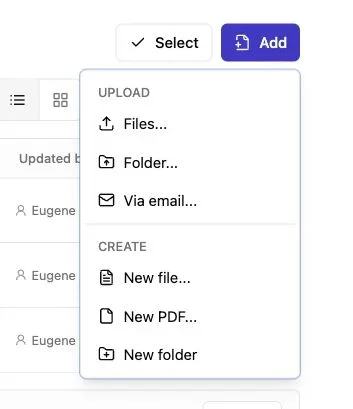
Note: Use the Add menu to upload files or a complete folder.
Once the PDF is ready, create a Revdoku bucket, the space behind your private link, for the ebook or a folder of supporting material.
-
Sign in to the Revdoku dashboard and create a new bucket.
-
Drag the prepared PDF into the bucket. If your resource includes worksheets, templates, or example files, upload the containing folder instead.
-
Add a reader-facing title. Use the real publication name, edition, and audience where useful. For example,
2026 Client Onboarding Guideis clearer thanOnboarding File. -
Briefly describe the resource and its audience. A useful description might say:
A private guide for Northwind consulting clients. Updated July 2026. -
Review the bucket contents before copying the link. Remove drafts and temporary exports.
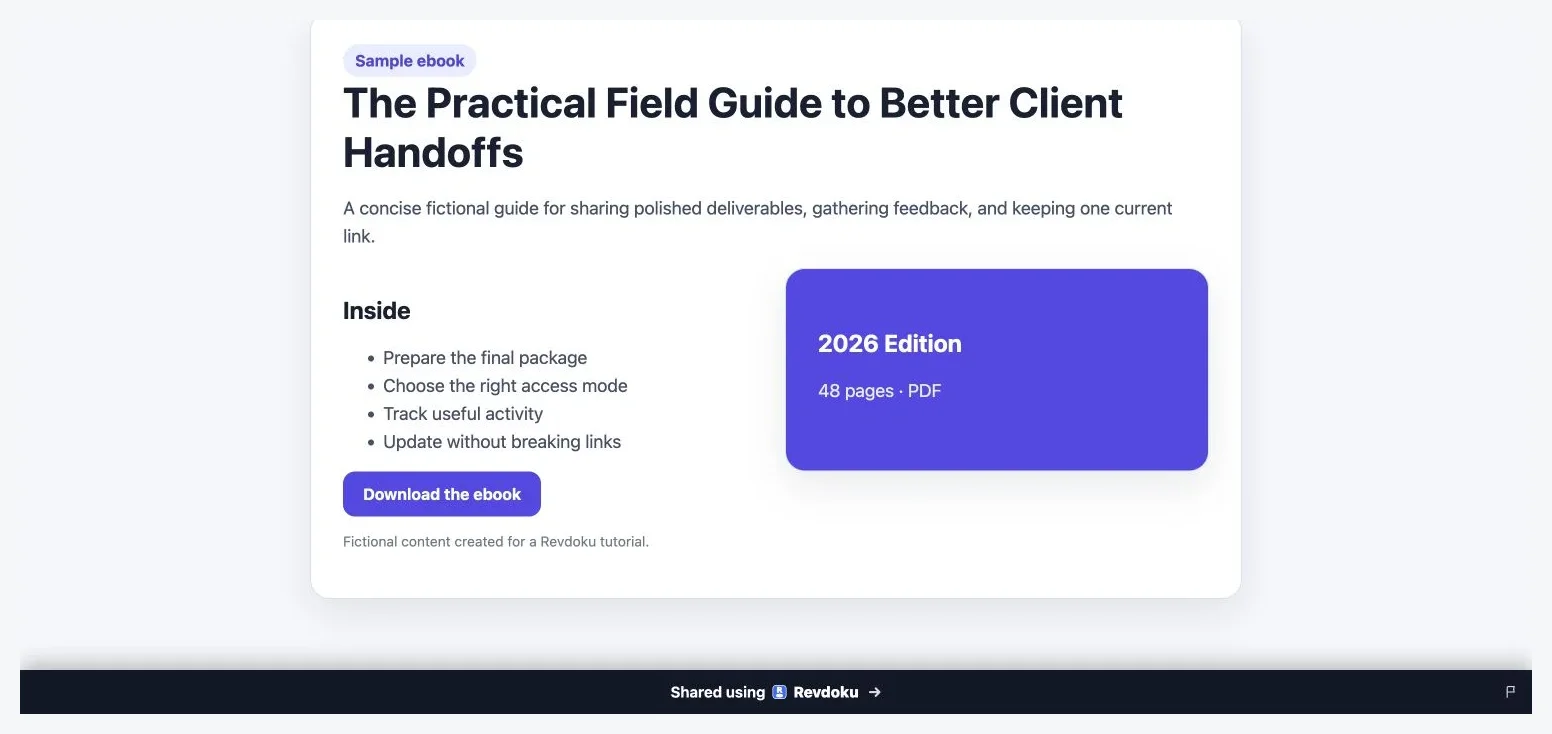
Use a clear title and description so readers know which ebook edition they are opening.
The title and description should assure readers that the ebook is genuine and current. Avoid putting the password in the description because that defeats the gate.
This setup also works for a freelancer’s brand guide, an agency’s campaign playbook and templates, or a founder’s investor briefing. Recipients reach current material through the same stable URL.
Choose How to Password Protect Ebook Access
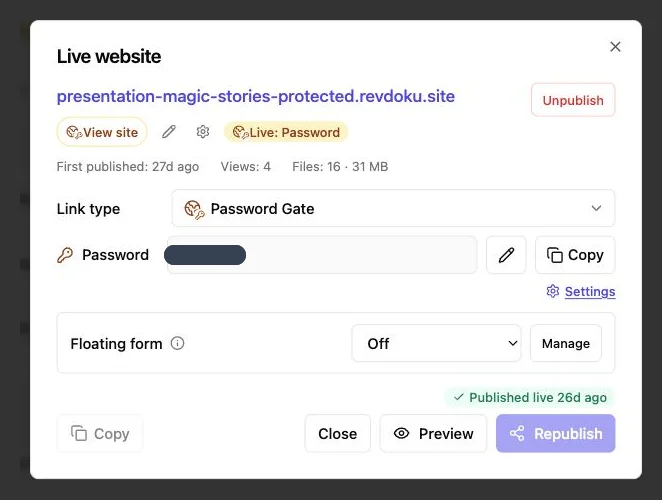
Revdoku lets you make the bucket public, password-protected, or gated behind an email. Controlled sharing usually requires a password or verified email.
| Access Method | Choose It When | Tradeoff |
|---|---|---|
| Password | A known group can use one shared secret | The password can be forwarded |
| Verified email | You want to identify individual readers or record leads | The reader must complete an extra step |
| Public | Access matters more than identity or secrecy | Anyone with the link may open it |
Password access is quick and familiar for small-group advance copies, temporary project handbooks, or live-workshop materials. If the same secret will be used by several people, tell them not to post it in a public channel.
A long passphrase is better than a short, clever password. Current NIST guidance requires at least 15 characters for passwords used as a single authentication factor and advises against arbitrary composition rules. A generated passphrase is easier to enter than jumbled punctuation.
For sensitive content, send the ebook link and password through separate channels. For example:
- Send the private ebook link by email.
- Send the passphrase through a trusted messaging app.
- Change the password if it is exposed or the reader group changes.
Choose verified email when identity matters, for example, to identify clients opening a paid manual, give students named access to licensed material, or time follow-up on a confidential strategy book.
Verified email also supports lead records and avoids distributing and rotating one password among many prospects.
Test Your Password-Protected Private Ebook Link
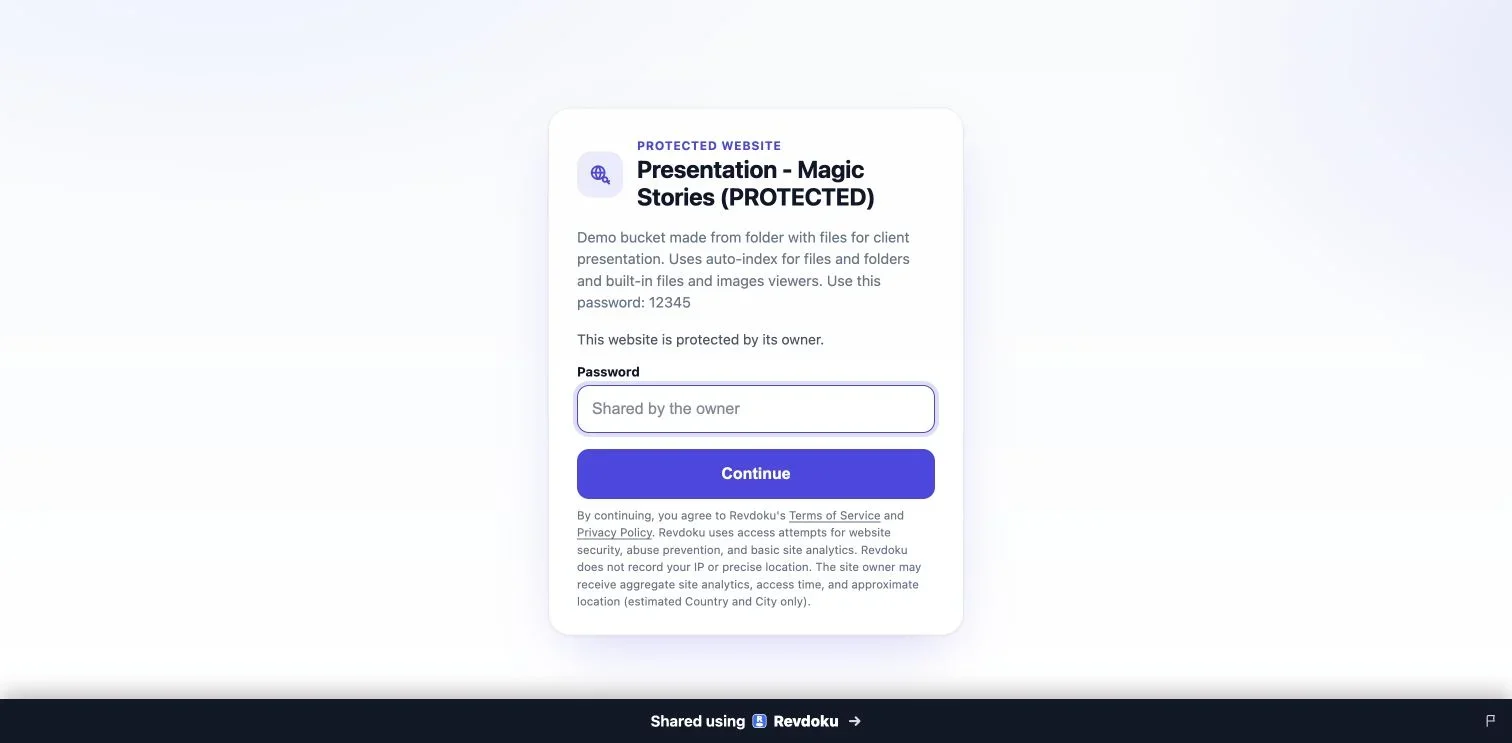
Note: Test protected links in a private browser window before sharing them.
Test protected links while signed out; an owner’s existing browser access does not reflect a first-time reader’s experience.
Run this test in a private browser window:
-
Paste the private ebook link into the address bar and confirm that the access gate appears before the content.
-
Enter an incorrect password. The response should be clear, and it should not expose the book.
-
Enter the correct password or complete the verified-email flow.
-
Read several pages, follow one link, and test the download action if downloads are available.
-
Repeat the test on a phone. Check page fit, text size, navigation, and load time.
-
Return to the owner dashboard and confirm that the visit and actions appear as expected.
The reader sees the password gate before protected content. The password is intentionally hidden in this documentation image.
Ask someone else to test for issues you may miss, such as an unclear title, mistype-prone password, or illegible mobile cover.
Briefly state what the link contains, who sent it, and whom to contact if access fails. A private ebook link feels more trustworthy when the surrounding email is specific rather than promotional.
Review Opens, Pages, Clicks, and Downloads
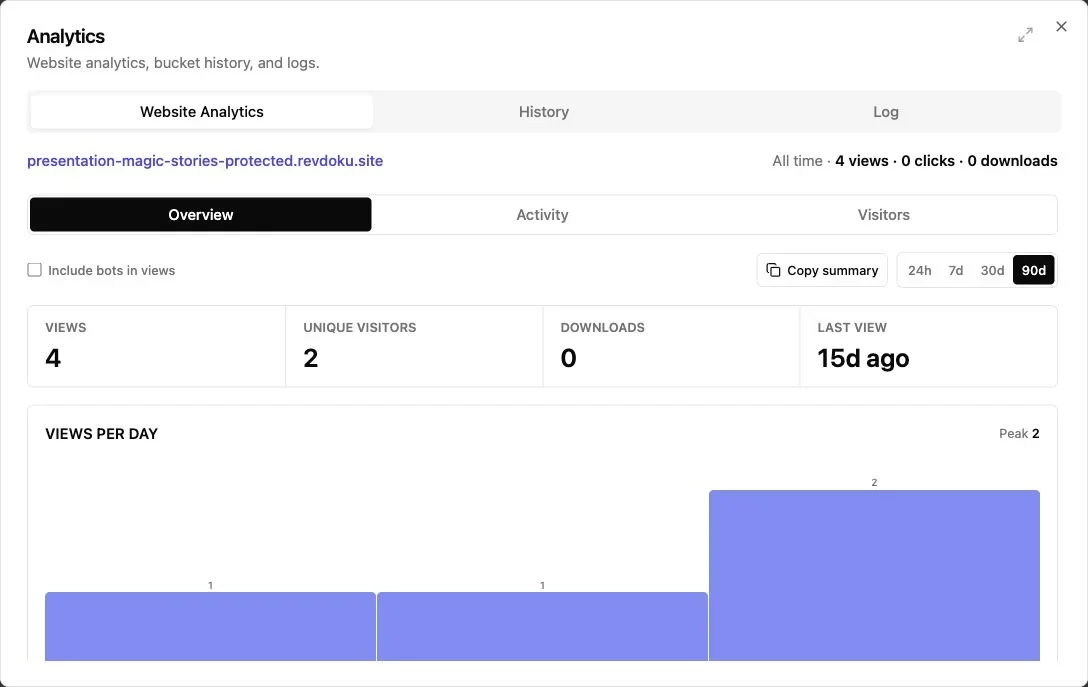
Note: The overview summarizes views, visitors, downloads, and recent activity.
After delivery, a protected link answers questions an attachment cannot. Revdoku can notify the owner when someone opens a protected link and show per-visitor activity such as pages viewed, clicks, and downloads. Verified-email access can also associate activity with a captured lead.
Use these signals carefully:
- Open notification: Confirms that the recipient reached the protected resource. It can help you avoid an unnecessary reminder.
- Pages viewed: Shows whether the visitor moved beyond the cover, although it does not prove careful reading.
- Clicks: Reveal interest in linked forms, supporting pages, or calls to action.
- Downloads: Indicate that a copy may now exist outside the hosted bucket.
- Repeat visits: Suggest renewed interest, reference use, or sharing within an authorized team.
Analytics are clues, not mind reading. Mentioning that someone paused on page 19 feels intrusive; use the data only to improve timing and relevance.
| Situation | What the Activity Suggests | Sensible Follow-Up |
|---|---|---|
| ARC reviewer opens but reads only the first pages | They may be busy or checking the file | Wait, then send a polite deadline reminder |
| Client reads the pricing chapter and clicks a contact link | Commercial questions may be forming | Offer a short call while the guide is fresh |
| Employee repeatedly returns to one policy section | The wording may be hard to apply | Add an example in the next handbook edition |
| Course buyer downloads the book but rarely returns | They may prefer offline reading | Do not treat low return activity as disengagement |
Open notifications can spare freelancers a Did you receive it? email, show agencies that stakeholders are reviewing a campaign guide, or help founders time answers about an investor briefing. These signals do not prove intent, but they beat silence.
Explain why you collect verified emails and use them only as stated. Access data may be personal data under privacy laws or client agreements. Retain only what you need and avoid placing highly sensitive information in titles or descriptions.
Replace the File Without Re-Sending the Link
Unlike an email attachment, a stable private link lets you replace the existing bucket file after correcting a typo, adding a chapter, or publishing a policy. The original link then opens the current edition.
Use a simple release process:
- Update the edition number and date inside the PDF.
- Export and test the new file locally.
- Replace the old file in the existing bucket.
- Open the live link in a private browser window.
- Confirm the new cover, page count, links, and download behavior.
- Notify readers when the changes affect their decisions or obligations.
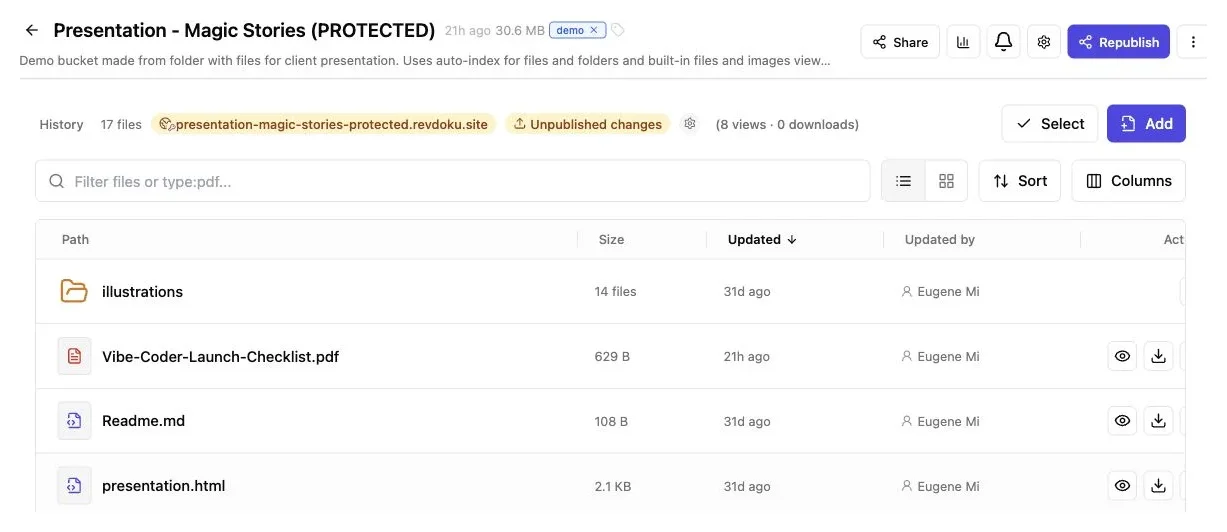
Replace the older edition inside the same bucket, review the file list, and republish at the existing URL.
Replacement cannot recall downloaded copies. For serious corrections, add a visible notice to the new edition and contact known recipients, a key limit of controlled sharing without DRM.
| Revdoku Is | Revdoku Is Not |
|---|---|
| Hosting for documents, files, demos, and presentations | A DRM system that controls every copy or device |
| A way to password-protect ebook access at a live link | An ebook marketplace for public discovery |
| A way to gate access by verified email | A payment processor or shopping cart |
| A place to review visitor and download activity | Proof that every viewed page was understood |
| A stable delivery link that can receive a new edition | A tool that erases previously downloaded files |
For paid resources, use your commerce platform, then deliver the protected Revdoku link through your approved process. For automated fulfillment at scale, the optional API or CLI can connect publishing steps. A solo consultant can simply upload the file, set access, and copy the link.
Common mistakes include:
- Uploading a draft that still contains comments
- Sending the password in the same public message as the link
- Using one password forever for unrelated reader groups
- Forgetting to test the verified-email flow while signed out
- Treating a page view as proof of agreement or comprehension
- Replacing the PDF without changing its visible edition date
Final Thoughts
To share a password-protected ebook, separate the book from its delivery message. Place a readable PDF in a Revdoku bucket, add a clear title and description, choose a password or verified-email gate, and test the link as a new reader.
Use notifications and visitor activity to guide follow-up, and replace new editions at the same link.
This approach offers more control than an attachment without claiming to be DRM. Revdoku handles private hosting and delivery, while your marketplace, payments, contracts, and reader relationships remain separate, a practical division for most client guides, handbooks, advance copies, and educational PDFs.
Ask ChatGPT to check ebook access
Before sharing the link, ChatGPT can ask Revdoku which access mode is active for the bucket. Use this as a quick check for public, password, or email-gated publishing.
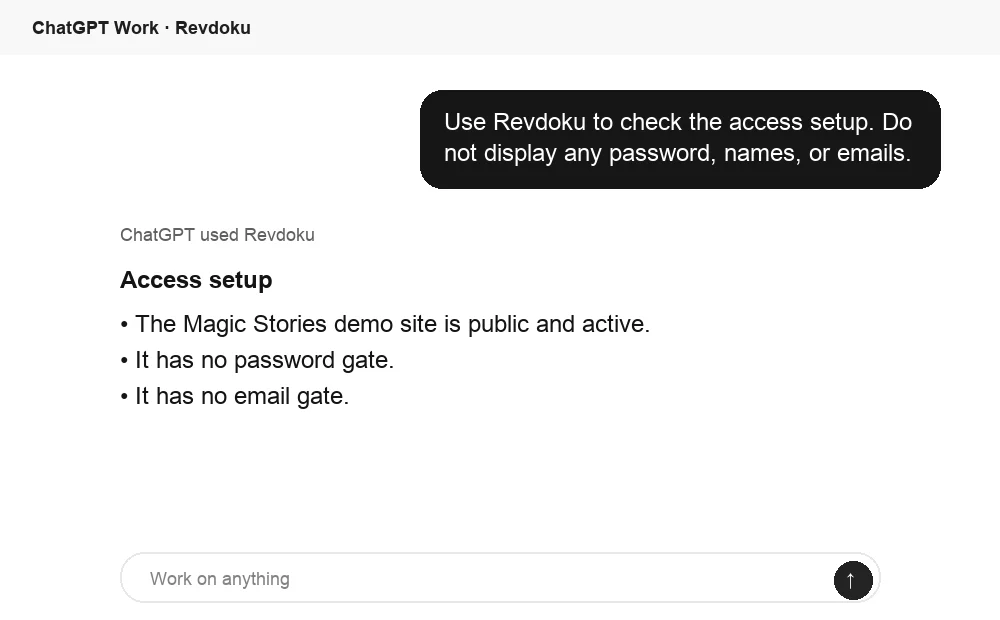
Frequently asked questions
Should I protect the ebook with a password or verified email?
Use a password when a small, trusted group can share one passphrase. Choose verified email when you need to identify individual readers, manage paid or licensed access, or connect activity to specific recipients.
Does a password-protected link prevent readers from copying or sharing the ebook?
No. The gate controls access to the hosted ebook, but an authorized reader may still download, photograph, or reproduce it. Content requiring device restrictions, licensing enforcement, or remote revocation needs a dedicated DRM system.
What should I check before uploading my PDF?
Verify the page order, links, searchable text, image quality, metadata, and mobile readability. Remove comments, hidden pages, revision notes, and other sensitive material, then add a clear edition date and filename.
How should I send the ebook link and password securely?
Send the private link through one channel and the passphrase through another trusted channel, such as email and a messaging app. Use a long, generated passphrase, and change it if it is exposed or the authorized reader group changes.
How can I confirm that readers will be able to access the ebook?
Open the link in a private browser window while signed out, test both incorrect and correct credentials, and try reading, clicking links, and downloading. Repeat the test on a phone and confirm that the expected activity appears in the owner dashboard.
What can ebook activity analytics reliably tell me?
Opens, page views, clicks, downloads, and repeat visits can help you judge delivery and plan relevant follow-up. They do not prove that someone read carefully, understood the material, or agreed with its contents, so treat them as signals rather than conclusions.
What happens when I replace the ebook with a new edition?
The existing private link can display the updated file, so readers do not need a new URL. Previously downloaded copies cannot be recalled, so update the visible edition date and directly notify recipients when a revision affects their decisions or obligations.
Related Articles
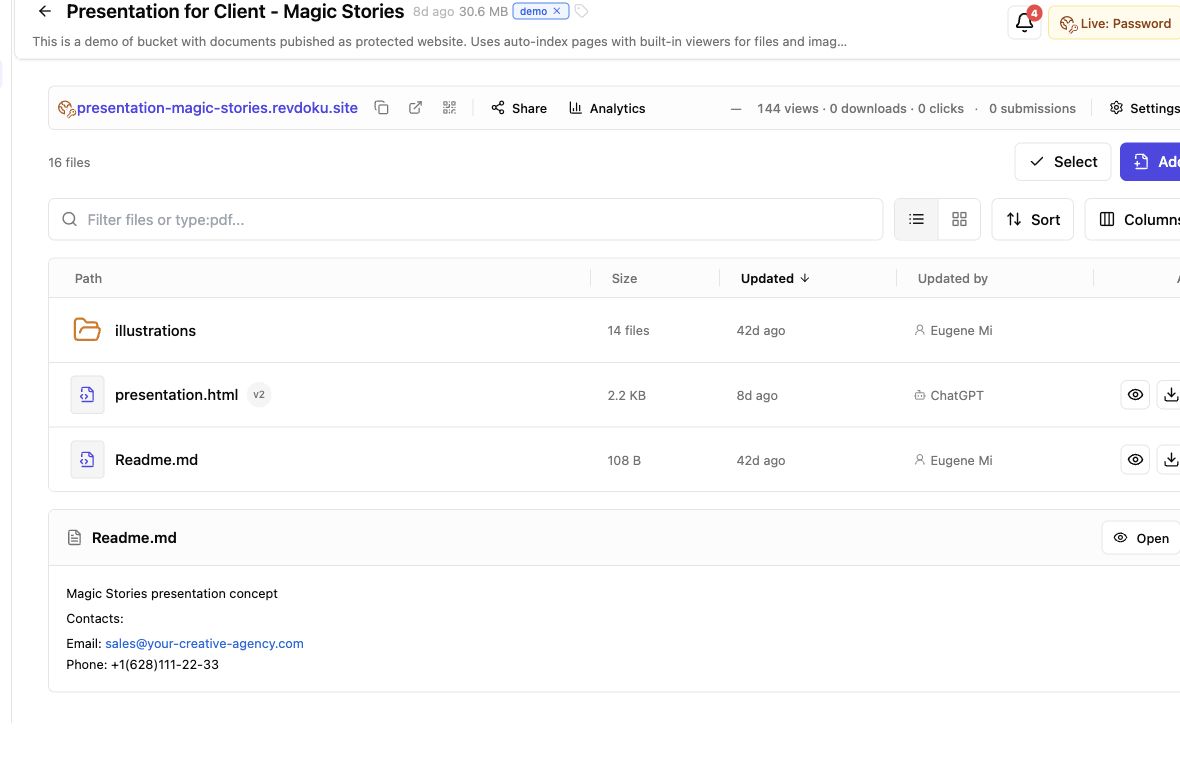
Secure File Sharing for Clients: A Practical Guide
Learn how to securely share client files, control access, manage versions, collect feedback, and track engagement with one link.
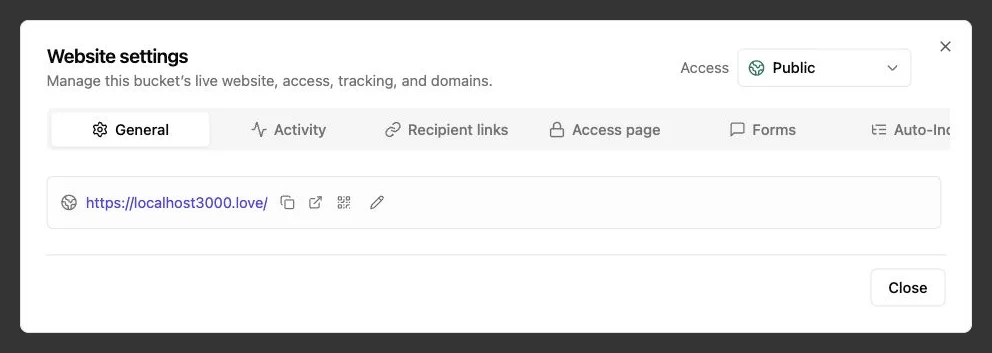
Password Link vs Public Link: Secure Sharing Guide
Compare public, password-protected, and verified email links to choose the right security, visitor tracking, and sharing experience.
How to Password Protect a Website Securely
Learn how to protect websites, static pages, files, and client work with server-side passwords, verified email, and secure access controls.