Follow Up After Someone Opens a Protected Revdoku Site
Protected publishing is most valuable after the link is shared. Revdoku gives owners three follow-up surfaces, visitor activity settings, traffic analytics, and visitor-level analytics, that together show whether a protected report, dashboard, or file bundle was actually opened.
1. Configure activity tracking
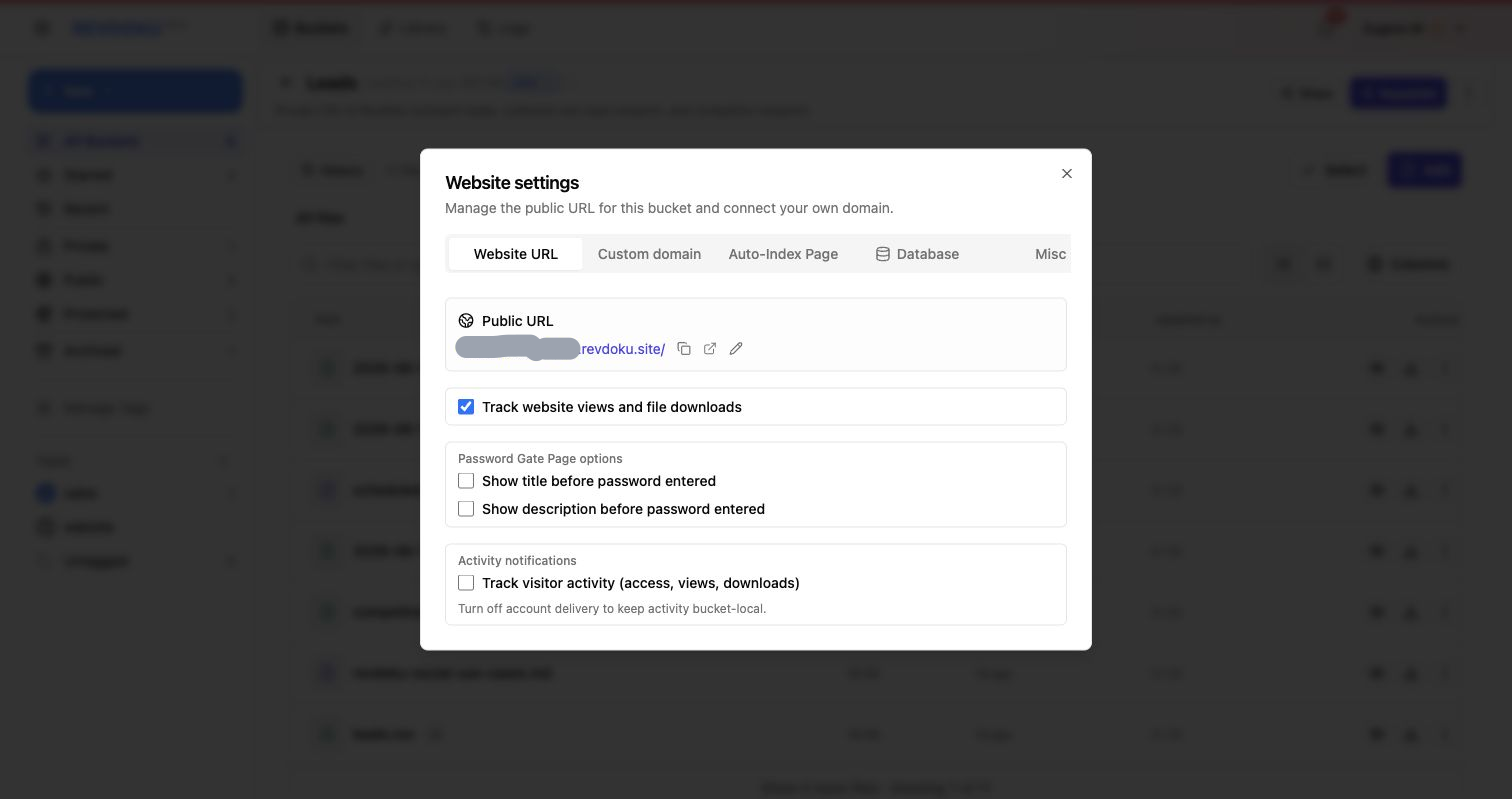
Use Website settings on the Website URL tab to review website views, file downloads, password gate display, and visitor activity tracking. This is your control surface before the link is shared.
2. Use Traffic for the site-level story
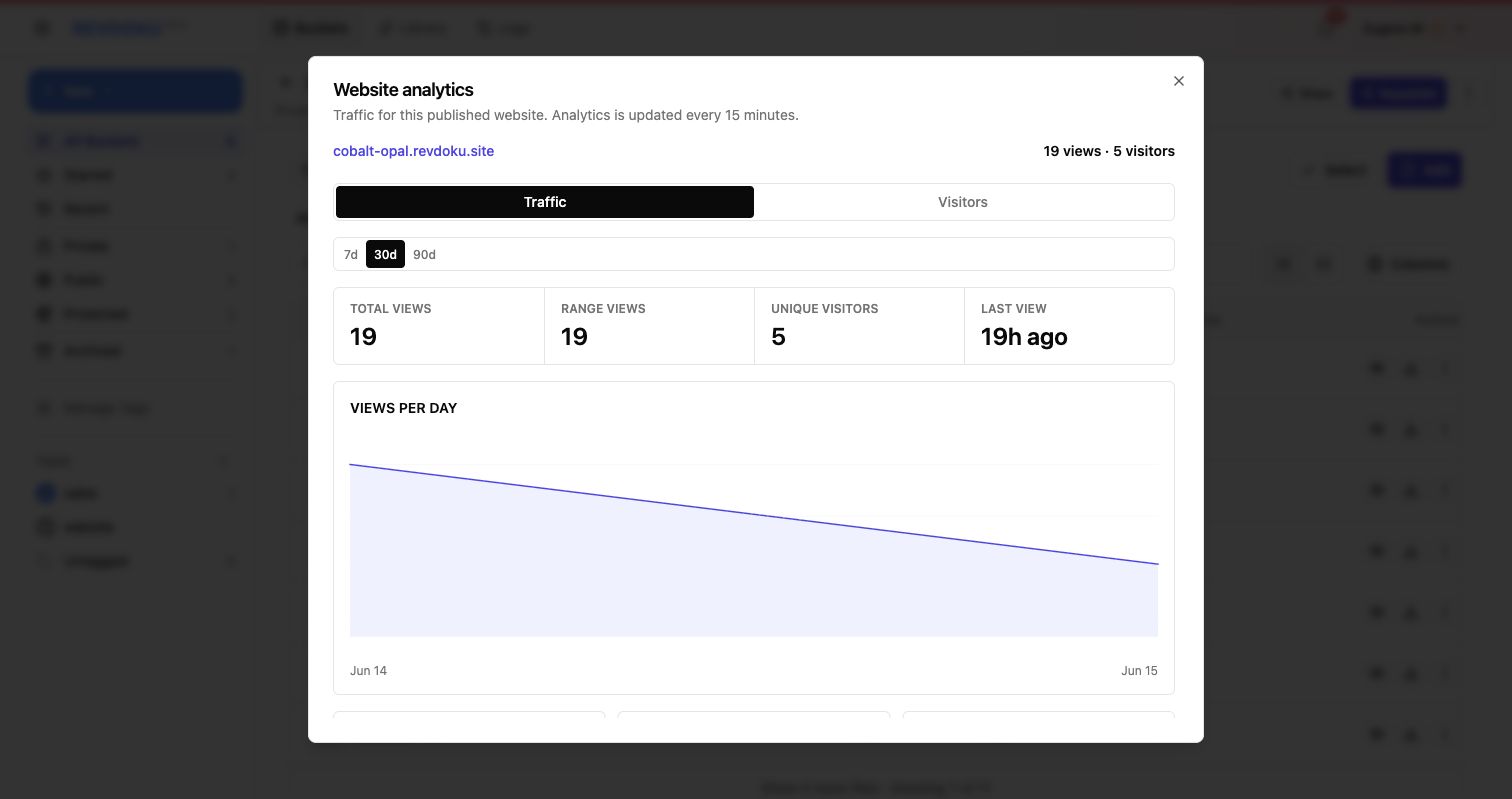
The Traffic tab shows totals, top pages, sources, countries, errors, bot traffic, and outbound links. Use this view when you want to know what content was most active.
3. Use Visitors for password-only sites
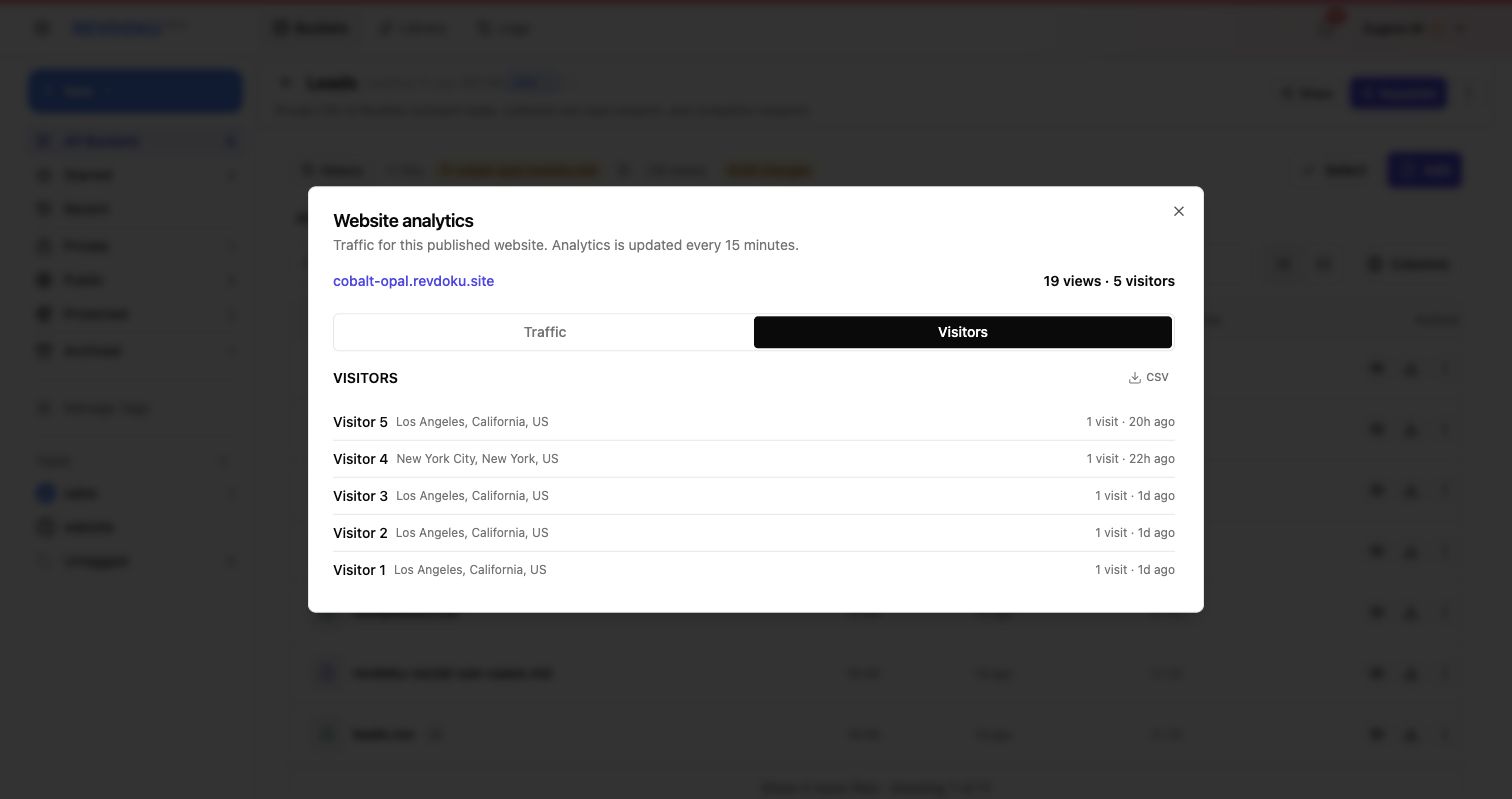
For password-only sites, visitor analytics show recent visitors, visit timing, and approximate location. This confirms activity without collecting email addresses.
4. Use Visitors for email-gated sites
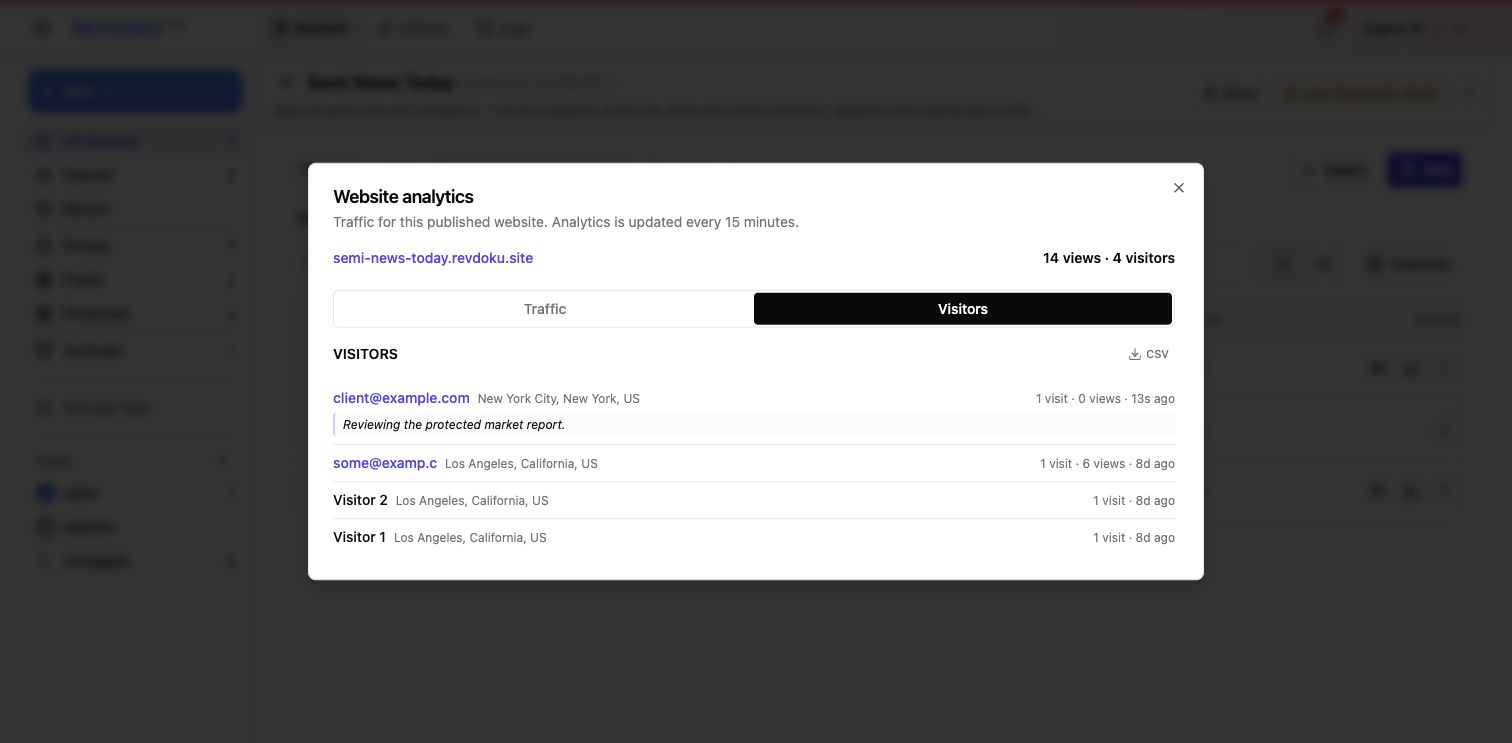
For password plus email sites, Revdoku can show the submitted email address with visit count, view count, location, timing, and the optional comment from the gate.
5. Review visitor context
The Visitors tab summarizes visitor context directly. Use the email, location, visit timing, and comment together with Traffic top pages to guide your follow-up.
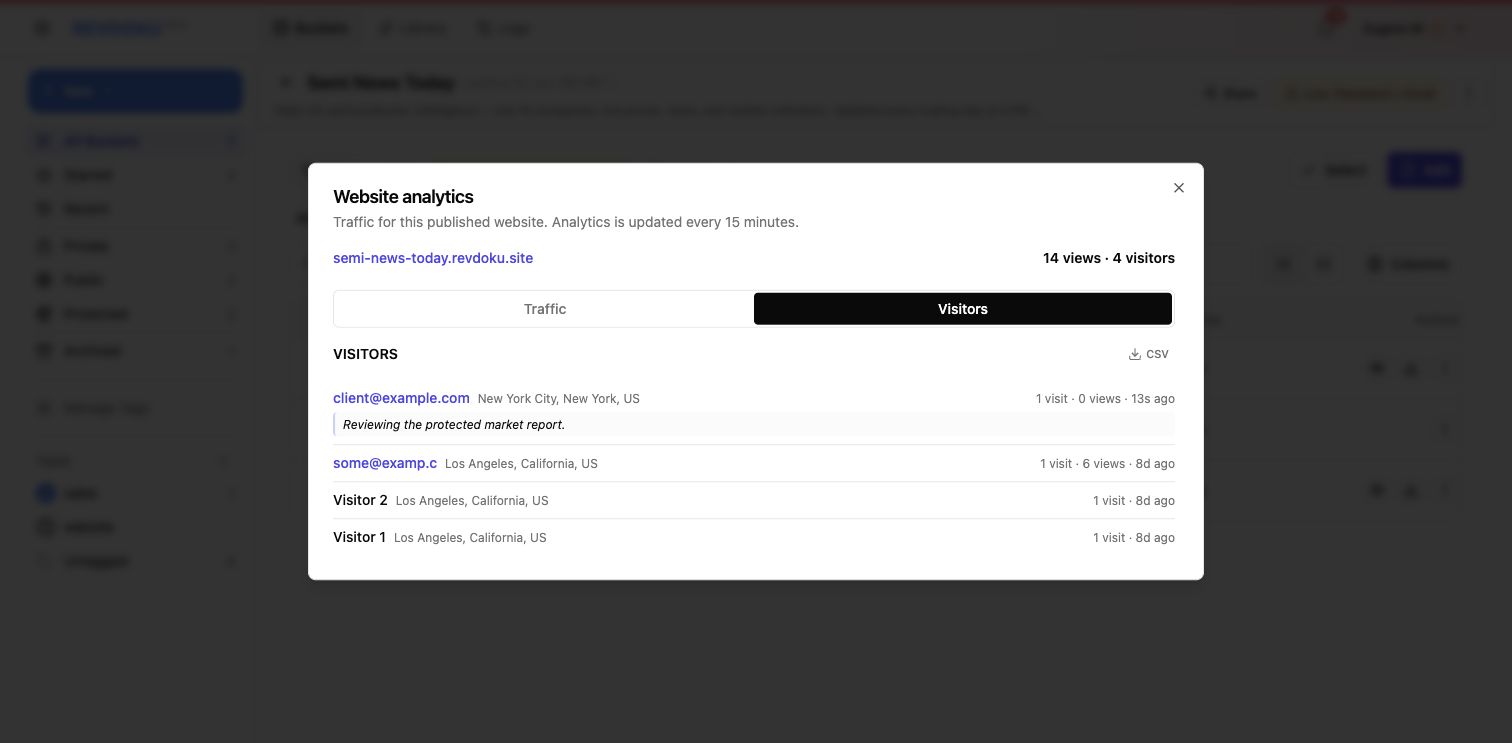
6. Pair traffic and visitor views
Use traffic analytics to understand aggregate interest, then use visitor analytics to decide who needs a follow-up message.
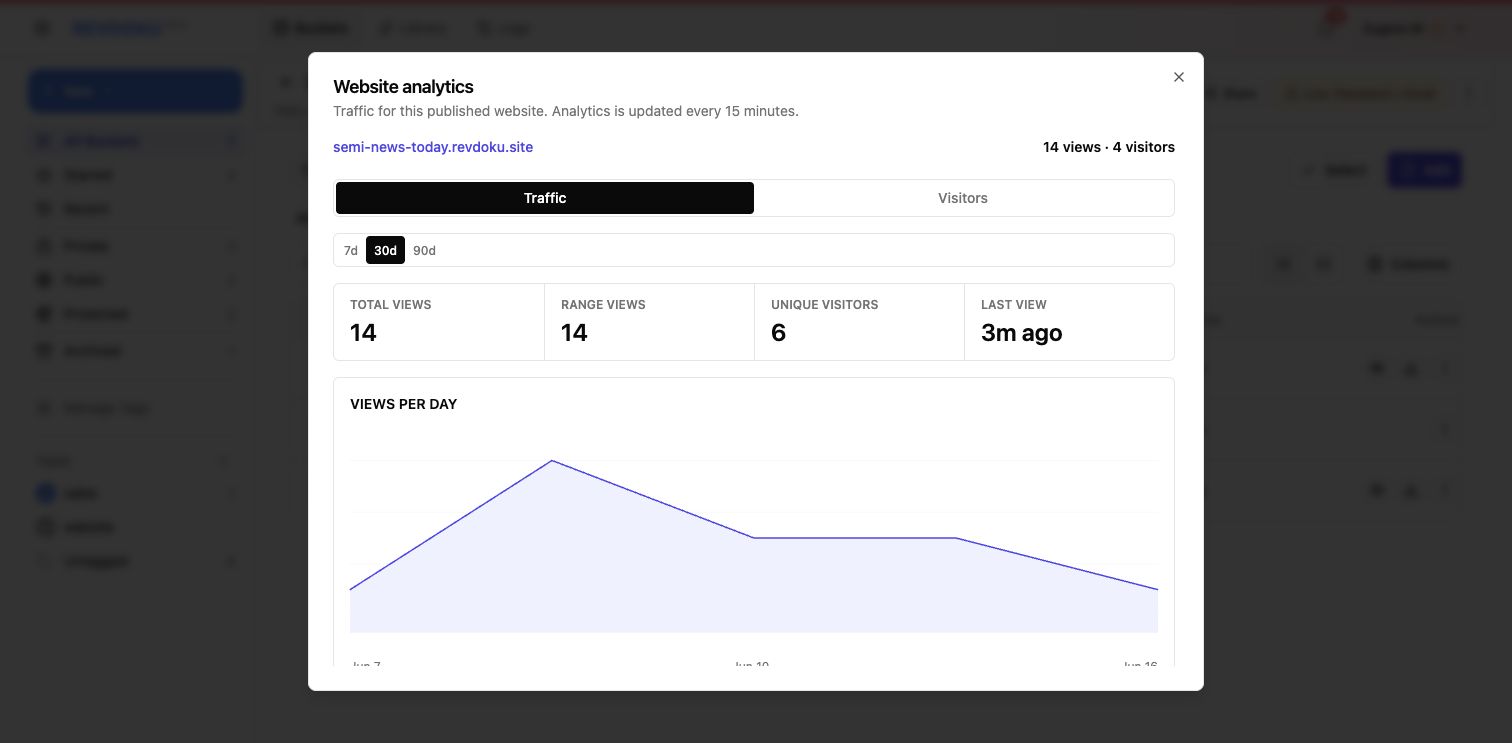
7. Ask ChatGPT for the follow-up signal
If ChatGPT is connected to Revdoku, you can ask for a short analytics summary before writing the follow-up. Use that summary to decide whether to send a reminder, answer a likely question, or wait.
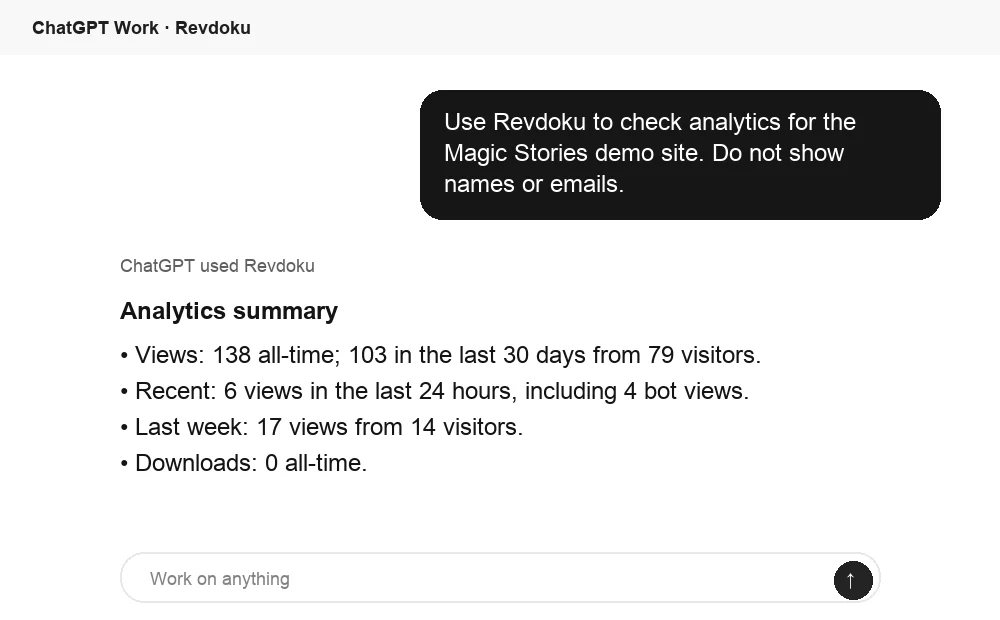
A simple follow-up workflow
- Share the protected site link.
- Review visitor activity tracking before launch.
- Review Traffic after analytics update.
- Open Visitors to see anonymous password visitors or submitted email identities.
- Export CSV if you need a list for CRM or outreach.
- Ask ChatGPT to summarize the Revdoku analytics when you want a quick follow-up cue.
Revdoku is not just “share files behind a password.” It is “publish a protected website and know what happened after the link was opened.” Create a free Revdoku account to publish a protected site and follow up with the people who open it.
Related Articles
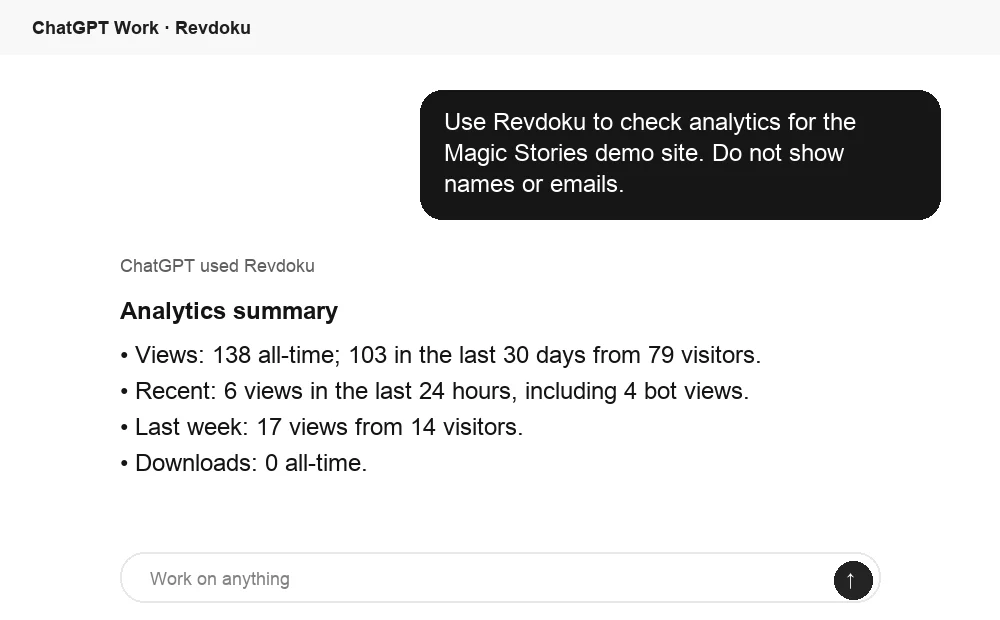
How to Track Who Opened a Link Accurately
Learn how public, password, tagged, and verified email links track opens, identify visitors, and measure engagement accurately.
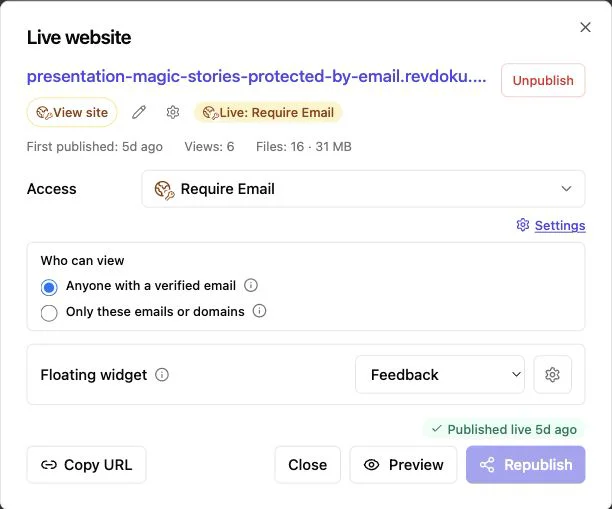
Website Visitor Identification with Verified Email
Identify verified viewers of shared proposals, reports, and demos while keeping anonymous website traffic private.
Password Plus Email Visitor Analytics in Revdoku
Use password plus email access to identify visitors and attribute website access to submitted email addresses.