Are Grok Share Links Public and Indexed by Google?
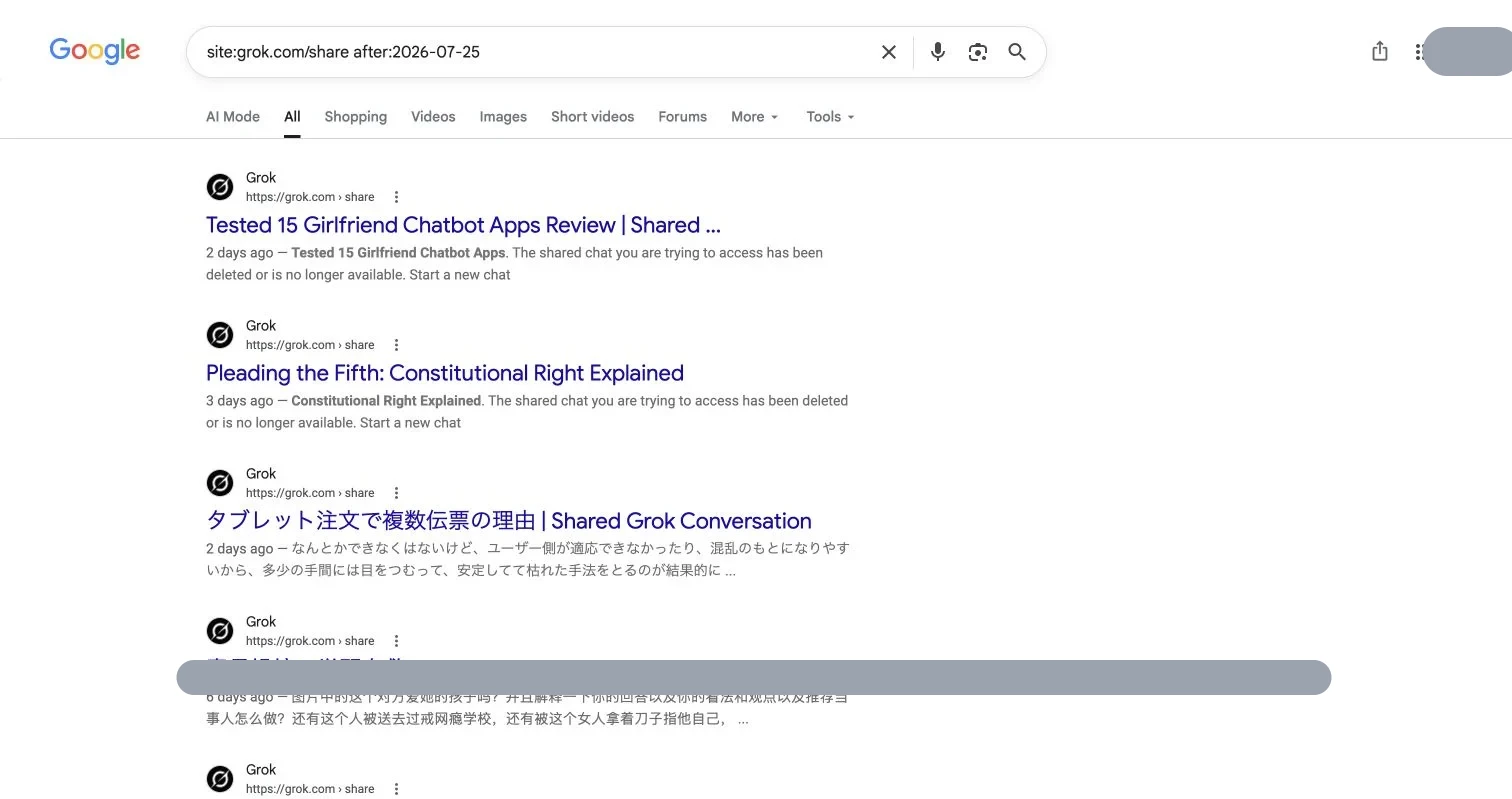
A public Grok share link, and the chats it exposes, can travel farther than its creator expected. On August 1, 2026, a Google search of Grok’s share-link path surfaced individual shared conversations, including pages Google labeled only a few days old.
TL;DR: Google does not index every Grok share link but can surface public Grok chats. Treat “anyone with the link” as public, especially after posting the link on a website, forum, social network, or other crawlable page.
Check whether public Grok chats appear in Google
site:grok.com/shareFor recent results, add a date. These examples use the seven- and fourteen-day windows checked on August 1, 2026:
site:grok.com/share after:2026-07-25
site:grok.com/share after:2026-07-18
Update the date for each audit. You can also narrow results with a phrase from the conversation:
site:grok.com/share "distinctive phrase"In our seven-day site:grok.com/share test, Google returned multiple recent Grok share pages. We covered conversation titles and excerpts in light gray to avoid republishing someone else’s text.
Date filters are clues, not a complete inventory; results may be delayed, omitted, or stale. A result may retain an old title or snippet after its destination is removed.
What xAI says about Grok privacy and share links
The xAI Consumer FAQ says that Grok’s Share control creates a public share link. It warns that a publicly posted link may be indexed by a search engine such as Google.
The FAQ gives removal steps: sign in to Grok, open grok.com/share-links, and choose Remove beside a link you want to revoke.
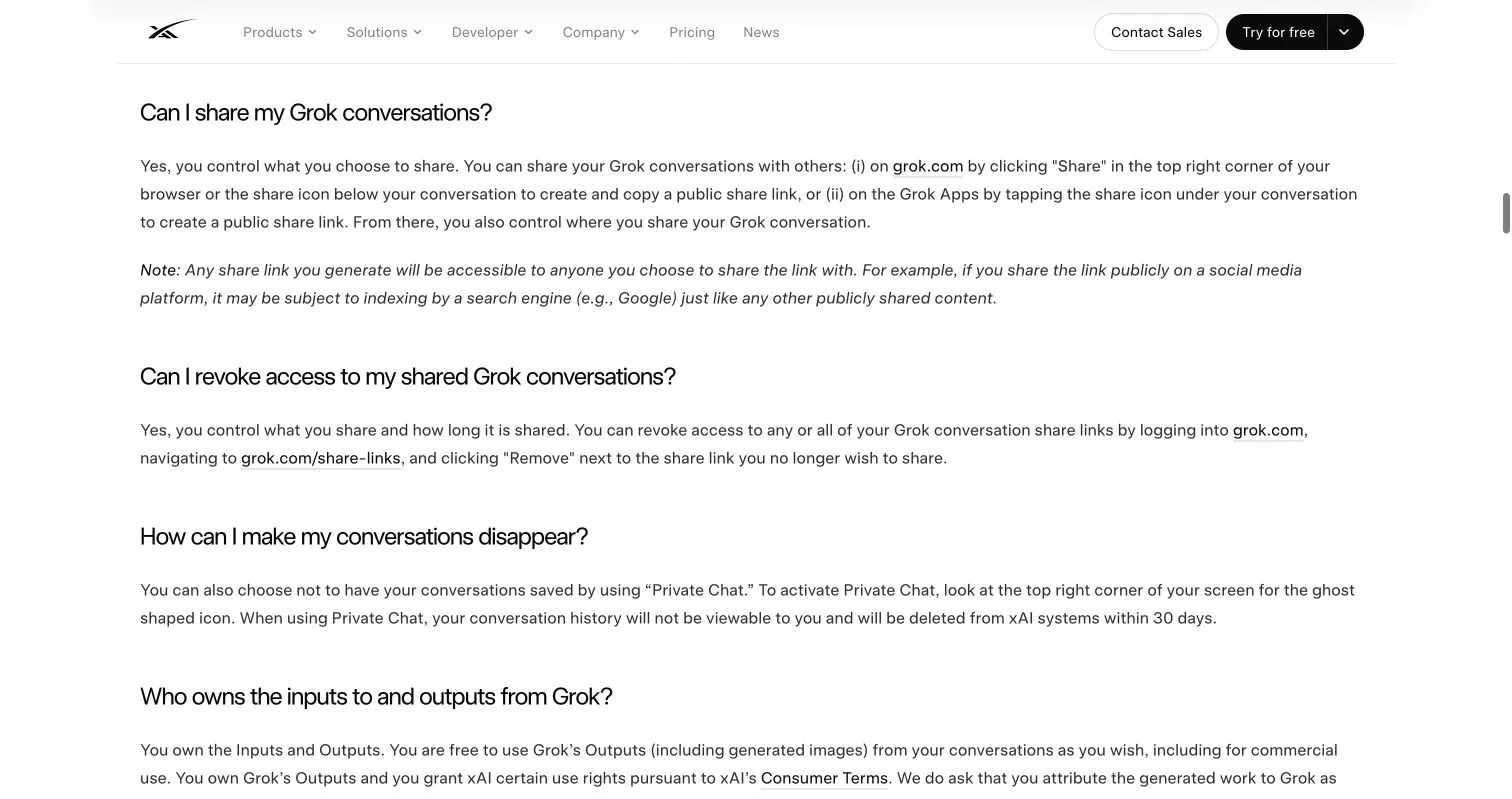
Remove Grok share link access
- Sign in at grok.com.
- Open grok.com/share-links.
- Review all links, including forgotten ones.
- Select Remove beside the link to revoke.
- Confirm in a private window that the old URL no longer reveals the conversation.
- Repeat your Google searches after Google recrawls the page.
Removing the link prevents new access but cannot retrieve text or screenshots already copied. Google may temporarily show a stale result after the page is gone.
For conversations that should not be saved, xAI documents Private Chat. The FAQ says Private Chat conversations do not appear in your history and are deleted from xAI systems within 30 days, subject to stated exceptions.
Run a quick Grok privacy audit
- Search the share path with
site:grok.com/share. - Add a quoted project name, client name, filename, or unusual sentence.
- Check seven- and fourteen-day windows.
- Review grok.com/share-links, even if Google shows nothing.
- Remove unneeded links.
- Assume copied material may remain outside Grok after access is revoked.
Share an AI-built page without making it public
Sometimes you want to publish the work, but not to the whole web. Revdoku can publish an exported artifact, folder, PDF, report, or small website with password or verified-email protection, blocking Google’s public access.
You can also:
- allow only specified email addresses;
- receive visitor notifications and review activity;
- replace a PDF or file without changing the link;
- keep one client-facing URL while the deliverable evolves.
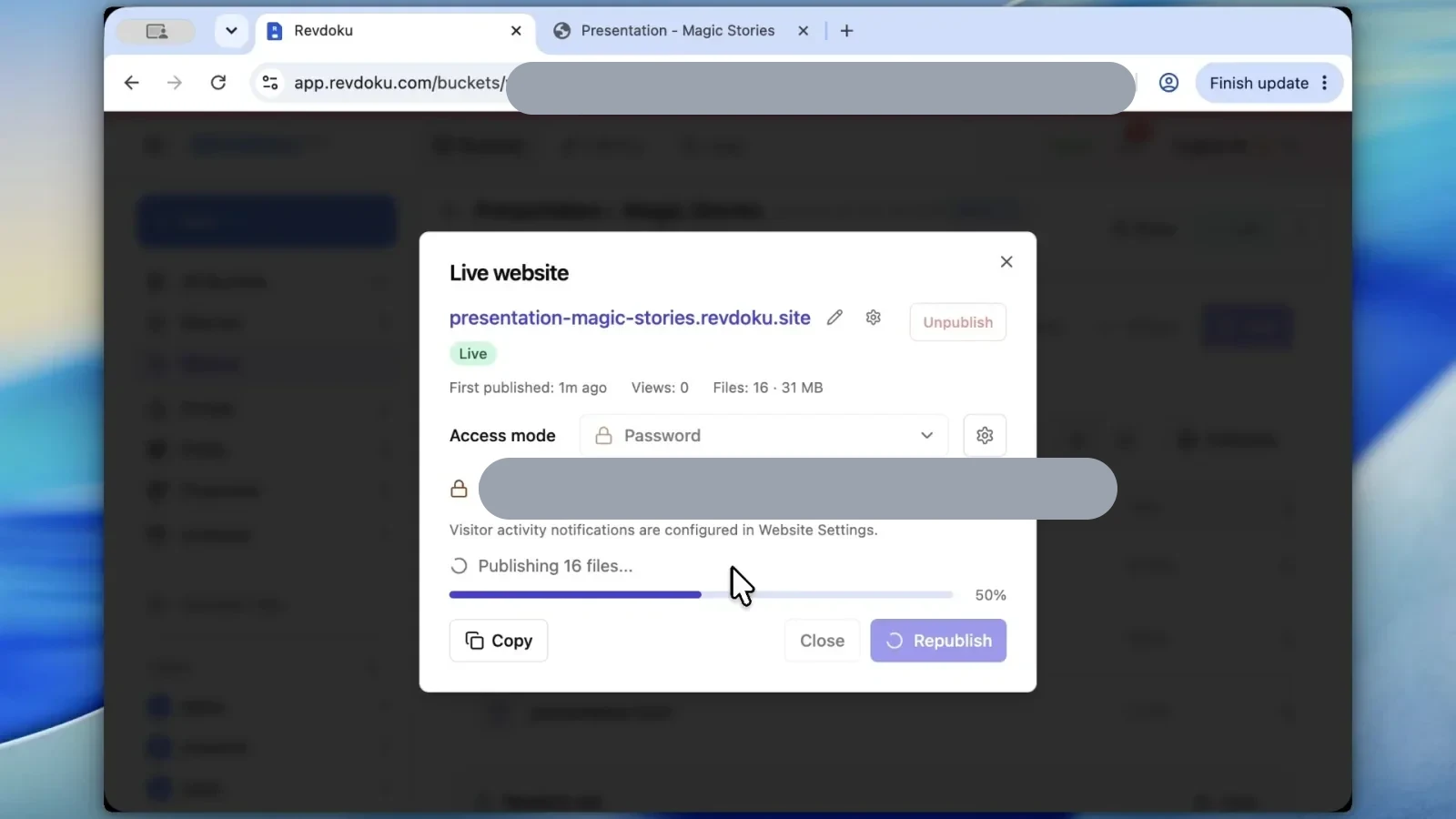
This suits client work, internal previews, paid resources, or information you would not paste into a public post. The free trial requires no card.
The practical Grok privacy rule
A Grok share link is convenient but public. Before creating one, remove personal data, unpublished business details, credentials, customer material, and private files. For a limited audience, use access controls from the start instead of erasing a public link later.
Frequently asked questions
Can a public Grok share link appear in Google Search?
Yes. Google can index and display public Grok conversations, particularly when their links appear on crawlable websites, forums, or social networks. Not every shared conversation will appear, and indexing may be delayed or incomplete.
How can I check whether my Grok conversation is searchable?
Search Google for site:grok.com/share, optionally adding a distinctive quoted phrase, project name, or client name from the conversation. You can also add an after:YYYY-MM-DD filter to look for recently indexed pages, but Google results are not a complete inventory.
How do I revoke access to a Grok share link?
Sign in to Grok, open grok.com/share-links, and select Remove beside the relevant link. Then test the old URL in a private browser window to confirm that the conversation is no longer accessible.
Will removing a Grok share link immediately erase it from Google?
Not necessarily. Google may continue showing an outdated title or snippet until it recrawls the URL, even after the conversation becomes inaccessible. Recheck the search results later to confirm that the listing has disappeared.
Can removing a share link recover copies others already made?
No. Revoking the link prevents future access through that URL, but it cannot remove text, downloads, or screenshots that other people previously saved or redistributed. Avoid including sensitive material before creating a public link.
Does Grok Private Chat prevent conversations from being shared publicly?
Private Chat is intended for conversations that should not remain in your history. According to xAI, these chats are deleted from its systems within 30 days, subject to stated exceptions, but you should still avoid entering credentials or highly sensitive information.
What should I use when only specific people should see an AI-generated page or file?
Use a publishing service with access controls such as a password or verified-email allowlist. This is more appropriate for client work, internal previews, paid resources, and evolving deliverables than relying on an unrestricted share link.
History
- August 1, 2026 — Published by Revdoku Content Team
- August 1, 2026 — Reviewed by Eugene Mi
- August 1, 2026 — Last updated by Revdoku Content Team.
Related Articles

GitHub Pages Password Protection and Privacy
Learn why private repositories do not protect Pages sites and compare secure access options for internal teams and external clients.

How to Password Protect a Vercel Deployment
Learn how to secure Vercel deployments with password protection, authentication, trusted access, or protected Revdoku hosting.

How to Password Protect a Website Made with Claude
Learn how to export, secure, publish, and test a Claude-made website using password protection or verified-email access.