Are ChatGPT Shared Links Public or Google-Indexed?
Table of Contents
TL;DR: A ChatGPT shared link is public to anyone with its URL, but Google will not reliably list every shared conversation.
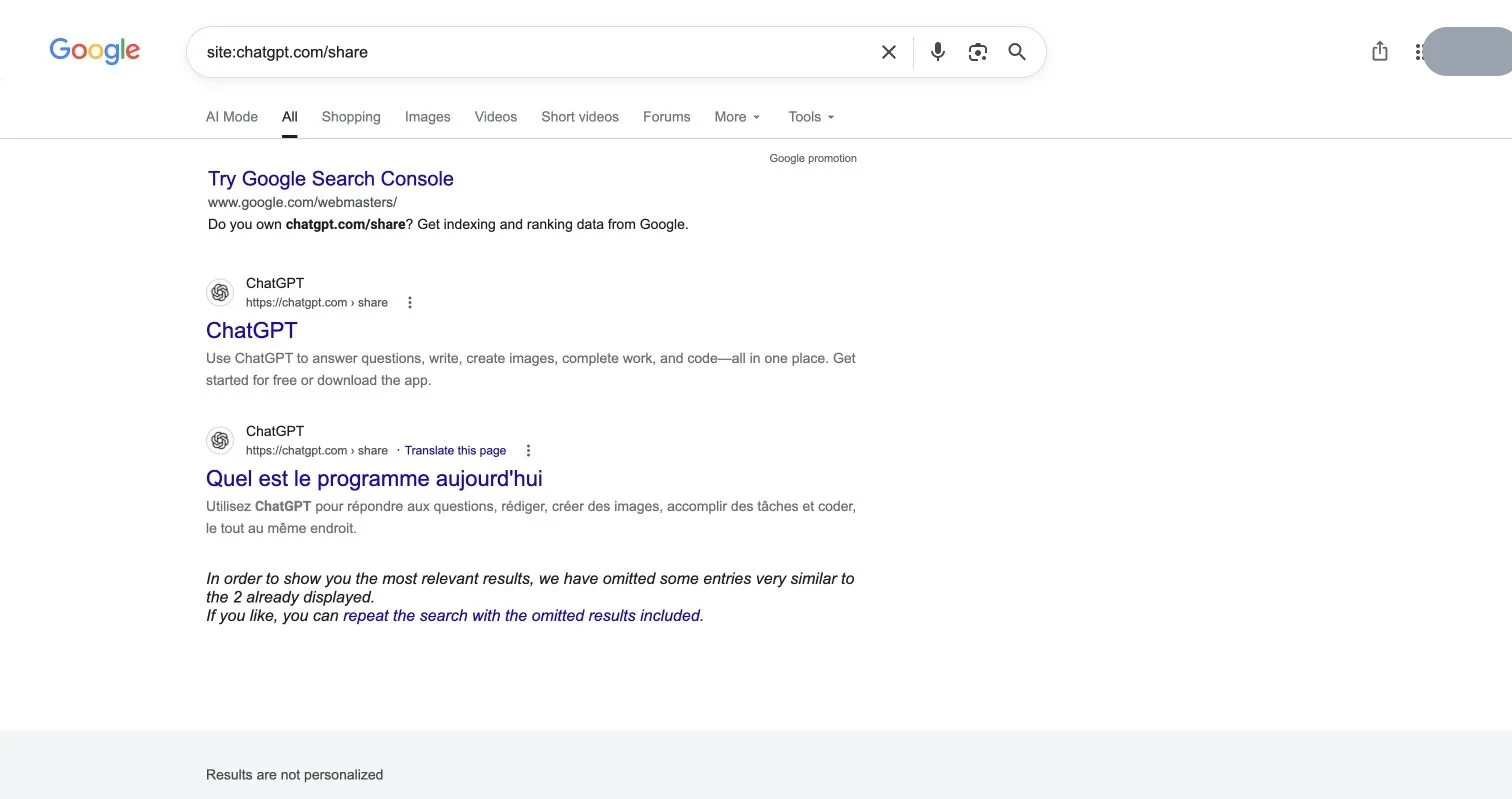
On August 1, 2026, we searched Google using ChatGPT’s shared-link path. The first results were generic /share pages, not a dependable list of individual conversation-ID pages, unlike the many individual Grok share pages returned by the equivalent search that day.
ChatGPT shared links are public by link, but search visibility is currently inconsistent. Never rely on search results alone for inventory.
Check ChatGPT shared links on Google with site:chatgpt.com/share
Start with:
site:chatgpt.com/shareThen search a phrase unique to your conversation:
site:chatgpt.com/share "distinctive phrase"
site:chatgpt.com/share "Exact conversation title"
For recent results, add a date:
site:chatgpt.com/share after:2026-07-25Adjust the date for your audit. Google results vary over time and by query. Our first page showed generic share pages, not a reliable directory of individual ChatGPT shared conversations.
Clean results do not prove privacy. A shared URL can still be opened, forwarded, logged, pasted elsewhere, or indexed later.
What OpenAI says about ChatGPT shared link privacy
According to OpenAI’s Shared Links FAQ, shared URLs normally begin with:
https://chatgpt.com/share/<conversation-ID>Anyone with the link can view the conversation, and regular shared links currently lack granular permissions and expiration dates. The shared page captures the conversation when shared, though the owner can update the link from the Share modal.
So control access even when Google does not show the page.
Manage ChatGPT shared links: find and delete public URLs
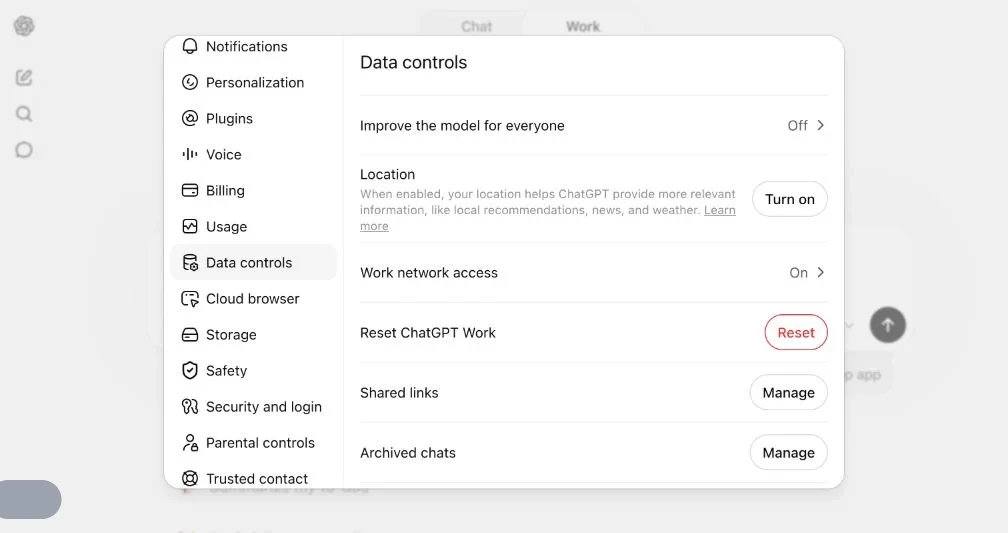
The most reliable inventory is in ChatGPT:
- Open your profile menu.
- Select Settings.
- Open Data controls.
- Find Shared links and select Manage.
- Delete an individual ChatGPT shared link or delete all shared links.
- Test the old URL in a private browser window.
According to OpenAI’s FAQ, deleting the original conversation also deletes its shared link; deleting only the link keeps the chat in your history.
One limit: deleting your link does not delete a copy someone imported into their own ChatGPT history. Removing access blocks future visitors but cannot recall copied content.
A quick ChatGPT shared link privacy audit
- Open Settings > Data controls > Shared links > Manage.
- Review the complete list instead of trusting memory.
- Search Google with the share path and a distinctive quoted phrase.
- Delete links that no longer need to be public.
- Open each removed URL in a private window to confirm access is gone.
- Treat any already copied content as outside your control.
Publish with access controls instead
For an AI-generated report, exported HTML artifact, PDF, prototype, or small website shared with a client, a public-by-link chat may be the wrong container.
Revdoku can publish the deliverable behind a password or verified-email gate. Protected pages are unavailable to Google as public content. You can receive visitor notifications, review activity, limit access to specified email addresses, and update a PDF or other file without changing the link.
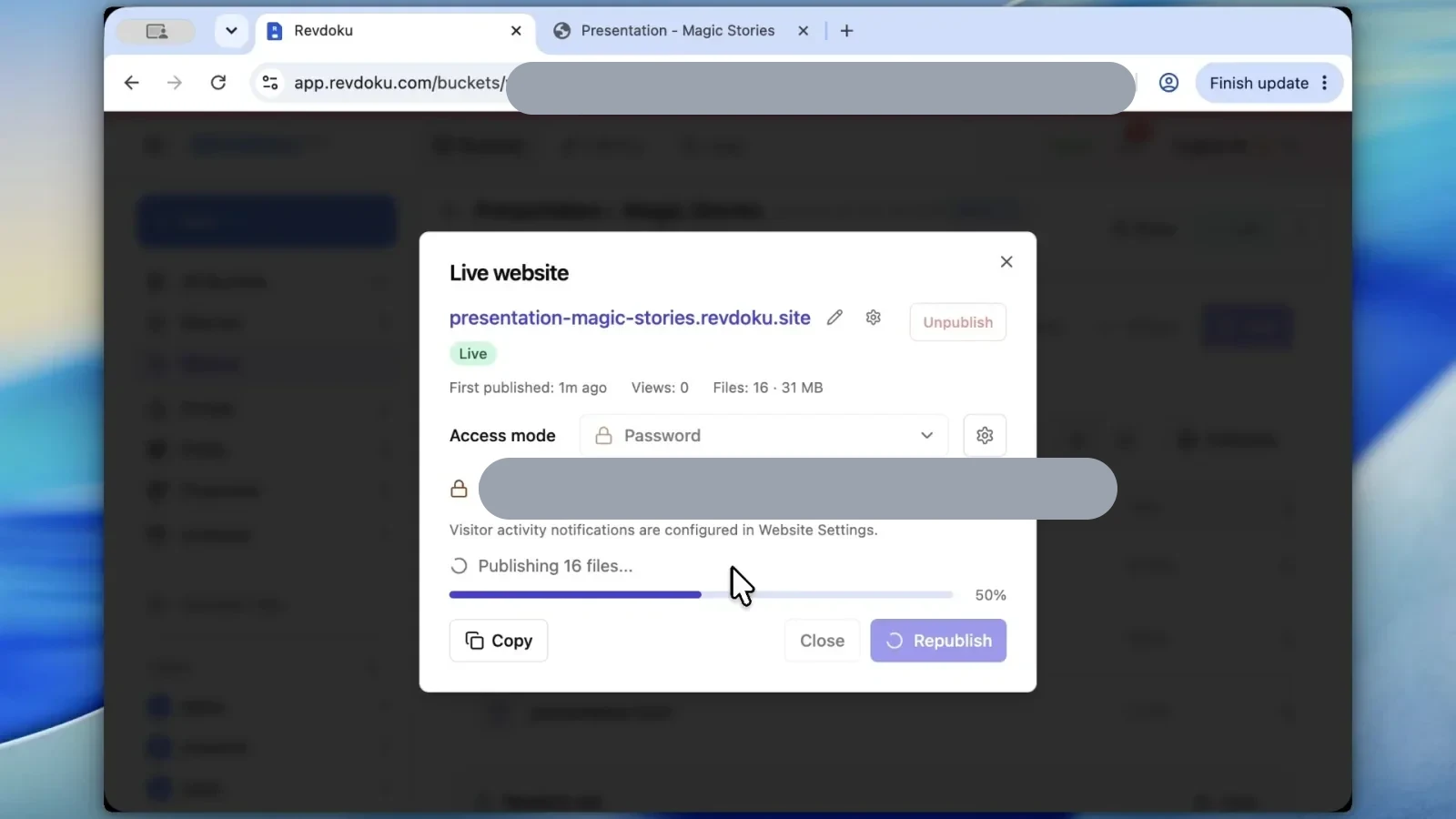
This keeps one-link convenience while adding an access boundary. The free trial requires no card.
The practical rule for ChatGPT shared link privacy
Use ChatGPT shared links only for material you are comfortable making public to anyone with the URL. For a specific audience, access logs, or same-address file updates, use a protected sharing layer from the start.
Frequently asked questions
Is a ChatGPT shared link private if it does not appear on Google?
No. Anyone who obtains the URL can view the shared conversation, even if Google has not indexed it. The link may also be forwarded, recorded, or published elsewhere.
How can I search Google for one of my shared conversations?
Search site:chatgpt.com/share with a distinctive phrase or the exact conversation title in quotation marks. You can also add an after: date, but incomplete results should not be treated as proof that no links exist.
Where can I find a complete list of my ChatGPT shared links?
In ChatGPT, open Settings > Data controls > Shared links > Manage. This inventory is more reliable than Google search or your memory of previously shared conversations.
What happens when I delete a ChatGPT shared link?
Deleting the link prevents future visitors from accessing the shared page while leaving the original chat in your history. Afterward, open the old URL in a private browser window to confirm that access has been removed.
Does deleting the original conversation also remove its shared link?
Yes, deleting the original conversation also deletes its shared link. However, this does not remove copies that other people previously imported or saved.
Can I add a password, expiration date, or approved-viewer list to a regular ChatGPT shared link?
Regular ChatGPT shared links do not currently provide granular permissions or expiration dates. If access must be limited to specific people, use a protected sharing service instead.
When should I avoid using a ChatGPT shared link?
Avoid it for confidential reports, client deliverables, private prototypes, or anything intended for a controlled audience. A password- or verified-email-protected publishing layer is better when you need access restrictions, activity tracking, or file updates at the same address.
History
- August 1, 2026 — Published by Revdoku Content Team
- August 1, 2026 — Reviewed by Eugene Mi
- August 1, 2026 — Last updated by Revdoku Content Team.
Related Articles

GitHub Pages Password Protection and Privacy
Learn why private repositories do not protect Pages sites and compare secure access options for internal teams and external clients.

How to Password Protect a Vercel Deployment
Learn how to secure Vercel deployments with password protection, authentication, trusted access, or protected Revdoku hosting.

How to Password Protect a Website Made with Claude
Learn how to export, secure, publish, and test a Claude-made website using password protection or verified-email access.