Are Grok Build Sites Public and Indexed by Google?
Table of Contents
- Are grok.me sites public? Do Grok Build websites appear in Google?
- What site:grok.me proves about public Grok Build sites
- Audit whether Grok Build websites appear in Google
- Why public Grok websites and bearer links fail client privacy
- Grok Build privacy cleanup: restrict or unpublish a Grok website
- How to remove an old grok.me result from Google
- How to protect client website work before publishing
- Grok Build privacy options for controlled client sharing
- Try Revdoku for free
- Final thoughts: are grok.me sites public?
- Are grok.me sites public? Do Grok Build websites appear in Google?
- What site:grok.me proves about public Grok Build sites
- Audit whether Grok Build websites appear in Google
- Why public Grok websites and bearer links fail client privacy
- Grok Build privacy cleanup: restrict or unpublish a Grok website
- How to remove an old grok.me result from Google
- How to protect client website work before publishing
- Grok Build privacy options for controlled client sharing
- Try Revdoku for free
- Final thoughts: are grok.me sites public?
Are grok.me sites public? Do Grok Build websites appear in Google?
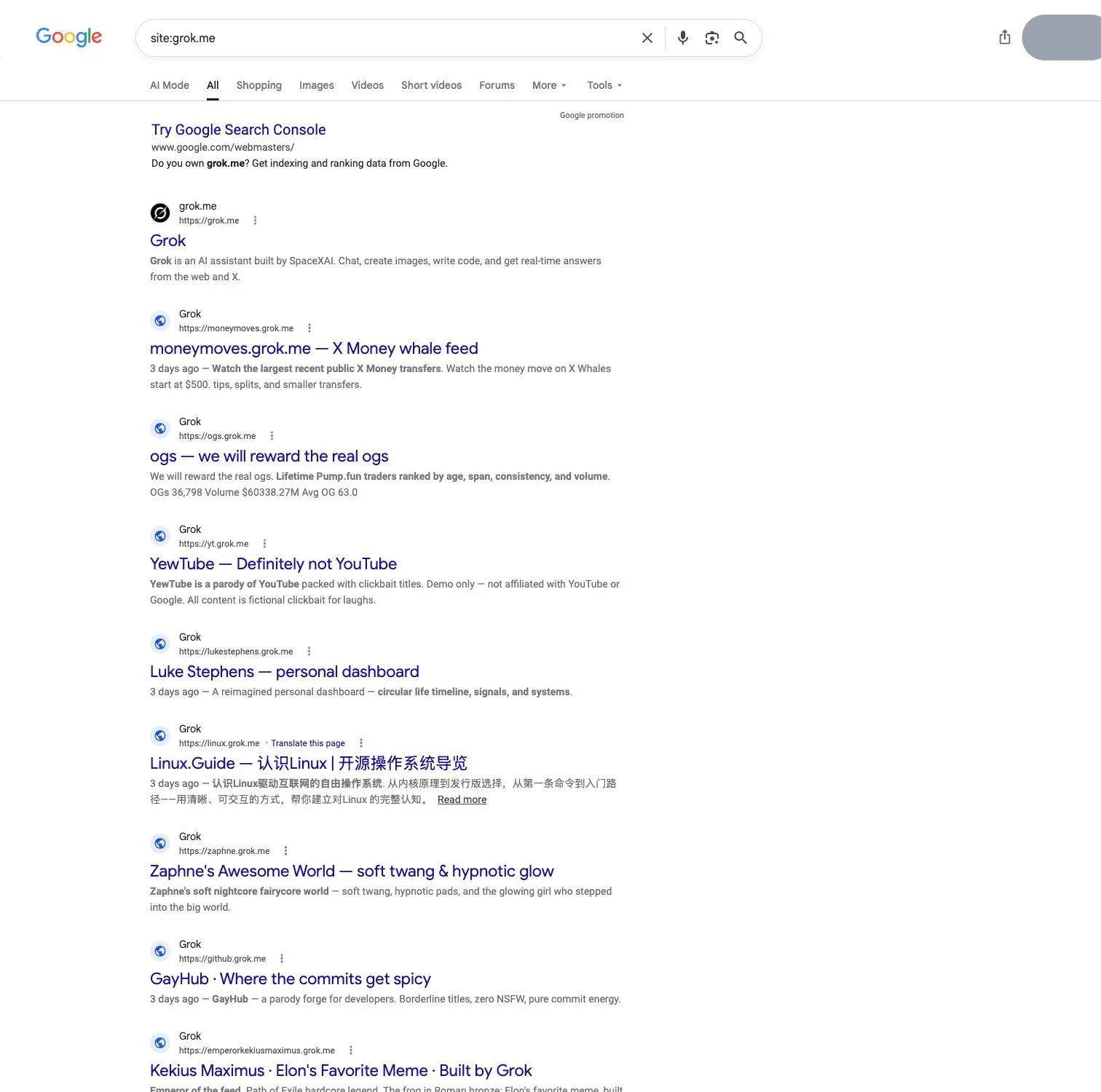
On August 1, 2026, a Google site:grok.me audit found many distinct published websites across at least 10 result pages, directly showing that some Grok Build websites can appear in Google. It does not prove every project is public or every listed URL remains live.
Search indexes lag, but if a client proposal, report, prototype, or PDF is reachable at a grok.me URL, “I only shared the link” is not a privacy plan.
The first results page already shows many distinct public websites. Only the signed-in Google account avatar is covered in light gray; the public result titles, subdomains, dates, and snippets remain visible as evidence.
TL;DR: Some Grok Build websites are publicly indexable. Audit your URLs, unpublish sensitive pages, then address Google and protect client material before sharing.
- Finding: some grok.me pages are public enough to be indexed.
- Limit: search results do not reveal the setting of every Grok Build project.
- Response: restrict or remove the live content first, then address Google.
What site:grok.me proves about public Grok Build sites
site:grok.me asks Google for pages associated with that host. Many distinct websites across at least 10 result pages show that Google has discovered and indexed some grok.me URLs. Results may outlast page changes, so check each URL live.
The finding proves neither that new drafts automatically become public nor that all published projects share an access setting. As a fast-moving beta, Grok Build’s publishing behavior and controls can change. Inspect your project rather than generalizing to every user.
| Observation | What it supports | What it does not support |
|---|---|---|
| Many distinct grok.me results | Some published sites have entered Google’s index | Every draft is public |
| At least 10 pages on August 1, 2026 | The issue is broader than one stray page | A precise total of live sites |
| A title or snippet appears | Google stored information from a prior crawl | The page is still accessible now |
| A URL is absent | Google did not return it for that query | The URL is private or safe |
Grok shared-chat links are a separate exposure path. If you used Grok for client discussions too, follow this guide to finding and removing public Grok chats.
Audit whether Grok Build websites appear in Google
Audit Grok Build privacy even without a reported leak. Results vary by country, time, and data center, and counts are estimates, so record what you see rather than the displayed total.
Use these exact searches:
| Google query | What to look for |
|---|---|
| site:grok.me | A broad inventory of indexed grok.me pages |
| site:grok.me after:2026-07-26 | Pages Google associates with a recent period; do not treat this as a verified publication date |
| site:grok.me “proposal” | Proposals, scopes, fees, and client-facing offers |
| site:grok.me “client” | Pages that name or discuss a client |
| site:grok.me intitle:“report” | Pages with “report” in the indexed title |
Personalize the search:
- Add your name, agency, client, project code, or an uncommon sentence from the page.
- Open likely matches in a private window; a snippet does not prove the page is live.
- Record each URL, title, snippet, access result, and audit date.
- Also search distinctive PDF titles and filenames; removing a landing page does not prove a linked file is gone.
- After cleanup, repeat the broad query and your recorded unique terms.
For sensitive material, screenshot the exposure for your incident record before changing access; do not redistribute it.
Why public Grok websites and bearer links fail client privacy
Anyone can access a public page anonymously. A bearer link is only slightly narrower: the URL grants access and can be forwarded, pasted into chat, saved in a shared system, or exposed through another page. You cannot reliably identify its holders.
| Material | Possible exposure | Immediate response |
|---|---|---|
| Proposal or contract draft | Fees, terms, addresses, signatures | Restrict access and review what was disclosed |
| Client report | Revenue, research, customer data, recommendations | Remove public access and notify the responsible owner |
| Prototype or demo | Unreleased product, roadmap, brand assets | Gate it to named reviewers |
| PDF or download | A separate file URL may remain reachable | Test and remove every asset URL |
| Password, token, or API credential | Account or system compromise | Revoke and rotate it immediately |
A hard-to-guess URL reduces casual discovery but provides no identity, per-person revocation, or proof of authorization. A noindex instruction is not access control. Google says confidential content should be password-protected; a noindex rule only addresses compatible search engines.
If credentials or regulated personal data were exposed, treat unpublishing as one containment step, follow the client’s incident process, and seek legal or security advice where needed.
Grok Build privacy cleanup: restrict or unpublish a Grok website
Removing a Google result while its grok.me page remains open still exposes the content to anyone with the URL and other search engines.
Use this workflow:
-
Identify the exact project and every URL. Include pages, direct PDFs, images, downloads, alternate routes, and copies, preserving only evidence needed for an incident record.
-
Open the relevant Grok Build project. Locate its current publish or share controls. Because Grok Build is a fast-moving beta whose labels and locations may change, this guide does not invent a button name.
-
Choose the narrowest access available. Use a genuinely restricted mode if the current version offers one that meets the client’s needs. Otherwise, unpublish or delete the version and keep a private source copy if needed.
-
Treat secrets separately. Rotate exposed credentials, invalidate tokens, change reused passwords, and notify the system owner; taking the page offline cannot recall copied secrets.
-
Test the old grok.me URL. Test in a signed-out private window. A safe result is an authentication challenge for authorized access or a clear unavailable response; if the page renders, it remains exposed.
Without adequate controls, remove the publication and move the deliverable to a service with explicit access rules; do not experiment with confidential client data.
How to remove an old grok.me result from Google
Hosting and search are separate systems. First make the live page unavailable or remove sensitive text, then ask Google to refresh its result.
| Current state | Correct next move |
|---|---|
| Old URL still opens publicly | Return to Grok Build and restrict, unpublish, or delete it |
| URL is gone, but Google still lists it | Submit the exact URL to Google’s Refresh Outdated Content tool |
| Page remains, but sensitive text was removed | Request a refresh using words that remain in the old snippet but not on the live page |
| You are a verified site owner in Search Console | Follow Google’s page-removal guidance and use the owner tools where appropriate |
Refresh Outdated Content updates Google results but cannot remove a live page. Processing may take a few days. Search Console’s fast removal lasts about six months unless you remove, protect, or noindex the source.
After submitting, check its status, rerun the audit queries, and test the exact URL. A clean Google result helps, but privacy depends on whether an unauthorized visitor can still retrieve the content.
How to protect client website work before publishing
The safest protection depends on the material and its reviewers; these examples show why “public versus private” is too blunt.
| Example | Weak approach | Safer choice | Useful signal |
|---|---|---|---|
| Freelancer sends a high-value 24-page proposal | Open URL in an email | Verified-email gate for the buyer | Notice when that buyer opens it |
| Consultant delivers a 68-page research report | Public page with a hidden navigation link | Password plus a client allowlist | Pages viewed and downloads |
| Agency presents an unreleased product demo | Bearer link posted in team chat | Access limited to named reviewers | Visitor-level activity and feedback |
| AI agent updates a weekly performance page | New public URL every week | Restricted stable link with file updates | Returning visits and clicks |
Before publishing, classify the material and choose access deliberately:
- Use public access only for material you would accept in search results.
- Use a changeable password when a shared secret is acceptable.
- Use verified email or allowlists when identity matters.
- Remove passwords, tokens, personal data, and unnecessary internal notes before every build.
- Assign an owner and review date so client links do not live forever.
My rule: if seeing the page in site:grok.me would create an awkward client call, do not publish an anonymous link.
Grok Build privacy options for controlled client sharing
Indexing and access are related but distinct: a public page may not yet be indexed, while a bearer-link page may become indexed after its URL leaks. Anyone with a noindex page’s address can still open it.
| Sharing method | Blocks anonymous visitors | Identifies the visitor | Suitable for confidential work |
|---|---|---|---|
| Public website | No | No | No |
| Bearer or “unlisted” link | No | No | Usually no |
| Noindex page | No | No | No |
| Password gate | Yes, if put in place correctly | Usually not by itself | Sometimes |
| Verified-email gate | Yes | Yes | Often |
| Email allowlist | Yes | Yes | Often |
No tool prevents an authorized person from taking a screenshot or copying a file. Aim for reasonable control: limit entry, identify visitors, revoke future access, and keep an audit trail.
Compare behavior, not labels, when evaluating Grok Build against another service. Test while signed out, forward the link to a second address, and check whether direct files inherit the restriction. Finally, confirm an old URL stays protected after an update.
Try Revdoku for free
Revdoku supports controlled client sharing through a no-code dashboard: drag in a PDF or folder, place it in a private bucket, and share a live link. Choose public access for finished marketing work, a password for shared-secret access, or an email gate when identity matters.
For client delivery, you get:
- Verified-email access and allowlists limit a link to intended visitors.
- Open notifications help you follow up after a client looks.
- Per-visitor activity shows pages viewed, clicks, and downloads.
- Lead records contain approved visitor details.
- Built-in feedback and contact forms collect responses without a separate backend.
- Stable links let you replace decks, reports, demos, or file sets without sending new URLs.
This suits proposals changed after negotiation, decks corrected before meetings, or demos updated during review. The client keeps one address while you control the current version.
AI agents, the API, and the CLI can later automate repeat publishing, but are optional. Start with drag and drop, choose access, test privately, and send only when the result meets the client’s confidentiality needs.
Final thoughts: are grok.me sites public?
Some Grok Build websites are public and indexed by Google. The August 1, 2026 audit found many distinct grok.me sites across at least 10 pages of results. This does not mean every project is public, but it warrants checking yours.
- Search the five audit queries and your unique client terms.
- Restrict, unpublish, or delete at the source before contacting Google.
- Test old URLs while signed out, including direct files.
- Use password or verified-identity access for confidential work.
A private-looking URL is still an open URL. Match access to the consequences of exposure, using controlled sharing when client material should stay with named people.
Frequently asked questions
Are all Grok Build websites public and searchable on Google?
No. The audit confirms that some grok.me websites have been indexed, but it does not establish that every draft or published project is public. Check each project’s current access settings and test its URL while signed out.
Does the absence of my grok.me URL from Google mean it is private?
No. A page can remain publicly accessible before Google discovers it or without appearing for a particular search. Open the exact URL in a private browser window to determine whether an unauthorized visitor can access it.
What should I do first if a sensitive Grok Build page is public?
Restrict, unpublish, or delete the page at its source before requesting removal from search results. Check direct links to PDFs, images, downloads, and alternate routes as well. Rotate any exposed passwords, tokens, or API credentials immediately.
How can I find my Grok Build pages in Google?
Search for site:grok.me, then narrow the results with your name, client name, project code, document title, or a distinctive sentence. Record possible matches and test every URL while signed out. Search for direct file names separately because downloadable assets may remain accessible after a page is removed.
How do I remove an outdated grok.me result from Google?
First confirm that the live page is unavailable or that the sensitive content has been removed. Then submit the exact URL through Google’s Refresh Outdated Content tool, or use Search Console if you are a verified site owner. Removing a search result alone does not protect a page that still opens publicly.
Is a hard-to-guess, unlisted, or noindex link safe for client work?
Usually not for confidential material. Anyone who obtains a bearer link can forward it, and noindex only asks compatible search engines not to list the page; neither method verifies the visitor’s identity. Use a password, verified-email gate, or allowlist when access must be controlled.
How should I share confidential proposals, reports, or prototypes?
Choose a service that can restrict access to authorized reviewers and revoke it later. Test both the main page and direct file links while signed out, remove unnecessary secrets or personal data, and assign an owner and expiration or review date. For higher-risk material, prefer verified identity and activity records over a shared anonymous URL.
History
- August 1, 2026 — Published by Revdoku Content Team
- August 1, 2026 — Reviewed by Eugene Mi
- August 1, 2026 — Last updated by Revdoku Content Team.
Related Articles

How to Password Protect a Website Made with Claude
Learn how to export, secure, publish, and test a Claude-made website using password protection or verified-email access.
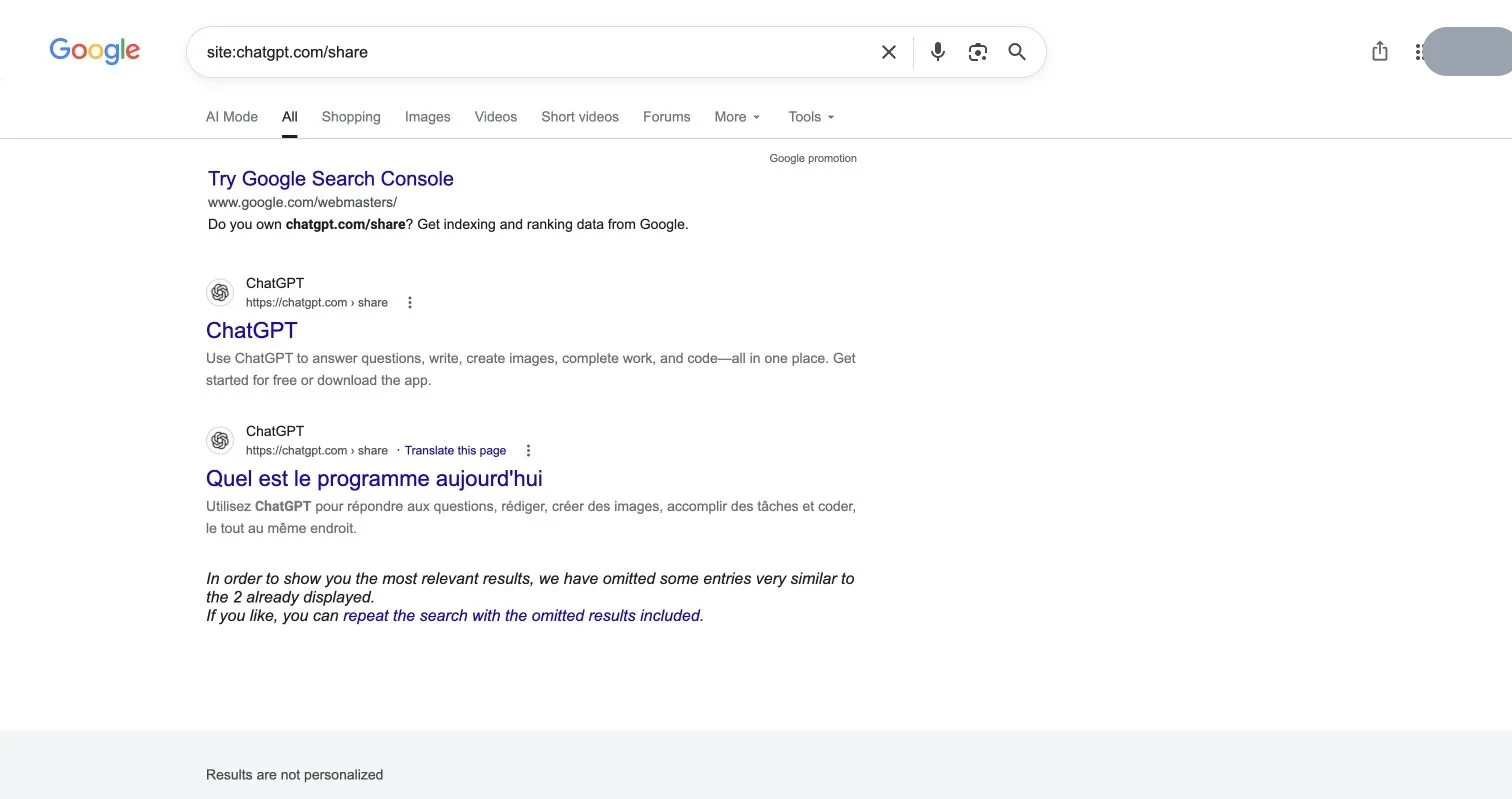
Are ChatGPT Shared Links Public or Google-Indexed?
Learn who can view ChatGPT shared links, how to find and delete them, and why missing Google results do not guarantee privacy.
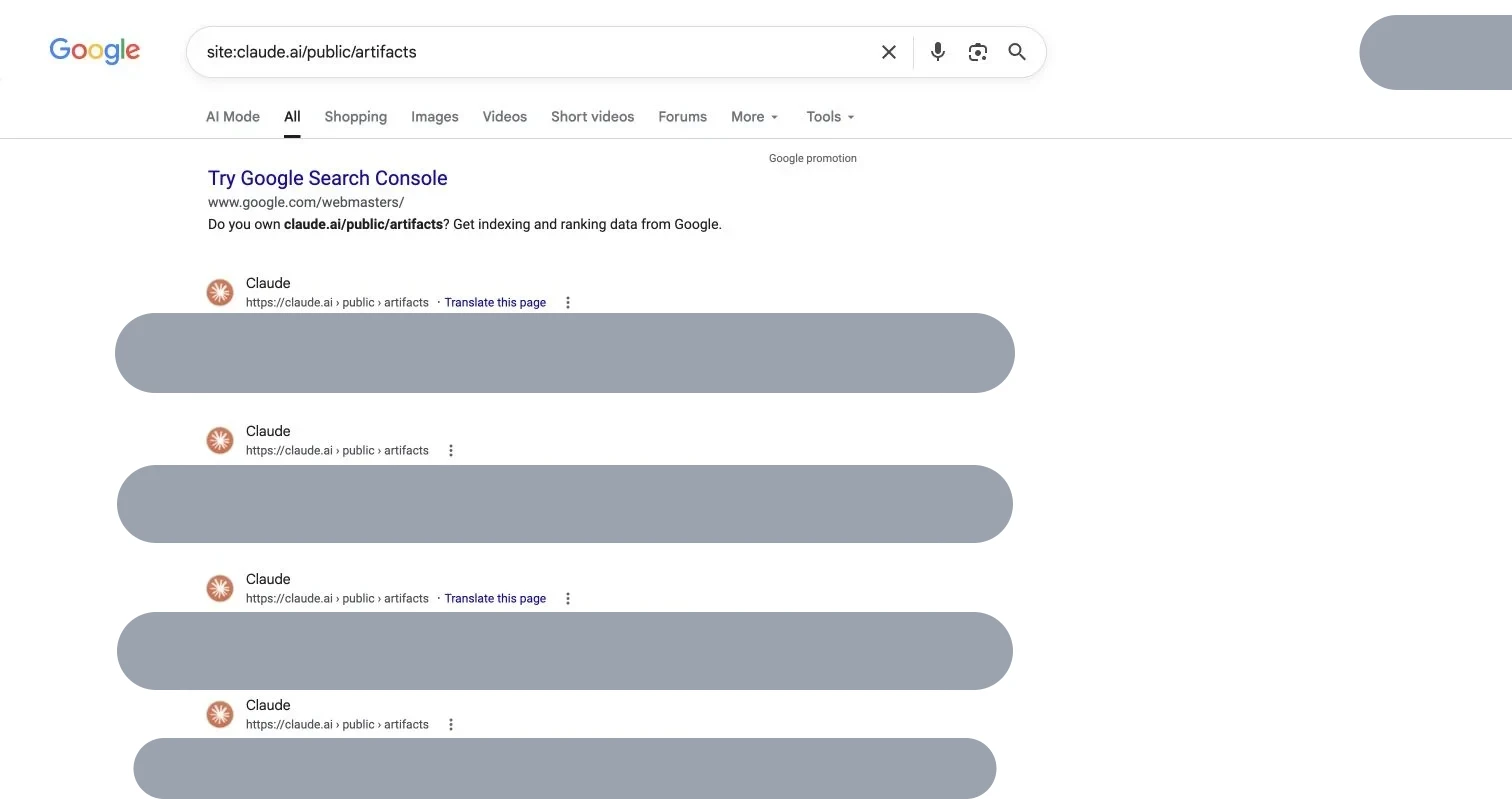
Find Public Claude Artifacts in Google and Unpublish
Learn how Google indexes public Claude Artifacts, check whether yours are exposed, unpublish safely, and choose protected sharing.