Works with Grok Bot

Your docs
for every Grok Bot
Add a Revdoku docs site to Grok Bot as a custom MCP server. All your Bots can then search the docs. Connect your Revdoku account too, and a routine can sum up new support tickets each weekday.
- Publishes from GitHub on every push
- Works with Mintlify repositories
- API console from your OpenAPI file
- MCP server and llms.txt for AI agents
- Ask AI and support tickets
- Analytics for people and AI agents
Add a docs site or Revdoku to Grok Bot
Each Bot works on a cloud computer and uses outside services through plugins in Connect apps. Revdoku joins as a custom MCP server (a standard way for AI apps to use outside tools). Each public docs site has its own server at /mcp, with no sign-in. Your Revdoku account has the server https://mcp.revdoku.com, with sign-in.
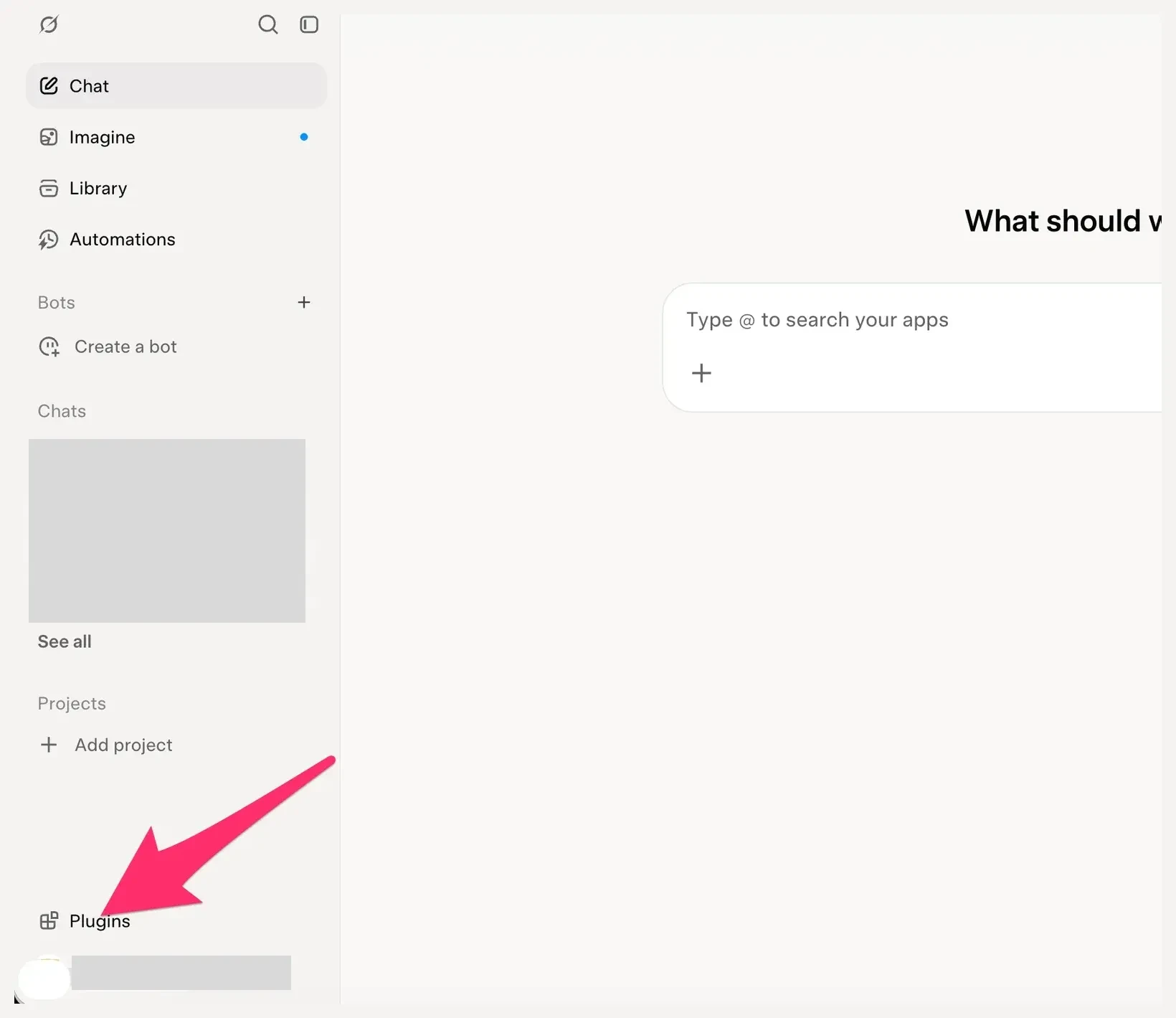
- In Grok, click Plugins at the bottom of the left menu.
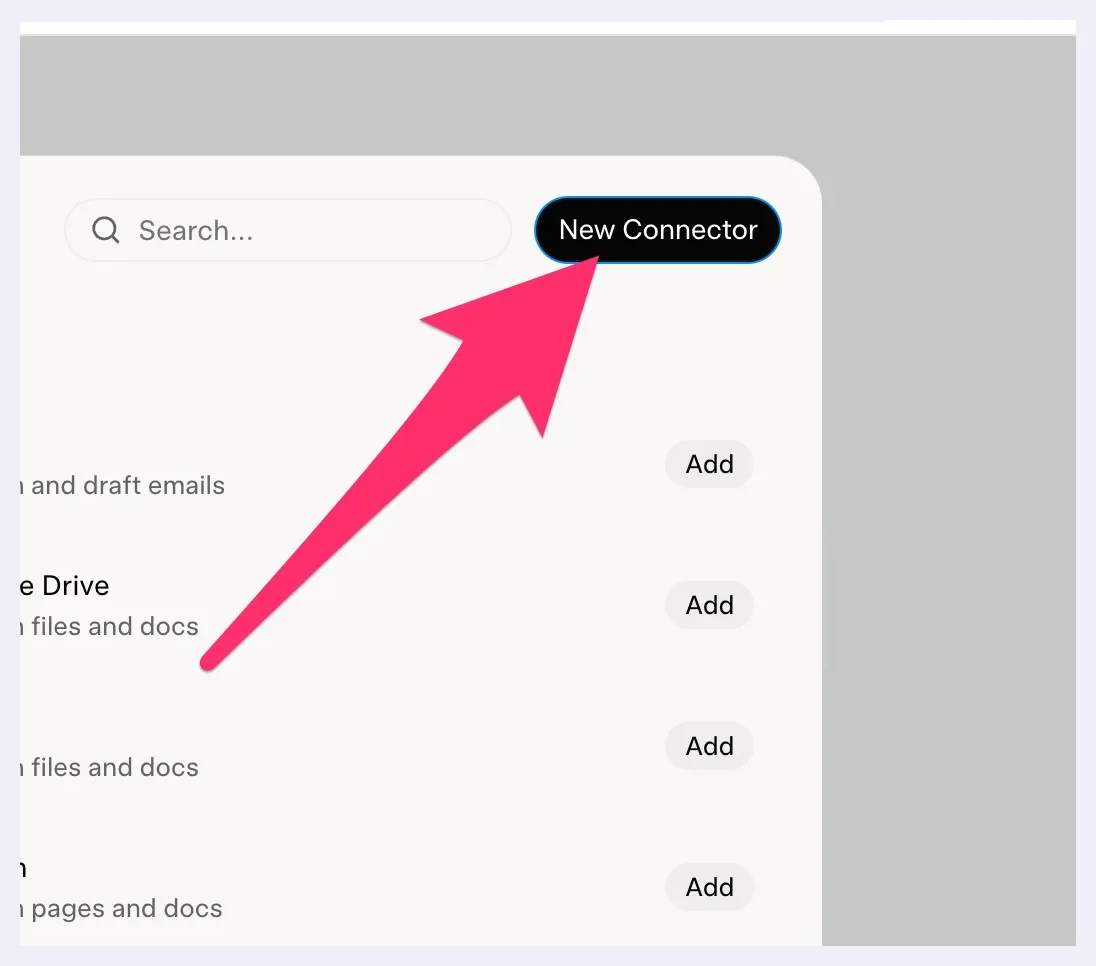
- Click New Connector.
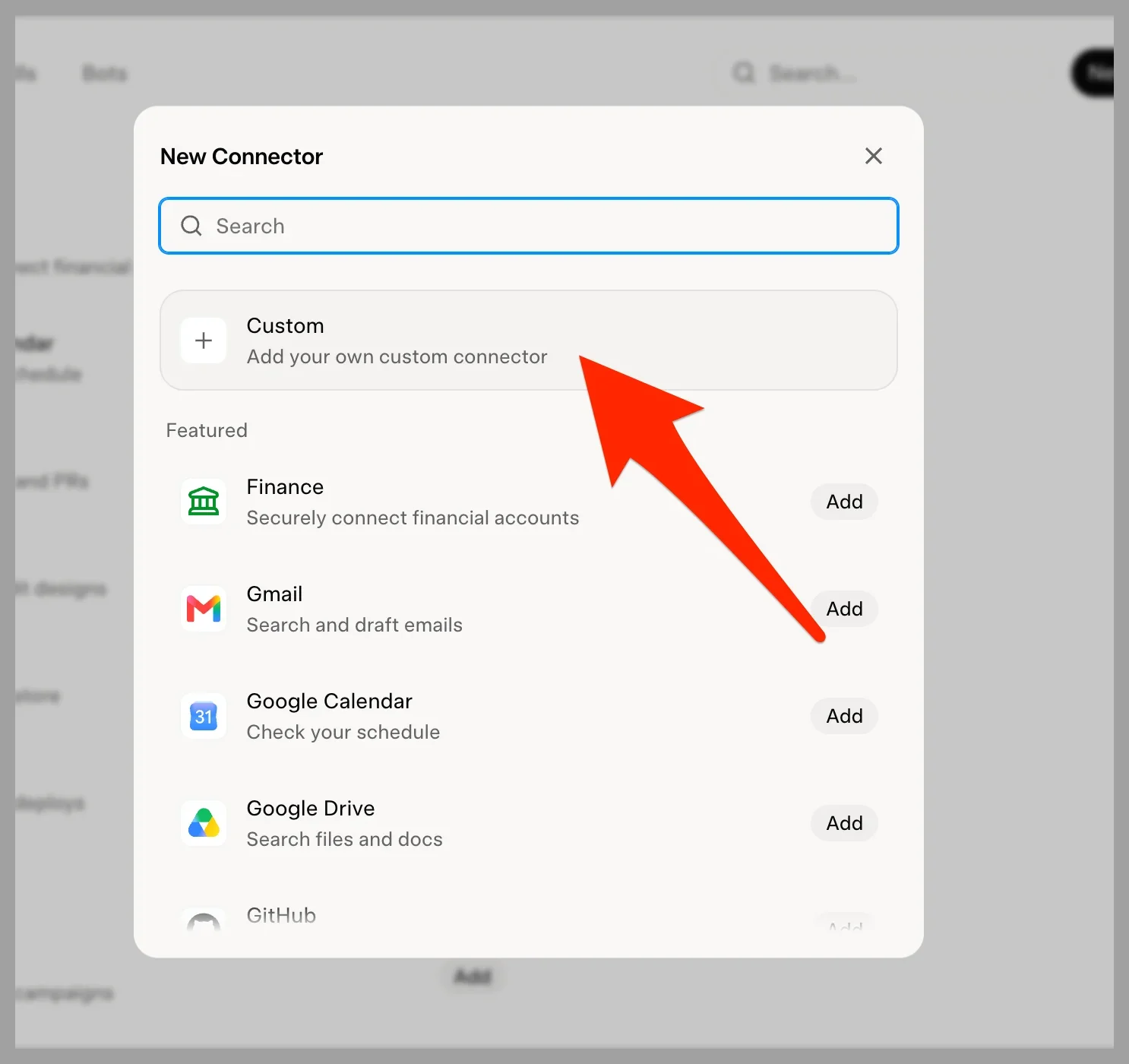
- Click Custom.
- In Name, type a name, for example
Acme docsorRevdoku. In Server URL, type the address of the server. For a docs site, use the site address with/mcpat the end:https://docs.example.com/mcpFor your account, use this URL:https://mcp.revdoku.com/Then click Add Connector.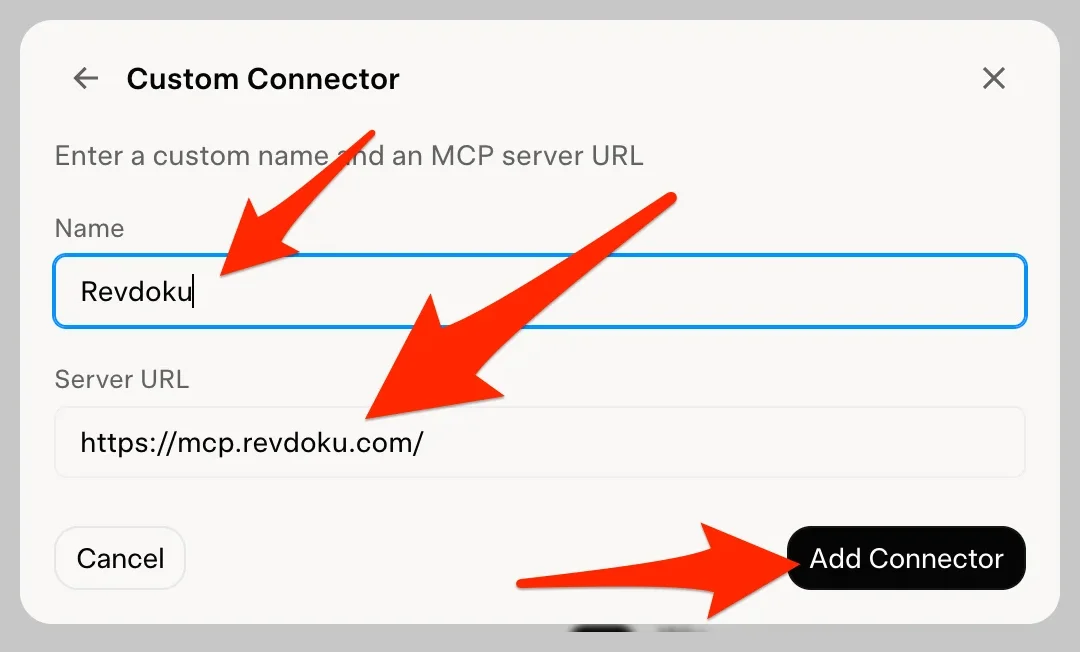
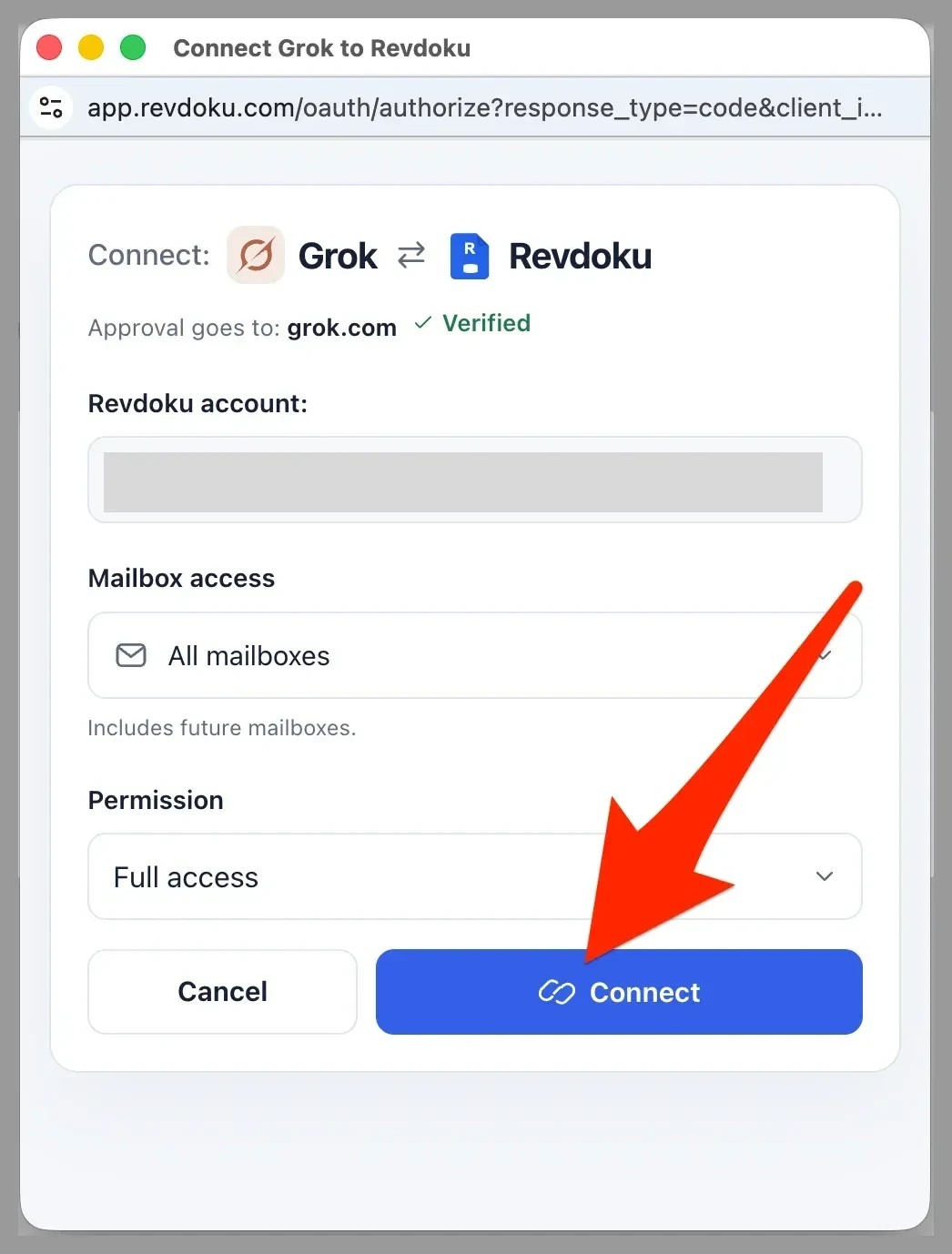
- For your account, a Revdoku window opens. Select the buckets and the permission, then click Connect. The docs server needs no sign-in, so this step is only for your account. The screenshot shows an earlier label of the window: Mailbox access is now Bucket access.
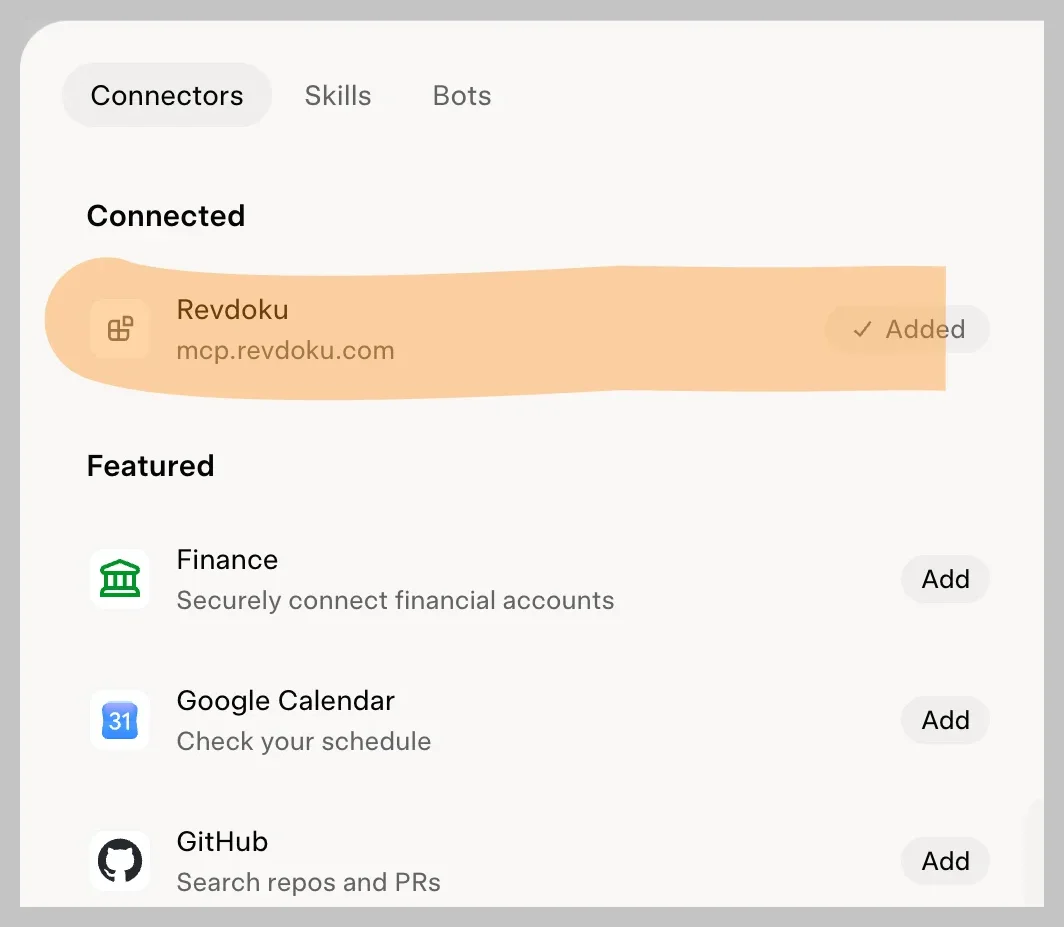
 Grok shows the server under Connected.
- Open a new chat. Ask a question that your docs answer, for example:
Use the Acme docs. How do I page through the list of orders?For your account, ask:Show the open support tickets in my Revdoku bucket.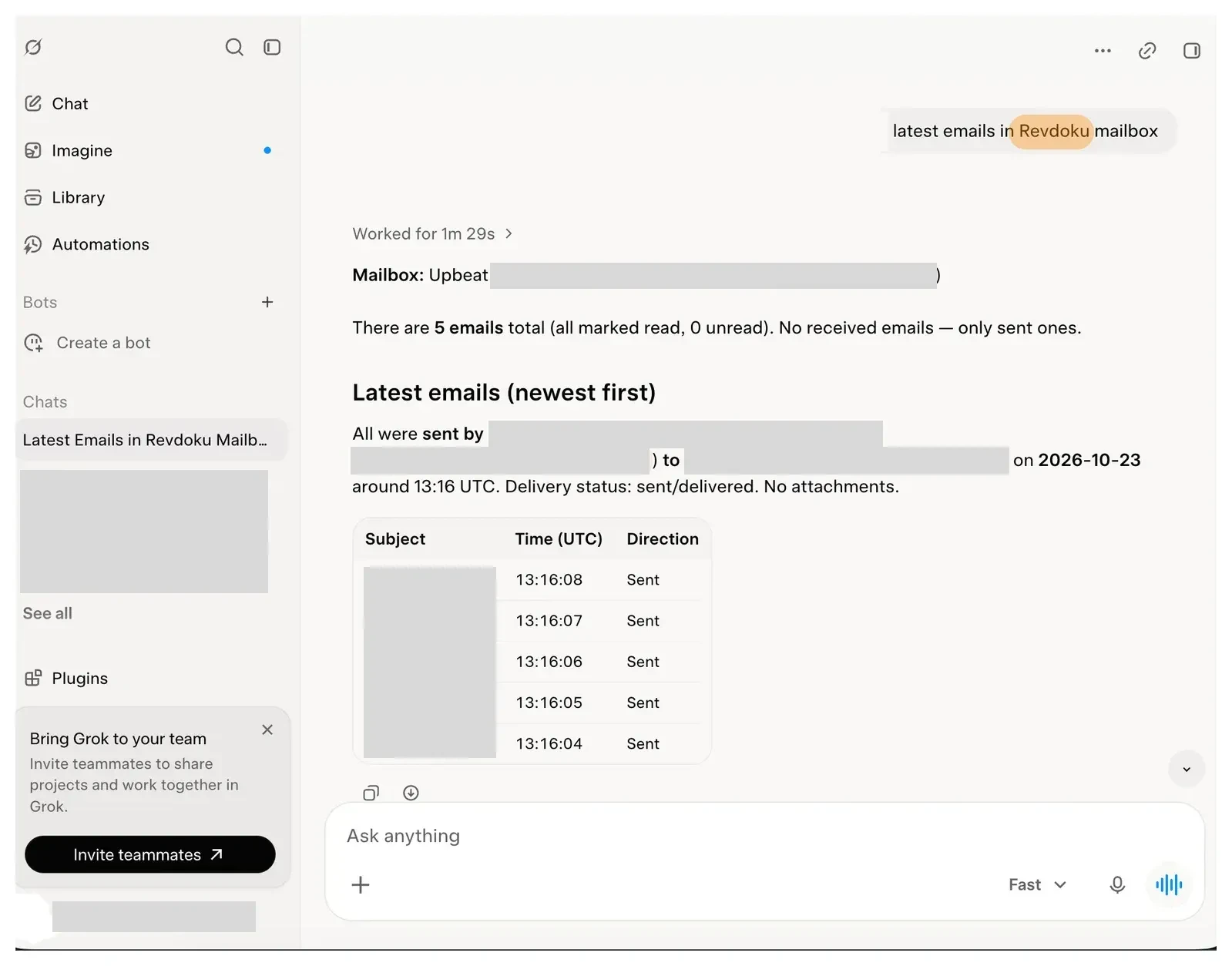
You can also add a server from a chat with your Bot. Send Add a custom MCP server called acme-docs at https://docs.example.com/mcp. If a server needs a sign-in, the Bot shows a Connect card. If the sign-in does not finish, choose Reopen on the card.
If Revdoku shows Needs auth, open it and choose Authenticate. Connectors are account-wide, so all your Bots can use them. The sign-in token stays on the Cursor connector backend, and Bots call the tools without it.
A bucket holds the files of one docs site, the site and its support tickets. Choose Read only for a Bot that only reads support tickets. Choose Read & write for a Bot that replies. Choose Full access only for a Bot that must publish sites or delete email. If a bucket gets its files from GitHub, change the docs in the repository. The Edits in Revdoku setting of the bucket decides what happens to an edit that a Bot makes in Revdoku: it waits for a person, becomes a commit, or Revdoku refuses it. Grok Bot is part of the Premium, Super and Ultra plans of The X Subscription.
Work for a Bot with your docs and support tickets
With the docs server, a Bot answers questions from your team or your users and links the page that it used. With your account, a Bot lists new support tickets and finds the docs page that answers each question. It can reply to the person who opened a ticket. Revdoku sends only replies, so a Bot cannot email other people.
To approve each reply before it goes out, add an Ask first rule. With Auto Review on, you find Custom Rules in Settings → General, under Bot. Text inside an email is not an instruction from you. If a message asks the Bot to send files or change a login, choose Deny.
Sum up support tickets every weekday with a routine
A routine (a saved task that a Bot runs on a schedule or an event) runs in the cloud while your laptop is closed. For a daily summary, use a schedule. Ask the Bot in chat:
Set up a routine for every weekday at 8:30: read the new support tickets in my Revdoku bucket, search the Acme docs for each question, and send me a list of the questions that no page answers.
The routine uses the time zone in Settings, under Bot. Use Test on the routine to run it now. A test does real work, so start with a bucket that holds test email. An approval card from a routine expires after 30 minutes.
Use your docs in a Team Bot
Apps that the owner or a Manager adds to a shared Bot work in every teammate's chat. The docs server only reads the published pages, so it suits a shared Bot. Before you add your Revdoku account to a shared Bot, select only the buckets and the access level that all teammates can use. If your team blocks a server, Grok shows Disabled by team admin. An admin chooses the allowed servers on the Plugins & MCPs page of the dashboard (xAI's guide for teams).
Grok Build: the same servers from the terminal
Grok Build is the terminal coding agent from xAI. It uses the same MCP servers.
- Add the docs site:
grok mcp add --transport http acme-docs https://docs.example.com/mcp - Add your Revdoku account:
grok mcp add --transport http revdoku https://mcp.revdoku.com - Start a Grok Build session. Ask it to list your Revdoku buckets.
- Finish the Revdoku sign-in in the browser tab that Grok Build opens.
Grok Build opens a sign-in only for a server that uses OAuth, so the docs server needs no sign-in step. Grok Build keeps the Revdoku token in ~/.grok/mcp_credentials.json. To share a server with everyone who works in a repository, add --scope project. The command then writes .grok/config.toml in the current folder. This suits the docs server, because it needs no token.
Grok Build also reads .cursor/mcp.json, so an entry that you made for Cursor works here too. In a session, /mcps opens the MCP tab. Press i there to sign in to a server. If the connection fails, run grok mcp doctor revdoku. To remove a server, run grok mcp remove revdoku.
For uploads and publishing from the terminal, install the Revdoku skill for Grok Build:
npx skills add revdoku/revdoku --skill revdoku -g --agent grok
 Grok Bot: connect an app · Grok Bot routines · Grok Bot approvals · Grok Build MCP servers · Docs for AI agents · Revdoku MCP guide
Frequently Asked Questions
Is it safe to let Grok Bot read support email?
Give the Bot only the buckets that it needs, and choose Read only when it does not reply. Treat instructions inside support email as untrusted. Revdoku logs each email and file that the Bot opens, and stores data in the United States.
Does a Bot need a Revdoku account to read a docs site?
No. The MCP server of a public docs site needs no sign-in. It only reads the published pages.