Review a Mutual NDA
This use case demonstrates how to review a mutual NDA for completeness. You will upload the NDA into Revdoku, attach the NDA & Confidentiality Agreement Review checklist, run Review with Google Gemini, and read the resulting issues and report.
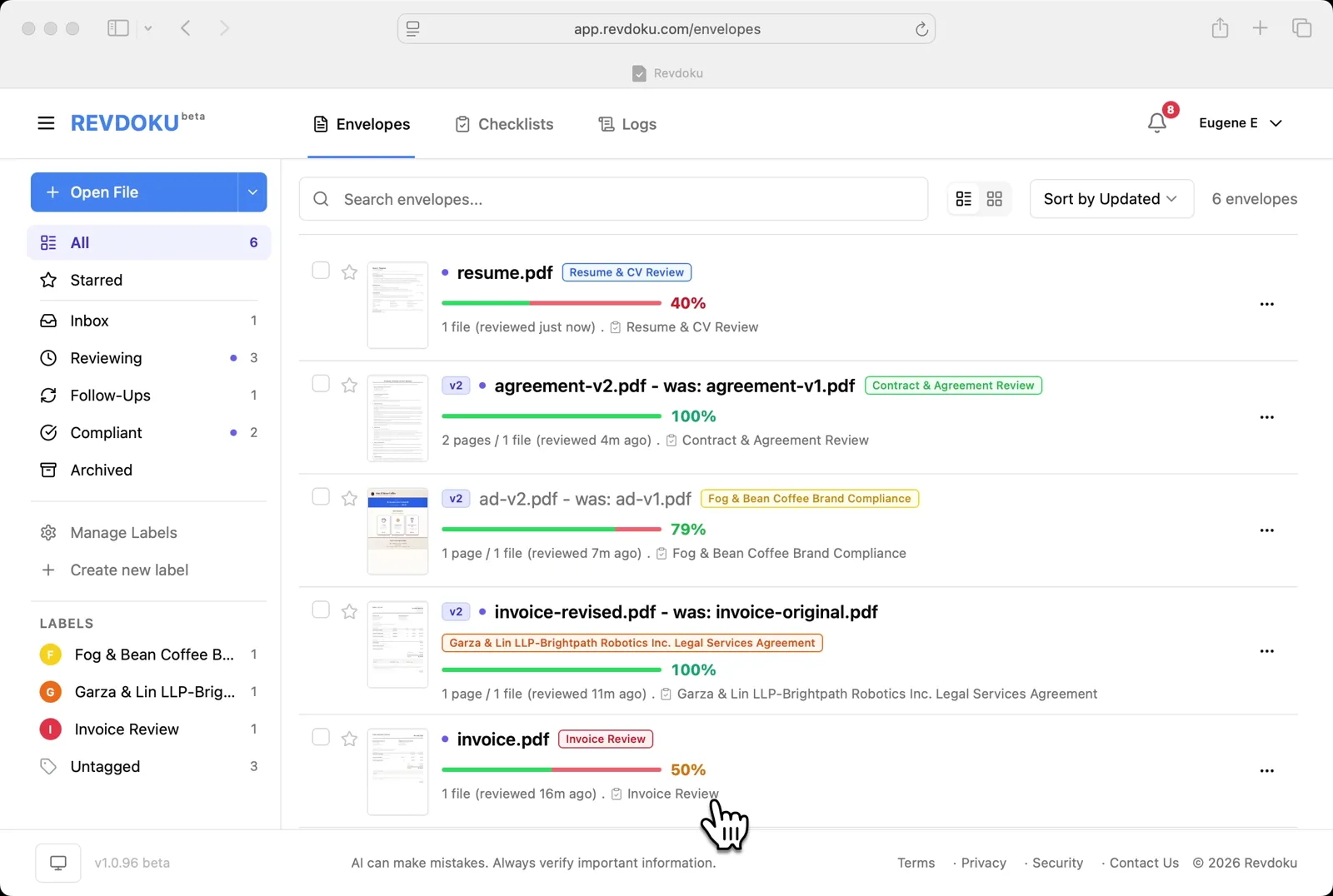
Step 1: Open the Envelopes inbox.
Open the Envelopes inbox. The inbox lists every document available for review.
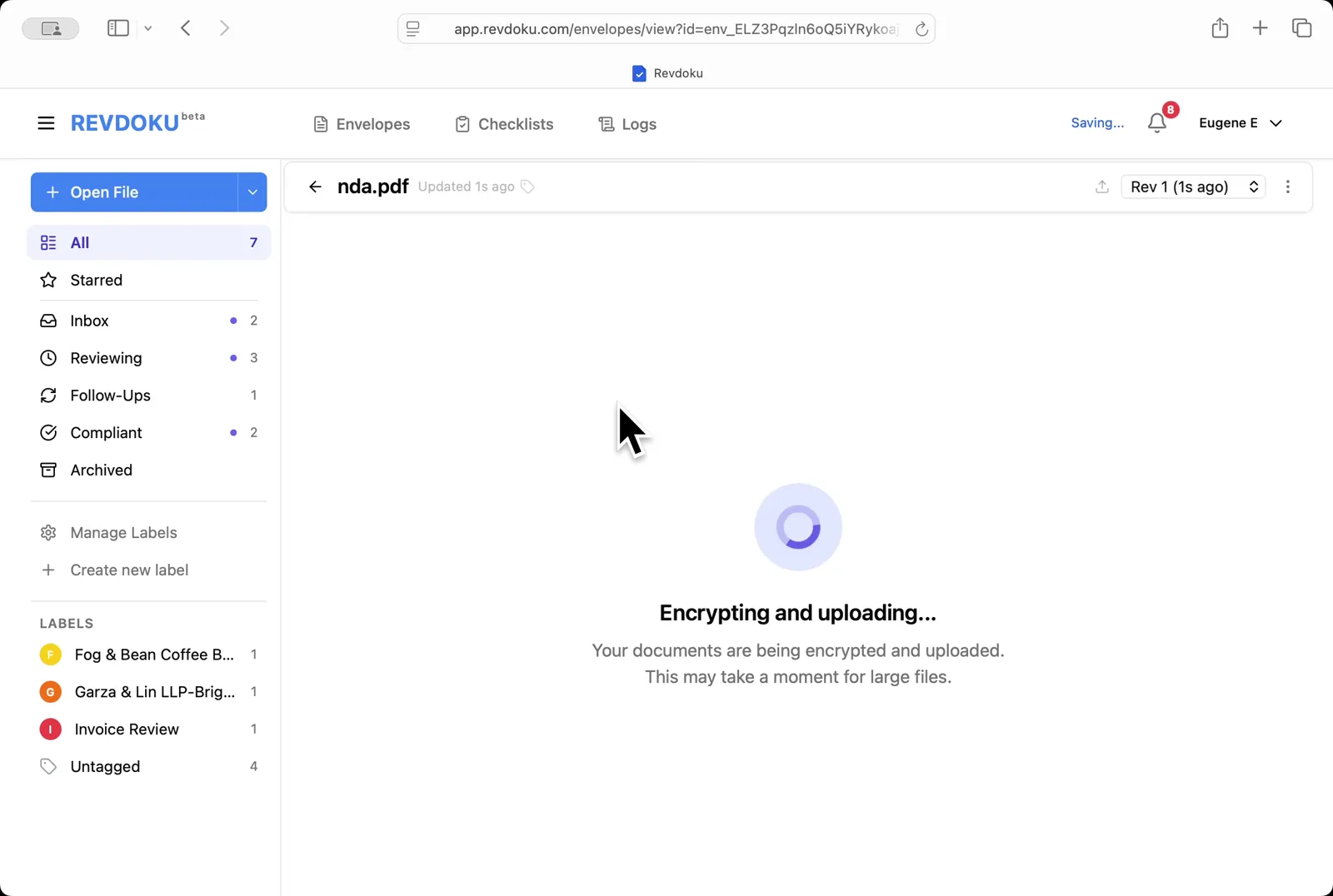
Step 2: Upload the NDA.
Upload the NDA. Drop nda.pdf onto the inbox; Revdoku encrypts and uploads it before opening.
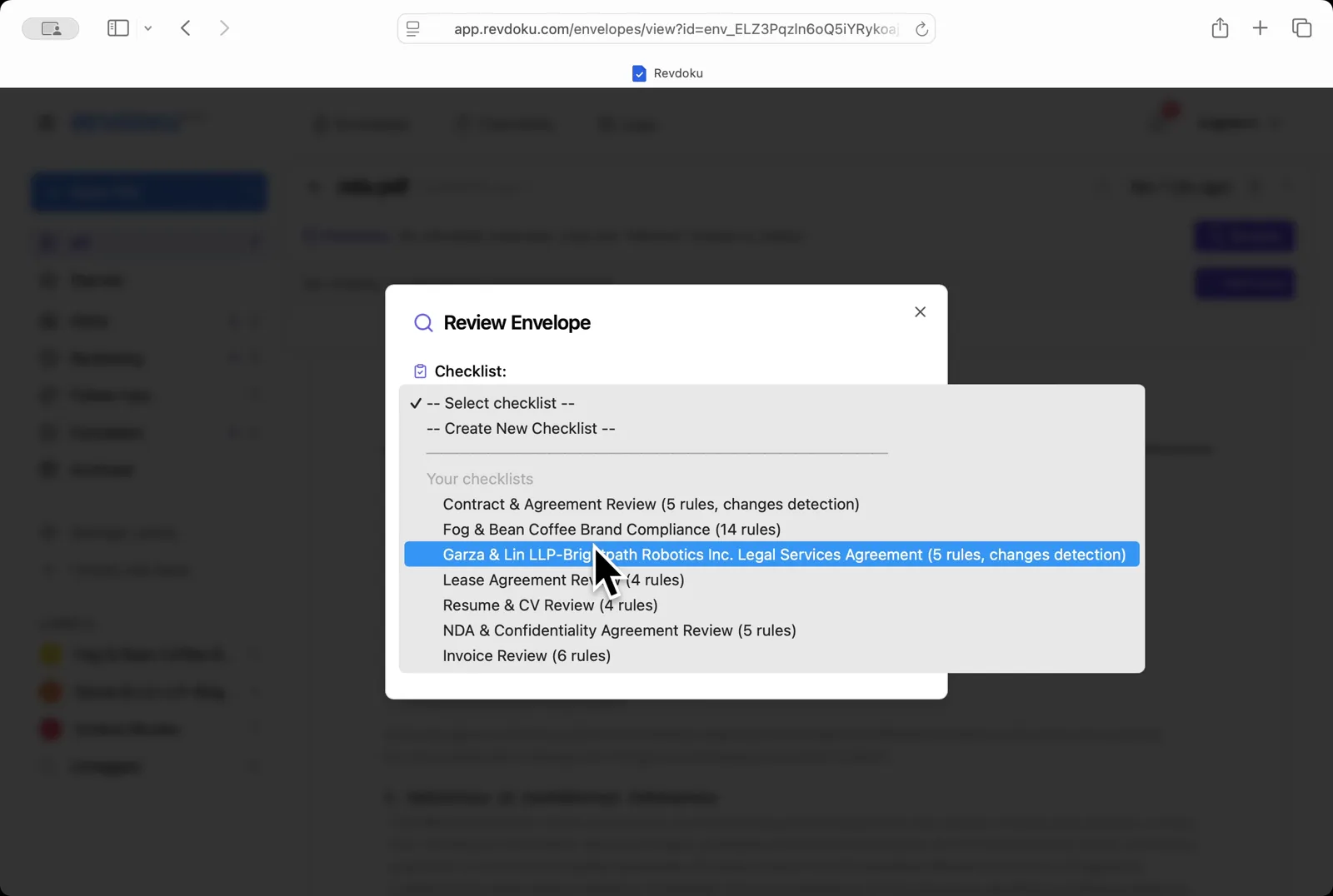
Step 3: Pick the NDA checklist.
Pick the NDA checklist. In the Review Envelope dialog open the checklist dropdown and choose NDA & Confidentiality Agreement Review (5 rules).
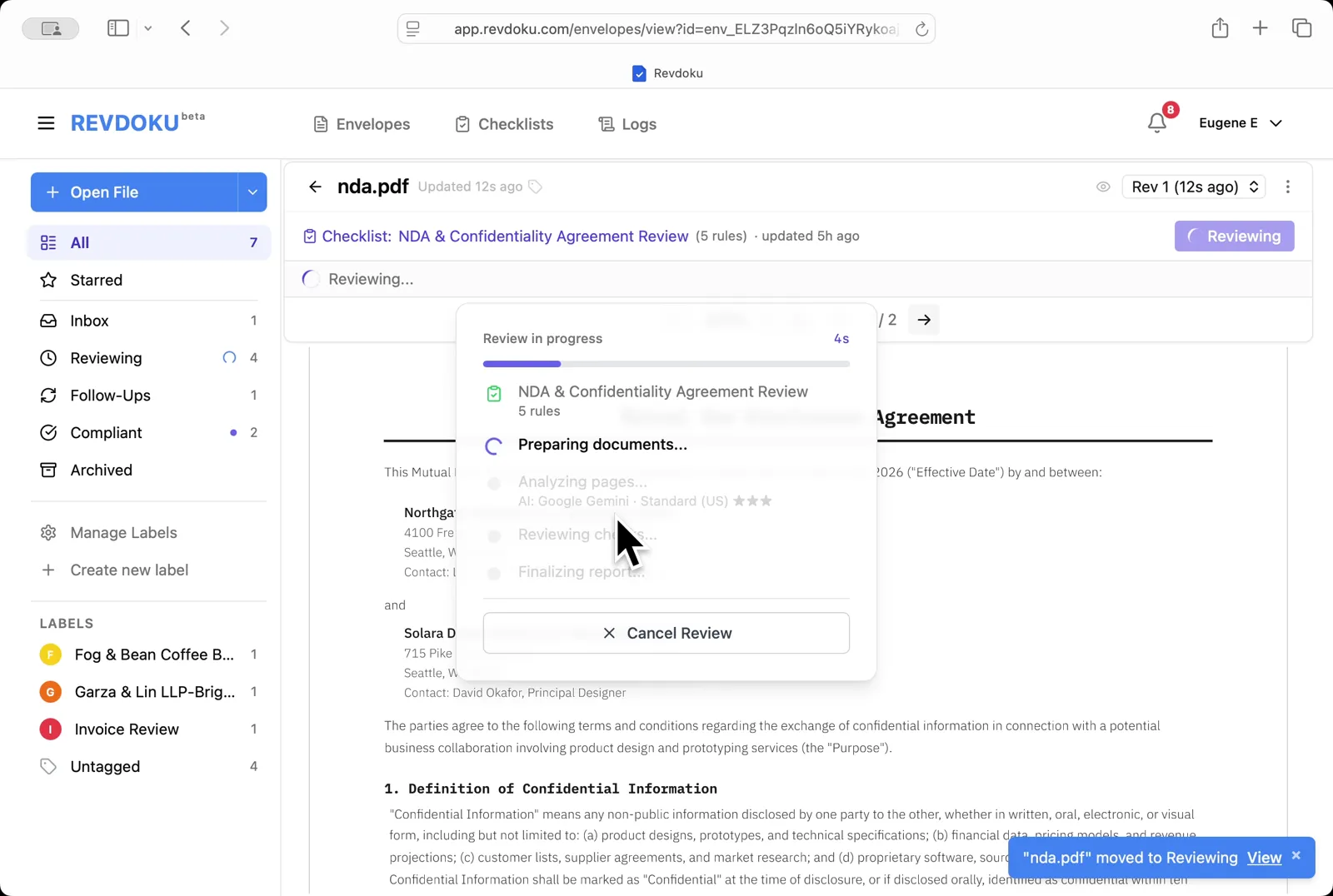
Step 4: Start the review.
Start the review. Revdoku begins with the Preparing documents step.
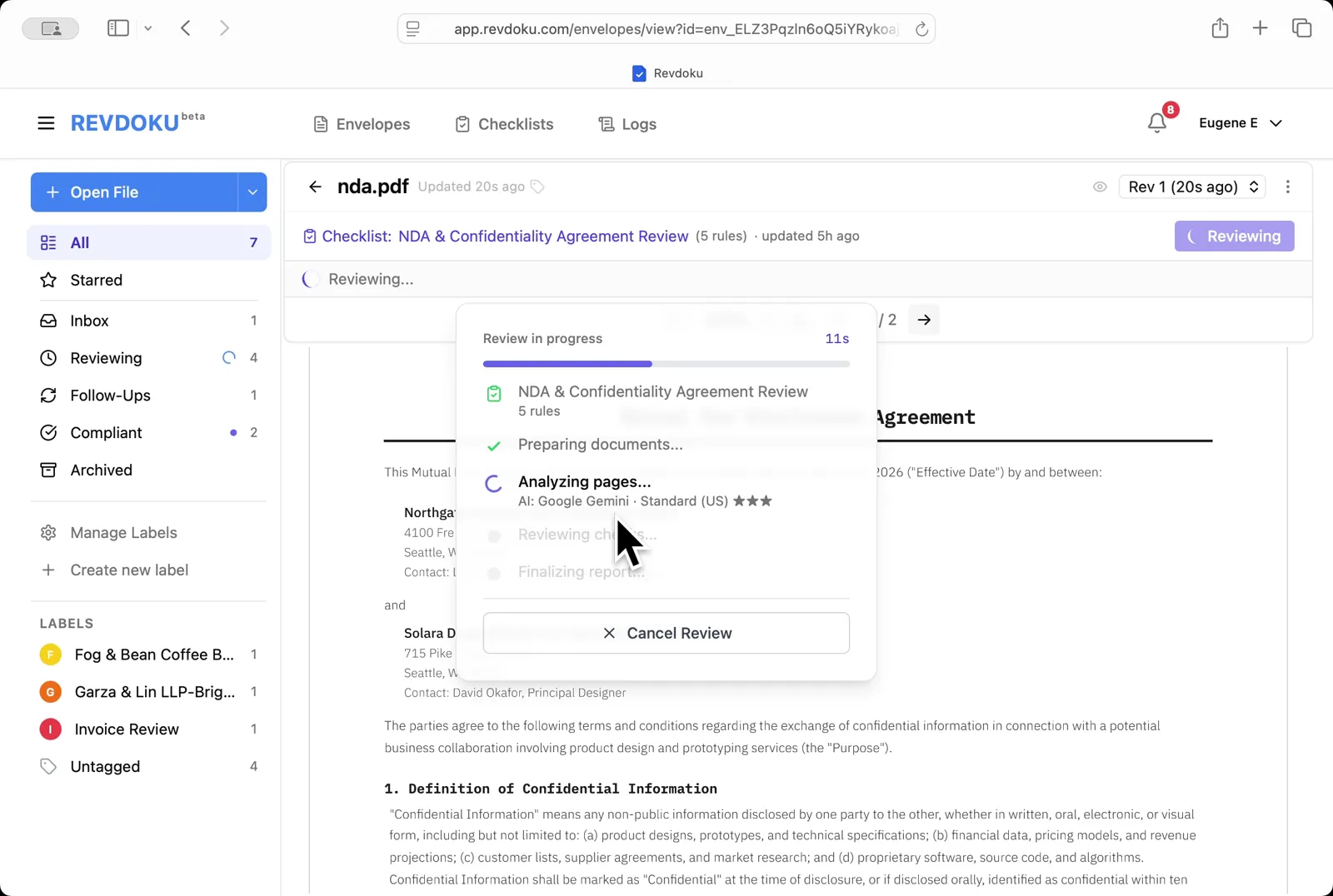
Step 5: Revdoku analyzes the NDA.
Revdoku analyzes the NDA. It extracts the page text and runs each of the five rules with Google Gemini · Standard (US).
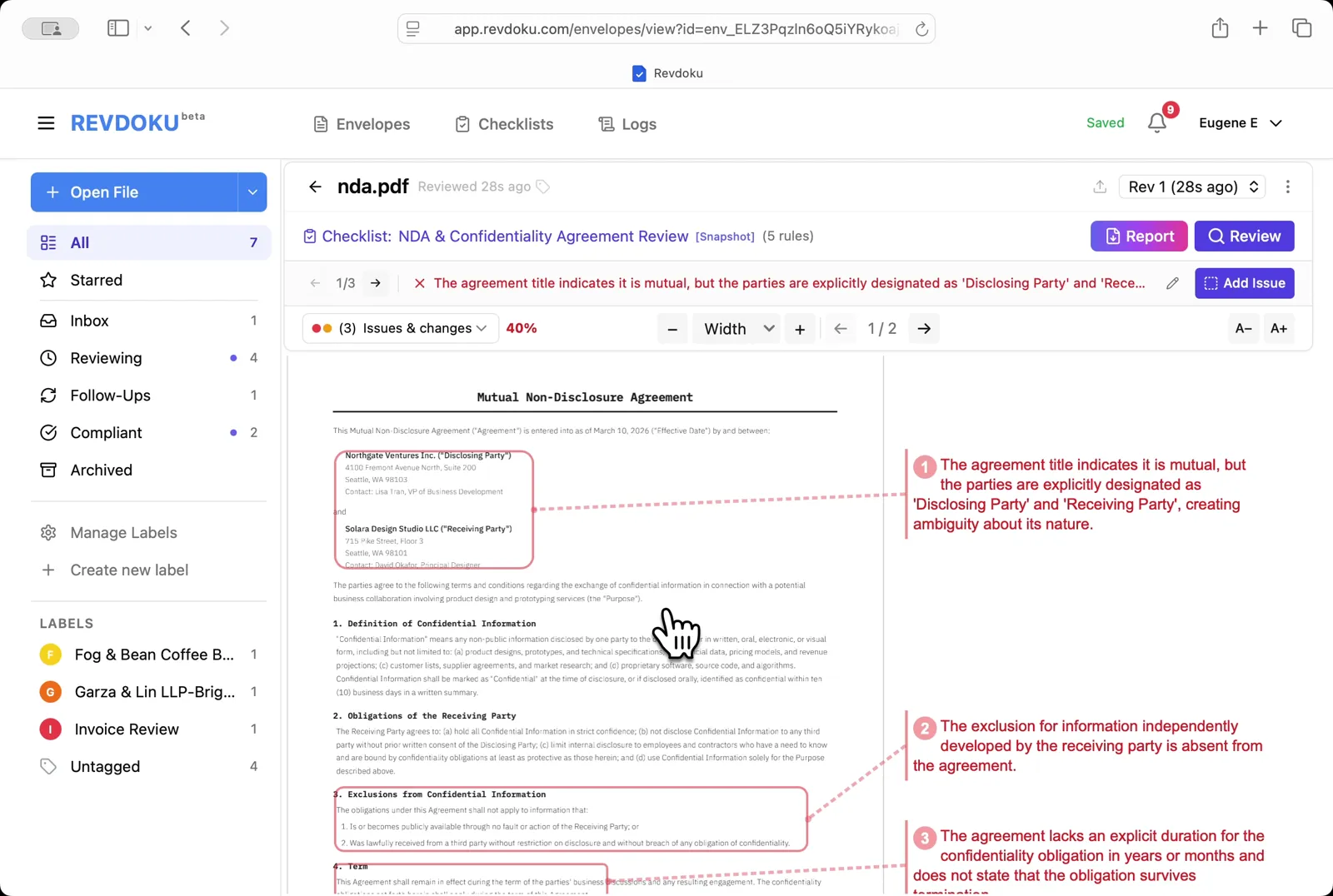
Step 6: Read the issues on page 1.
Read the issues on page 1. Three failures are annotated: the agreement is titled Mutual but the parties are explicitly labeled Disclosing and Receiving (creating ambiguity), the standard exclusion for independently developed information is missing, and the confidentiality duration is not specified.
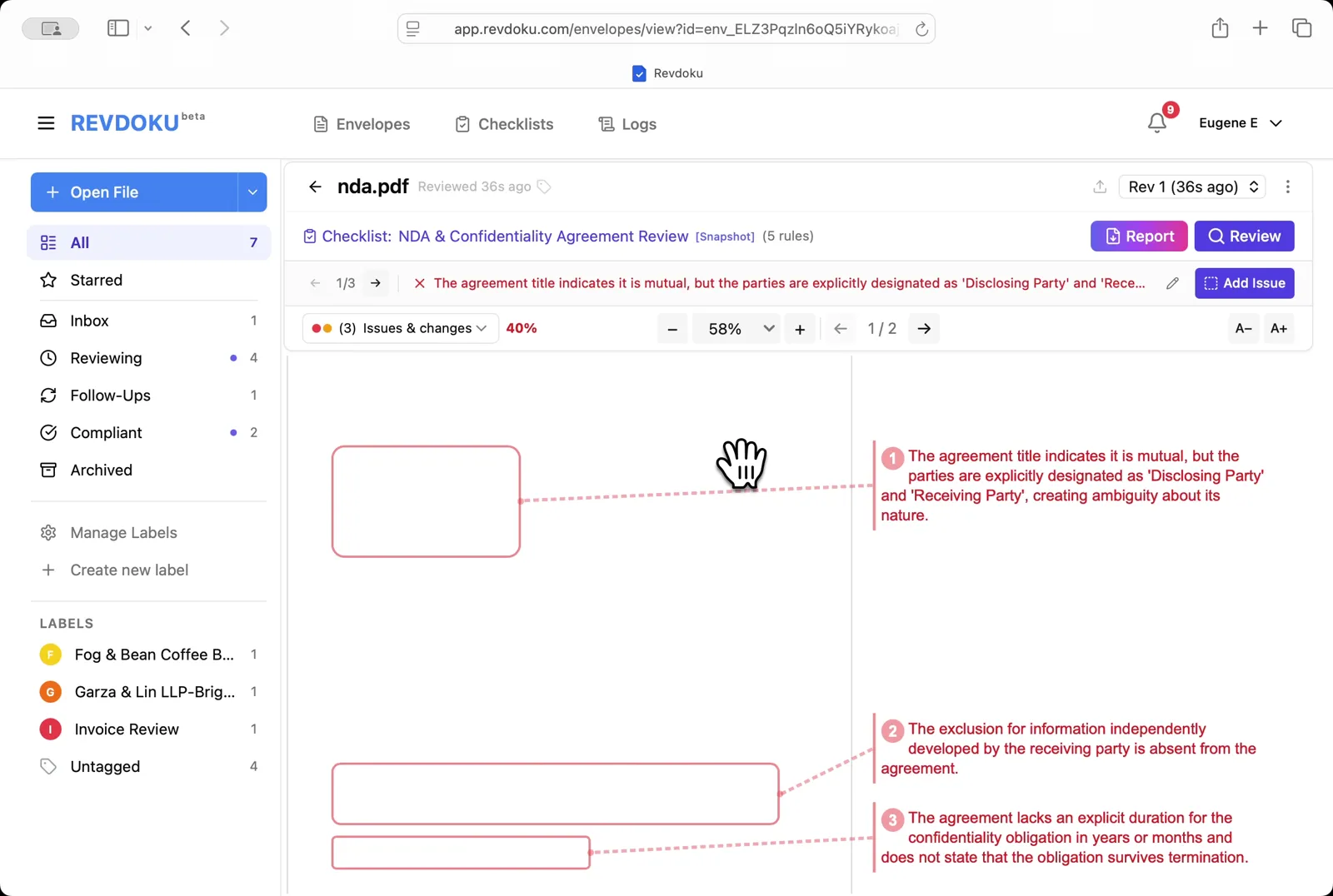
Step 7: See all issues at once.
See all issues at once. Zoom out to 58% to view the three flagged areas alongside their annotations.
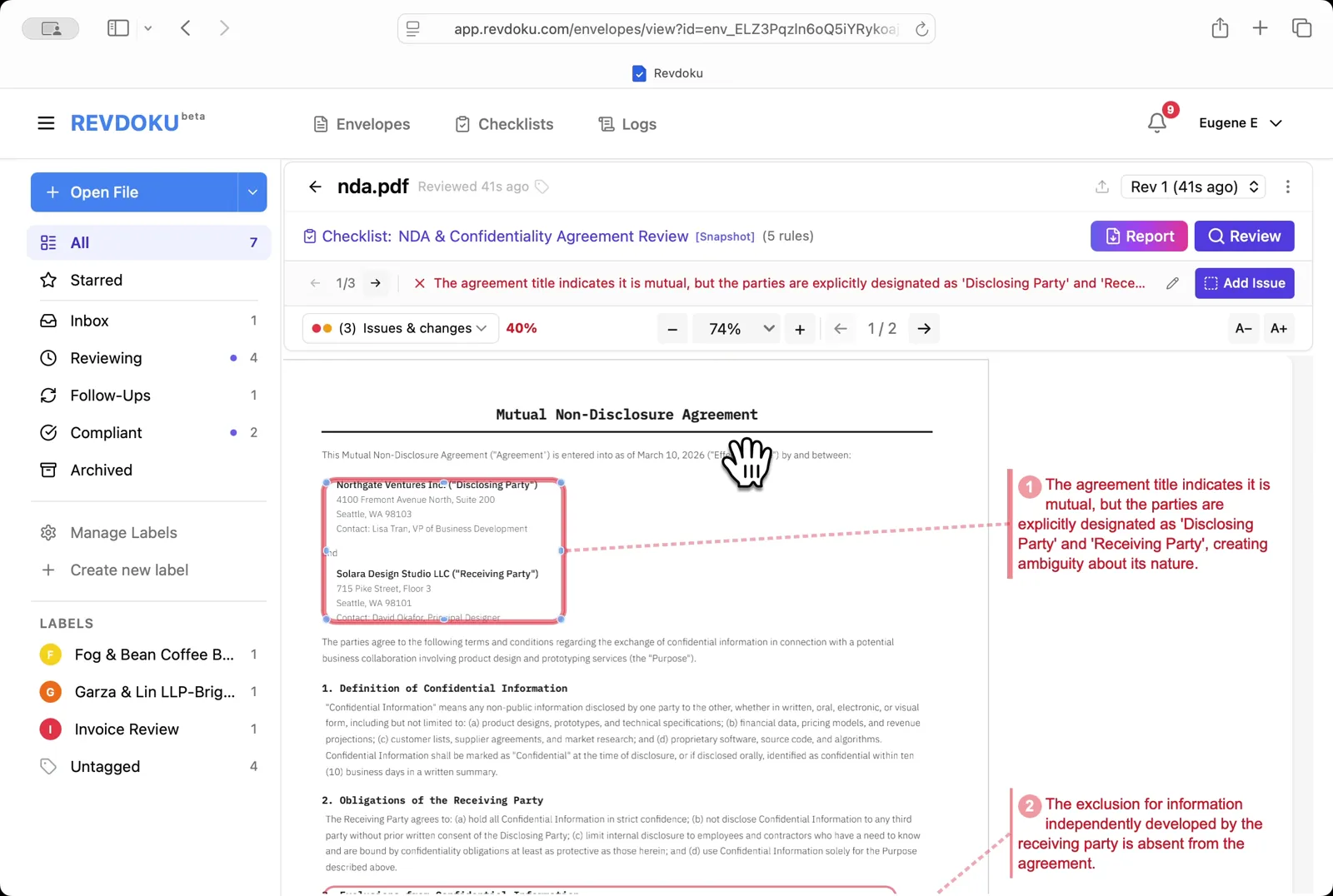
Step 8: Inspect the parties block.
Inspect the parties block. Zoom in to 74% to verify how the parties are labeled in the upper-left of page 1.
Step 9: Open the Report.
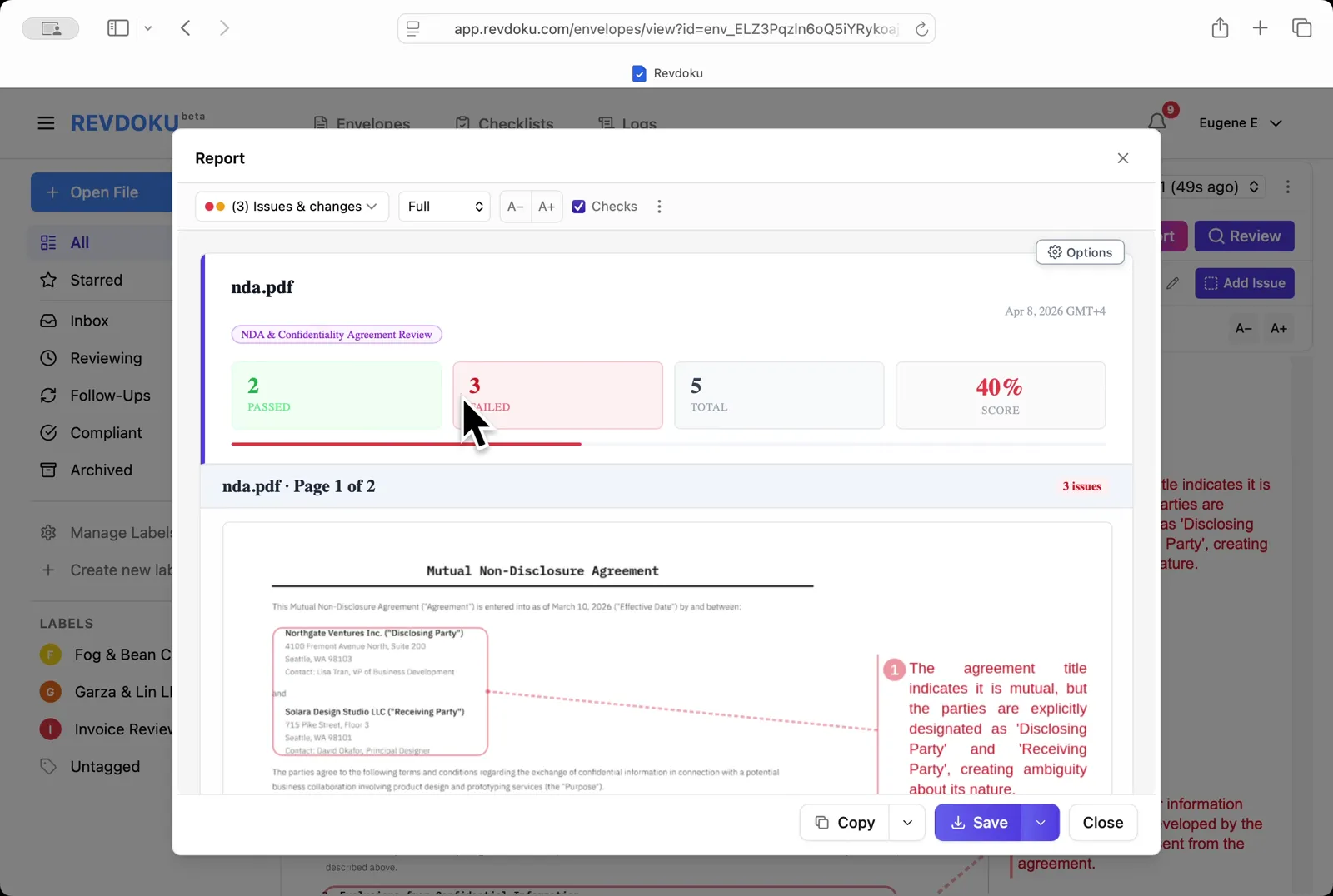
Open the Report. The summary shows 2 passed, 3 failed, 40% score, with the first issue annotated on the page preview.
Step 10: Read the issue list.
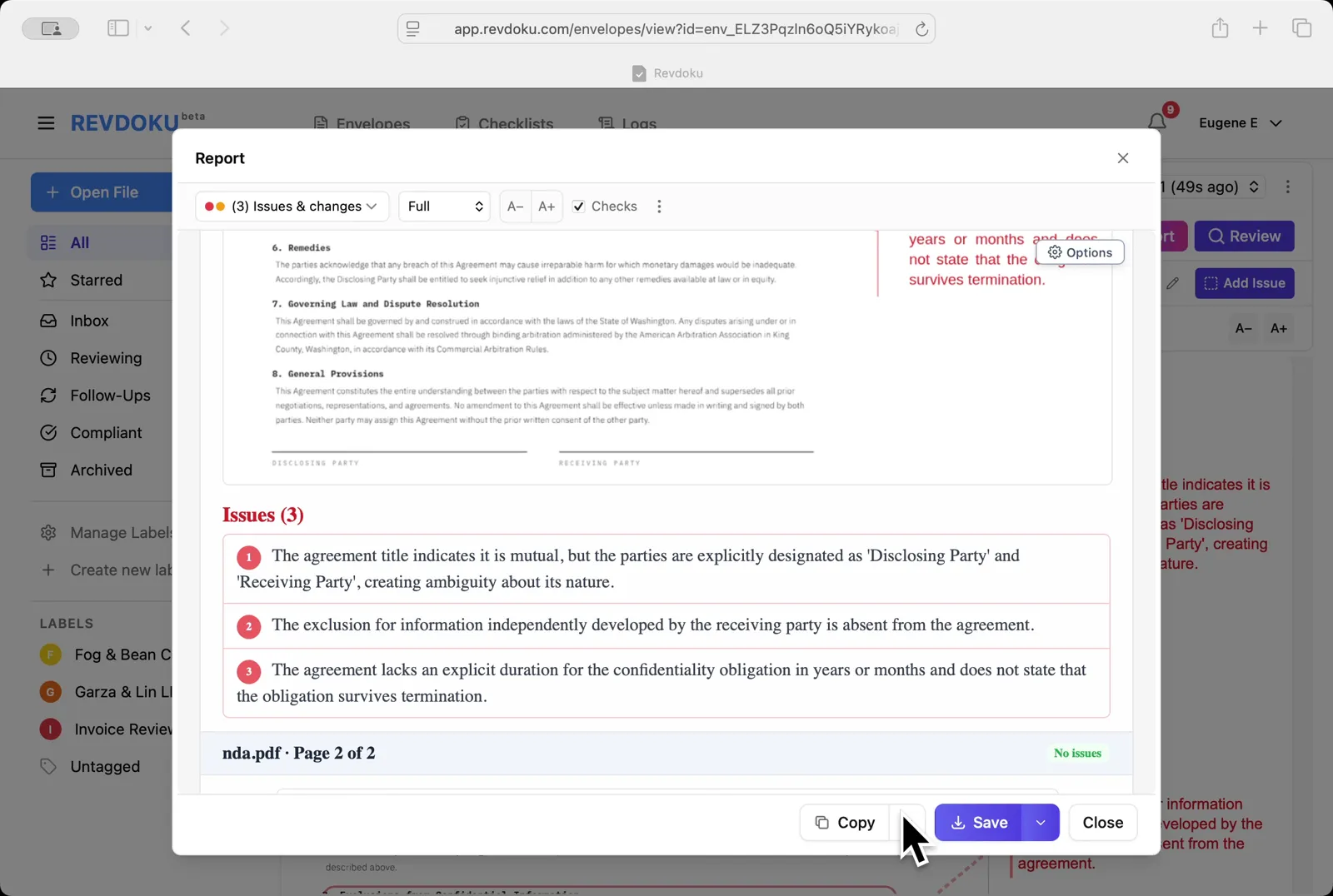
Read the issue list. The Issues (3) section lists the ambiguous Disclosing/Receiving labels, the missing exclusion clause, and the missing confidentiality duration; page 2 is marked No issues.
Step 11: Save the report.
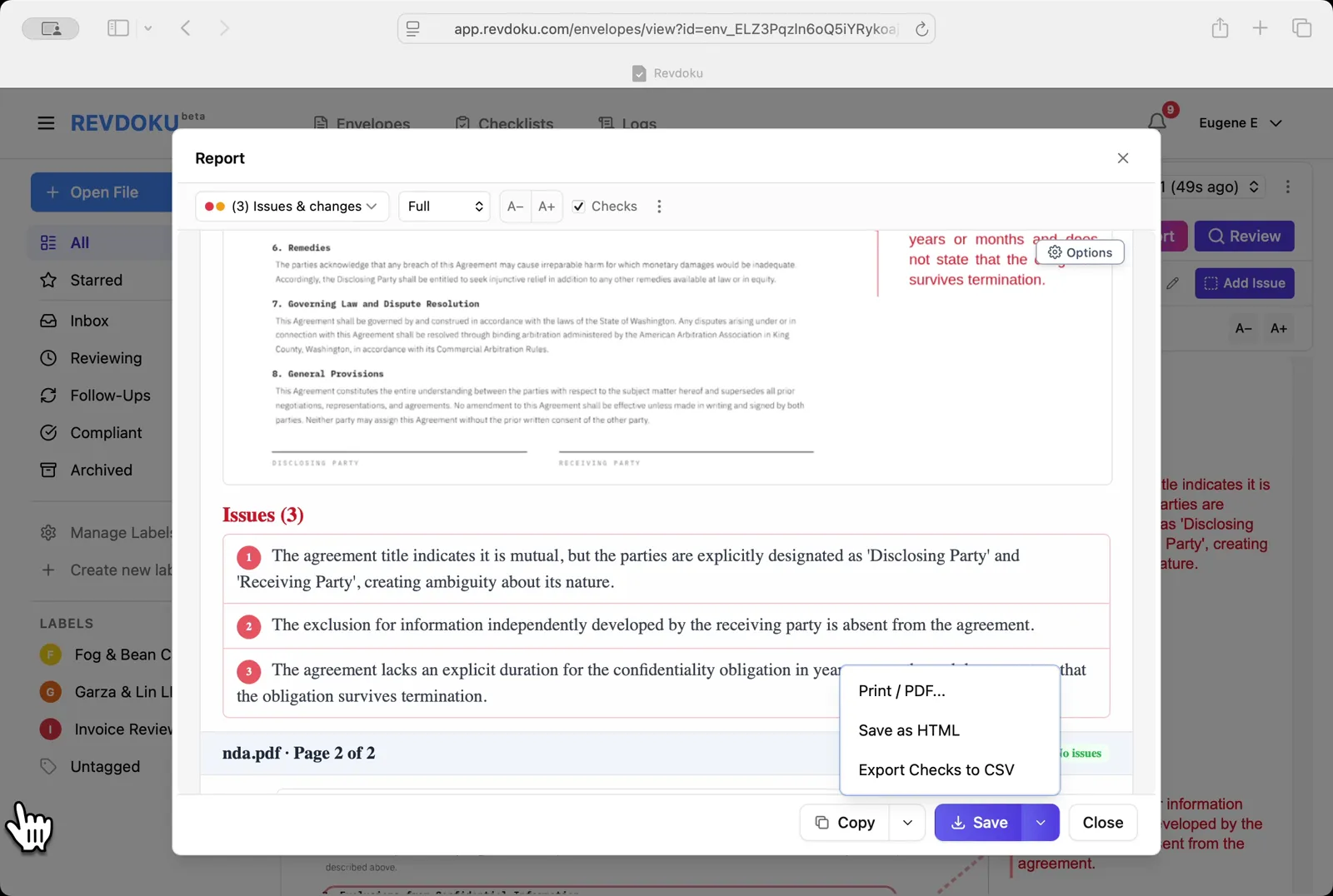
Save the report. The Save dropdown offers Print / PDF, Save as HTML, and Export Checks to CSV.
Conclusion
In this tutorial it was demonstrated how to use Revdoku for reviewing a mutual NDA. The following steps were shown:
- Open the Envelopes inbox
- Upload the NDA
- Pick the NDA checklist
- Start the review
- Revdoku analyzes the NDA
- Read the issues on page 1
- See all issues at once
- Inspect the parties block
- Open the Report
- Read the issue list
- Save the report
What You Learned
This case showed how Revdoku can take a document, apply a structured checklist, and surface specific findings — all in under a minute. No manual line-by-line reading required.