Count Party References in a Joint Venture Agreement with Revdoku
Step 1: Open the Joint Venture Agreement.
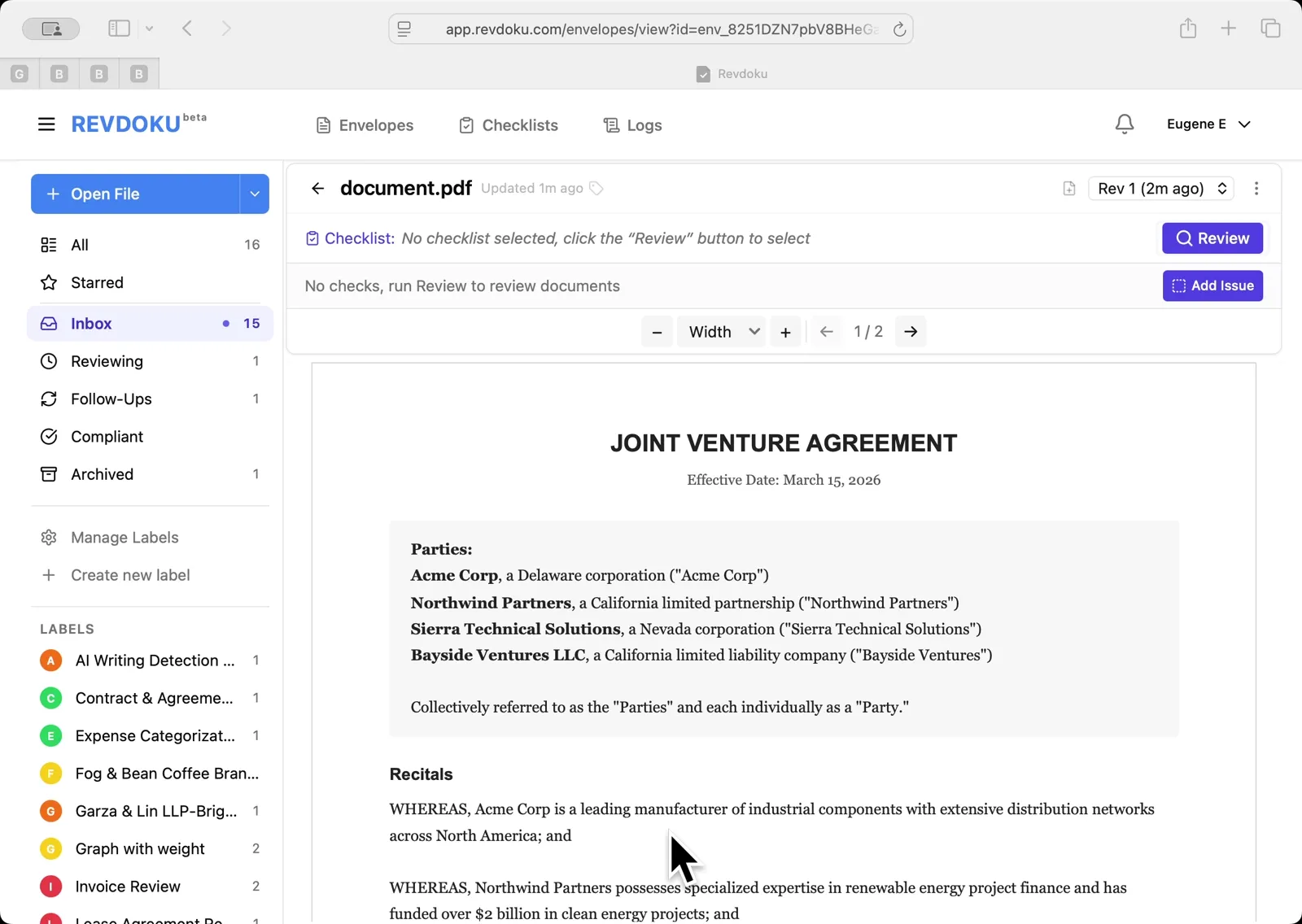
The document is open in the Revdoku Inbox viewer, showing the parties — Acme Corp, Northwind Partners, Sierra Technical Solutions, and Bayside Ventures. The checklist banner reads No checklist selected. Click the purple Review button on the right to begin.
Step 2: Pick the Party Reference Count checklist.
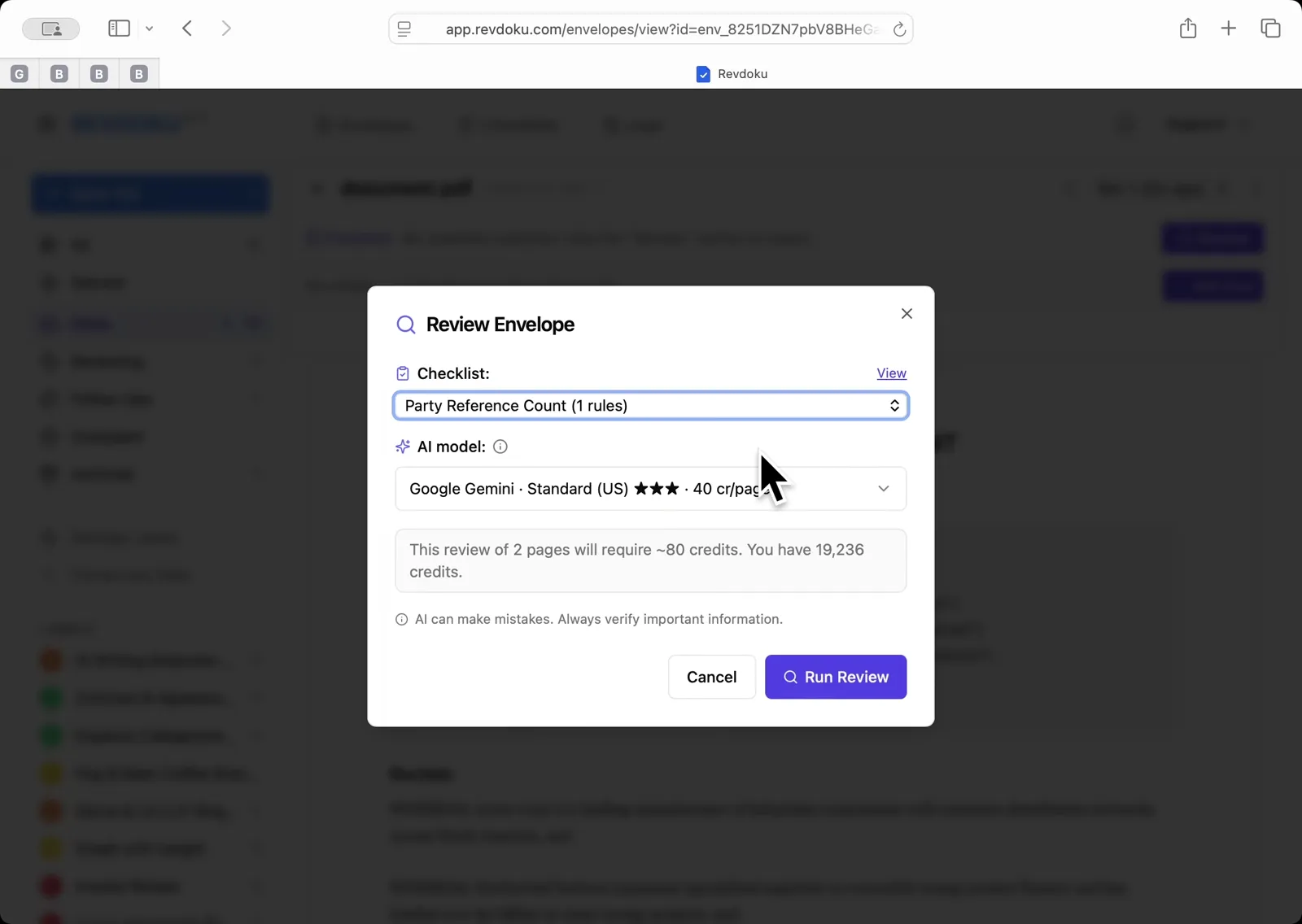
In the Review Envelope dialog, select Party Reference Count (1 rules) from the Checklist dropdown. Leave the AI model set to Google Gemini Standard US, then click Run Review.
Step 3: Let Revdoku scan the pages.
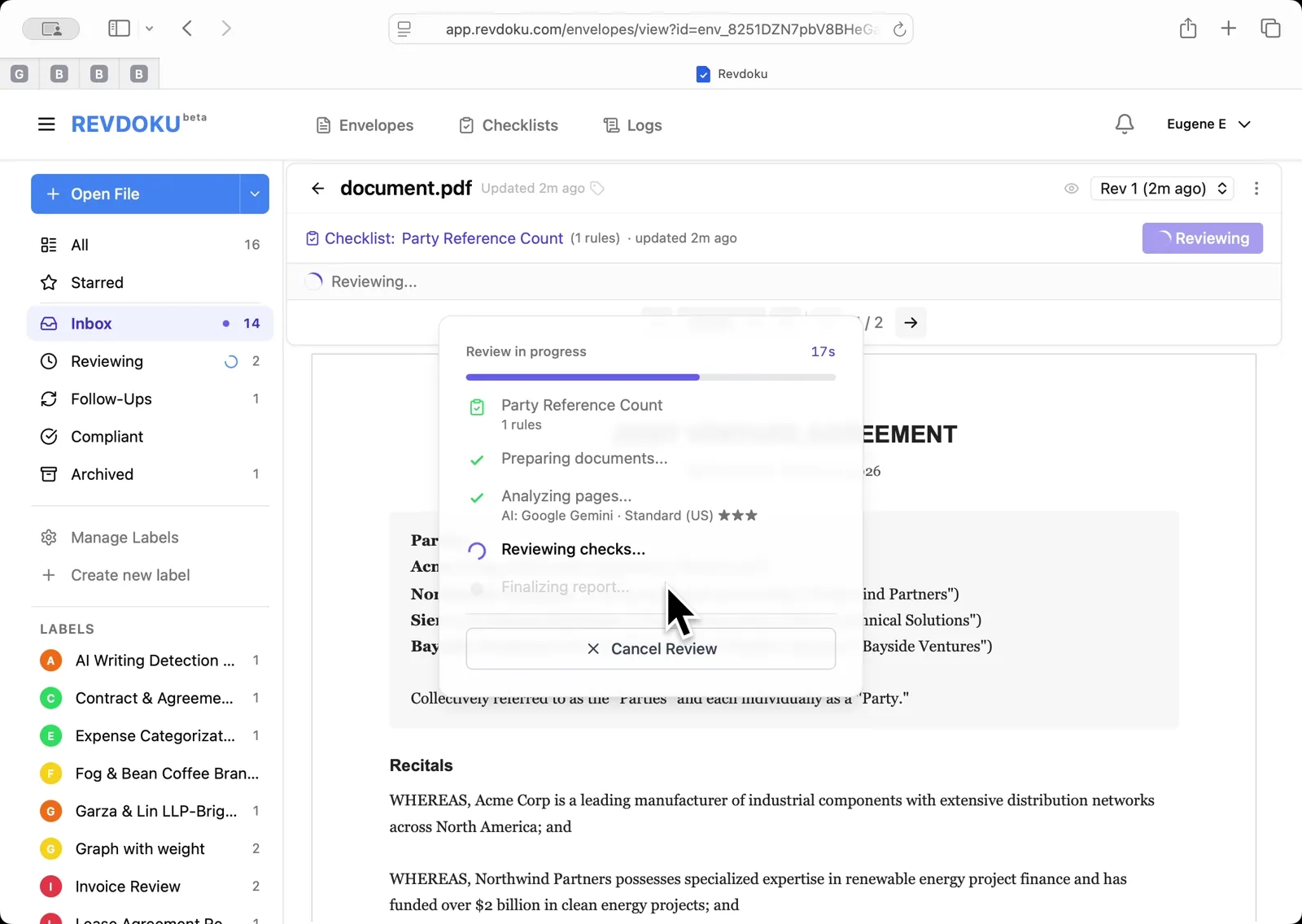
The Review in progress panel walks through Preparing documents, Analyzing pages, Reviewing checks, and Finalizing report. Wait for it to finish — no input is required.
Step 4: Read the reference tally.
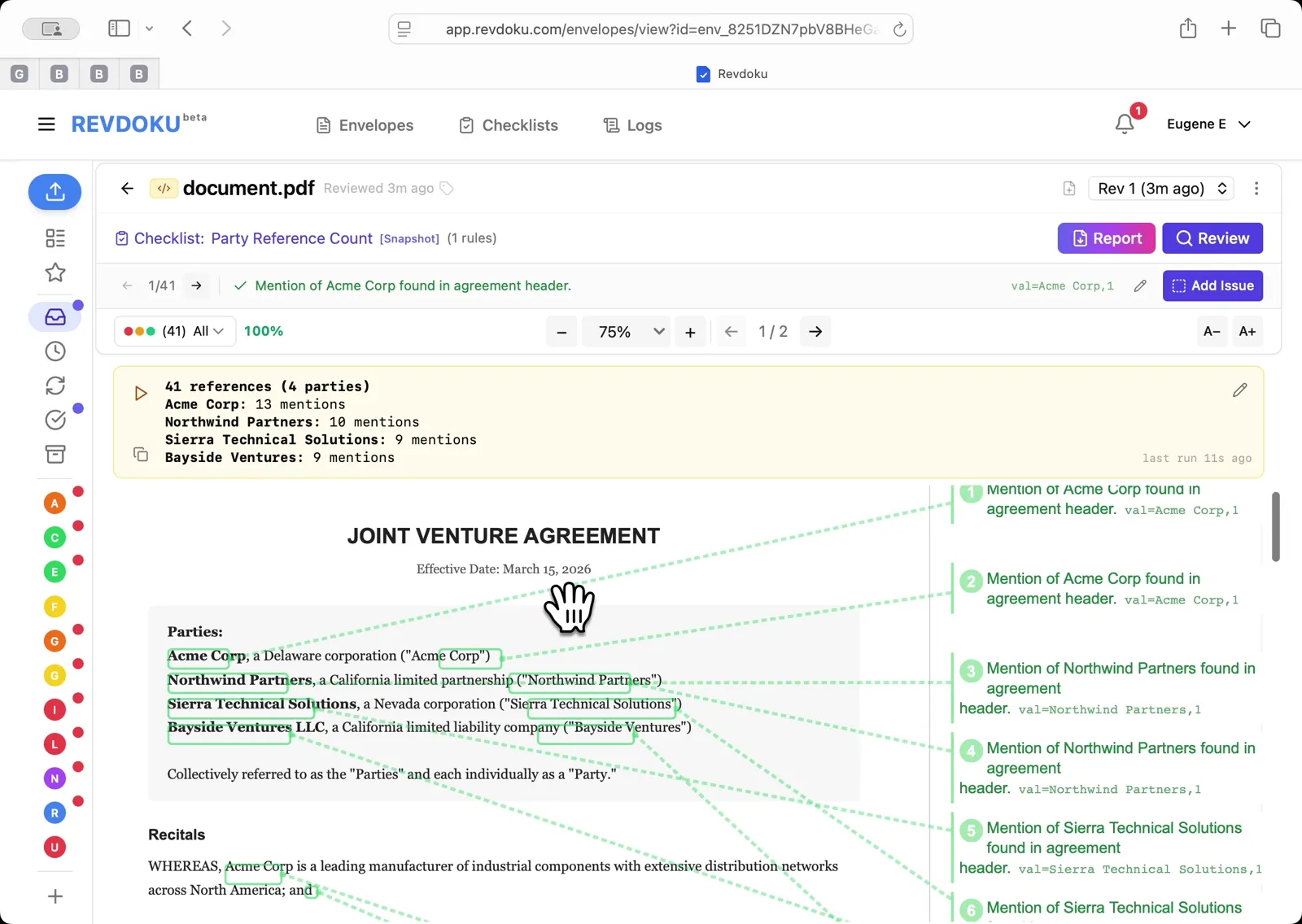
The result panel reports 41 references across 4 parties — Acme Corp 13, Northwind Partners 10, Sierra Technical Solutions 9, Bayside Ventures 9. Every mention is numbered and mapped back to its exact spot in the PDF on the right.
What You Learned
This case showed how Revdoku can take a document, apply a structured checklist, and surface specific findings — all in under a minute. No manual line-by-line reading required.