Track Invoice Revisions Against an Agreement
This use case demonstrates how to verify an invoice against a legal services agreement. You will paste the agreement text to generate a compliance checklist, run Review on the invoice to find issues, then upload a corrected revision and confirm all checks pass.
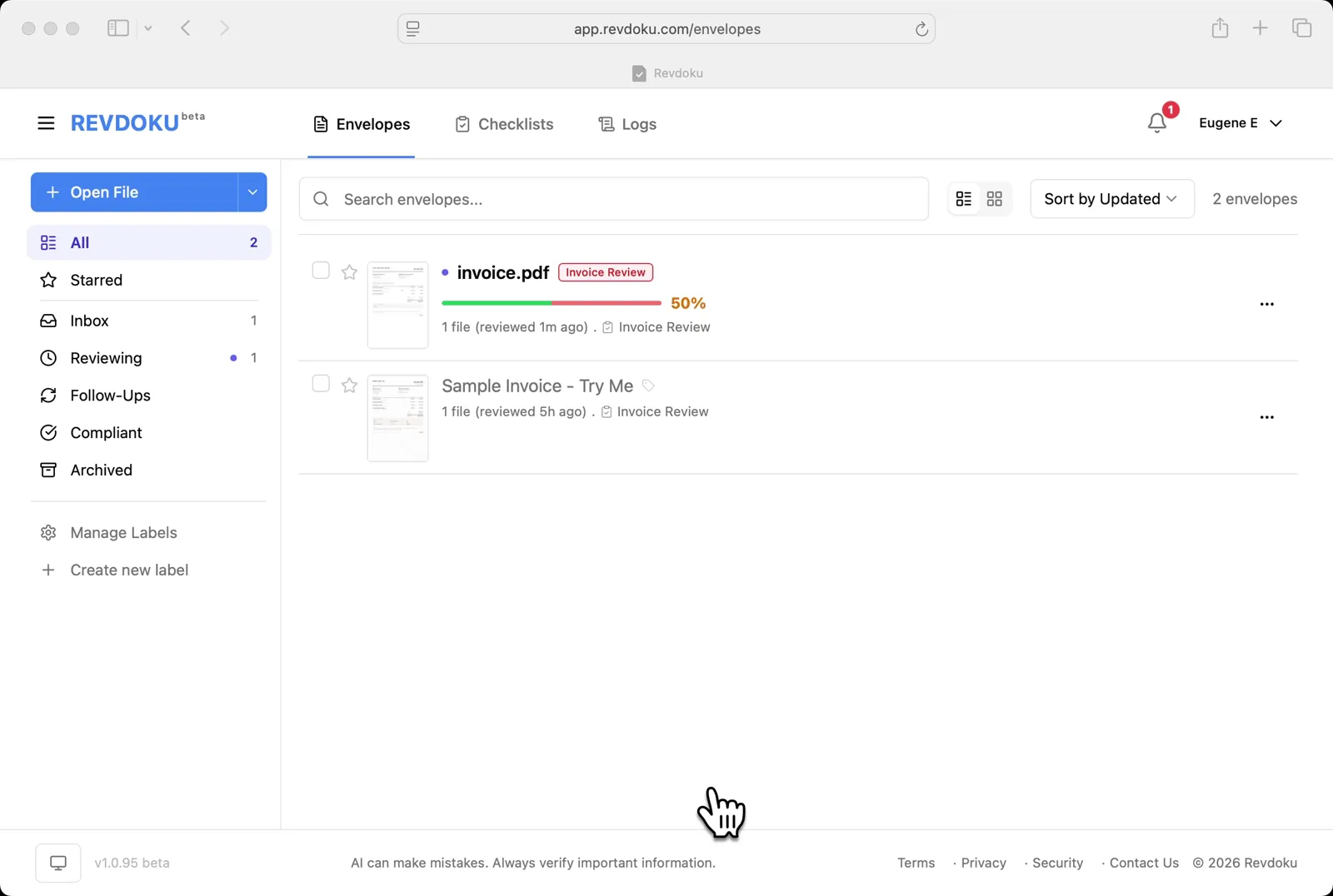
Step 1: Open the Envelopes inbox.
Open the Envelopes inbox. The inbox shows the invoice you want to review.
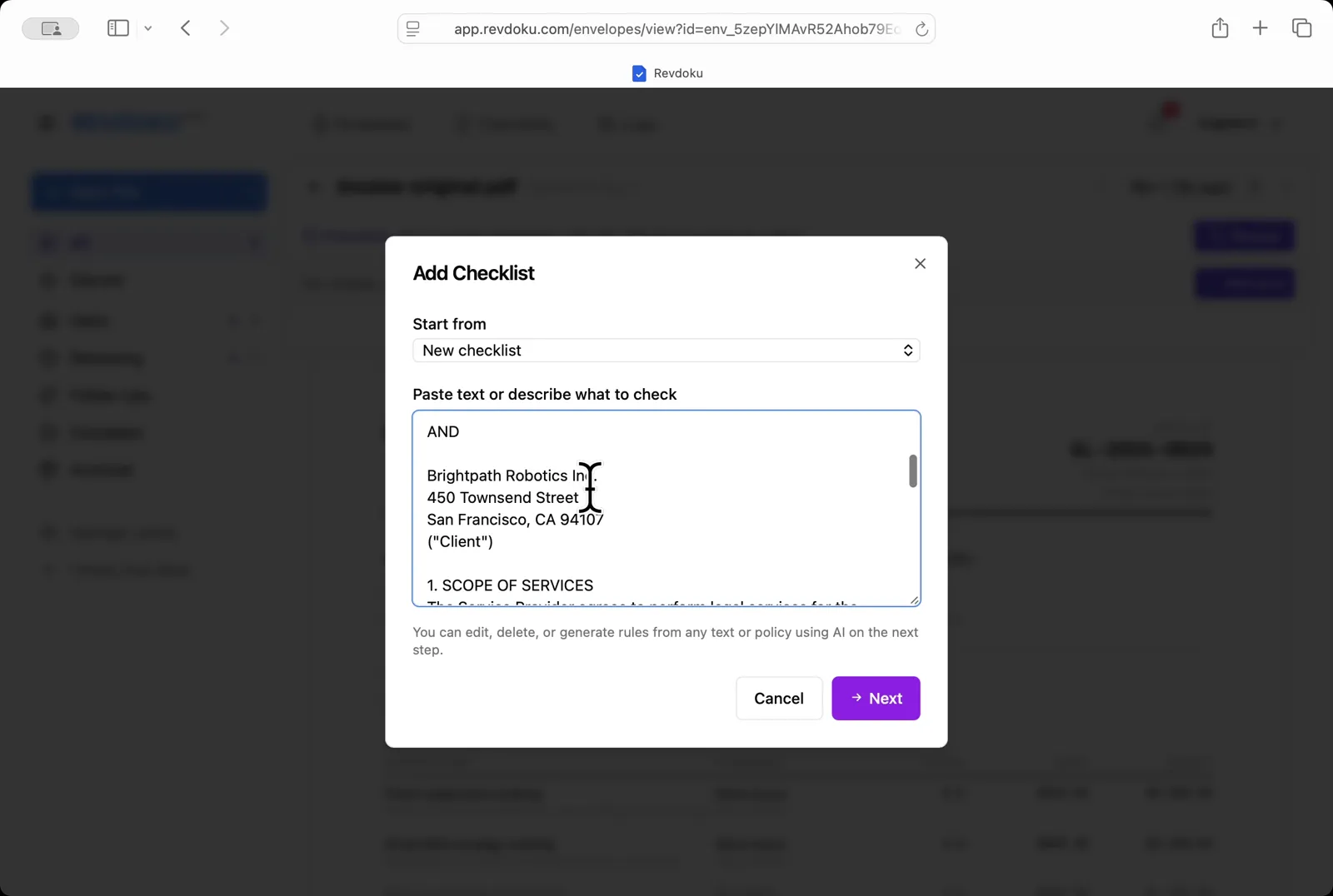
Step 2: Paste the agreement.
Paste the agreement. In the Add Checklist dialog, paste the legal services agreement text into the Paste text or describe what to check field.
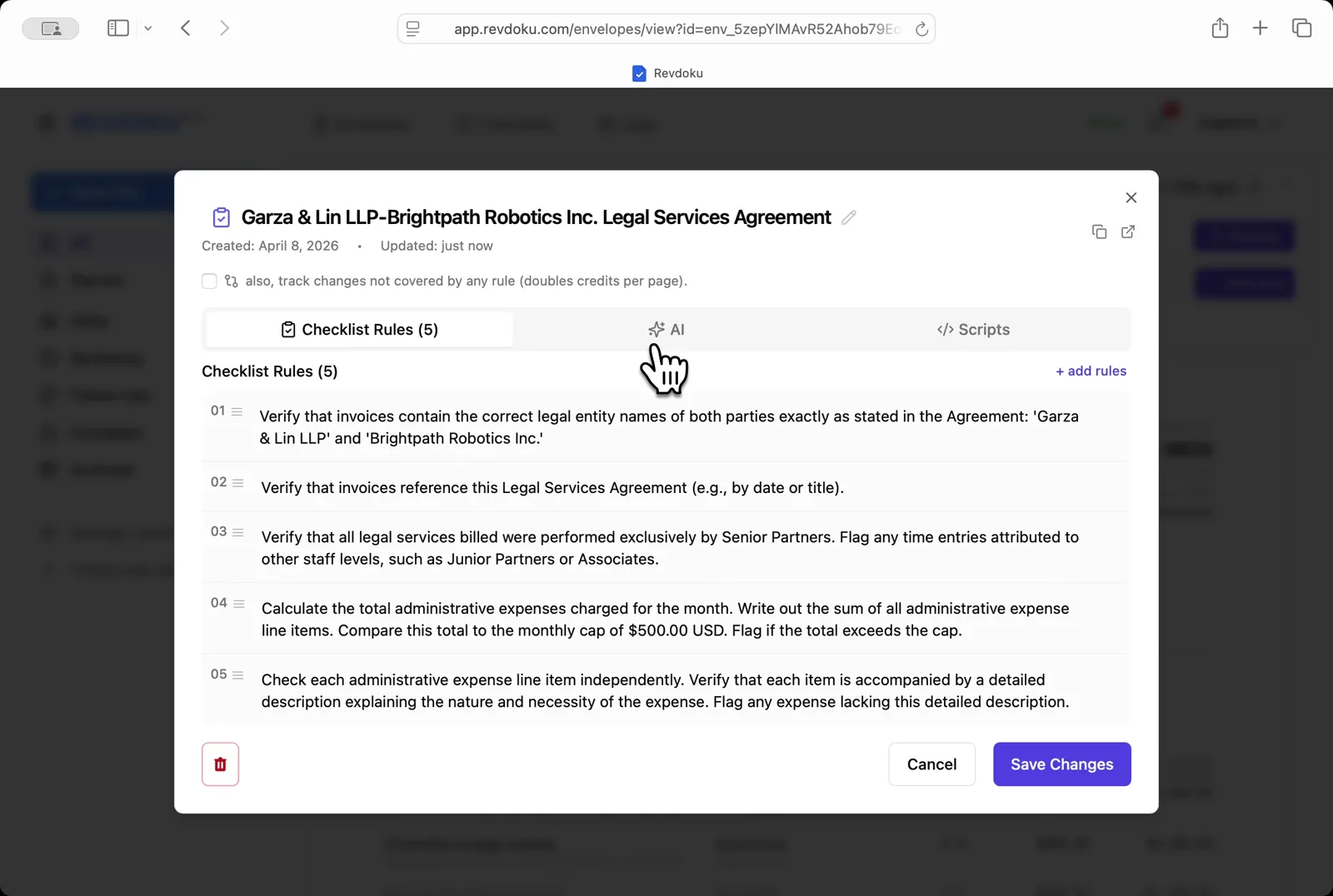
Step 3: Generate the rules.
Generate the rules. Revdoku turns the agreement into a 5-rule Garza & Lin LLP-Brightpath Robotics Inc. Legal Services Agreement checklist covering legal entity names, agreement reference, Senior Partner billing, and the $500 administrative expense cap.
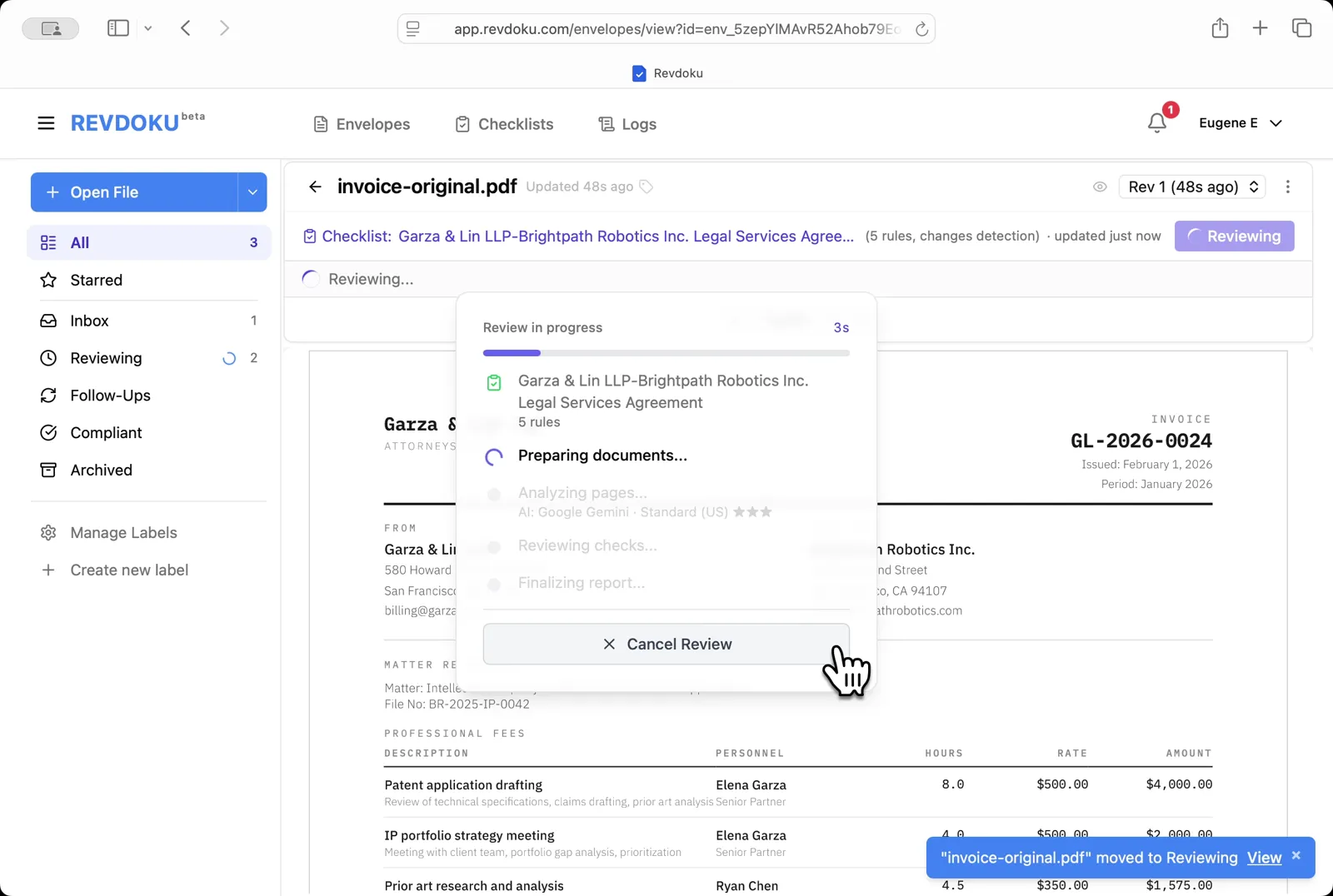
Step 4: Review the original invoice.
Review the original invoice. Click Review and Revdoku checks invoice-original.pdf against the 5 rules with Google Gemini.
Step 5: Read the issues.
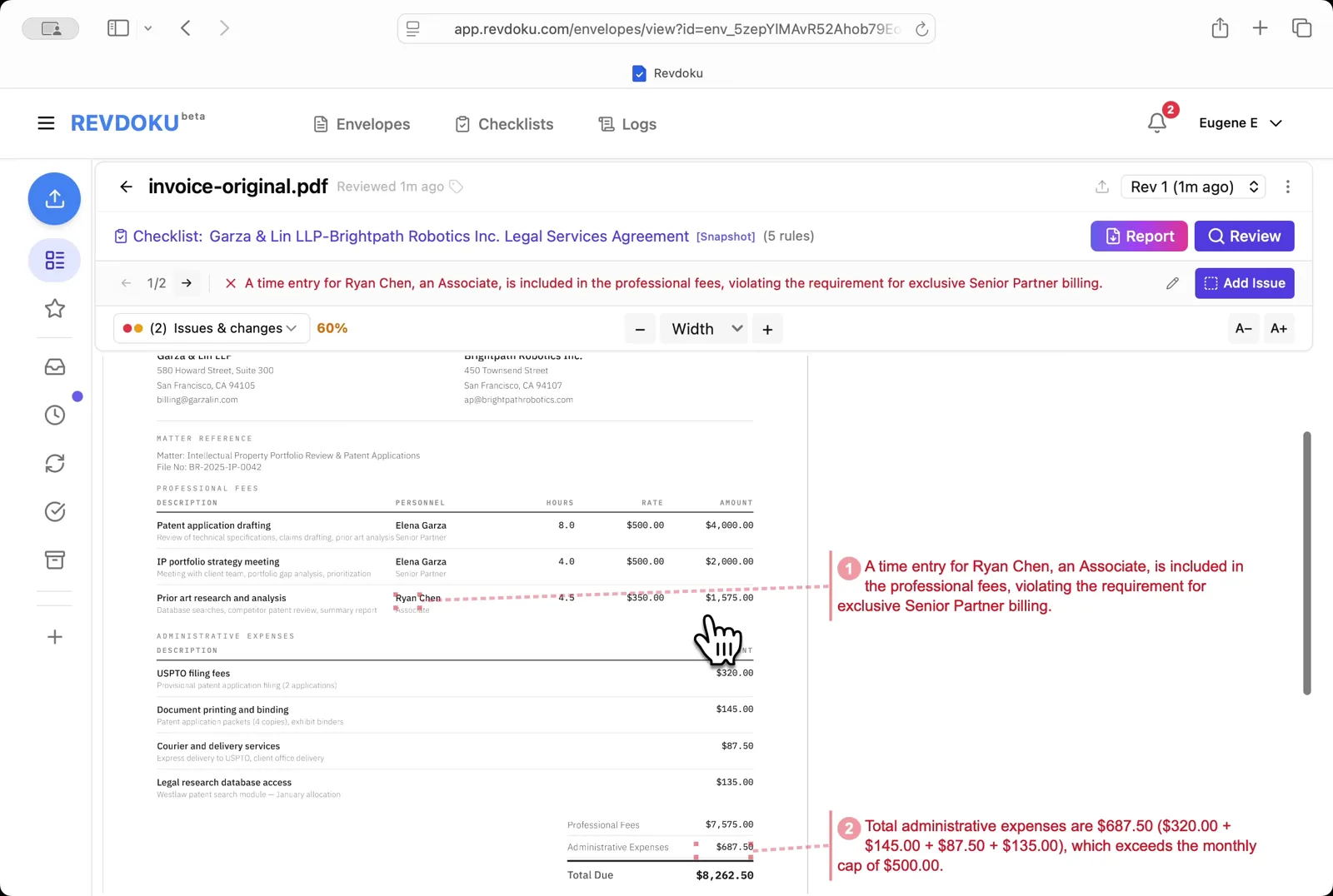
Read the issues. Two failures are flagged on v1: a time entry billed by an Associate (Ryan Chen) instead of a Senior Partner, and administrative expenses totaling $687.50 over the $500 monthly cap.
Step 6: Open the envelope menu.
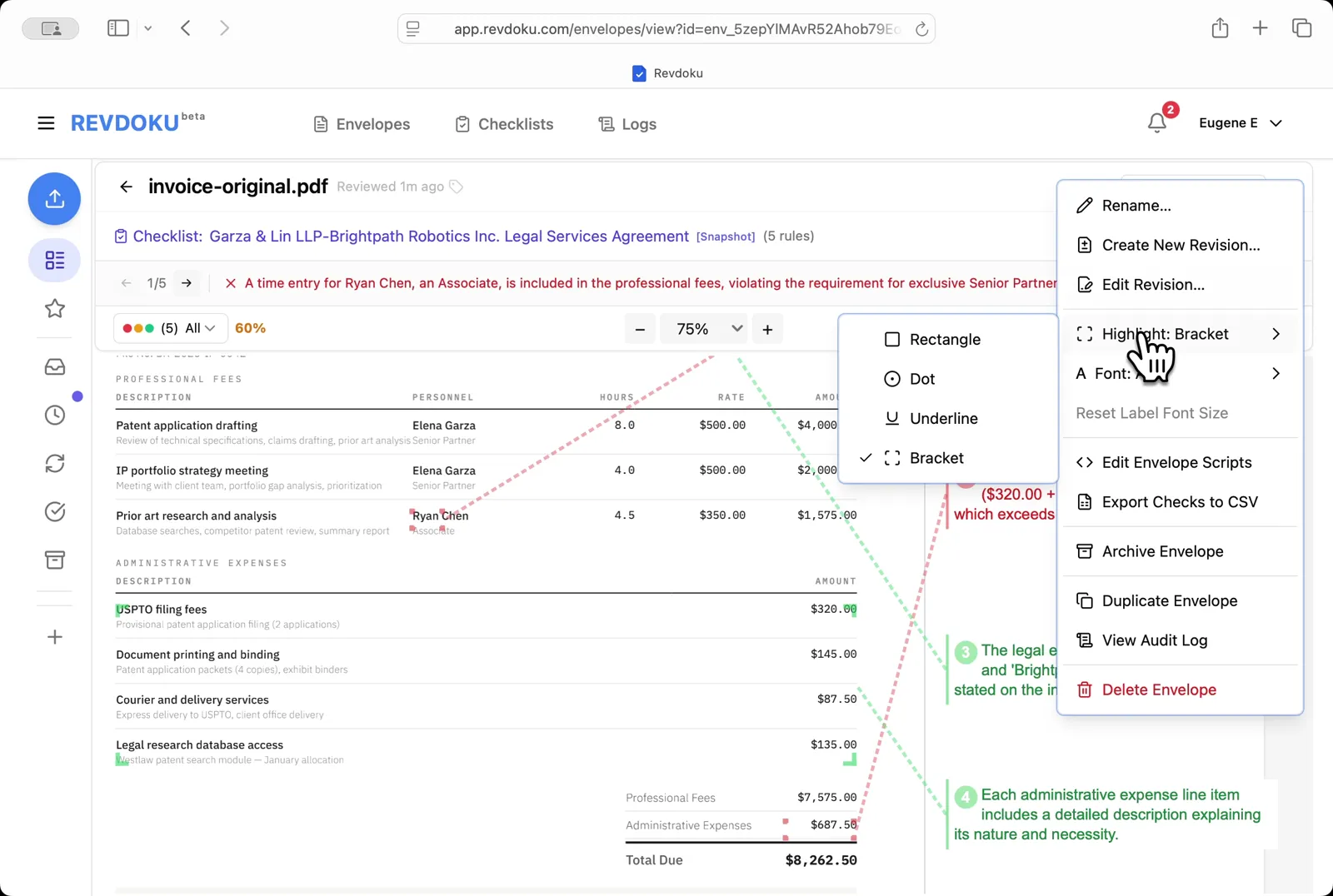
Open the envelope menu. The right-side menu lets you create or edit revisions, change highlight style, run scripts, archive, or export checks to CSV.
Step 7: Upload a corrected revision.
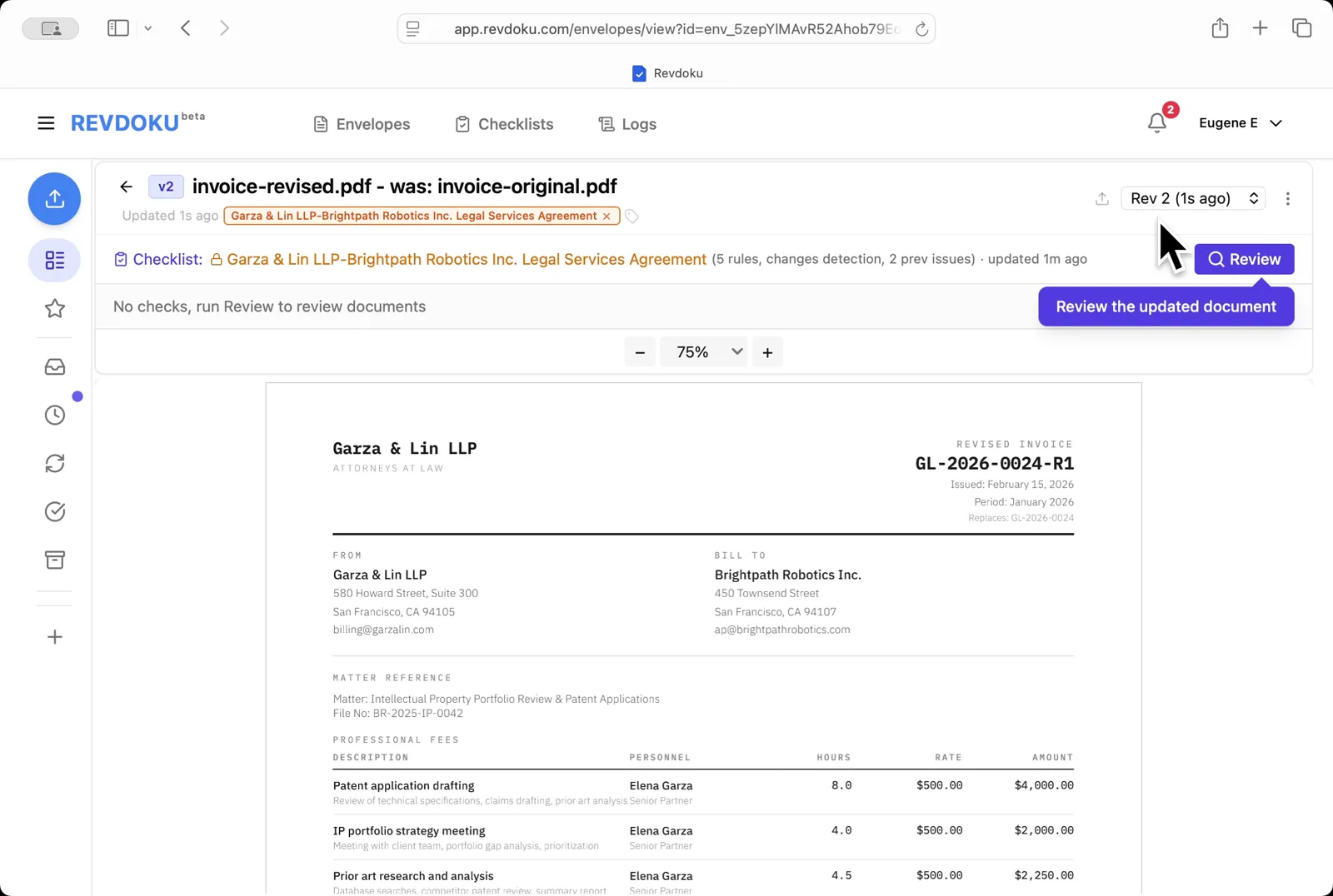
Upload a corrected revision. Drop invoice-revised.pdf in to create v2; a callout points at Review to re-check the updated document.
Step 8: Re-review the new revision.
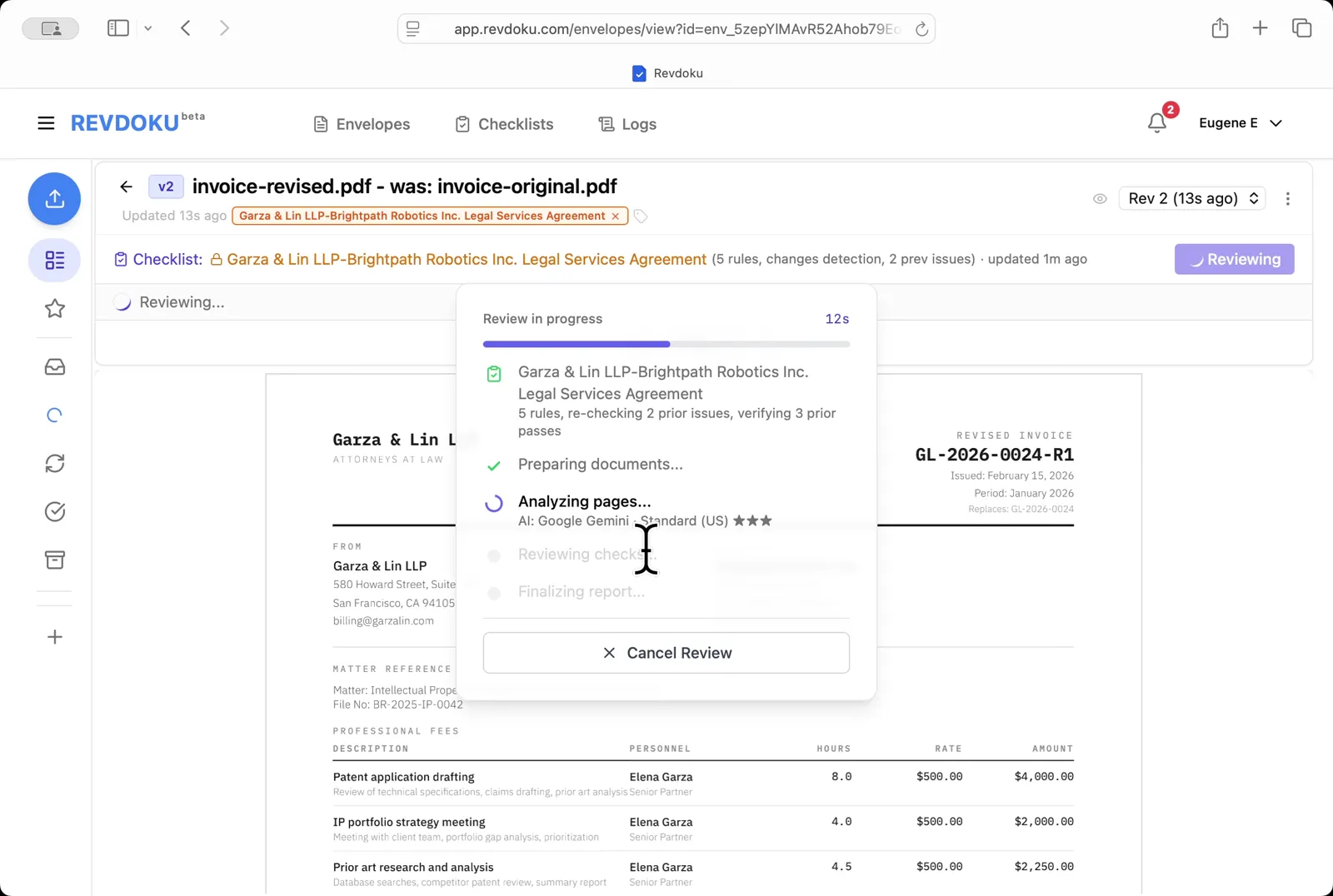
Re-review the new revision. Revdoku starts a fresh review on v2, re-checking the 2 prior issues and verifying the 3 prior passes.
Step 9: All 5 checks now pass.
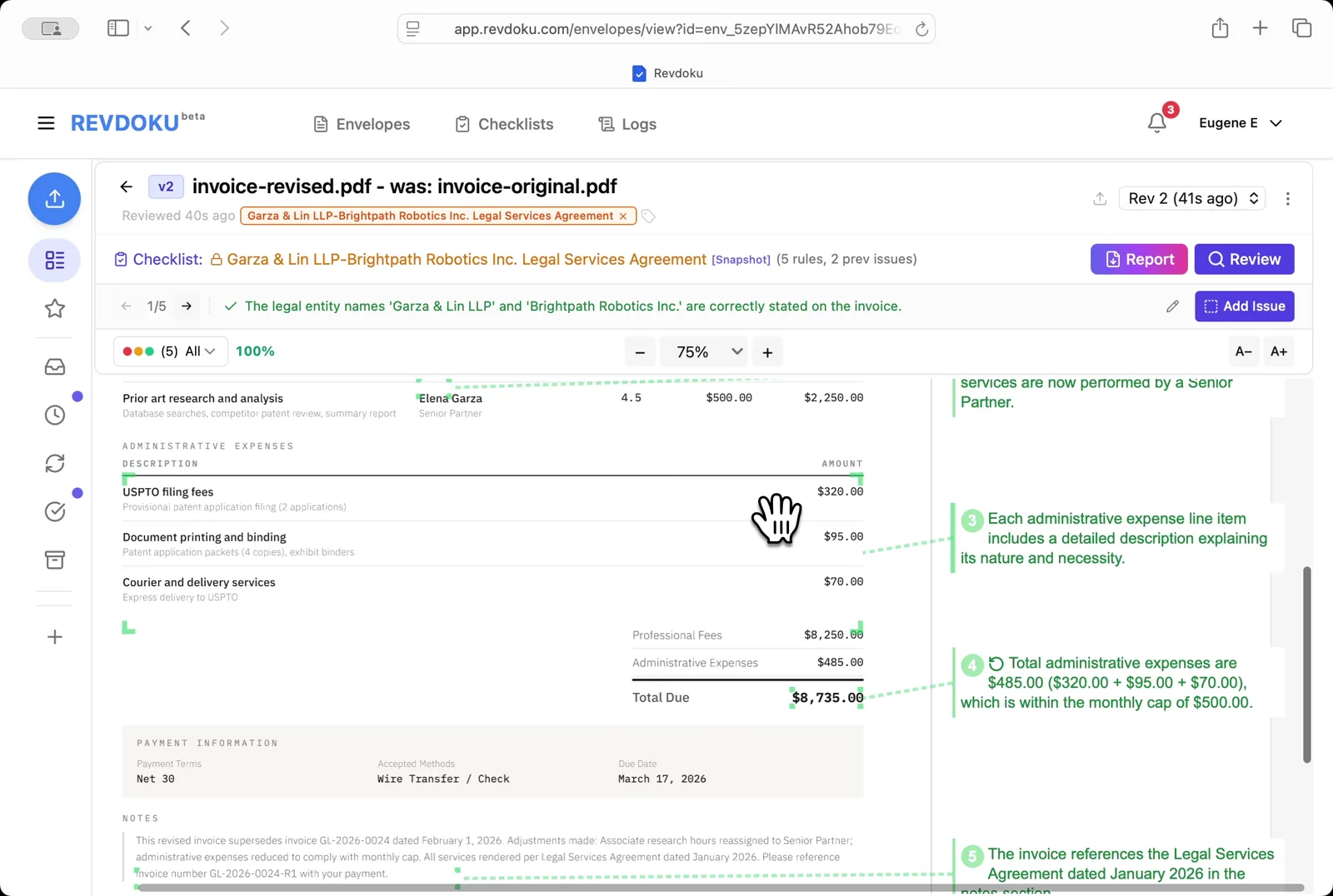
All 5 checks now pass. The Associate’s hours have been reassigned to a Senior Partner and administrative expenses are down to $485, within the $500 cap.
Step 10: Open the Report.
Open the Report. The summary shows 5 passed, 0 failed, 100% score (vs v1: +40%) with annotated thumbnails of the revised invoice.
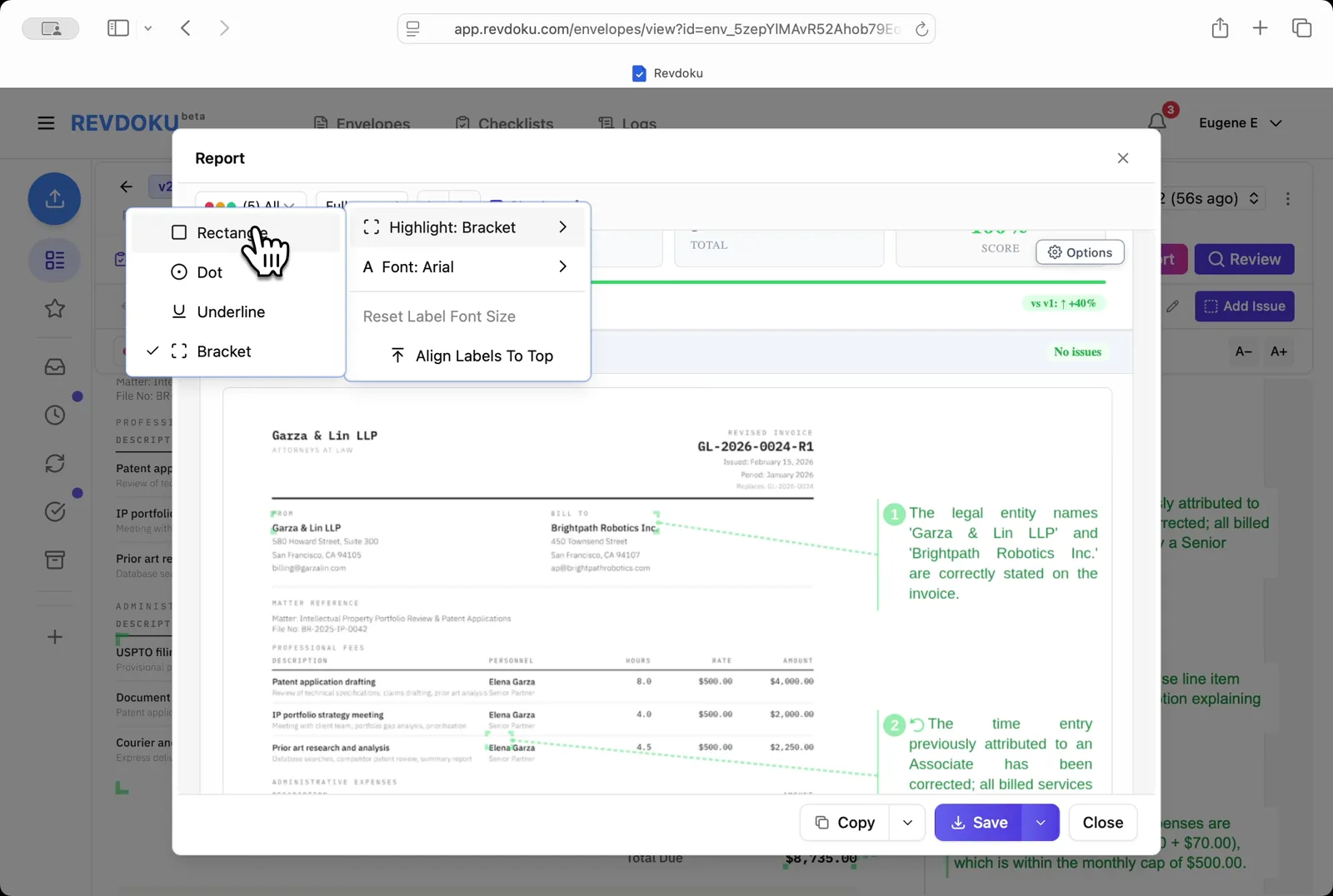
Step 11: Save the report.
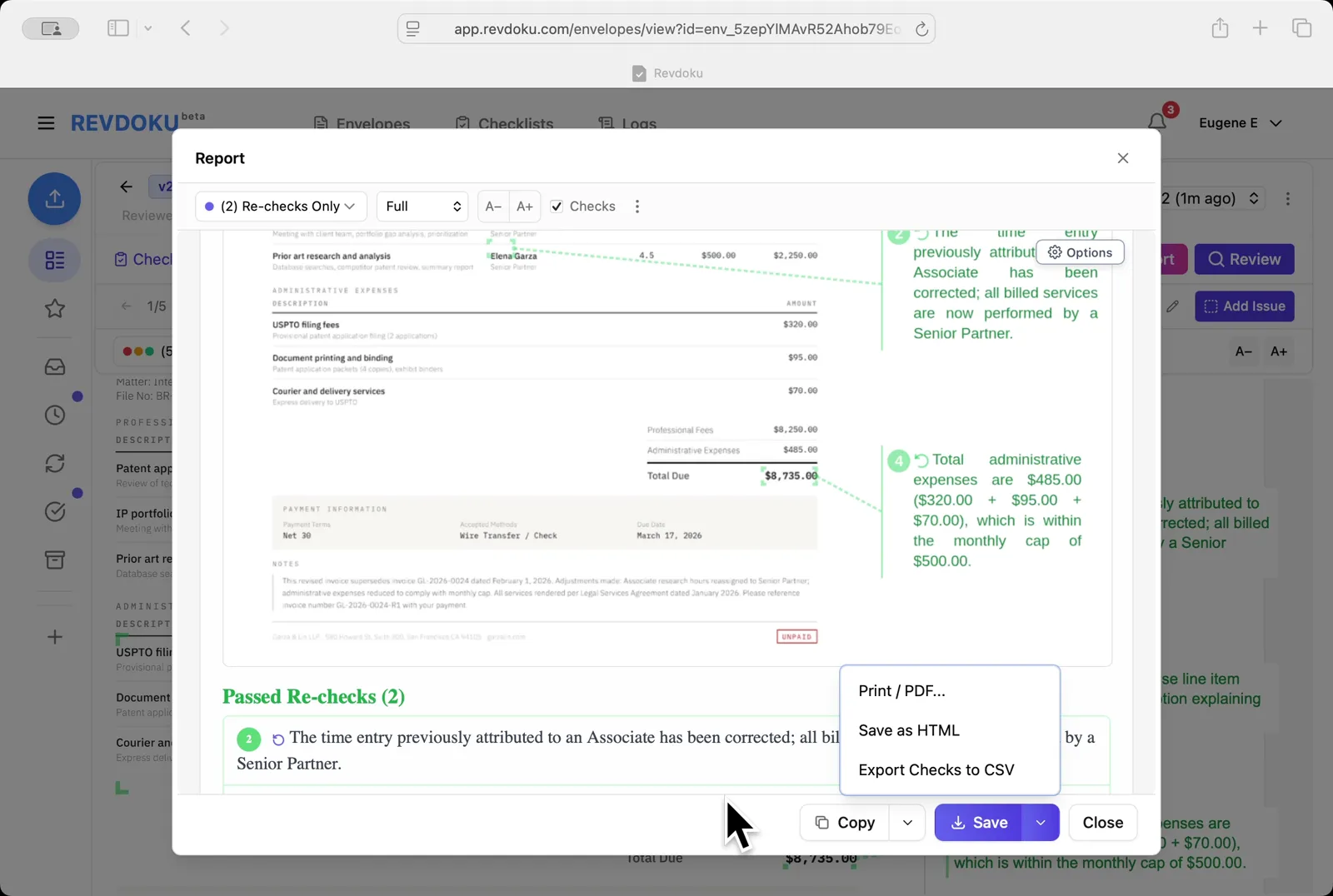
Save the report. Pick Re-checks Only to show just the two cleared issues, then use the Save dropdown to export as PDF, HTML, or CSV.
Conclusion
In this tutorial it was demonstrated how to use Revdoku for tracking invoice revisions against an agreement. The following steps were shown:
- Open the Envelopes inbox
- Paste the agreement
- Generate the rules
- Review the original invoice
- Read the issues
- Open the envelope menu
- Upload a corrected revision
- Re-review the new revision
- All 5 checks now pass
- Open the Report
- Save the report
What You Learned
This case showed how Revdoku can take a document, apply a structured checklist, and surface specific findings — all in under a minute. No manual line-by-line reading required.