Count Medications by Drug Class in a Clinical Record with Revdoku
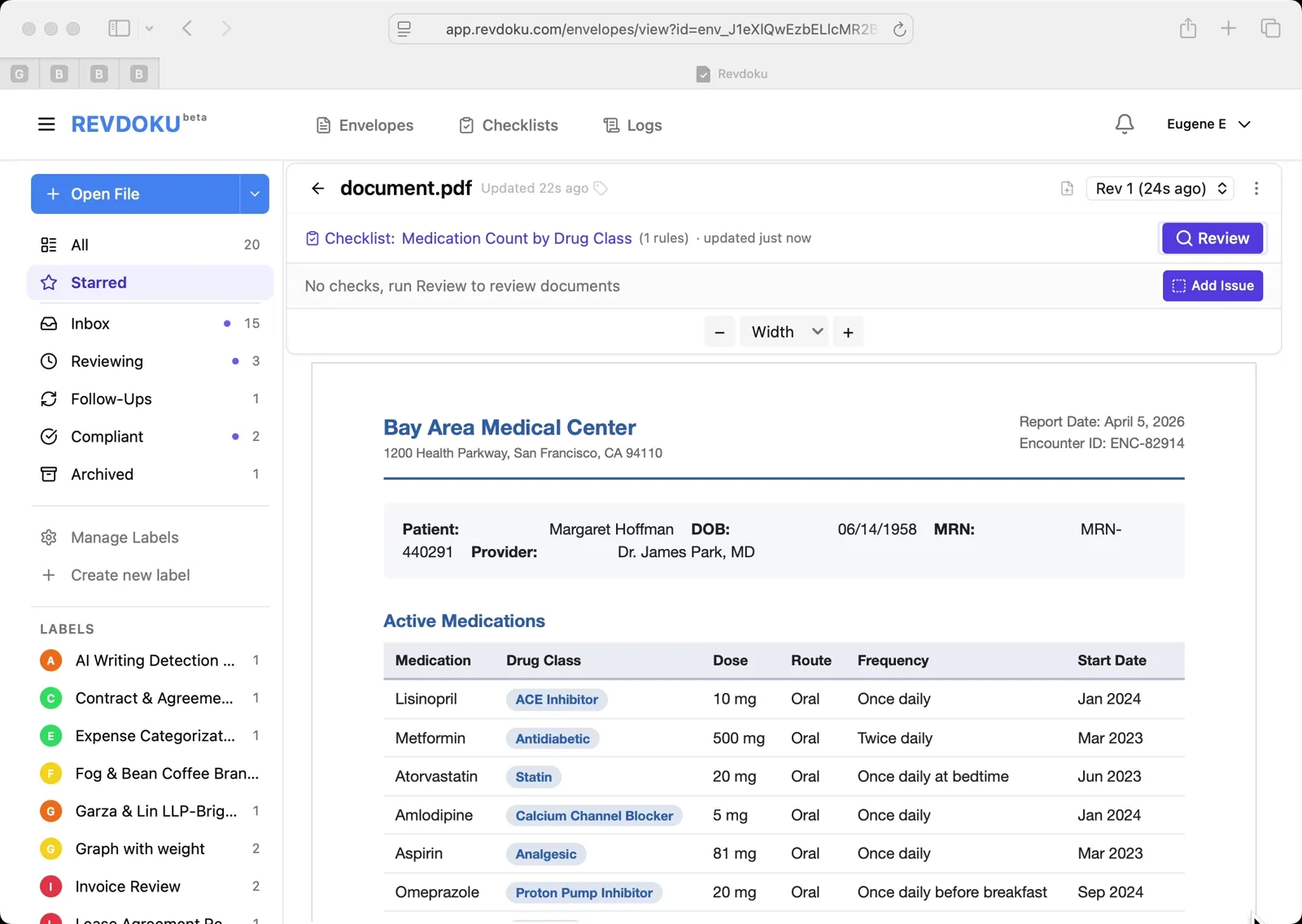
Step 1: Open the medication list.
The Bay Area Medical Center Active Medications table is open, listing Lisinopril (ACE Inhibitor), Metformin (Antidiabetic), Atorvastatin (Statin), Amlodipine, Aspirin, Omeprazole, and more — each with drug class, dose, route, frequency, and start date.
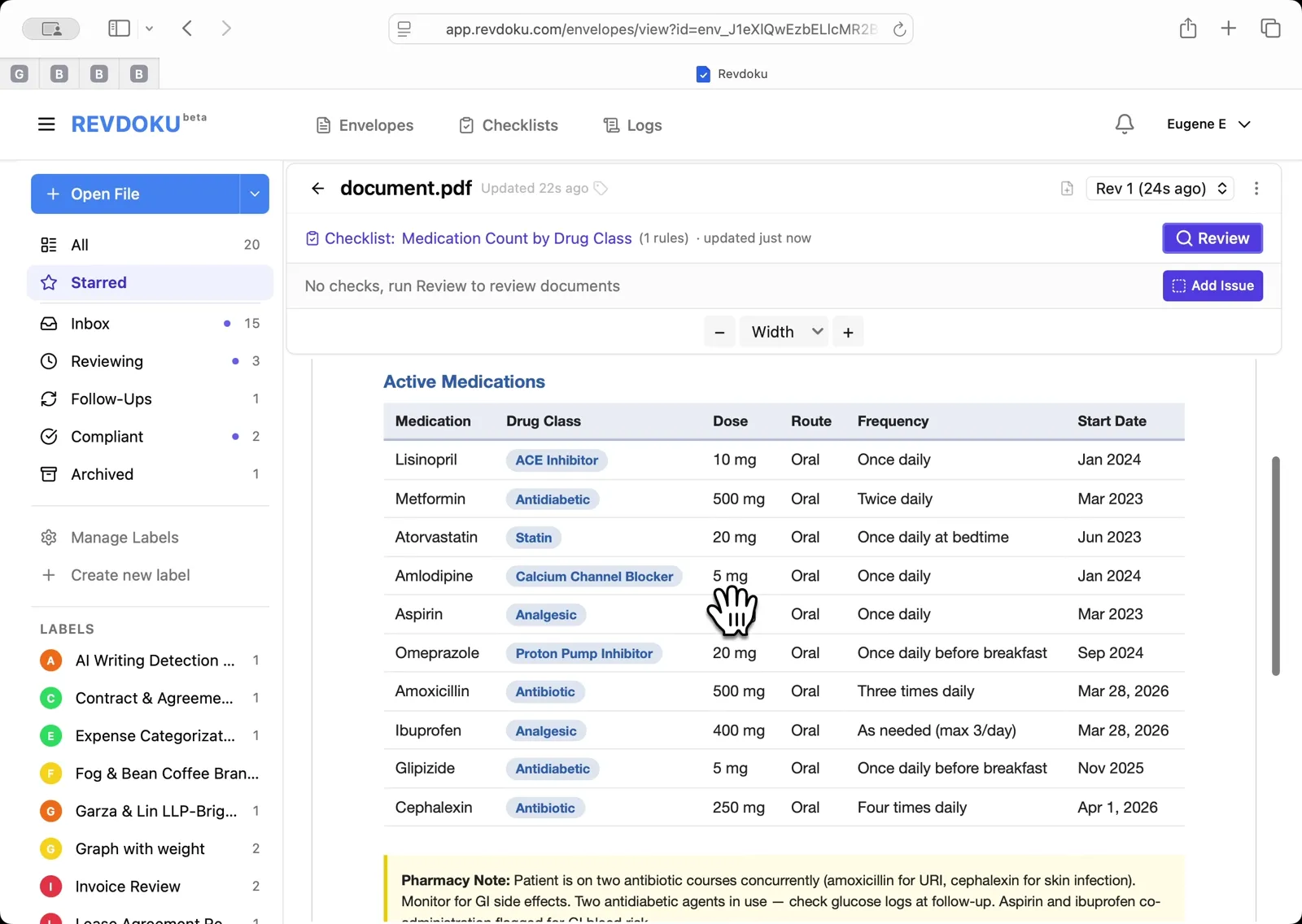
Step 2: Scroll through the 10 rows of active medications.
A Pharmacy Note at the bottom flags two concurrent antibiotic courses and two overlapping antidiabetic agents.
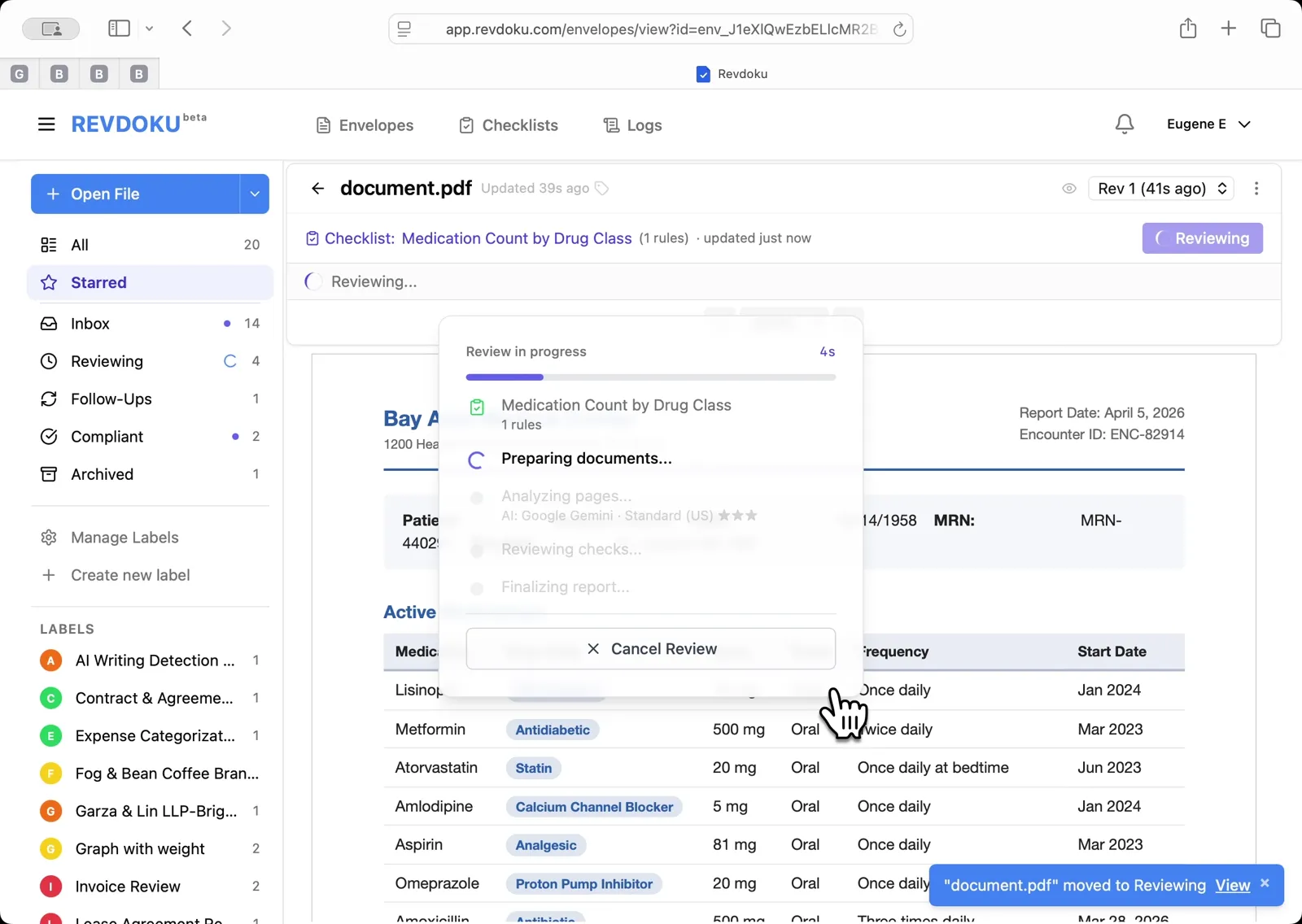
Step 3: Run the Medication Count by Drug Class checklist.
Click Review, select Medication Count by Drug Class (1 rules) in the dialog, then click Run Review.
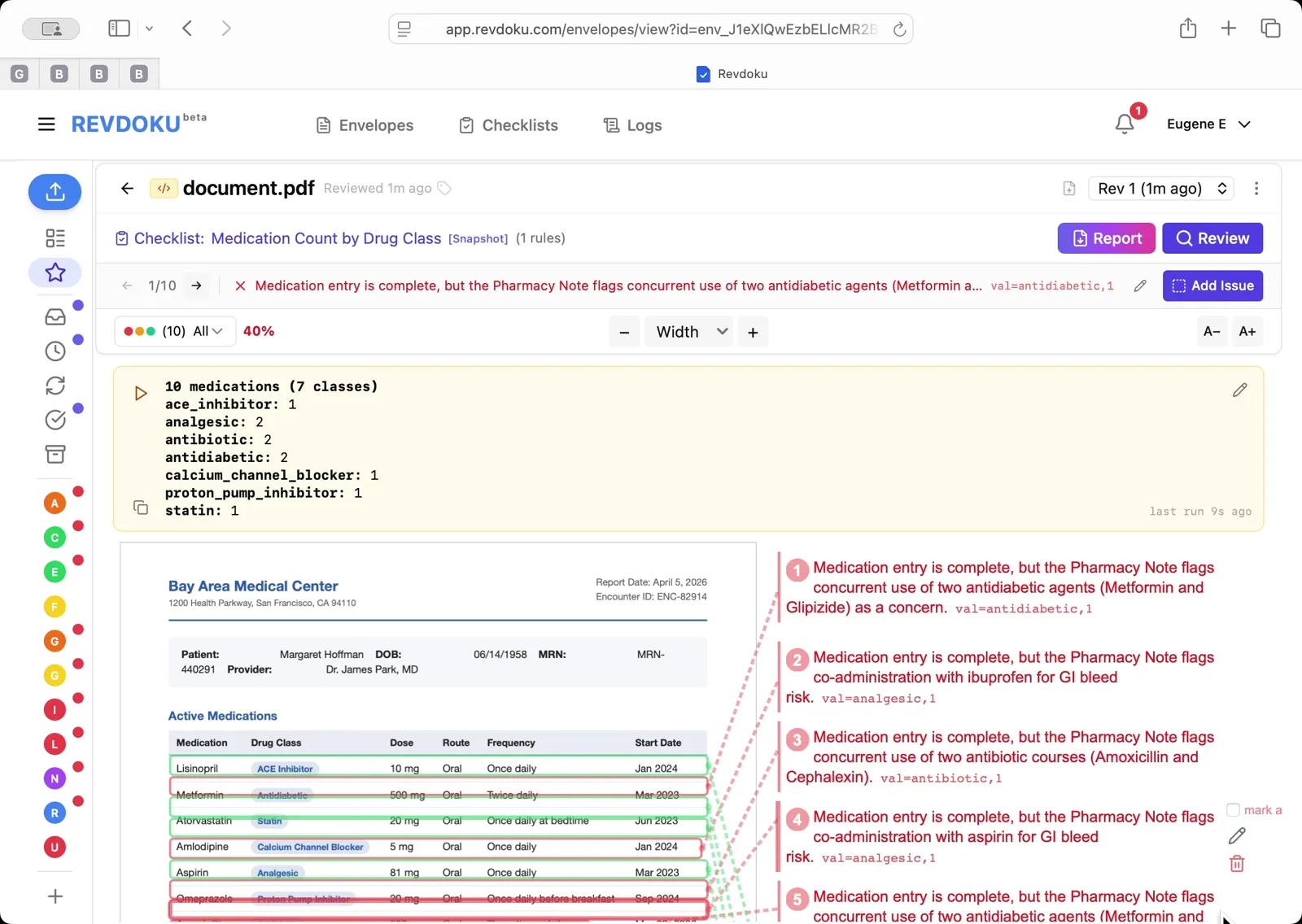
Step 4: Read the drug class tally.
The result reports 10 medications across 7 classes — analgesic 2, antibiotic 2, antidiabetic 2, plus one each of ACE inhibitor, calcium channel blocker, proton pump inhibitor, and statin. Six issues flag the drug-interaction concerns from the Pharmacy Note.
What You Learned
This case showed how Revdoku can take a document, apply a structured checklist, and surface specific findings — all in under a minute. No manual line-by-line reading required.