Sum Invoice Line Items with Revdoku
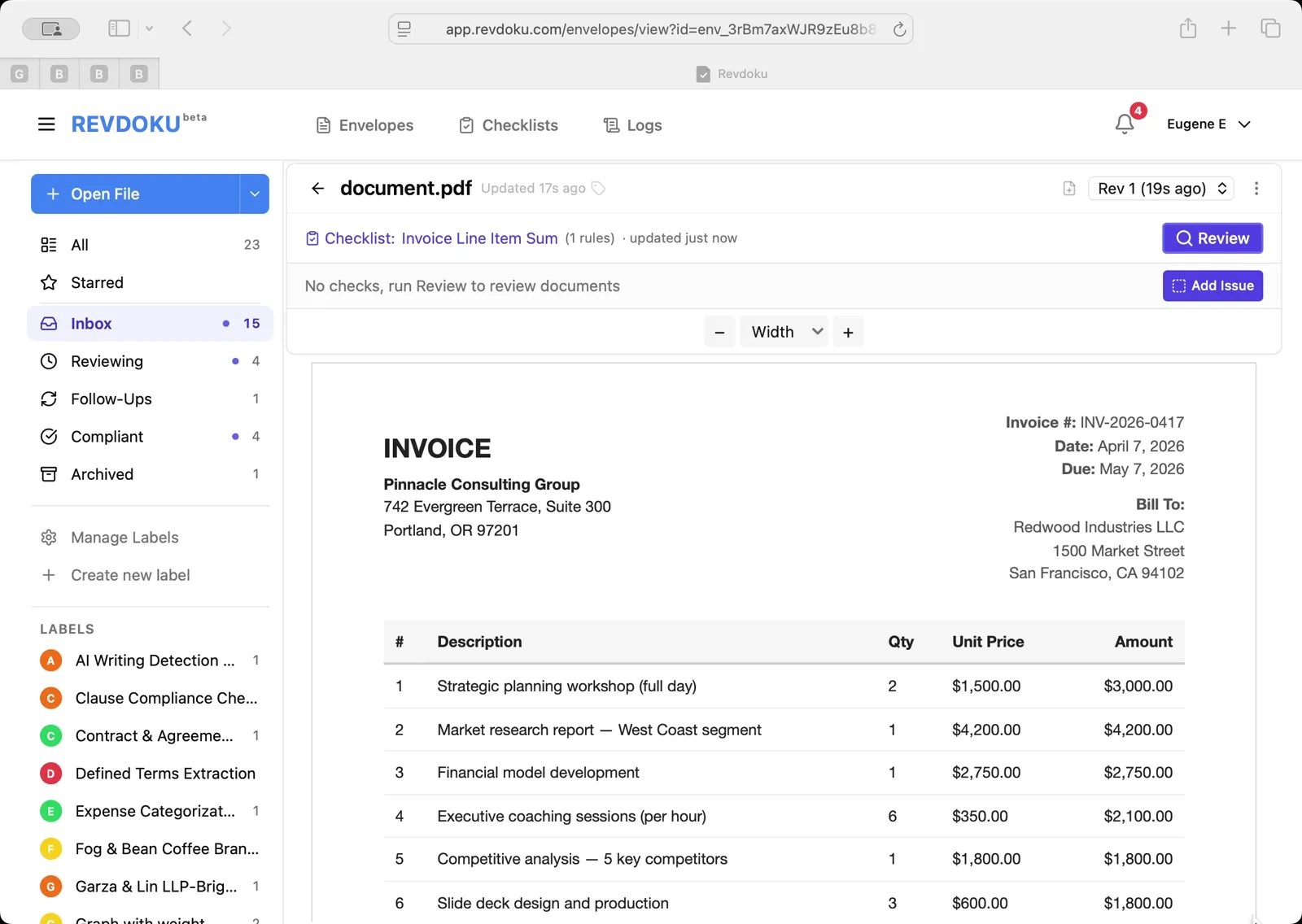
Step 1: Open the invoice.
Invoice INV-2026-0417 from Pinnacle Consulting Group to Redwood Industries LLC is open. Eight line items list descriptions, quantities, unit prices, and amounts — from a $3,000 strategic planning workshop to $770 in travel expenses.
Step 2: Write the line-item extraction rule.
In the Invoice Line Item Sum checklist editor, the rule tells Revdoku to create one check per invoice row, mark each as passed if description, quantity, unit price, and amount are all present and legible, and save the amount in the check value field. Click Save Changes.
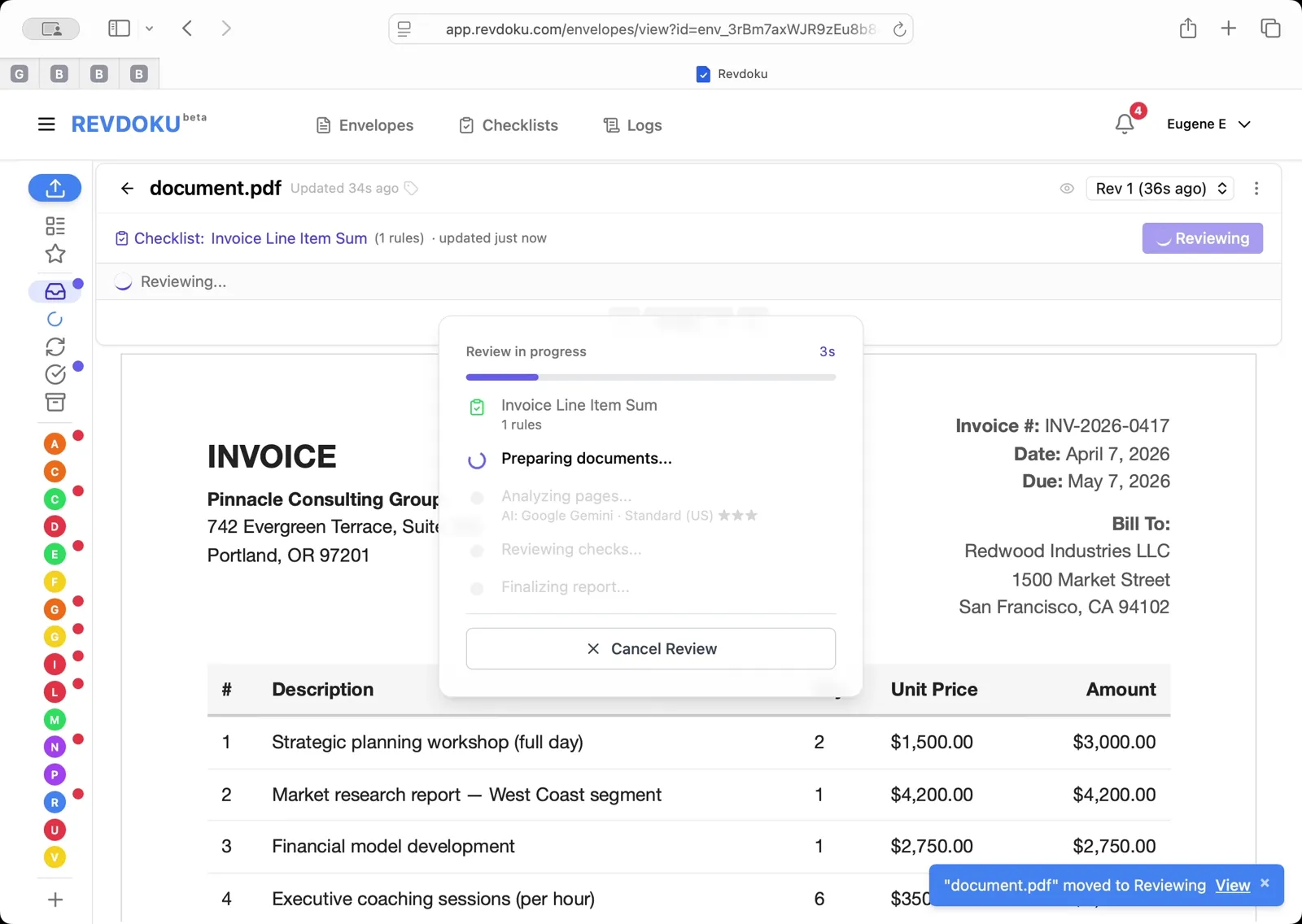
Step 3: Run the review.
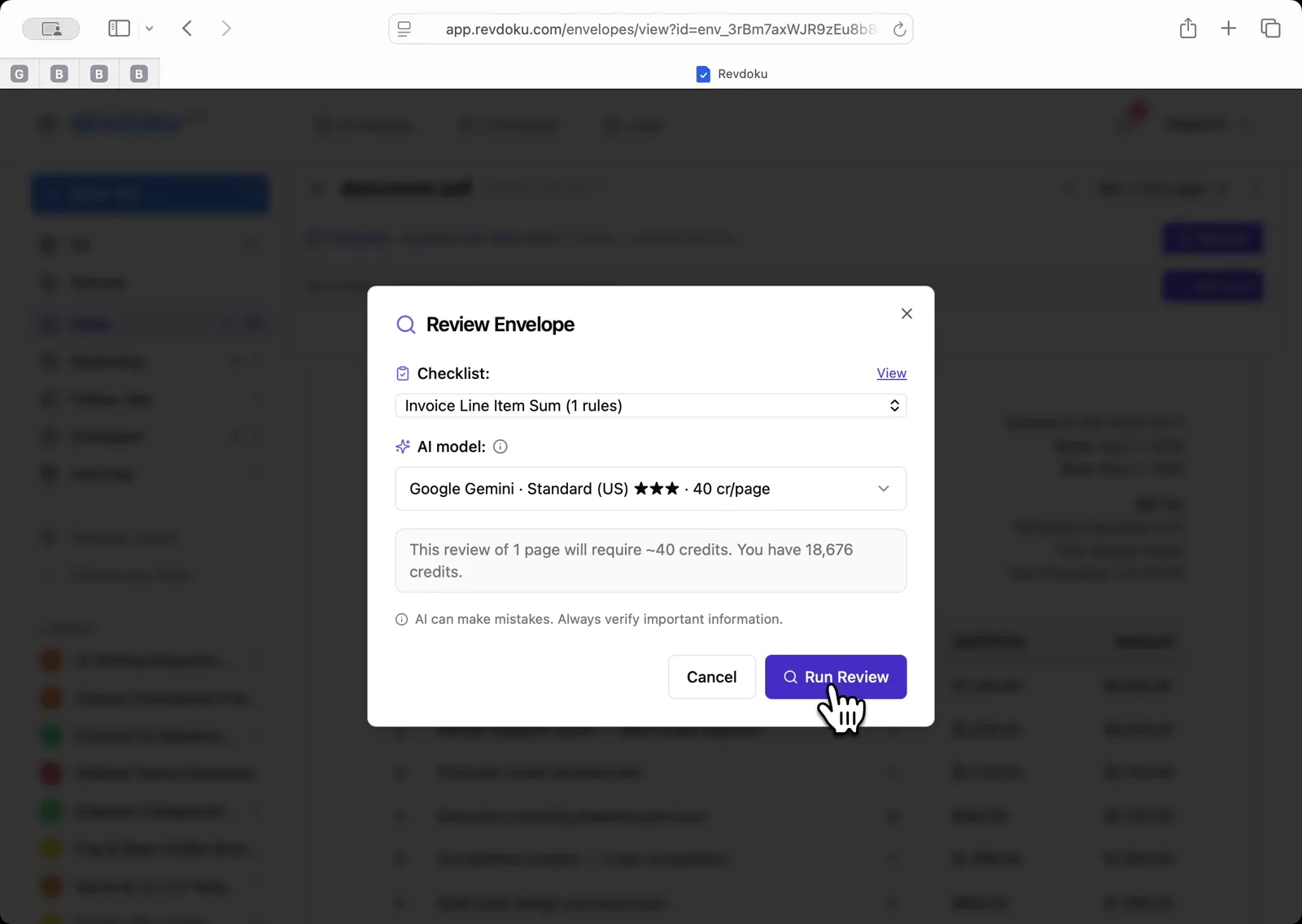
Back in the Review Envelope dialog, confirm Invoice Line Item Sum (1 rules) is selected and click Run Review.
Step 4: Read the calculated total.
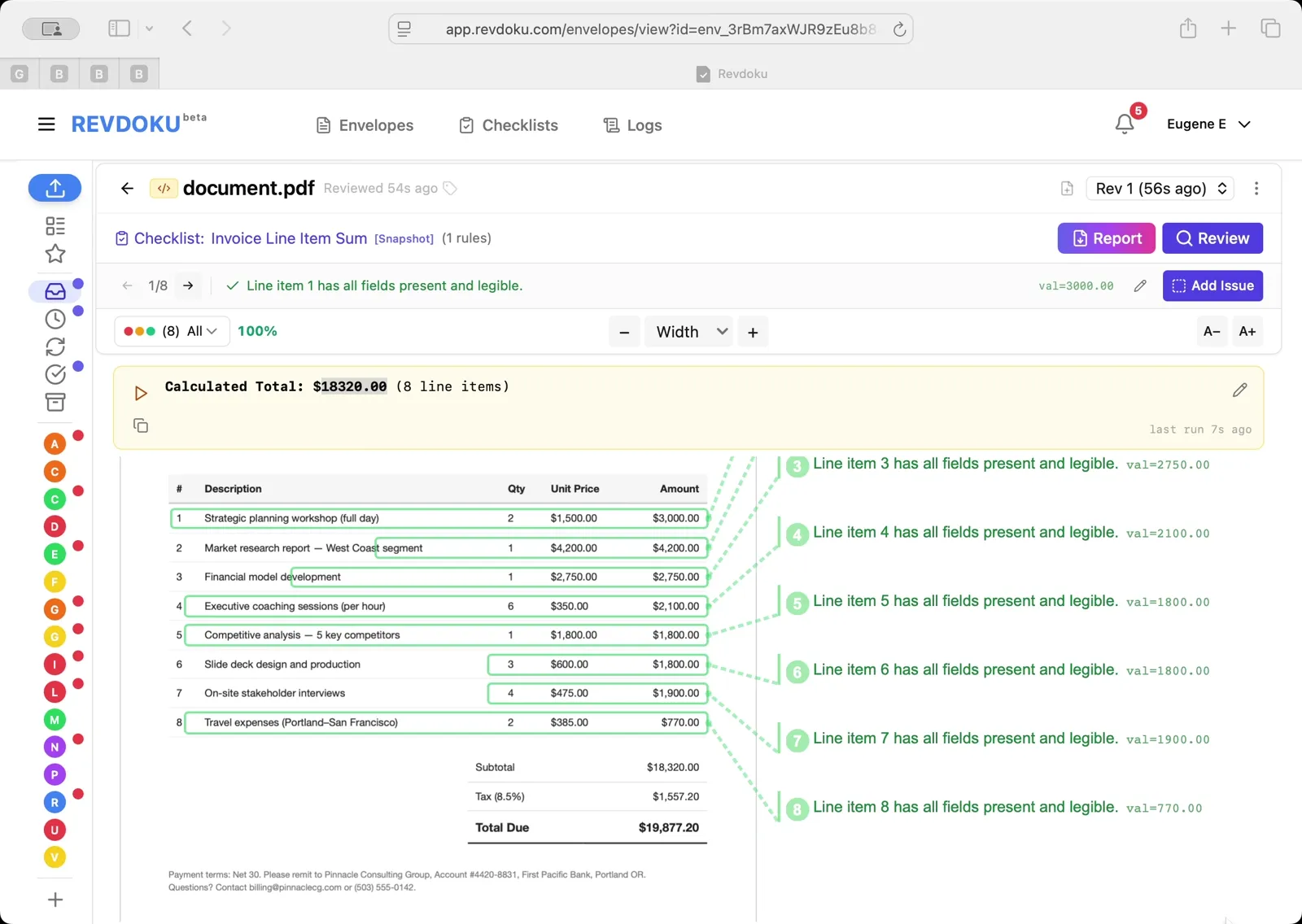
The result panel reports Calculated Total: $18320.00 (8 line items), which matches the subtotal printed on the invoice. Each line is highlighted and mapped back to its row in the PDF.
What You Learned
This case showed how Revdoku can take a document, apply a structured checklist, and surface specific findings — all in under a minute. No manual line-by-line reading required.