Detect AI Writing in a Blog Post
This use-cases demonstrates how to detect AI writing in an article. To do so you will need to run a one-line prompt through Revdoku to generate a 6-rule AI writing detection checklist. Then run Review of the uploaded blog post for repetitive structures, shallow content, and factual inaccuracies.
Step 1: Open the Envelopes inbox
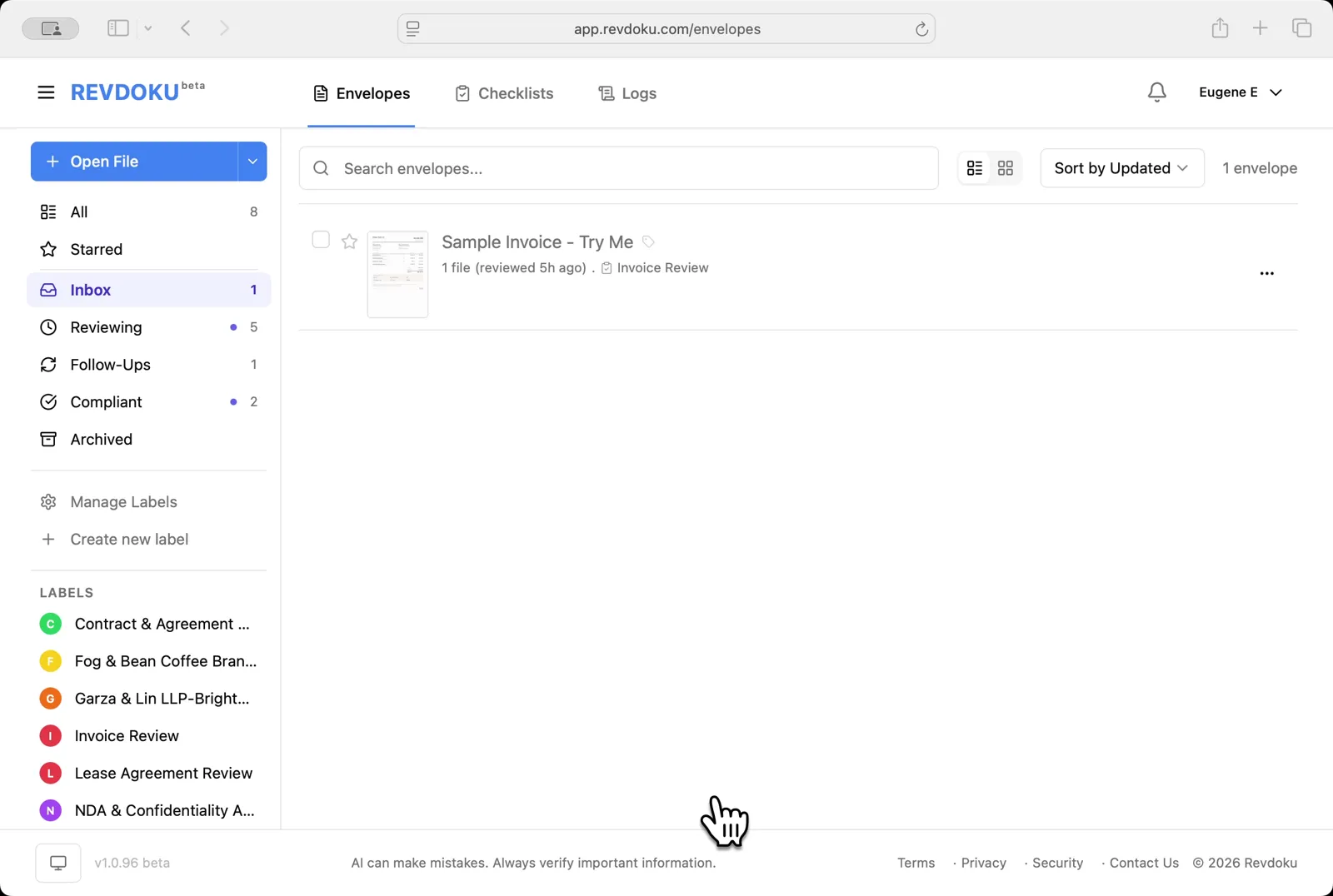
The inbox lists the documents available for review
Open the Envelopes inbox. The inbox lists the documents available for review.
Step 2: Open the blog post article from pdf file
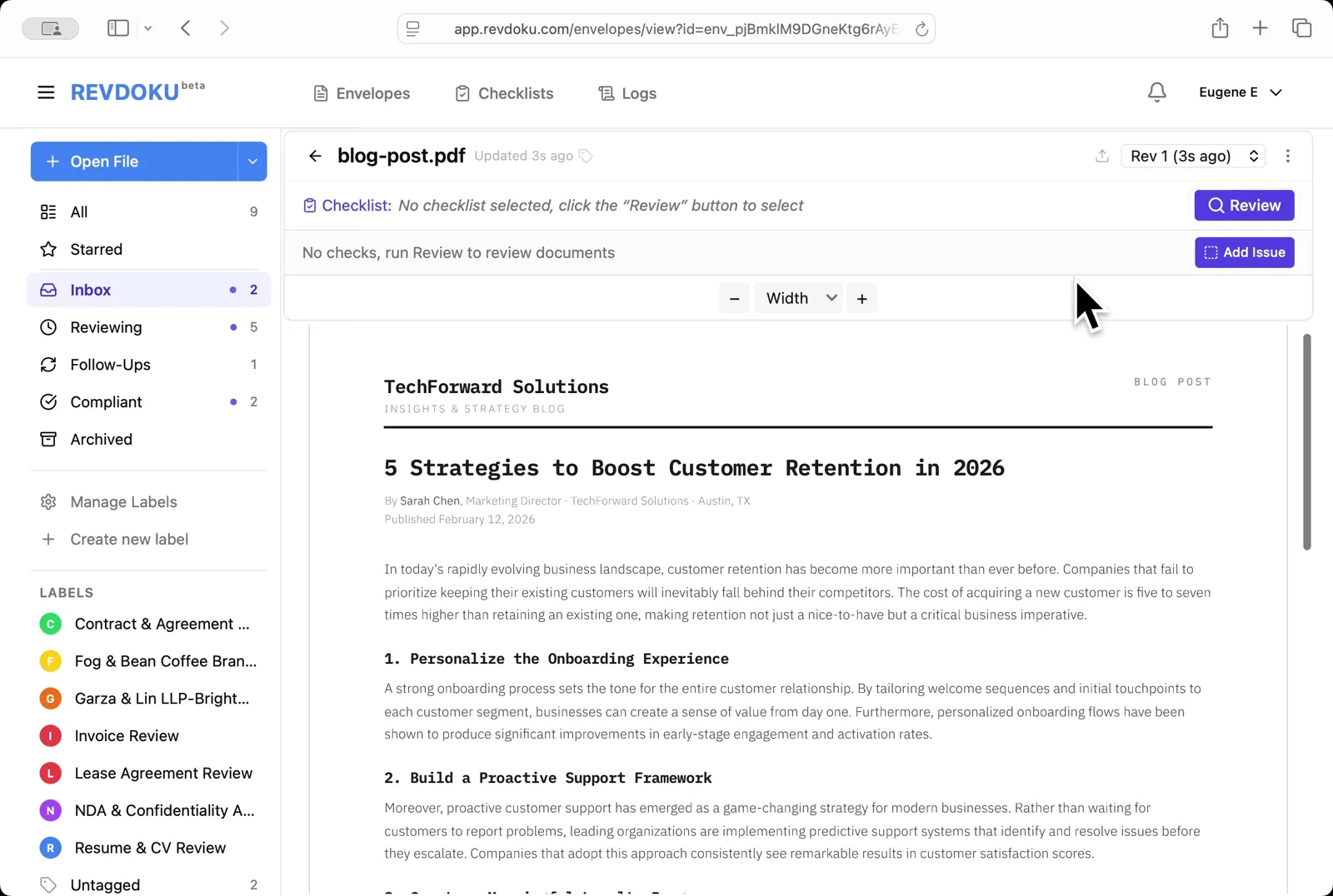
Open blog-post.pdf file using Open File button at the left. It opens in the viewer with no checklist attached — it’s a TechForward Solutions article titled 5 Strategies to Boost Customer Retention in 2026
Open the blog post. blog-post.pdf opens in the viewer with no checklist attached — it’s a TechForward Solutions article titled 5 Strategies to Boost Customer Retention in 2026.
Step 3: Describe the check in plain English
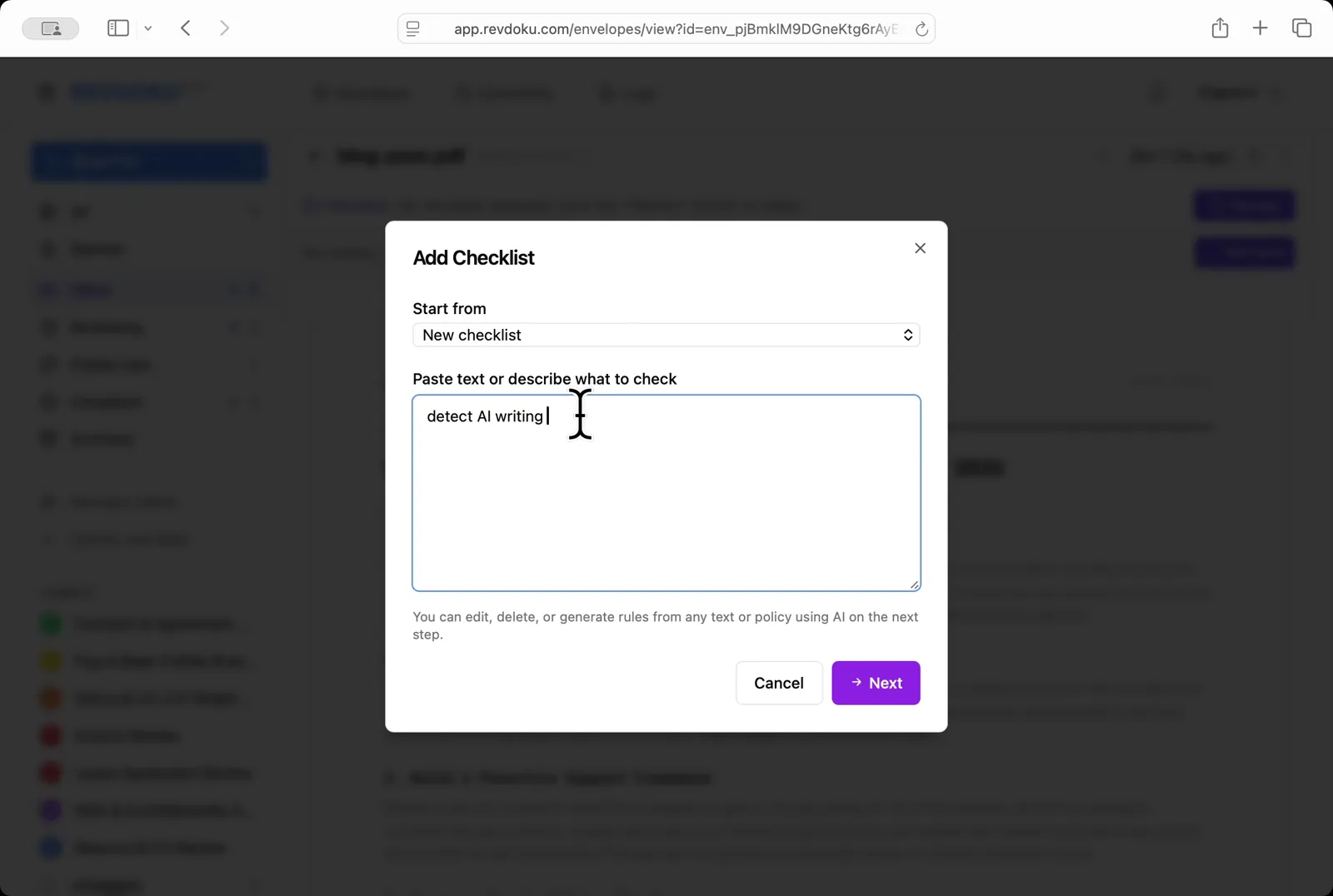
In the Add Checklist dialog, paste a one-line prompt into the Paste text or describe what to check field:
detect AI writing
Describe the check in plain English. In the Add Checklist dialog, paste a one-line prompt into the Paste text or describe what to check field:
detect AI writing.
Step 4: Generate new checklist with AI
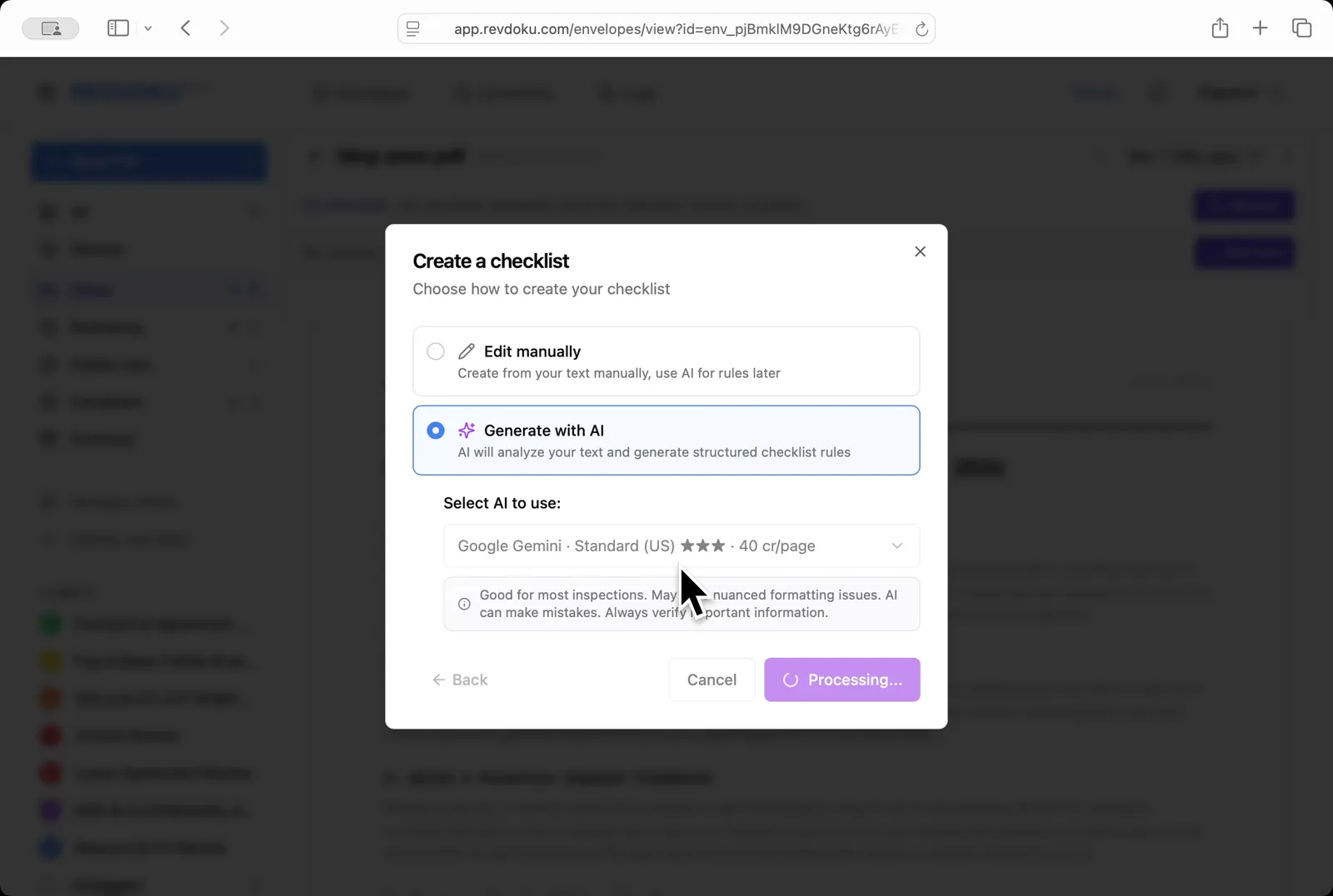
Pick Generate with AI and choose Google Gemini · Standard (US); click Next and Revdoku turns the prompt into a structured checklist
Generate with AI. Pick Generate with AI and choose Google Gemini · Standard (US); click Next and Revdoku turns the prompt into a structured checklist.
Step 5: Review the generated checklist and its rules
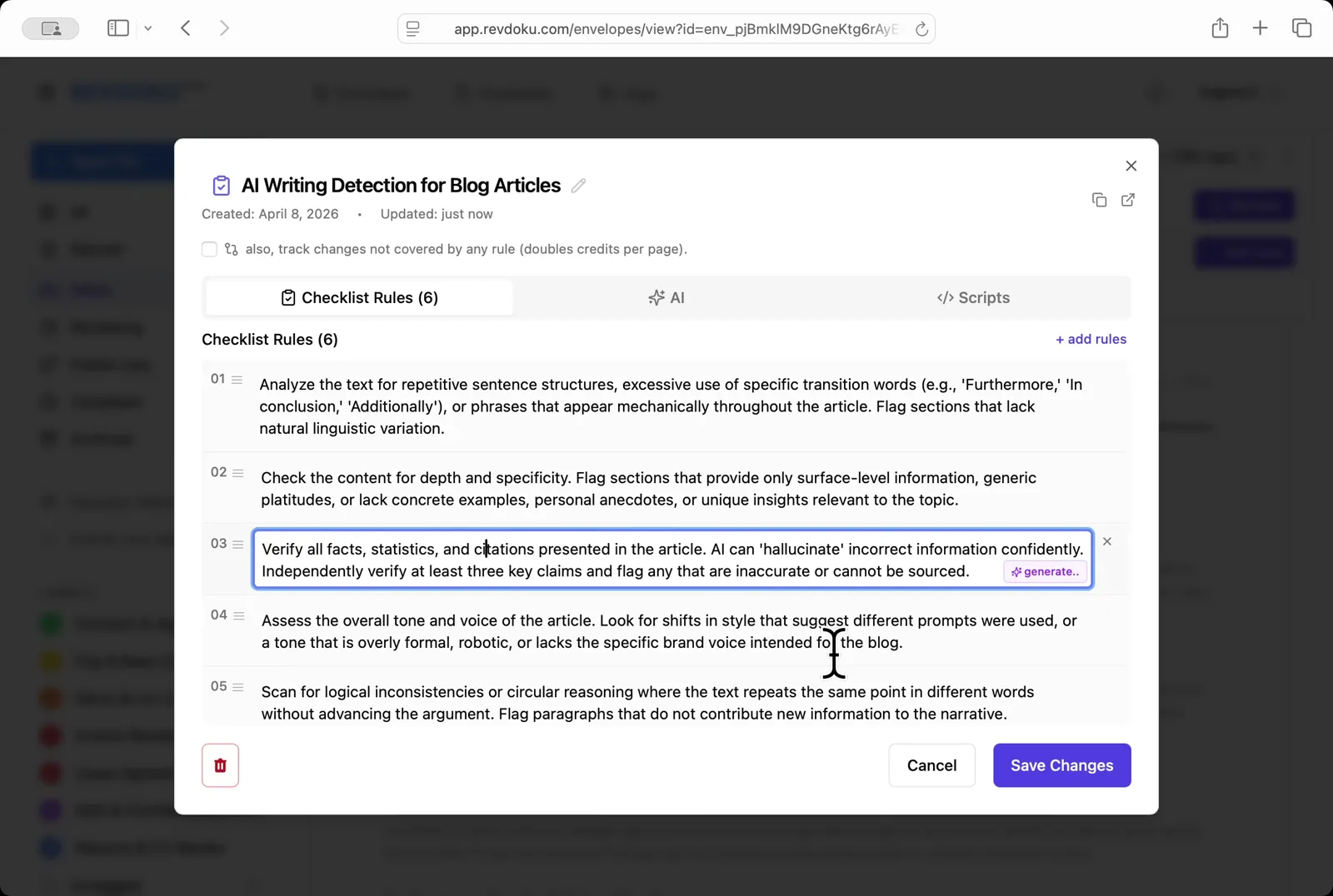
Revdoku produced a 6-rule AI Writing Detection for Blog Articles checklist covering repetitive structures, depth and specificity, fact verification, tone and voice, logical consistency, and citations
Review the generated rules. Revdoku produces a 6-rule AI Writing Detection for Blog Articles checklist covering repetitive structures, depth and specificity, fact verification, tone and voice, logical consistency, and citations.
Step 6: Run the review
Click Review and Revdoku analyzes the page with Google Gemini against the six rules
Run the review. Click Review and Revdoku analyzes the page with Google Gemini against the six rules.
Step 7: Wait for the review to complete
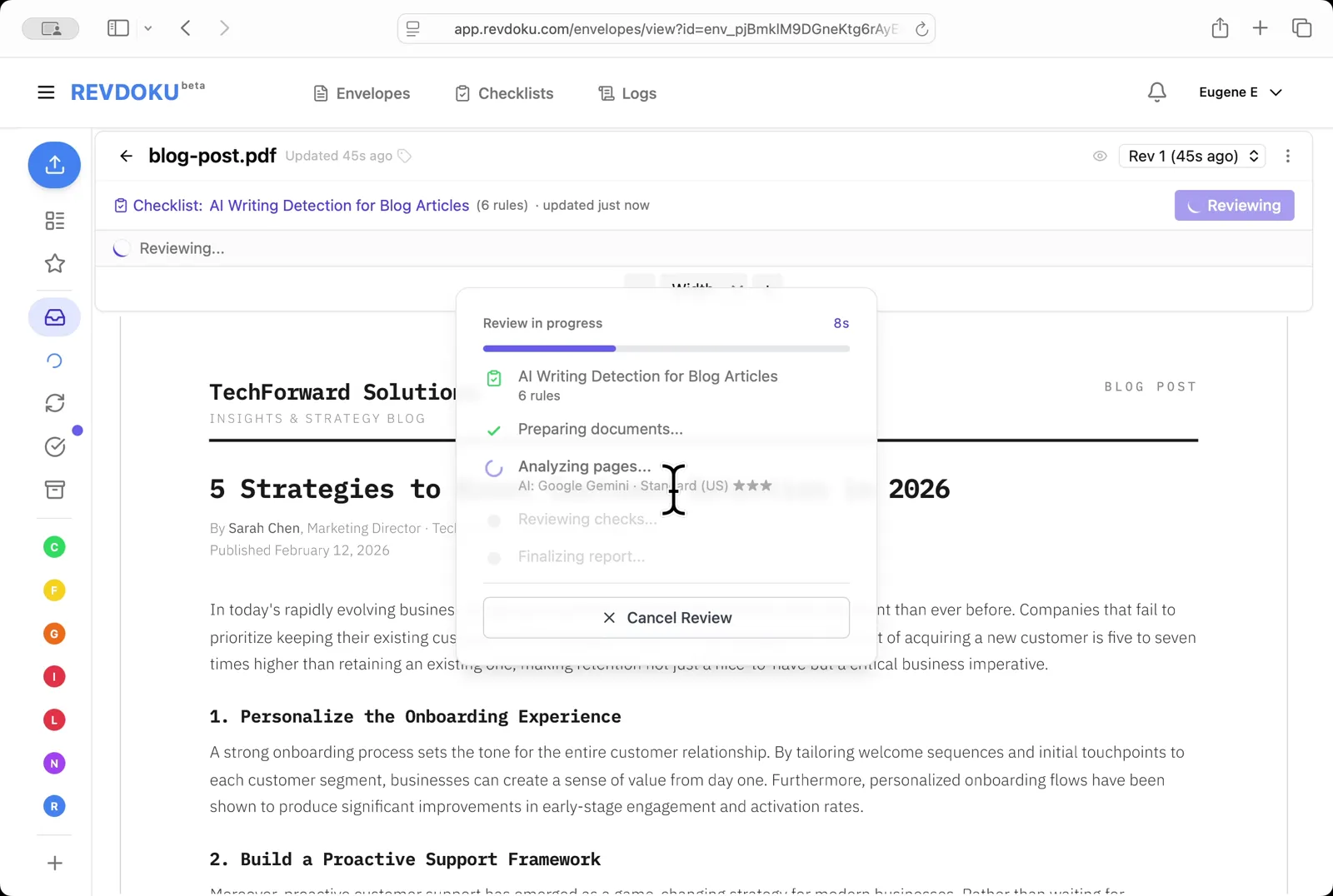
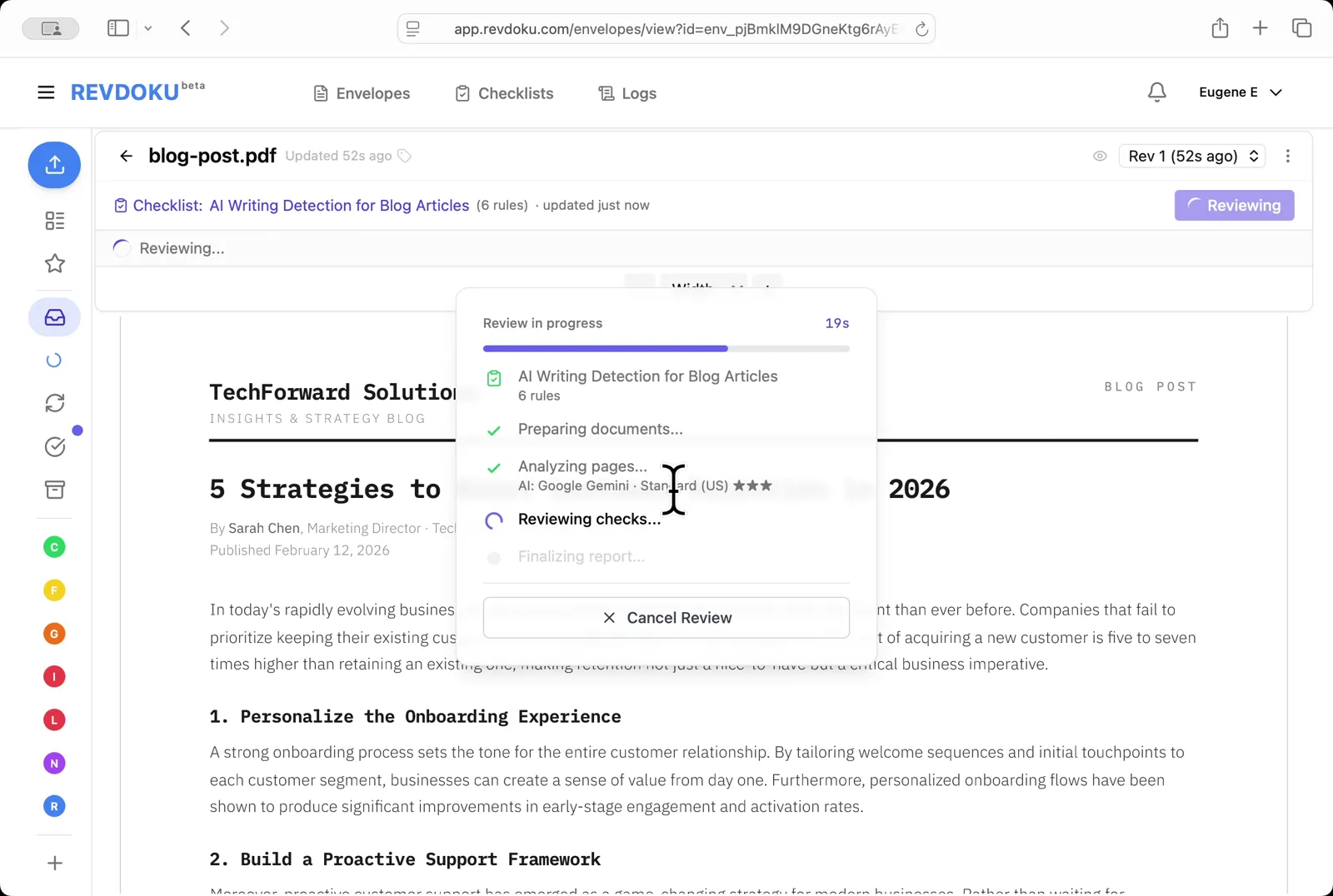
The Reviewing checks stage applies each rule to the extracted text
Wait for the checks. The Reviewing checks stage applies each rule to the extracted text.
Step 8: Read the result
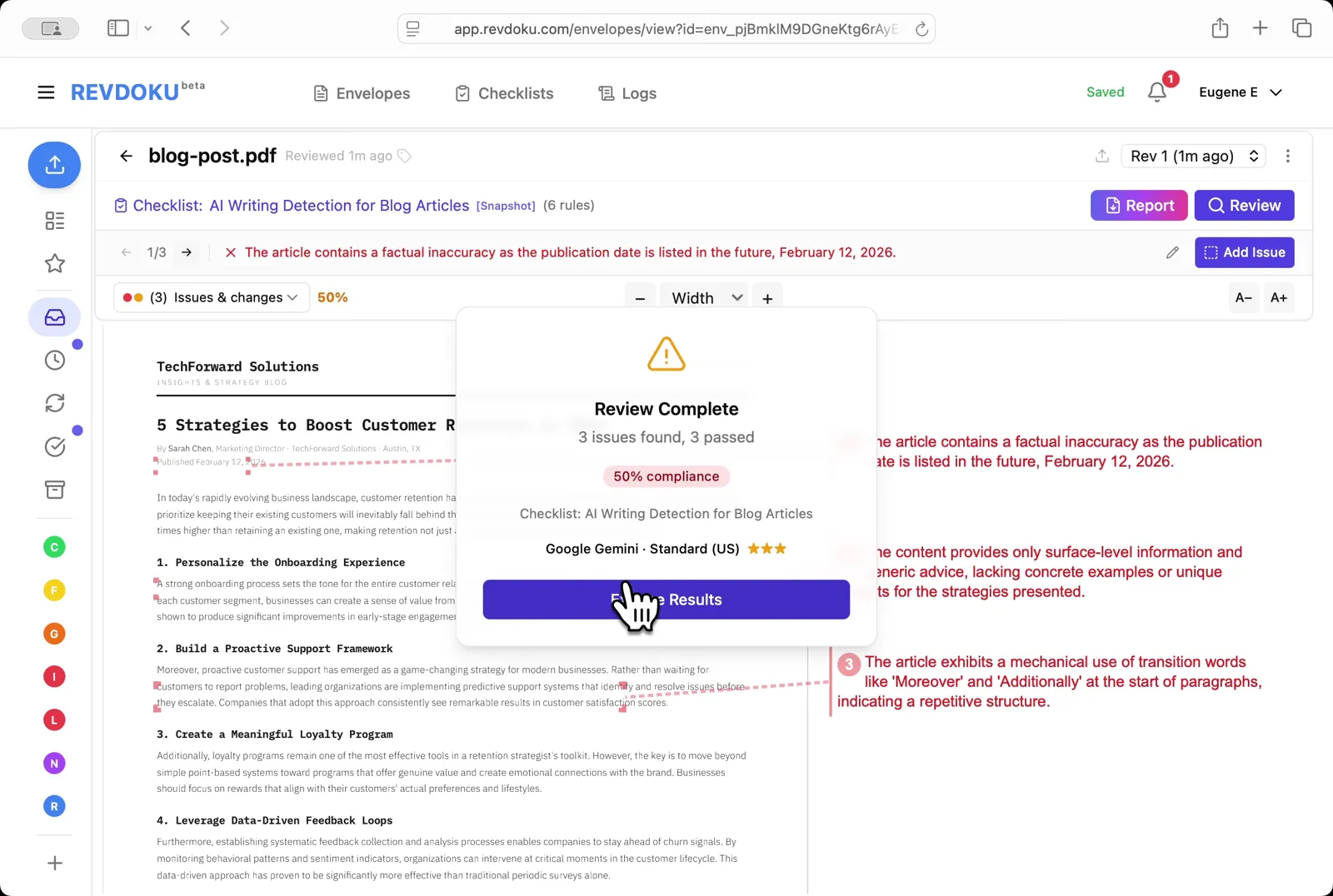
The Review Complete dialog reports 3 issues, 3 passed, 50% compliance
Read the result. The Review Complete dialog reports 3 issues, 3 passed, 50% compliance.
Step 9: Read the issues
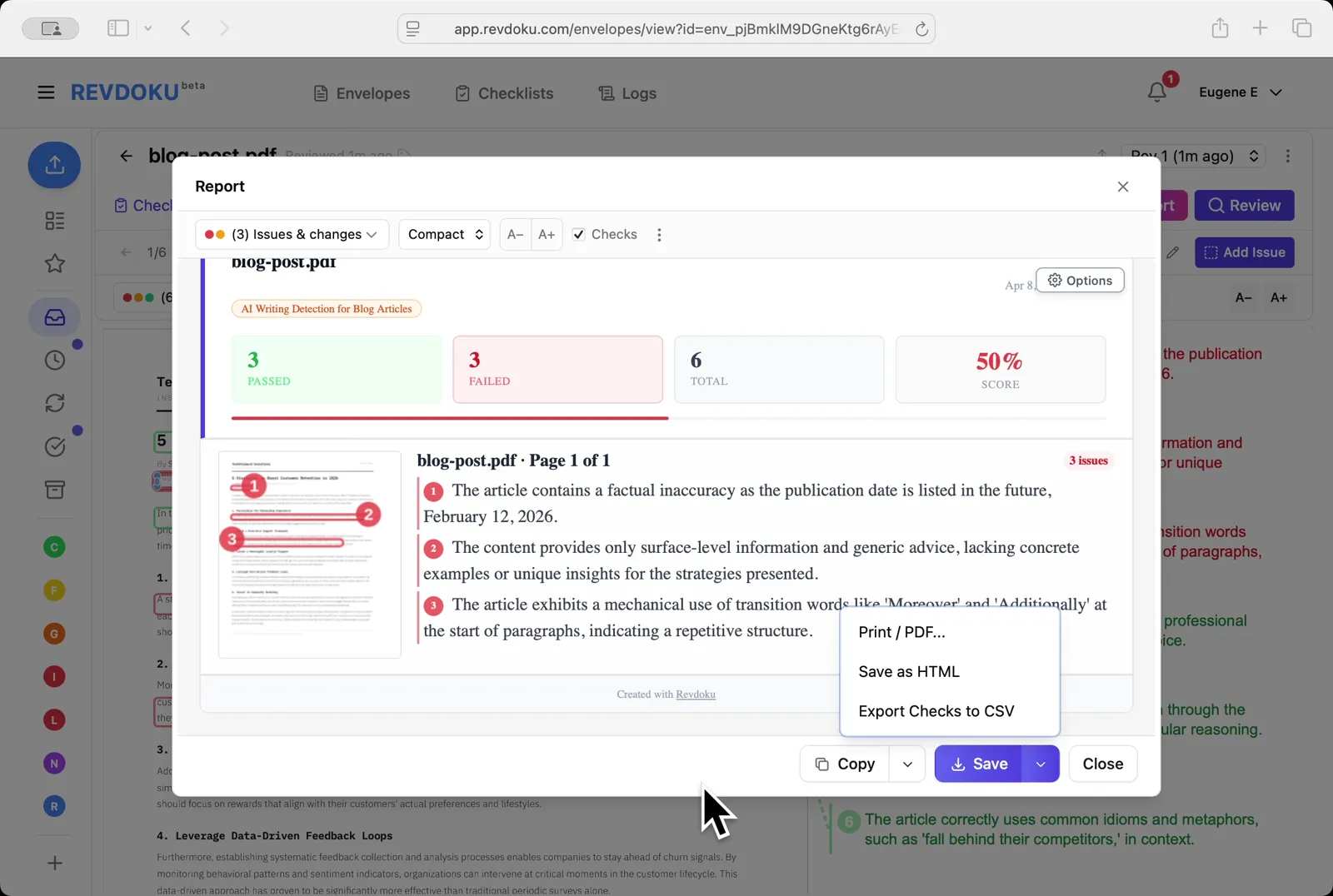
Three failures are flagged: a factual inaccuracy (the February 12, 2026 publication date is in the future), surface-level generic advice, and mechanical use of transition words like Moreover and Additionally
Read the issues. Three failures are flagged: a factual inaccuracy (the February 12, 2026 publication date is in the future), surface-level generic advice, and mechanical use of transition words like Moreover and Additionally.
Step 10: Filter to passed checks by type
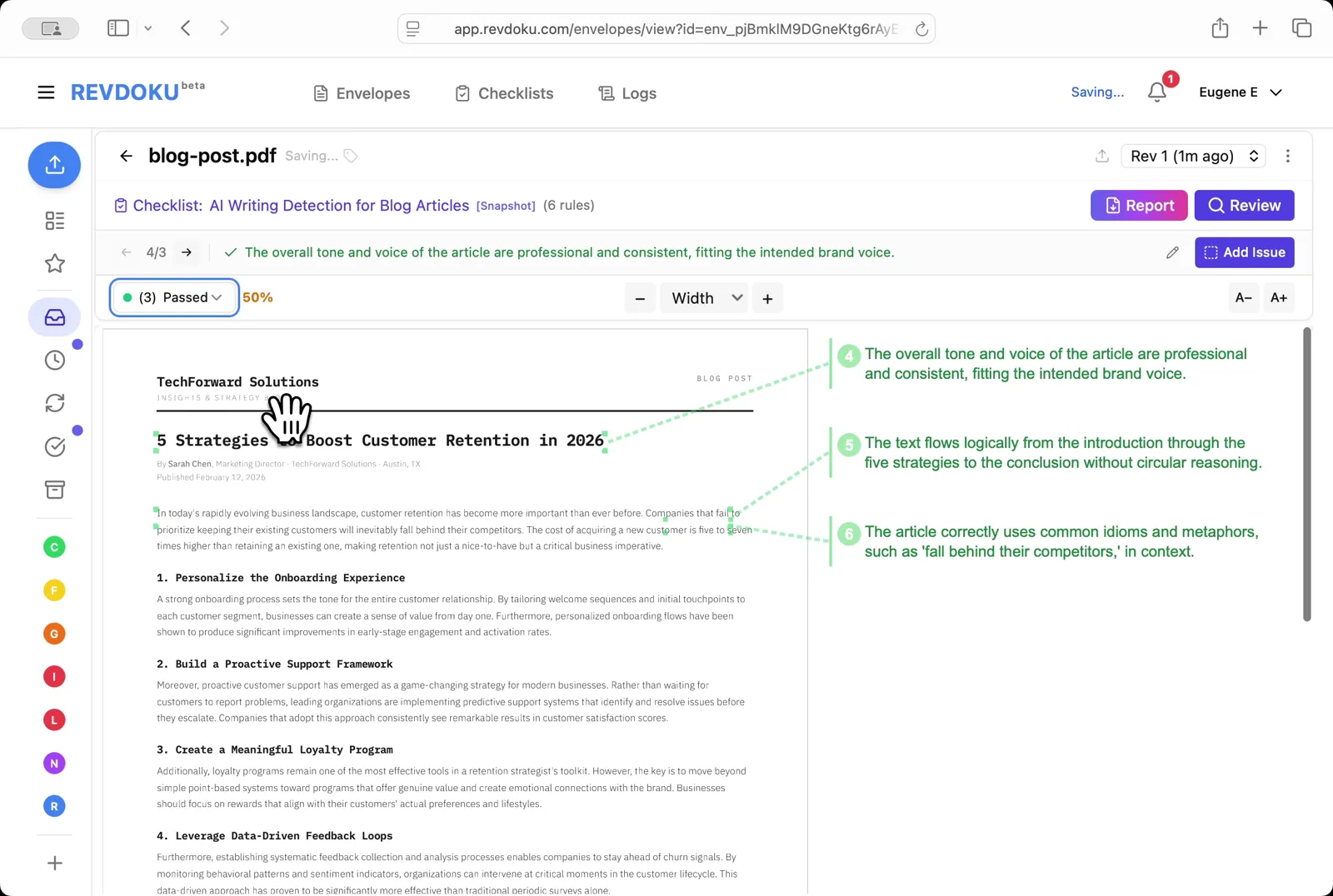
Pick Passed to see what the article got right — the tone is professional and consistent, the text flows logically, and idioms like fall behind their competitors are used correctly
Filter to passed checks. Pick Passed to see what the article got right — the tone is professional and consistent, the text flows logically, and idioms like fall behind their competitors are used correctly.
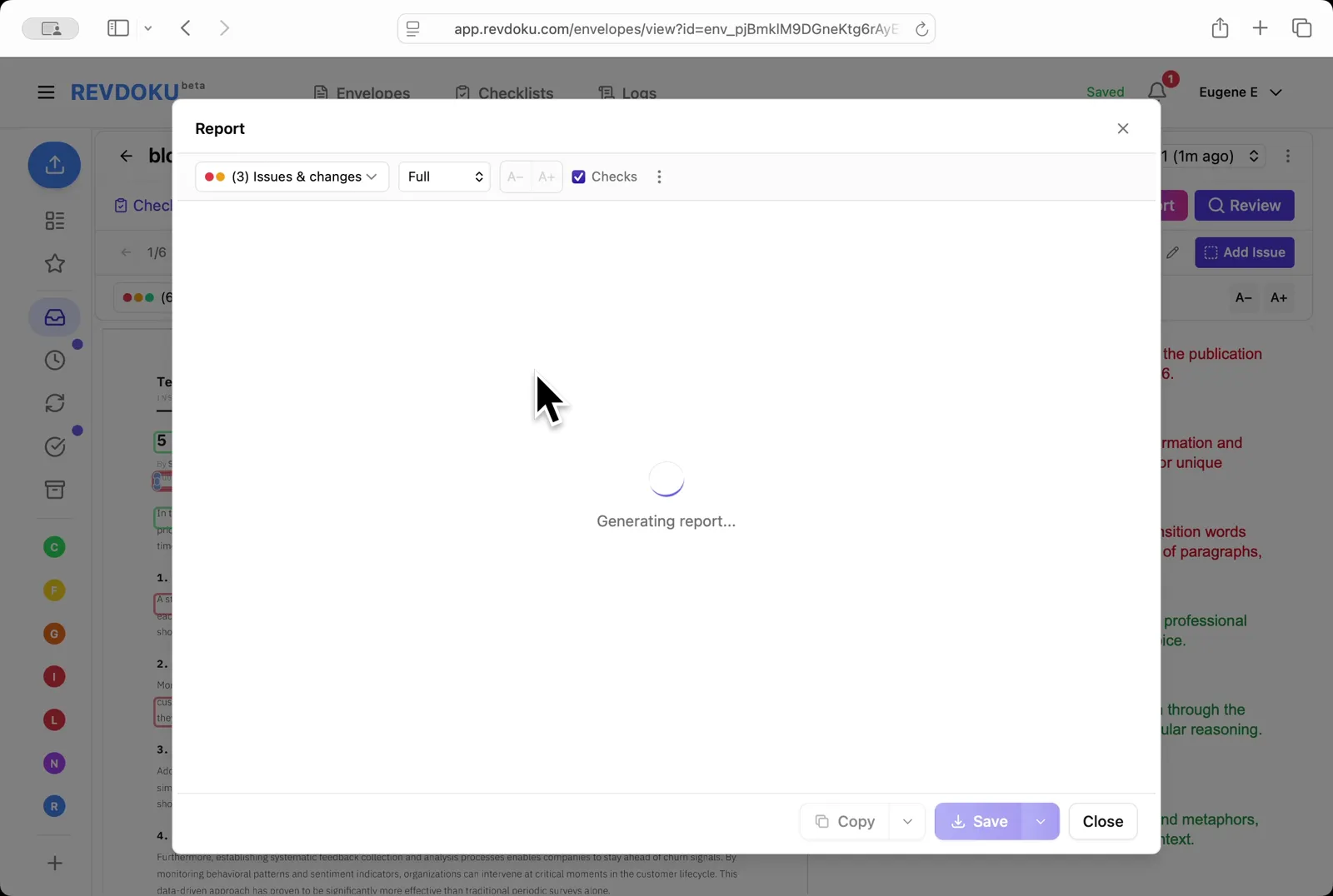
Step 11: Open the Report
The compact view shows 3 passed, 3 failed, 50% score; use the Save dropdown to export as Print / PDF, Save as HTML, or Export Checks to CSV
Open the Report. The compact view shows 3 passed, 3 failed, 50% score; use the Save dropdown to export as Print / PDF, Save as HTML, or Export Checks to CSV.
Conclusion
In this tutorial it was demonstrated how to use Revdoku for detecting AI writing in a blog post. The following steps were shown:
- Open the Envelopes inbox
- Open the blog post
- Describe the check in plain English
- Generate with AI
- Review the generated rules
- Run the review
- Wait for the checks
- Read the result
- Read the issues
- Filter to passed checks
- Open the Report
What You Learned
This case showed how Revdoku can take a document, apply a structured checklist, and surface specific findings — all in under a minute. No manual line-by-line reading required.