
How to Review Medical Bills for Errors
Medical bill review checklist
Use this checklist before you pay a medical bill. It is for US bills and US health insurance.
- Ask the billing office of the provider for an itemized bill. A summary statement shows only a total.
- Get the explanation of benefits (EOB) from your health plan. An EOB is a statement of what the plan paid.
- If you have Original Medicare, get the Medicare Summary Notice instead of an EOB.
- Make sure that your name, date of birth, member number, provider name and dates of service are correct.
- Compare each line with the care that you received. Use your visit summary, discharge papers or medical records.
- Look for duplicates. A duplicate is the same service, drug or supply twice on the same date.
- Make sure that the quantities are correct. Look at doses, supplies, days in the hospital and time in surgery.
- Look up each procedure code (a CPT or HCPCS code). Make sure that the description matches the care that you got.
- Look for upcoding and unbundling. The table of common errors below explains these terms.
- If the bill asks for more than the patient balance on the EOB, ask the provider why.
- Make sure that the bill shows the insurance payments, the adjustments and any amount that you paid at the visit.
- If the EOB shows a denial, read the reason code and the instructions for an appeal.
- If you got an out-of-network bill for emergency care, read the section on the No Surprises Act below.
- If you had no insurance or did not use it, compare the bill with your good faith estimate.
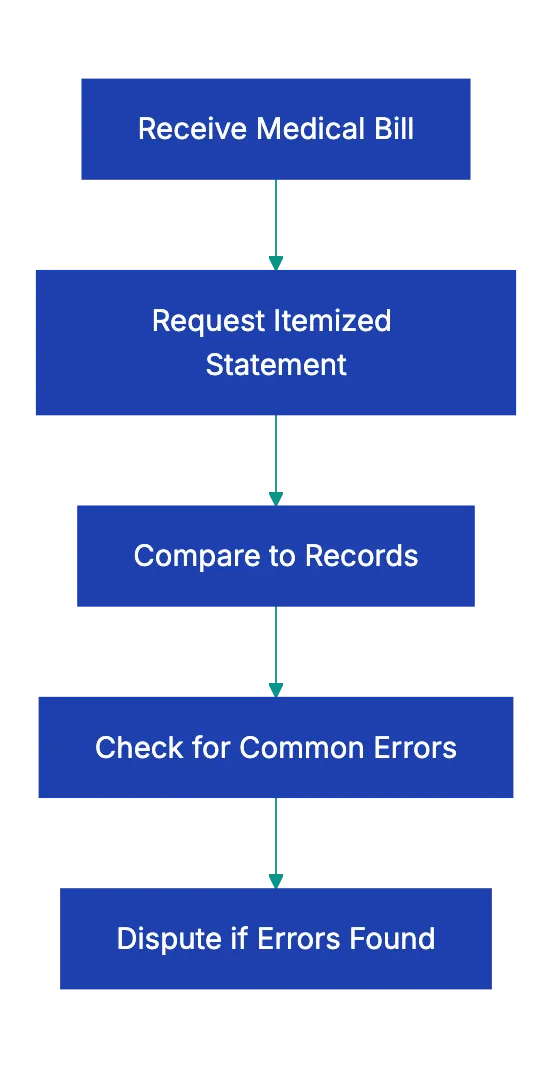
The CMS guide How to check your bill for errors gives a short version of the same steps. It tells you to talk to the billing office if the bill includes something that is not in your medical records. It also says that double billing is especially common when more than one provider treated you. Some providers charge a fee for copies of records. Ask about the fee before you request the records.
How to read the bill and the EOB
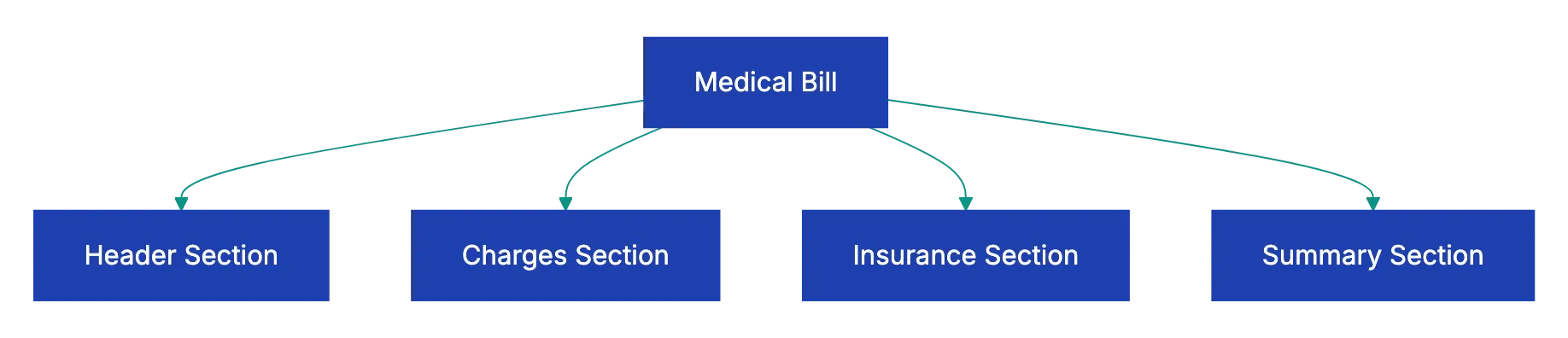
Most itemized bills have four parts:
- The header identifies you, your insurance and the visit.
- The charges section lists each service with a code, a quantity and a price. Duplicates, wrong codes and wrong quantities show up in this section.
- The insurance section shows the amount billed to your plan and the amount that the plan paid.
- The summary shows the total that you owe.
An EOB is not a bill. The CMS guide to the EOB lists these fields:
- Provider charges: the amount that the provider bills
- Allowed charges: the amount that the provider will get
- Paid by insurer: the amount that the plan paid
- Patient balance: the amount that you owe
- Remark codes: short codes that explain costs, charges or payments
CMS also says that the EOB shows what you owe, but not if you already paid it. Compare it with your own payment records too.
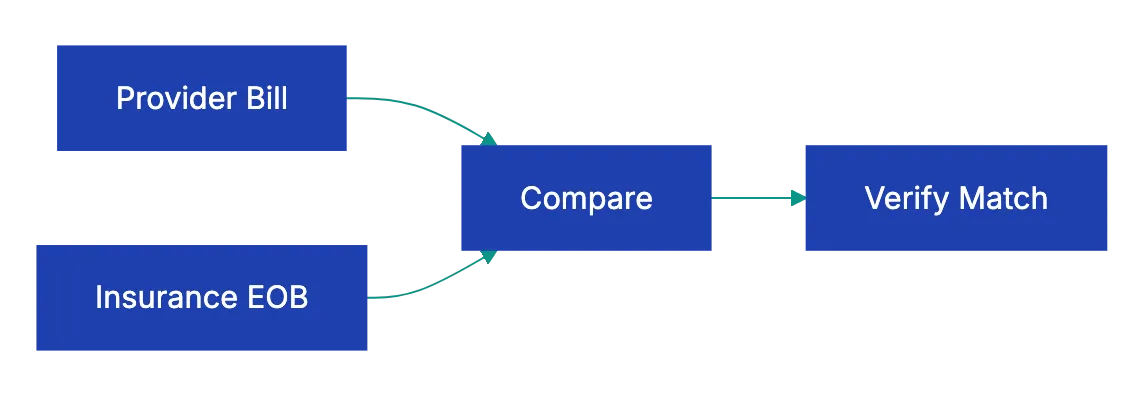
Put the two documents side by side and match the lines by date of service. If a charge is not on the EOB, ask the provider to send it to your insurance. If the bill asks for more than the patient balance on the EOB, call the provider and ask why.
With Original Medicare, the Medicare Summary Notice has the same function. It shows the services billed to Medicare. It also shows the maximum amount that the provider can bill you for each service.
Common billing errors
| Error | What it looks like on the bill |
|---|---|
| Duplicate charge | The same code, date and amount twice, or the same service from two providers |
| Wrong quantity | Three doses when you got one, or seven days of a drug for a three-day stay |
| Service not received | A canceled test or procedure, or an item from a standard order set that you did not get |
| Upcoding | A code for a longer or more complex visit or procedure than the one that you had |
| Unbundling | Separate codes for the steps of one procedure, or for the tests in one panel |
| Wrong insurance details | A wrong member number or plan, which can cause a denial |
| Payment not credited | Your EOB shows a payment that the bill from the provider does not show |
| Out-of-network surprise | A charge from an out-of-network provider that you did not choose, at an in-network facility |
To look up a code, search for the code number with the words “medical billing code”. Compare the description with the care that you got. If you had no insurance or did not use it, use the FAIR Health Consumer cost lookup. It shows typical prices for a procedure in your area. You can use these prices when you negotiate.
Your rights under the No Surprises Act
The No Surprises Act started on January 1, 2022. It applies to most types of health insurance. It protects you from unexpected out-of-network bills for these types of care:
- Emergency care
- Non-emergency care related to a visit to an in-network hospital, hospital outpatient department or ambulatory surgical center
- Air ambulance services
If you have no insurance or do not use it, providers usually must give you a good faith estimate. A good faith estimate is a written cost estimate before care. You get one when you schedule care at least 3 business days ahead, or when you ask for one.
If the bill is $400 or more above the estimate, you can use the patient-provider dispute process. The bill must have a date within the last 120 calendar days. The process has a $25 fee. If you used insurance, you cannot use this process, but you can send a complaint about a surprise bill. The phone number of the No Surprises Help Desk is 1-800-985-3059.
What to do when you find an error
- Call the billing office of the provider.
- For each wrong charge, give the line number, date, code, amount and the reason.
- Write down the date of the call, the name of the person and any reference number.
- Send a letter or an email that lists each disputed charge and the reason.
- Attach copies of your EOB or your medical records to the letter.
- Ask your health plan for help. CMS says that the plan can sometimes correct billing errors directly with the provider.
- If you think that the plan denied a claim by mistake, send an appeal through the process on your EOB.
- Ask for a corrected bill before you pay the disputed amount.
- Keep copies of all letters, bills and notes.
- If the problem continues, contact a patient advocate or the Consumer Assistance Program in your state.
Use this checklist with Claude or ChatGPT
Claude or ChatGPT can do a first review of a long itemized bill. Paste this checklist into a new chat. Then add the bill and the EOB as text, a PDF or photos. Ask the AI to compare them line by line. For example:
Below is a medical bill checklist, my itemized hospital bill and my
insurer's EOB. Match each bill line to the EOB by date and code.
List possible duplicates, quantity problems, charges missing from
the EOB, and any place where my balance is higher than the EOB's
patient balance. Quote the line for each finding. Do not guess
what a code means; mark it "check code" instead.
Before you act on the answer, read these cautions:
- Make sure that each finding is correct before you call the billing office. Compare it with the bill, the EOB and an official code lookup. The AI can misread a scanned bill or give a wrong description for a code.
- Cover your name, date of birth, member ID, account numbers and Social Security number before you upload a bill. Also read the data settings of your workspace. Medical bills contain health information.
- Do not use the AI to decide what you owe. Your health plan, the billing office and the official dispute processes decide that.
A docs portal with Ask AI
and support tickets
Connect a repository, or describe your product to start. Each docs site has search, Ask AI, an API console, an MCP server and support tickets.
- Publishes from GitHub on every push
- Works with Mintlify repositories
- API console from your OpenAPI file
- MCP server and llms.txt for AI agents
- Ask AI and support tickets
- Analytics for people and AI agents
Frequently Asked Questions
Can a provider send a disputed bill to collections?
A dispute does not automatically stop collection. Tell the billing office in writing which charges you dispute. Ask the office to hold the account during the review. Pay the parts that you agree with, so that the open amount is only the disputed amount.
What if the bill is correct but I cannot afford it?
Ask the hospital for its financial assistance policy. A nonprofit hospital with 501(c)(3) tax status must have a written policy for emergency care and other medically necessary care. The hospital must put the policy on its website and give free paper copies when you ask. Many providers also offer payment plans.