How to Turn Off Shorts in the YouTube App on iPhone
TL;DR: YouTube offers no permanent way to turn off Shorts on iPhone. The closest option is setting the Shorts feed limit to 0 minutes, which pauses scrolling but lets you dismiss the reminder. Individual Shorts may still appear elsewhere.
1. Open YouTube settings
- Open the YouTube app on your iPhone.
- Tap You or your profile picture at the bottom right.
- Tap the Settings cog at the top right.
2. Open Time management
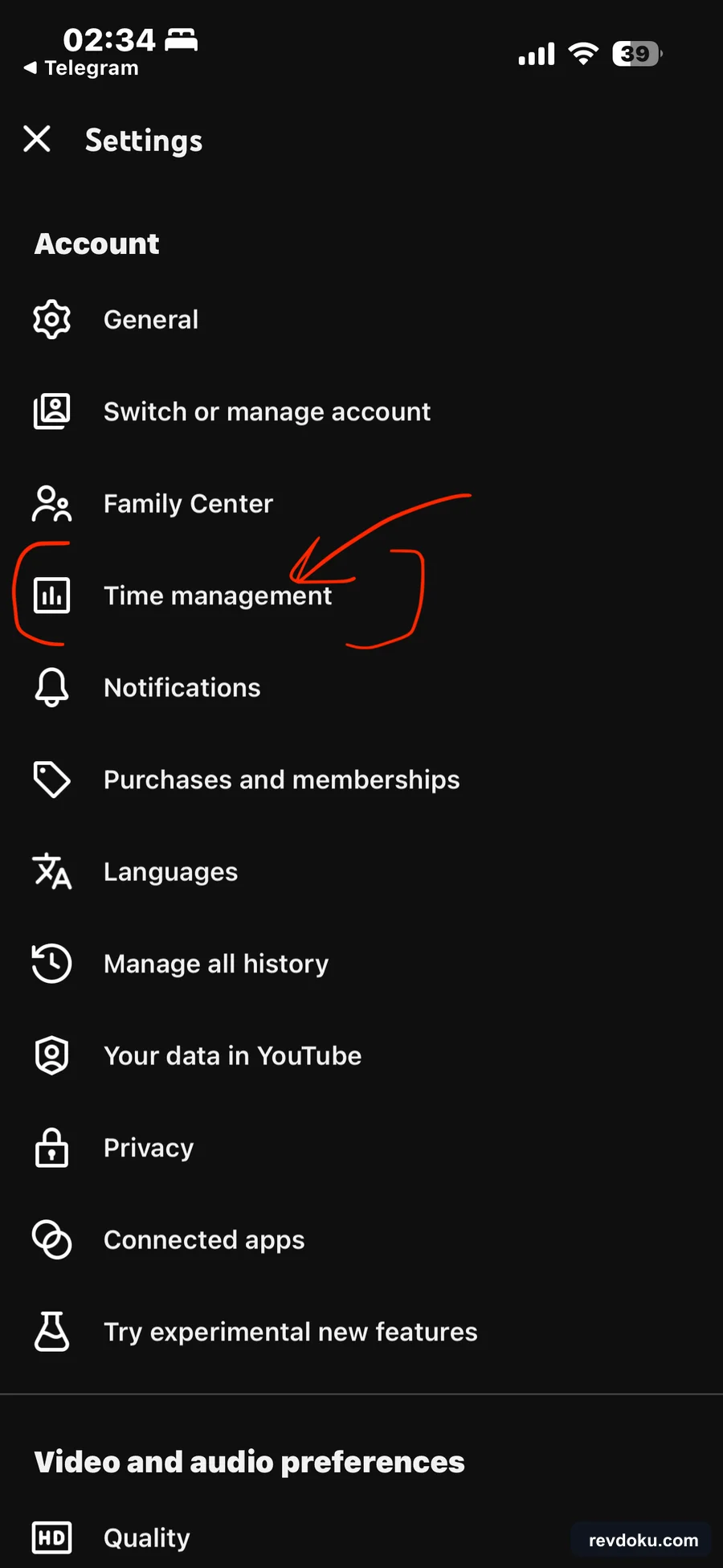
In Settings, tap Time management.
3. Enable the YouTube Shorts feed limit
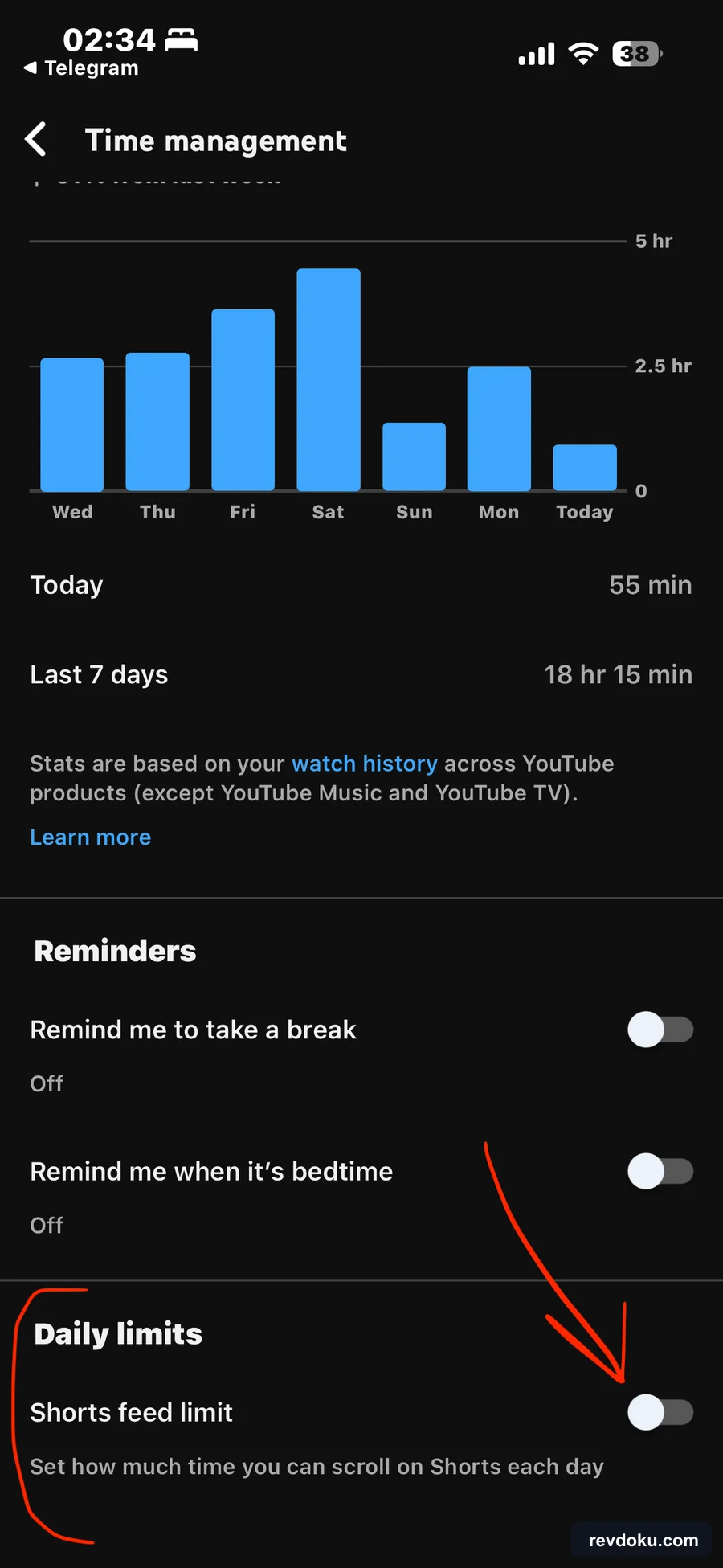
Under Daily limits, turn on Shorts feed limit.
4. Set the YouTube Shorts feed limit to 0 minutes
When YouTube asks you to set a limit, select 0 minutes.
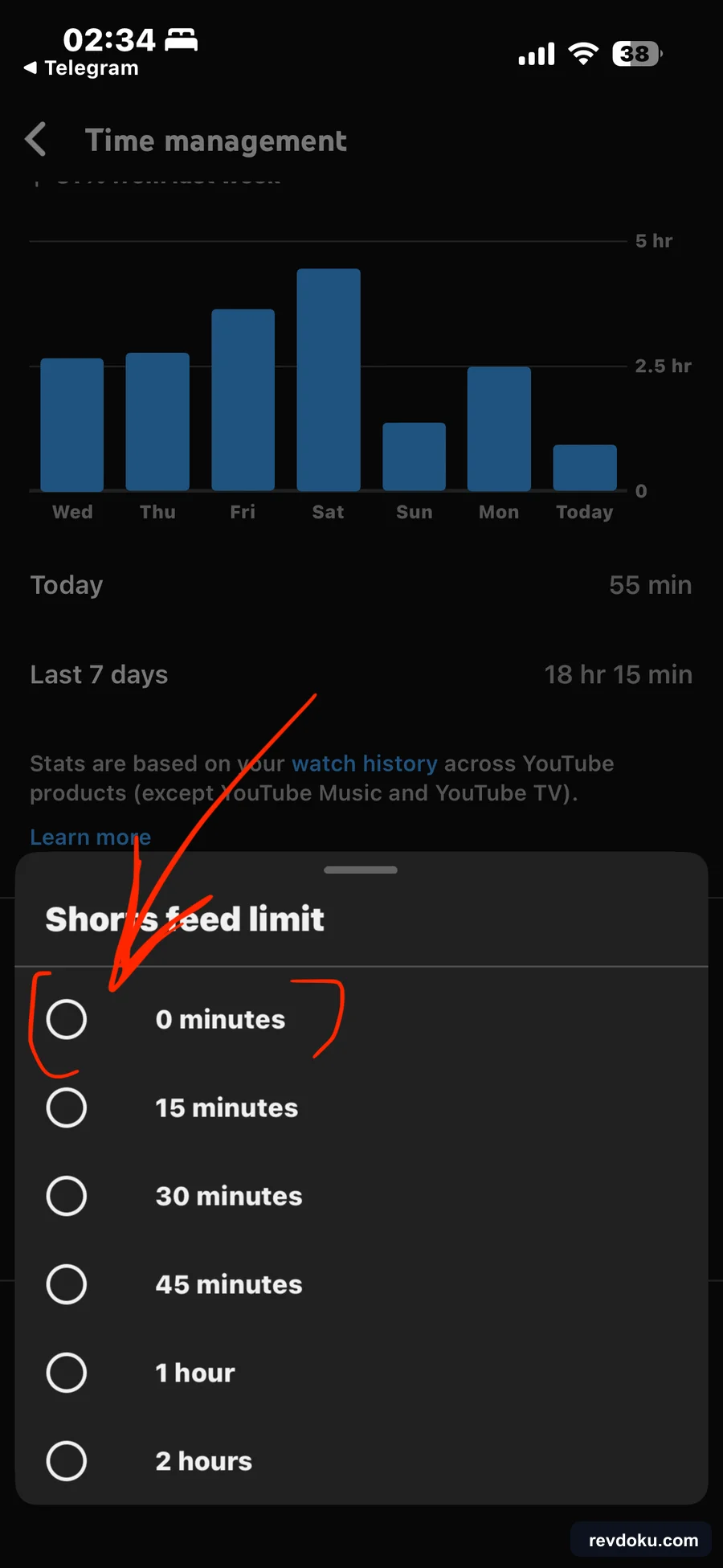
A 0-minute limit pauses the feed at the start of each day and shows a dismissible reminder when you try to scroll, making it a strong nudge rather than a strict block.
Optional: enable YouTube time reminders
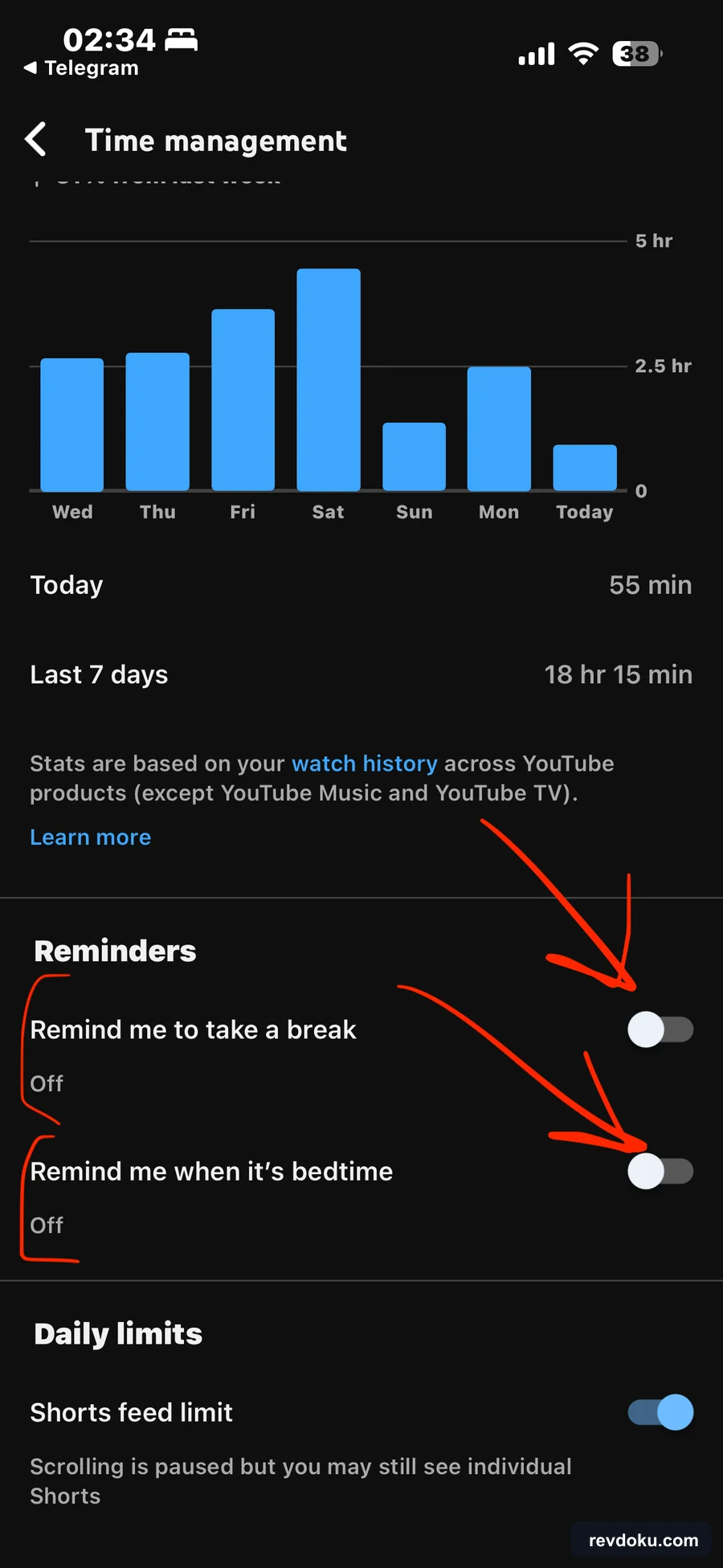
On the same Time management page, you can enable:
- Remind me to take a break
- Remind me when it’s bedtime
What the YouTube Shorts feed limit of 0 minutes changes
This setting pauses the dedicated Shorts feed but does not remove Shorts from the app. YouTube says individual Shorts may still appear on Home, in Search or subscriptions, or in notifications.
Change or disable the limit at Settings > Time management > Shorts feed limit. See YouTube’s official Shorts feed limit instructions.
Bonus: show fewer YouTube Shorts on desktop
YouTube’s desktop site cannot permanently disable Shorts.
To show fewer YouTube Shorts on desktop:
- Find a Shorts shelf on Home or Watch Next.
- Click the three-dot menu in the Shorts header.
- Select Show fewer Shorts.
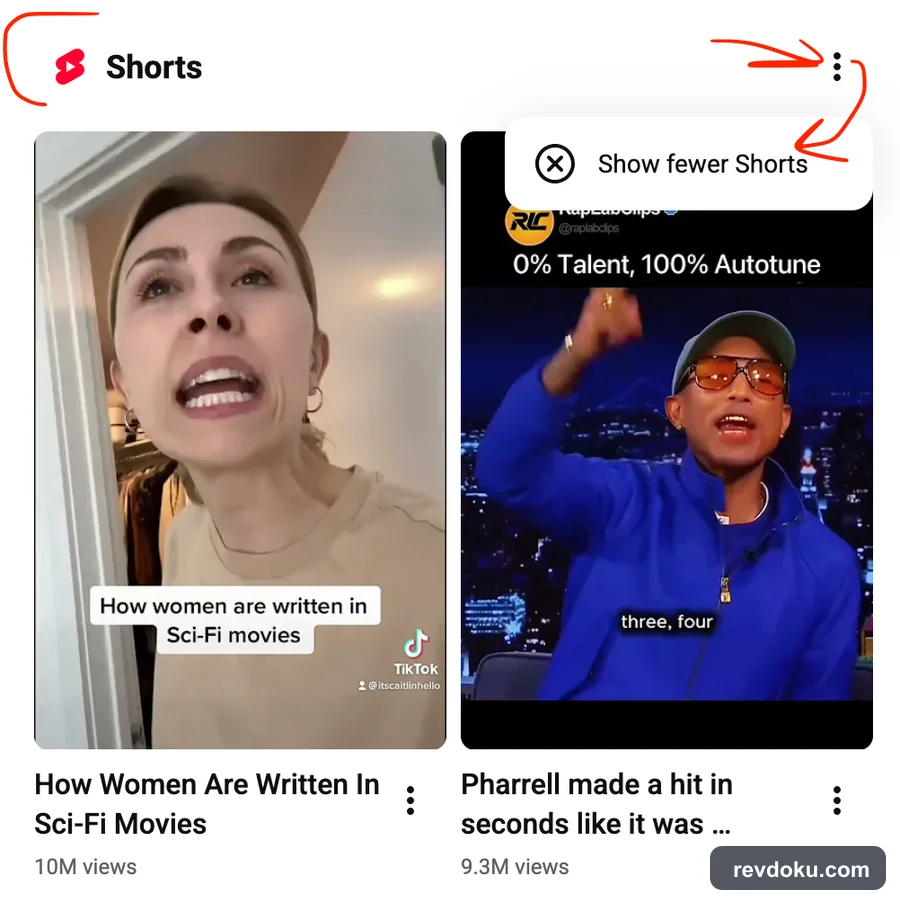
This reduces recommendations but does not disable Shorts.
Get Email address for your AI agent
- Create a cloud bucket and copy its
<unique.id>@revdokumail.comemail address. - Emails sent to this email are saved as JSON and Markdown, attachments are extracted.
- Connect AI agents to read and manage saved emails and files via the API, CLI, MCP, or Skill.
Frequently Asked Questions
Can I permanently disable YouTube Shorts on iPhone?
No. YouTube has no permanent Shorts off switch. A 0-minute Shorts feed limit is the closest built-in option.
Does the 0-minute limit remove every Short?
No. It pauses the dedicated Shorts feed, but individual Shorts may still appear elsewhere in YouTube.
Do I need to reset the limit every day?
No. The daily limit stays at 0 minutes until you change or disable it.