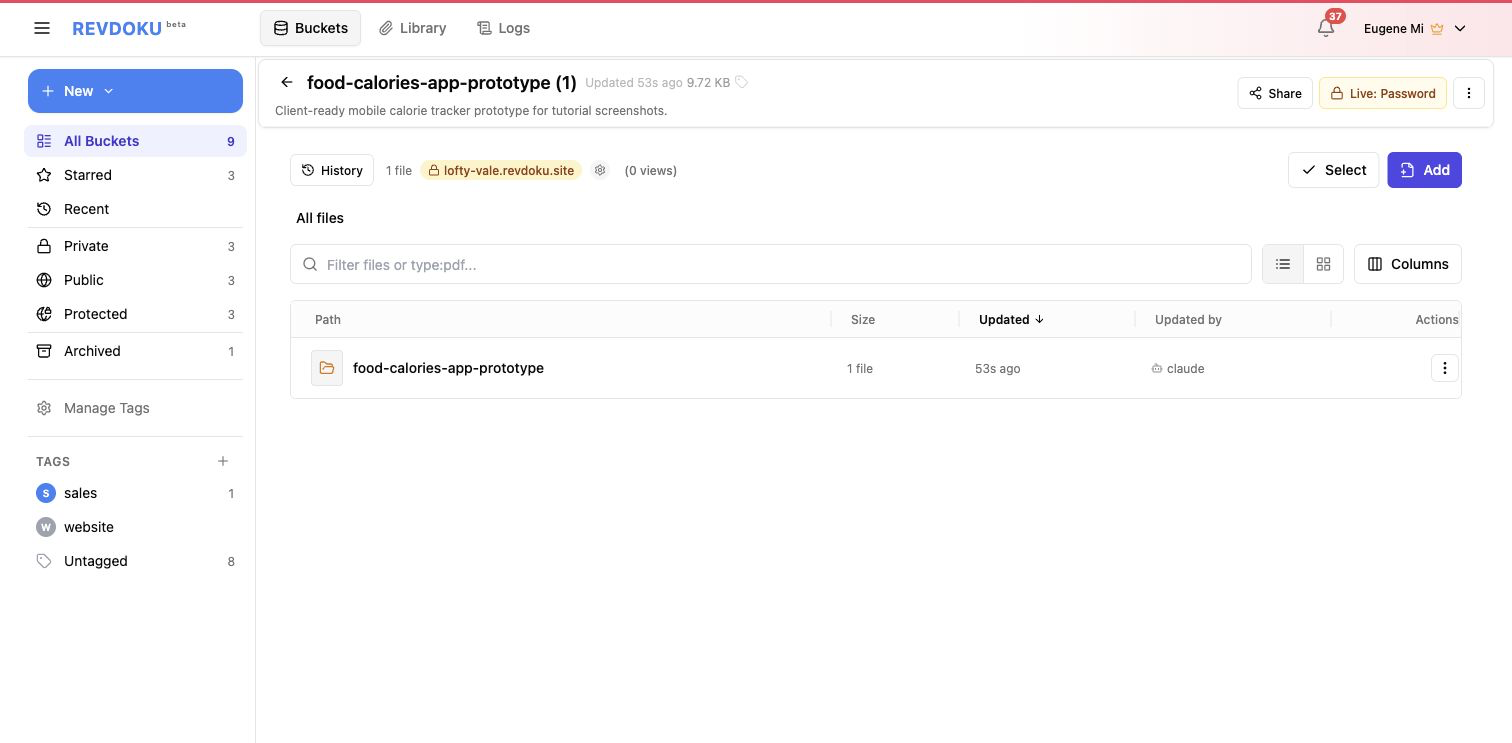
Share and Update Vibe-Coded Apps After the Demo
The thrilling part when you share vibe-coded app work is the demo. The harder part starts five minutes later: someone asks for the link, someone else wants a password, a teammate finds a bug, and the agent must update the app without breaking the shared version.
That is the post-demo operations problem. A working AI app needs a stable URL, a review workflow, secure sharing, and an update path that survives handoff between Claude, ChatGPT, Codex, or whichever agent works on it next.
Note: after the demo, the Revdoku bucket is the owner-controlled home for the app.
The vibe coding live URL is part of the product
If every AI edit creates a random preview link, the team loses track of the current vibe coding live URL. Revdoku solves that by treating the published bucket as the home for the app.
The agent can regenerate files. The owner can republish them. Stakeholders can keep returning to the shared URL for review.
Use a stable Revdoku URL when:
- A client has already bookmarked the demo.
- A team is testing the same prototype over several days.
- You need to compare changes without hunting through chat history.
- You want analytics to accumulate around one published destination.
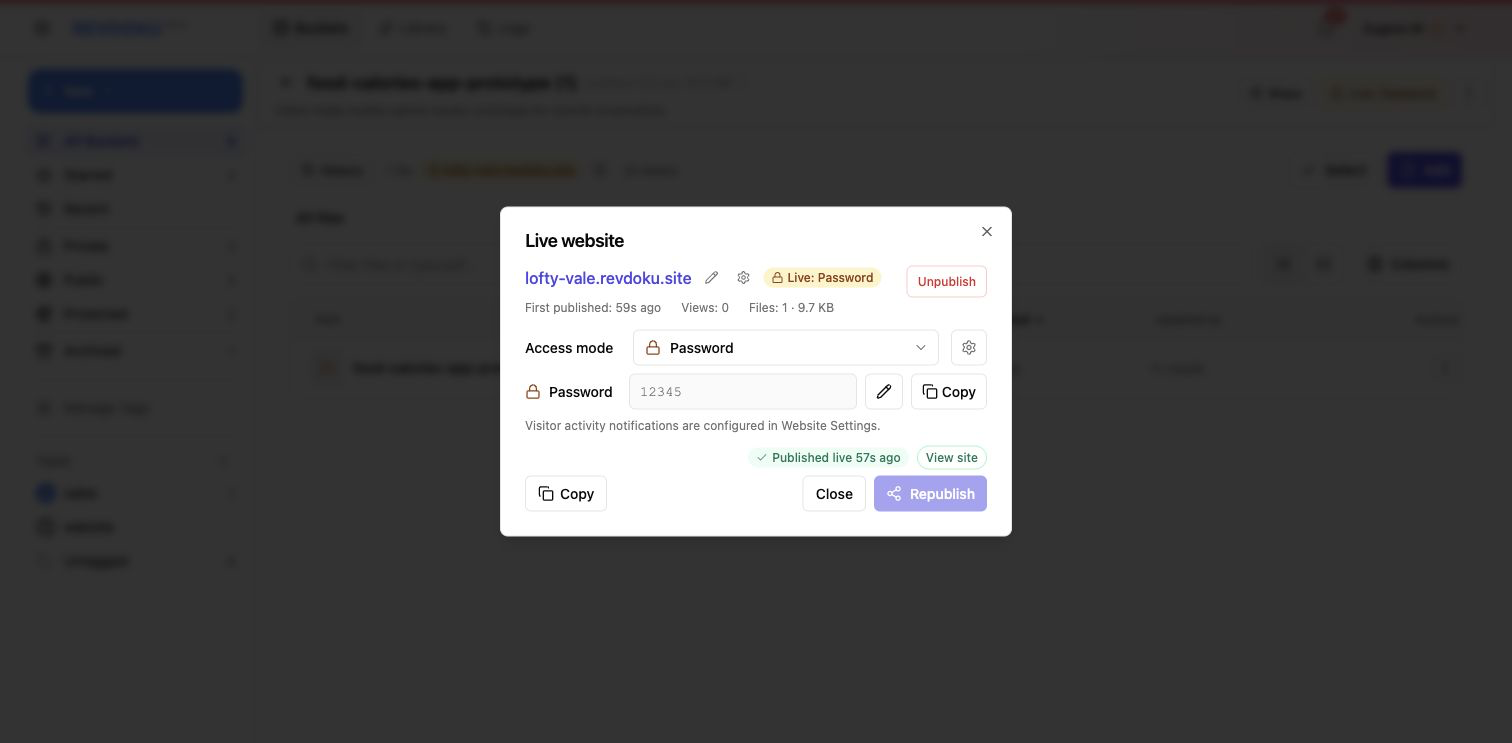
Note: share private demos through a protected Revdoku URL, not an untracked preview link.
Secure sharing when you publish AI app demo
Not every vibe-coded app should be public. A prototype may contain client names, test data, financial assumptions, or unfinished workflows.
Revdoku gives you three practical access modes:
Publicfor demos that can be shared openly.Passwordfor a shared private gate.Password + Emailwhen you want to know who opened the app.
Password protection helps when you share vibe-coded app work for early client review. Password-plus-email helps sales or services teams get follow-up context.
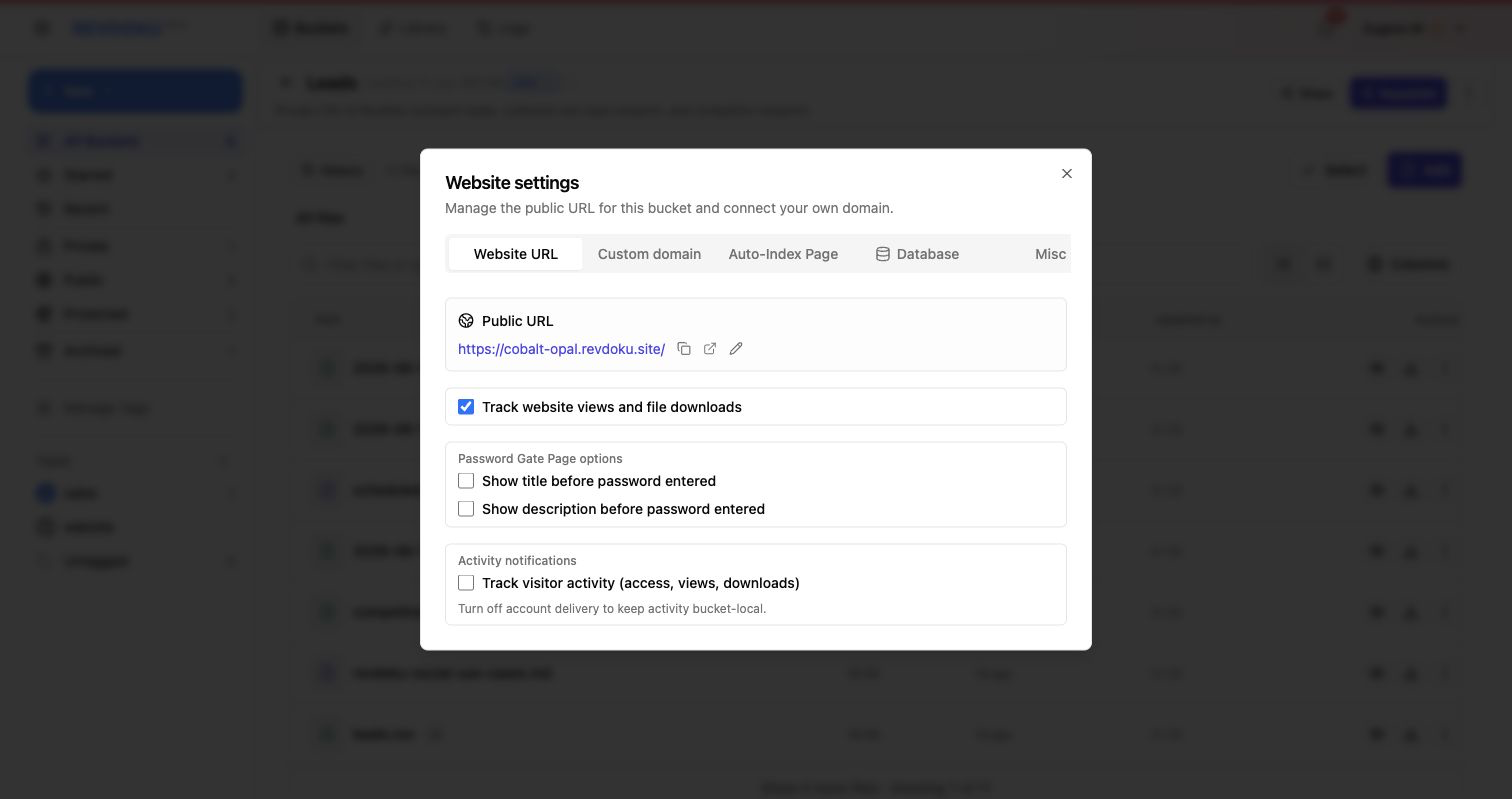
Note: owner notifications help turn a demo view into a follow-up moment.
How to update AI built app work without losing ownership
The update loop should be boring:
- Keep the source folder or generated export.
- Ask the agent to make a specific change.
- Test the app locally or in a private Revdoku publish.
- Republish to the existing Revdoku bucket.
- Check the live URL and analytics after the update.
This keeps ownership with you. The app is no longer a temporary artifact inside one chat session.
Handoff between agents
One week, Claude may build the prototype. The next week, Codex may fix a layout bug. Later, ChatGPT may rewrite copy or generate a new CSV data file.
Revdoku works in this mixed-agent workflow because it accepts final files. The publishing layer does not care which agent made them. That eases handoff and reduces lock-in.
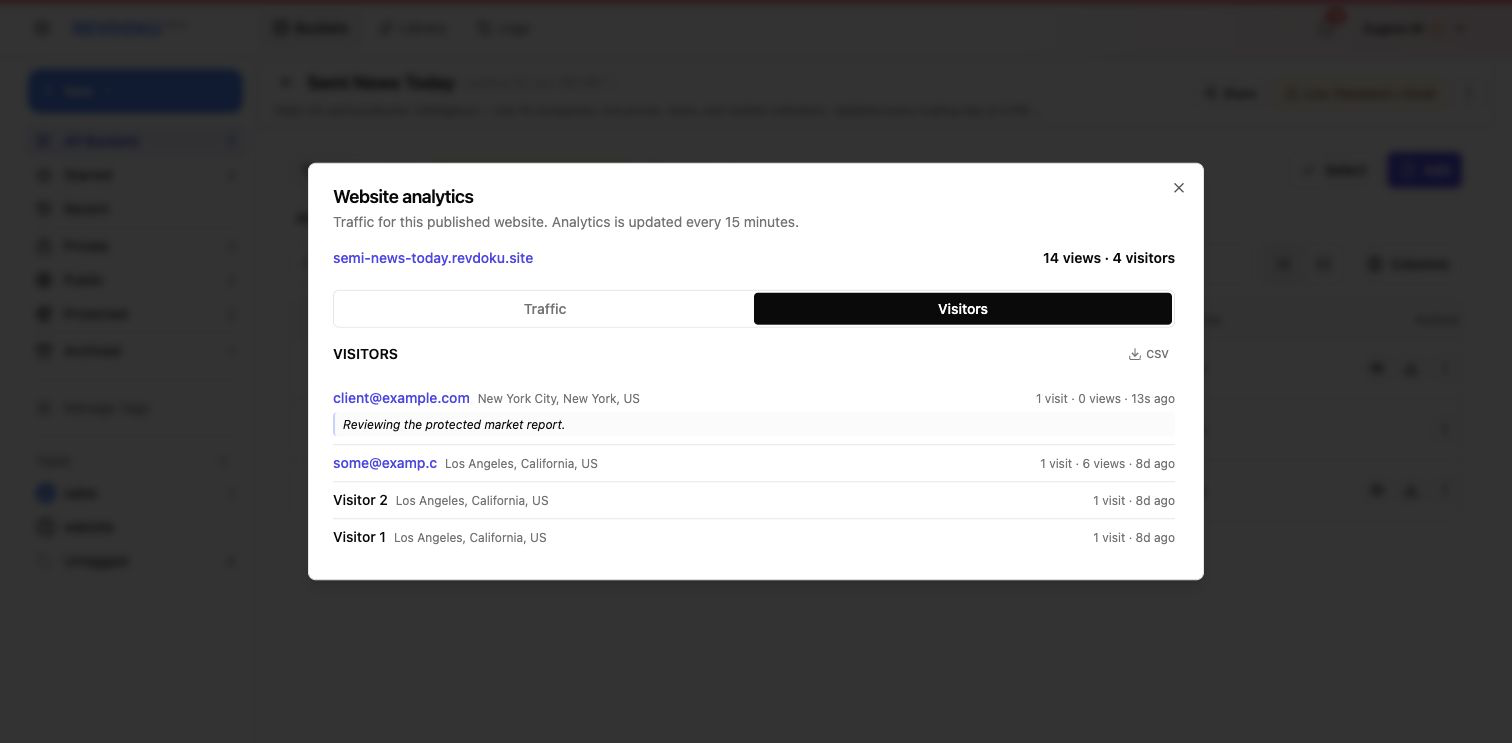
Note: visitor actions beat raw pageviews when a team needs to know what the reviewer opened.
Codex Sites Revdoku tradeoffs
Codex Sites can be smoothest when the whole build and publish flow lives inside Codex. Codex Sites Revdoku tradeoffs matter for mixed-agent teams. It is direct.
Revdoku fits better when the team needs:
- Claude and Codex to work on the same output.
- Client-facing password gates.
- A file-bucket model for apps, reports, and documents.
- Visitor analytics after sharing.
- A durable URL that is independent from the tool that generated the app.
Neither path is always better. The right choice depends on whether the problem is “Codex should deploy this” or “any agent should be able to update AI built app work my team already shared.”
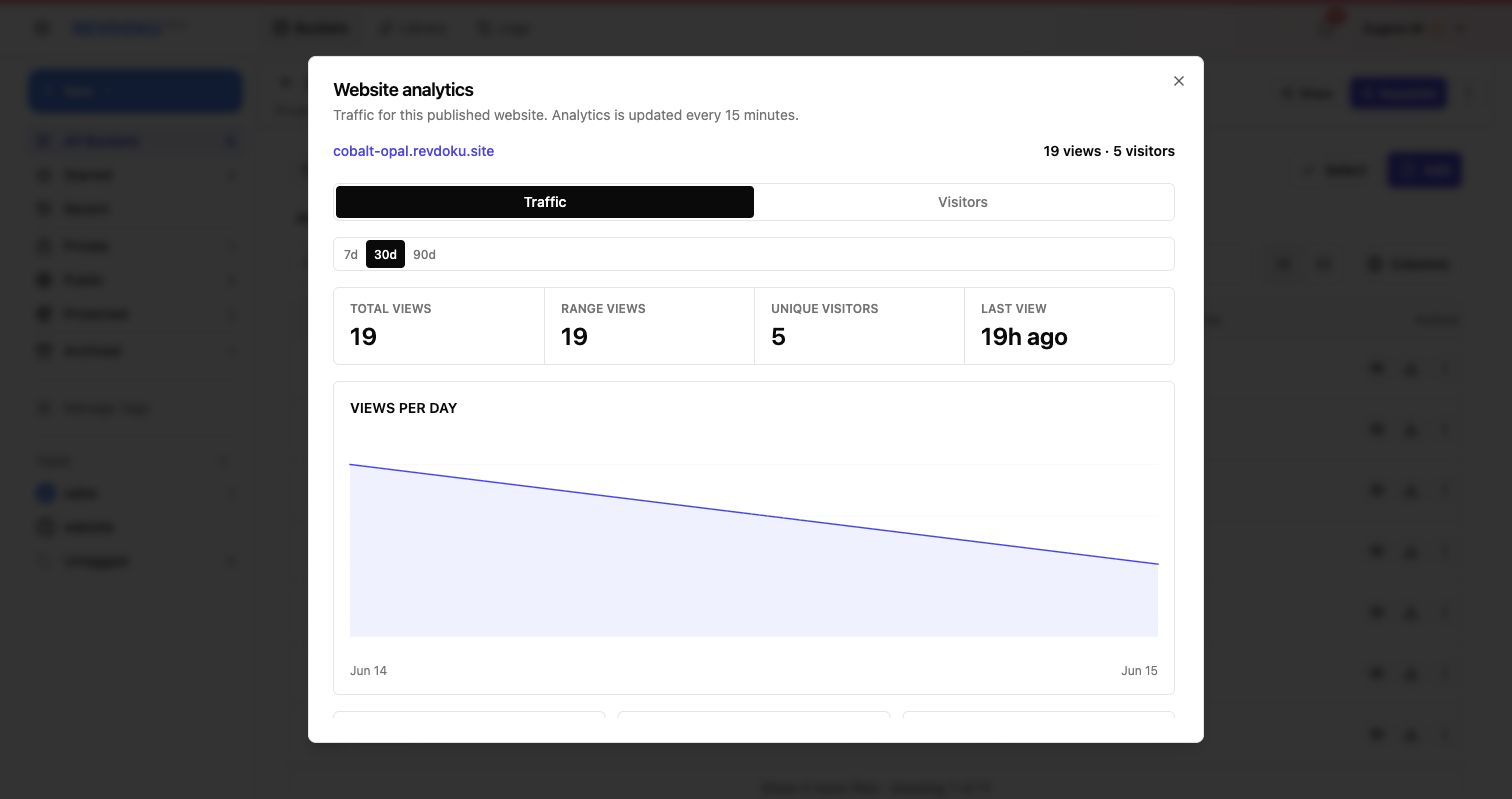
Note: analytics make the post-demo loop visible: share, observe, update, share again.
Takeaway
Publishing AI app demo access is only the beginning. Revdoku turns a vibe-coded app into something a team can review, protect, update, and hand off without losing the live URL.
Frequently asked questions
Why does a stable URL matter after a vibe-coded app demo?
A stable URL gives clients, teammates, and reviewers one place to return to as the app changes. It also reduces confusion when multiple previews or agent-generated links exist. This makes feedback, testing, and follow-up easier to manage.
When should I password-protect an AI-built app?
Use password protection when the app includes client details, internal data, unfinished workflows, or anything not ready for public viewing. For higher-touch reviews, adding email collection can help you understand who accessed the app and when to follow up.
How do I update an AI-built app without breaking the shared version?
Keep a local source folder or export, make changes in a controlled copy, and test before republishing. Once the update is ready, publish it back to the same bucket or destination so reviewers keep using the same live URL.
Can different AI agents work on the same app over time?
Yes, as long as the final files remain portable and organized. One agent can create the first version, another can fix bugs, and another can update content or data. The publishing destination should stay independent from the specific agent that produced the files.
What should I check before sending a demo link to a client?
Open the published URL yourself, confirm the correct access mode, and test the main user flow. Also check that placeholder data, broken links, and unfinished screens are not exposed unless they are intentional for the review.
How can analytics help after sharing a prototype?
Analytics show whether reviewers opened the app and which parts they interacted with. That can help prioritize fixes, prepare follow-up questions, and understand whether the demo actually received attention.
When is Revdoku a better fit than a tool-specific deployment option?
Revdoku is useful when the app needs secure sharing, a durable URL, visitor visibility, or updates from multiple tools and agents. A tool-specific deployment path may be simpler when the entire build and publish workflow stays inside one platform.
Related Articles

GitHub Pages Password Protection and Privacy
Learn why private repositories do not protect Pages sites and compare secure access options for internal teams and external clients.

How to Password Protect a Vercel Deployment
Learn how to secure Vercel deployments with password protection, authentication, trusted access, or protected Revdoku hosting.

How to Password Protect a Website Made with Claude
Learn how to export, secure, publish, and test a Claude-made website using password protection or verified-email access.