How to Create a Resume Link Instead of an Attachment
Table of Contents
- How to Create a Resume Link Instead of an Attachment
- Why Share Your Resume Online With a URL?
- PDF Resume Link or Simple Resume Site?
- How to Create a Resume Link and Host Your Resume in Revdoku
- Choose a Readable Resume URL and Page Title
- Test the Resume URL on Mobile and Desktop
- Choose Access for Your Resume URL: Public, Password-Protected, or Email-Gated
- Share the Resume Online Without Creating Friction
- Host and Replace Your Resume Without Changing the URL
- When an Attachment Is Better Than a PDF Resume Link
- Final Thoughts
- Ask ChatGPT to summarize resume-link activity
- How to Create a Resume Link Instead of an Attachment
- Why Share Your Resume Online With a URL?
- PDF Resume Link or Simple Resume Site?
- How to Create a Resume Link and Host Your Resume in Revdoku
- Choose a Readable Resume URL and Page Title
- Test the Resume URL on Mobile and Desktop
- Choose Access for Your Resume URL: Public, Password-Protected, or Email-Gated
- Share the Resume Online Without Creating Friction
- Host and Replace Your Resume Without Changing the URL
- When an Attachment Is Better Than a PDF Resume Link
- Final Thoughts
- Ask ChatGPT to summarize resume-link activity
How to Create a Resume Link Instead of an Attachment
A resume link offers a cleaner introduction by email, direct message, proposal, or contact form. Instead of an attachment, you send a URL that opens in a browser.
A link is especially useful for frequent updates: replace the file and keep the same address. You can also protect the page, see whether it was opened, and offer a download for employers who still want the PDF.
TL;DR: Learn to host a resume as a PDF or simple website, create and test a readable URL, choose an access mode, update it, and know when to use an attachment.
- Time needed: about 10 minutes for a finished PDF
- What you need: a resume file and a Revdoku account
- Result: a stable PDF resume link you can reuse
Why Share Your Resume Online With a URL?
Each resume attachment creates a separate copy. Sharing your resume online lets you fix a typo without leaving earlier recipients with the old version. The address stays the same while the document behind it can be replaced.
Links also work where attachments are awkward or impossible:
- LinkedIn messages and social profiles
- Freelancer proposals and marketplace profiles
- Email signatures
- Personal websites and portfolios
- QR codes on business cards
- Application forms with a website field
Mobile access matters. Pew Research Center reports that 91% of US adults owned a smartphone in 2024, so you should assume that at least some people will open your resume on a small screen. A browser link removes the download step, but the resume must remain readable on mobile. Pew Research Center
A hosted resume can also show whether the link was visited or the PDF downloaded. That can help a freelancer decide when to follow up after sending a proposal.
Interpret this carefully. An anonymous visit does not reveal which employer or person opened the resume. Reliable visitor identity requires an email gate or another explicit identification method.
PDF Resume Link or Simple Resume Site?
Choose whether the link displays your existing PDF or a small HTML resume site. Each suits different situations.
| Consideration | PDF resume link | Simple resume site |
|---|---|---|
| Setup | Upload one finished PDF | Upload an HTML folder with any images and styles |
| Layout | Preserves the designed page | Adapts more easily to different screen sizes |
| Downloading | The document is already downloadable | Add a separate PDF download link |
| Editing | Export and replace the PDF | Edit the page files and republish |
| Best use | Formal applications and quick sharing | Consultants, founders, designers, and portfolio-led roles |
PDF is a standardized page-description format designed to preserve a document’s appearance across displays and printers. That consistency makes a PDF resume link a safe default. Adobe
A resume site offers room for selected work, case studies, testimonials, or contact links, but keep it restrained. Hiring managers still need to find your experience, dates, and contact details quickly.
A financial consultant might host a conventional two-page PDF, while a product designer might publish a responsive page with three case-study links and a PDF download. Neither is universally better. Choose the one that reduces work for the person reading it.
How to Create a Resume Link and Host Your Resume in Revdoku
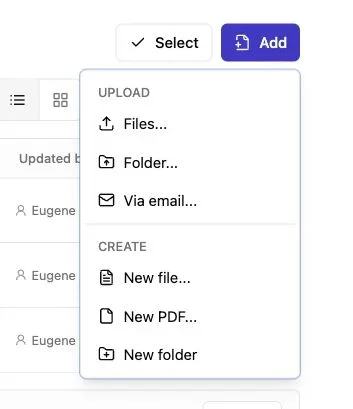
Note: Use the Add menu to upload files or a complete folder.
Revdoku stores and publishes files in buckets, which remain private until published. The dashboard is sufficient; you need no AI agent, API, or command-line tool.
-
Sign in to Revdoku and create a new bucket.
-
Give the bucket a plain, recognizable name such as
Jordan-Lee-ResumeorMaya-Patel-Product-Designer. -
Drag your finished PDF into the bucket. If you are publishing a simple resume site, drag in the complete folder containing
index.html, CSS, images, and the downloadable PDF. -
Review the uploaded files. Remove draft copies, notes, source files, and anything that contains private information.
-
Select the folder or file set you want to publish, choose the access mode, and publish it.
-
Wait until publishing finishes, then copy the live
revdoku.siteaddress.
Without an index.html, Revdoku can create a file index with a built-in PDF viewer, producing a PDF resume link without a website. Revdoku’s PDF and folder publishing guide also confirms that the published URL survives later updates.
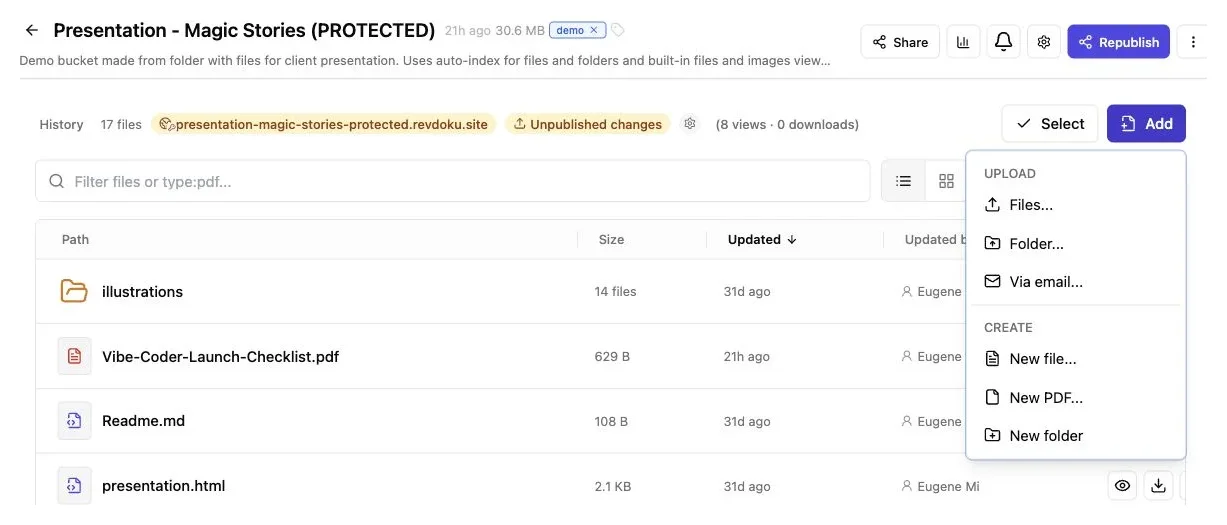
Upload a clearly named resume file or folder, then publish it from the same bucket.
Open the resume URL in a private window to catch settings that admit your signed-in account but block outside visitors.
Choose a Readable Resume URL and Page Title
A resume URL should look deliberate and trustworthy. Unlike random words or an old name such as resume-final-v7-new, alex-morgan-resume.revdoku.site is easy to recognize and type.
Use a title that immediately identifies the person and their work:
Alex Morgan | Operations ConsultantNina Chen | Senior Product DesignerSam Rivera | Fractional Finance LeadTaylor Brooks | Full-Stack Developer
Name the file similarly, such as alex-morgan-operations-resume.pdf. Avoid spaces in direct file URLs and labels such as final, latest, and new. The stable link already points to the current version, so those words age badly.
A readable browser title also helps. If you publish a simple site, set the HTML page title to your name and role. Include a visible heading, location or time zone when relevant, contact details, and a clear PDF download link.
A freelance copywriter could pitch with riley-park-copywriter.revdoku.site, then replace the resume six months later without changing links in emails, profiles, or business-card QR codes. The address becomes durable infrastructure instead of a disposable upload.
Test the Resume URL on Mobile and Desktop
A PDF that looks good in your editor may be uncomfortable on a phone. A two-column resume with eight-point text may open but require constant pinching and zooming.
Before sharing, check:
| Item | What to check | Why it matters |
|---|---|---|
| First screen | Your name, role, and contact path appear quickly | The reader should know whose resume opened |
| Text size | Body text is readable without constant zooming | Small type creates friction on phones |
| Navigation | Scrolling, PDF controls, and links work | Broken controls can hide experience or projects |
| Downloads | The PDF downloads with a useful file name | Recruiters may save or forward it |
| Links | Email, LinkedIn, portfolio, and project links open correctly | A typo can block the next step |
| Privacy | No home address, signatures, IDs, or hidden comments appear | Public files can be copied |
Test on a phone, a desktop browser, and a signed-out private window. If possible, ask someone on another network to open the URL.
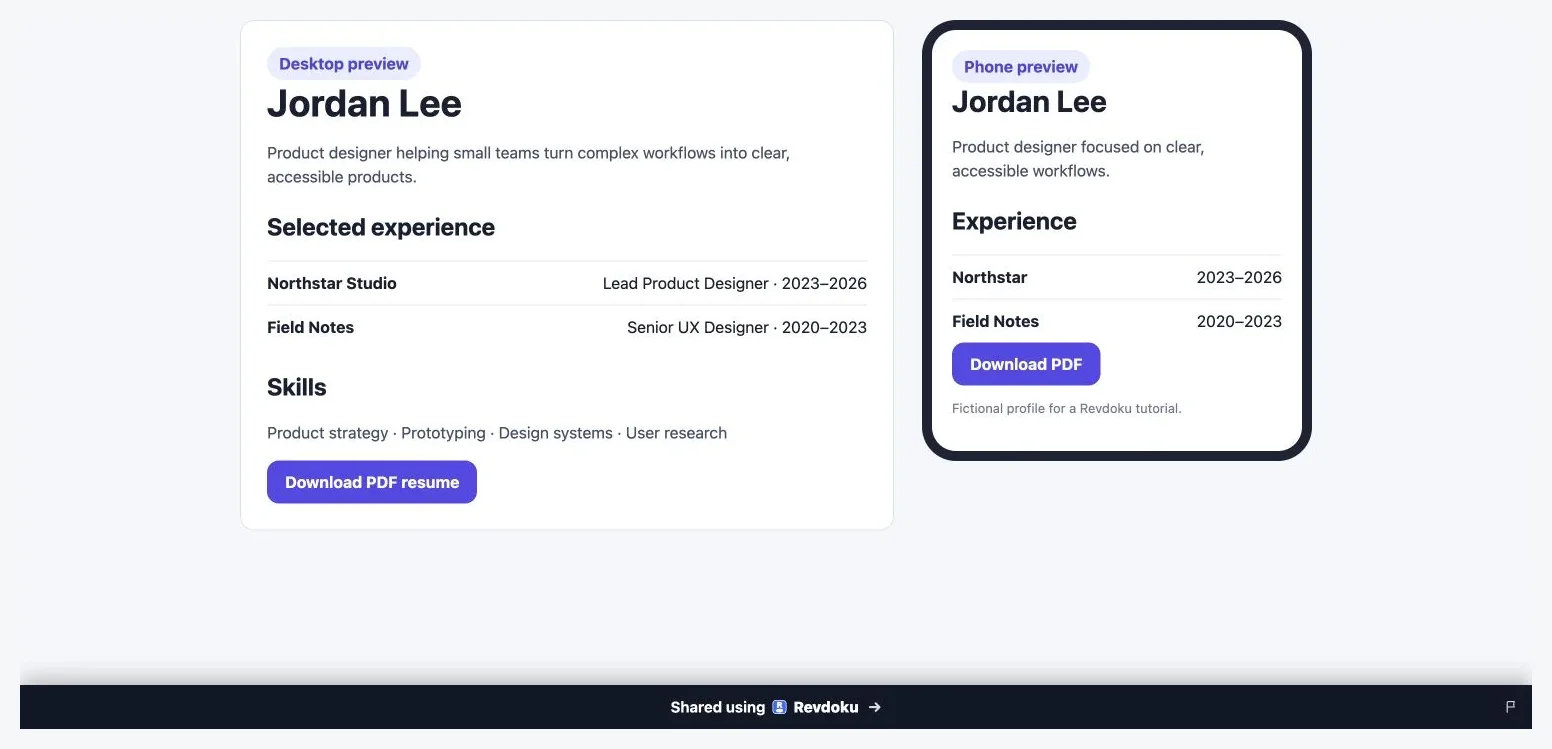
The sample keeps its text readable in both layouts and presents an obvious PDF download action.
For a PDF resume link, test both the browser preview and the downloaded file.
For a resume site, test narrow screen widths, keyboard navigation, and text selection. Can someone find your current role, recent experience, and contact information in 30 seconds without fighting the page?
Choose Access for Your Resume URL: Public, Password-Protected, or Email-Gated
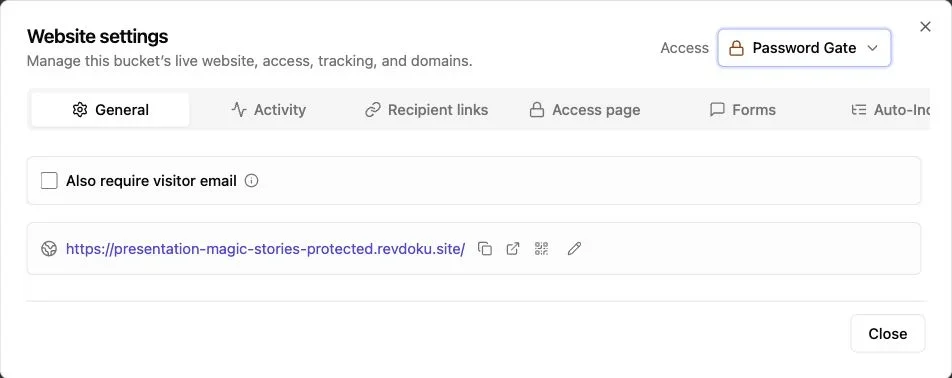
Note: Website settings control the live URL and access mode.
Choose access based on the resume and its use. Public access has the least friction and suits profiles, networking, and broad job searches.
Protected access adds friction but offers more control. Revdoku supports public sites, password gates, and email-based gates, subject to plan availability. The Revdoku buckets overview explains that published content can use these access modes while the rest of the bucket remains private.
| Access mode | Good fit | Main tradeoff |
|---|---|---|
| Public | LinkedIn profiles, personal sites, and broad applications | Anyone who receives the URL may forward it |
| Password | Targeted searches or resumes with limited-distribution material | The recipient must enter and retain a password |
| Email gate | Consulting introductions and direct outreach where identity matters | Added friction may reduce openings |
A shared password cannot prove who visited. An email gate can identify an entered or verified address, but an anonymous session, IP address, timing, or location cannot establish the visitor’s employer.
Revdoku’s free-plan limits also matter. Free publications carry Revdoku branding, use noindex, and provide only 30 days of activity history. Google explains that noindex keeps a page out of supported search results, but it is not a privacy control: anyone with the URL can open a public page. Google Search Central
Protected links, verified visitor identity, longer history, custom branding, or other controls may require a paid plan. Check your plan before sending the link.
Share the Resume Online Without Creating Friction
Label a working resume URL clearly; a bare link can look suspicious.
Good examples include:
Resume: https://alex-morgan-resume.revdoku.siteMy current resume is available here, with a PDF download on the page.Here is the resume and selected project work mentioned in my proposal.
When instructions allow, include both the PDF attachment for formal processing and a browser-friendly URL that stays current.
A consultant who sends a resume URL after a discovery call can use a protected open notification to time a follow-up, for example, sending the promised case study Wednesday after a Tuesday opening. The notification signals activity, not who read the resume or how closely.
An agency proposing a specialist can share one protected link with the resume and work samples. An email gate connects activity to a verified visitor. Without that gate, the visit remains anonymous.
Shorten the URL only when space is tight; a readable domain provides context. Also avoid posting a protected password in the same public place as the link.
Host and Replace Your Resume Without Changing the URL
Hosting lets you update your resume without contacting everyone again. Revdoku preserves the address when you replace files and republish the same bucket.
-
Export the revised resume as a PDF using the same file name and path as the existing document.
-
Open the original bucket rather than creating another one.
-
Replace the old PDF, or update the files inside the resume-site folder.
-
Preview the new version and check dates, links, layout, and download behavior.
-
Republish the existing bucket and confirm that the original resume URL now shows the revision.
After a promotion, certification, contract, or portfolio update, a developer who shared the URL with 20 contacts can update it once and preserve every link.
Keep the URL for ordinary edits; a new one creates version confusion and stale profile links. Create a separate bucket only when you need a genuinely different resume, such as one version for engineering roles and another for technical writing.
Keep a dated source copy locally while the public link stays stable. A name such as resume-source-2026-07.docx gives you a private history, while the published file remains simply name-resume.pdf.
After each update, test in a private window. Because browser or CDN caching may briefly show an older file, refresh and verify the revision before an important application.
When an Attachment Is Better Than a PDF Resume Link
A resume link should follow the employer’s process. If an application requests an uploaded PDF or DOCX, provide it; a link is a supplement, not a substitute.
Choose the ordinary attachment when:
- The job portal has a required resume-upload field
- The employer explicitly requests a PDF or DOCX attachment
- An applicant-tracking system needs to parse the document
- The recipient works in a restricted environment that blocks external links
- The resume must be stored as an exact submission-time record
- Internet access may be unreliable during review
Attachments preserve a snapshot, which regulated employers may need to retain for the submission date; a changeable URL alone may be unsuitable.
Often, use both: attach a clean, text-based PDF and place the live URL near your signature or portfolio link. Keep the PDF reasonably small, use selectable text rather than a full-page image, and avoid layouts that confuse automated parsing.
Never replace a required attachment with a link. Following instructions shows judgment, and no hosting setup can rescue an incomplete application.
Final Thoughts
With a finished resume, creating a link takes minutes: upload the PDF or simple site to a Revdoku bucket, choose a readable title and access setting, publish, and test on mobile and desktop.
Use public access for reach and password- or email-gated access for targeted sharing, but never treat anonymous traffic as confirmed employer identity. Remember that free-plan pages include Revdoku branding, use noindex, and limit activity history to 30 days.
Update the existing bucket to keep old messages and profiles current, and send an attachment when requested. A PDF resume link should make the reader’s job easier, not impose a new process.
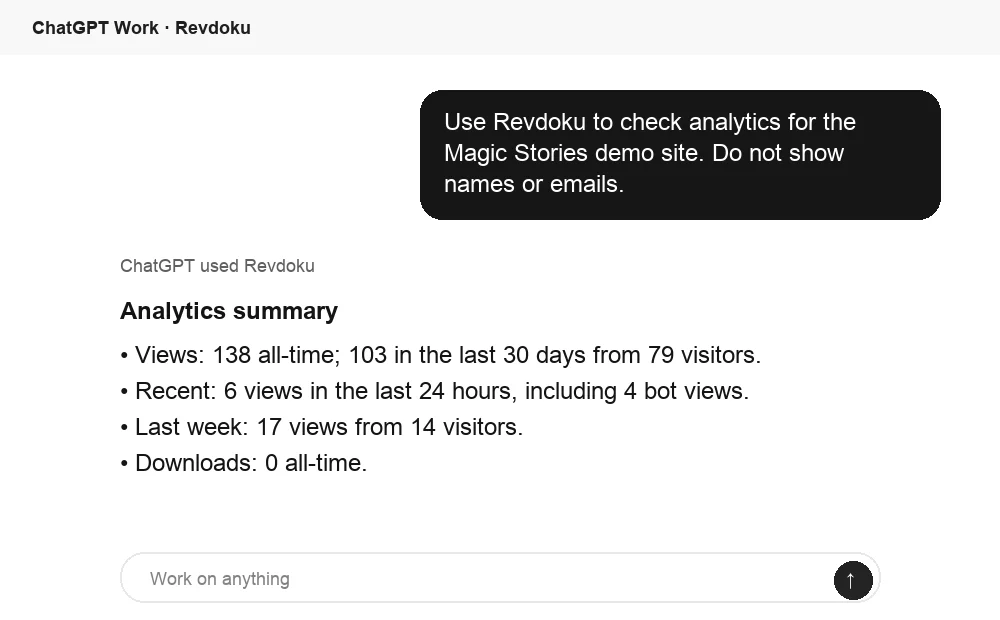
Ask ChatGPT to summarize resume-link activity
After the link is opened, ChatGPT can summarize Revdoku analytics for the published site. That turns raw viewing activity into a clear follow-up signal.
Frequently asked questions
Should I send a resume link or attach the PDF?
Follow the employer’s instructions first. If an attachment is required, upload or attach the requested file and use the live link only as a supplement.
Can I update my resume without changing its URL?
Yes. Replace the existing file in the same bucket and republish it, keeping the same file name and path. Test the URL afterward to confirm that it displays and downloads the revised version.
Should my resume link be public, password-protected, or email-gated?
Public access works well for profiles, networking, and broad job searches because it creates the least friction. Use a password for limited distribution or an email gate when identifying visitors matters, while recognizing that either option may reduce the number of people who open the resume.
Can resume-link analytics tell me which employer viewed my resume?
Not from an anonymous visit. Page views, download events, IP addresses, and timing can indicate activity but cannot reliably identify a person or employer; verified identification requires an email gate or another explicit sign-in method.
Is a PDF or a resume website the better format?
A PDF is usually the safer choice for formal applications because it preserves layout and is easy to download or forward. A simple website can be better for portfolio-led work when you need responsive content, case studies, testimonials, or project links.
What should I check before sharing my resume URL?
Open it on both mobile and desktop, then test it in a signed-out private window. Confirm that the text is readable, contact and project links work, the download has a professional file name, and no private information or draft files are exposed.
Does noindex make a public resume link private?
No. It asks supported search engines not to include the page in search results, but anyone with the URL can still open and forward it. Use password protection or an email gate when you need access control.