How to change your Gmail address in 5 steps
You can change your personal Gmail address without a new Google Account if your settings allow it. Follow these five steps in a desktop browser.
Your old Gmail address keeps working. It becomes an alternate address, often called an alias.
Both addresses share one inbox. Select your old Gmail address in Gmail’s From field to send from it. Saved emails and photos stay in your account. Google’s explanation.
1. Open your Google Account settings
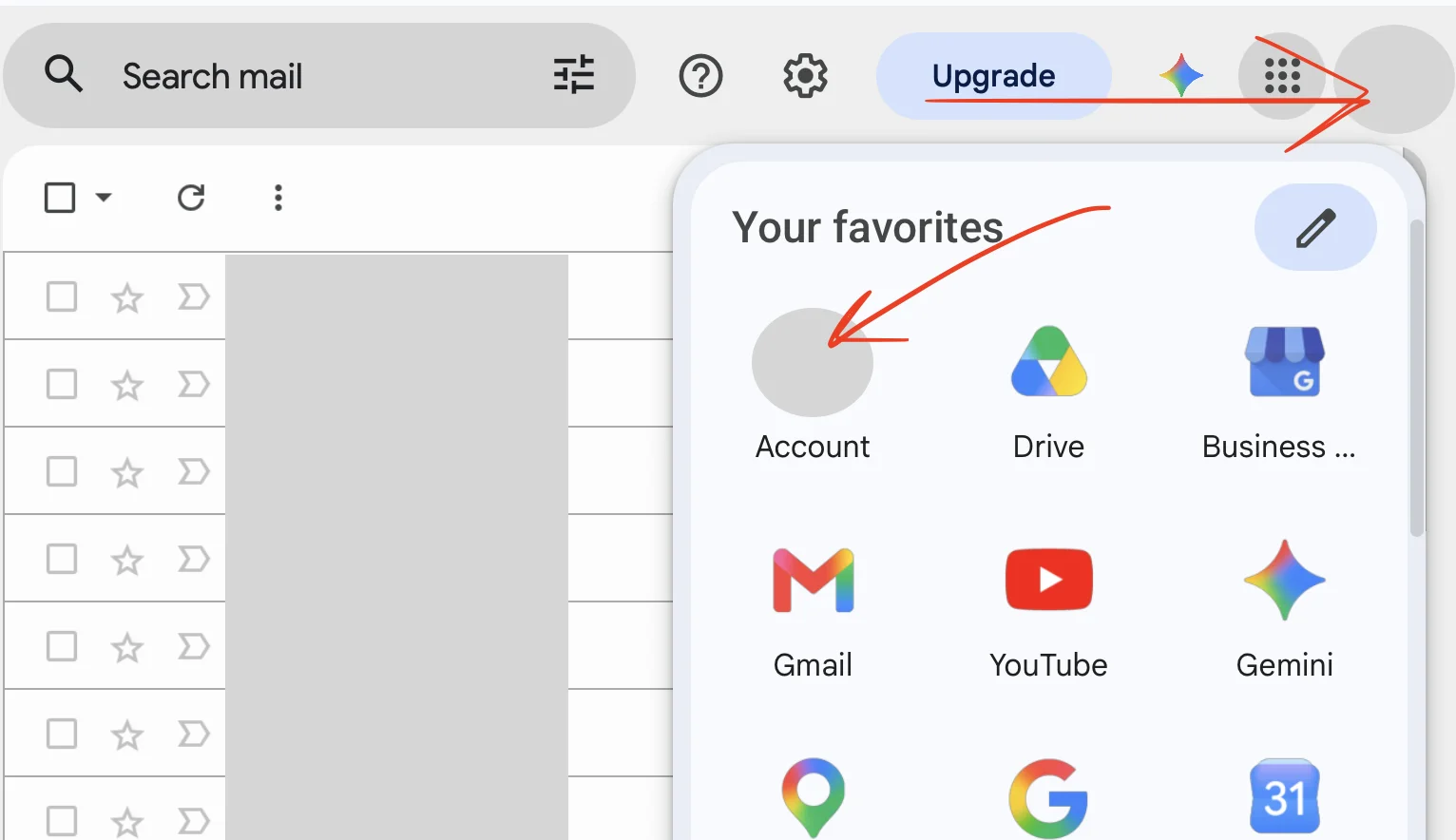
Open Gmail and check you’re in the account you want to change. Click the top-right Google apps grid, then Account.
2. Open Personal info, then Email settings
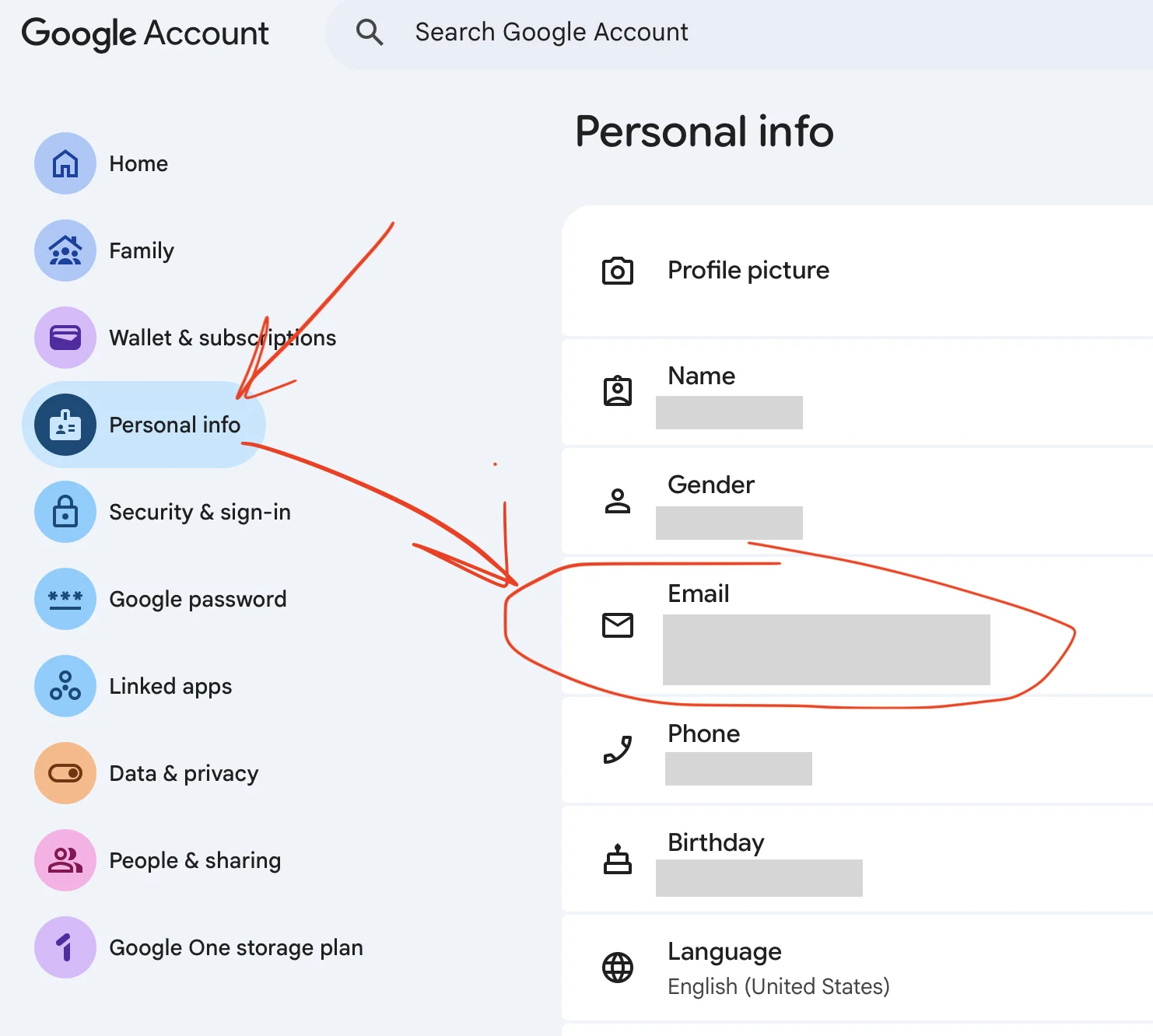
Select Personal info in the left sidebar. Click the Email card on the right.
3. Select your current Gmail address
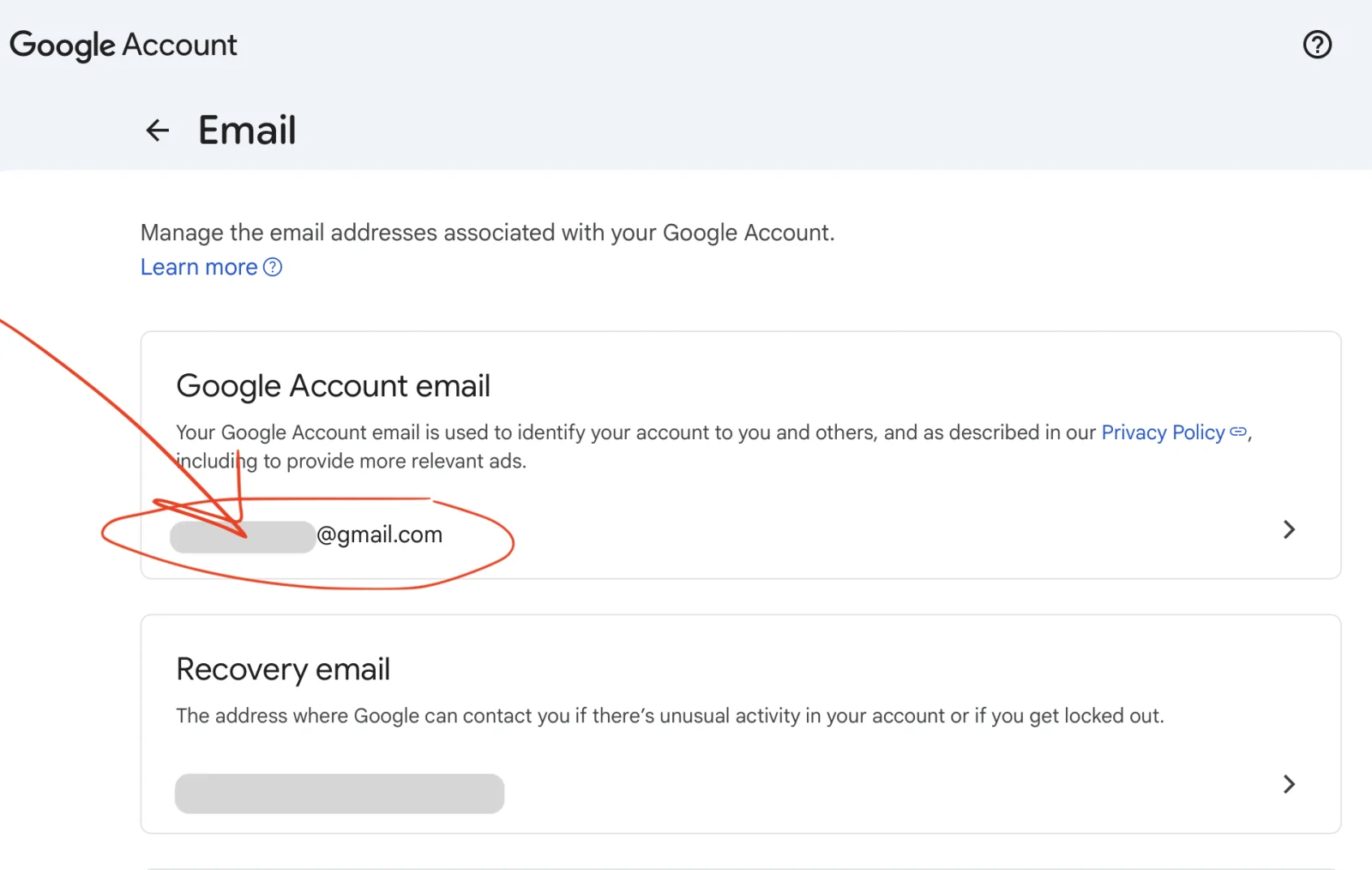
Under Google Account email, open your current address’s settings. The Recovery email card below is separate.
4. Choose Change Google Account email
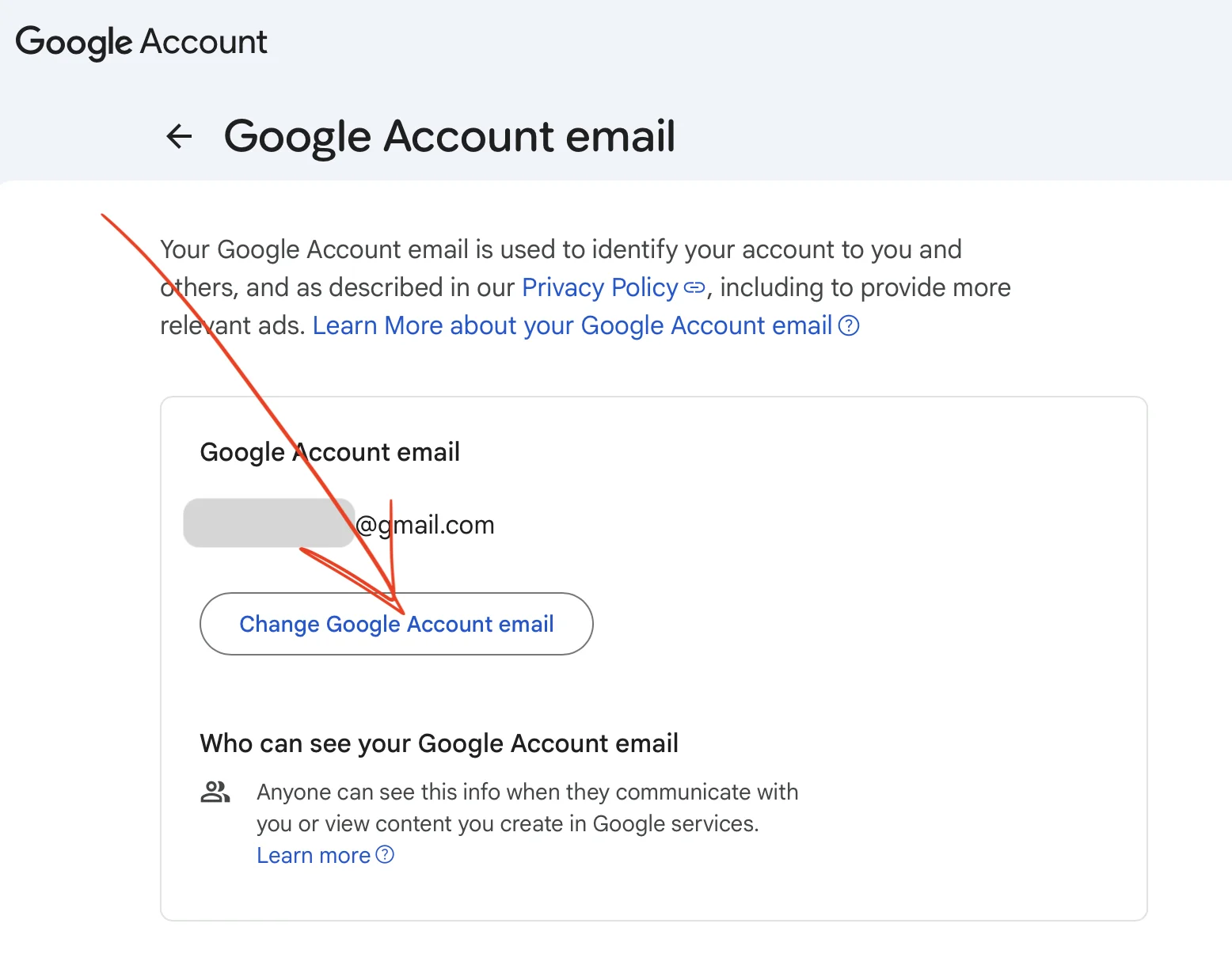
Click Change Google Account email beneath your current address.
If the button is missing, your account may not support this change. For work or school accounts, contact your administrator. Check Google’s guidance.
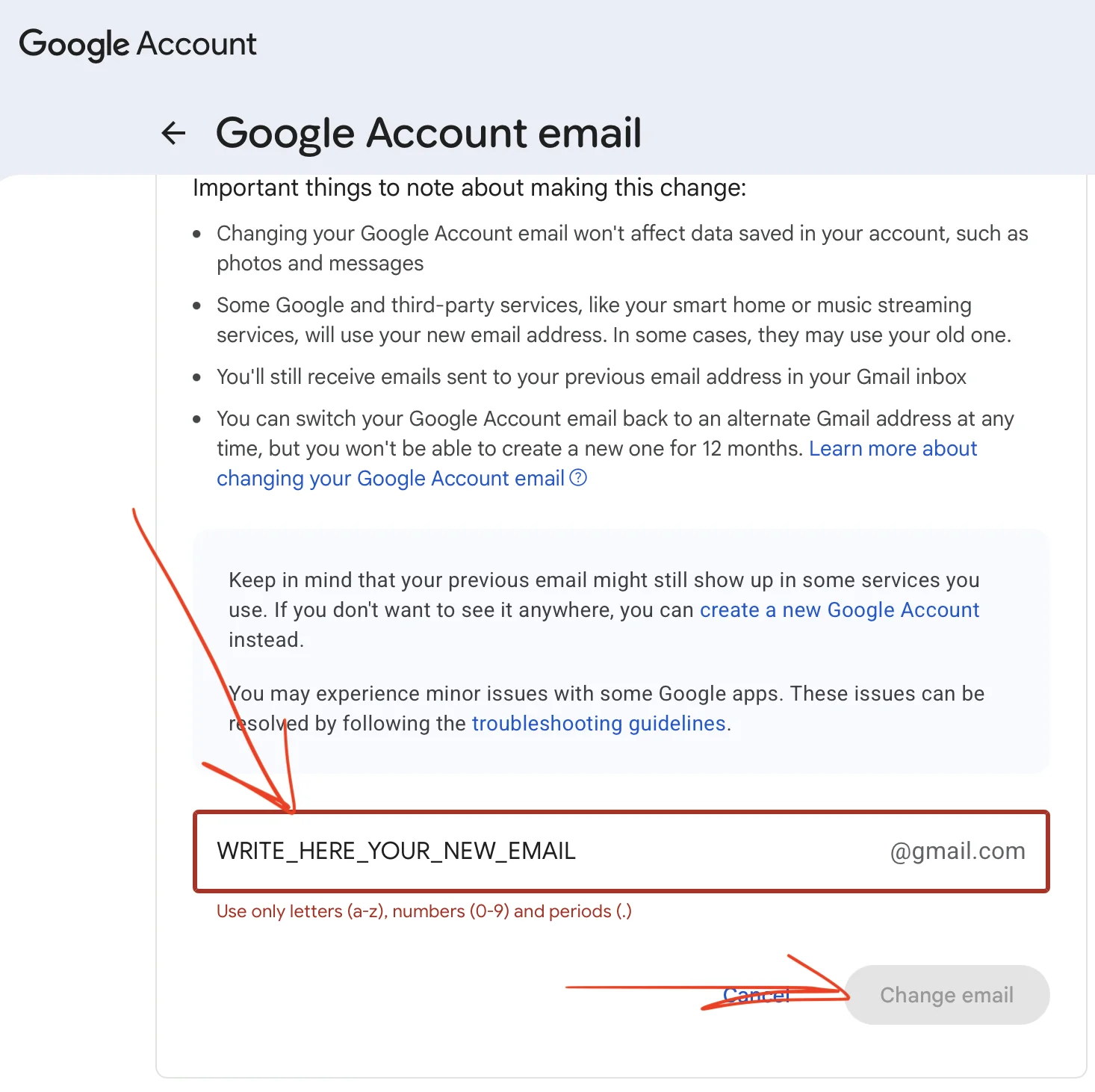
5. Enter your new Gmail address and confirm
Read the notices and scroll to the username field:
- Enter an available username before @gmail.com.
- Use letters, numbers, and periods. The screenshot’s
WRITE_HERE_YOUR_NEW_EMAILis a placeholder; underscores aren’t allowed. - Check spelling, click Change email, and confirm as prompted.
Before confirming, review linked apps and Chromebook compatibility.
Address limits: Google allows one new Gmail address every 12 months and three changes total: up to four addresses over time, including the original. This changes one account’s address; it doesn’t merge accounts. Google’s limits.
A docs portal with Ask AI
and support tickets
Connect a repository, or describe your product to start. Each docs site has search, Ask AI, an API console, an MCP server and support tickets.
- Publishes from GitHub on every push
- Works with Mintlify repositories
- API console from your OpenAPI file
- MCP server and llms.txt for AI agents
- Ask AI and support tickets
- Analytics for people and AI agents