
Avoiding Common Invoice Errors for Timely Payments
Invoice checklist before you send
Use this checklist before you send each invoice. Each item is a common reason for a client to return an invoice or to pay it late. Two terms appear often below. Accounts payable (AP) is the team that pays supplier invoices. A purchase order (PO) is a client document that approves a purchase.
Client details
- The legal name of the client, as it appears in the contract
- The billing address that the AP team uses, which can differ from the head office address
- The name or inbox that receives invoices
- The PO number in the exact format of the client, if the client uses POs
Number and dates
- A unique invoice number that follows your sequence and is never used again
- The invoice date
- The date or the period of the work or the delivery
- The due date or the payment terms from the contract
Description and amounts
- A description of each deliverable with the project name, the contract or statement of work (SOW) section, and the dates
- A correct line total for each line (quantity multiplied by rate)
- A subtotal that equals the sum of the lines
- Discounts and tax in the order that your tax rules require
- The correct tax rate for the place where the tax applies
- The total, with the currency as a three-letter ISO code, for example USD or EUR
Payment details
- All payment methods that you accept
- For bank transfers: bank name, account number, routing number, and the SWIFT code for international payments
- For card payments: a payment link that works
- For payment by check: the full mailing address
- Late fee terms, if your contract includes them
Your details
- Your business name and address
- Your phone number or email address for billing questions
- Your tax or VAT number, if your tax rules require it on invoices
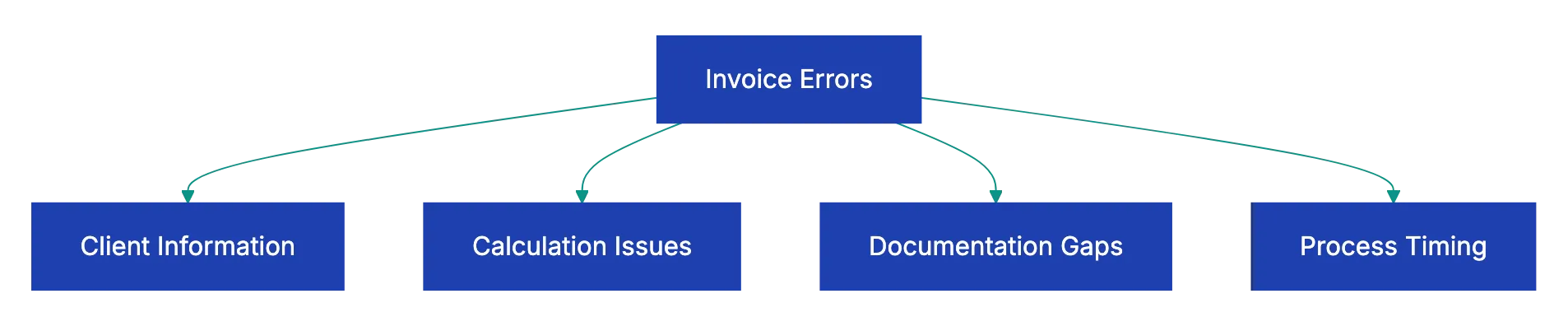
Why invoices come back
| Error | What happens | How to prevent it |
|---|---|---|
| Wrong client name or address | The AP system cannot match the invoice to a supplier record | Get the legal name, billing address and invoice inbox before the first invoice |
| Missing or wrong PO number | Many AP teams do not process an invoice without a PO match | Ask if the client needs a PO before you start the work |
| Duplicate or skipped invoice number | AP systems can reject a number that they saw before | Use one sequence for all clients and keep voided numbers in your records |
| Vague description | The approver cannot match the charge to the work | Name the deliverables, the SOW section and the dates |
| Math error | The client asks for a corrected invoice | Use invoicing software or a spreadsheet with formulas |
| Wrong tax rate | The invoice stops while someone finds the correct rate | Look up the rule for the location where tax applies |
| Incomplete payment details | The client does not know how to pay | List full details for each payment method |
| Wrong recipient | The invoice waits in the inbox of your project contact | Send it to the AP inbox or the person that the client named |
| Unclear currency | The client pays in the wrong currency | Write the ISO code and use the currency from the contract |
| Late invoice | Budgets closed or approvers changed jobs | Send the invoice soon after each delivery or milestone |
A description such as “Design services, March” gives the approver no way to match the charge. Compare it with this description: “Social media graphics for the spring launch (12 posts, 6 ads) per SOW section 2.3, delivered March 15.” The second description names the work, the contract and the date.
Workflow from finished work to sent invoice

- Finish the deliverable or reach the milestone.
- Make sure that the client details, the PO number and the invoice inbox are current.
- Go through the checklist above.
- Send the invoice within a few days of the delivery.
- A few days later, make sure that the client received the invoice.
Clients do not always tell suppliers when the AP contact or the PO changes. At the start of each new project, ask the client if the billing details are still correct.
If you invoice in the UK
GOV.UK lists what an invoice must include. The list has a unique identification number, your company name, address and contact details, and the name and address of the customer. It also has a clear description, the supply date, the invoice date, the amounts, any VAT amount and the total owed. A limited company must use its full name as it appears on its certificate of incorporation. If you and your customer are both VAT registered, you must use a VAT invoice.
If you and the customer did not agree on a payment date, UK law sets one. A business payment is late 30 days after the customer gets the invoice. If you deliver the goods or the service later than the invoice, the 30 days start at the delivery. Other countries have their own rules. If you charge VAT or GST, make sure that your invoices meet the rules of that tax authority.
Use this checklist with Claude or ChatGPT
Claude or ChatGPT can review a draft invoice against this checklist before you send it. Paste the checklist into a new chat. Then add the draft invoice and the PO or the contract terms, as text or a PDF. Ask the AI to list each missing or wrong item. For example:
Below is my invoice checklist, a draft invoice and the client's
purchase order. Go through the checklist item by item and mark
each one OK, MISSING or WRONG, with the line it refers to.
Recalculate every line total, the subtotal, tax and total, and
show your arithmetic. Flag any difference from the purchase order.
Before you send the invoice, read these cautions:
- Recalculate the totals yourself. The AI can make arithmetic mistakes or misread a number in a PDF.
- Remove bank account numbers before you upload the invoice. Also read the data settings of your workspace and the confidentiality terms of your client contract.
- Do not rely on the AI for tax rates. Get the rate from the tax authority or from your accountant.
A docs portal with Ask AI
and support tickets
Connect a repository, or describe your product to start. Each docs site has search, Ask AI, an API console, an MCP server and support tickets.
- Publishes from GitHub on every push
- Works with Mintlify repositories
- API console from your OpenAPI file
- MCP server and llms.txt for AI agents
- Ask AI and support tickets
- Analytics for people and AI agents
Frequently Asked Questions
How do I correct an invoice that I already sent?
Do not change the invoice and send it again with the same number. Send a credit note that cancels the wrong invoice. As an alternative, tell the client in writing that the old invoice is void. Then send a corrected invoice with a new number. Keep both documents in your records.
When do I follow up on an unpaid invoice?
A few days after you send the invoice, make sure that the client received it. If the due date passes without payment, contact the AP team on the next business day. Give the invoice number, the amount and the due date, and ask if anything blocks the payment.