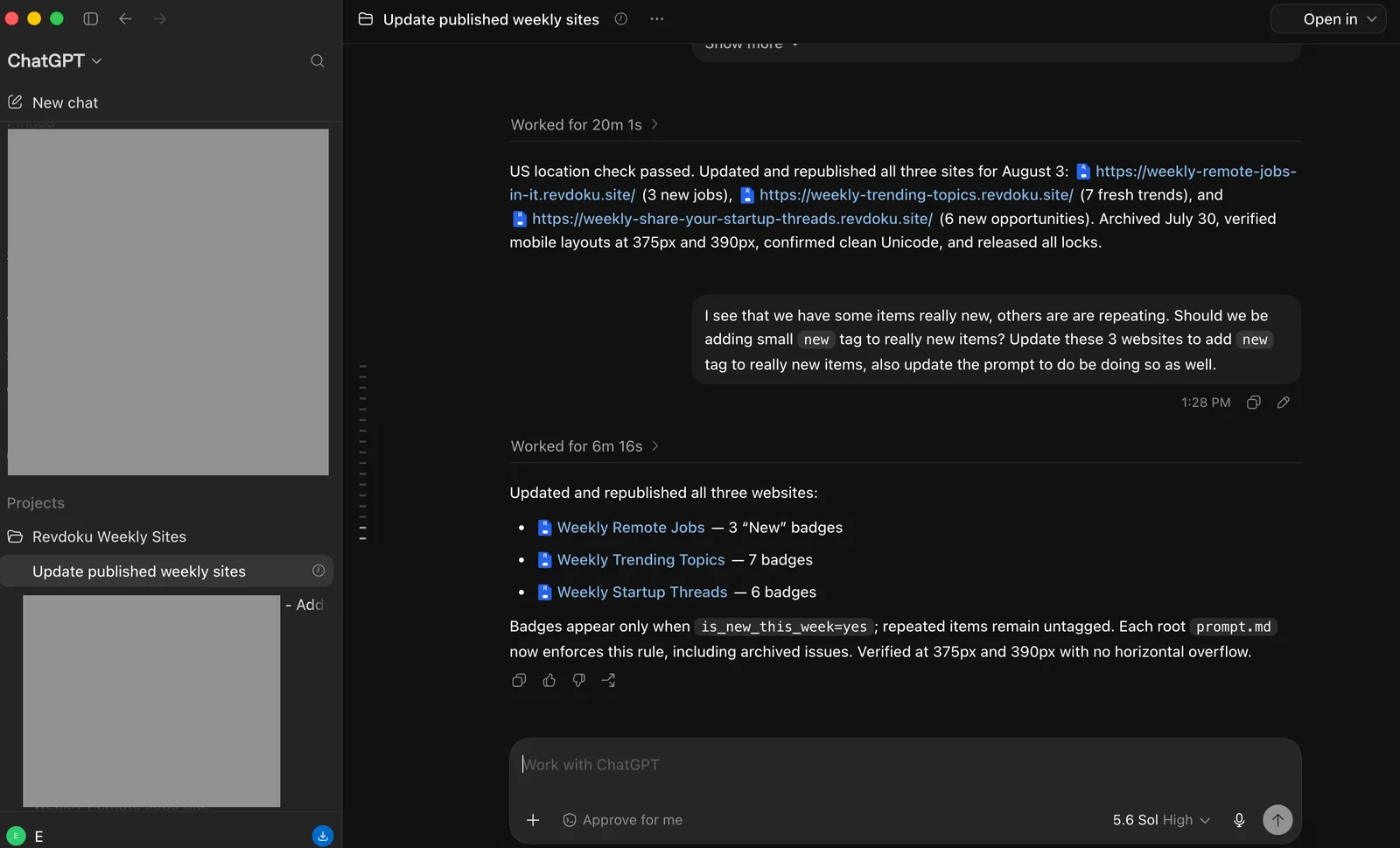
How We Update Three Weekly Websites Automatically with ChatGPT and Revdoku
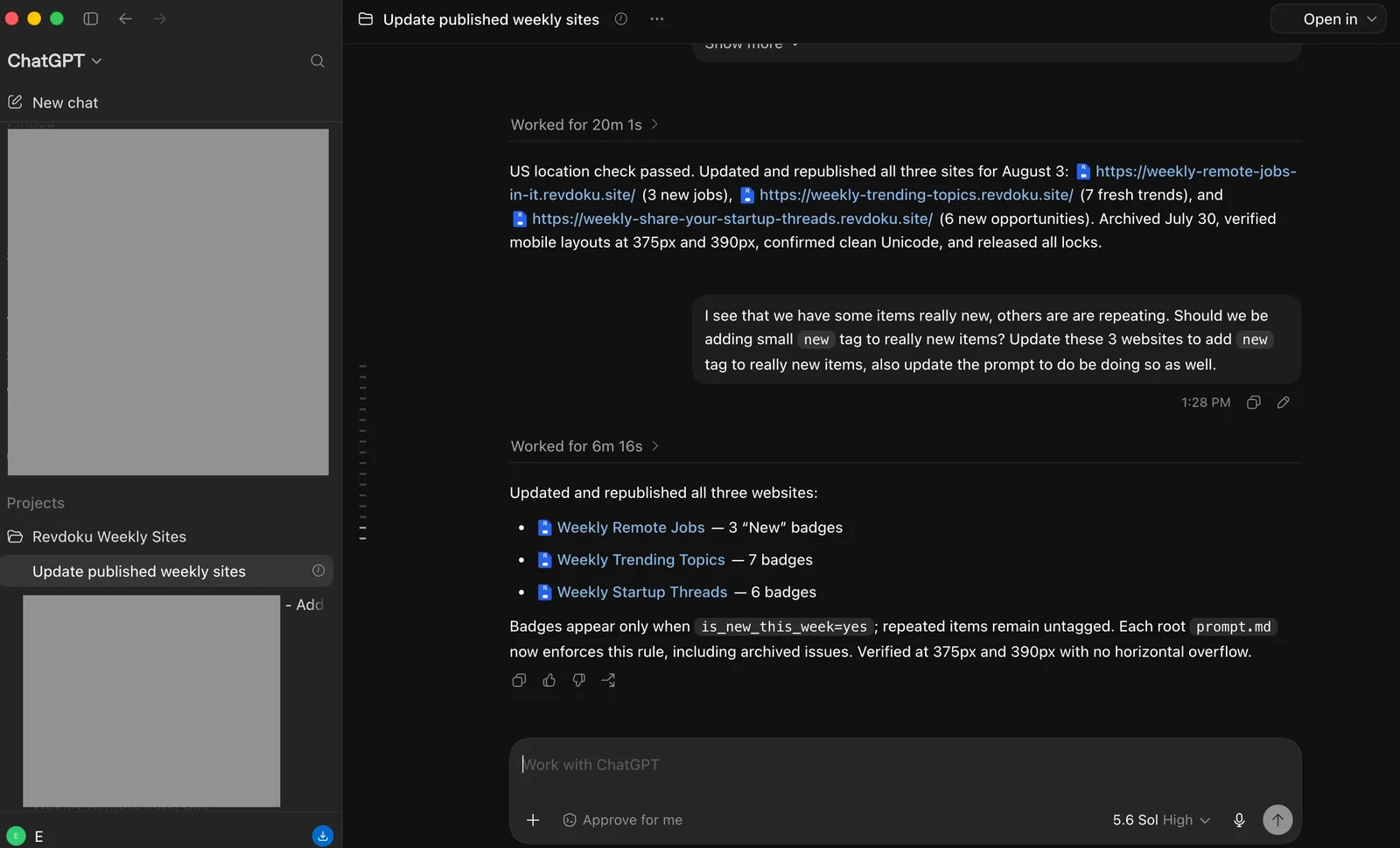
TL;DR: One unattended ChatGPT task now researches, updates, archives, tests, and republishes three Revdoku websites every Monday. The content team receives a completion notification, reviews what went live, and can restore an earlier version quickly if needed.
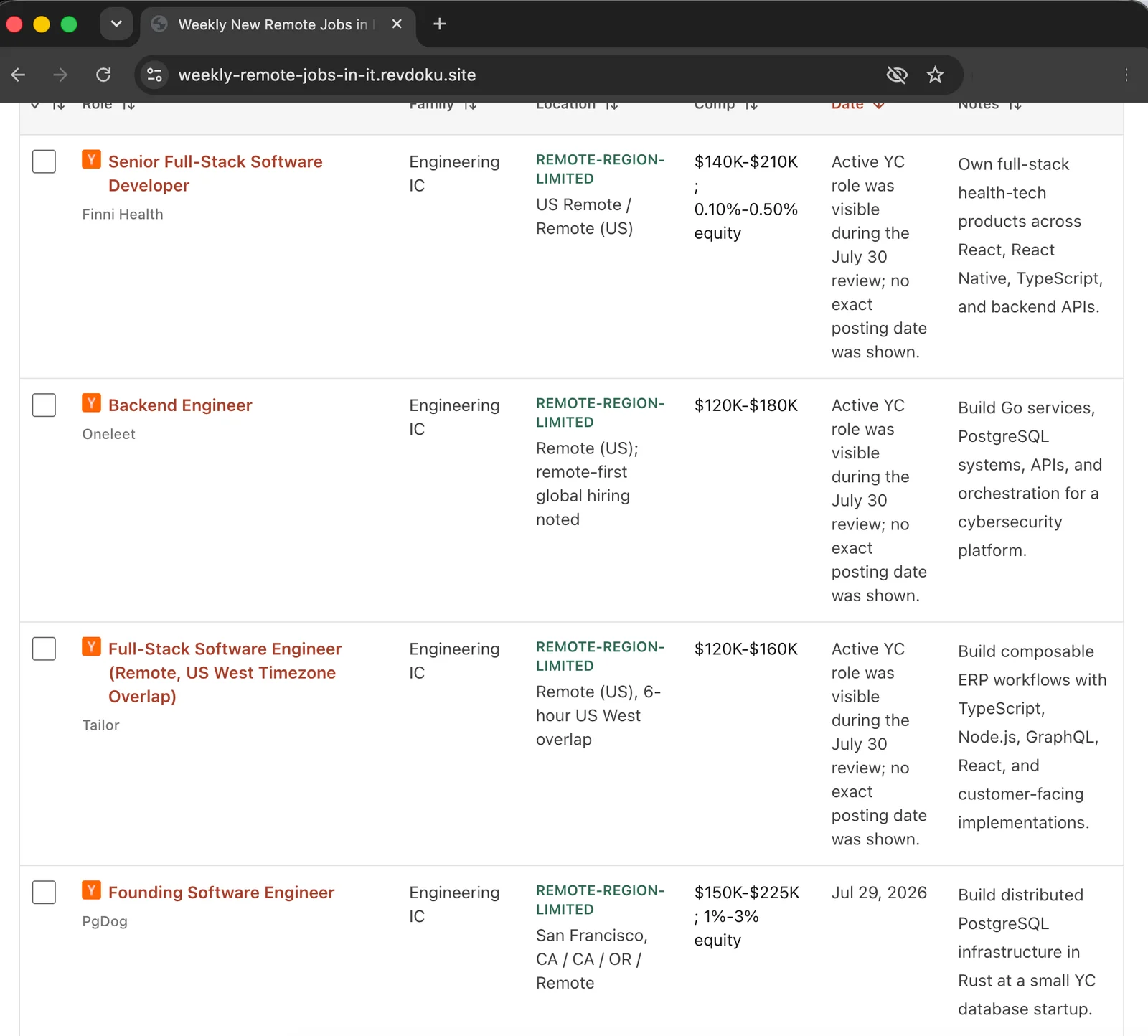
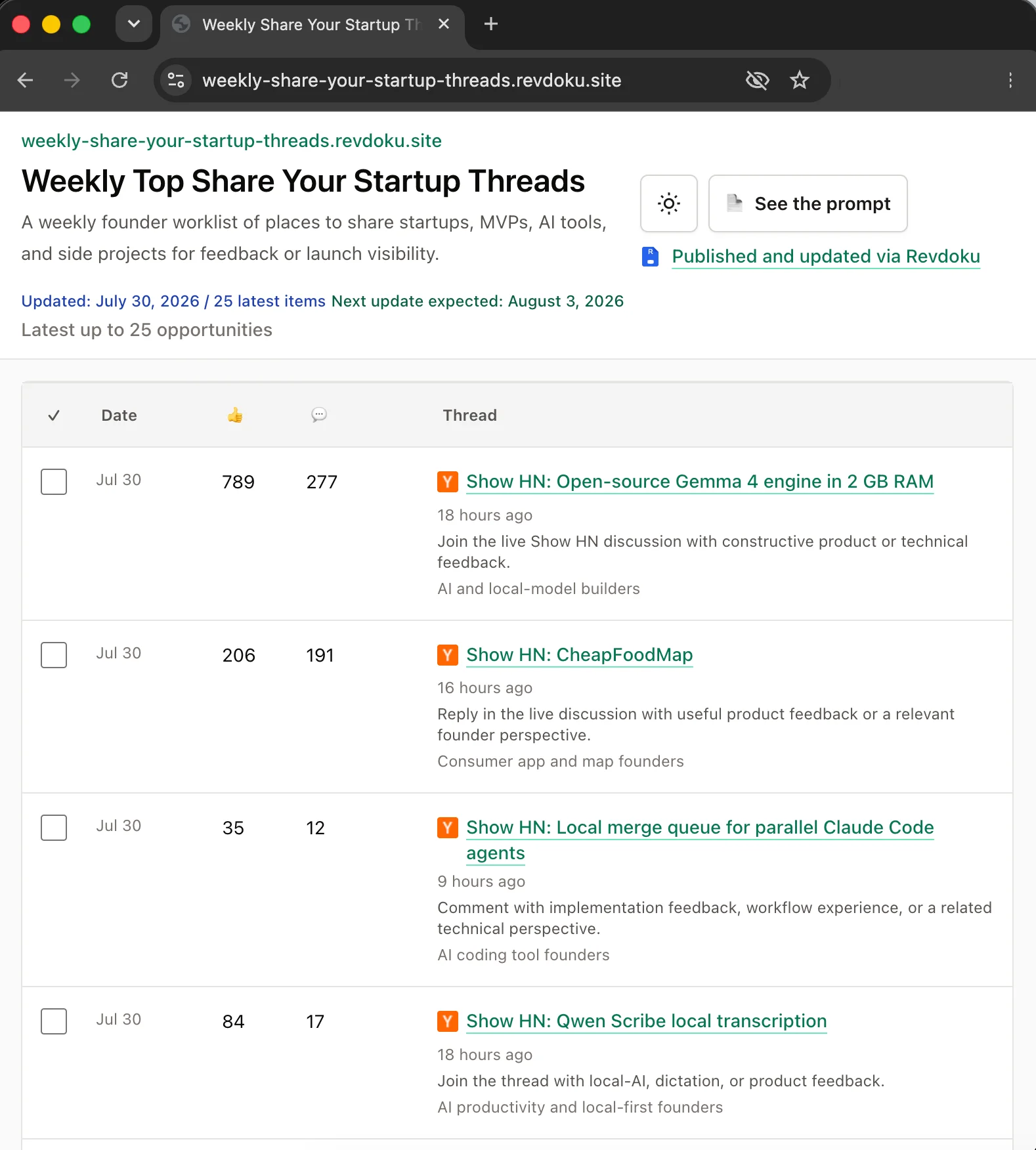
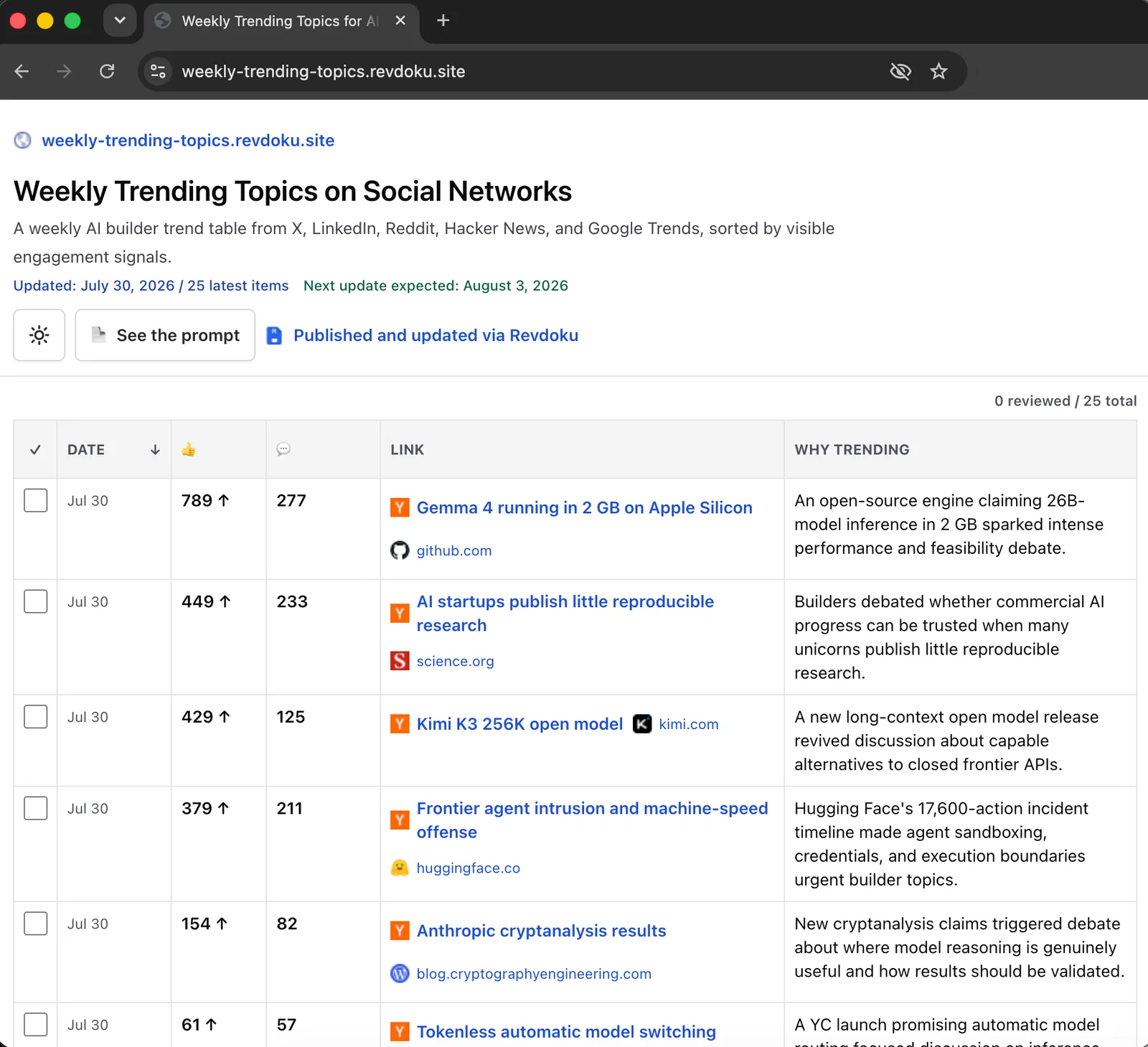
Three sites powered by weekly website automation
The workflow maintains three small static websites, each with a different research job:
- Weekly New Remote Jobs in IT publishes a rolling list of researched remote IT and AI-adjacent roles. Its public prompt defines freshness checks, fields, archives, and page behavior.
- Weekly Share Your Startup Threads collects current discussions and communities where founders can share a startup, MVP, AI tool, or side project. Its public prompt defines audience fit and verification rules.
- Weekly Trending Topics records public signals about subjects gaining attention among AI and software builders. Its public prompt explains the source, evidence, archive, and QA requirements.
ChatGPT originally created each website from the same prompt that now lives in its root prompt.md. The files remain visible and editable in Revdoku, and each site keeps a stable public URL between weekly updates. The Remote Jobs bucket also uses Revdoku GitHub Sync to maintain a private GitHub repository as an automatic backup.
How the scheduled ChatGPT task works
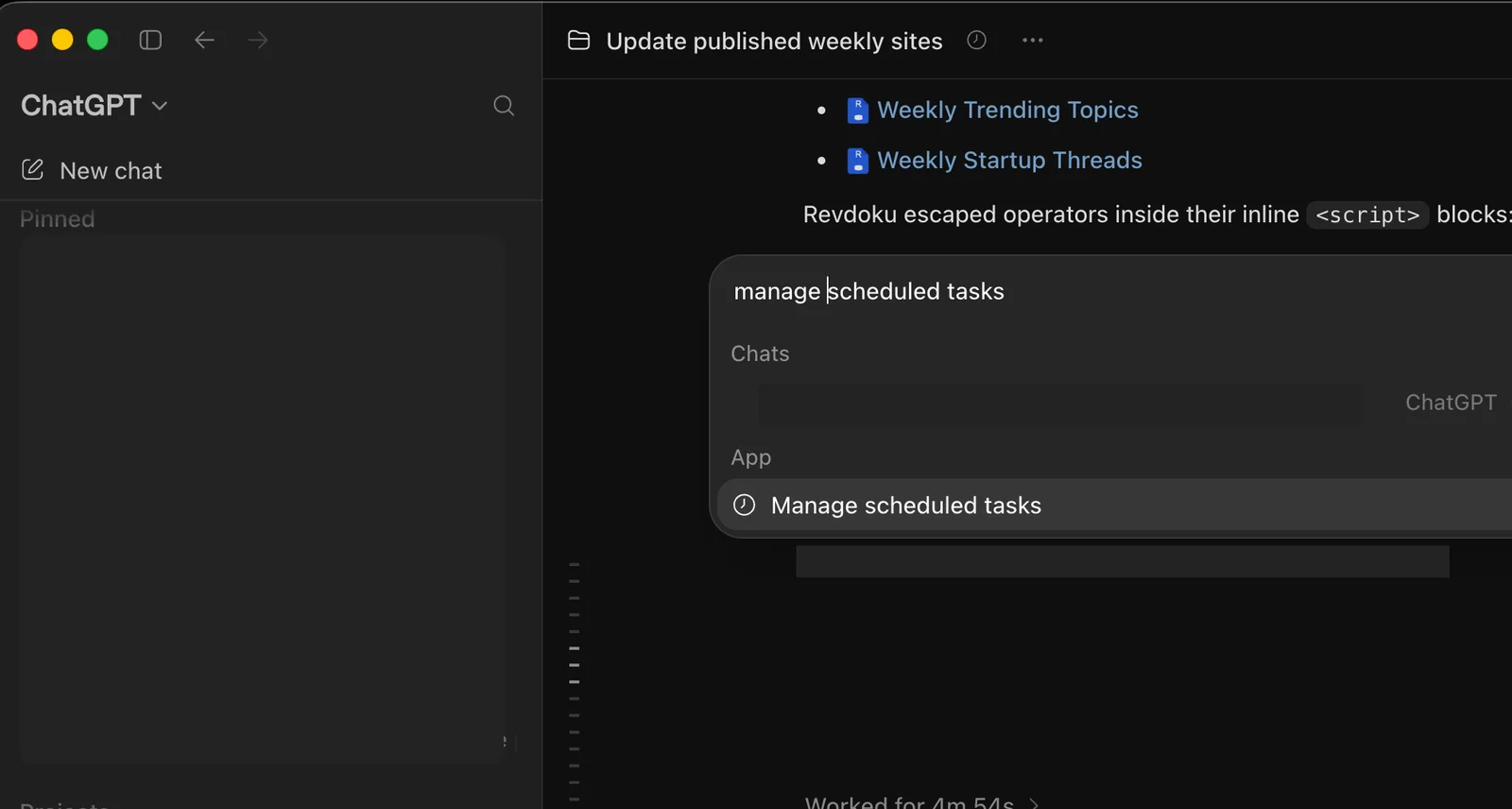
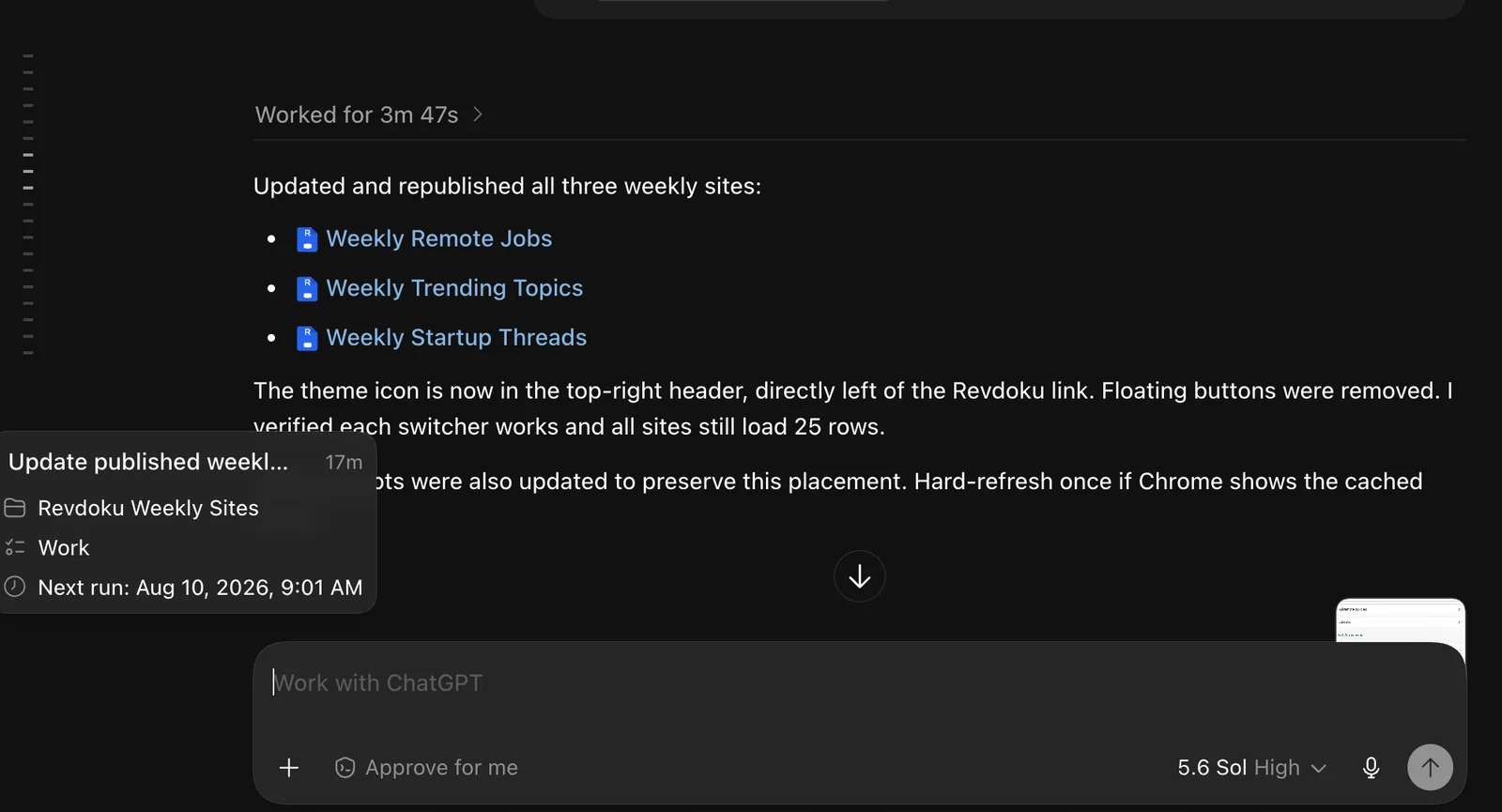
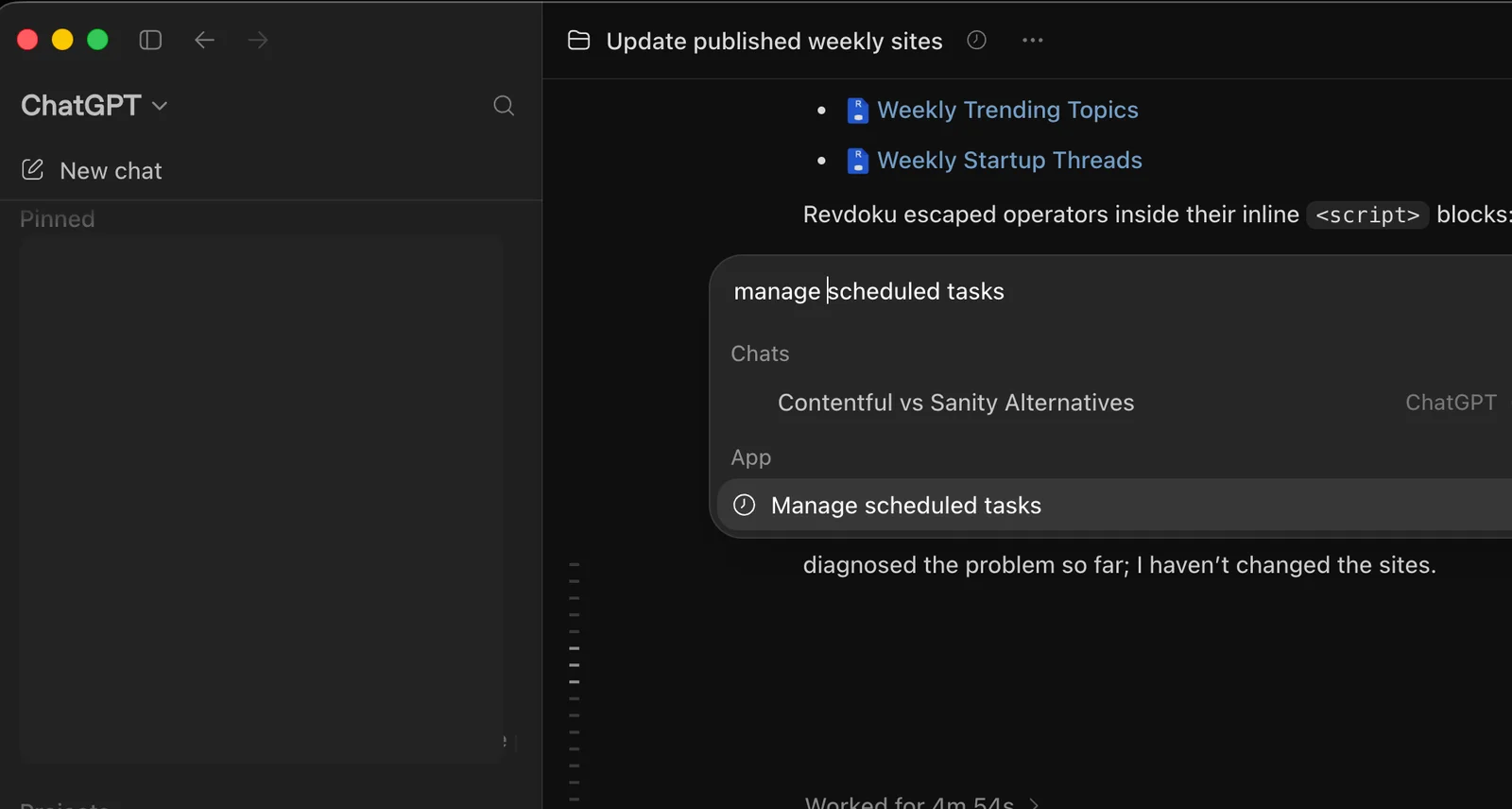
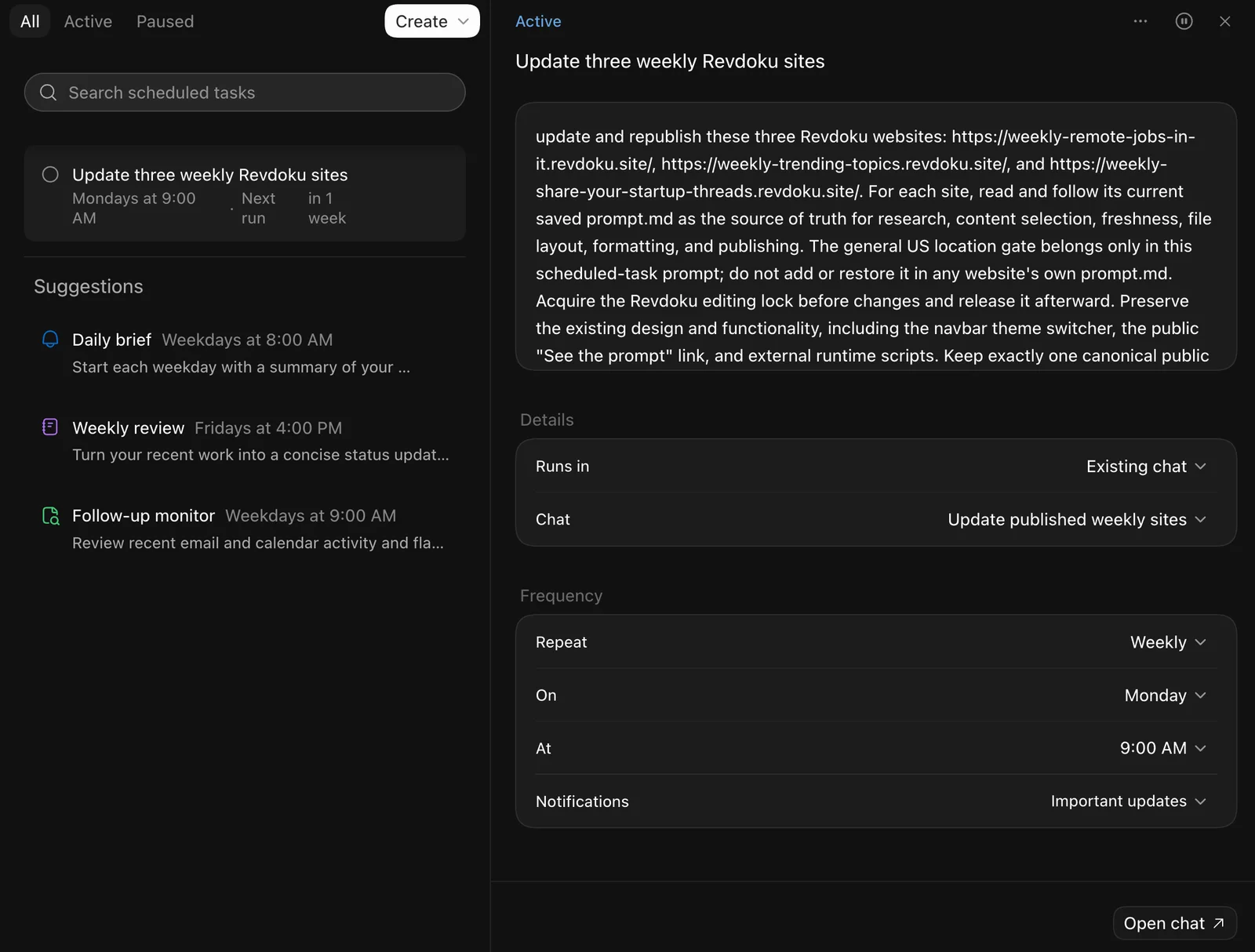
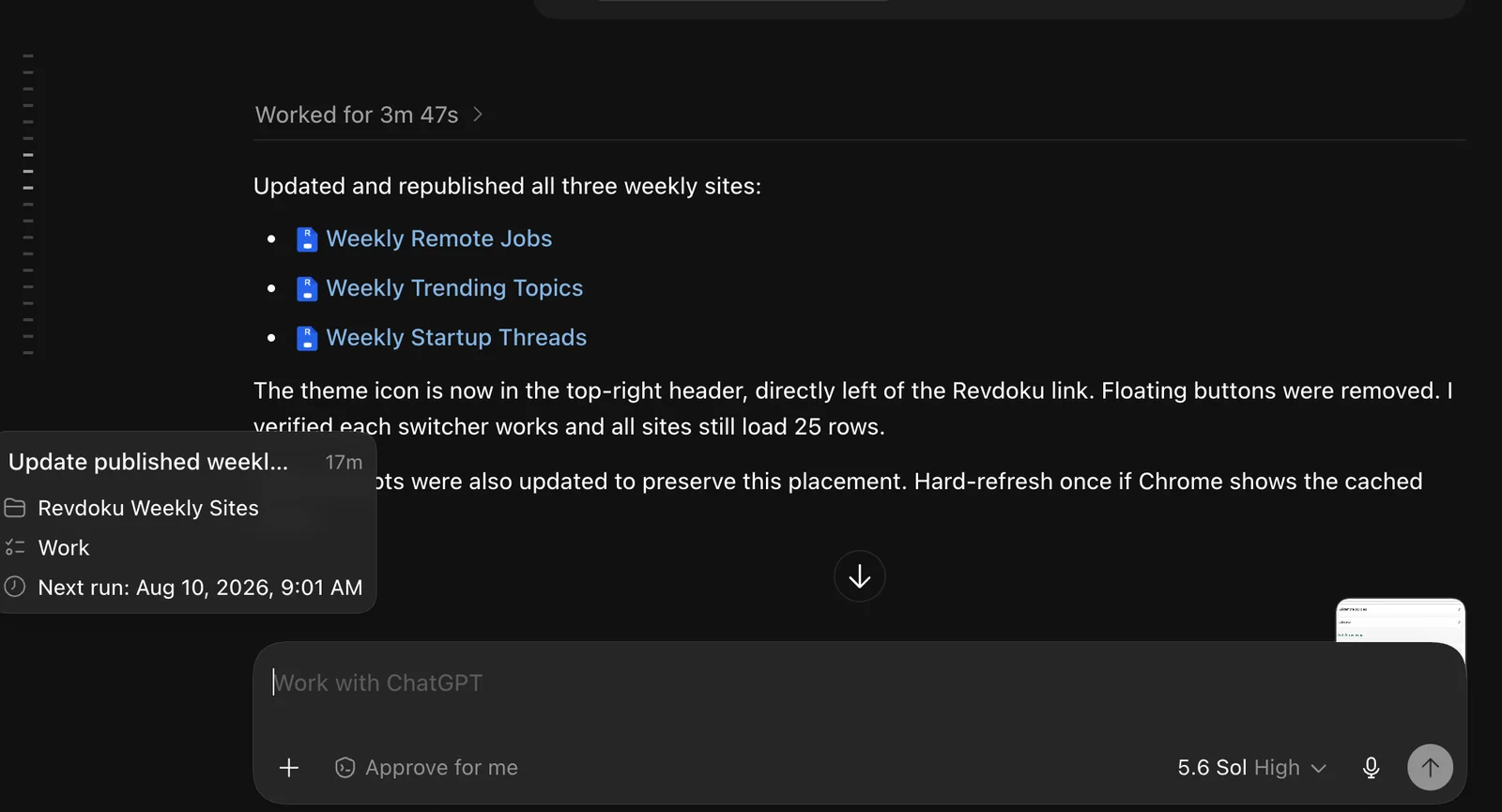
One task runs every Monday at 9:00 AM in the America/Los_Angeles time zone. To find recurring tasks in ChatGPT, open search, type Manage scheduled tasks, and select the matching result.
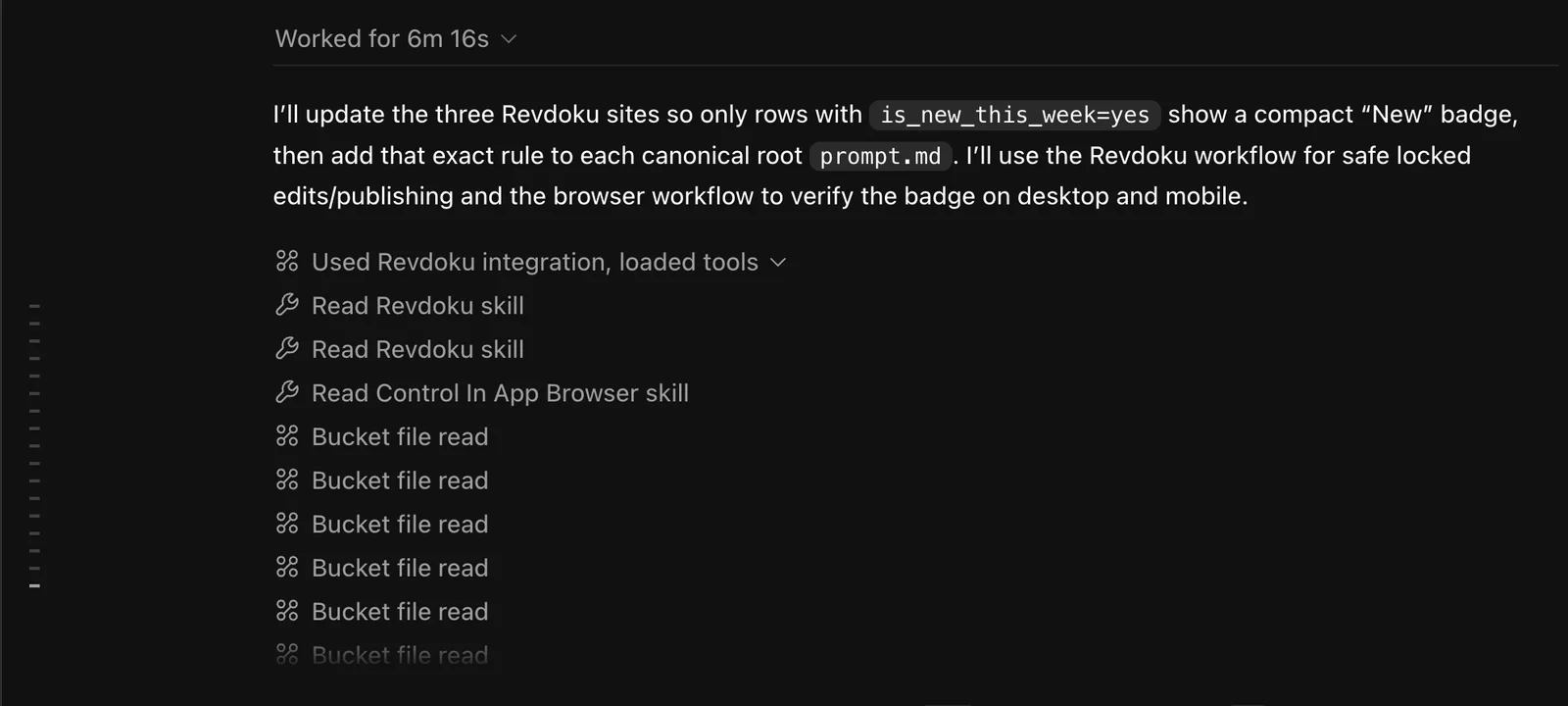
The shared instruction is short: open each site, read its root prompt.md, follow the current rules, research verifiable material, archive the previous issue, update the files, publish, test, and report any limitations.
This prompt-as-source-of-truth setup is useful because the three sites do not need identical research rules. The content team can change one site’s fields, sources, item limits, or quality checks in its own prompt without rebuilding the Monday task.
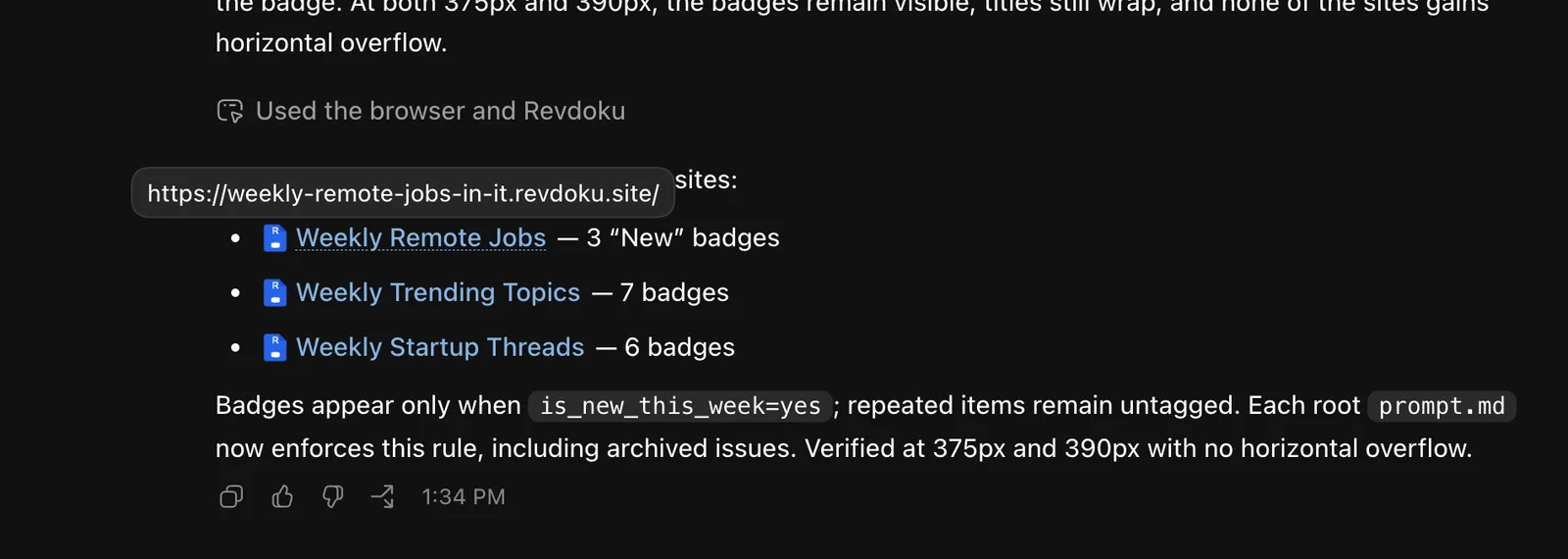
The run is unattended. ChatGPT performs the research, updates the current data, creates an archived copy, tests links and page behavior, and checks desktop and mobile layouts. The prompts require checks for freshness, duplicates, public links, CSV parsing, Unicode characters, and viewport overflow at 375px and 390px. If an item cannot be verified, it is omitted and reported rather than guessed.
When all three updates finish, the content team gets a notification and reviews the published results.
Analytics, preview, and rollback in the same workflow
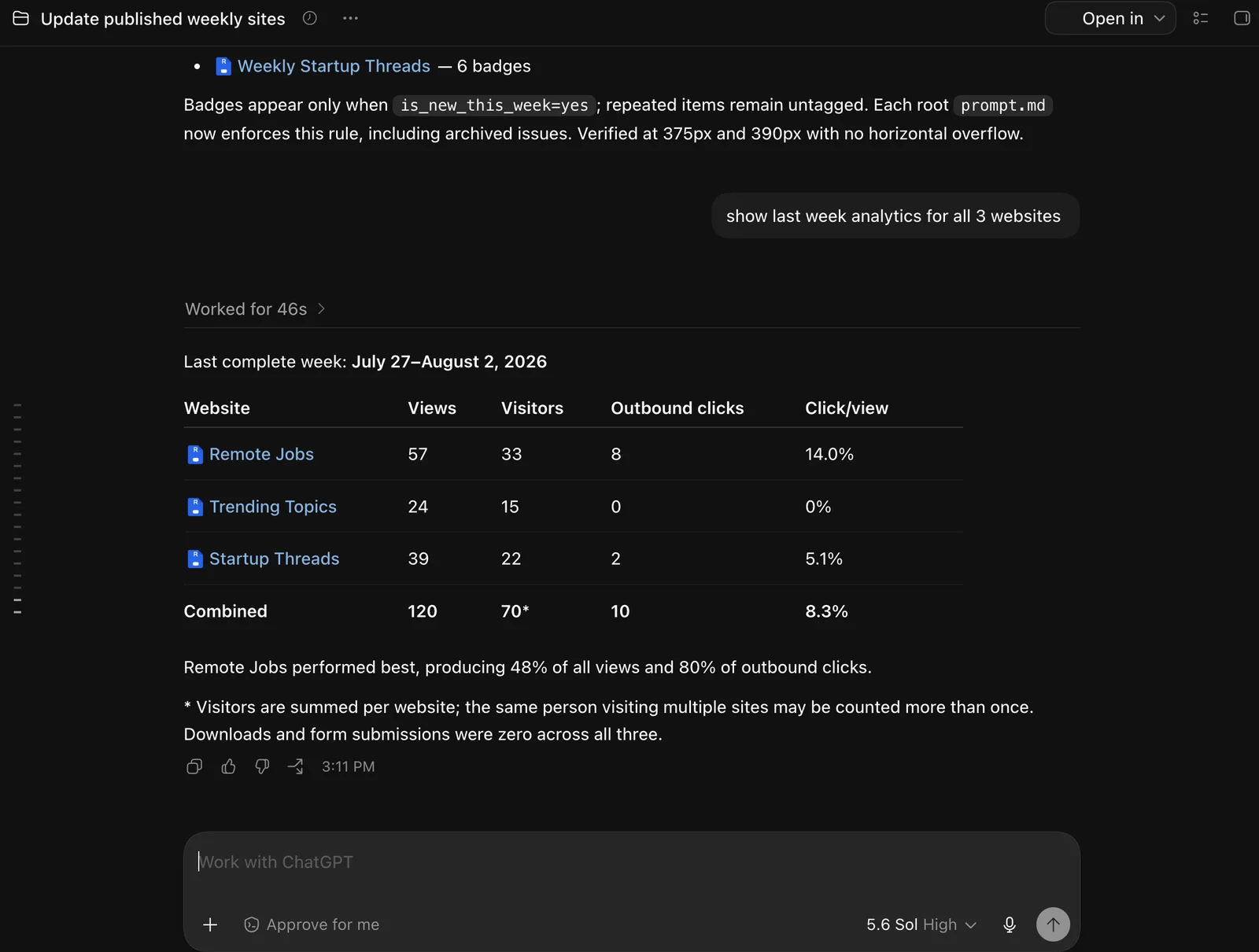
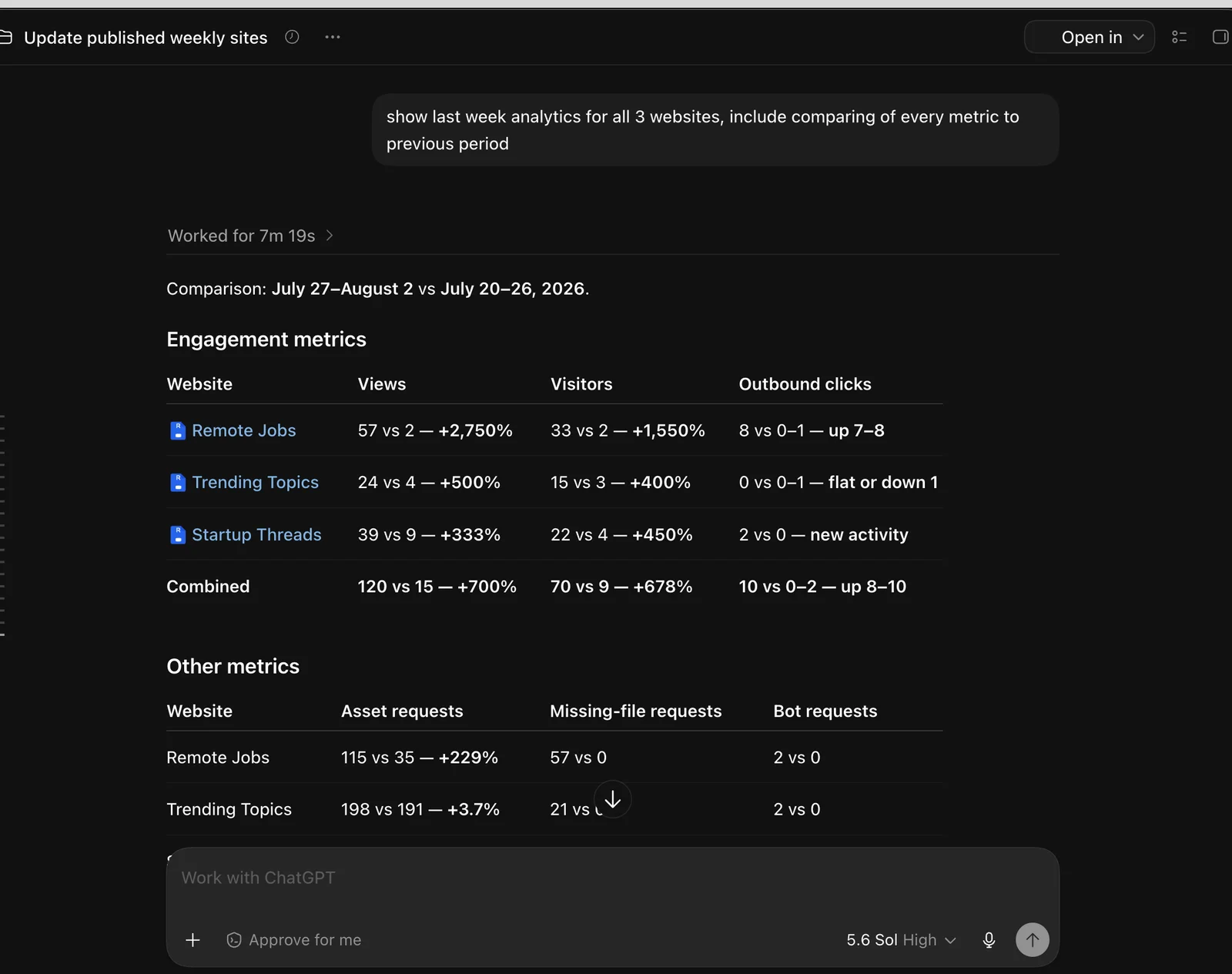
The team can ask ChatGPT to read Revdoku analytics for the sites and compare periods. For July 27 through August 2, 2026, the three sites recorded 120 views, 70 summed visitors, and 10 outbound clicks. The visitor total is summed across the sites, so a person who visited more than one site may be counted more than once.
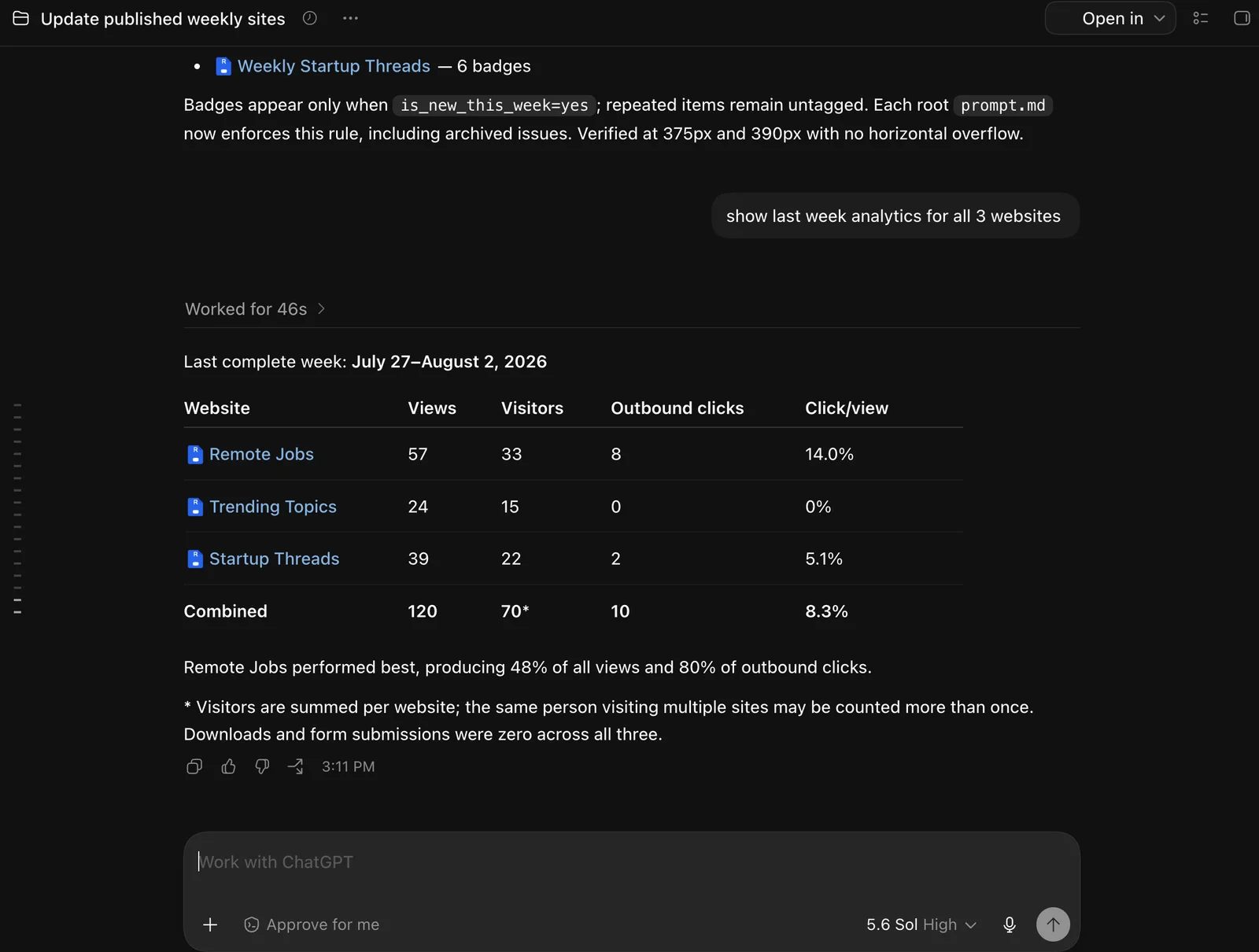
Those numbers help the team see what visitors actually use. Remote Jobs generated eight of the ten outbound clicks in that period. The sample is still short, so the increase should be monitored rather than treated as proof that automation caused the traffic.
Revdoku also makes the publishing process reversible. A temporary preview site can be generated when an update needs inspection before production. Version history keeps previous bucket states available, and the team can quickly roll back to an earlier version while keeping the same public URL.
That matters for unattended publishing. Automation handles repetitive work, but a person can still review the result and recover from a bad release without reconstructing an old site manually.
Protected access, analytics, and forms
Revdoku adds more than static publishing to this workflow:
- Password protection or email login: publish a site behind a shared password or require visitors to verify their email before opening it.
- Visitor analytics: see views, visitors, pages opened, and outbound clicks in Revdoku or through connected ChatGPT.
- Built-in forms: collect approval, feedback, quote requests, or another structured response without adding a separate form backend.
A team can combine these features on the same site. For example, a client report can require email login, record viewing activity, and include an approval or feedback form while continuing to use the same URL after every update.
Why we moved this process from GitHub Pages
The previous workflow combined semi-manual research with GitHub Pages. It worked, but it required repository and deployment knowledge from a content operator. It also did not provide Revdoku’s built-in visitor analytics, and quick previews or rollbacks were more involved.
GitHub Pages remains a good fit for developer-owned projects that benefit from Git workflows and pull requests. For these three editorial websites, the Revdoku approach fits the operator better: stable links, archives, analytics, previews, versioning, and recovery are part of the same publishing workflow.
GitHub still has a role in the current setup. Revdoku GitHub Sync automatically copies the Remote Jobs bucket files to a private repository and can sync changes in both directions. The repository serves as a backup without making GitHub Pages the production deployment path. See How to set up GitHub Sync in Revdoku for the screenshot walkthrough.
The result is not a hands-off black box. It is an unattended weekly run with a visible prompt, a completion notification, a review step, and a rollback path.
History
- August 3, 2026 — Published by Revdoku Content Team
- August 3, 2026 — Reviewed by Eugene Mi
- August 5, 2026 — Last updated by Revdoku Content Team.
Related Articles

GitHub Pages Password Protection and Privacy
Learn why private repositories do not protect Pages sites and compare secure access options for internal teams and external clients.

How to Password Protect a Vercel Deployment
Learn how to secure Vercel deployments with password protection, authentication, trusted access, or protected Revdoku hosting.

How to Password Protect a Website Made with Claude
Learn how to export, secure, publish, and test a Claude-made website using password protection or verified-email access.